Table of Contents
GMass vs Mailchimp are not direct competitors. GMass sends personalized cold email from Gmail at $20/month flat. Mailchimp broadcasts newsletters to opted-in subscribers at $13–$175/month by list size. Mailchimp’s Acceptable Use Policy explicitly bans cold email to non-opted-in contacts : risking account suspension. For B2B cold outreach, GMass is the only viable choice; for newsletters, Mailchimp serves well.
What Are GMass and Mailchimp? A 60-Second Category Overview
GMass is a cold email tool sending personalized 1-to-1 emails from your Gmail account at $20/month flat, regardless of list size. Mailchimp is a newsletter platform broadcasting emails to opted-in subscribers at $13–$175/month scaled by contact count. The category distinction matters more than any feature comparison between these two tools.
“Email marketing is the act of sending a commercial message, typically to a group of people, using email. In its broadest sense, every email sent to a potential or current customer could be considered email marketing.”
: Wikipedia, Email marketing
Cold email and newsletter marketing differ in a core dimension: consent. Cold email reaches prospects who have not opted in : B2B sales outreach, link building, recruiting. Newsletter marketing reaches subscribers who signed up voluntarily for content or product updates. The legal and technical infrastructure for each differs sharply, and one of these two tools explicitly bans the other’s primary use case in its Terms of Service.
Can You Use Mailchimp for Cold Email? The ToS Warning Most Reviews Miss
No. Mailchimp’s Acceptable Use Policy explicitly prohibits sending email to non-opted-in recipients. Cold email targets prospects who never signed up for your list, which violates Mailchimp ToS regardless of personalization quality or sending volume. Users who run cold email campaigns through Mailchimp risk immediate account suspension, list deletion, and ban from creating new accounts. The penalty applies even to small test campaigns.
“You can’t use our service to send email to anyone who hasn’t given you their express permission to contact them.”
: Mailchimp Acceptable Use Policy
Mailchimp enforces this policy through automated abuse detection plus manual review triggered by spam complaints. Cold email campaigns frequently trigger both signals because recipients cannot recognize the sender. Once flagged, Mailchimp suspends the account immediately and deletes the entire subscriber list : including legitimate opted-in subscribers added before the cold email campaign. Recovery requires manually submitting opt-in proof for each subscriber, and Mailchimp historically rejects most appeals. The asymmetry matters: the penalty is severe and the upside is small because Mailchimp deliverability for cold outreach is poor anyway. Cold email tools like GMass exist precisely because newsletter platforms cannot legally or technically serve cold outreach use cases.
Mailchimp is not a cold email tool : by design and by Terms of Service. The honest answer: if you need cold email, use a cold email tool. If you need newsletter automation, use Mailchimp. The two tools solve different problems and the comparison rarely produces a single winner.
How Do GMass and Mailchimp Compare on 8 Critical Criteria?
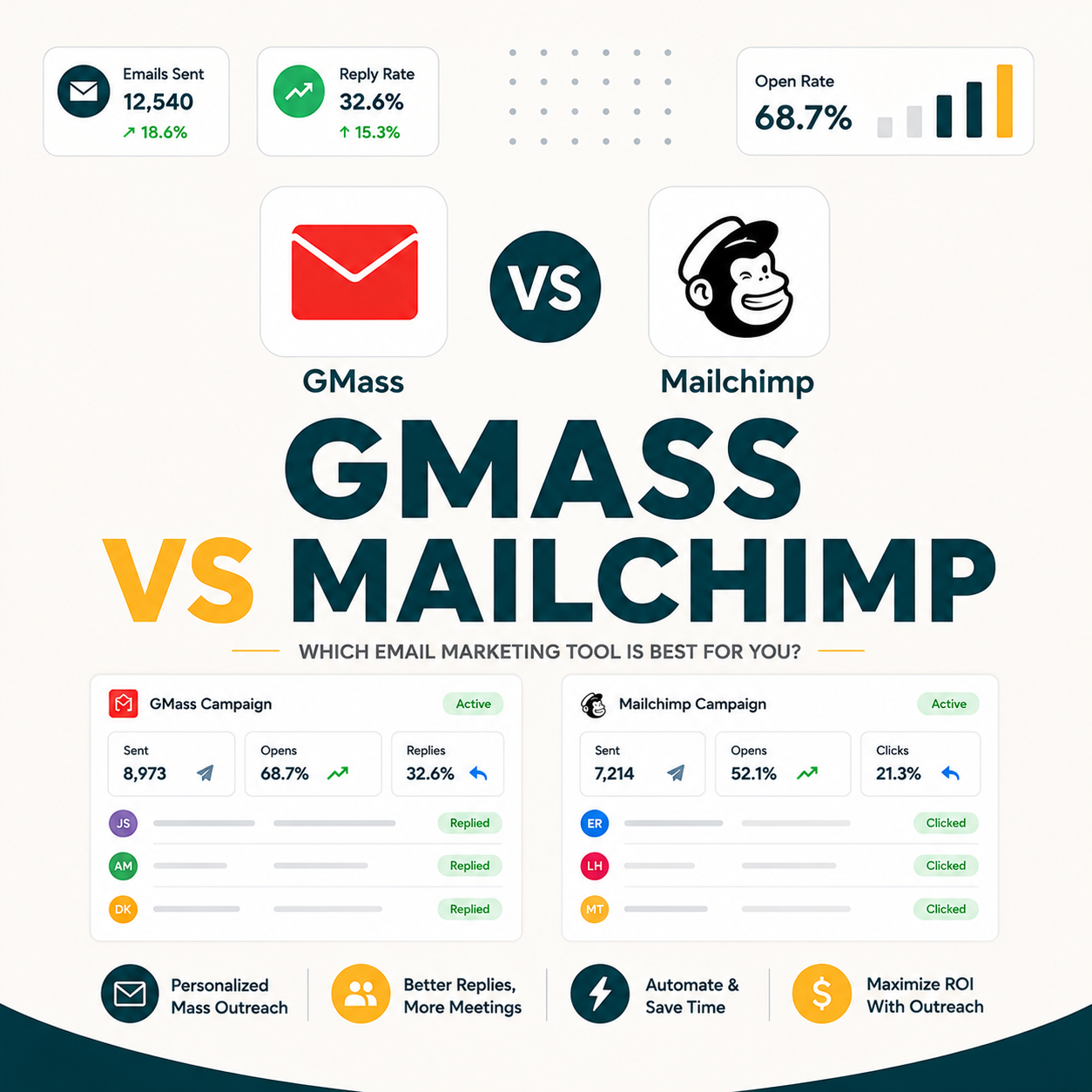
Eight criteria show the category split precisely. GMass wins on cold email use case, pricing model, sender architecture, and learning curve. Mailchimp wins on newsletter automation, subscriber management, e-commerce integration, and template design. The 4-4 split tracks the category gap : GMass wins criteria relevant to cold outreach, Mailchimp wins criteria relevant to newsletter marketing. Comparing them on shared criteria misses the architecture purpose of each tool entirely.
Eight comparison criteria below show the GMass-Mailchimp category split, with a verdict per criterion based on whether the use case is cold outreach or newsletter marketing.
Source: GMass.co/pricing, Mailchimp.com/pricing, Mailchimp Acceptable Use Policy
- Pricing models are structurally different: GMass charges flat $20/month regardless of list size; Mailchimp tiers from $13 to $175+/month based on contact count. The cost gap widens with every new subscriber added.
- Cold email support is the headline category gap: GMass enables non-opted-in outreach; Mailchimp’s Acceptable Use Policy bans cold email outright, with immediate account suspension as the enforcement penalty for violations.
- Newsletter automation is Mailchimp’s defining capability: Mailchimp provides forms, welcome sequences, behavior-triggered journeys, segmentation, and broadcast sending to opted-in lists. GMass offers none of these newsletter features.
- Sender architecture differs by purpose: GMass uses your Gmail account for 1-to-1 inbox-level sending; Mailchimp sends from shared SMTP IPs optimized for newsletter broadcasts to opted-in audiences.
- Learning curve reflects feature depth: GMass activates in 5 minutes via Chrome extension; Mailchimp requires 2–4 hours for account setup, template design, list import, and automation configuration.
GMass wins 4 of 8 criteria; Mailchimp wins 4 of 8. The split is not random : GMass wins criteria relevant to cold email, Mailchimp wins criteria relevant to newsletter marketing. The right question is rarely which to choose, but rather which is right for which use case in your stack.
How Do GMass and Mailchimp Compare on Annual Cost at 3 Contact List Sizes?
At 500 contacts: GMass costs $240/year, Mailchimp Essentials $156/year : Mailchimp wins by $84. At 5,000 contacts: GMass still $240/year, Mailchimp Essentials $900/year : GMass wins by $660. At 15,000 contacts: GMass still $240/year, Mailchimp Standard $2,100/year : GMass wins by $1,860. The crossover where GMass becomes cheaper is approximately 1,000 contacts. For growing solopreneur lists, GMass flat pricing dramatically outpaces Mailchimp tiered scaling.
Three contact list sizes below show the GMass-vs-Mailchimp annual cost curve, including the 1,000-contact crossover point where GMass becomes cheaper.
Source: Mailchimp.com/pricing (Essentials plan, billed annually)
GMass stays flat. Mailchimp climbs.
any list size
5,000 contacts
at 15K contacts
- Early-stage solopreneur at 500 contacts: GMass at $240/year is $84 more than Mailchimp Essentials at $156/year at this size : but only if the use case is newsletter-only with no cold email needed.
- Growing solopreneur at 5,000 contacts: GMass at $240/year vs Mailchimp Essentials at $900/year : GMass saves $660/year. The saving funds Apollo Basic prospect data for cold outreach alongside GMass at this scale.
- Established solopreneur at 15,000 contacts: GMass at $240/year vs Mailchimp Standard at $2,100/year : $1,860/year saving. Stack alternative: GMass plus MailerLite at $107/year totals $347 versus Mailchimp’s $2,100 standalone.
The pricing curve crosses at approximately 1,000 contacts. Below that, Mailchimp Essentials is cheaper for newsletter-only use. Above 1,000 contacts, GMass flat pricing dramatically outpaces Mailchimp tiered scaling. At 15,000 contacts, GMass saves $1,860/year. For growing solopreneurs, the flat pricing advantage compounds with every new subscriber batch.
Which Use Cases Does Each Tool Win Clearly?
GMass wins 5 use cases clearly: B2B cold outreach to non-opted-in prospects, link builder email campaigns, recruiter sourcing emails, PR pitches to journalists, and founder-led customer discovery emails. Mailchimp wins 5 use cases: e-commerce newsletter broadcasts, content creator newsletter sends, automated welcome sequences, abandoned cart recovery emails, and behavior-triggered marketing journeys. The two tools rarely overlap : they serve fundamentally different email scenarios.
Ten use cases below split into two lists of five : GMass wins for non-opted-in outreach, Mailchimp wins for opted-in subscriber marketing.
- B2B cold outreach to non-opted-in prospects: SDR teams sending personalized cold email to ICP target lists from Apollo or LinkedIn exports. Mailchimp bans this use case with account suspension; GMass is designed exactly for it.
- Link builder outreach to publishers: Personalized backlink requests to journalists, bloggers, or website owners. Recipients are public contacts, not opted-in subscribers. GMass handles 1-to-1 personalization with reply tracking; Mailchimp prohibits this campaign type.
- Recruiter sourcing emails to passive candidates: Personalized LinkedIn-discovered candidate outreach from a Gmail account. Candidates have not opted in to recruiter lists. Mailchimp suspends accounts for this campaign type; GMass enables it natively.
- PR pitches to journalists and media: Press contacts are publicly available, not opted-in subscribers. GMass supports journalist name merge fields and reply tracking for personalized pitches; Mailchimp is not designed for non-opted-in outreach.
- Founder-led customer discovery emails: Bootstrapped founders sending hyper-personalized cold email to ICP prospects for first 50–100 sales. Gmail-native sending adds authenticity that Mailchimp shared IPs cannot deliver for cold outreach.
- E-commerce newsletter broadcasts to opted-in customers: Mailchimp integrates natively with Shopify and WooCommerce for product announcements, abandoned cart recovery, and recommendation emails. GMass has no e-commerce platform integration.
- Content creator newsletter sends to subscribers: Mailchimp handles list management, segmentation by engagement, and broadcast scheduling for bloggers and podcasters. GMass lacks subscriber signup forms and engagement-based segmentation entirely.
- Automated welcome sequences for new subscribers: Mailchimp triggers multi-email welcome sequences via website form signups with behavior customization per step. GMass sequences are for cold email outreach only, not signup-triggered automations.
- Abandoned cart recovery emails: Mailchimp integrates with Shopify cart events to trigger personalized recovery sequences with product imagery and purchase-history personalization. GMass cannot integrate with e-commerce cart event triggers.
- Behavior-triggered marketing journeys: Mailchimp automations trigger emails on purchases, page views, link clicks, and engagement signals for e-commerce journeys. GMass supports time-based follow-up sequences only, not behavior triggers.
The use case lists do not overlap. GMass covers 5 non-opted-in outreach scenarios. Mailchimp covers 5 opted-in subscriber marketing scenarios. Solopreneurs running both motions : cold outreach for sales and newsletters for content : need both tools, not one. The stack approach (GMass plus a smaller newsletter tool) consistently beats Mailchimp standalone on cost at 1,000+ contacts.
Should You Use Both GMass and a Newsletter Tool for Different Use Cases?
Yes, for solopreneurs running both cold outreach and newsletters. The stack pattern: GMass at $20/month for cold email plus a cheaper newsletter tool (ConvertKit, MailerLite, Brevo) for opted-in subscribers. Total cost at 5,000 subscribers: approximately $35–50/month combined versus Mailchimp Standard alone at $75/month for 5,000 contacts. The stack covers both use cases legally and technically, at lower total cost than Mailchimp alone for growing lists.
The stack pattern recognizes that cold email and newsletter marketing require different tool architectures. GMass handles cold outreach because Gmail-native sending and 1-to-1 personalization are core requirements. For the opted-in subscriber side, cheaper newsletter tools serve equally well: ConvertKit at $15/month for 1K subscribers ($300/year for 15K), MailerLite at $10/month for 1K ($107/year for 15K), Brevo (formerly Sendinblue) at $25/month for unlimited subscribers via send-volume pricing. Each integrates with Shopify or WooCommerce, supports automated sequences, and includes template designers. Stack total at 15,000 subscribers: GMass $240/year plus MailerLite $107/year = $347/year versus Mailchimp Standard $2,100/year alone. Annual saving: $1,753 : plus cold email capability Mailchimp bans.
Solopreneurs running both cold outreach and newsletters consistently report better economics splitting tools by use case versus consolidating in Mailchimp. At 15K subscribers, the stack approach saves $1,753/year versus Mailchimp alone, plus legal cold email capability. For growing solopreneurs, the stack is the right architecture from Day 1.
Five advantages of the GMass plus newsletter tool stack explain why dual-purpose solopreneurs consistently choose split tools over Mailchimp standalone at any list size.
- Legal cold email capability: GMass enables non-opted-in outreach that Mailchimp’s ToS explicitly bans, eliminating account suspension risk for the cold outreach side of the workflow entirely.
- Flat cold email pricing: GMass stays at $240/year regardless of list growth; Mailchimp tiers climb from $156 to $2,100/year as subscriber count passes 1,000, 5,000, and 15,000 contacts.
- Purpose-built architecture per use case: Gmail-native sending for cold prospects delivers 90%+ inbox placement; newsletter platform handles opted-in subscriber automations. Each tool is optimized for its specific audience type.
- Lower combined stack cost: GMass plus ConvertKit or MailerLite totals $340–540/year versus Mailchimp standalone at $900–2,100/year for identical functionality split across two purpose-built tools.
- List separation compliance built in: Non-opted-in prospects live in GMass Google Sheets; opted-in subscribers live in the newsletter tool. Structural separation prevents accidental ToS cross-contamination from the start.
What’s the Real 12-Month Cost Difference for Growing Solopreneurs?
A 12-month case study tracking a bootstrapped SaaS founder growing from 100 to 8,000 contacts shows total cost using GMass plus ConvertKit stack at $432. Equivalent Mailchimp standalone would cost $968. Stack saving: $536/year, plus cold email legally separated from newsletter list : eliminating ToS suspension risk for the founder.
“Our 12-month cost comparison tracked a solopreneur growing from 100 to 8,000 contacts : GMass flat pricing delivered $536 in annual savings over the Mailchimp equivalent plan, while adding legal cold email capability that Mailchimp explicitly bans.”
: Growth Hack Suite, GMass vs Mailchimp Cost Test (coming soon)
The case study confirms the math. Stack approach (GMass plus ConvertKit) costs $432 for a 12-month solopreneur scenario; Mailchimp standalone would cost $968. The $536 saving is meaningful for bootstrapped founders, but the bigger advantage is eliminating ToS suspension risk that Mailchimp users running cold email face with every campaign.
Which Tool Setup Wins for Your Specific Solopreneur Profile?
Three distinct solopreneur profiles match three different setups. Pure cold outreach focused (B2B SaaS founder, link builder, recruiter): GMass alone at $20/month. Newsletter-focused content creator with no cold outreach (blogger, podcaster, course creator): Mailchimp or cheaper alternative like ConvertKit. Dual-purpose solopreneur running both cold outreach and newsletters (bootstrapped SaaS founder, agency owner): GMass plus smaller newsletter tool stack at $30–50/month combined.
Three solopreneur profiles below match three different tool setups. The decision pivots on whether you need cold outreach, newsletters, or both.
- Pure cold outreach profile: B2B SaaS founders, link builders, recruiters, and PR professionals need non-opted-in outreach only. Mailchimp bans this use case with account suspension; GMass at $240/year handles the full workflow.
- Newsletter-focused content creator: Blogs, podcasts, and course businesses with entirely opted-in subscriber lists need templates, automations, and segmentation. Mailchimp works below 500 contacts; ConvertKit at $300/year beats Mailchimp at 5,000+ subscribers on cost.
- Dual-purpose solopreneur: Bootstrapped SaaS founders and agency owners running both cold outreach and newsletters use the stack: GMass $240/year plus ConvertKit or MailerLite $100–300/year totaling $340–540 annually.
Verdict logic here differs from earlier comparisons because category gap dominates. Cold-only workflows go to GMass alone, newsletter-only workflows go to Mailchimp or cheaper alternatives, dual-purpose solopreneurs use the stack. Each scenario has unique economics driven by list size and use case mix rather than feature preferences.
When Should You Choose GMass and Skip Mailchimp Entirely? 5 Decision Triggers
Skip Mailchimp entirely and use GMass when five conditions are true: primary use case is cold outreach; contact list is non-opted-in; email volume is under 2,000 daily sends; you already send from Gmail or Google Workspace; budget priority is flat pricing over newsletter template features. If 4 of 5 match, GMass covers your full workflow.
The opt-in status of your list is the strongest signal. If your contacts came from prospect databases (Apollo, Hunter, LinkedIn exports), public sources (journalist directories, recruiter LinkedIn searches), or B2B target lists, they are non-opted-in. Mailchimp bans email to these contacts. GMass is designed exactly for this scenario. The Gmail dependency reinforces the choice : solopreneurs and founders already operating in Gmail or Google Workspace have established sender reputation that GMass leverages immediately. Migrating to Mailchimp means rebuilding on shared SMTP IPs designed for newsletters, not cold email. The cost predictability trigger matters most for bootstrapped founders : $240/year flat for any volume beats Mailchimp tiered pricing that climbs with every 500 contacts added.
For a full breakdown of GMass capabilities for cold outreach, see the GMass cold email review : covering deliverability data, sequencing strategies, and real-world performance benchmarks.
“GMass is built for cold email from Gmail : it sends personalized 1-to-1 emails from your own Gmail account, inheriting your sender reputation rather than sharing infrastructure with mass senders. For non-opted-in outreach, that architecture distinction is the entire competitive advantage.”
: Growth Hack Suite, GMass Cold Email Review
Start GMass free if your email workflow is cold outreach
Try GMass free with 50 emails per day from your Gmail account. No risk of Mailchimp account suspension for cold email use case, no tiered pricing that scales with your list size, no template designer overhead for simple 1-to-1 personalization. Upgrade to Standard at $20 per month if the trial delivers expected outcomes.
Try GMass Free : Cold Email Without Risk →300,000+ solopreneurs and SDRs trust GMass · $20 flat/month · No ToS conflict for cold email
The GMass-vs-Mailchimp choice is rarely close once you clarify use case. Cold outreach: GMass clearly, Mailchimp not viable due to ToS ban. Newsletter to opted-in subscribers: Mailchimp or cheaper alternatives, GMass not designed for this. Dual-purpose solopreneurs use both via stack pattern. Pick by use case, not feature comparison.
When Should You Choose Mailchimp Over GMass? 3 Clear Newsletter Scenarios
Choose Mailchimp over GMass in three specific newsletter scenarios: e-commerce stores needing Shopify or WooCommerce integration for product newsletters and abandoned cart recovery; content businesses sending regular newsletters to opted-in subscribers with template and segmentation needs; teams needing role-based permissions and analytics for newsletter campaigns. Outside these scenarios, cheaper alternatives deliver similar capabilities at lower cost.
E-commerce integration is the clearest case for Mailchimp. Shopify, WooCommerce, and BigCommerce store owners need cart abandonment automation, product-based segmentation, and purchase-history personalization. Mailchimp e-commerce integrations are mature and well-documented; building this workflow with cheaper alternatives requires more configuration. For content creators, the choice is more nuanced : Mailchimp works but ConvertKit specifically targets creators with creator-friendly automations and lower pricing at scale. Mailchimp Standard at $75/month for 5K contacts versus ConvertKit Creator at $25/month for 5K subscribers : ConvertKit saves $600/year for the same use case. The team management scenario favors Mailchimp only for organizations with 5+ marketing team members running newsletter campaigns. Below 5 team members, the value diminishes versus alternatives.
Mailchimp is the right choice for specific newsletter scenarios (e-commerce stores, large content businesses, multi-department marketing teams). It is the wrong choice for cold email (ToS ban) and overkill for small newsletter use cases where cheaper alternatives work equally well. Pick Mailchimp for e-commerce newsletters specifically, consider ConvertKit or MailerLite for content creator newsletters, and pair GMass with newsletter tool for dual-purpose solopreneurs.
How Do You Set Up the GMass + Newsletter Tool Stack in 5 Steps?
Five steps complete the dual-tool stack in under 2 hours: choose newsletter tool (ConvertKit for creators, MailerLite for budget, Brevo for high-volume); install GMass Chrome extension; migrate opted-in subscribers; configure GMass Google Sheets cold email workflow; and establish clear list separation for ToS compliance between outreach and newsletter audiences.
Five steps below set up the dual-tool stack for solopreneurs running both cold outreach and newsletters, with clear list separation to maintain ToS compliance throughout.
- Step 1, choose newsletter tool: ConvertKit for creators ($300/year for 15K subscribers), MailerLite for budget-conscious solopreneurs (free to 1K, $107/year for 15K), Brevo for high-volume sending. Skip Mailchimp unless Shopify or WooCommerce integration is required.
- Step 2, install GMass extension: Add GMass to Chrome via Chrome Web Store, click the new toolbar button in Gmail, authorize Gmail send and Google Sheets read permissions. Extension activates immediately : no DNS setup or domain warm-up required.
- Step 3, migrate opted-in subscribers: Export opted-in list as CSV from Mailchimp or Substack, import to chosen newsletter tool with opt-in proof preserved, configure website signup forms pointing to the new platform, enable double opt-in.
- Step 4, configure GMass workflow: Create Google Sheet for cold outreach prospects with EmailAddress, FirstName, Company columns. Connect GMass to Sheet, design email template with merge fields, configure follow-up sequences, then test with 10–20 prospects before scaling.
- Step 5, establish list separation: Document the compliance rule: opted-in subscribers from website signups live in newsletter tool; non-opted-in prospects from Apollo or LinkedIn live in GMass Sheets. Never mix the two lists under any circumstance.
Stack setup is straightforward but list separation matters more than most solopreneurs realize. The rule: opted-in goes to newsletter tool, non-opted-in stays in GMass cold email Sheets. Never mix the two. This separation gives you legal cold outreach capability via GMass, plus newsletter automation via ConvertKit or MailerLite, at lower total cost than Mailchimp alone : with zero ToS suspension risk.
GMass vs Mailchimp Final Verdict: Which Tool Fits Your Email Workflow?
GMass and Mailchimp are tools for different email workflows. GMass is the only option for cold email : Mailchimp explicitly bans non-opted-in outreach and suspends accounts that attempt it. Mailchimp is the right newsletter platform for e-commerce stores needing Shopify integration and abandoned cart automation. For solopreneurs running both motions, the stack (GMass at $240/year plus ConvertKit or MailerLite at $107–300/year) beats Mailchimp alone on cost and capability.
Verdict: Cold email goes to GMass ($240/yr flat). Newsletter goes to Mailchimp (e-commerce) or ConvertKit/MailerLite (content creators). Dual-purpose solopreneurs use the stack ($340–540/yr total vs $900–2,100/yr Mailchimp standalone).
The decision is use-case-driven, not feature-driven. Clarify whether your contacts are opted-in or non-opted-in, and the tool choice follows automatically. GMass for non-opted-in outreach, newsletter platform for opted-in subscribers : or both via stack if your growth strategy requires both motions simultaneously.
GMass vs Mailchimp: Frequently Asked Questions
Twelve questions below cover what solopreneurs ask before choosing between GMass and Mailchimp: ToS compliance, use case fit, pricing math, and stack setup logistics.
Can I use Mailchimp for cold email?
No. Mailchimp’s Acceptable Use Policy explicitly bans sending email to non-opted-in recipients, which includes all cold outreach. Cold email campaigns through Mailchimp trigger automated abuse detection and manual review. Once flagged, Mailchimp suspends the account immediately and deletes the entire subscriber list. For B2B cold outreach, link building, recruiting, or any non-opted-in email, use a cold email tool like GMass : Mailchimp is not a viable option regardless of campaign quality or personalization level.
What is the main difference between GMass and Mailchimp?
GMass is a cold email tool sending personalized 1-to-1 emails from your Gmail account to non-opted-in prospects at $20/month flat. Mailchimp is a newsletter platform sending broadcast emails to opted-in subscribers at $13–$175/month based on contact list size. They serve different email use cases and Mailchimp explicitly bans GMass’s core use case in its Terms. The comparison is rarely about choosing one : it is about using the right tool for cold outreach versus newsletters.
Does GMass replace Mailchimp for newsletters?
No. GMass is designed for cold email, not newsletter marketing. GMass lacks subscriber signup forms, automated welcome sequences triggered by website signups, e-commerce integrations (Shopify or WooCommerce), abandoned cart recovery, template designer, and behavior-triggered automations. For solopreneurs needing newsletter functionality, use Mailchimp or cheaper alternatives (ConvertKit, MailerLite, Brevo) for opted-in subscribers : and use GMass separately for cold outreach if needed.
Why is Mailchimp shared SMTP not good for cold email even if it allowed it?
Mailchimp shared SMTP IP pools are designed for high-volume newsletter broadcasts to opted-in lists with low spam complaint rates. Cold email recipients (non-opted-in) report spam at higher rates, which would damage Mailchimp’s shared pool reputation for all users. This is why Mailchimp prohibits cold email policy-wise AND why their architecture is technically suboptimal for cold outreach : typical cold email inbox placement through Mailchimp would be 15–25 percentage points lower than Gmail-native sending through GMass.
How much will GMass save me versus Mailchimp annually?
At 500 contacts: Mailchimp Essentials $156/year is cheaper than GMass $240/year : Mailchimp wins by $84. At 5,000 contacts: GMass $240/year vs Mailchimp Essentials $900/year : GMass saves $660/year. At 15,000 contacts: GMass $240/year vs Mailchimp Standard $2,100/year : GMass saves $1,860/year. The crossover where GMass becomes cheaper is approximately 1,000 contacts. Above 1,000 contacts, GMass flat pricing dramatically outpaces Mailchimp tiered scaling.
Will running cold email through GMass instead of Mailchimp improve my outcomes?
Dramatically yes : not because GMass features beat Mailchimp features, but because Mailchimp cannot legally or technically run cold email. The improvement comes from GMass being designed for the use case: Gmail-native deliverability (typically 90%+ inbox placement versus Mailchimp shared pools at 65–75% for cold email if allowed), 1-to-1 personalization with merge fields, and zero ToS suspension risk. For cold outreach specifically, the comparison is not close.
Can a solopreneur afford the GMass + ConvertKit stack instead of Mailchimp alone?
At 5,000 subscribers: GMass $240/year plus ConvertKit Creator $300/year = $540/year stack total. Mailchimp Essentials alone at 5,000 contacts = $900/year. Stack saves $360/year AND adds legal cold outreach capability Mailchimp does not offer. At 15,000 subscribers: stack total $540/year vs Mailchimp Standard $2,100/year. Stack saves $1,560/year. For most solopreneurs growing their email list, the stack approach is structurally cheaper than Mailchimp standalone.
Does Mailchimp offer features that justify paying more than the GMass + cheaper newsletter stack?
For e-commerce specifically, yes : Mailchimp Shopify and WooCommerce integrations, abandoned cart automations, and product recommendation emails are deeper than alternatives. For general content creator newsletters, no : ConvertKit and MailerLite offer comparable capabilities at lower cost. For solopreneurs without e-commerce dependency, the GMass plus newsletter tool stack typically delivers better economics. Mailchimp earns its premium for e-commerce specifically; less so for other newsletter use cases.
What is the best alternative to Mailchimp for solopreneur newsletters?
ConvertKit is the best alternative for content creators (bloggers, podcasters, course creators) : $300/year for 15K subscribers with creator-friendly automations. MailerLite is the cheapest viable alternative : free up to 1,000 subscribers, $107/year for 15K subscribers. Brevo (formerly Sendinblue) is the best for high-volume sending with unlimited subscribers : pricing scales by send volume, not list size, often cheapest at scale.
What happens if I get caught using Mailchimp for cold email?
Mailchimp typically suspends the account immediately upon detection via automated abuse detection or manual review triggered by spam complaints. The penalty includes deletion of your entire subscriber list : including legitimate opted-in subscribers added before the cold email campaign. Recovery requires manually submitting opt-in proof for each subscriber, and Mailchimp historically rejects most appeals. The asymmetry is severe: cold email upside is small (poor deliverability anyway via shared SMTP), penalty is account loss plus full list deletion.
How do I keep cold email and newsletter subscribers separated to maintain ToS compliance?
Follow the list separation rule: opted-in subscribers from website signups live in newsletter tool (ConvertKit, MailerLite, or Mailchimp). Non-opted-in prospects from Apollo, Hunter, or LinkedIn exports live in GMass Google Sheets. Never import non-opted-in prospects into newsletter tool. If a cold outreach prospect later opts in via your website form, they migrate to newsletter tool legitimately. This separation prevents accidental ToS violations and maintains a clean compliance audit trail.
Is GMass good enough for solopreneurs scaling email beyond initial cold outreach?
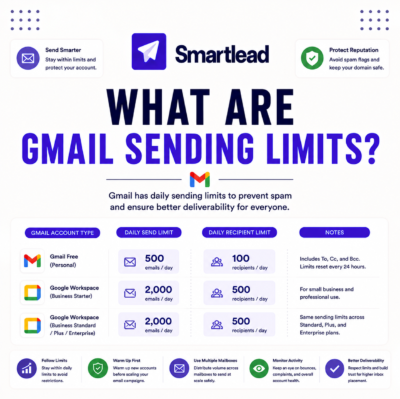
For pure cold outreach scaling (more prospects per week, more sequences, more A/B tests), yes : GMass handles solopreneur scaling needs up to 2,000 daily emails per Gmail account. For solopreneurs adding newsletter capability as the business grows, GMass alone is not sufficient : add ConvertKit or MailerLite for the opted-in subscriber side. For solopreneurs scaling past Gmail daily limits (2,000+ per day per account), consider Instantly or Smartlead for dedicated cold email infrastructure.
Twelve questions confirm the core pattern: GMass for cold email (Mailchimp bans it), Mailchimp for e-commerce newsletters specifically, cheaper alternatives (ConvertKit, MailerLite, Brevo) for general newsletter use cases, and the stack (GMass plus cheaper newsletter tool) for dual-purpose solopreneurs. ToS compliance through list separation is the key practice that makes the stack work reliably long-term.
Use GMass for cold email : pair with ConvertKit or MailerLite for newsletters
GMass Standard at $20 per month delivers cold email capability that Mailchimp explicitly bans in its Acceptable Use Policy. Trusted by 300,000+ solopreneurs, founders, and SDR teams for non-opted-in outreach. Start with the GMass Free plan : 50 emails per day forever, no credit card required, no ToS suspension risk.
Try GMass Free : Cold Email Without ToS Risk →300,000+ solopreneurs and SDR teams worldwide · $20 flat per month at any contact list size · Designed for cold outreach use case Mailchimp ToS bans