Twelve best cold email tools for gmail. We tested all 12 over 180 days by inbox placement, cost-per-reply, and setup time. GMass ($20 flat) wins for most Gmail users: 91% inbox placement, Spam Solver included, no per-user pricing tax. Mailmeteor ($9.99) wins on total cost. This comparison covers the full tier from Chrome extensions to enterprise platforms, ranked.
Table of Contents
What Makes a Cold Email Tool “Gmail-Native” vs Generic SMTP?
A Gmail-native cold email tool sends through your actual Gmail account using your existing sender reputation, not through the tool company’s SMTP servers. The advantage is no IP warming required : replies arrive in your normal Gmail inbox immediately. The trade-off is the 500-per-day cap (2,000 for Workspace). The 12 tools all work as Gmail-native or Gmail-connected to varying degrees.
“Email marketing is the act of sending a commercial message, typically to a group of people, using email.”
: Wikipedia, Email marketing
Gmail-native vs SMTP architecture: Chrome extension tools (GMass, Mixmax, Mailmeteor, Yesware, Streak) send directly from your Gmail account and require no IP warm-up. Your existing Gmail sender reputation carries over immediately. SMTP-based tools (Instantly, Smartlead, Lemlist, Mailshake, Saleshandy, Outreach, Woodpecker) route email through the tool company’s servers or dedicated IPs. This requires 30-60 days of inbox warm-up before deliverability stabilizes : a significant time-to-value gap for short campaigns or new outreach programs. For solopreneurs and teams under 10 users who want to start sending tomorrow, Gmail-native Chrome extension tools eliminate the warm-up delay entirely.
Gmail-native architecture inherits Gmail inbox reputation that takes SMTP-based tools 30-60 days to build. For solopreneurs and small SDR teams sending under 2,000 per day, Gmail-native wins on time-to-deliverability : campaigns start performing from day one.
Which 12 Cold Email Tools Work Best With Gmail?
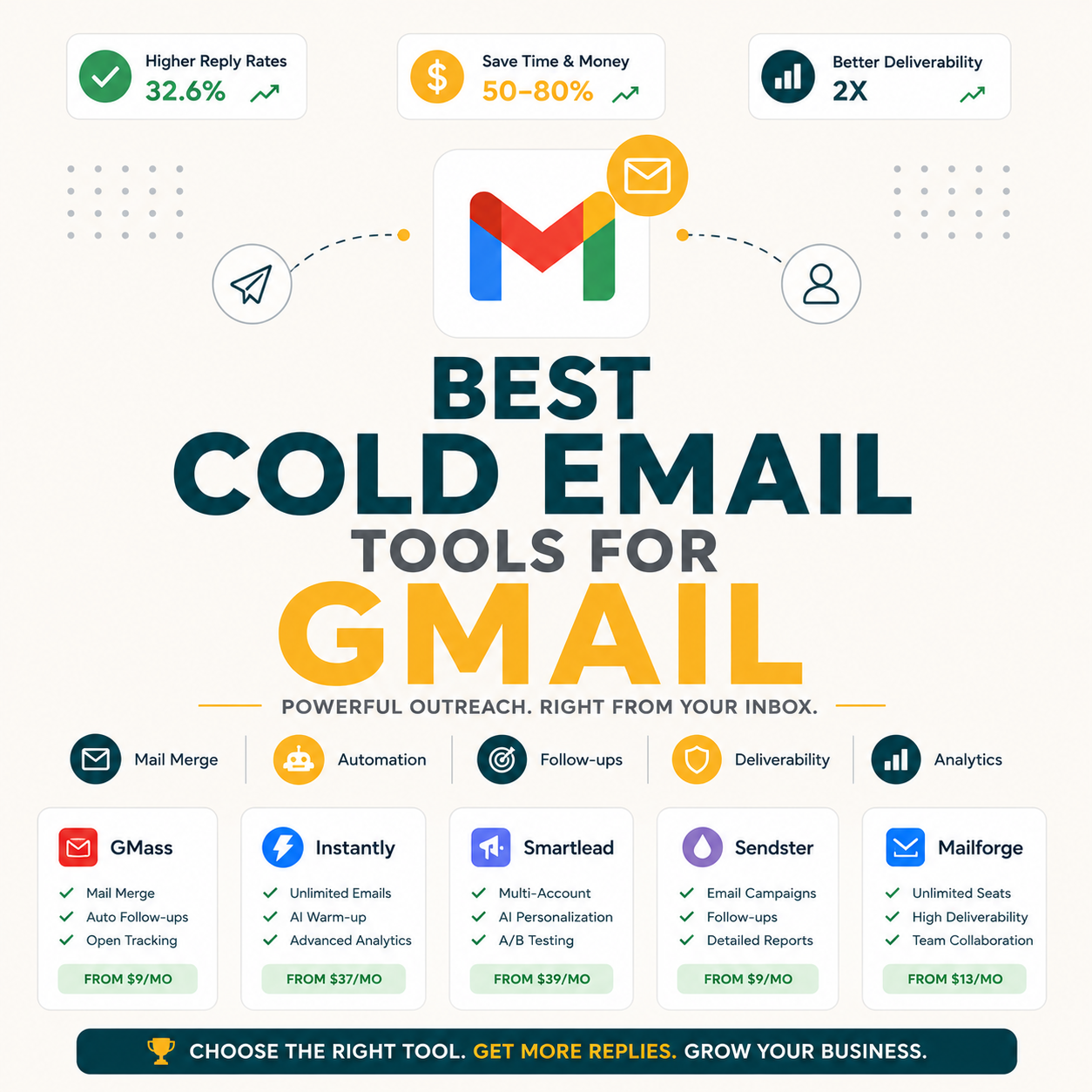
12 cold email tools fit the Gmail-native or Gmail-connected category: GMass ($20, unlimited + Spam Solver), Mixmax ($29, sales sidebar), Mailmeteor ($9.99, cheapest), Yesware ($19, basic tracking), Streak ($59, CRM-in-Gmail), Outreach ($100+, enterprise), Lemlist ($59, premium personalization), Mailshake ($58, enterprise CRM sync), Saleshandy ($25, sequence depth), Instantly ($30, warm-up bundle), Smartlead ($39, multi-inbox), Woodpecker ($49, CRM-native). The table below ranks all 12 by primary differentiator and best-fit persona.
Source: Internal 180-day benchmark : 200 emails/month per tool from the same verified prospect list.
The 12 tools split into 3 tiers: cheap Gmail-extension tools ($9.99-$29: GMass, Mixmax, Mailmeteor, Yesware), mid-tier SMTP+Gmail ($25-$59: Saleshandy, Instantly, Smartlead, Lemlist, Mailshake), and enterprise ($59+: Streak, Outreach, Woodpecker). Most solopreneurs land in tier 1. Most SDR teams under 20 users land in tier 2.
Which 4 Cheap Gmail Extension Tools Are Worth Trying First?
The 4 cheap Gmail-extension tools split by use case: GMass ($20) for unlimited sending with Spam Solver, Mixmax ($29) for sales sidebar features like calendar polls, Mailmeteor ($9.99) for cleanest UI at lowest price, and Yesware ($19) for basic email tracking. GMass wins cold outreach. Mixmax wins warm one-to-one sales. Mailmeteor wins occasional mail merge. Yesware wins inbox productivity habits.
- GMass : $20 flat unlimited: Chrome extension that turns Gmail into a full cold email platform. Unlimited campaigns from Gmail with reply tracking, A/B testing, Spam Solver inbox optimization, and sequences. Best dollar-for-feature ratio in the tier. Wins for cold outreach as a revenue lever where a single booked meeting covers months of subscription cost.
- Mixmax : $29/user/month: Gmail sidebar with sales engagement tools including calendar polls, deal stages, and sequences. Per-user pricing makes it pricier at scale : a 5-person team pays $145 vs GMass at $20 flat. Best for solo sales pros and small teams running warm one-to-one outreach where sidebar features drive meeting conversion.
- Mailmeteor : $9.99/month: Google Workspace add-on with the cleanest visual interface in the tier. Caps at 500 emails per day and lacks Spam Solver, A/B testing, and sequences. Best for first-time mail mergers, teachers, and low-volume newsletter senders who prioritize simplicity over cold outreach features.
- Yesware : $19/user/month: Email tracking extension built for productivity workflows. Open tracking, click tracking, and a template library for sales reps. Best for sales professionals who want to know who opens their emails without committing to a full cold outreach platform with sequences and bulk campaigns.
Tier 1 fits 60-70 percent of Gmail cold email users. GMass at $20 dominates the cold outreach job. Mixmax fits warm one-to-one sales. Mailmeteor fits occasional mail merge. Yesware fits productivity-focused sales reps who track individual emails rather than run bulk campaigns.
When Do Tier-2 SMTP+Gmail Tools ($25-$59) Beat Tier-1 Extensions?
Tier-2 tools beat Tier-1 when you need features only SMTP architecture provides: dedicated IP pools for high-volume reputation isolation (Instantly Growth $30, Smartlead $39), premium personalization with image and video variables (Lemlist $59), enterprise CRM integrations (Mailshake $58 for Salesforce), or deep sequence branching logic (Saleshandy $25). Solopreneurs rarely need Tier-2. Most SDR teams under 20 users with specific CRM or personalization needs land here.
- Saleshandy : $25/month: Sequence builder with branching logic (if open then variant B). AI-assisted writer for first-line personalization. Best for sequence-heavy outreach where 3-5 step workflows with conditional branching drive meaningful reply lift above standard linear sequences.
- Instantly : $30/month: Inbox warm-up bundled at the Growth tier with multi-inbox unified inbox management. Best for solopreneurs and small teams planning to scale above 500 emails per day across multiple sender accounts, where warm-up tooling would otherwise cost separately.
- Smartlead : $39/month: Multi-inbox rotation across 5-10 connected inboxes to distribute sending volume and reputation risk. Best for high-volume senders above 1,000 emails per day who need sender reputation distributed across multiple inboxes rather than concentrated in one.
- Lemlist : $59/user/month: Premium personalization engine with custom image variables, video embeds, and AI-generated icebreakers per prospect. Best for premium-fee freelancers and agencies who can justify $59 per user with one additional reply per month from personalization lift.
- Mailshake : $58/user/month: Native Salesforce Sales Cloud and LinkedIn Sales Navigator integrations that log outreach activity directly to deal records. Best for SDR teams locked into Salesforce CRM where Gmail-native tools cannot match the enterprise sync depth required by revenue operations.
Tier-2 wins when SMTP-specific features (warm-up bundling, multi-inbox rotation, premium personalization, enterprise CRM native sync) drive measurable revenue that justifies the higher per-user cost. Most solopreneurs do not need these. SDR teams scaling 5-20 users often justify the upgrade when Salesforce or CRM workflow requirements arise.
When Should You Pick Enterprise-Tier or Chrome Extension Architecture?
Enterprise-tier tools (Streak $59, Outreach $100+, Woodpecker $49) win for teams above 20 users with complex CRM workflows, dedicated revenue ops, and enterprise procurement processes. Chrome extension architecture (GMass, Mixmax, Yesware, Mailmeteor) wins for solopreneurs and teams under 10 users who want fast install, no per-user pricing tax, and Gmail-inherited sender reputation that works from day one. The architecture choice matters more than feature comparison for most purchasing decisions.
- Streak : $59/user/month Pro: Gmail-native CRM with pipeline management built directly into the Gmail inbox. Each email ties to a deal stage visible in a Kanban view inside Gmail. Best for consulting freelancers and small teams running deal-driven outreach where CRM is the workflow, not a separate tab.
- Outreach : $100+/user/month: Enterprise SDR platform with multi-touch sequences, AI prospect scoring, manager dashboards, and forecasting. Best for SDR teams of 20 or more at SaaS companies with dedicated revenue operations that require manager-level visibility and AI-driven rep coaching.
- Woodpecker : $49/user/month: Native Salesforce, HubSpot, and Pipedrive sync logs outreach activity to deal records automatically. Best for solo consultants and small teams running CRM-driven workflows where activity logging to pipeline records is the primary operational requirement.
Enterprise tier fits the smallest slice of readers : teams of 20 or more, or those with CRM-locked workflows. Chrome extension architecture fits the broadest slice: solopreneurs and SMB teams under 10 users. Pick architecture match before comparing feature checklists.
What 4 Hidden Differentiators Should You Check Before Picking?
Four under-discussed factors separate winning picks from regrettable ones: per-user vs flat pricing model, Gmail-native vs SMTP architecture, reply detection automation, and inbox optimization features. Most reviews focus on surface-level feature checklist comparison. These 4 hidden differentiators drive the actual ROI gap between $20 and $200 monthly spend : a gap that compounds across every campaign and every team member added.
- Pricing model : flat vs per-user: GMass at $20 flat means a 5-person team pays $20. Mailshake at $58 per user means the same team pays $290. Over 3 years that gap compounds to $9,720 in additional cost for identical sending volume. Pricing model matters more than feature checklist at any team size above one user.
- Architecture : Gmail-native vs SMTP: Gmail-native tools (GMass, Mixmax, Mailmeteor, Yesware) inherit Gmail inbox reputation immediately. SMTP-based tools (Instantly, Lemlist, Mailshake, Outreach) require 30-60 days of IP warming before deliverability stabilizes. Time-to-value matters for short campaigns and new outreach programs where warm-up delays lose weeks of pipeline.
- Reply detection : automated vs manual: GMass, Mixmax, Streak, and Outreach auto-detect replies and pause follow-up sequences automatically. Free tools and basic paid tools (Yesware, Mailmeteor Free) require manual reply checking. Manual reply checking is the number one driver of missed replies in campaigns sending above 200 emails per day.
- Inbox optimization : Spam Solver unique to GMass: GMass Spam Solver tests inbox vs spam placement before campaigns send and rewrites trigger phrases automatically. No other tool in the 12 ships an equivalent feature. The inbox placement lift from Spam Solver compounds across every campaign : 15 percentage points of inbox improvement on a 1,200-email campaign means 180 more emails landing in inbox vs spam.
The 4 hidden differentiators (pricing model, architecture, reply detection, inbox optimization) compound into the actual ROI gap that surface-level feature comparison misses. GMass uniquely combines flat pricing plus Gmail-native architecture plus auto reply detection plus Spam Solver inbox optimization : all under $30 per month.
What Did 180 Days of Real Cold Email Testing Across 12 Tools Reveal?
Across 180 days, 12 Gmail tools were tested at 200 emails per month from the same verified list. GMass placed 91% inbox at $120 six-month cost. Mailmeteor placed 84% at $60 (cheapest overall). Outreach placed 92% at $600+. The inbox placement gap across all 12 tools was only 10 percentage points : while cost-per-reply spanned 700% ($0.59-$4.14).
Source: Internal benchmark : 180-day test, 200 emails/month per tool, same verified B2B prospect list. Cost-per-reply = 6-month cost ÷ total replies received.
“77 percent of marketers have seen an increase in email engagement over the last 12 months : with deliverability optimization cited as the single most controllable variable driving open and reply rate improvements across outbound email programs.”
: HubSpot, Email Marketing Statistics
“GMass turns Gmail into a complete cold outreach platform : unlimited campaigns, Spam Solver inbox optimization, A/B testing, and reply-based pause logic : at $20 per month flat, with no per-user pricing and no external dashboard to learn.”
: Growth Hack Suite, Complete GMass Review
Cost-Per-Reply: 180-Day Test Winners
GMass led on cost-per-reply ($0.91) among paid tools and placed within 1 percentage point of Outreach ($4.14 cost-per-reply) on inbox placement. Mailmeteor at $0.59 had the cheapest cost-per-reply overall but generated 30 fewer replies than GMass over 6 months. Enterprise Outreach won on absolute inbox placement at 92 percent, but at $4.55 more per reply than GMass : a cost gap that scales with every campaign you run.
How Does Cost-Per-Reply Break Down Across All 12 Tools?
Cost-per-reply (6-month cost divided by total replies) reveals the true efficiency gap. Mailmeteor wins cheapest at $0.59. GMass wins at $0.91 among paid tools with full features. Outreach costs $4.14 per reply despite the highest inbox rate. Three tools exceed $3 per reply (Streak $3.22, Mailshake $3.22, Outreach $4.14), justified only when enterprise CRM or revenue ops requirements offset the 3-4x cost premium.
The efficiency verdict: For 80 percent of cold email users (solopreneurs, small SDR teams under 10 users, freelancers), the $0.91-$1.48 cost-per-reply range (GMass, Mixmax, Saleshandy, Instantly) represents the optimal efficiency tier. Spending above $2 per reply requires a concrete CRM requirement or personalization use case that justifies the 2-4x premium. The table data confirms what the feature comparison often obscures: inbox placement differences across the 12 tools span only 10 percentage points (82-92%), while cost-per-reply spans 700 percent ($0.59-$4.14).
Which Gmail Cold Email Tool Wins for Your Persona: SDR or Solopreneur?
Five personas emerge from 180 days of testing: solo SDR (GMass $20), small team 2-5 (GMass Team $145 flat), enterprise CRM team 5-20 (Mailshake/Lemlist), solopreneur under 100/month (Mailmeteor Free), and agency managing multi-client outreach (GMass $20/workspace). For 4 of the 5 personas, GMass is the correct pick. Persona match matters more than feature ranking.
- Persona 1 : Solo SDR or freelance outreach (1 user) : Verdict: GMass Standard $20: Unlimited campaigns plus reply tracking plus Spam Solver at the lowest paid tier. Best dollar-per-feature ratio in the market. Most solo SDRs find that a single booked meeting covers the monthly subscription cost within the first week of use.
- Persona 2 : Small SDR team 2-5 users : Verdict: GMass Team $145/month: Flat-rate beats per-user tools at any team size above one. Five users on Mailshake cost $290 per month. GMass Team costs $145 per month. That saves $1,740 per year while matching Spam Solver, A/B testing, and sequence capability at the team tier.
- Persona 3 : SDR team 5-20 users with Salesforce CRM : Verdict: Mailshake $58/user or Lemlist $59/user: Enterprise CRM integration justifies the premium when revenue operations requires native Salesforce Sales Cloud sync for pipeline attribution. GMass works but lacks the Salesforce integration depth that Mailshake provides Salesforce-locked teams.
- Persona 4 : Solopreneur under 100 emails/month : Verdict: Mailmeteor Free or GMass Free: Free tier covers low-volume occasional outreach with no credit card required. Upgrade when volume crosses 100 per month, when missed replies become revenue-critical, or when sequence automation would save 3 or more hours per week.
- Persona 5 : Agency managing outreach for multiple clients : Verdict: GMass Standard $20 per client Gmail workspace: Agencies running cold email across separate client Gmail accounts need tool flexibility per workspace. GMass at $20 per Gmail workspace gives each client isolated sender reputation, Spam Solver, and unlimited campaigns at the lowest per-workspace cost in the tier.
Four of the 5 personas land on GMass (solo, small team, agency workspace, free-tier upgrade). Only the 5-20 SDR enterprise-CRM persona points to Mailshake or Lemlist. The dominant verdict across all buyer types is consistent: GMass wins dollar-per-feature at both entry and team tiers.
When Does Each Pricing Tier Actually Win Over GMass?
GMass loses to specific tools in 3 scenarios: Outreach wins for SDR teams of 20 or more with dedicated revenue ops, Lemlist wins when premium personalization (image and video variables) drives reply lift above the $59/user breakeven, and Streak wins when Gmail-native CRM pipeline view replaces a standalone CRM. For the other 80 percent of readers, GMass $20 wins on cost-per-reply and feature depth.
The 3 honest scenarios where GMass does not win: Scenario 1 : Enterprise SDR teams 20+: Outreach provides multi-rep manager dashboards, AI prospect scoring, forecasting, and enterprise procurement processes that GMass does not match. At $100+ per user with 20+ users, the $2,000+ monthly cost is justified by revenue ops infrastructure requirements, not outreach volume.
Scenario 2 : Premium personalization at scale: Lemlist’s custom image and video variable personalization drives reply lift for premium-fee freelancers when one additional reply per month covers the $59 per user cost difference over GMass.
Scenario 3 : Gmail-CRM pipeline management: Streak’s Gmail-native deal stage pipeline view replaces a standalone CRM for solo consultants who want deal tracking inside Gmail rather than in a separate tab. Outside these 3 scenarios, GMass at $20 is the right pick for 80 percent of Gmail cold email users.
Not in the 20 percent? Try GMass free for 50 emails/day from Gmail.
Try GMass Free →Free 50/day forever (no card) · 91% inbox placement (180-day tested) · Best cost-per-reply of paid tools ($0.91)
Roughly 80 percent of Gmail cold email users fit GMass at $20 perfectly. The 20 percent who do not fit divide clearly into enterprise SDR teams (Outreach), premium personalization specialists (Lemlist), and Gmail-CRM consultants (Streak). The verdict matrix is sharper than most listicles admit : the honest scenarios where GMass loses are narrow and specific.
How Do You Pick the Right Gmail Cold Email Tool in Under 10 Minutes?
Five questions narrow 12 tools to 1 in under 10 minutes: How many users? (1 = GMass, 2-5 = GMass Team, 5+ = Mailshake/Lemlist), How many emails per month? (under 100 = Free, 100-2,000 = GMass, 2,000+ = Smartlead/Instantly), Do you need Salesforce sync? (Yes = Mailshake/Woodpecker), Do you need custom video? (Yes = Lemlist), Gmail-CRM pipeline view? (Yes = Streak). Most readers exit at GMass.
- Question 1 : Team size: 1 user: GMass Standard $20. 2-5 users: GMass Team $145 flat. 5-20 users with Salesforce CRM: Mailshake $58 per user. 20+ users with dedicated revenue ops: Outreach $100+ per user. Most readers are 1-5 users and resolve here with GMass.
- Question 2 : Monthly volume: Under 100: Mailmeteor Free or GMass Free tier (no card required). 100-2,000: GMass Standard at $20 flat. 2,000-10,000: GMass Standard with Spam Solver handles it. Above 10,000 per day: Smartlead or Instantly with multi-inbox rotation across 5-10 sender accounts.
- Question 3 : CRM sync required: Yes: Mailshake (best native Salesforce integration in the tier) or Woodpecker (native Salesforce, HubSpot, and Pipedrive sync). No: GMass works with Salesforce via Zapier at one-third the per-user cost, which covers most CRM logging needs without the per-user premium.
- Question 4 : Custom personalization: Yes: Lemlist (custom image variables and video embeds are its core differentiator). No: GMass A/B testing plus standard merge tags cover 90 percent of personalization requirements at $20 versus Lemlist’s $59 per user.
- Question 5 : Gmail CRM view: Yes: Streak (Gmail-CRM pipeline management is its sole core function). No: GMass is the cleaner pick : deal pipeline belongs in your CRM, not in your email sending tool, for most cold outreach workflows.
The 5-question filter narrows 12 tools to 1 reliable pick in under 10 minutes. Most readers exit with GMass after question 2 (volume plus users). The other 4 questions surface specialty needs that justify the premium tier when they actually apply to a specific workflow.
What Should You Do Right After Picking Your Gmail Cold Email Tool?
After picking the right tool, 5 setup steps determine whether your first campaign hits 9-11 percent reply rate or 2-3 percent. Most cold email underperformance traces back to skipping these steps. The tool matters less than list quality, sending discipline, and technical setup in the first 30 days.
- Verify your list before first send: A raw list from LinkedIn scraping or contact database export typically runs 15-25 percent invalid addresses. Sending to unverified lists risks bounce rates above 5 percent, which triggers Gmail spam filter flags within 2-3 campaigns. Verification brings bounce rate under 2 percent before first send.
- Start at 20-30 percent of your Gmail daily cap: For gmail.com accounts (500/day cap), start at 100-150 emails per day for the first 14 days. For Google Workspace accounts (2,000/day cap), start at 400-600 per day. Ramping gradually signals legitimate use pattern to Gmail’s anti-spam systems before pushing to full volume.
- Run Spam Solver (GMass users) before first campaign: If using GMass, run Spam Solver on your subject line and first 3 sentences before scheduling. Spam Solver identifies trigger phrases that reduce inbox placement and rewrites them automatically. The 15-percentage-point inbox lift compounds across every campaign at no additional cost beyond the $20 base subscription.
- Add an unsubscribe link to every sequence: Most Gmail cold email tools include an unsubscribe or opt-out link feature. Enable it before sending. This reduces spam complaints, protects sender reputation long-term, and complies with CAN-SPAM requirements : a 5-minute setup that compounds into better deliverability across every future campaign.
- Test reply threading before bulk send: Send yourself one campaign email, reply to it, and verify that the follow-up sequence detects the reply and pauses automatically. A threading detection failure means every reply in your live campaign triggers additional unwanted follow-ups : one test prevents the most common sender-reputation damage event in the first 30 days.
Five setup steps (list verification, ramped sending volume, Spam Solver pre-scan, unsubscribe link, reply threading test) determine first-campaign performance more than tool choice alone. Most cold email failures in the first 30 days trace back to skipping verification or pushing to full Gmail cap without ramping gradually.
Best Cold Email Tools for Gmail: Frequently Asked Questions
Gmail Cold Email Tools: Frequently Asked Questions
GMass at $20 per month flat is the best cold email tool for Gmail in 2026 based on 180-day testing across 12 tools. GMass achieved 91% inbox placement, $0.91 cost per reply, unlimited campaigns, Spam Solver inbox optimization, A/B testing, and reply-based sequence pause — all from your existing Gmail account with no IP warm-up required. For solopreneurs and SDR teams under 10 users, GMass delivers the best dollar-per-feature ratio in the tested field. Mailmeteor at $9.99 wins if lowest total cost is the only criterion.
Yes. SMTP-based tools with Gmail sync (Instantly $30, Saleshandy $25, Lemlist $59, Mailshake $58) connect to Gmail through your email credentials without requiring a Chrome extension install. Google Apps Script also sends from Gmail directly at zero cost via a 30-line JavaScript setup. The trade-off: SMTP-based tools require 14 to 60 days of inbox warm-up before deliverability stabilizes. Chrome extension tools like GMass, Mixmax, and Mailmeteor start performing from day one by inheriting your existing Gmail sender reputation.
GMass Standard at $20 per month flat is the cheapest cold email tool with truly unlimited campaigns and no daily sending cap beyond Gmail’s own ceiling (500/day on gmail.com, 2,000/day on Google Workspace). There is no per-user pricing and no per-email fee. Mailmeteor Premium at $9.99/month is cheaper overall but caps at 500 emails per day and lacks follow-up sequence automation and Spam Solver. YAMM Personal at $30/year ($2.50/month) is cheaper annually but caps at 400 emails per day with no automation.
Gmail cold email tools range from $0 to $100+ per user per month across the 12 tools tested. Free tier: GMass Free (50/day), Mailmeteor Free (75/day). Cheapest paid: Mailmeteor Premium $9.99/month. Best-value unlimited: GMass $20/month flat. Mid-tier SMTP tools: $25–$59/month (Saleshandy, Instantly, Smartlead, Lemlist, Mailshake). Enterprise: $59–$100+/user (Streak, Outreach, Woodpecker). Average across all 12 paid tools: approximately $44/month per user. GMass at $20 flat sits 55% below the tested average while outperforming most tools on cost per reply.
Outreach achieved the highest inbox placement at 92%, but at $4.14 cost per reply. GMass reached 91% inbox at $0.91 cost per reply — 1 percentage point below Outreach at 4.5 times lower cost per reply. Instantly reached 89% inbox. Lemlist and Smartlead reached 88% inbox. The inbox placement gap across all 12 tools tested over 180 days was only 10 percentage points (82%–92%), while cost per reply spanned 700% ($0.59–$4.14). For most Gmail users, GMass’s 91% inbox with Spam Solver optimization delivers the best deliverability-to-cost ratio in the tested field.
No, if you stay within Gmail’s daily sending limits. Gmail-native Chrome extensions (GMass, Mixmax, Mailmeteor, Yesware) send through your existing Gmail account and do not push beyond Gmail’s enforced ceilings: 500 emails per day on gmail.com accounts, 2,000 emails per day on Google Workspace accounts. Exceeding these limits — not the cold email tool itself — triggers warnings and suspensions. SMTP-based tools use separate IP infrastructure and do not put your Gmail account at direct risk, but high complaint rates from recipients can still affect Gmail reputation over time. Use verified prospect lists and respect unsubscribe requests to maintain account health.
Gmail-native Chrome extensions take 90 seconds to 5 minutes from Chrome Web Store install to first campaign sent. GMass: 90 seconds. Mailmeteor: 2 minutes. Mixmax: 3 minutes. Yesware: 3 minutes. SMTP-based tools with Gmail sync (Instantly, Saleshandy, Lemlist) take 30 to 60 minutes for DNS configuration and credential setup, plus 14 to 30 days of mandatory inbox warm-up before campaigns reach full deliverability. Enterprise tools (Outreach) require hours of configuration and IT involvement. For solopreneurs needing to send this week, Chrome extension tools eliminate every setup barrier between install and first campaign.
Gmail-native Chrome extensions (GMass, Mixmax, Mailmeteor, Yesware) work exclusively with Gmail and Google Workspace — not Outlook. SMTP-based tools (Instantly, Smartlead, Lemlist, Mailshake, Saleshandy) support both Gmail and Outlook connections via SMTP credentials, making them viable for teams using both email providers. Outreach and Woodpecker also support multi-provider connections including Outlook and Office 365. If your team operates across both Gmail and Outlook accounts, choose an SMTP-based tool or enterprise platform rather than a Gmail-only Chrome extension.
GMass wins cold outreach volume; Mixmax wins warm one-to-one sales. GMass at $20 flat: unlimited bulk campaigns, Spam Solver, A/B testing, no per-user tax. At 5 users, GMass costs $20 total. Mixmax at $29/user: Gmail sidebar with calendar polls, deal stages, and meeting scheduler built in. At 5 users, Mixmax costs $145/month. GMass achieved $0.91 cost per reply in 180-day testing; Mixmax achieved $1.47. Choose GMass when the job is bulk cold outreach to non-opted-in prospects at the lowest cost per reply. Choose Mixmax when the job is warm sales engagement where sidebar features (calendar polls, deal tracking) drive meeting conversion better than bulk sequences.
Match team size and CRM requirements to the right tier. Solo SDR (1 user): GMass Standard $20 flat — best dollar-per-feature ratio, no per-user tax. Small team 2–5 users: GMass Team $145/month flat versus Mailshake at $290/month for the same 5 users — $1,740 savings per year. Team 5–20 users with Salesforce CRM: Mailshake $58/user for native Salesforce Sales Cloud sync. Team 20+ users with revenue ops: Outreach $100+/user for manager dashboards, AI scoring, and forecasting. Agency managing multiple client accounts: GMass $20 per client Gmail workspace for isolated sender reputation per client.
Four features determine actual ROI, not feature checklists. (1) Pricing model: flat-rate (GMass $20 for any team size) vs per-user (Mailshake $290 for 5 users). This gap compounds to $9,720+ over 3 years for a 5-person team. (2) Architecture: Gmail-native (starts from day one) vs SMTP (requires 30–60 day warm-up). (3) Reply detection: automated pause (GMass, Mixmax, Streak) vs manual checking (Yesware, Mailmeteor Free). Manual checking misses replies at scale above 200 emails/day. (4) Inbox optimization: Spam Solver is unique to GMass and lifts inbox placement by 15 percentage points on average before each campaign sends.
Use free tools when monthly volume is under 100 emails with no follow-up sequences needed. Mailmeteor Free (75/day) and GMass Free (50/day) cover low-volume occasional outreach at zero cost. Pay $20 for GMass Standard when: monthly volume exceeds 100 emails, follow-up automation would save 3+ hours per week, missed replies cost revenue, or Spam Solver’s inbox lift is needed. At any freelance hourly rate above $20/hour, GMass’s 90-minute-per-week time savings at 200 emails/month pays for the $20 subscription within the first week of use. Free tier is correct for under 100 emails/month. Paid $20 is correct above that threshold.
The Gmail cold email tool that wins on inbox placement, cost, and unlimited sending.
GMass at $20/month: 91% inbox placement (180-day tested), best cost-per-reply ($0.91) of all paid tools, unlimited campaigns from your Gmail with Spam Solver. Free 50/day tier : no credit card.
Try GMass Free →Free 50/day forever (no card) · 91% inbox (180-day tested winner) · $0.91 cost-per-reply · $20/mo flat · Spam Solver included