Table of Contents
Kinsta for agencies is a strong fit when client sites earn revenue and a poor one when a portfolio is mostly tiny brochure sites, and the difference comes down to its per-install pricing. This guide covers what Kinsta genuinely does well for agencies, its dedicated Agency plans, and the specific point at which a per-server host becomes the cheaper choice.
Last updated: August 2026. Features, plans and limits were read from kinsta.com. This page carries affiliate links to Kinsta, and it states plainly where the per-install model stops making sense for a portfolio of small sites.
Is Kinsta Good for Agencies?
Yes, for agencies whose client sites carry real traffic and revenue, because per-site isolation keeps one client’s spike from slowing another, single sign-on and unlimited users control team and client access, and dedicated Agency plans exist for larger portfolios. The caveat is cost on many small sites.
Verdict: Kinsta suits an agency running client sites that matter, with isolation, SAML single sign-on, unlimited users and Agency plans from 20 to 60 installs. It is priced per install, so a portfolio of many low-traffic sites is often cheaper on a per-server host. Match the model to the portfolio before the brand.
The honest test is the shape of the portfolio: a handful of high-value client sites favours Kinsta, while dozens of tiny sites favour a host that bills by the server rather than the install.
“WordPress is a web content management system.”
: Wikipedia, WordPress
Agencies run many copies of that system for different clients, so the features that matter are the ones that make managing a set of sites, and the people who touch them, straightforward.
What Does Kinsta Offer Agencies?
A set of features aimed squarely at managing multiple sites and controlling access, most of which are included on every plan rather than sold as agency add-ons. Together they reduce the maintenance load of a client portfolio.
- Per-site isolation: Each client site runs in its own container on Google Cloud, so one client’s traffic or a plugin fault does not affect another’s site.
- Single sign-on and unlimited users: SAML single sign-on with just-in-time provisioning and unlimited user accounts let an agency add team members and clients without per-seat costs.
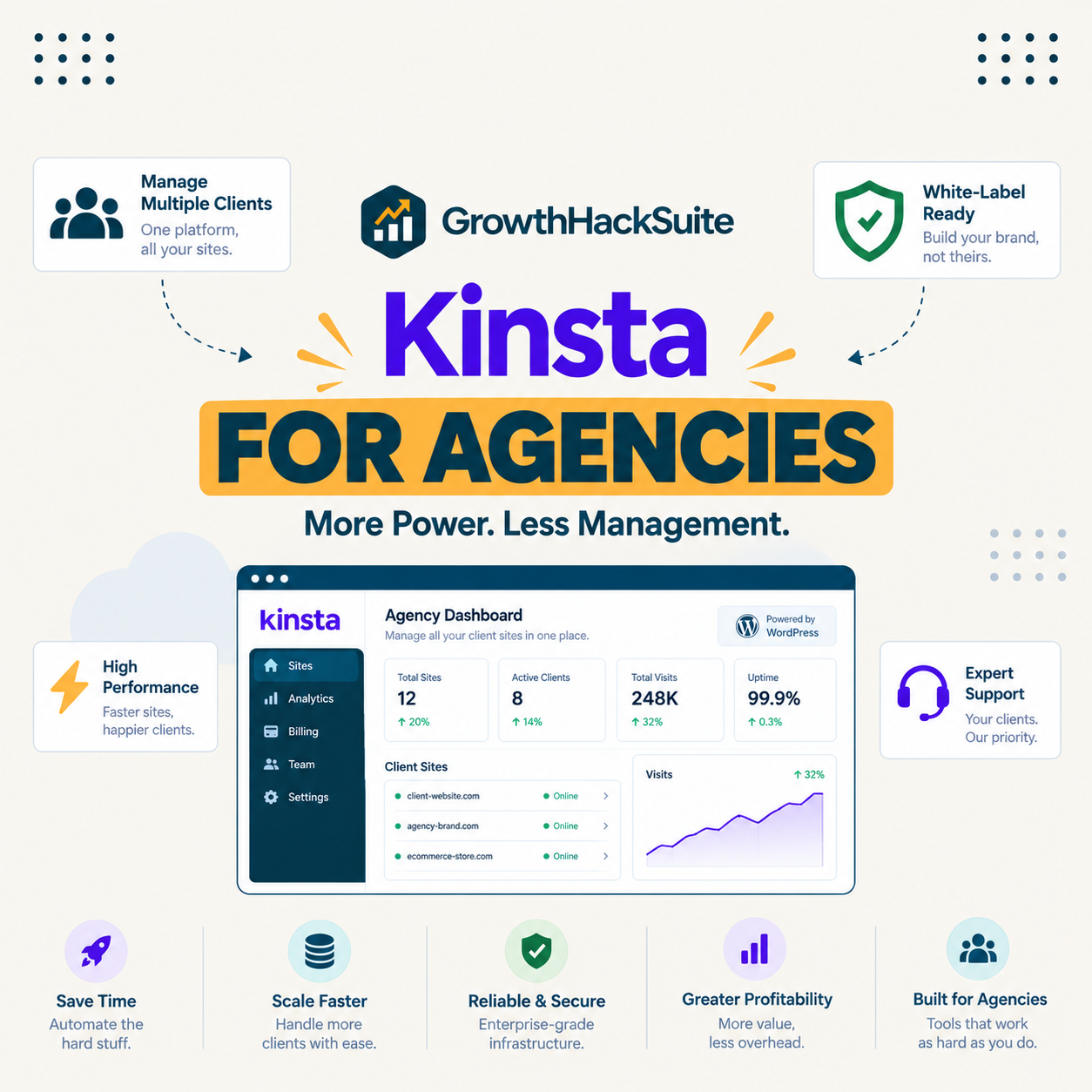
- One dashboard for everything: MyKinsta centralises every site, user and invoice, so an agency manages a portfolio from a single account rather than scattered logins.
- Staging and local development: One-click staging on every plan and the DevKinsta local tool support building and reviewing client work before it goes live.
- The Kinsta API: A public API allows an agency to automate site creation, backups and reporting across a portfolio rather than repeating manual steps.
The through-line is that a growing team and a growing client list do not add licensing complexity, because users are unlimited and access is controlled by single sign-on rather than shared passwords.
Which Kinsta Features Matter Most for Agencies?
Isolation, access control and staging, in that order, because they map to the three things an agency is accountable for: consistent performance, who can touch what, and safe deployment of client changes.
Source: kinsta.com feature pages and kinsta.com/plans, verified August 2026. Every feature listed is included on all plans rather than sold as an agency-specific add-on.
In plain terms, Kinsta bundles the isolation, access control and staging an agency needs, so a team manages client sites without assembling those pieces from separate tools.
How Does Kinsta Handle Many Client Sites?
Through MyKinsta, a single dashboard where every client site, user and invoice sits together, with each site still isolated in its own container. That combination gives central management without the shared-resource risk of putting many client sites on one server.
Access is handled by roles and single sign-on, so a client can be granted access to only their own site while the agency retains oversight of all of them. Billing is consolidated into one account, which removes the reconciliation an agency otherwise does across separate hosting invoices.
Does Kinsta Have Dedicated Agency Plans?
Yes, Kinsta publishes Agency plans covering 20, 40 and 60 installs, sized for a portfolio rather than a single site, and they carry a longer 30-day backup retention than the 14 days on standard tiers. They are arranged by talking to sales rather than instant checkout.
- Agency 20: Around 340 dollars monthly, or 284 on annual billing, covering 20 installs and 500,000 visits, suited to an established portfolio.
- Agency 40: Around 450 dollars monthly, or 375 on annual billing, covering 40 installs and 750,000 visits for a larger client base.
- Agency 60: Around 675 dollars monthly, or 563 on annual billing, covering 60 installs and 1.25 million visits for a substantial agency.
- Longer backup retention: Agency plans keep 30 days of backups against 14 on the standard Single and lower WP tiers, useful when a client dispute reaches back weeks.
- Arranged with sales: These plans are quoted rather than bought instantly, so onboarding involves a conversation about the portfolio rather than a checkout page.
For an agency below 20 sites, the standard WP plans apply, with additional installs priced at 30 dollars each, which is the number that decides whether the per-install model fits the portfolio.
Dedicated Agency plans for a client portfolio
See Kinsta Agency Plans →Isolation, single sign-on and unlimited users on every plan, with free migrations for existing client sites.
How Does Kinsta’s Support Help Agencies?
By handling the technical emergencies an agency would otherwise field itself, with 24/7 support staffed by engineers and available in eight languages through chat. For an agency, that support is effectively an extended team that a client never sees.
The practical value is that a client’s late-night outage becomes Kinsta’s problem to diagnose rather than the agency’s, which both protects the client relationship and caps the support cost an agency has to carry across a portfolio.
How Does Kinsta Compare to Per-Server Hosting for Agencies?
Kinsta bills per install with each site isolated, while a per-server host like Cloudways bills per server with many sites sharing it. The first gives guaranteed isolation at a higher per-site cost; the second gives a lower cost per site at the price of shared resources.
For a portfolio of high-value client sites, the isolation is worth the premium because one client’s spike cannot degrade another’s site. For a portfolio of many small sites, the per-server model is usually cheaper, which is the honest dividing line an agency should apply before choosing either.
Isolation per client, not a shared server
View Kinsta Tiers →Each client site in its own container, with 24/7 engineer support included on every plan.
Can an Agency Hand Off a Site to a Client?
Yes, through role-based access and consolidated billing, so an agency can either keep a client site under its own account or grant the client scoped access to their own site. Both models work within a single MyKinsta account.
Because users are unlimited and access is controlled by single sign-on, an agency adds a client to their own site without extra seat costs and removes them cleanly if the relationship ends. Confirm the current transfer and billing options on Kinsta’s own pages, since the exact handoff flow can change.
How Fast and Reliable Is Kinsta for Agencies?
Reliable enough for client work, with isolated Google Cloud resources, edge caching across more than 300 edge locations and a published uptime commitment of up to 99.99 percent. For an agency, the value is consistency across a portfolio rather than a single fast page.
“a B2B site that loads in 1 second has a conversion rate 3x higher than a site that loads in 5 seconds”
: HubSpot, page load time and conversion rates
For an agency that relationship is the argument to a client: the speed a host delivers protects the conversions the client is paying to improve, which makes isolation across a portfolio a service quality issue rather than a technical detail.
What Are Kinsta’s Limits for Agencies?
Real ones worth naming before committing a portfolio, because the per-install model and the add-ons add up across many sites. None is a dealbreaker for a high-value portfolio, and together they can be for a low-value one.
- Per-install pricing: At 30 dollars per additional site, a portfolio of many tiny low-traffic sites costs more than the same sites on a per-server host that does not charge by the install.
- No email hosting: Kinsta does not provide email on any plan, so an agency whose clients expect bundled mailboxes needs a separate email provider for each.
- Metered visits: Plans meter visits and charge 50 cents per thousand over the allowance, so a client site that goes viral adds an overage line the agency must manage or pass on.
- Redis costs extra: Object caching is a 100-dollar per site monthly add-on, which matters for WooCommerce client sites and multiplies across a store-heavy portfolio.
- An extreme overage rule: Published documentation allows Kinsta to require immediate payment or restrict access once overage reaches the plan price or 500 dollars, which an agency should understand before a client’s sale.
The pattern is that Kinsta rewards a portfolio of fewer, more valuable sites and penalises one of many small ones, which is the single most useful thing for an agency to weigh.
What Does Kinsta Cost for Agencies?
From 35 dollars for a single site up to the Agency tiers for large portfolios, scaling by installs and visits. The table below uses Kinsta’s real plan structure rather than generic tier names, so an agency can map it to a client count.
Source: kinsta.com/plans, verified in August 2026. Annual billing lowers the effective monthly cost, additional installs are 30 dollars each, and Agency plans of 20 to 60 installs are arranged with sales. The earlier layout draft labelling these Starter, Pro and Business tiers was inaccurate and is corrected here.
Put simply, an agency picks a plan by counting client installs and expected visits, and the per-install add-on rate of 30 dollars is the figure that shows whether a portfolio belongs on Kinsta or a per-server host.
When Is Kinsta Not Right for an Agency?
When the portfolio is many small, low-traffic sites, because per-install pricing turns a large site count into a large bill. In that case a per-server host such as Cloudways, which puts multiple sites on one server for a flat cost, is usually cheaper.
- Dozens of tiny brochure sites: A per-server host holds many low-traffic sites on one machine, where Kinsta charges 30 dollars per additional install.
- Clients who expect bundled email: A host that includes mailboxes avoids adding a separate email provider for every client site.
- Tight per-site margins: Reselling hosting at a small markup works better on a flat per-server cost than on premium per-install pricing.
- Store-heavy portfolios on a budget: WooCommerce sites benefit from Redis object caching, which is a 100-dollar per site add-on on Kinsta and included on the stack elsewhere.
- Highly variable client traffic: Frequent overage on metered plans can favour an unmetered host that removes the per-visit charge entirely.
Naming these keeps the recommendation honest: Kinsta is excellent for an agency with valuable client sites and the wrong tool for one whose model is volume hosting at a thin margin.
Best for a portfolio of client sites that matter
Compare Kinsta Plans →Isolation and engineer support on every plan, with a 30-day money-back guarantee.
How Do You Get Started With Kinsta as an Agency?
Size a plan to the client count, use free migration to move existing sites, and manage everything from MyKinsta. The move is low-risk because Kinsta’s team performs the migration into a tested staging copy before switching, so nothing is rebuilt.
For a portfolio above 20 sites, a conversation with sales sizes an Agency plan; below that, the standard WP plans plus 30-dollar additional installs apply. A 30-day money-back guarantee lets an agency test the fit on a real client site before committing the portfolio.
“Tool spend is only defensible when the outcome it protects is measured, not assumed.”
: Growth Hack Suite, ROI on sales tools
For an agency the outcome is client sites that stay fast and a support burden that stays low. Where those protect billable relationships, the per-install premium pays for itself, and where they do not, a cheaper per-server host is the honest answer.
Kinsta for Agencies: Frequently Asked Questions
The 12 most-asked questions about using Kinsta as an agency.
Is Kinsta good for agencies?
Yes for agencies with client sites that carry real traffic, thanks to per-site isolation, single sign-on and dedicated Agency plans. It is priced per install, so a portfolio of many tiny sites is often cheaper on a per-server host.
Does Kinsta have dedicated agency plans?
Yes, Agency plans cover 20, 40 and 60 installs at roughly 340, 450 and 675 dollars monthly, with 30-day backup retention against 14 on standard tiers. They are arranged by talking to sales rather than instant checkout.
Can I manage multiple client sites in one account?
Yes. MyKinsta manages every client site, user and invoice from one dashboard, with roles and single sign-on so a client sees only their own site while the agency oversees all of them.
How much does Kinsta cost per extra client site?
Additional installs are 30 dollars each on the standard plans. That per-install rate is the key figure for an agency, because it decides whether a portfolio is cheaper on Kinsta or on a per-server host.
Does Kinsta offer white-label features?
Kinsta provides client access through roles and single sign-on rather than a fully rebranded panel, so an agency controls what a client sees within MyKinsta. Confirm the current agency and client-access features on Kinsta’s own pages before relying on any specific one.
Does Kinsta include email for client sites?
No. Kinsta does not provide email hosting on any plan, so an agency whose clients expect bundled mailboxes needs a separate email provider per site. That is a cost to add when comparing against all-in-one hosts.
How does Kinsta keep one client from slowing another?
Each site runs in its own isolated container with dedicated resources, so a traffic spike or a heavy plugin on one client’s site does not draw capacity from another’s. That isolation is the core agency argument for Kinsta over shared hosting.
What happens if a client site exceeds its visits?
Overage applies at 50 cents per thousand visits above the allowance, and a published rule allows immediate payment or access restriction once overage reaches the plan price or 500 dollars. An agency should understand that before a client’s big sale.
Is Kinsta good for WooCommerce client sites?
Yes, with the caveat that Redis object caching, which a busy store benefits from, is a 100-dollar per site monthly add-on. Across a store-heavy portfolio that cost adds up and belongs in the comparison.
Does Kinsta migrate client sites for free?
Yes, with free unlimited migrations that copy each site into a tested staging copy before switching, so an agency does not rebuild anything. That makes moving an existing portfolio low-risk and low-effort.
When should an agency choose a different host?
When the portfolio is dozens of small, low-traffic sites, clients expect bundled email, or the model is reselling hosting at a thin margin. A per-server host is usually cheaper for volume hosting than Kinsta’s per-install pricing.
Can I test Kinsta before moving all my clients?
Yes. A 30-day money-back guarantee lets an agency move one real client site, judge the fit and support, and decide before committing the whole portfolio. That is the sensible way to evaluate it.
About this guide
Written by the Growth Hack Suite editorial team. Kinsta’s features, plans and limits were read from kinsta.com. This page carries affiliate links to Kinsta, so the honesty owed to an agency is stated throughout: Kinsta is priced per install at 30 dollars per additional site, which makes it costly for a portfolio of many small low-traffic sites where a per-server host is cheaper; it does not include email on any plan; it meters visits with overage and an extreme-overage rule; and Redis object caching for stores is a 100-dollar per site add-on.
It is genuinely strong for an agency with valuable client sites, offering per-site isolation, SAML single sign-on, unlimited users, a central MyKinsta dashboard and dedicated Agency plans from 20 to 60 installs with 30-day backup retention. No speed benchmark is used, because agency value is consistency across a portfolio rather than a single lab figure, and the plan-tier table corrects an earlier draft that used inaccurate tier names.