
Table of Contents
The best GoDaddy alternatives are judged less on the headline price than on what that price actually includes once the site is running. GoDaddy’s reputation for aggressive upselling means the quoted plan is often the start of the bill rather than the end of it, so the comparison that helps most is what each alternative bundles by default against what it sells as a separate line at checkout.
Last updated: August 2026. Prices and included features were read from each vendor’s own plan pages in the same week, with Kinsta figures taken from Kinsta’s official documentation. This page carries affiliate links to Kinsta, and where a cheaper host with fewer add-ons fits better, it says so.
What Is the Best GoDaddy Alternative?
Kinsta, because its flat price includes the things GoDaddy tends to sell as extras: SSL, a content delivery network, migrations and security are all part of the plan. The trade is that it is a premium price, so for a small site the value is in the honesty rather than the tier.
Verdict: The real cost of GoDaddy is the add-ons, not the plan. SSL, backups, email and security are often separate lines, so the honest comparison is total cost with everything a site needs included. Kinsta bundles the most and upsells the least; SiteGround and DreamHost are the right-priced steps for a smaller site leaving the same trap.
This ranking is therefore built on what is included at the quoted price, because a cheap plan that needs four paid add-ons is not cheap once the site is actually running.
“WordPress is a web content management system.”
: Wikipedia, WordPress
Every host here runs that software, so the difference a plan buys is not the platform but how much of a complete hosting setup arrives without a second purchase.
Why Do People Leave GoDaddy?
For two reasons that reinforce each other: upsells that inflate the real cost, and shared servers that slow a growing site. The upsells make the bill unpredictable and the shared model makes the performance unpredictable, and both push people toward a host that is straightforward on each.
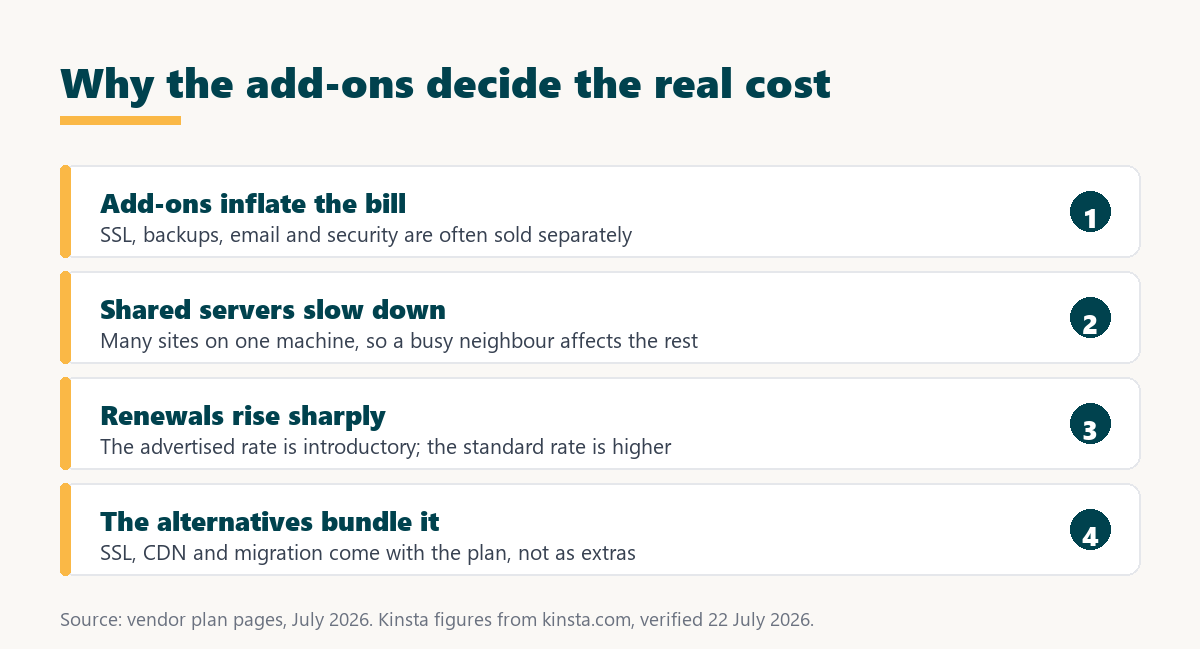
- Add-ons inflate the bill: SSL, backups, email and security are frequently sold separately, so the plan price understates what a working site actually costs.
- Shared servers slow down: Budget hosting places many sites on one machine, so a busy neighbour affects the rest, which is the performance complaint behind most departures.
- Renewals rise sharply: The advertised rate is introductory, and the standard rate at renewal is higher, the same pattern across budget hosting.
- Support is general: A domain-and-hosting giant offers broad support rather than the WordPress-specific expertise a managed host provides.
- Upsells continue after signup: Prompts to add products appear in the dashboard as well as at checkout, which wears down customers who wanted a simple bill.
Both problems point at the same solution: a host where the quoted price is the real price and the resources are dedicated rather than shared, even if that host costs more up front.
What Do These Hosts Include Versus Sell Separately?
A great deal more than GoDaddy in most cases, which is where the real saving hides. The table compares what arrives in the base plan, because that is the fair way to read a price against GoDaddy’s add-on model.
Source: each vendor’s published plan pages, read July 2026, with Kinsta figures from kinsta.com/plans verified in August 2026. GoDaddy’s inclusions differ by plan tier; the point is that the alternatives bundle by default what GoDaddy commonly presents as an add-on.
Read this way, a 14-dollar Cloudways plan or a 30-dollar SiteGround renewal can be cheaper in total than a lower GoDaddy quote once the add-ons that make a site work are counted.
How Was This Ranking Built?
On how much the base plan includes, then on whether resources are dedicated or shared, then on price. Speed carries no weight as a benchmark, because a cheaper managed host and a premium one both cache a WordPress page at a speed a visitor cannot distinguish.
A GoDaddy user’s real problem is the total cost of a working site and the reliability under traffic, not a lab speed score. So the ranking rewards hosts that are complete at the quoted price and dedicated in their resources.
1. Kinsta: Flat Price, Nothing Upsold
Kinsta is the sharpest contrast to GoDaddy’s model: a flat price that includes what GoDaddy tends to charge for, on isolated Google Cloud resources rather than a shared server. For a site leaving specifically over upsells, it is the cleanest bill on this list.
- Security is included: SSL, a Cloudflare Enterprise firewall and a content delivery network across more than 300 edge locations come with every plan, not as add-ons.
- Migrations are free: Unlimited free migrations remove the cost of moving away from GoDaddy, which is often what delays the switch.
- Pricing is flat: The 35-dollar rate applies at sign-up and at renewal with no introductory discount to expire, so there is no renewal surprise.
- Resources are isolated: Each site runs in its own container rather than sharing a server, which is the direct fix for GoDaddy’s shared-server slowness.
- The catch is the tier: At 35 dollars it is a premium price, visits above 35,000 are metered, and Redis object caching is a 100-dollar per site add-on.
For a small brochure site the premium may be more than needed, but for a business site tired of an unpredictable GoDaddy bill, the flat all-inclusive price is the point rather than the number.
One flat price with the add-ons already included
See Kinsta Plans →SSL, CDN, firewall and free migrations bundled, on isolated resources, with metered visits above the allowance.
2. SiteGround: The Right-Priced Step
SiteGround is the most natural upgrade from GoDaddy at a similar price point, with better performance, cleaner pricing and bundled email at a renewal near 30 dollars. It includes SSL, a content delivery network and daily backups without the add-on prompts.
Its plans are shared, so it is a step up in quality rather than a leap to isolation, and it has its own introductory-to-renewal gap to compare at the standard rate. For most GoDaddy users it is the safest single recommendation on this list.
“a B2B site that loads in 1 second has a conversion rate 3x higher than a site that loads in 5 seconds”
: HubSpot, page load time and conversion rates
That is why moving off a crowded shared server matters, and why a cleaner, better-resourced host is worth the switch even before the add-on savings are counted.
3. Cloudways: Cheapest Complete Plan
Cloudways offers managed cloud from 14 dollars with SSL, a content delivery network and unlimited visits included, billed hourly with no renewal jump. It gives a dedicated server’s performance at a price below most GoDaddy managed plans, without the upsells.
The trade is a more technical dashboard than GoDaddy’s and no bundled email. For a user comfortable with a slightly steeper interface, it is the cheapest way to get isolated, complete hosting after leaving GoDaddy’s shared plans.
4. DreamHost: Independent and Isolated
DreamHost’s DreamPress provides isolated managed WordPress at a renewal near 20 dollars, with SSL, email and a content delivery network included and a small sign-up-to-renewal gap. It is independently owned with a long track record and no reputation for upselling.
For a GoDaddy user ready to leave shared hosting at a moderate price, it sits between the budget and premium options: dedicated resources and a complete plan at roughly double a shared quote rather than the premium tier.
5. Hostinger: The Budget Complete Plan
Hostinger renews at 10.99 dollars with SSL, staging, object caching, a content delivery network, email and a free first-year domain, making it the cheapest complete plan here. For a GoDaddy user whose priority is a low, all-inclusive bill, it is the largest saving.
It is shared like GoDaddy’s entry plans, so it solves the upsell and price complaints rather than the isolation one, and it carries its own introductory-to-renewal gap. For a small site it is excellent value with a genuinely inclusive base plan.
6. Bluehost: The Same Trap, Different Logo
Bluehost appears on most GoDaddy alternative lists as a familiar budget host, but it shares GoDaddy’s pattern: a low introductory rate, a higher renewal, and add-ons offered at checkout. Moving from GoDaddy to Bluehost swaps one upsell-heavy shared host for another.
It is officially recommended by WordPress.org and works for a first site, so it is not a poor platform. It is included here mainly to note that it does not solve the specific complaints that make people leave GoDaddy, which is why it ranks last.
How Do You Compare the True Cost?
Add the add-ons before comparing, because the quoted price is only the starting line on an upsell-heavy host. Five items make up most of the gap between a headline number and a working site.
- SSL certificate: Essential for every site and often a paid add-on on budget hosts, though included by default on every alternative here.
- Backups: Automated backups are frequently an extra line, and a site without them is one mistake from a bad day.
- Email hosting: Bundled by some hosts and sold separately by others, so a mailbox cost belongs in any honest comparison.
- Security and firewall: Malware scanning and a firewall are common upsells, and their absence is only noticed after a problem.
- Renewal rate: The second-year price rather than the introductory one is the number a multi-year comparison should use.
Totalled, those five often close or reverse the gap between a cheap GoDaddy quote and a more inclusive plan elsewhere, which is the calculation this article exists to prompt.
A bill with no surprises, once you add it all up
Compare Kinsta Tiers →Everything a site needs in one flat price, with a 30-day guarantee.
What Is the Total Cost With Everything Added?
Closer than the headline prices suggest, once SSL, backups and email are included on every host. The table estimates a complete monthly cost for a small site, which is the fair number to weigh against a GoDaddy quote plus its add-ons.
Source: each vendor’s published plan pages, read July 2026, with Kinsta figures from kinsta.com/plans. Kinsta and Cloudways do not include email hosting, which a former GoDaddy user relying on bundled mailboxes should add; the other three include it in the plan.
The column that changes the decision is add-ons needed, because a plan that bundles everything at 20 dollars can beat a cheaper plan that then asks for four separate purchases.
Isolated resources with the security stack included
View Kinsta Pricing →SSL, firewall, CDN and migrations bundled, so the quoted price is the price you pay.
Which Should You Choose?
Pick by how much you value a flat, complete price against a low headline one, and four paths cover it.
- Flat price, everything included: Kinsta for a business site that wants no upsells and isolated resources, at a premium price.
- The natural step up: SiteGround for a similar price to GoDaddy with better performance, cleaner pricing and bundled email.
- Cheapest complete plan: Cloudways for isolation with more control, or Hostinger to stay shared and pay the least.
- Isolated at a moderate price: DreamHost for dedicated resources and a complete plan without reaching the premium tier.
Match the choice to whether the complaint was the upsells, the shared servers, or both, and the right host follows without a benchmark.
“Tool spend is only defensible when the outcome it protects is measured, not assumed.”
: Growth Hack Suite, ROI on sales tools
For hosting the outcome is a predictable bill and a site that stays up, both measurable. A flat, complete plan delivers the first directly, and dedicated resources deliver the second under the traffic that used to slow a shared server down.
Best GoDaddy Alternatives: Frequently Asked Questions
The 12 most-asked questions about leaving GoDaddy.
What is the best GoDaddy alternative?
Kinsta for a flat price that includes what GoDaddy sells as add-ons, on isolated resources. For a similar price to GoDaddy with a cleaner bill, SiteGround is the natural step up, and Cloudways is the cheapest complete plan.
Why is GoDaddy so heavily upsold?
Its model sells a low base plan and adds SSL, backups, email and security as separate products at checkout and in the dashboard. The alternatives here bundle most of those by default, so the quoted price is closer to the real one.
Is a cheaper host actually cheaper than GoDaddy?
Often, once add-ons are counted. A 14-dollar Cloudways plan or a 30-dollar SiteGround renewal that includes SSL, a CDN and backups can total less than a lower GoDaddy quote plus the extras a working site needs.
Does Kinsta include SSL and a CDN?
Yes, both on every plan, along with a Cloudflare Enterprise firewall and free unlimited migrations. That inclusion is the specific contrast with GoDaddy’s model, and it is why Kinsta ranks first on a total-cost basis.
Is moving to Bluehost a real fix?
Not for the upsell problem. Bluehost shares GoDaddy’s pattern of a low introductory rate, a higher renewal and checkout add-ons, so it swaps one upsell-heavy shared host for another rather than solving the complaint.
What is the cheapest complete alternative?
Hostinger at 10.99 dollars, which includes SSL, staging, object caching, a CDN, email and a free first-year domain. It stays on shared resources like GoDaddy but removes the upsells and lowers the price.
Will my site be faster after leaving GoDaddy?
Under load, an isolated host holds up better than a crowded shared server, which is the real gain. On a quiet site the difference is small, since every host here caches WordPress adequately.
Does leaving GoDaddy mean losing my domain?
No. A domain can stay registered at GoDaddy while the site moves to another host, or it can be transferred separately. Hosting and domain registration are distinct decisions, so one does not force the other.
Is the migration from GoDaddy difficult?
Usually not, and Kinsta includes free unlimited migrations that copy the site to a tested staging environment before switching. Most managed hosts here offer migration help, so the move is rarely the obstacle it seems.
Does Kinsta charge overage?
Yes, on traffic above the plan, at 50 cents per thousand visits over 35,000 and 50 cents per gigabyte of bandwidth. For a former GoDaddy site with modest traffic the flat plan price usually applies.
Is Kinsta overkill for a small GoDaddy site?
It can be. For a small brochure site the premium tier may be more than needed, and Hostinger or SiteGround is the right-sized move. Kinsta suits a business site where the flat, complete bill and isolation genuinely matter.
Should I just stay on GoDaddy?
If the site is small, the add-ons you need are already covered and performance is fine, staying is reasonable. The case to leave strengthens when the upsells inflate the bill or the shared server slows the site.
About this ranking
Written by the Growth Hack Suite editorial team. Prices and included features were read from each vendor’s own plan pages in August 2026, with Kinsta figures taken from Kinsta’s official documentation. No speed benchmark is used, because a GoDaddy migration is driven by unpredictable add-on costs and shared-server slowness rather than a lab number, and every host here caches WordPress adequately.
This page carries affiliate links to Kinsta, which ranks first for a flat, all-inclusive price, so the honesty owed to a GoDaddy reader is stated plainly: Kinsta is a premium 35 dollars, meters visits above 35,000, and charges 100 dollars per site monthly for Redis object caching, which makes it an overshoot for a small brochure site. Hostinger, SiteGround and DreamHost are recommended as right-sized alternatives, and Bluehost is ranked last because it repeats GoDaddy’s own low-intro, high-renewal, add-on-heavy pattern rather than solving it.