Table of Contents
Bandwidth in web hosting is the amount of data your website can transfer to visitors over a period, usually measured monthly. It depends on your traffic, page sizes and media, so a high-traffic site consumes far more than a small blog. Running low can slow a site or trigger fees, so this guide explains what it means and how much you need.
Last updated: August 2026. Written by the Growth Hack Suite editorial team, with figures cross-checked against provider documentation. This page carries affiliate links to Kinsta.
What Is Bandwidth in Web Hosting?
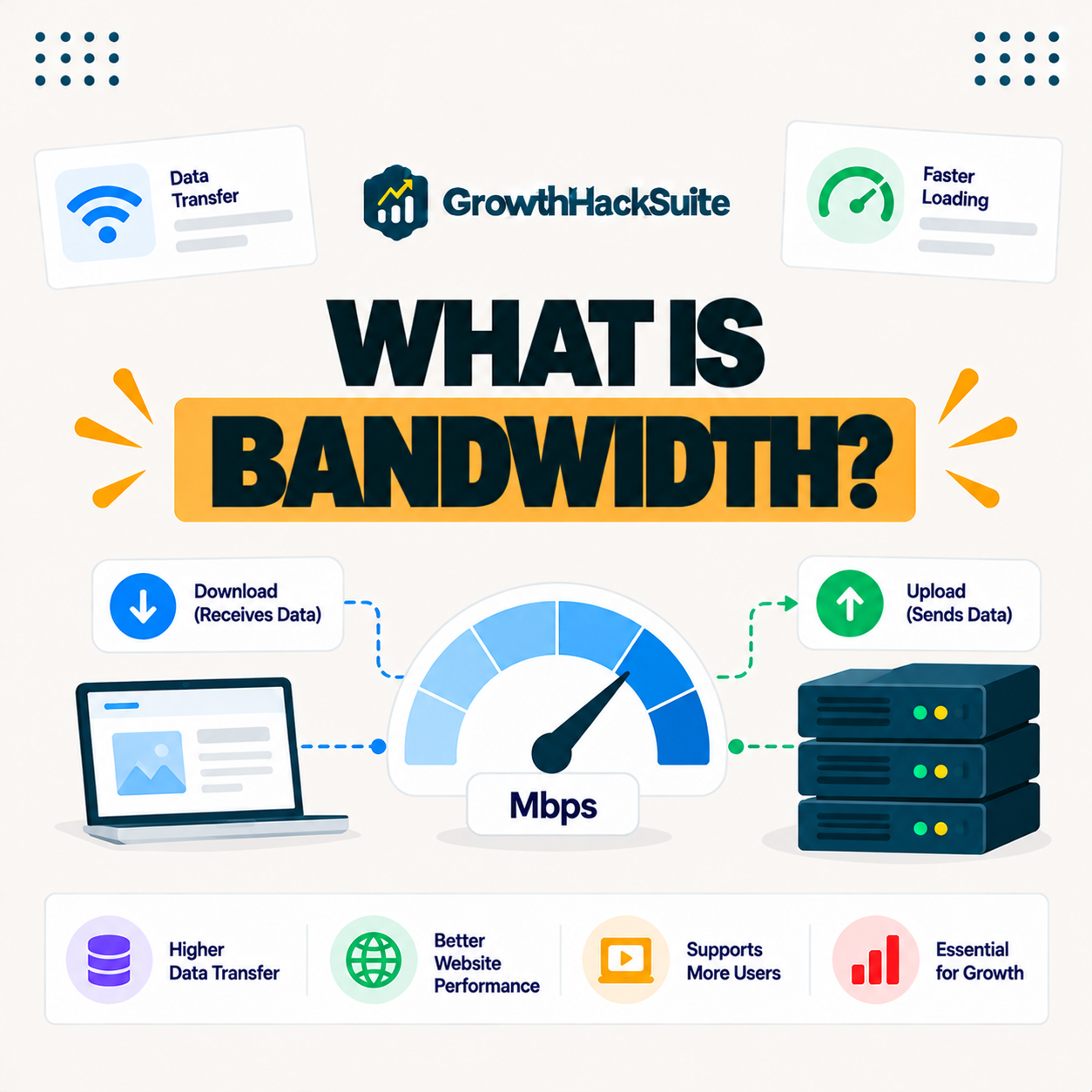
Bandwidth in web hosting refers to the amount of data your website can transfer to visitors over a period, usually measured per month. It reflects how much content your site can serve, so traffic volume, page sizes and media all shape how much data you use.
“In computing, bandwidth is the maximum rate of data transfer across a given path.”
— Wikipedia, Bandwidth (computing)
In hosting, that rate becomes a monthly allowance, so it is best understood as how much data your site can move to visitors before you hit a limit.
How Is Bandwidth Measured?
Bandwidth is measured as the total data transferred, typically in gigabytes or terabytes per month. It grows with the number of visitors multiplied by the average page weight, so image-heavy or high-traffic sites consume far more data than lean, text-based ones.
The practical takeaway is that visitors times page weight gives a rough monthly figure, which is why shrinking page weight directly lowers data use.
How Much Bandwidth Do You Need?
How much bandwidth you need depends on your monthly visitors and average page size. A small blog may use only a few gigabytes, while a busy media-rich site uses far more, so estimating traffic times page weight gives a rough figure to plan around.
Verdict: Bandwidth is the monthly data your site can transfer, and you need enough to cover visitors times average page weight, plus headroom for growth and spikes. The honest reality is that most site owners never calculate it precisely, because a CDN offloads most static assets and managed hosting includes a generous allowance, so the platform absorbs the bulk of the transfer for you.
The honest summary is that a buffer above your estimate beats an exact number, since traffic rarely arrives evenly.
Bandwidth vs Data Transfer
Bandwidth and data transfer are often used interchangeably in hosting. Strictly, the first term means the maximum rate of data flow, while data transfer is the total moved over time, and hosts usually quote a monthly data transfer allowance that most people simply call bandwidth.
Source: rough industry estimates, illustrative not precise, verified August 2026. Actual use depends on your page weight.
These rough estimates show a small blog needs only a few gigabytes, a business site tens, and a media-rich or high-traffic site hundreds or more, with page weight the main driver in every case.
See how Kinsta handles traffic on Google Cloud
Try Kinsta →Included CDN and a 30-day money-back guarantee.
What Does Unlimited Bandwidth Really Mean?
Unlimited bandwidth usually means no fixed cap, but fair-use policies still apply. A host may throttle you or ask you to upgrade if your usage strains shared resources, so a truly unlimited plan is more of a marketing term than a literal promise.
The honest point is that “unlimited” means “within reason”, so read the fair-use clause before assuming there is no ceiling at all.
What Happens If You Exceed Your Monthly Allowance?
If you exceed your bandwidth allowance, a host may charge overage fees, throttle your site, or in some cases suspend it. Knowing your limit and monitoring usage prevents surprise costs or a slowed site during a traffic surge, when the extra data matters most.
“The first five seconds of page-load time have the highest impact on conversion rates.”
— HubSpot, page load time and conversion rates
Because throttling slows delivery exactly when traffic peaks, staying within your allowance protects those early seconds when the most visitors are arriving at once.
How a CDN Reduces Your Data Transfer
A CDN reduces your origin data transfer by serving cached assets from its own network. Images, CSS and scripts are delivered from the CDN rather than your server, so the data your hosting plan must transfer directly falls sharply, especially for repeat visitors.
The practical result is that a CDN shifts most static-file traffic off your origin, which is why hosts that include one make data limits far less of a concern
How to Choose a Plan With Enough Data Allowance
Choose a plan with enough bandwidth by estimating your monthly visitors times average page size, then adding headroom for growth and spikes. Favor hosts that include a CDN, since offloaded assets reduce the data your origin must send and lower the risk of overages.
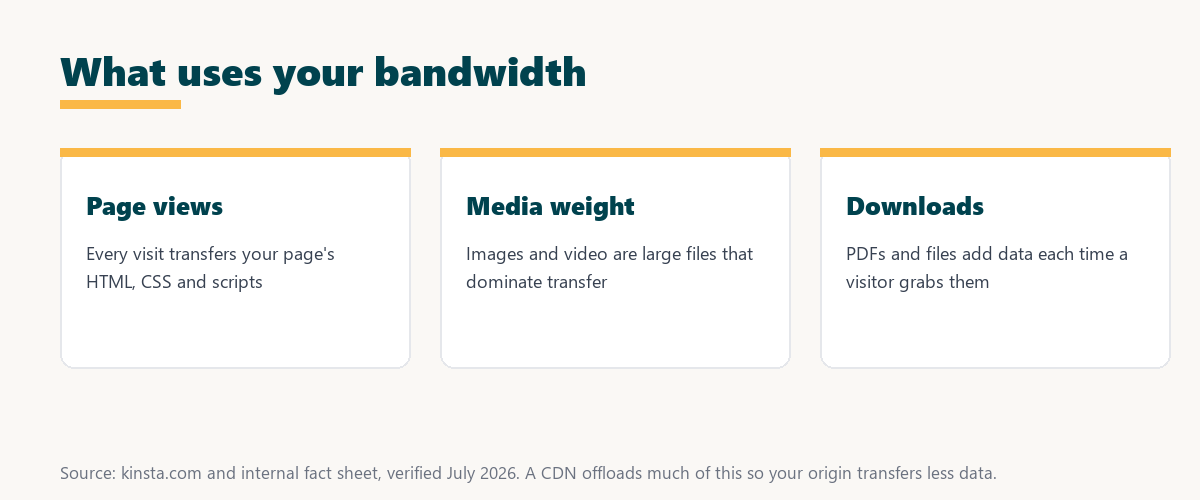
- Page views: Each visit transfers a page’s HTML, CSS and scripts, so total viewsdrive baseline data use..
- Image weight: Photos and graphics are large files that often dominate transfer, making compression the biggest single saving.
- Video and media: Video is the heaviest content, so hosting it externally or through a CDN spares the origin server.
- Downloads: PDFs and downloadable files add data every time a visitor grabs them, which adds up on resource-heavy sites.
- CDN offload: A CDN serves cached copies of these assets from its edge, cutting the data the plan transfers directly.
Listing page views, media weight and downloads against how a CDN offloads them shows where your data goes and where the easiest savings are. Owners weighing a long hosting commitment can also read our note on SaaS vendor lock-in.
How Kinsta Handles Data Transfer and CDN
Kinsta includes a CDN that serves static assets from the Cloudflare edge, so much of your traffic is delivered from the CDN rather than your origin. If you exceed a plan’s resources, Kinsta bills the difference on your next invoice rather than shutting the site off, which keeps a busy site online.
Get traffic handled on Kinsta’s Google Cloud platform
Start With Kinsta →Free migration and a 30-day money-back guarantee.
Data Limits and Website Speed
Data limits affect speed mainly when you run low or get throttled. Page speed depends more on server response and optimization, but an exhausted allowance during a surge can slow delivery, which is why a CDN and enough headroom both matter for a consistently fast site.
Source: provider documentation, verified August 2026. A CDN keeps most of this traffic off your origin.
Mapping page views, media and downloads to how a CDN offloads each shows that most data-heavy traffic can be served from the edge, sparing your origin.
Managing Data Transfer for a Growing Site
You manage data transfer for a growing site by using a CDN to offload assets, optimizing images to shrink page weight, monitoring usage and choosing a plan with headroom. Together these keep traffic growth from leading to slowdowns or surprise charges as your audience expands.
“A tool is only worth its premium when the hours or revenue it protects exceed the invoice.”
— Growth Hack Suite, on tool ROI
Applied to bandwidth, paying for a plan with a CDN and headroom earns its cost when the sales it keeps online during a surge exceed the price of the capacity.
Keeping Your Allowance Ahead of Your Traffic
You keep bandwidth ahead of your traffic by pairing a CDN with an optimized site and a plan that has headroom. The CDN absorbs most static-asset transfer while your origin handles the rest, so a spike in visitors does not push you past your allowance or slow the site.
The honest summary is that bandwidth readiness is mostly a CDN plus lighter pages plus a buffer, which a managed platform provides without you tracking every gigabyte.
Try Kinsta risk-free for your growing site
Try Kinsta Risk-Free →Included CDN and free migration, with a 30-day money-back guarantee.
Frequently Asked Questions About Hosting Data Limits
The 12 most-asked questions about bandwidth.
What is bandwidth in web hosting?
Bandwidth in web hosting is the amount of data your website can transfer to visitors over a period, usually monthly, reflecting how much content your site can serve based on traffic and page sizes.
How is bandwidth measured?
Bandwidth is measured as total data transferred, typically in gigabytes or terabytes per month, and it grows with the number of visitors multiplied by the average weight of your pages.
How much bandwidth does my website need?
How much bandwidth you need depends on your monthly visitors and average page size, so a small blog may use a few gigabytes while a busy media-rich site uses far more.
What is the difference between bandwidth and data transfer?
Bandwidth strictly is the maximum rate of data flow, while data transfer is the total moved over time, though hosts often use the terms interchangeably and quote a monthly allowance.
What does unlimited bandwidth really mean?
Unlimited bandwidth usually means no fixed cap but with fair-use limits, so a host may throttle or ask you to upgrade if usage strains resources, making it more marketing than a literal promise.
What happens if I exceed my bandwidth?
If you exceed your bandwidth, a host may charge overage fees, throttle your site, or suspend it, so knowing your limit and monitoring usage prevents surprise costs or slowdowns.
Does a CDN reduce bandwidth usage?
Yes, a CDN reduces your origin bandwidth by serving cached assets from its network, so images, CSS and scripts come from the CDN rather than your server, cutting the data your plan transfers.
Does bandwidth affect site speed?
Bandwidth affects speed when you run low or get throttled, but generally page speed depends more on server response and optimization, while bandwidth governs how much total data you can serve.
How do I reduce my bandwidth usage?
You reduce bandwidth usage by using a CDN to offload assets, compressing images and files, and enabling caching, so less data is transferred directly from your origin server.
Is more bandwidth always better?
More bandwidth headroom helps a growing or spiky site avoid overages, but beyond your actual needs it adds little, so the goal is enough capacity plus a buffer rather than the highest number.
Do images and videos use a lot of bandwidth?
Yes, images and especially videos use significant bandwidth because they are large files, so optimizing media and serving it through a CDN greatly reduces the data your hosting transfers.
How does Kinsta handle bandwidth?
Kinsta includes a CDN that serves static assets from the Cloudflare edge, reducing origin load, and if you exceed a plan’s resources it bills the difference on your next invoice rather than taking the site offline.
About this guide
Written by the Growth Hack Suite editorial team, drawing on hands-on experience running content sites. Figures were cross-checked against provider documentation. This page carries affiliate links to Kinsta, so the position is stated plainly: bandwidth is the monthly data your site can transfer, you need enough to cover visitors times page weight plus headroom, and a CDN offloads most static assets so your origin transfers far less. Kinsta includes a CDN and bills any overage to your next invoice rather than taking the site offline.