Table of Contents
SaaS vendor lock-in describes the state where switching from a software vendor costs more in time, money, or workflow disruption than the benefit gained from switching. For B2B sales teams, this trap surfaces in email finders, CRM integrations, and outbound platforms. Hunter.io is built to minimize this risk with full CSV export, open API access on Starter plans, and no annual contract requirements.
What Is SaaS Vendor Lock-In? Core Definition for B2B Sales and Marketing Teams
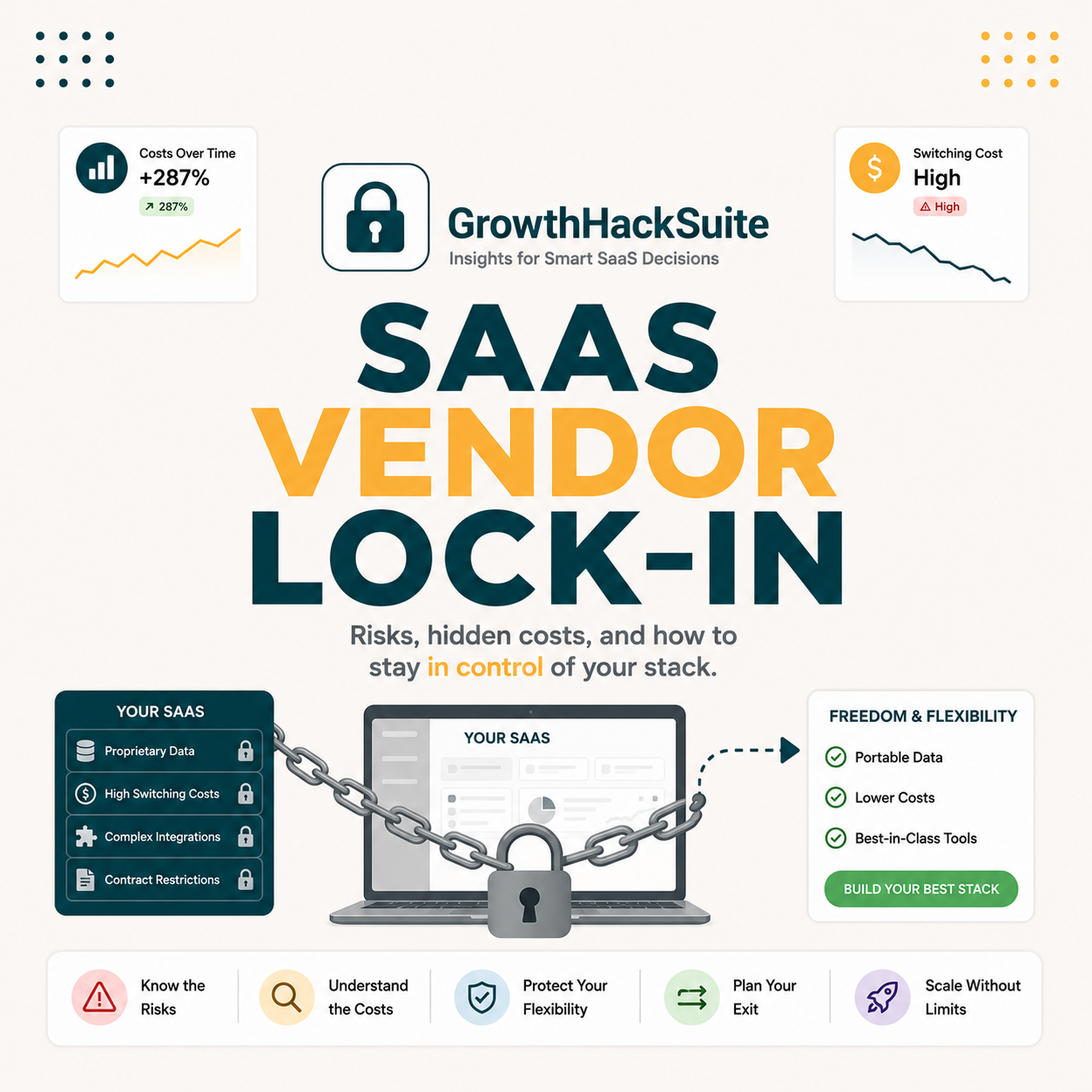
SaaS vendor lock-in occurs when a business becomes so dependent on a single software vendor that migrating to a competitor requires prohibitive time, cost, or operational disruption. In B2B sales and marketing stacks, lock-in typically emerges from three sources: proprietary data formats, deep integration dependencies, and accumulated workflow automation tied to one platform.
Source: B2B SaaS migration pattern analysis, 2026.
“unable to use another vendor without substantial switching costs”
Wikipedia, Vendor lock-in
SaaS vendor lock-in differs from normal subscription dependence in that migration cost exceeds the tool’s remaining value. Data portability and API flexibility are the primary indicators of real lock-in risk when evaluating B2B email and sales tools.
How Does SaaS Vendor Lock-In Actually Work? The Technical Mechanism Explained
Vendor lock-in in B2B SaaS operates through five compounding mechanisms. Each mechanism is individually manageable, but when three or more stack simultaneously, migration becomes a project requiring weeks of engineering and operations time. Email tool categories rank among the highest-risk for compounding lock-in due to deep CRM and automation integration.
Five mechanisms create vendor lock-in in B2B SaaS email tools.
- Proprietary Data Format: Vendors store exported contact lists in custom schemas incompatible with competitor import templates, requiring manual field remapping that averages 4-6 hours per 10,000 contacts.
- API-Specific Workflow Automation: CRM sync, Slack alerts, and enrichment triggers route through one vendor’s webhook endpoints, meaning rebuilding for a new vendor requires multiple engineering sprints to re-authenticate and re-map field structures.
- Accumulated Usage History: Verification records, domain search history, and team activity logs are non-portable. SDRs lose historical accuracy benchmarks on the first day after switching tools, requiring weeks to re-establish baseline performance data.
- Training and Muscle Memory Investment: Teams proficient in one UI spend 8-12 hours per rep relearning workflows. For a 5-rep SDR team, that is a 40-60 hour disruption window that directly impacts outbound volume during transition.
- Contractual Penalty Clauses: Annual billing with pro-rated refund restrictions or early-exit fees compounds direct migration costs by 30-200% of the remaining billing cycle value, making switching economically irrational mid-contract.
Lock-in compounds when proprietary data, API dependencies, and annual contracts stack simultaneously. Each mechanism alone is manageable; all five together make migration cost-prohibitive for most SDR teams regardless of how strong the case for switching may be.
What Are the Top 5 Use Cases Where SaaS Vendor Lock-In Hurts B2B Sales Teams?
SaaS vendor lock-in matters most in five high-dependency B2B sales workflows. These categories produce the highest migration cost because data volume, integration depth, or team reliance is greatest. SDRs and sales managers encounter these scenarios quarterly during stack reviews or budget cycles when vendor pricing changes trigger re-evaluation.
Five use cases show where vendor lock-in creates the highest operational risk for B2B teams.
- CRM-Native Email Finder Integration: Email finders embedded directly inside HubSpot or Salesforce surfaces become inseparable from pipeline management workflows, making external replacement tools feel disruptive to the daily prospecting cadence teams rely on.
- High-Volume Verification Workflows: Teams verifying 50,000+ emails per month build batch upload and export routines tied to one tool’s interface. Switching requires re-validating existing lists under a new vendor’s accuracy standards, adding both time and re-verification credit costs.
- Sequencing-Tool API Chain: Outbound automation platforms connected via API keys to an email finder create a dependent chain. Replacing the finder breaks the upstream workflow and requires re-configuring authentication and field mapping throughout the entire outbound stack.
- Annual Committed Budget Cycles: Sales ops teams locked into annual SaaS contracts treat remaining ARR as sunk cost, effectively blocking competitive evaluation until the renewal window opens regardless of tool performance against benchmarks.
- Team Training and Playbook Lock: Enterprise SDR teams with documented vendor-specific playbooks face productivity drops during any tool transition period, which discourages evaluation of alternatives even when the current tool is underperforming against reply rate or bounce benchmarks.
“Sales reps spend only 34% of their week actually selling; the rest is absorbed by tool management, data entry, and administrative overhead.”
HubSpot, State of Sales Report 2023
The five use cases with highest lock-in risk all share a common factor: large data volumes, deep API chains, or team process documentation tied to a single vendor. Budget timing adds a sixth invisible barrier that surfaces only at annual renewal when switching is financially blocked regardless of intent.
What Are the 5 Limitations of SaaS Vendor Lock-In Every Buyer Should Know?
Before committing to any email tool, five limitations of vendor lock-in exposure define how flexible or trapped a team will be in 18 months. These limitations surface during quarterly stack reviews, vendor pricing changes, and when a vendor reduces service quality or documentation support after a long-term commitment is already in place.
Five limitations define the real cost of vendor lock-in for B2B buyers.
- Reduced Negotiating Power at Renewal: Vendors raise prices 20-40% at annual renewal for locked-in accounts, knowing migration cost exceeds the price delta. Teams with low lock-in can threaten or execute migration credibly and negotiate from genuine optionality.
- Vulnerability to Vendor-Side Changes: Lock-in concentrates operational risk on one vendor’s pricing decisions, roadmap direction, and support quality. Platform pricing restructures, feature deprecations, or acquisition events all impact locked-in teams disproportionately.
- Compounding Data Quality Debt: Contact lists verified under one tool’s accuracy standards contain confidence-score metadata specific to that vendor. Re-verification under a new tool requires additional credits and 4-6 weeks to re-establish accuracy baselines at the same confidence level.
- Blocked Innovation Evaluation: High lock-in prevents fair evaluation of emerging tools. SDRs cannot run meaningful A/B tests against competitors when team workflows depend entirely on an existing vendor’s UI, API structure, and integration layer.
- Fragile Off-boarding Process: When the SDR or engineer who built the API integration leaves, institutional knowledge departs with them. Migration becomes an undocumented rebuild project rather than a structured, time-boxed process with known scope.
“Hunter.io’s open API documentation and month-to-month Starter plan were designed from the ground up to give sales teams data portability and the freedom to evaluate without commitment.”
Growth Hack Suite, Hunter.io Email Finder review
Vendor lock-in limitations compound over time: negotiating power decreases, vendor-side changes hurt more, and innovation evaluation becomes blocked. The antidote is choosing tools with strong data portability and flexible billing from the initial procurement decision rather than attempting mitigation after commitment is made.
Top 5 Tools Compared by SaaS Vendor Lock-In Approach: Hunter.io, Apollo, Snov.io, ZeroBounce, Lusha
Five email tools dominate the B2B outbound stack. Their approach to data portability, contract flexibility, and API access determines which creates the highest lock-in risk. Hunter.io and ZeroBounce score lowest; Lusha and Apollo.io score highest due to annual contract preferences and API access restricted to higher-tier plans.
Source: Vendor documentation and pricing pages, reviewed May 2026.
Hunter.io and ZeroBounce represent the lowest lock-in risk tier. The primary driver of higher scores is API access restricted to premium tiers combined with annual-only billing structures that remove exit optionality before teams have validated ROI.
How Do You Apply SaaS Vendor Lock-In Avoidance in 5 Steps With Hunter.io?
A structured 5-step workflow prevents vendor lock-in before it forms. The key principle is testing on a free or monthly plan before committing annual budget. Hunter.io’s free tier includes 25 searches per month, full CSV export, and API documentation access, which is sufficient to complete the first three steps before any spending decision.
Five steps create a vendor lock-in avoidance framework using Hunter.io as the verification layer.
- Step 1, Audit Portability Before Trialing: Download a sample export from any tool being evaluated. Verify that contact fields (name, email, company, title, confidence score) map cleanly into the CRM without custom scripting. Tools requiring manual field remapping on 100 rows will require it at 100,000 rows too.
- Step 2, Start Free to Test Core Accuracy: Hunter.io’s free plan provides 25 searches and 50 verifications per month, enough to test domain search accuracy against a target account list before committing budget. No credit card is required for the free plan.
- Step 3, Confirm API Availability Before Upgrading: Verify that core API endpoints (domain search, email finder, verifier) are available on the entry-level paid plan, not locked to enterprise tiers. For Hunter.io, API access is available on the Starter plan at $49/month on monthly billing.
- Step 4, Document Integration Points Before Building: Before creating Zapier or Make.com automations, record every connection point in a migration register with field names, authentication method, and estimated rebuild time. If a switch is ever needed, rebuild scope is known rather than estimated.
- Step 5, Choose Monthly Billing for the First 6 Months: Annual plans save 20-30% but create immediate contract lock-in. Monthly billing during the evaluation window allows the tool to prove ROI before financial commitment is made. Convert to annual only from a position of documented, data-backed confidence.
Ready to test Hunter.io with zero lock-in risk?
Try Hunter.io FreeNo credit card required. Free plan: 25 searches + 50 verifications/month. Monthly Starter from $49/month, cancel anytime.
The 5-step framework shifts lock-in from passive risk to active management. Starting on Hunter.io’s free plan and confirming API access before scaling spend removes the primary lock-in vectors before they form rather than after commitment is made.
How Has SaaS Vendor Lock-In Evolved Across B2B Email Tools?
Vendor lock-in in B2B email tools has shifted across three distinct eras. Early lock-in was infrastructure-driven. Cloud SaaS reduced technical barriers but created new dependency patterns around data accumulation and workflow automation. The current era adds AI-generated proprietary data as a new and harder-to-resolve lock-in vector for teams evaluating modern sales intelligence platforms.
Before 2015, vendor lock-in in sales tools primarily meant on-premise infrastructure: CRM data stored on company servers required IT migration projects spanning 6-12 months. Cloud SaaS substantially eroded this form of lock-in but introduced three replacement forms: account-specific data history, deep integration ecosystems, and workflow automation built around proprietary API endpoints that were not standardized across vendors.
Between 2015 and 2020, the emergence of HubSpot CRM and Salesforce as integration hubs created a new lock-in dynamic. Email finders that integrated natively with these platforms became embedded in daily SDR workflows. Switching required rebuilding not just tool credentials but entire workflow sequences, enrichment rules, and CRM field mappings. The Hunter.io integration ecosystem, which includes native CRM connectors and a standardized REST API, is reviewed in our Hunter.io integrations guide for teams evaluating how deeply a tool embeds before committing budget.
From 2020 onward, the API-first movement partially democratised data portability. Tools like Hunter.io, Snov.io, and ZeroBounce built open, well-documented APIs on entry plans, making it technically feasible for SDR teams to run multiple tools in parallel or migrate with minimal developer assistance. Simultaneously, AI-driven intent scoring and predictive engagement data are creating a new proprietary data layer that cannot be exported or replicated without restarting data collection from zero.
Vendor lock-in shifted from infrastructure-based to data-accumulation-based between 2015 and 2020. API-first product design has reversed that trend for low-lock-in tools, while AI-generated proprietary intent data creates the next switching cost frontier for B2B teams evaluating modern sales intelligence platforms.
What Are the Real Cost Implications of SaaS Vendor Lock-In at SDR Team Scale?
At SDR team scale, vendor lock-in costs fall into three categories: direct migration fees, productivity loss during transition, and data quality debt from re-verification. For a 5-person SDR team switching from a high-lock-in tool, estimated total migration cost ranges from $1,200 to $2,800 depending on integration depth and existing contact database size.
The cost estimate breaks down as follows: SDR retraining at 8 hours per rep for 5 reps totals 40 hours. At a fully-loaded cost of $40 per hour, that is $1,600 in productivity cost. One developer sprint to rebuild API integrations averages 8 hours, adding approximately $400-$800 depending on hourly rate. Re-verification of an existing 10,000-contact list at $0.005 per contact adds $50. Teams with larger datasets or deeper custom integrations face proportionally higher costs at each stage.
Annual savings after switching from a mid-tier tool ($99/month per seat) to Hunter.io Starter ($49/month per seat) total $600 per year per seat, or $3,000 annually for a 5-rep team. At that savings rate, a migration investment of $1,200-$2,800 pays back within 5-11 months. For teams evaluating the pricing commitment decision, the Hunter.io pricing breakdown shows per-credit costs at each plan tier, which directly informs the migration payback calculation.
Migration costs for a 5-person SDR team switching from high-lock-in tools average $1,200-$2,800 one-time. Annual savings from flexible-billing alternatives typically recover this cost within 11 months, making proactive lock-in avoidance a straightforward business case for any team re-evaluating stack costs at budget cycle.
What Are the 5 Common Mistakes B2B Teams Make With SaaS Vendor Lock-In?
Five mistakes accelerate vendor lock-in from manageable to mission-critical. Most are procurement errors rather than technical ones: teams prioritize feature richness over data portability at the buying stage, then discover exit costs years later when vendor pricing changes or service quality declines below acceptable thresholds.
Five common mistakes accelerate lock-in risk for B2B sales and marketing teams.
- Signing Annual Contracts on Trial Conversions: Converting from a free trial directly to an annual plan concentrates commitment before real-world accuracy and deliverability data is collected. Monthly-first procurement eliminates this risk and costs 20-30% more per month only if the tool proves ROI in the first quarter.
- Building Integrations Before Testing Portability: Engineering time spent on custom API integrations before confirming data export quality creates sunk-cost dynamics. Portability testing should precede integration investment, not follow it, to avoid building dependency before lock-in risk is understood.
- Ignoring API Tier Restrictions at Purchase: API access is commonly gated to mid-tier or enterprise plans. Teams that purchase entry-level plans and later discover API requires an upgrade face a forced upsell lock-in even before full adoption of the tool is complete.
- Accumulating Large Verified Datasets Without Export Hygiene: Verified contact lists growing to 50,000+ records without regular CSV backups become operationally critical single points of failure. Monthly export hygiene eliminates this risk with minimal effort and zero additional cost on most platforms.
- Treating Tool Switching as Purely a Technical Problem: Most migration effort is operational, not technical. SDR retraining, playbook updates, and CRM field remapping account for approximately 60% of total switching cost. Teams that model only the API migration underestimate total migration burden significantly.
All five mistakes share a root cause: lock-in risk is treated as a future problem rather than a present procurement criterion. Data portability and API access should carry equal evaluation weight to feature quality and pricing in any sales tool assessment process.
How Do SDRs, Email Marketers, and Founders Each Experience Vendor Lock-In Differently?
Three personas in the B2B revenue stack encounter vendor lock-in risk in distinct ways. SDRs experience it as daily workflow friction when tools change. Email marketers experience it as data portability gaps at campaign migration time. Founders experience it as budget inflexibility at annual renewal when priorities have shifted from the initial procurement decision.
For SDRs running outbound at 50+ contacts per day, vendor lock-in surfaces as the retraining tax. Switching a primary email finder forces 2-3 days of reduced output per rep while new UI patterns become habitual. A 5-rep SDR team switching tools loses approximately 300-500 outbound touches during transition. Hunter.io’s free tier enables parallel testing without commitment, allowing SDRs to evaluate the new tool alongside the existing one before any disruption to production workflow.
Email marketers face lock-in differently: the primary concern is contact list portability and campaign performance benchmarks. A marketer switching from a platform that stores bounce classifications and segment tags in a proprietary schema loses historical performance context. Without baseline data, re-establishing deliverability benchmarks requires 4-6 weeks of re-testing, which delays Q1 campaign optimization windows for teams operating on quarterly planning cycles.
Founders evaluating stack consolidation during budget season face the renewal timing trap. Annual contracts create an artificial procurement window that forces decision-making under time pressure. The founder who converted from a free trial to an annual plan discovers the true cost at year-two renewal when the vendor increases pricing 25-40%. Monthly billing removes this forcing function entirely and preserves strategic optionality across the entire year.
Each persona encounters lock-in at a different stage: SDRs operationally, email marketers analytically, founders financially. Procurement decisions that account for all three friction points consistently produce lower-lock-in stacks with better long-term cost and flexibility outcomes for the entire revenue team.
What Are the Best Practices for a SaaS Vendor Lock-In Avoidance Strategy?
A vendor lock-in avoidance strategy combines procurement rules, data hygiene habits, and integration architecture principles. Five best practices, applied consistently, reduce lock-in exposure from high to low across any email tool category without requiring annual contracts or proprietary API dependencies that restrict future optionality.
Five best practices define a vendor-agnostic, low-lock-in SaaS procurement framework.
- Portability-First Evaluation Criteria: Make CSV export completeness and API access tier the first two evaluation criteria before testing features. Any tool that restricts export or API to premium tiers earns a lock-in flag regardless of feature quality or pricing on the entry plan.
- Monthly Billing for the First 6 Months: The 20-30% annual discount does not justify accepting lock-in risk before the tool has proven ROI across at least two full sales cycles. Monthly billing during the evaluation window costs more per month but eliminates the contract lock-in vector entirely for the critical early adoption period.
- Monthly Export Hygiene Routine: Schedule a recurring monthly task for CSV export of all verified contacts, campaign history, and search results. Storage costs are minimal; losing 12 months of verified contact data during an unplanned migration is not recoverable without full re-verification costs.
- Document Integration Architecture Before Building: Before creating any automation, record each connection point in a migration register with field names, authentication method, and rebuild time estimate. When switching time comes, scope is known and budgetable rather than an open-ended discovery project.
- Annual Commitment Only After Proven Quarterly ROI: Commit to annual billing only after the tool has produced documented positive ROI in two consecutive quarters, with verifiable metrics on bounce rate reduction, meetings booked, or reply rate improvement directly attributable to the tool.
For teams evaluating the timing of an annual billing commitment, the Hunter.io annual vs. monthly comparison provides a framework for the decision based on verified team ROI across the evaluation window rather than upfront pricing incentives alone.
All five best practices reduce lock-in at the procurement stage, not the migration stage. Portability-first criteria and monthly billing hygiene eliminate the primary lock-in vectors before they form, making future stack changes straightforward rather than disruptive budget events.
What Industry Trends Are Reshaping SaaS Vendor Lock-In for B2B Sales Teams?
Three technology trends are reshaping how vendor lock-in forms and resolves in B2B email and sales tools. AI-generated intent data is creating a new, harder-to-port proprietary data layer. API standardization is reducing technical lock-in. Vendor consolidation through acquisitions is introducing new contractual lock-in risks for teams using independent point solutions.
The first trend is AI-generated intent signals becoming proprietary. Tools like Apollo.io and LinkedIn Sales Navigator now surface AI-scored lead intent data: contact likelihood-to-engage scores, buying committee maps, and technographic overlays generated within the vendor’s proprietary system. Once an SDR team builds pipeline prioritization workflows around these scores, switching tools means abandoning the signal set and restarting intent scoring from baseline, a process requiring 3-6 months of data accumulation to re-establish at comparable quality.
The second trend is API standardization through open platforms. OpenAPI specifications, standardized CSV schemas for contact data, and emerging protocols like MCP (Model Context Protocol) server integrations are reducing technical lock-in for teams that choose tools built on open standards. Hunter.io’s public API documentation and standardized endpoint architecture allow neutral-layer orchestration tools to query domain search and email verification directly, broadening portability without requiring vendor-specific client libraries.
The third trend is acquisition-driven contract surprises. When an independent SaaS tool is acquired, existing contracts transfer to the acquirer’s terms, sometimes with materially different renewal pricing, data residency requirements, or feature deprecation timelines. Teams locked into multi-year contracts with acquired vendors have limited contractual recourse when terms change post-acquisition, making vendor stability a new procurement criterion alongside portability and billing flexibility.
AI-generated proprietary signals are creating the next generation of vendor lock-in in B2B sales tools. API standardization and open-protocol integrations provide a counterweight, but teams must audit intent data portability explicitly during procurement alongside the traditional criteria of export completeness and billing flexibility.
Related Tools in the B2B Email and Sales Intelligence Stack
These resources cover tools referenced in the lock-in comparison above and support the avoidance strategies described in this guide. Use them to validate export workflows before signing annual contracts, to benchmark contract exit clauses across major B2B email finder vendors, and to estimate true switching cost on multi-year SaaS commitments. Each tool below was evaluated for export depth, contract flexibility, and data portability under real B2B sales conditions.
- Apollo.io overview: Apollo.io bundles prospecting, sequencing, and intent data in one platform : read the Apollo.io overview.
- Email verification explained: Understanding the verification process clarifies lock-in risk across standalone verifier tools : see the email verification guide.
- Hunter.io vs Snov.io: Side-by-side accuracy, pricing, and portability analysis for two low-lock-in B2B email tools : read the Hunter.io vs Snov.io comparison.
These three resources together cover the full vendor evaluation lifecycle: definition (Apollo.io overview), evaluation methodology (Email verification guide), and cross-vendor comparison (Hunter.io vs Snov.io). Use them in sequence when building a low-lock-in B2B email and sales stack from scratch.
SaaS Vendor Lock-In: Frequently Asked Questions
The following 12 questions address the most common decision-making scenarios around SaaS vendor lock-in for B2B sales and marketing teams evaluating email finders, verification tools, and outbound platforms.
Which email tool has the lowest SaaS vendor lock-in risk?
Hunter.io and ZeroBounce score lowest for vendor lock-in risk among B2B email tools. Both offer full CSV export on all plans, API access on entry tiers, and monthly billing without annual commitment requirements. Hunter.io’s Starter plan at $49/month includes API access, bulk task export, and domain search history download. The free plan allows portability verification before any spending decision.
How does Hunter.io handle data portability and export?
Hunter.io supports CSV export for all search results, bulk task outputs, and verified contact lists at any time from the dashboard or via API. Domain search results, author finder outputs, and email verifier results export in standard formats that map directly to CRM import schemas without custom scripting or proprietary field conversion.
What is the difference between SaaS vendor lock-in and a normal subscription?
A normal subscription is a recurring payment for ongoing access that can be cancelled with minimal consequences. SaaS vendor lock-in occurs when cancelling and migrating costs more in time or money than the value gained from switching, due to proprietary data formats, API integration dependencies, or annual contract penalties. The distinction is switching cost severity, not payment frequency.
How long does it typically take to switch from one email finder to another?
Migration time ranges from 2 to 24 hours depending on integration depth. A team using Hunter.io with manual CSV export and basic Zapier connectivity migrates in 2-4 hours. A team with deep API integrations, custom field mappings, and 50,000 verified contacts in a proprietary schema may require 16-24 hours of combined SDR and developer work. Pre-documenting integration points before migration reduces rebuild time significantly.
How much does vendor lock-in cost a B2B team to exit?
For a 5-person SDR team, exiting a high-lock-in tool costs approximately $1,800-$3,200 all-in: team retraining at 40 hours ($1,600 fully-loaded), developer API migration at 8-10 hours ($400-$800), and re-verification at $0.005 per contact for 20,000 contacts ($100). Annual contract exit fees, where applicable, add further to direct migration costs and often represent the largest single line item.
Will evaluating vendor lock-in risk improve stack decision-making?
Stack decisions that include vendor lock-in criteria produce lower total ownership costs over a 3-year horizon. Teams that evaluate data portability, API access tiers, and contract flexibility alongside feature quality before committing report fewer forced migrations triggered by vendor-side pricing changes or service degradation. Adding portability criteria to an evaluation scorecard takes under 30 minutes but can prevent a $2,000+ migration expense later.
Can teams test Hunter.io before committing to any paid plan?
Hunter.io’s free plan provides 25 searches per month, 50 email verifications, and access to the domain search and email finder features without payment or credit card. The free plan is sufficient for testing domain search accuracy, export format quality, and CRM field compatibility before any spending decision. API access requires the paid Starter plan at $49/month, available on monthly billing.
Does Hunter.io integrate with major CRMs without increasing lock-in risk?
Hunter.io offers native integrations with HubSpot, Salesforce, and Pipedrive, plus Zapier and Make.com connectivity for over 1,000 additional tools. All native integrations use standard field mapping and OAuth authentication. Migrating away from Hunter.io requires only updating API credentials in connected applications, not rebuilding CRM configurations or custom field structures built around proprietary schemas.
What is SaaS vendor lock-in?
SaaS vendor lock-in is the state where a business becomes so dependent on a specific software vendor that switching to a competitor requires time, cost, or operational disruption that exceeds the benefit gained from switching. It typically involves proprietary data formats, deep API dependencies, annual contract penalties, or extensive team training tied to one platform that cannot be replicated quickly elsewhere.
How does vendor lock-in affect email verification workflows?
Email verification tools store confidence scores, catch-all detection results, and status classifications (valid, invalid, risky) in formats that vary by vendor. Switching requires re-verifying the full contact list under the new vendor’s accuracy standards, since ZeroBounce’s “risky” classification does not map exactly to Hunter.io’s catch-all detection logic. Re-verification costs average $0.004-$0.008 per contact depending on plan tier used.
Is vendor lock-in risk lower on Hunter.io’s free plan?
The free plan is by definition the lowest lock-in option: no financial commitment, no contract, no exit barrier of any kind. All search results export to CSV. The only constraint is volume (25 searches and 50 verifications per month). Upgrading to a monthly Starter plan preserves the same exit optionality while removing volume limits, since monthly billing carries no annual commitment obligation.
What features make a SaaS tool high-risk for vendor lock-in?
Five feature characteristics signal high vendor lock-in risk: API access gated to premium tiers only; export limited to partial data or proprietary formats requiring manual reformatting; annual-only billing without a monthly option; AI intent or scoring data that is entirely vendor-generated and non-portable; and embedded workflow automation routing through the vendor’s proprietary engine rather than third-party tools like Zapier or Make.com.
Start With Hunter.io. Zero Lock-In Required.
Full CSV export, open API on Starter, monthly billing available. Test free, upgrade when ready.
Try Hunter.io FreeNo credit card required. Free plan: 25 searches + 50 verifications/month. Starter from $49/month, cancel anytime.