Table of Contents
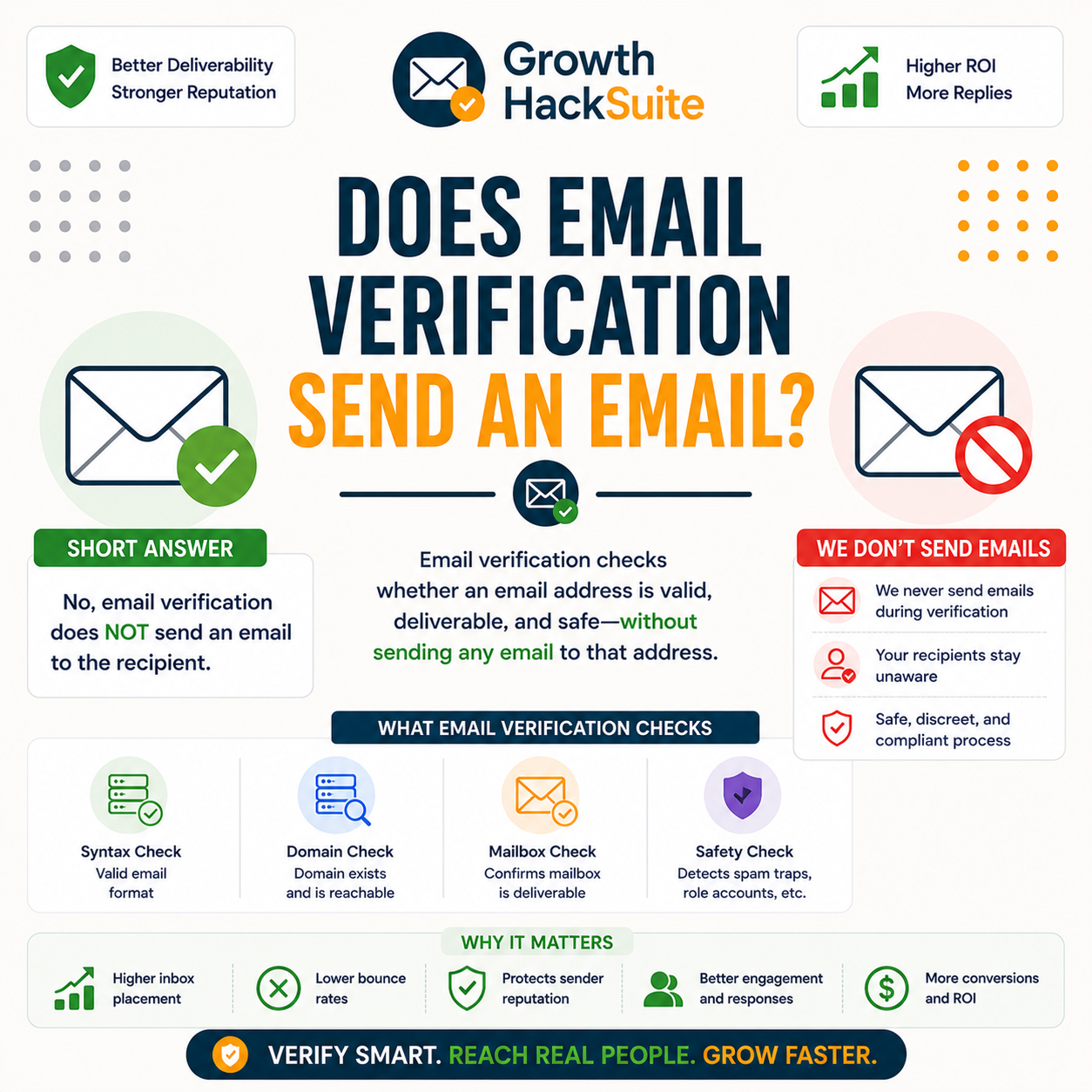
Does email verification send an email? In almost all cases, no. A standard verifier checks an address by opening an SMTP conversation with the recipient mail server, naming the address, then disconnecting before any message body is delivered. Nothing reaches the inbox, the recipient gets no notification, and they cannot tell the check happened. This guide explains how verification works without sending and the rare exceptions.
Verify silently and safely — check an address free, no message sent.
Verify an Email Free →Silent SMTP check · No credit card · Nothing lands in the inbox
Does Email Verification Send an Email?
In almost all cases, no. A standard email verifier checks an address by opening an SMTP conversation with the recipient mail server and asking whether the mailbox exists, then disconnecting before any message is delivered. Nothing lands in the inbox, so the recipient is never contacted. The check confirms deliverability without producing an email the person can see.
- No message delivered: A reputable verifier never transmits a message body, subject line or content of any kind. The mail server answers a yes-or-no question about the mailbox, and that reply alone settles whether the address can receive mail.
- Handshake only: The entire interaction is a short protocol exchange between the verifier and the server, modelled on the opening of a normal delivery. It ends before the step where an actual email would be handed over for the inbox.
- Recipient not contacted: Because delivery stops before any content moves, the mailbox owner receives nothing. No inbox item, no spam-folder entry and no notification result from a silent SMTP verification check.
- Server reply read: The verifier interprets a numeric status code returned by the mail server, which signals whether the named mailbox is accepted or rejected. That single coded answer is the entire output of the verification attempt.
- Connection closed early: Immediately after reading the reply, the verifier ends the session and walks away, so the conversation never advances to the stage that would deliver content to the recipient inbox.
Verification asks the server, it does not send. In normal use, nothing reaches the recipient and no trace appears in any folder.
How Does Verification Check Without Sending?
The verifier connects to the recipient mail server and begins the steps of a delivery, identifying itself and naming the recipient address, but stops before transmitting any message body. The server’s accept-or-reject reply to that recipient is all the verifier needs, so no email is ever sent and no content changes hands.
- Look up the mail server: The verifier reads the recipient domain’s MX records to find the mail server responsible for that address, the same lookup any sending system performs before attempting to deliver a real message.
- Open the connection: The verifier reaches that mail server and greets it the way a sending server would at the start of any ordinary email delivery, establishing the session that frames the existence check.
- Identify the sender: The verifier names a sending address to the server, completing the early envelope steps of a delivery so the server treats the conversation as a legitimate attempt to send mail.
- Name the recipient: The verifier issues the command that names the address being checked, prompting the server to respond whether that mailbox is one it will accept mail for, without committing to receive any message.
- Stop before the body: Once the server replies, the verifier reads the accept-or-reject code and disconnects, never issuing the command that would transmit message content, so delivery halts and nothing reaches the inbox.
The verifier starts a delivery and halts before the message body. The server’s reply alone confirms existence, leaving the inbox untouched.
Can the Recipient Tell You Verified Their Email?
No. Because no message is delivered, the recipient gets no email, no notification and nothing in their inbox or spam folder. The SMTP probe is invisible to the mailbox owner; only the mail server processes it, and servers handle this kind of delivery query routinely. There is no signal a person could notice from a clean verification check.
- No inbox trace: The check never produces a message, so nothing appears in the inbox, spam folder or archive. The mailbox content stays exactly as it was, with no new item created by the verification at all.
- No notification: Mail clients alert people about delivered messages, not about server-level delivery queries. Since the probe ends before any message exists, no push, badge or email notification is ever triggered for the recipient.
RCPT TO returns an accept-or-reject reply per recipient before any message body is sent.
— Hunter API documentation, email verifier
The recipient sees nothing. The probe touches only the server and never the inbox, so a clean verification leaves no detectable trace.
Are There Any Exceptions?
A few. Some low-quality tools fall back to sending a real confirmation email when SMTP checks fail, and double opt-in by design sends a confirmation message. Server logs also record the connection at the administrator level. So reputable SMTP verification is silent for the recipient, but not every method that calls itself verification is.
- Low-quality fallback sends: A few weak verifiers, unable to read a clear server reply, default to dispatching a real test message. That delivered email is visible to the recipient, which is why the verifier choice matters for staying silent.
- Double opt-in sends: Confirmation workflows deliberately deliver a confirmation email asking the subscriber to click a link. That is a sent message by design and differs entirely from a silent SMTP existence check that never delivers anything.
- Server logs the probe: The recipient mail server records the connection in its logs at the infrastructure level. A mailbox owner never sees these entries, but a domain administrator reviewing server logs could observe the verification attempt.
- Greylisting retry prompts: Some servers temporarily defer unfamiliar connections, which can make a verifier reconnect to resolve the status. The retries stay at the server level and still deliver no message into the recipient mailbox.
- Manual test-email habits: A sender who chooses to fire off a real message to confirm an address has left verification behind and crossed into actual sending. That deliberate test lands in the inbox and is fully visible.
Reputable SMTP verification is silent, but some weak tools send fallback mail, double opt-in sends by design, and servers log the probe out of the recipient’s view.
Does Verification Raise Privacy Concerns?
Minimally, since no message is sent and no content is accessed; the check only asks whether an address can receive mail. Verification is a routine part of email infrastructure that protects sender reputation. Privacy obligations attach to how an address is stored and used, not to the silent existence check itself, which reads no personal data.
- No content accessed: The probe reads no inbox, no messages and no personal information beyond whether the mailbox accepts mail. It is a deliverability check, not a data-gathering action, so it touches nothing private inside the account.
- Duties attach to data use: Privacy responsibilities govern how a list is collected, stored and contacted, which applies whether or not addresses are verified. The silent check itself adds no new obligation beyond the standard rules for handling contact data.
Verifying a list before the first send is the cheapest way to protect a sending domain.
— Growth Hack Suite, pre-send verification workflow
The silent check accesses no content. Privacy duties attach to how the data is stored and used, not to the probe that only asks whether mail can arrive.
Why Do People Worry Verification Is Visible?
The worry comes from confusing verification with sending a test email, or with read receipts and tracking pixels, which are visible to the recipient. SMTP verification is none of those; it neither delivers a message nor embeds a tracker. The confusion is common but mistaken, since the silent check produces nothing a person can observe.
- Confused with test sends: Many people picture a verifier firing off a real test message to see if it bounces. A proper SMTP verifier does the opposite, querying the server and stopping before any message could be delivered to a person.
- Confused with tracking: Read receipts and tracking pixels report when a delivered email is opened, which requires a message to exist first. Verification creates no message, so there is nothing for a pixel or receipt to attach to or report.
The fear conflates verification with test emails or tracking pixels. SMTP checks are neither, so the worry rarely matches how a real verifier behaves.
How Common Is This Concern?
It is one of the most searched questions about verification, especially among first-time users and in B2B outreach. The frequency reflects a real desire to verify discreetly, which reputable SMTP verification satisfies, since it leaves no inbox trace. The concern is widespread precisely because the silent answer reassures cautious senders.
- Top user concern: First-time verifiers and outreach teams frequently ask whether checking an address tips off the recipient. The question ranks among the most common entry points into the topic, reflecting genuine caution about contacting prospects discreetly.
- Satisfied by the SMTP method: The silent SMTP approach answers the worry directly, since it confirms deliverability without delivering anything. Senders who learn how the check works gain confidence that verification stays invisible to the mailbox owner.
It is a top concern precisely because users want discretion, which silent SMTP verification provides by confirming an address without ever contacting the person.
What the Recipient Sees During Verification
Verification vs Sending a Test Email: What’s the Difference?
Sending a test email actually delivers a message the recipient can see; verification only queries the server and delivers nothing. One contacts the person, the other contacts the infrastructure. The table below contrasts the two on delivery, visibility and notification so the distinction between a silent check and a real send is clear.
Source: SMTP behaviour per RFC 5321 (Simple Mail Transfer Protocol) and Hunter verifier documentation, verified 2026-06-29. Verification reads the RCPT TO reply and disconnects before the DATA step that would deliver a message.
A test email reaches the person; verification reaches only the server. The visibility is opposite, which is why a silent check and a real send should never be confused.
How Do You Verify Discreetly and Safely?
Use a reputable SMTP-based verifier that never falls back to sending, run checks in bulk or via API, and avoid tools that send confirmation mail on failure. This keeps verification silent while still confirming deliverability before a real send, protecting both discretion and sender reputation in one step.
- Use an SMTP-based verifier: Choose a tool that confirms mailboxes through the SMTP handshake and reads the server reply rather than dispatching a message. This method keeps the check invisible to the recipient while still confirming whether the address accepts mail.
- Avoid send-fallback tools: Skip cheap verifiers that revert to sending a real test message when a server reply is unclear. A delivered fallback email defeats the purpose of a silent check and exposes the verification to the recipient.
- Run bulk or API checks: Verify whole lists through CSV upload or an API endpoint so each address is checked silently at once. Batch verification confirms deliverability across a list without contacting any recipient on it.
- Skip manual test emails: Resist the habit of sending a quick message to see if it bounces, since that delivered test is visible to the recipient. A silent verifier answers the same question without ever contacting the person.
- Segment risky results: Sort catch-all and low-confidence addresses into a separate group rather than mailing them blindly. Acting on the verifier’s confidence score keeps both deliverability and sender reputation protected before a campaign send.
Verify an email free, silently — no message ever sent.
Verify an Email Free →SMTP-only check · No send fallback · Free plan included
Choose a true SMTP verifier with no send fallback. That single choice keeps the check silent and safe while still cleaning the list before a campaign.
What Tools Verify Without Sending?
Reputable verifiers use SMTP checks that never deliver a message; only weak tools fall back to sending. Hunter verifies silently via SMTP and offers a free tier. The table below compares common verifiers on whether they check without sending, avoid send fallbacks, and include a free allowance to test on a real list.
Source: Vendor verification documentation for Hunter, ZeroBounce and NeverBounce, verified 2026-06-29. Reputable verifiers use SMTP checks without delivering a message; confirm each provider’s current method and free allowance before buying.
Pick a verifier that is SMTP-only with no send fallback. That single property guarantees a silent check, which is what reputable tools like Hunter provide. For the deeper method test, see the Hunter Email Verifier accuracy benchmark.
Verdict: Verification Does Not Send an Email
In normal use, email verification does not send an email and the recipient cannot tell. Reputable SMTP verifiers query the server and stop before delivery, leaving no inbox trace. The only exceptions are low-quality fallback sends and double opt-in confirmation mail. Choose a true SMTP verifier and the check stays silent from start to finish.
Verdict: A reputable verifier runs one SMTP handshake, reads the accept-or-reject reply, and disconnects before sending any message. Zero emails are delivered and the recipient cannot tell. The only exceptions are weak tools that send a fallback message and double opt-in by design.
SMTP is a communication protocol for electronic mail transmission.
— Wikipedia, Simple Mail Transfer Protocol
Verify an email free — silent SMTP check, no email sent.
Verify an Email Free →Free plan · No credit card · Nothing reaches the inbox
Related Tools in the Hunter Stack
How verification stays silent ties directly to the verifier method and the wider Hunter stack. The verifier review covers the SMTP check in depth, and the email finder review covers how the addresses worth verifying get sourced in the first place on the same platform.
- Hunter Email Verifier: The validation layer that runs the silent SMTP check and flags risky addresses — start with what the Hunter Email Verifier is.
- Hunter Email Finder: The sourcing half of the bundle that fills a list before verification cleans it — read the Hunter.io email finder review for list-building costs.
Does Email Verification Send an Email: Frequently Asked Questions
The 12 most-asked questions about whether email verification sends an email.
Does email verification send an email?
In almost all cases, no. A reputable verifier opens an SMTP conversation with the recipient mail server, names the address, reads the accept-or-reject reply, and disconnects before any message body is delivered. Nothing reaches the inbox, so the address is confirmed without an email ever being sent to the recipient.
How does verification check without sending?
The verifier connects to the recipient mail server, begins a delivery, and names the recipient address. The server replies whether that mailbox will accept mail. The verifier reads that reply and disconnects before issuing the command that would transmit a message body, so the check confirms existence without delivering content.
Can the recipient tell I verified their email?
No. Because no message is delivered, the recipient receives no email, no notification and nothing in the inbox or spam folder. The probe is processed only by the mail server, which handles delivery queries routinely, so a clean verification leaves no signal a mailbox owner could notice.
Are there any exceptions where it does send?
Yes, a few. Some low-quality tools fall back to sending a real test message when the server reply is unclear, and double opt-in confirmation deliberately delivers a confirmation email. Reputable SMTP verification is silent, but those specific methods do produce a visible message the recipient can see.
Does verification raise privacy concerns?
Minimally. The check accesses no inbox and no content; it only asks whether an address can receive mail, which is a routine part of email infrastructure. Privacy obligations attach to how a list is collected, stored and contacted, not to the silent existence check, which reads no personal data.
Why do people worry verification is visible?
The worry usually comes from confusing verification with sending a test email, or with read receipts and tracking pixels, which are visible. SMTP verification is none of those, since it delivers no message and embeds no tracker. The confusion is common but mistaken once the silent method is understood.
How common is this concern?
It is one of the most searched questions about verification, common among first-time users and B2B outreach teams. The frequency reflects a genuine desire to verify discreetly, which silent SMTP verification satisfies by confirming deliverability without contacting the person or leaving any inbox trace.
What is the difference from sending a test email?
A test email actually delivers a message the recipient can open, while verification only queries the server and delivers nothing. One contacts the person and triggers a notification; the other contacts the infrastructure and triggers none. The visibility is the opposite, which is the core distinction between the two actions.
How do I verify an email discreetly?
Use a reputable SMTP-based verifier that never falls back to sending, and run checks in bulk or through an API. Avoid cheap tools that dispatch a confirmation message when a server reply is unclear. This keeps the check silent while still confirming deliverability before any real campaign send.
What tools verify without sending?
Reputable verifiers such as Hunter, ZeroBounce and NeverBounce use SMTP checks that never deliver a message. Only weak free checkers may fall back to sending. Hunter verifies silently via SMTP and includes a recurring free tier, making it a safe option for testing a real list without contacting anyone.
Does verification show up in the spam folder?
No. A clean SMTP verification produces no message at all, so there is nothing to land in the inbox, the spam folder or the archive. Items only reach the spam folder when an email is actually delivered, and verification stops before any delivery can occur.
Is SMTP verification detectable by the recipient?
Not by the mailbox owner. The probe is processed by the recipient mail server, which records the connection in its logs at the administrator level. A regular user never sees those logs, so the verification stays invisible to the person whose address was checked.