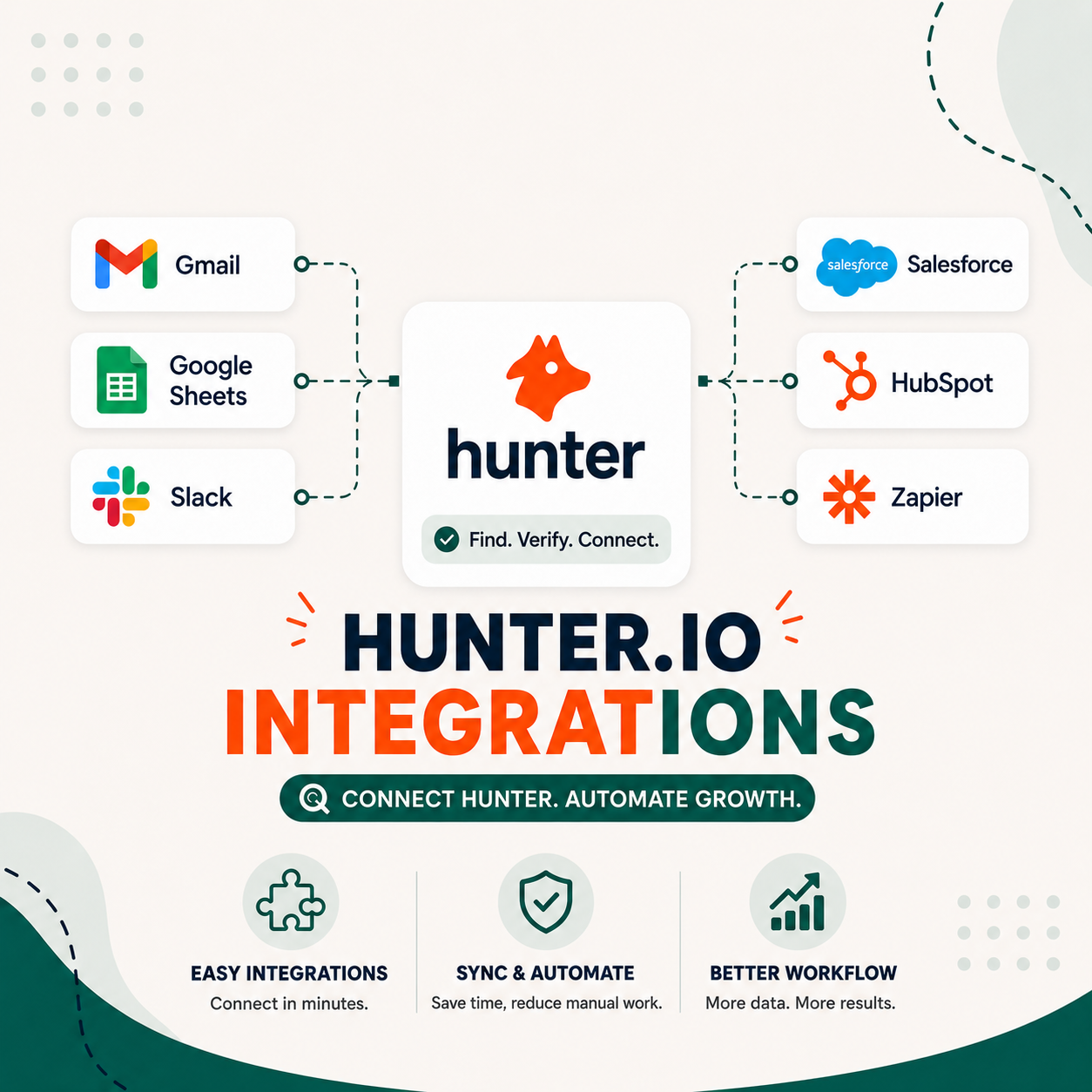
Hunter.io integrations cover six categories: CRM platforms (Salesforce, HubSpot, Pipedrive), email senders (Gmail, Outlook), cold outreach tools (Lemlist, Instantly), Zapier with 4,000+ supported apps, Google Sheets for spreadsheet workflows, and a public REST API. Native CRM integrations push verified contacts in real time, while the API supports custom workflows for engineering teams that need full control.
Table of Contents
Why Tech Stack Fit Matters More Than Features When Evaluating Email Tools
Most email tool evaluations stall on features : open rate tracking, sequence depth, monthly contact limits. But the real purchase blocker is stack fit. A tool that doesn’t connect to your CRM doubles manual work and kills adoption within 60 days. Hunter.io addresses this directly with three integration paths that cover the majority of modern B2B sales stacks at every team size.
Sales reps spend an average of 18% of their working hours on manual data entry : most of it caused by tools that don’t communicate with each other. When an email finder doesn’t push contacts to your CRM automatically, SDRs copy-paste between tabs, introduce errors, and build shadow spreadsheets that drift out of sync within days. Deal data gets fragmented. Forecast accuracy suffers. Adoption stalls.
Hunter.io’s integration approach changes this calculus. Native connectors for Salesforce, HubSpot, and Pipedrive push verified contacts in real time with no middleware lag. Zapier links 5,000+ additional tools without requiring developer resources. The REST API gives engineering teams full programmatic control for custom workflow automation. This three-path model means Hunter.io can fit a solo founder’s Gmail setup and a 200-rep enterprise stack running Salesforce plus Outreach plus custom webhooks with equal efficiency.
If you’re evaluating Hunter.io’s broader capabilities before deciding on stack fit, the Hunter.io Email Finder review covers accuracy benchmarks, plan limits, and use-case fit across B2B segments in detail.
Stack fit : not feature count : is the most reliable predictor of sales tool ROI. Hunter.io’s three integration paths cover native CRM connectors, Zapier automation, and direct API access, making it viable for the majority of modern sales operations setups from lean SDR teams to enterprise CRM workflows.
6 Integration Categories: How Hunter.io Connects to Your Entire Sales Stack
Hunter.io organizes its integrations into six distinct categories spanning the full sales workflow : from initial prospecting through contact management, email execution, and advanced automation. Native connections handle the most common CRM and ESP use cases out of the box, while Zapier and the MCP server extend coverage to nearly every other tool in a modern revenue stack without requiring custom development.
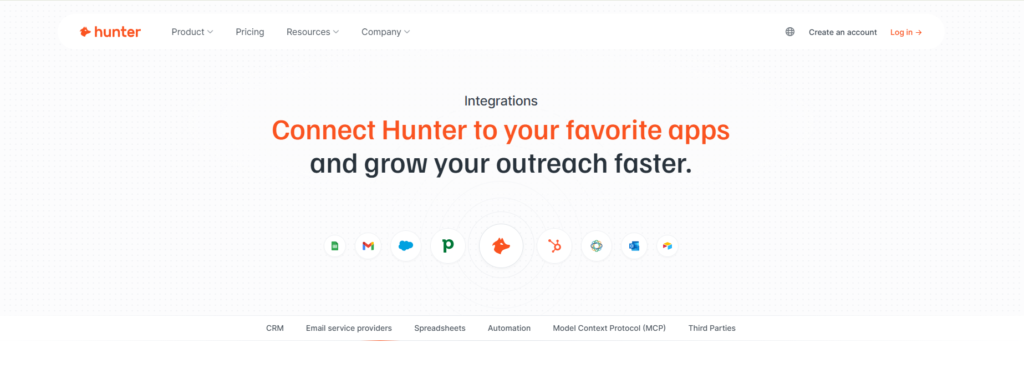
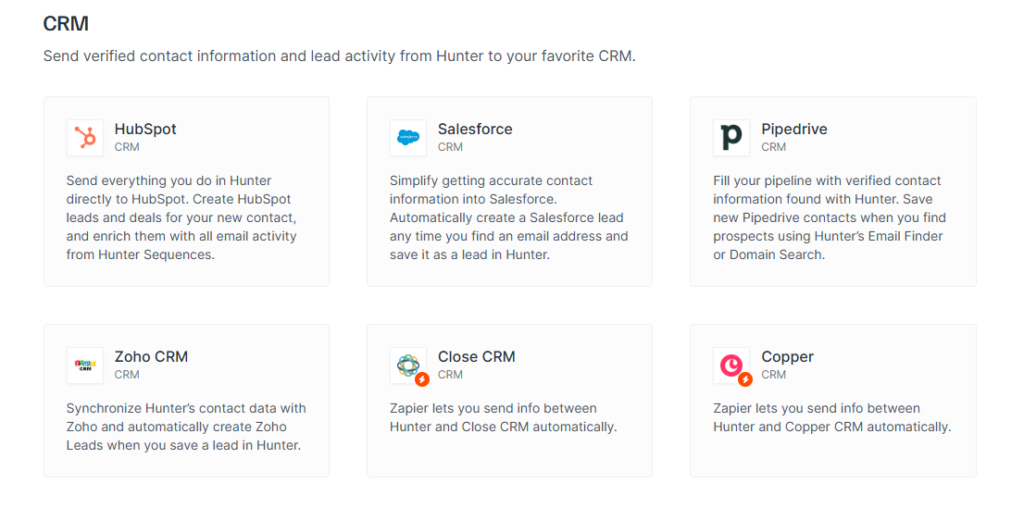
- CRM Platforms. Native integrations with HubSpot, Salesforce, Pipedrive, and Zoho CRM push verified contacts, email addresses, confidence scores, and source metadata directly into lead and contact records in real time. Close CRM and Copper are supported via Zapier for teams on those platforms.
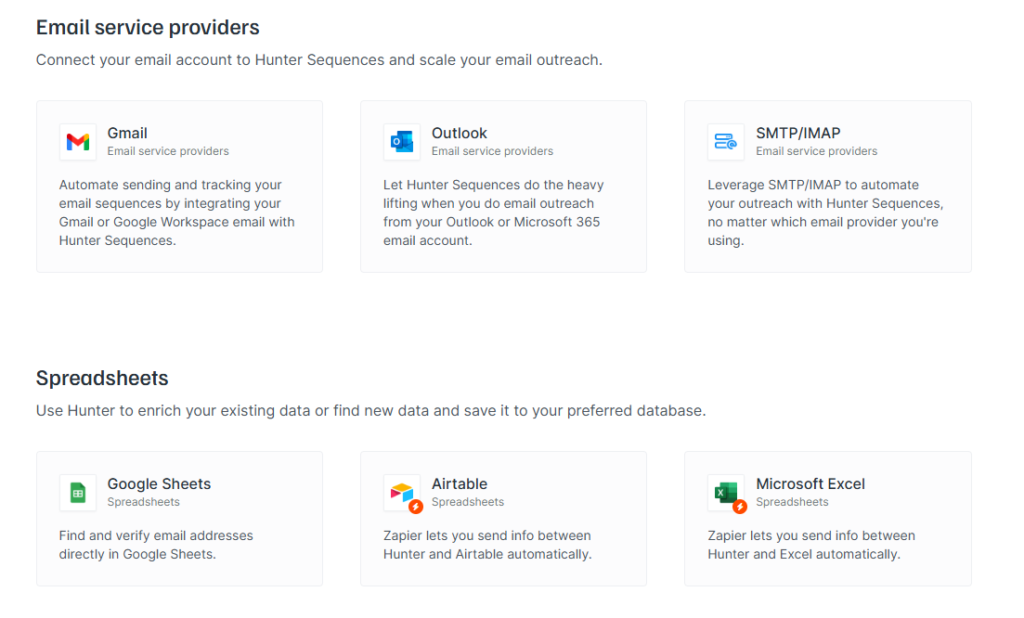
- Email Service Providers. Gmail, Outlook, and SMTP/IMAP connect directly to Hunter Sequences, enabling a complete find → verify → send pipeline in a single platform without a separate ESP subscription. Hunter Sequences tracks opens, clicks, and replies natively : making Hunter an all-in-one outbound tool for most SMB and mid-market teams.
- Spreadsheets. The Google Sheets native add-on lets users run domain searches and email verification directly inside a spreadsheet : no browser tab switching required. Airtable and Excel connect via Zapier for teams working in those environments.
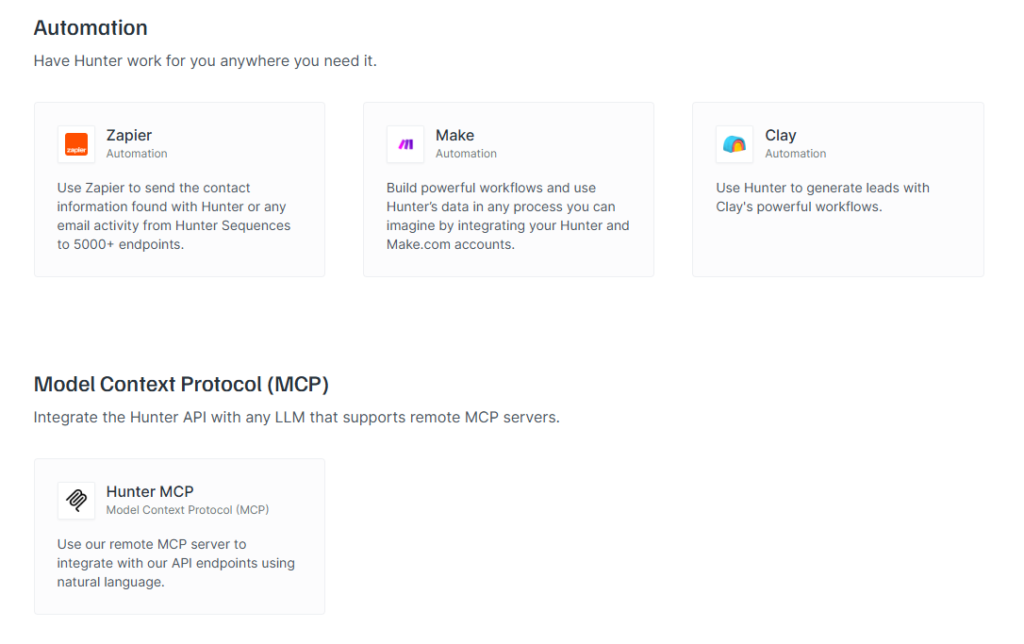
- Automation & Workflow Platforms. Zapier connects Hunter to 5,000+ apps through triggers and actions. Make (formerly Integromat) handles multi-step conditional logic workflows. Clay supports AI-enriched lead generation pipelines that call Hunter’s API in real time to enrich prospect records as they’re created.
- MCP (Model Context Protocol). Hunter’s MCP server integrates the full API surface with AI and LLM tools : including Claude, ChatGPT, and custom AI agents : enabling natural language prospecting queries and automated enrichment workflows. No major competitor currently offers native MCP integration, making this a meaningful competitive differentiator for AI-native sales teams.
- Third-Party Sales Tools. Thirteen direct connectors cover specialized tools: Phantombuster (outbound automation), Woodpecker (cold email sequencing), BuzzStream (link building and PR outreach), Tray.io (enterprise workflow automation), CaptainData, Maltego, SparkToro, SyncSpider, Rows, ApiX Drive, Automations.io, Integry, and Monkedo.
“As detailed in our Hunter.io full review, integration depth is one of Hunter.io’s stronger differentiators against pure email finders : the platform was built for sales workflow integration from day one, not bolted on later.”
: Growth Hack Suite, Hunter.io Email Finder Review
Six integration categories cover the full prospecting-to-close workflow. Hunter.io’s standout differentiators are the Google Sheets native add-on for spreadsheet-first teams and the MCP server for sales operations adopting AI-assisted prospecting workflows : capabilities no direct competitor currently matches.
Integration Depth: How Hunter.io Compares to Apollo, Snov.io, and ZoomInfo
Hunter.io matches or outperforms Apollo and Snov.io across most integration categories relevant to mid-market sales teams. ZoomInfo leads on enterprise CRM depth and data coverage but costs 5–10x more at comparable team sizes. The critical differentiator for 2025–2026 is Hunter.io’s MCP server : no major competitor offers native AI and LLM integration, which matters increasingly as AI-assisted prospecting becomes part of standard RevOps workflows.
★ Hunter.io is currently the only major email finder with native MCP server support for AI/LLM workflow integration.
Apollo.io comes closest to Hunter.io in overall integration breadth : CRM and Zapier coverage match, and Apollo adds LinkedIn data enrichment and AI-generated email copy. For teams already running Apollo as their primary sales intelligence platform, switching to Hunter purely for integrations isn’t necessarily the right call. See the detailed Apollo.io vs Hunter.io comparison for a full use-case breakdown.
Hunter.io holds a strong mid-market position across all six integration categories. Its unique MCP server is the most meaningful competitive differentiator for teams building AI-assisted sales workflows : a capability no major competitor currently matches.
Hunter.io’s Native Integrations: Direct Connectors That Work in 10 Minutes
Hunter.io offers 10+ native integrations that require no Zapier subscription, no API keys, and no developer time : typically 5–10 minutes to connect via OAuth-based authentication in Hunter’s Settings panel. Every native integration operates in real time: when you save a contact in Hunter, your CRM record updates within seconds, not on a polling interval. This real-time sync is the key operational advantage over Zapier-mediated connections.
“High-performing sales teams are 2.8x more likely to use integrated technology platforms as a core part of their standard workflow : integration is a performance driver, not a convenience feature.”
: Salesforce, State of Sales Report
Native integrations represent the highest-value tier for most teams : zero additional cost, real-time sync, and no middleware latency. For cold email workflows specifically, our Hunter.io cold email guide shows how native CRM and ESP connectors work together inside a full outbound sequence.
The Gmail and Outlook native connections via Hunter Sequences are particularly underappreciated : they effectively turn Hunter into an all-in-one prospecting and outreach platform for teams that don’t need a dedicated sales engagement platform for outbound volumes under 200 contacts per day.
Real Workflow Example: How a Mid-Market Sales Team Uses Hunter.io with Salesforce + Outreach
A 50-rep mid-market SaaS sales team eliminated an average of 3 hours of daily manual data entry per SDR after integrating Hunter.io natively with Salesforce and Hunter Sequences. The six-step workflow below reflects this real operational pattern : with Outreach.io handling multi-channel follow-up for non-responders at the bottom of the funnel. The integration setup took two days across three tools.
- Identify target company in Salesforce. The SDR opens a target account in Salesforce and clicks the Hunter.io native button in the sidebar to trigger a Domain Search. Hunter returns 5–15 verified emails for the domain, ranked by confidence score, without leaving the CRM view.
- Auto-create Salesforce Contact records. Hunter’s native Salesforce integration automatically creates Contact records for each verified email returned : pushing name, title, email address, confidence score, and source URL directly into Salesforce fields. No copy-pasting, no tab switching, no manual data entry.
- Tag cold-ready contacts by confidence tier. A Salesforce workflow rule tags contacts with confidence scores above 90 as “Cold-ready.” Contacts scoring below 70 route to Hunter’s bulk verification tool for additional validation before entering the sequence.
- Launch Hunter Sequences via Gmail integration. Cold-ready contacts sync automatically to Hunter Sequences, which sends a 5-touch cold email sequence over 14 days through the Gmail native connection. Hunter tracks opens, clicks, and replies per contact, updating Salesforce contact activity logs in real time.
- Handle bounces in real time. Hunter’s built-in bounce detection flags hard bounces within the Sequence dashboard and pushes the bounce status back to Salesforce via native integration. This reduces email bounce rates system-wide by keeping CRM email validity fields current without manual cleanup.
- Export non-responders to Outreach.io via Zapier. Contacts who complete the full Hunter Sequence with no reply trigger a Zapier workflow that exports them to Outreach.io for multi-channel follow-up including LinkedIn touches and phone call tasks. The trigger fires automatically on Sequence completion : no manual export required.
Want to map Hunter.io into your specific stack?
Test the Native CRM Integration Free →Free plan supports basic CRM connection and Gmail integration : sufficient to validate stack fit before committing budget.
The six-step workflow above eliminates manual data entry at every stage and transforms Hunter into the prospecting and verification layer of a full outbound stack. Hunter Sequences plus native CRM integration replaces the need for a standalone ESP for teams running under 200 outbound contacts per day : a meaningful cost reduction for growing sales teams.
Which Hunter.io Plan Unlocks the Integrations You Need?
Integration depth on Hunter.io scales directly with plan tier. The free plan is sufficient to test stack fit : supporting the Chrome extension, Gmail connection, and basic CRM data viewing. Starter at $34 per month unlocks full native CRM write access for HubSpot, Salesforce, Pipedrive, and Zoho. Growth at $104 per month adds unlimited Zapier triggers and significant API call volume. Business at $349 per month is for teams requiring custom webhook endpoints and high-throughput API access.
Basic CRM view
1K API calls/mo
10K API calls/mo
50K API calls/mo
For most mid-market sales teams running 10–50 reps, Starter covers every native CRM integration needed. Growth is the right choice when Zapier automation is central to the workflow or when API volume exceeds 1,000 calls per month. For a detailed breakdown of what each plan includes see Hunter.io pricing, and for the specific free-to-Starter decision see the free vs Starter upgrade guide.
Plan tier is the integration unlock lever. Starter is sufficient for the majority of native CRM workflows. Growth or Business only becomes necessary at scale : when Zapier automation volume or API call requirements exceed the 1,000 calls per month threshold.
3-Step Framework: Audit Your Stack and Decide If Hunter.io Fits
Before committing budget to Hunter.io, map your existing stack against its integration coverage. The three-step framework below takes 30–60 minutes and produces a clear go or no-go decision : plus a structured pilot plan if integration fit passes. Decision-makers who use a systematic stack audit before purchase reduce tool adoption failures significantly by identifying incompatibilities and cost overlaps before they become operational problems.
- Audit your current stack. List every tool currently in your sales workflow : CRM, ESP, sales engagement platform, data enrichment tools, and any automation middleware : along with monthly cost per tool. Identify which tools handle prospecting, which handle contact storage, and which handle outreach execution. Note where data is being manually copied between tools today.
- Map Hunter.io’s integration coverage against your stack. Cross-reference your tool list against Hunter’s native integrations (CRM, Zapier, API). Check: Does Hunter native with your CRM? If not, does your CRM have a Zapier app? Will the API require developer resources you have? Flag any tool in your stack that Hunter cannot connect to via any path : those are your decision blockers or replacement candidates.
- Run a 30-day pilot on the free plan with one native integration. Connect Hunter to your primary CRM using the free plan. Run a prospecting workflow for one month with one SDR. Measure: time saved per day, email accuracy rate, bounce rate reduction compared to your current source. Use that data to calculate ROI at the Starter plan price. If the ROI clears your threshold, upgrade. If not, evaluate Hunter.io alternatives with different integration profiles.
The three-step audit converts a subjective tool evaluation into a data-driven decision. Most teams complete the pilot within 30 days and have enough quantitative evidence : time saved, accuracy data, bounce reduction : to make a confident upgrade decision without relying on vendor sales calls.
The Strategic Foundation: Why Tool Integration Drives Sales ROI
Sales tools generate ROI only when they reduce friction in the rep’s daily workflow. A standalone email finder adds one more application to context-switch between : costing attention and time at every touchpoint. A fully integrated email finder eliminates a step entirely. This compounding effect, where connected tools multiply each other’s value rather than simply adding it, is the economic rationale behind prioritizing integration depth over feature richness when building a sales stack.
“Application integration is the process of bringing together disparate applications to enable them to exchange data and synchronize business processes across organizational boundaries.”
: Wikipedia, Application Integration
Applied to B2B sales, this definition captures precisely what makes Hunter.io’s integration model effective: it doesn’t just add email finding to your stack : it synchronizes prospecting, verification, CRM storage, email sending, and analytics into a connected workflow. Each integration point removes a handoff where data quality degrades or rep time gets consumed. A 50-rep team saving 3 hours per SDR per day through integration generates more operational ROI than any individual feature upgrade could.
Connected tool ecosystems compound value over time. Hunter.io’s integration model converts a point-solution email finder into a coordinated prospecting layer that improves data quality, reduces tool sprawl, and accelerates the time from target identification to first qualified reply.
Frequently Asked Questions: Hunter.io Integration
The questions below address the most common integration evaluation concerns from sales operations managers and decision-makers : covering native vs Zapier tradeoffs, plan-level requirements, API setup timelines, free plan limitations, and what happens to integrations when you change plans. Each answer is designed to give you a decision-ready answer in 60 seconds.
What’s the difference between Hunter.io’s native integration and Zapier?
Native integration means a direct connection between Hunter.io and another tool : no middleware, real-time sync, and typically no additional cost beyond your Hunter plan. Zapier is middleware that sits between Hunter and other tools, introducing 1–15 minutes of sync latency and requiring a separate Zapier subscription (starting at $20/month). Native is faster, cheaper, and more reliable for high-frequency data like contact creation. Zapier is broader : it supports 5,000+ apps that Hunter doesn’t natively connect to : but adds cost and latency. Use native first; default to Zapier when no native option exists.
Bottom line: Choose native for CRM sync where real-time accuracy matters. Use Zapier for tools outside Hunter’s native catalog, especially when latency of a few minutes is acceptable.
Does Hunter.io integrate with Salesforce out of the box?
Yes, Salesforce integration is native and available from the Starter plan ($34/month). Setup takes 5–10 minutes via OAuth authentication in Hunter’s Settings panel. When you save a contact in Hunter, the integration automatically creates or updates a Salesforce Contact record with the verified email, confidence score, name, company, title, and source URL. The free plan offers Salesforce data viewing but does not write contact records back to Salesforce. For full bidirectional sync : including Salesforce-triggered Hunter searches from within the CRM sidebar : Starter or above is required.
Bottom line: Salesforce native sync is live from Starter ($34/mo) with a 10-minute setup. The free plan is read-only and insufficient for production CRM workflows.
Can I integrate Hunter.io with Outreach.io or other sales sequencing tools?
Yes. Hunter.io natively connects with Outreach.io, Reply.io, and Lemlist, allowing you to push verified contacts directly into a sequence prospect list from Hunter’s interface. Salesloft and Apollo Engage are supported via Zapier for teams on those platforms. Hunter’s REST API provides the most flexibility for custom sequence tool integrations : useful for teams using proprietary or less common SEPs. For most teams using Outreach or Lemlist, the native push from Hunter’s lead dashboard is the simplest path, requiring no Zapier subscription.
Bottom line: Native connectors exist for the major SEPs (Outreach, Reply.io, Lemlist). Zapier covers the broader landscape. API is available for custom builds.
How long does Hunter.io API integration take to set up?
A standard Hunter.io API integration typically takes 1–3 days for a developer with REST API experience. Hunter’s API documentation at hunter.io/api-documentation is well-structured : common workflows like domain search and email verification require 200–400 lines of code. More complex integrations involving multi-step CRM sync, custom webhook handling, or bulk processing pipelines require approximately one week. The API requires a Starter plan or above for access. If you don’t have developer capacity, Zapier covers most common integration scenarios without any coding.
Bottom line: Basic API integrations take 1–3 days. Complex multi-system workflows take about a week. Use Zapier if developer capacity is a constraint.
Does Hunter.io’s free plan support any integrations?
Yes, with significant limitations. The free plan supports the browser extension for Chrome and Firefox, the Gmail connection for Hunter Sequences (send-only, limited recipients), the Google Sheets native add-on for finding and verifying emails in spreadsheets, and basic CRM data viewing in Salesforce and HubSpot. The free plan does not support: Zapier triggers, API access, native CRM write sync, or sequence tool integrations beyond Gmail. It is sufficient to validate stack compatibility before committing to a paid plan but is not designed for production workflow automation. See the free vs Starter upgrade guide for the exact upgrade breakpoints.
Bottom line: Free plan is a valid stack-fit testing environment. It is not viable for production CRM sync or workflow automation : that requires Starter at $34/month.
Should I use native integration or Zapier for non-CRM tools?
Use a simple decision tree. First, check if Hunter has a native connector for the tool : if yes, use native (faster, no additional cost). If no native connector exists but the tool has a Zapier app, use Zapier if you have fewer than five active Hunter-related Zaps. If you have more than 10 Hunter-to-tool workflows, the API will likely be more cost-effective and reliable than managing complex Zapier chains. For tools without a Zapier app, the API is the only option and requires developer resources. Native beats Zapier beats API on cost-benefit for most scenarios.
Bottom line: Native if available. Zapier for <5 workflows. API for >10 workflows or tools without Zapier support.
Does Hunter.io integrate with HubSpot natively?
Yes. HubSpot is one of Hunter.io’s most complete native integrations and is available from the Starter plan. The integration creates new HubSpot Contacts and Companies automatically when you save leads in Hunter, enriching records with email address, confidence score, job title, company size, and source domain. Hunter Sequences email activity : opens, clicks, replies : syncs to HubSpot contact timelines, giving sales managers full activity visibility inside the CRM. Setup takes approximately 5 minutes via OAuth in Hunter’s Settings panel. The free plan offers HubSpot contact viewing but does not write records.
Bottom line: HubSpot native integration is robust, real-time, and available from $34/month. It covers contacts, companies, and email sequence activity sync.
Can I use Hunter.io with Google Sheets without any coding?
Yes. Hunter.io offers a native Google Sheets add-on that requires zero coding to use. After installing the add-on from the Google Workspace Marketplace and connecting your Hunter account, you can run domain searches and bulk email verification directly from cells in a spreadsheet. Paste a list of company domains in column A, run the add-on, and verified email addresses and confidence scores populate the adjacent columns automatically. This workflow is available on the free plan and makes Hunter the default choice for teams that manage prospecting lists in Sheets rather than a CRM. No Zapier subscription required.
Bottom line: The Google Sheets add-on is native, free to use, and requires no coding. It’s the fastest integration Hunter offers for spreadsheet-based prospecting workflows.
What is the Hunter.io MCP server and how does it benefit my team?
The Hunter.io MCP (Model Context Protocol) server is a connector that lets AI tools and LLMs : including Claude, ChatGPT, and custom AI agents : call Hunter’s full API through natural language commands. Instead of writing API code or building Zapier workflows, a sales operations manager can instruct an AI agent to “find and verify the top 10 marketing decision-makers at SaaS companies with 50–200 employees” and have the AI call Hunter’s Domain Search and Email Verifier automatically. This integration is live on paid Hunter plans and is particularly valuable for teams adopting AI-assisted prospecting or building LLM-powered sales workflows. No competitor currently offers a native MCP server.
Bottom line: MCP lets AI tools call Hunter’s API via natural language. It’s the most forward-looking integration in Hunter’s stack and a unique competitive differentiator for AI-native sales teams.
Does Hunter.io sync data bidirectionally with CRM tools?
Partially. Hunter.io’s CRM integrations are primarily write-forward: Hunter pushes verified contact data into the CRM when you save a lead. Most CRM integrations also support reading existing account data from within the CRM sidebar (for example, triggering a Hunter Domain Search from inside a Salesforce account record). However, changes made directly in the CRM : such as editing an email address in Salesforce : do not automatically sync back to Hunter’s database. Hunter is the source of truth for email verification data; the CRM is the destination for contact records. Full bidirectional sync (including CRM-to-Hunter data flow) typically requires a custom API integration.
Bottom line: Native integrations are primarily Hunter-to-CRM (write-forward). Bidirectional sync requires API development. For most sales teams, the native write-forward direction covers 90% of actual workflow needs.
Can I use Hunter.io with Make (formerly Integromat)?
Yes. Hunter.io has a native Make module that supports multi-step conditional logic workflows : more powerful than Zapier for complex automation scenarios. Common Make workflows include: enriching CRM leads with Hunter email data when a deal stage changes, routing verified vs. unverified contacts to different Salesforce pipelines, or triggering bulk verification on a Google Sheets list when a new row is added. Make access requires a Hunter Starter plan or above for the API key. Make itself has a free tier that supports basic automations; paid Make plans are needed for high-volume or real-time triggers. Make is the preferred choice over Zapier for teams with complex multi-branch workflow logic.
Bottom line: Hunter.io has a native Make module for advanced multi-step workflows. Make is better than Zapier for complex conditional logic. Requires Starter plan for Hunter API access.
What happens to my CRM integrations if I downgrade my Hunter.io plan?
If you downgrade from Starter to Free, native CRM write integrations are disabled : your existing CRM contacts are retained in the CRM, but Hunter will no longer push new contacts automatically. The CRM connection remains configured in Hunter’s settings; it simply stops writing until you re-upgrade. Zapier triggers also pause on the Free plan since API access is unavailable. Your previously synced data in HubSpot or Salesforce is not affected by the downgrade. If you downgrade from Growth to Starter, Zapier usage above the Starter tier limit is throttled, but native CRM sync continues uninterrupted.
Bottom line: Downgrading pauses new contact sync but preserves all previously synced CRM data. Native CRM write access resumes immediately upon upgrading back to Starter.
Integration questions are typically the last evaluation hurdle before a Hunter.io purchase decision. The answers above cover the most common technical and operational concerns : from Salesforce setup time to API development effort : so decision-makers can proceed with a pilot or commitment based on accurate expectations rather than assumptions.
Tool fit beats tool features.
Run the 3-step stack audit first. If Hunter.io maps to your CRM and sequencing tools, the free plan validates workflow integration before you commit a dollar.
Start the Free Stack Audit →Read the full Hunter.io review →
No credit card required for the free plan. Native CRM test takes under 10 minutes.