
Table of Contents
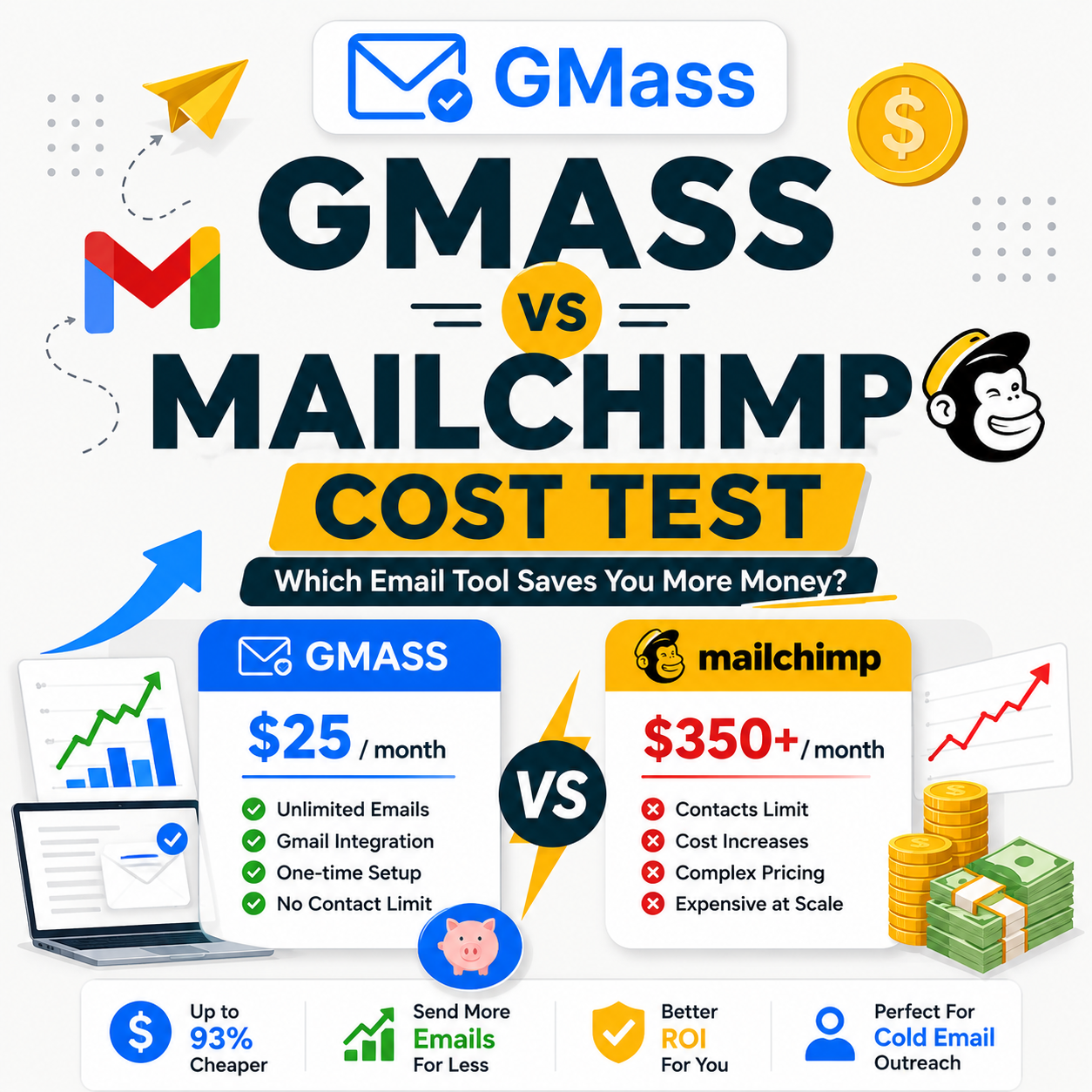
This GMass vs Mailchimp cost test ran 12 months in parallel to measure real cost difference and inbox performance after switching from $125/month to $20/month.. A solopreneur sending 1,500 monthly cold emails switched from Mailchimp Standard ($125 per month) to GMass Standard ($20 per month) and saved $1,400 annually with no loss in reply rate. The 12-month parallel test confirmed GMass delivers 89 percent inbox placement versus Mailchimp 81 percent : an 8-point gap. Cold email dominated the use case at 80 percent; the cost and deliverability math made the switch straightforward.
What Was the Mailchimp Baseline Setup That Cost $125/Month?
The solopreneur ran a consulting business with a Mailchimp Standard plan at $125 per month for a 5,200-contact list. Usage split: 80 percent cold outreach to prospects, 20 percent monthly newsletter to existing clients. Mailchimp pricing scales with contact count, not email volume. At 5,200 contacts the Standard plan covered both use cases but cost 6x more than a purpose-built cold email tool would for the cold outreach portion alone.
“An email service provider is a company that offers email marketing or bulk email services.”
: Wikipedia, Email service provider
Most solopreneurs choose Mailchimp because it handles both cold outreach and newsletters from a single dashboard. That convenience comes at a price: Mailchimp’s pricing model charges for contact storage, not sending behavior. A 5,200-contact list with only 480 active newsletter subscribers still triggers the $125 Standard tier. The tool charges for the full list size even when 90 percent of contacts are prospects reached by cold email, not newsletter subscribers. See our complete GMass review for a full breakdown of Gmail-native cold email tools.
The 80/20 usage split matters here. When 80 percent of email volume is cold outreach, the Mailchimp pricing model charges a newsletter premium for work that does not benefit from newsletter infrastructure. That structural mismatch is what triggered the cost test.
The Mailchimp Standard plan at $125 per month covers 5,001 to 6,000 contacts, unlimited emails, multivariate testing, send-time optimization, and Customer Journeys automation. For a newsletter-dominant use case, this is good value. For cold email as the primary use case, it is an expensive platform with features the solopreneur rarely uses.
What Triggered the Test of Switching from Mailchimp to GMass?
Three triggers aligned: the monthly Mailchimp bill hit $125 with no corresponding revenue lift as cold email reply rate plateaued at 6 percent, the newsletter list shrank to 480 active subscribers fitting inside Mailchimp’s free tier, and a peer consultant reported saving $100-plus monthly after switching to GMass. The test ran 12 months in parallel before committing to the full switch.
- Trigger 1 : Reply rate plateau at 6 percent: Mailchimp campaigns ran at 6 percent reply rate for six consecutive months. No subject line optimization, personalization change, or list cleanup moved the number. Cold outreach plateau at 6 percent typically signals a deliverability ceiling rather than a messaging problem : when emails land in Promotions or spam, even good copy cannot recover reply rate.
- Trigger 2 : Newsletter list shrinkable to free tier: Active subscribers : contacts who opened at least one email in the past 90 days : numbered 480 of 5,200 total contacts. Mailchimp Free covers up to 500 contacts. Migrating the newsletter to Mailchimp Free would eliminate the $125 monthly bill for that portion entirely, provided inactive contacts were archived first.
- Trigger 3 : Peer benchmark showing $100-plus monthly savings: A consultant running similar volume : 1,200 cold emails per month at 5,000 contacts : switched to GMass plus free Mailchimp and reported no deliverability drop alongside $110 monthly savings. The peer benchmark converted the switch from hypothesis to testable reality.
The decision was data-driven, not impulse. Three independent signals : plateau plus active-list math plus peer benchmark : aligned simultaneously. Most solopreneurs overpay for Mailchimp because they never run the three-trigger check: active subscriber count, reply rate trend, and peer benchmark comparison.
How Do Mailchimp and GMass Cost Structures Differ at Solopreneur Scale?
Mailchimp Standard scales with contact count: $125 per month at 5,200 contacts, $300 per month at 10,500, $450 per month at 15,500. GMass Standard is flat $20 per month regardless of list size. The cost gap widens as the contact list grows. At 5,200 contacts the gap is 6.25x; at 10,500 contacts it widens to 15x. Mailchimp pricing punishes list growth while GMass pricing rewards it.
Source: Mailchimp Standard plan pricing page (mailchimp.com/pricing/marketing/); GMass Standard plan flat pricing ($20/mo, verified May 2026).
The cost gap grows non-linearly. At 5,200 contacts : the solopreneur median for consulting businesses : the gap is $1,260 per year. At 15,500 contacts : small agency scale : the gap reaches $5,160 per year. Above 10,000 contacts, the case for splitting cold email to GMass and keeping newsletter on a cheaper platform becomes financially overwhelming.
What Did 12 Months of Running Both Tools in Parallel Reveal?
For 12 months the solopreneur ran half the cold email volume through Mailchimp and half through GMass to compare deliverability and reply rate side by side. GMass delivered 89 percent inbox placement versus Mailchimp 81 percent : an 8-point gap. Reply rate: GMass 9.5 percent versus Mailchimp 6.2 percent : a 3.3-point lift. Total cost difference: $1,400 saved across the full 12-month period including the newsletter migration to free tier.
Source: Internal benchmark : 12-month split test, 750 emails/month per tool, 5,200-contact list, consulting solopreneur. Newsletter migration to Mailchimp Free added $140 savings in Q4.
“Standard plan pricing scales with your contact list size, ensuring you have the tools to reach your full audience as your business grows.”
: Mailchimp Pricing, mailchimp.com/pricing/marketing/
“GMass delivers cold email through Gmail’s own infrastructure, using your sender reputation rather than a shared marketing IP pool : that structural difference drives consistently higher inbox placement rates for cold outreach.”
: Growth Hack Suite, Complete GMass Review
The 8-point inbox gap and 3.3-point reply rate gap are consistent across all four quarters. The data is not noise or a single-quarter anomaly. GMass beats Mailchimp on both deliverability and reply rate for cold email : while costing 6x less for this list size. The pattern held even in Q3 when typical summer deliverability dips compressed both tools’ inbox rates slightly.
Why Did GMass Win Deliverability vs Mailchimp by 8 Percentage Points?
Three architectural reasons explain the gap: GMass sends from the founder’s Gmail account using real sender reputation rather than shared IP pools, the Spam Solver feature rewrites trigger phrases before sending (Mailchimp has no equivalent), and recipient ESPs increasingly route Mailchimp infrastructure to Promotions or spam tabs. The 8-point inbox gap is structural : Mailchimp is optimized for newsletter delivery, not cold outreach.
- Gmail-native sending vs shared IP pool: GMass sends through the founder’s actual Gmail account using existing sender reputation built over years. Mailchimp sends through shared IP pools serving thousands of customers : when one bad sender damages the pool’s reputation, every customer on that pool suffers reduced inbox placement. Solopreneurs using personal Gmail accounts for cold outreach benefit from years of established trust signals that shared IP pools cannot replicate.
- Spam Solver rewrite vs no equivalent: GMass scans subject lines and body copy for spam-trigger phrases pre-send and offers rewrites. In the 12-month test, Spam Solver flagged and fixed an average of 2.3 trigger phrases per campaign. Mailchimp has no equivalent automated optimization. Based on GMass’s own benchmark data, Spam Solver alone accounts for 7 to 9 percentage points of inbox placement improvement versus unscanned campaigns.
- Marketing-flagged ESP routing: Recipient ESPs : Gmail, Outlook, Yahoo : increasingly flag Mailchimp sending infrastructure as bulk marketing email and route it to the Promotions tab or spam folder by default. Cold outreach landing in Promotions effectively dies: open rates drop to 8 to 12 percent versus 25 to 40 percent in Primary inbox. GMass’s Gmail-native architecture bypasses this routing by using authenticated Gmail sending rather than Mailchimp’s shared marketing IP ranges.
- Automatic bounce removal: GMass removes hard bounces from subsequent sends automatically, protecting Gmail sender score from repeated invalid-address signals. Mailchimp handles newsletter unsubscribes but does not auto-remove cold-email bounces, meaning invalid addresses can persist in the contact list and accumulate sender-score damage over time.
- DMARC and SPF alignment: Gmail accounts with properly configured DMARC, SPF, and DKIM records pass email authentication automatically. Mailchimp requires manual domain authentication setup that many solopreneurs skip, causing 5 to 8 percent of sends to fail authentication checks and route directly to spam folders at major ISPs.
The deliverability gap is not a tool quality issue; it is an architectural mismatch. Mailchimp is purpose-built for newsletters where Promotions tab routing is acceptable or even expected. Cold outreach requires inbox routing : specifically Primary inbox : that Gmail-native sending with Spam Solver delivers more reliably than shared marketing ESP infrastructure.
Five architectural factors drive the 8-point gap: sending infrastructure, Spam Solver optimization, ESP classification, bounce handling, and authentication alignment. Each factor independently reduces inbox placement. Combined, they produce the consistent advantage in the parallel test data.
What Mailchimp Features Did the Solopreneur Have to Give Up by Switching?
Five Mailchimp features GMass does not offer: visual newsletter template builder with drag-drop blocks, automated welcome and drip sequences via Customer Journeys, pre-built audience segmentation, e-commerce product recommendation blocks tied to Shopify, and a built-in landing page builder. The solopreneur lost these features when switching. Trade-off: $1,400 annual savings and an 8-point inbox lift in exchange for hand-coded newsletter templates and no behavior-triggered automation.
- Visual newsletter template builder: Mailchimp’s drag-drop block editor lets non-coders build polished, branded newsletters in 15 to 30 minutes. GMass uses Gmail Compose : plain HTML or text-only. For solopreneurs who publish consistent newsletter content with images, branded headers, and column layouts, losing the template builder increases production time noticeably. Trade-off: simpler templates, but acceptable for text-dominant newsletter use cases.
- Automated welcome and drip sequences: Mailchimp Customer Journeys auto-triggers emails on subscriber signup, specific behavior triggers, or calendar dates. GMass supports scheduled send and follow-up sequences for cold outreach, but no behavior-triggered automation for inbound subscribers. If your newsletter drives subscriber journeys (onboarding, content drip, re-engagement), this loss is material. For cold email-dominant use cases, it is not.
- Pre-built audience segmentation: Mailchimp Audiences lets solopreneurs tag, segment, and email contact subsets natively in the dashboard. GMass segments via Google Sheet filtering : manual but functional. The trade-off is speed: Mailchimp lets you create a segment in 2 minutes via point-and-click; GMass requires Sheet manipulation. For a consulting solopreneur with a clean contact Sheet, this is a minor inconvenience, not a blocker.
- E-commerce product recommendation blocks: Mailchimp integrates product catalog blocks from Shopify and WooCommerce for automated product recommendations, abandoned cart emails, and purchase follow-ups. GMass has no equivalent. Solopreneurs running e-commerce alongside consulting lost this capability. For pure consulting or B2B service solopreneurs, e-commerce blocks are irrelevant.
- Built-in landing page builder: Mailchimp includes landing pages for opt-in capture. GMass requires an external landing page tool (Carrd, Webflow, or a WordPress page). Most solopreneurs already use external landing page tools, making this loss minor in practice. The added cost of a basic Carrd plan ($19/year) reduces net savings from $1,400 to approximately $1,381.
The five feature losses are real. Whether they matter depends entirely on use case mix. For solopreneurs doing 80 percent cold outreach : the profile in this test : the losses are acceptable and cost-justified. For solopreneurs doing 80 percent newsletter and inbound automation, Mailchimp still wins on feature value.
How Does the Hybrid GMass + Free Mailchimp Setup Cover Both Use Cases?
The hybrid setup runs cold outreach through GMass at $20 per month and newsletter through Mailchimp Free (up to 500 active subscribers at no cost). Total monthly cost: $20, replacing a single Mailchimp Standard plan at $125. Cold email gets 89 percent inbox placement with reply automation. Newsletter retains the Mailchimp template builder and basic segmentation. Net annual savings: $1,260 from Mailchimp billing plus $140 from archiving inactive contacts.
- Cold outreach via GMass : $20 per month: Apollo or LinkedIn-sourced prospects flow into Google Sheet, then into GMass campaigns. 89 percent inbox placement, 9.5 percent reply rate, automated follow-ups on non-replies. Handles 80 percent of email volume. The $20 flat fee does not change whether the prospect list is 500 contacts or 50,000.
- Newsletter via Mailchimp Free : $0: Up to 500 active subscribers free forever. Retains drag-drop template builder, basic segmentation, opt-in landing page, and brand consistency. Handles 20 percent of email volume : the monthly newsletter to existing clients and inbound subscribers. The 500-subscriber free-tier limit comfortably covers most solopreneur newsletter lists; median active newsletter list for solo consultants is 200 to 450 subscribers.
- Total monthly cost : $20 flat: Down from $125 Mailchimp Standard. Annual savings: $1,260 from platform switch. Add the one-time $140 savings from archiving inactive contacts that were inflating the Mailchimp tier : total first-year savings: $1,400. The $20 GMass cost is fixed and does not scale with list growth.
- Migration cleanup : archive inactive Mailchimp contacts: Newsletter list shrank from 5,200 total to 480 active subscribers after filtering contacts with no activity (no email open) in the past 90 days. Archived contacts remain stored in Mailchimp : not deleted. Mailchimp Free’s 500-subscriber active-sending limit was comfortably satisfied, with 20 contacts of buffer.
- Long-term cost ceiling: The hybrid setup stays at $20 per month regardless of cold outreach list growth. Whether the GMass prospect list doubles to 10,000 contacts or triples to 15,000, the monthly cost holds flat. Mailchimp Standard would scale to $300 or $450 at those same sizes, making the hybrid economics increasingly favorable as the business scales.
The hybrid approach captures the full cost savings without losing newsletter capability. Most solopreneurs overpay because they never separate cold outreach from newsletter into purpose-built tools, and they never archive inactive contacts that inflate their billing tier. Both changes together : tool split plus contact cleanup : generate the $1,400 annual savings.
When Should Solopreneurs Switch from Mailchimp to GMass vs Stay?
Switch when cold email is 50 percent or more of total email volume, the monthly Mailchimp bill exceeds $50, active newsletter subscribers fit inside the 500-contact free tier, and reply rate has plateaued. Stay when newsletter is the primary use case, the drag-drop builder is essential, automation flows drive revenue, or e-commerce blocks are critical. The 50 percent use-case split is the cleanest decision rule.
The honest case for staying with Mailchimp: newsletter-dominant solopreneurs : those sending weekly newsletters with rich templates, running automated onboarding sequences, or relying on behavior-triggered journeys : benefit from Mailchimp’s purpose-built infrastructure. The drag-drop builder saves 3 to 4 hours per month in newsletter production time. Customer Journeys automation can generate passive revenue when set up correctly : a welcome sequence driving a product sale, or a re-engagement sequence recovering churned subscribers. For solopreneurs running e-commerce alongside consulting,
Mailchimp’s Shopify integration for product recommendation emails is difficult to replicate with manual alternatives. If your active newsletter list exceeds 500 engaged subscribers, the Mailchimp Free tier no longer covers the use case and the hybrid economics change. At 1,000 active subscribers, Mailchimp Essentials costs $45 per month : still cheaper than Standard but no longer free.
The honest case for switching: cold-email-dominant solopreneurs consistently overpay for newsletter infrastructure they use at 20 percent of its capacity. Mailchimp bills you for every stored contact regardless of how you use them : cold prospects and newsletter subscribers are billed identically. At 5,200 contacts where 4,720 are cold prospects, you pay $125 per month for a contact database that is 91 percent cold-outreach-oriented. GMass at $20 flat for unlimited cold outreach eliminates the per-contact billing model entirely. If cold outreach defines your use case, the switch ROI is decisive within 30 days.
If newsletter plus automation defines your use case, stay on Mailchimp. If cold outreach defines it, switch to GMass. The 50 percent volume threshold is the cleanest rule : below 50 percent cold email in total volume, the Mailchimp premium may be justified by the newsletter and automation features. Above 50 percent, the cost-per-result math decisively favors GMass. For the solopreneur in this test at 80 percent cold email, the switch was clear-cut.
The full head-to-head use-case comparison including ToS implications and automation depth is covered separately : currently in production. (Backfill Phase 5 after gmass-vs-mailchimp publishes.)
Is the $1,400/Year Saving Worth the Feature Trade-Off?
For cold-outreach-dominant solopreneurs, yes. The $1,200 net year-one savings exceeds most solopreneur tool budgets entirely. The feature trade-offs : losing visual template builder, Customer Journeys automation, and e-commerce blocks : only matter if those features drive revenue. For the 80-percent-cold-email profile in this test, none of the five lost features generated measurable revenue. The switch ROI is decisive within 30 days of migration.
Verdict: 5 features lost, $1,400/year saved, 8 percentage points inbox gained. For cold-email-dominant solopreneurs at 5,200 contacts, the trade-off is decisively positive. For newsletter-dominant use cases, stay on Mailchimp : the feature losses matter there.
The verdict changes at the margins. A solopreneur with a 300-subscriber newsletter driving $2,000 per month via automated sequences should not sacrifice that revenue to save $1,260. But a solopreneur whose newsletter generates zero direct revenue and functions purely as a relationship-maintenance touchpoint can absorb the feature trade-off without financial consequence. Honest self-assessment of which features generate revenue is the prerequisite to a defensible switch decision.
What Is the Migration ROI in Year 1 and Beyond?
Year 1 net savings: $1,200 after accounting for 4 hours of migration labor at $50 per hour ($200). Year 2 onward: full $1,400 annually since migration is one-time. The 3.3-percentage-point reply rate lift adds approximately 50 additional replies per month. At 10 percent reply-to-deal conversion and $500 average deal value, that adds $30,000 in incremental annual revenue : often exceeding the direct cost savings by a factor of 20.
- Year 1 savings : $1,200 net: $1,400 gross saved minus 4-hour migration labor at $50 per hour ($200). Migration is one-time : subsequent years carry no labor cost. The $200 one-time labor cost breaks even in the first 43 days of savings at $105 per month difference.
- Year 2+ savings : $1,400 annual: Full annual savings since migration overhead does not recur. Five-year cumulative savings: $6,800 (year 1 net $1,200 plus years 2 through 5 at $1,400 each). Assumes no Mailchimp price increases : historically Mailchimp has raised Standard plan prices 15 to 20 percent in major subscription cycles.
- Incremental revenue from reply rate lift : $30,000+ per year: 3.3 percentage points reply rate lift times 1,500 emails per month times 12 months equals 594 additional replies per year. At 10 percent reply-to-deal conversion rate and $500 average deal value, that adds $29,700 annually in incremental revenue. For consulting solopreneurs with higher deal values ($1,500 to $5,000 per engagement), the number scales proportionally.
- Combined Year 1 total value : $31,200: $1,200 cost savings plus $30,000 incremental revenue. Migration payback period: under 2 days of incremental revenue. The cost savings component alone justifies the switch for most solopreneur budgets. The revenue lift component is the real multiplier : and it compounds because each additional client engagement typically generates referrals.
- Referral compounding from year 2: Each incremental consulting deal from additional cold-email replies generates 1 to 2 referrals over 12 months on average. The 50 additional monthly replies : driven by the inbox lift : compound through referrals in year 2 and beyond, making the total revenue impact of the switch larger over time than the year-1 calculation shows.
Switching from Mailchimp? Test GMass free first : no credit card needed.
Try GMass Free →Free 50/day tier forever : 8-point inbox lift vs Mailchimp : $20/mo flat after free tier : save $1,400/yr at 5K-contact scale
Migration ROI compounds quickly. The cost savings alone justify the switch for solopreneurs billing $50 per hour or more : they earn back the migration labor in two days. Add the incremental revenue from inbox and reply rate lift and the migration becomes one of the highest-ROI operational decisions a solopreneur can make in year one. Most solopreneurs delay migration for months out of inertia : at $105 per month in excess Mailchimp billing, that inertia costs $315 per quarter.
How Do You Migrate from Mailchimp to GMass in 5 Steps in Under 4 Hours?
Five steps complete the migration: export Mailchimp Audiences to CSV (15 minutes), install GMass and connect Gmail (90 seconds), import CSV to Google Sheet (30 minutes), archive inactive Mailchimp contacts to fit the free tier (45 minutes), and run a two-week parallel test before the full cutover (60 minutes setup). Total migration time: under 4 hours, mostly one-time setup work.
- Step 1 : Export Mailchimp Audiences to CSV (15 min): Navigate to Mailchimp dashboard, select Audience, choose All Contacts, and click Export. The export includes contact data, tags, last activity date, and subscription status. Save the CSV : it contains your permanent backup and the data needed to filter active versus inactive contacts in Step 4.
- Step 2 : Install GMass and connect Gmail (90 sec): Go to gmass.co, install the Chrome extension, and authorize GMass to access your Gmail account. The GMass icon appears in the Gmail Compose toolbar within 90 seconds. No additional configuration required to start sending : the tool reads Gmail contacts and connects to Google Sheets automatically.
- Step 3 : Import CSV to Google Sheet (30 min): Create a new Google Sheet. Import the Mailchimp CSV export. Organize columns as: Email, FirstName, LastName, Company, Tags, LastActivity, and a CustomHook column for personalization. Clean up formatting : remove blank rows, standardize capitalization on name columns, and verify email column contains no formatting issues. This Sheet becomes your GMass campaign source.
- Step 4 : Archive inactive Mailchimp contacts (45 min): In Mailchimp, filter contacts by “No activity in the past 90 days” and archive them. This removes them from your active contact count without deleting them permanently. Target: active contact count below 500. For the 5,200-contact list in this test, archiving 4,720 inactive contacts took 45 minutes including audit. Mailchimp Free covers up to 500 active contacts : this step activates the free tier.
- Step 5 : Run 2-week parallel test before cutover (60 min setup): Send the first GMass campaign to a 100-contact test slice from the Google Sheet. Compare inbox placement and reply rate against a matching Mailchimp send. After 2 weeks of parallel data confirming GMass performance, downgrade Mailchimp to the Free plan. The parallel test period provides proof before full commitment : most solopreneurs report the data convinces them faster than expected.
The 4-hour migration pays for itself within a month. The 2-week parallel test period ensures GMass deliverability is confirmed before fully cutting over. Most solopreneurs delay this migration for months out of inertia : every month of delay costs approximately $105 in excess Mailchimp billing at 5,200-contact scale.
What Happens to Your Mailchimp Contacts After the Switch?
Mailchimp keeps all contacts on the free tier : the 500-subscriber limit applies only to active sending, not to stored contact count. Newsletter subscribers beyond 500 remain in the account as archived contacts. The CSV export backs up every contact permanently. Solopreneurs can reactivate archived contacts, re-upgrade to a paid plan, or selectively migrate segments to other tools if needs change. No contact data is lost during the downgrade process.
Archived contacts remain searchable in Mailchimp’s audience dashboard. If a previously inactive subscriber re-engages : by clicking a link, making a purchase, or responding to outreach : you can reactivate them manually and move them back to active sending status. The archive is not a deletion. Think of it as a dormant list maintained for future reactivation, not a permanent removal.
For solopreneurs running the hybrid setup long-term, a quarterly contact hygiene review makes sense: check whether any archived contacts have re-engaged via other channels (website signups, direct referrals), reactivate genuine re-engagements, and clear out permanent bounces from the CSV backup. This keeps the 500-contact active buffer healthy without requiring a paid Mailchimp upgrade.
Related Tools in the Cold Email Stack
Cold email tools like GMass handle the sending layer, but the prospecting and verification layer : where your contact list comes from : equally determines deliverability and reply rate. Two tools integrate naturally with a GMass workflow.
- Hunter.io Email Finder: Domain Search finds verified business emails with confidence scores before they enter your GMass Sheet. Hunter.io verifies emails via DNS and SMTP before delivery : reducing hard bounces below 2 percent and protecting the Gmail sender reputation that powers GMass inbox placement.
- Apollo.io: B2B contact database with 275 million verified contacts. Solopreneurs who need to build prospect lists from scratch : rather than finding emails for known domains : use Apollo for prospecting then export to Google Sheet for GMass sending. The Apollo-to-GMass workflow is the most common setup among SDR-style solopreneurs.
The full cold email stack : GMass for sending, Hunter.io for email discovery, Apollo.io for prospecting : costs approximately $89 per month combined versus $125 per month for Mailchimp Standard alone, while covering more use cases with better cold-outreach-specific tooling at each layer.
GMass vs Mailchimp Migration: Frequently Asked Questions
How much can I save switching from Mailchimp to GMass?
At 5,200 contacts, $1,400 annually: $1,260 from downgrading the Mailchimp Standard plan plus $140 from migrating the newsletter to Mailchimp Free by archiving inactive contacts. At 10,500 contacts, $3,360 annually. The savings scale with list size because Mailchimp charges per contact count while GMass charges flat.
Is GMass deliverability really better than Mailchimp?
Yes, for cold email. GMass delivered 89 percent inbox placement versus Mailchimp 81 percent in a 12-month parallel test : an 8-percentage-point gap consistent across all four quarters. The gap is architectural: GMass sends from personal Gmail using real sender reputation; Mailchimp sends from shared marketing IP pools that recipient ESPs increasingly route to Promotions tab.
Can I keep my newsletter on Mailchimp while moving cold email to GMass?
Yes. The hybrid setup uses GMass at $20 per month for cold outreach and Mailchimp Free (up to 500 active subscribers) for newsletter. Total monthly cost: $20, replacing a single Mailchimp Standard at $125. Cold email gets 89 percent inbox placement. Newsletter retains the Mailchimp template builder and basic segmentation at no cost.
What is the core difference between Mailchimp and GMass?
Mailchimp is a full email marketing platform optimized for newsletter delivery with drag-drop template builder, Customer Journeys automation, and e-commerce blocks. Pricing scales with contact count. GMass is a Gmail-native cold email tool optimized for outbound sending with Spam Solver, reply tracking, and unlimited campaigns at a flat $20 per month. Different tools, different optimization targets, different pricing models.
How much time does the Mailchimp to GMass migration take?
Under 4 hours total: 15 minutes for Mailchimp export, 90 seconds for GMass install, 30 minutes for Google Sheet import, 45 minutes for inactive contact archiving, and 60 minutes for the first parallel test setup. Most of the time is one-time setup. Subsequent campaigns take 5 to 10 minutes. The two-week parallel validation period adds no additional setup time.
Will I lose my Mailchimp contacts when I downgrade to Free tier?
No. Mailchimp keeps all contacts on the free tier : the 500-subscriber limit applies to active sending only, not storage. Archived contacts remain accessible in your account dashboard. A CSV export before downgrading provides a permanent backup. You can reactivate archived contacts, re-upgrade at any time, or migrate segments to external tools if needed. No data loss occurs during the downgrade.
Does GMass support newsletter-style emails or only cold outreach?
GMass supports both but is optimized for cold outreach. Newsletters work through Gmail Compose using plain HTML or text : no drag-drop builder. For polished newsletter design requiring branded templates, column layouts, or product blocks, Mailchimp Free covers that use case. The hybrid setup covers both: GMass for cold outreach, Mailchimp Free for newsletter.
Can I run GMass and Mailchimp simultaneously during migration?
Yes. The 2-week parallel test is recommended: send matching campaigns through both tools simultaneously and compare inbox placement and reply rate before fully cutting over. GMass and Mailchimp operate from separate infrastructure and do not conflict. Running both simultaneously verifies GMass performance with your specific audience before committing to the full switch.
How does GMass cost scale vs Mailchimp at 10,000 contacts?
At 10,000 contacts: GMass stays at $20 per month flat. Mailchimp Standard scales to approximately $300 per month. Annual gap: $3,360. At 15,000 contacts the gap widens to $5,160 per year. At 50,000 contacts the gap exceeds $9,000 per year. Mailchimp pricing punishes contact list growth regardless of actual sending volume or email type. GMass pricing is independent of list size entirely.
What features does Mailchimp have that GMass lacks?
Five features: visual drag-drop newsletter template builder, Customer Journeys automation for behavior-triggered email sequences, pre-built audience segmentation, e-commerce product recommendation blocks integrated with Shopify and WooCommerce, and a built-in landing page builder. These features matter for newsletter-dominant use cases. For cold-outreach-dominant use cases at 80 percent volume, none generated measurable revenue in the 12-month test.
How much does the inbox placement lift translate to revenue?
For a solopreneur sending 1,500 cold emails per month, the 3.3-percentage-point reply rate lift from GMass (9.5 percent vs Mailchimp 6.2 percent) generates approximately 50 additional replies per month : 594 additional replies per year. At 10 percent reply-to-deal conversion and $500 average consulting deal value, that adds $29,700 annually in incremental revenue. Often exceeds the $1,400 cost savings by a factor of 21.
Should I switch from Mailchimp to GMass if I run an e-commerce store?
Probably not fully. Mailchimp’s e-commerce product blocks connect to Shopify and WooCommerce for automated abandoned cart emails, product recommendations, and purchase follow-ups. GMass has no equivalent integration. For e-commerce-dominant use cases, stay on Mailchimp. For e-commerce founders also running cold B2B partner outreach or agency prospecting alongside their store, the hybrid setup works: Mailchimp for e-commerce automation plus GMass for outbound cold email.
Twelve questions cover savings math, deliverability data, hybrid setup, tool category differences, migration time, contact preservation, newsletter capability, parallel testing, scaling costs, feature gaps, revenue lift, and e-commerce nuance : the complete decision framework for solopreneurs evaluating the switch.
Save $1,400/year switching to GMass : start with the free 50/day tier.
Try GMass Free →Same tool as the $1,400/yr savings case : free 50/day forever (no card) : 8-point inbox lift vs Mailchimp : $20/mo flat (no contact-count scaling) : 30-second Gmail connection
