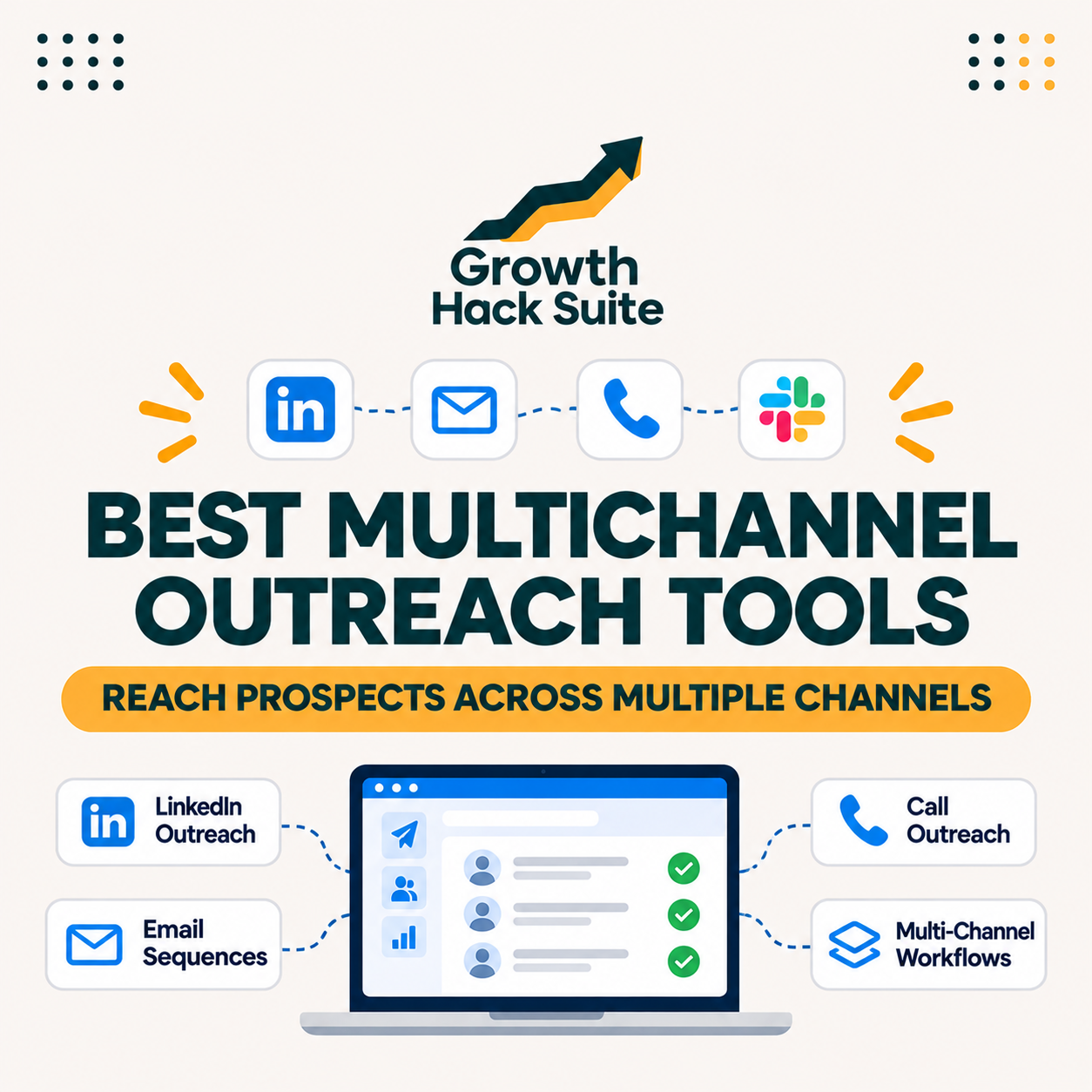
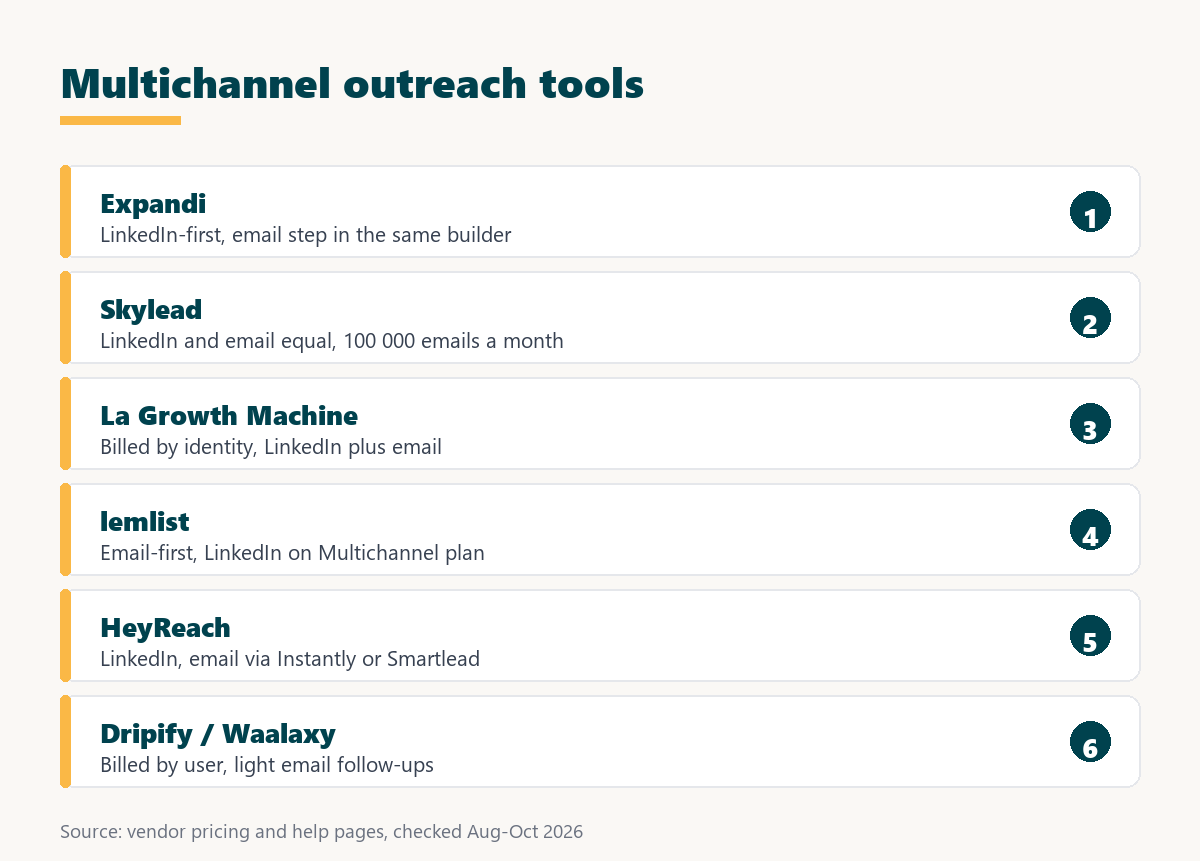
Multichannel outreach tools are platforms that run LinkedIn actions and email steps inside one sequence, so a prospect who ignores a connection request still gets a follow-up on another channel. The seven tools below differ in which channel leads, how the sequence branches, and what the fee covers. Expandi leads for LinkedIn-first teams, with email steps and a dedicated IP in one plan.
Last checked: October 2026. Each tool was checked against its own pricing and feature pages on the dates shown under the tables, and prices appear only where the vendor publishes them.
Want LinkedIn and email steps in one sequence, with LinkedIn sent from a dedicated IP? See what Expandi costs for each LinkedIn account.
See Expandi Pricing →One plan with every feature · multichannel steps · dedicated country-based IP
What Are Multichannel Outreach Tools?
Multichannel outreach tools are sales platforms that contact one prospect through more than one channel inside a single automated sequence. For B2B teams the two channels are usually LinkedIn and email, with rules that decide which channel fires next based on whether the prospect accepted, replied, or stayed silent.
The concept itself is covered in the guide to multichannel outreach, and its foundation is ordinary cold outreach. HubSpot frames the job these tools automate this way:
“Sales engagement is the process of executing and improving buyer-facing outreach across channels to move deals forward.”
HubSpot, The best sales engagement platforms
A multichannel tool earns its name through one shared sequence across channels, which is different from running a LinkedIn tool and an email tool side by side.
How Should Multichannel Outreach Tools Be Ranked?
Five criteria separate multichannel tools: which channel the product was built around, how the sequence branches, how email is actually sent, whether an email finder is included, and what unit the price follows. This ranking weighs LinkedIn handling first, because that channel carries the account risk in a two-channel sequence.
- Lead channel: a tool built around LinkedIn treats email as the fallback step, while an email-first tool treats LinkedIn as the extra touch added to a mail sequence.
- Sequence branching: if/else conditions on accepted requests, replies, opens, and missing addresses decide whether the next step goes to LinkedIn or to email.
- Email sending method: some tools send email natively from connected mailboxes, while others hand email to a separate cold email product through an integration.
- Email finder: a built-in finder supplies addresses for prospects who never connect, while other tools expect addresses to arrive already in the imported list.
- Billing unit: pricing by LinkedIn account, seat, sender, identity, or user decides how the invoice grows once a second rep joins the outbound team.
Sequence design is the shared skill across all of them, and the logic carries over from the cold email sequence. The broader idea has a long history in marketing, which Wikipedia describes as:
“the blending of different distribution and promotional channels for the purpose of marketing”
Wikipedia, Multichannel marketing
Ranking from the LinkedIn side keeps this list honest about its bias, since a team that sends mostly email would weigh deliverability infrastructure ahead of everything discussed here.
How Do the 7 Tools Compare on LinkedIn and Email?
The table sets all seven tools against the same channel criteria, so the lead channel, the email method, and the billing unit are visible before the individual entries. Every row comes from the vendor’s own pricing or help pages, and a detail is marked as not stated wherever those pages do not describe it.
Source: each vendor’s own pricing and help pages: expandi.io and help.expandi.io, skylead.io, heyreach.io, lagrowthmachine.com, and lemlist.com (checked October 2026); dripify.com and waalaxy.com (checked August 2026).
Five of the seven tools start from LinkedIn and add email, and they differ mainly in whether email is sent natively, through a paid integration, or only on a higher tier.
The table shows that multichannel is a spectrum, from native two-channel sequences to LinkedIn tools that hand email to a partner product billed on a separate invoice.
1. Expandi: How Does It Combine LinkedIn and Email Steps?
Expandi is a LinkedIn-first automation platform that adds email steps to the same campaign through its If/Action sequence builder. Multichannel outreach is part of the single Business plan, which costs $99 a month for each account, and every account sends its LinkedIn actions from its own dedicated country-based IP.
- If/Action sequence builder: campaign steps branch on conditions such as a connection being accepted, so an email can follow when the LinkedIn path stalls.
- Email conditions: the builder offers checks such as whether an email exists, was opened, bounced, or was clicked, and the email action sits on the positive path.
- One shared inbox view: Expandi’s help center notes that emails sent from campaigns appear in the same conversation as the LinkedIn messages for that lead.
- One plan with all features: there is no separate multichannel tier, because the Business plan includes connections, messages, and email steps at one price.
- Mailbox requirement: email has to be connected first, and the lead needs an address from LinkedIn or a CSV import, because no email finder is documented.
Expandi’s pricing FAQ confirms that every feature sits in the one plan:
“Expandi offers both a monthly plan for $99 and an annual one, including all features (additional taxes may vary by country).”
Expandi pricing FAQ
Expandi ranks first for teams whose pipeline starts on LinkedIn and uses email as the second touch, and it is a weaker pick when email volume is the main job.
2. Skylead: How Deep Do Its Smart Sequences Go?
Skylead is an outreach platform that treats LinkedIn and email as equal parts of one Smart sequence built from eight actions and seven if/else conditions. The All-in-one plan costs $100 a month for each seat and includes unlimited email accounts, 100 000 emails a month, and an email finder and verifier.
- Native email sending: the plan includes unlimited email accounts and a monthly allowance of 100 000 emails, without a separate email tool on the invoice.
- Finder and verifier: an email finder and verifier sit inside the plan, so prospects who never accept a connection request can still be reached by email.
- Smart sequences: Skylead’s page describes 8 actions and 7 if/else conditions that combine LinkedIn and email steps in one branching flow.
- Infinite email warm-up: mailbox warm-up is listed in the plan, which matters when several new sending addresses join the outbound setup at once.
- Payment terms: the annual price is handled through sales, and Skylead’s Terms state that all payments are final once a subscription is made.
Skylead is the stronger choice when email carries as much weight as LinkedIn, because its sending allowance and finder are included rather than attached through a partner.
3. La Growth Machine: What Makes It a Multichannel-First Tool?
La Growth Machine is a sales automation platform designed around multichannel sequences rather than around a single network. It bills for each identity, a profile that runs campaigns across LinkedIn and email, from $70 a month on Basic, and higher tiers add calls and X to the channel list.
The pricing page states “You’re billed per identity,” and its FAQ adds that two people automating need two identities. Basic includes one sending email for each identity and 250 enriched leads a month, while Pro, at $135 a month, adds five sending emails, a unified inbox, and automated social warming. The trial runs fourteen days with no card and one identity.
La Growth Machine belongs on the shortlist of teams that want channels treated equally from the first step, with the identity unit checked against the size of the team.
4. lemlist: How Does an Email-First Tool Handle LinkedIn?
lemlist is a cold email platform that has added LinkedIn steps to its Multichannel plan, which makes it email-first in a list that is mostly LinkedIn-first. The Multichannel plan costs $109 a month for each user and covers email, LinkedIn, and calls, while the cheaper Email plan does not list LinkedIn automation.
lemlist’s pricing FAQ describes the plan this way: “With Multichannel reach, you can reach leads across email, LinkedIn, and calls, with SMS and WhatsApp available as add-ons.” The plan lists profile visits, invites, text and voice messages, and InMail on LinkedIn, plus lemwarm deliverability tools. The pages reviewed do not say whether LinkedIn steps run in the cloud or describe an IP. The trial runs fourteen days with no card.
lemlist fits teams whose sequences begin with email and only occasionally touch LinkedIn, which is the reverse of the workflow the first entries are built for.
5. HeyReach: How Does It Add Email Through Integrations?
HeyReach is a LinkedIn automation platform that reaches email through native integrations with dedicated cold email tools rather than by sending email itself. The Growth tier costs $79 a month for each sender, and the email platform on the other side of the integration is billed separately by its own vendor.
The Growth tier lists multichannel outreach through native Instantly and Smartlead integrations, a unified inbox, and a dedicated residential proxy for each sender. The pricing FAQ is clear that “HeyReach charges only per LinkedIn senders, not per users,” so the LinkedIn side scales by profile while the email side scales by the partner’s own pricing.
HeyReach suits teams that already pay for a cold email platform and want LinkedIn senders connected to it, accepting two invoices in exchange for specialist tools.
6. Dripify: What Email Features Come With LinkedIn Drips?
Dripify is a LinkedIn drip campaign tool whose paid tiers combine LinkedIn and email sequences and include 100 email finder credits each month. It bills for each user from $59 a month on Basic, where only one drip campaign and limited daily quotas are available, with unlimited campaigns starting on Pro at $79.
Every tier lists built-in LinkedIn protection, and the trial runs seven days with no credit card. The pricing page does not describe how email is sent or how many mailboxes can be connected, so the email side is best treated as a follow-up channel rather than a volume engine.
Want LinkedIn-first sequences with email follow-ups in one plan? See Expandi pricing for each LinkedIn account.
See Expandi Pricing →Seven-day trial on the first subscription · cancel anytime
Dripify covers light multichannel needs for a single user at a lower entry price, with the Basic tier’s one-campaign limit pushing most active SDRs toward Pro.
7. Waalaxy: Which Tier Unlocks Email Sequences?
Waalaxy is a LinkedIn prospecting tool that reserves cold email sequences and multichannel campaigns for its Business tier. That tier includes 500 email finder credits and an 800-invitation monthly quota, while the lower tiers stay LinkedIn-only with 25 finder credits each and quotas of 300 or 800 invitations.
Every tier carries a fourteen-day trial, and pricing is billed for each user. The pricing page shows different figures depending on the currency view, so no price is quoted here and the current rate should be read on the page on the day of purchase.
Waalaxy closes the list because multichannel sits behind its top tier and a monthly quota, which fits occasional senders more than SDRs running daily sequences.
What Do Multichannel Outreach Tools Cost?
Multichannel outreach pricing depends on whether email is included in the LinkedIn fee or bought separately. Among the tools that publish a monthly figure, entry prices for a plan with both channels run from $59 to $109, and a tool that relies on an email integration adds a second subscription on top.
Source: each vendor’s own pricing page, monthly list prices before tax, checked October 2026 (expandi.io, skylead.io, lagrowthmachine.com, lemlist.com, heyreach.io) and August 2026 (dripify.com, waalaxy.com). Annual billing lowers most of these figures.
Entry prices cluster between $59 and $109 a month, and the real difference is whether that fee already covers email sending or only the LinkedIn half of the sequence.
Comparing total stack cost rather than the headline price avoids a common surprise, where a cheaper LinkedIn tool plus a separate email platform ends up costing more.
How Should an SDR Sequence LinkedIn and Email Together?
A LinkedIn and email sequence is a planned order of touches in which each channel reacts to what happened on the other. A common LinkedIn-first pattern opens with a profile visit and connection request, waits, then branches to a LinkedIn message for accepted requests and to email for everyone else.
- Open on LinkedIn: a profile visit followed by a connection request gives the prospect a name and a face before any email arrives in the inbox.
- Wait before branching: Expandi’s help center suggests a delay of at least seven days on the If connected condition, so slow acceptors are not pushed to email.
- Message accepted connections: prospects who accept move to a short LinkedIn follow-up that references their profile rather than repeating the connection note.
- Email the rest: prospects who never accept, and whose address exists, move to an email step that introduces the same offer from a different angle.
- Stop on reply: a reply on either channel pauses the sequence for that lead, so nobody receives an automated follow-up after already answering.
Personalization carries across both channels, and the guide to email personalization covers the email half in detail.
The sequence order matters more than the number of touches, because a branch that respects what the prospect already did reads as attention rather than automation.
Which Multichannel Tool Fits Which Sales Team?
The right multichannel tool follows where the team’s replies come from: a LinkedIn-first SDR fits Expandi, a team splitting effort evenly fits Skylead or La Growth Machine, an email-led team fits lemlist, and a team that already runs a cold email platform fits HeyReach as the LinkedIn layer.
- LinkedIn-first SDR: a rep whose meetings start with accepted connection requests benefits from strong LinkedIn protection, with email serving as the fallback step.
- Balanced two-channel team: Skylead or La Growth Machine suit teams that give LinkedIn and email equal weight from the first step of every sequence.
- Email-led team: lemlist fits teams whose sequences begin in the inbox and add LinkedIn visits, invites, and messages as supporting touches.
- Team with an email platform: HeyReach connects LinkedIn senders to Instantly or Smartlead, which suits teams that already pay for one of those products.
- Solo occasional sender: Dripify or the Waalaxy Business tier cover light two-channel needs for one person sending a few campaigns a month.
Whichever tool wins, the principle stays the one Growth Hack Suite sets out in its definition:
“Multichannel outreach is contacting prospects across more than one channel, such as email, phone and LinkedIn, in a coordinated sequence.”
Growth Hack Suite, What Is Multichannel Outreach?
The role behind most of these purchases is the sales development representative, whose daily volume decides how much each channel has to carry.
Choosing by the team’s dominant channel narrows seven tools to two, and a trial sequence on real prospects settles the rest within a week or two.
Which Related Tools Complete a Multichannel Stack?
Related tools are the single-purpose products that sit next to a multichannel platform when one channel needs more depth. An email finder supplies addresses for prospects who never connect, and a dedicated cold email platform takes over when email volume outgrows what a LinkedIn-first tool sends.
- Hunter.io email finder: finds and verifies business email addresses for prospects who stay silent on LinkedIn, read the Hunter.io review.
- Smartlead: a cold email platform built for mailbox rotation and volume, and one of the tools HeyReach integrates with, read the Smartlead review.
- GMass: sends cold email campaigns directly from a Gmail account, which suits small teams keeping email inside Google Workspace, read the GMass review.
These related tools extend a multichannel setup rather than compete with it, and each one is covered in its own review for teams that need that extra depth.
Multichannel Outreach Tools: Frequently Asked Questions
The 12 most-asked questions about multichannel outreach tools.
What is a multichannel outreach tool?
It is a sales platform that contacts one prospect through more than one channel, usually LinkedIn and email, inside a single automated sequence.
What is the best multichannel outreach tool for LinkedIn and email?
For LinkedIn-first teams, Expandi. For teams weighting both channels equally, Skylead or La Growth Machine. For email-led teams, lemlist.
Does Expandi send email?
Yes. Expandi’s builder includes an email action that sends from a connected mailbox, with conditions such as whether an email exists or was opened.
Which tools send email natively?
Skylead, La Growth Machine, lemlist, Dripify, and the Waalaxy Business tier send email natively. Expandi sends from a mailbox connected to the campaign.
Which tools need an email integration?
HeyReach reaches email through native integrations with Instantly and Smartlead, which are billed separately by those vendors.
Does a multichannel tool include an email finder?
Some do. Skylead includes a finder and verifier, Dripify includes 100 finder credits a month, and Waalaxy Business includes 500 credits.
How much do multichannel outreach tools cost?
Monthly entry prices for a two-channel plan run from $59 on Dripify Basic to $109 on lemlist Multichannel, with Expandi at $99 for each account.
Should a sequence start on LinkedIn or email?
It depends on where replies come from. LinkedIn-first suits relationship-driven B2B sales, while email-first suits high-volume lists with verified addresses.
How many touches should a sequence have?
There is no fixed number. A short sequence that branches on what the prospect did usually reads better than a long one that ignores it.
Is multichannel outreach safe for a LinkedIn account?
Adding email does not change LinkedIn’s policy on automation. Account safety still depends on conservative limits, warm-up, and a stable IP.
What is the difference between multichannel and omnichannel outreach?
Multichannel uses several channels in a planned sequence, while omnichannel aims for one continuous experience across every channel at once.
Can one tool replace a separate cold email platform?
For moderate volume, yes. Teams sending large email volume often keep a dedicated email platform and connect it to the LinkedIn tool.
Want LinkedIn-first sequences with email follow-ups from a dedicated IP? Start the seven-day Expandi trial.
Start Your 7-Day Expandi Trial →Seven-day trial on the first subscription · cancel anytime · paid fees are nonrefundable
Growth Hack Suite Editorial, Outbound Sales Team
How we ranked these tools: each platform was compared on the five channel criteria in the section on how to rank multichannel tools, from a LinkedIn-first point of view, using its own pricing, feature, and help pages. Prices appear only where the vendor publishes them on monthly billing.
Last checked: October 2026. When a vendor changes its pricing page, this page is updated.
Affiliate disclosure: this page contains affiliate links to Expandi only. If a subscription is purchased through them, Growth Hack Suite may earn a commission at no extra cost to the buyer. It does not change the assessment.