Table of Contents
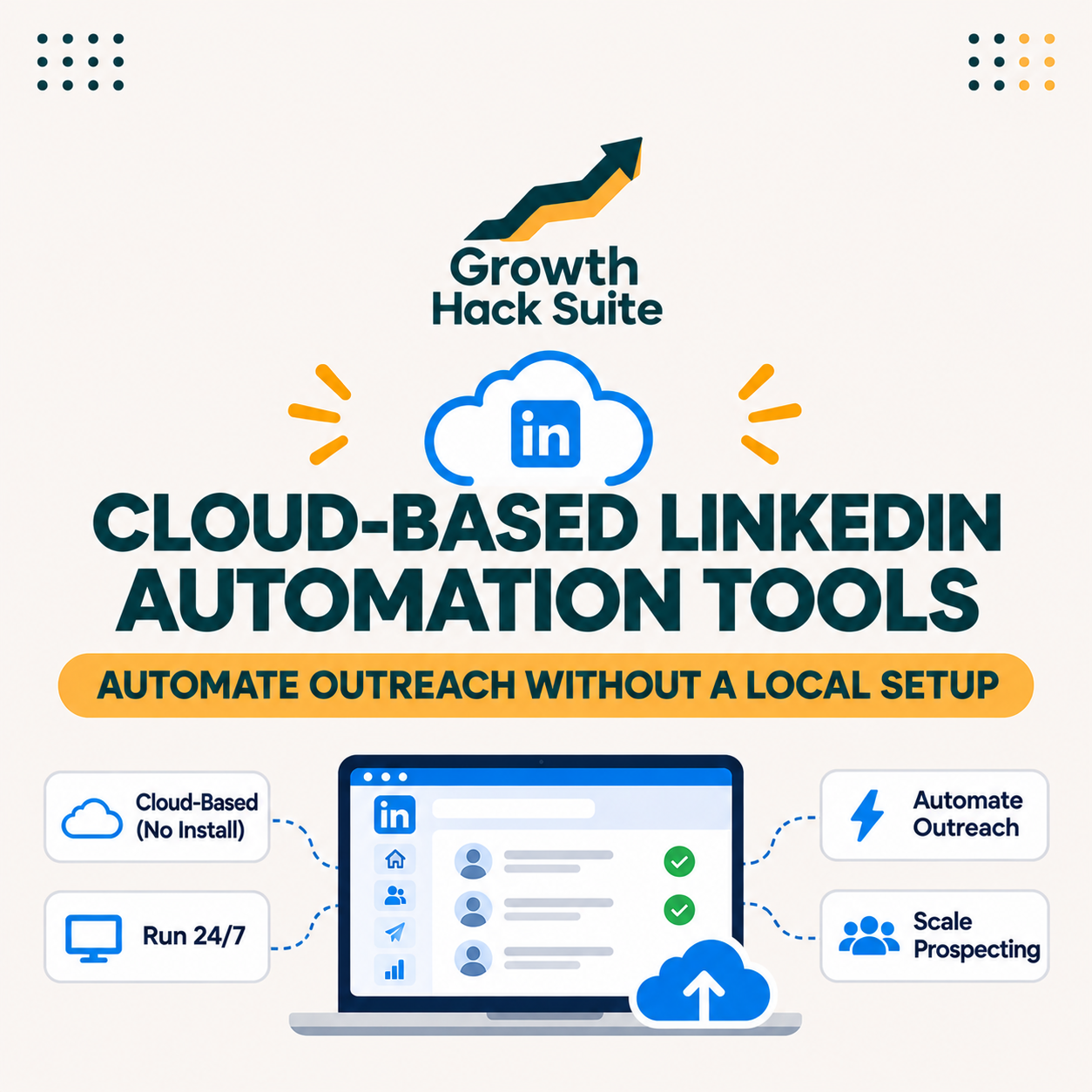
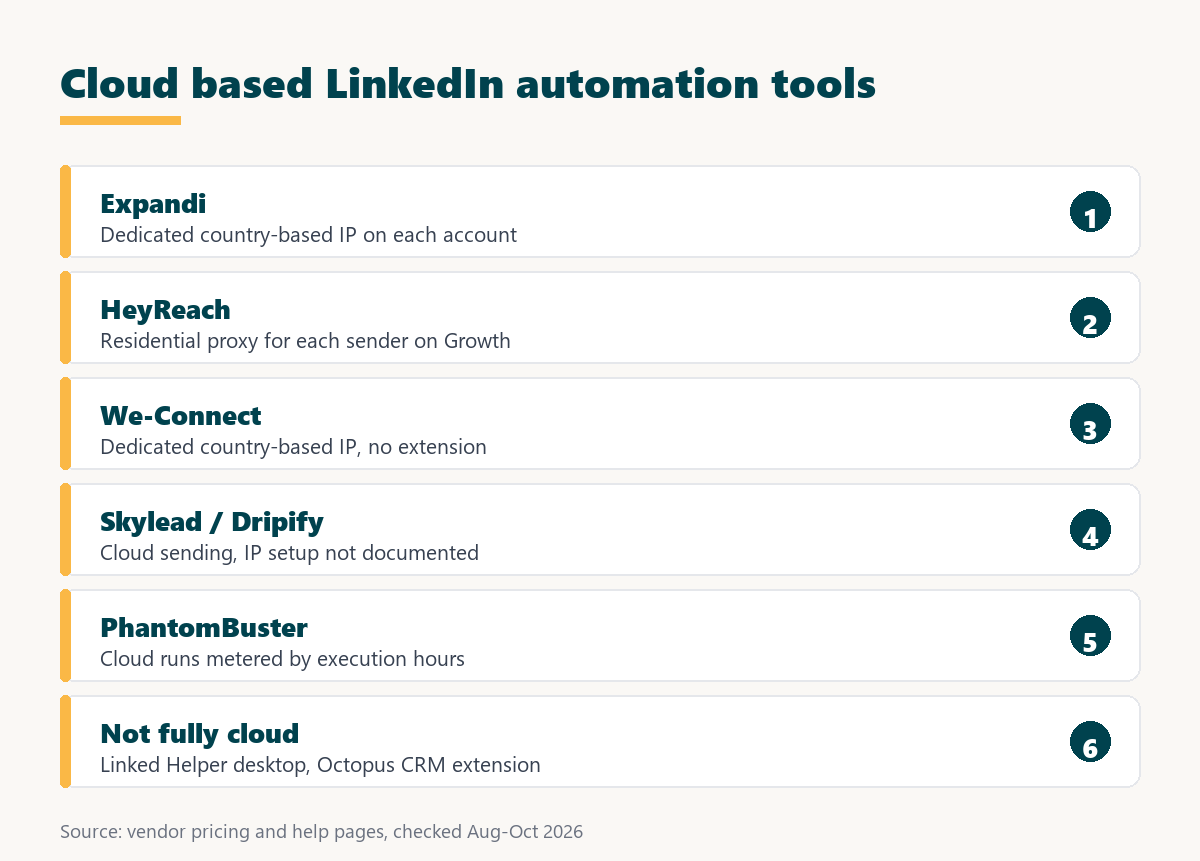
Cloud based LinkedIn automation tools run outreach from the vendor’s servers, so campaigns keep sending when the laptop is closed and no browser tab has to stay open. The nine tools below differ in how the session is hosted, which IP address LinkedIn sees, and what the fee is attached to. Expandi leads because it pairs cloud sending with a dedicated country-based IP on every account.
Last checked: October 2026. Each tool was checked against its own website for where sessions run, how IP addresses are assigned, and what the plan costs. Prices appear only where the vendor publishes them.
Want cloud sending with a dedicated IP on every LinkedIn account? See what Expandi costs for each account.
See Expandi Pricing →Cloud-based software · dedicated country-based IP · $99 a month for each account
What Are Cloud Based LinkedIn Automation Tools?
Cloud based LinkedIn automation tools are outreach platforms that hold the LinkedIn session on the vendor’s servers instead of inside a local browser. Campaigns keep running when the computer is off, several accounts can be managed from one dashboard, and the IP address LinkedIn sees is supplied or arranged by the platform.
All of them sit inside the wider category of sales automation, which Salesforce defines this way:
“Sales automation is the process of using technology to perform often tedious human tasks, reducing manual time, effort, and error.”
Salesforce, What Is Sales Automation
The defining trait of a cloud tool is where the session lives, which decides uptime, how many accounts one operator can run, and which IP address LinkedIn associates with each profile.
How Does a Cloud Tool Differ From a Browser Extension?
A cloud tool is hosted software that acts on LinkedIn from a remote server, while a browser extension acts from the user’s own browser and stops when that browser closes. The difference shows up in five places: session location, IP address, account management, uptime, and the setup effort for each new profile.
- Session location: a cloud platform keeps the LinkedIn session on a remote server, so sending continues without an open browser tab or a computer left running overnight.
- IP address source: a cloud vendor supplies or arranges the IP that LinkedIn sees, while an extension sends from whatever network the user’s laptop happens to be on.
- Account management: one hosted dashboard can run several LinkedIn profiles, which an extension tied to a single logged-in browser handles far less cleanly.
- Uptime: scheduled campaigns run through nights and weekends on a server, while an extension pauses whenever the machine sleeps or the browser closes.
- Setup effort: a cloud account is connected once from any computer, while an extension or desktop app has to be installed and kept updated on each machine.
The IP point matters most, and it connects to how a dedicated IP keeps one sender’s reputation separate from everyone else’s. The hosting model itself is the familiar one from SaaS, which Wikipedia describes as:
“a cloud computing service model in which a provider delivers application software to clients”
Wikipedia, Software as a service
Ranking by architecture rather than by features keeps this list distinct, because a buyer who refuses extensions has already removed part of the market before comparing sequences or pricing.
How Do the 9 Cloud Tools Compare?
The table sets nine cloud platforms against the same architecture criteria, so the hosting model, IP arrangement, and billing unit are visible before the individual entries. Each row comes from the vendor’s own pricing, FAQ, or help pages, and an IP arrangement is marked as not documented wherever the pages reviewed do not describe it.
Source: each vendor’s own pricing, FAQ, and help pages: expandi.io and help.expandi.io, heyreach.io, skylead.io, zeekeo.com (zopto.com redirects there), meetalfred.com, we-connect.io, and salesflow.io (checked October 2026); dripify.com and phantombuster.com (checked August 2026). Monthly list prices before tax unless marked as billed annually.
All nine tools host the session remotely, so the meaningful differences are who supplies the IP address and whether the monthly fee follows the LinkedIn account, the user, or the workspace.
The table confirms that cloud hosting alone does not separate these tools, and that the IP arrangement and billing unit decide which one fits a given team.
1. Expandi: How Does Its Cloud Setup Use a Dedicated IP?
Expandi is cloud-based LinkedIn automation software that assigns a dedicated country-based IP address to each LinkedIn account when it is connected. The IP comes from a data center in the country the operator selects, and the plan costs $99 a month for each account, or $79 a month when billed annually.
- Dedicated country-based IP: every connected LinkedIn account receives its own IP address in the selected country rather than sharing one address with other customers.
- Cloud-based software: campaigns keep sending from Expandi’s servers while the operator’s computer is off, which is the core reason buyers choose a hosted tool.
- Profile auto warm-up: the gradual option starts at five actions a day and reaches twenty-one over fourteen days, according to Expandi’s help center.
- Custom proxy option: an operator can add a custom proxy when connecting an account, or change it later in the proxies settings under the user menu.
- Extension as connector only: the Chrome extension is one of two ways to connect an account, alongside LinkedIn login details, and sending does not depend on it.
Expandi’s help center describes where the address comes from:
“The dedicated IP address of a selected country is given and is provided by a data center.”
Expandi Help Center, IP Address
Expandi ranks first because its cloud setup and IP for each account are documented in its own help center, and it costs more than user-based tools for a single profile.
2. HeyReach: How Does It Run Many Senders in the Cloud?
HeyReach is a cloud LinkedIn automation platform built around running many sender accounts from one workspace. Its Growth tier costs $79 a month for each sender and includes a dedicated residential proxy for each sender, while the Agency and Unlimited bundles require customers to bring their own proxies.
HeyReach’s pricing FAQ defines the unit: “A sender (or a seat) is a LinkedIn account that you add to your organization.” The Agency plan covers 25 senders for $999 a month and the Unlimited plan, at $2,999, is capped at 300 senders under a fair-use policy. The Growth trial runs fourteen days with up to three accounts and no card.
HeyReach fits teams rotating one campaign across many cloud-hosted senders, with the trade-off that proxy sourcing moves to the customer on its larger bundle plans.
3. Skylead: What Runs in the Cloud Besides LinkedIn?
Skylead is a cloud outreach platform that runs LinkedIn steps and email steps inside one Smart sequence. The All-in-one plan costs $100 a month for each seat and covers one LinkedIn account, unlimited email accounts, and an email finder and verifier, so both channels run without a local browser.
Skylead’s Smart Sequences page describes a builder with 8 actions and 7 if/else conditions, and the feature list includes infinite email warm-up, LinkedIn warm-up, and up to 100 000 emails a month. The pages reviewed do not describe how IP addresses are assigned to LinkedIn accounts. The trial runs seven days and applies only to the first account added to a subscription.
Skylead suits buyers who want the email side of outreach hosted in the same cloud workspace as LinkedIn, rather than stitched together from two separate tools.
4. Dripify: How Does Its Cloud Model Bill by User?
Dripify is a cloud LinkedIn automation tool that bills for each user rather than for each LinkedIn account. Monthly prices are $59, $79, and $99 across Basic, Pro, and Advanced, the Basic tier allows one drip campaign with limited daily quotas, and a seven-day trial is available without a credit card.
Every paid tier lists LinkedIn and email sequences and built-in LinkedIn protection, and Advanced adds advanced LinkedIn protection and multi-team management. The pricing page does not describe a dedicated IP for each account, and whether one user can run several LinkedIn profiles is not answered on the pages reviewed.
Dripify is the lower-priced cloud entry for one user running a simple drip campaign, and its plan pages say less about the IP arrangement than Expandi or HeyReach.
5. PhantomBuster: How Is Cloud Execution Time Metered?
PhantomBuster is a cloud automation platform that meters usage by execution time and automation slots rather than by account or user. The Start plan costs $69 a month for 20 hours of execution and five slots, and automations pause when the monthly execution time runs out until it resets.
- Execution time: each plan includes a monthly allowance of cloud run time, from 20 hours on Start to 80 on Grow and 300 hours on Scale.
- Automation slots: Start allows 5 automations to be set up at once, Grow allows 15, and Scale allows 50, which caps how many workflows run in parallel.
- Unlimited users: every tier lists unlimited users, so the fee follows the workspace and its usage rather than the number of people logging in.
- Pause behavior: automations stop once the execution time is used up, and restart only when the monthly allowance resets or the plan is upgraded.
- Data focus: the platform leans toward extraction and enrichment workflows, so always-on LinkedIn messaging is one use among many rather than its center.
The FAQ states it in one line: “PhantomBuster runs in the cloud.” PhantomBuster is cloud software in the strict sense, yet its metered run time makes it better suited to scheduled data jobs than to always-on LinkedIn messaging.
6. Zopto: Who Is This Cloud Platform Built For?
Zopto is a cloud LinkedIn and email outreach platform whose zopto.com domain now redirects to Zeekeo. Zeekeo sells a do-it-yourself platform at $149 a month for each seat and a done-for-you managed service from $600 a month, aimed at sales teams that want outbound software or outbound run for them.
The pricing FAQ states that “Zeekeo Launchpad is built for social and email outreach,” and the page lists CRM integrations, Zapier and API access, and image and GIF personalization. The pages reviewed do not describe a dedicated IP or proxy for each account, and no free trial is listed.
Zopto belongs on a cloud shortlist for team use, and the questions to ask its sales team are the same two this list ranks on: IP arrangement and billing unit.
7. Meet Alfred: What Does Its Cloud Workspace Cover?
Meet Alfred is a cloud outreach platform that runs LinkedIn campaigns alongside email and X from a hosted workspace. Its Individual tier is described as a cloud-based solution for automated LinkedIn outreach and costs $29 a month for each user when billed annually, with multichannel sequences starting on the Business tier.
Meet Alfred’s home page states that “Smart limits, randomized human-like behavior, and cloud-based sending are built into every campaign.” The Teams tier, with a minimum of three seats, adds roles and permissions, a team inbox, and white label. The pages reviewed do not describe a dedicated IP for each account, and the trial length is not stated.
Prefer cloud sending with a documented dedicated IP for each account? See Expandi pricing for each LinkedIn account.
See Expandi Pricing →Seven-day trial on the first subscription · cancel anytime
Meet Alfred fits buyers who want a hosted workspace covering more than LinkedIn, provided the IP setup is confirmed with the vendor before any client account is connected.
8. We-Connect: How Does It Approach Cloud Automation?
We-Connect is a cloud LinkedIn automation tool that lists cloud-based sending with no browser extension needed and a dedicated country-based IP for each account. One seat equals one connected LinkedIn account, and the Growth tier costs $49 a month for each seat when billed annually, with a fourteen-day trial.
The We-Connect pricing FAQ lists its safety mechanisms, ending with “account warm-up, and a dedicated country-based IP address assigned to each account.” Annual plans are billed upfront for the full year, and an Agency tier with custom pricing starts at ten seats. The type of IP, data center or residential, is not stated.
We-Connect is the closest match to Expandi’s architecture on this list, pending a same-day check of its monthly price, which the pricing page shows only through a toggle.
9. Salesflow: Where Does It Fit Among Cloud Tools?
Salesflow is a cloud LinkedIn automation platform aimed at agencies and sales teams that run outreach for many profiles, priced by seat with volume tiers. Basic starts from $99 a seat, and the price for each seat falls as the team grows, with Agency and Enterprise tiers requiring an annual commitment.
Salesflow’s agency page describes a Sessions Browser, a browser emulator that lets a user log in with the same IP address Salesflow uses, which keeps logins consistent with the hosted session. The pricing page says larger teams pay less for each seat, and the trial runs seven days with no card.
Salesflow rounds out the list as another hosted option for teams with many profiles, and it should be compared on the same architecture questions before price enters the discussion.
Which Popular Tools Are Not Fully Cloud Based?
Tools that are not fully cloud based rely on a browser extension or a desktop application to act on LinkedIn, so sending depends on the operator’s own computer. They are left out of the ranking above, because this list covers only platforms whose sending runs from hosted infrastructure without an extension.
- Linked Helper: the vendor describes it as desktop software that runs on the operator’s own computer or on a VPS the operator controls, so that machine must stay on.
- Octopus CRM: the product is a Chrome extension installed from the Chrome Web Store, so automation runs inside the operator’s own browser session.
- Dux-Soup Local: STACKED Local runs on the operator’s machine as a desktop app for Mac or Windows, while the separate STACKED Cloud version runs continuously.
- Waalaxy: the pages reviewed did not confirm a fully extension-free setup, so it is kept off a strict no-extension shortlist until that is checked directly.
- Hybrid setups: some cloud tools still use an extension only to connect an account or import leads, which is acceptable as long as sending itself runs on a server.
Extension and desktop tools can still be the right purchase for a solo seller, but they answer a different question than the one a no-extension buyer is asking.
What Do Cloud LinkedIn Automation Tools Cost Each Month?
Cloud LinkedIn automation pricing is set by account, sender, seat, user, or workspace, with monthly entry prices between $59 and $149 among the tools that publish a monthly figure. Hosting and any vendor-supplied IP are included in those fees rather than billed separately, which makes the billing unit the real comparison point.
Source: each vendor’s own pricing page, checked August to October 2026; prices before tax. Meet Alfred and Salesflow are left out of this table because their monthly prices are shown only through a calculator. For background, see annual vs monthly billing.
Monthly entry prices among these cloud tools sit between $59 and $149, and the billing unit explains most of the gap once a second LinkedIn account is added.
Price comparison among cloud tools only works unit for unit, because a user-based plan and an account-based plan diverge quickly when one operator manages several LinkedIn profiles.
Is a Cloud Tool Automatically Safer for a LinkedIn Account?
A cloud tool is not automatically safer, because LinkedIn’s policy covers any third-party software that automates activity regardless of where it runs. Cloud hosting helps when it comes with a consistent IP address, a gradual warm-up, and conservative limits, and those settings matter more than the hosting label.
- Consistent IP address: one stable IP in the account’s usual country avoids the sudden location jumps that shared or rotating addresses can create for a profile.
- Gradual warm-up: a new or quiet account ramps activity slowly, such as Expandi’s option that rises from five to twenty-one actions a day over two weeks.
- Conservative weekly volume: Expandi’s help center recommends staying within 100 connection requests a week, matching the weekly cap LinkedIn enforces.
- Human-like scheduling: working-hours sending windows and randomized delays between actions keep activity closer to how a person actually uses LinkedIn.
- Policy awareness: LinkedIn’s User Agreement does not permit third-party automation, so the risk of an account being restricted remains with any tool.
The case for an isolated address comes down to reputation, as Growth Hack Suite’s guide to dedicated IPs puts it:
“The deciding factor is whether you want your reputation tied to others or entirely your own.”
Growth Hack Suite, What Is a Dedicated IP?
Cloud hosting is one input to account safety rather than a guarantee, so the shortlist should favor tools that document their IP and warm-up behavior in public.
Cloud Based LinkedIn Automation Tools: Frequently Asked Questions
The 12 most-asked questions about cloud based LinkedIn automation tools.
What is a cloud based LinkedIn automation tool?
It is an outreach platform that runs the LinkedIn session on the vendor’s servers, so campaigns keep sending without an open browser or a computer left on.
Do cloud tools need a Chrome extension?
Not for sending. Some, such as Expandi, offer an extension only as one way to connect an account, while sending runs from hosted infrastructure.
Does the computer need to stay on?
No. With a cloud tool, scheduled campaigns run on the vendor’s servers. Desktop tools such as Linked Helper need the machine running.
Which IP address does LinkedIn see with a cloud tool?
It depends on the vendor. Expandi assigns a dedicated country-based IP to each account, and HeyReach Growth includes a dedicated residential proxy for each sender.
Is Expandi cloud based?
Yes. Expandi’s pricing page lists cloud-based software and a dedicated country-based IP address for each connected LinkedIn account.
Is PhantomBuster cloud based?
Yes. Its pricing FAQ states that PhantomBuster runs in the cloud, metered by monthly execution hours and automation slots.
Is Waalaxy cloud based?
The pages reviewed for this list did not confirm a fully extension-free setup, so it was not ranked here. Its pricing is billed by user with monthly invitation quotas.
Are cloud tools safer than extensions?
Not automatically. LinkedIn’s policy covers all third-party automation, so a stable IP, gradual warm-up, and conservative limits matter more than hosting.
What do cloud tools cost each month?
Monthly entry prices range from $59 for Dripify Basic to $149 for Zeekeo DIY, with Expandi at $99 a month for each account.
Can one dashboard run several LinkedIn accounts?
Yes. Expandi, HeyReach, Skylead, We-Connect, and Salesflow all manage several LinkedIn profiles from one hosted workspace.
Who provides the proxy on HeyReach Agency?
The customer does. HeyReach states that its Agency and Unlimited plans require customers to bring their own proxies.
What is the difference between browser and cloud automation?
Browser automation acts from the user’s own browser and network, while cloud automation acts from a vendor server on an IP the platform supplies or arranges.
Want cloud sending with a dedicated country-based IP on every account? Start the seven-day Expandi trial.
Start Your 7-Day Expandi Trial →Seven-day trial on the first subscription · cancel anytime · paid fees are nonrefundable
Growth Hack Suite Editorial, Outbound Sales Team
How we ranked these tools: each platform was compared on where the session runs, which IP address LinkedIn sees, and what the fee is attached to, using its own pricing, FAQ, and help pages. Where a vendor does not document its IP arrangement, the entry says so rather than guessing.
Last checked: October 2026. When a vendor changes its pricing page, this page is updated.
Affiliate disclosure: this page contains affiliate links to Expandi only. If a subscription is purchased through them, Growth Hack Suite may earn a commission at no extra cost to the buyer. It does not change the assessment.