Table of Contents
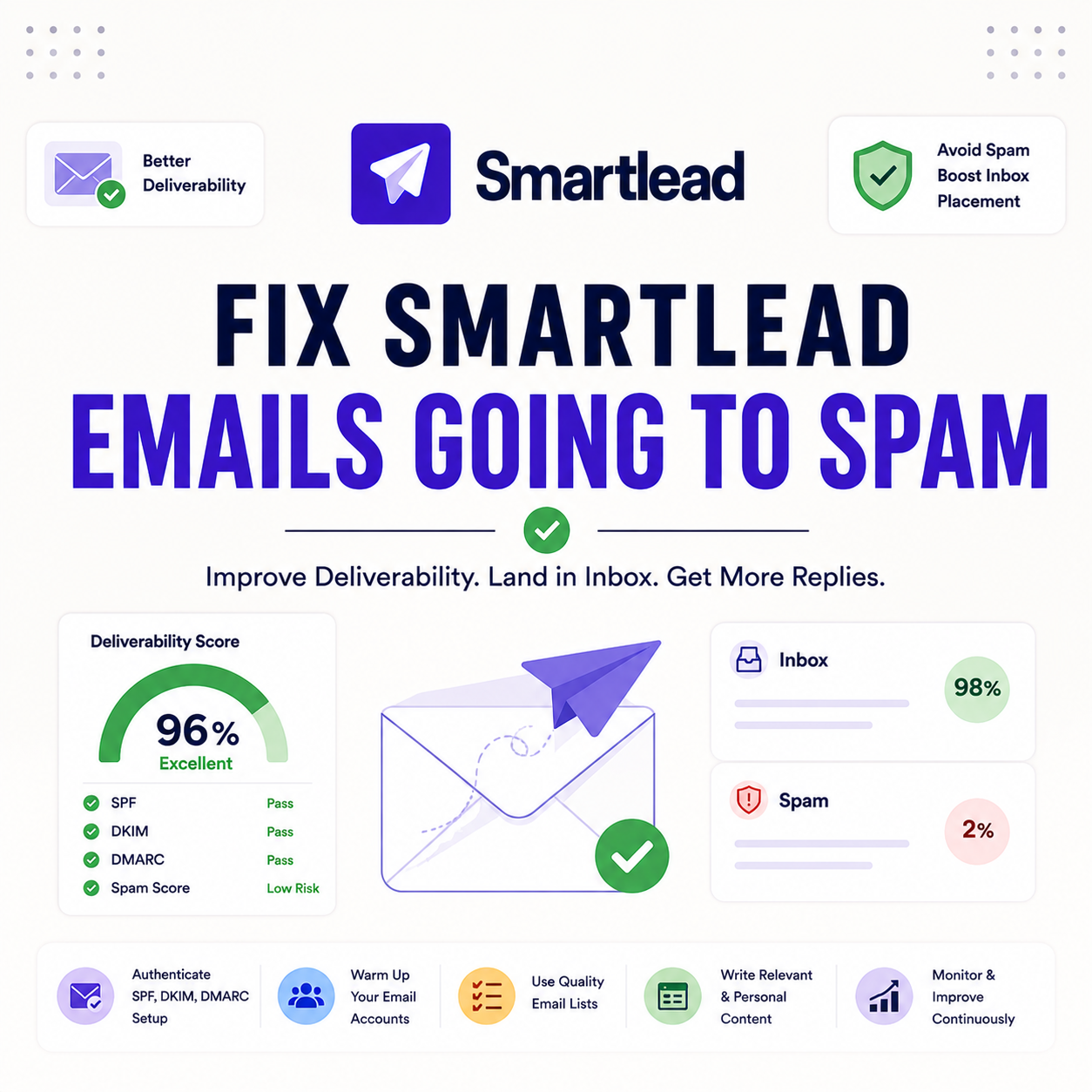
Smartlead deliverability issues like this are almost always fixable: missing domain authentication, insufficient warmup, an unverified list, sending too fast, or spammy copy. This checklist diagnoses each cause in order, shows the exact fix for every one, and explains how to confirm placement recovered and prevent the problem from returning.
Smartlead emails going to spam is almost always fixable.
Top causes: missing SPF/DKIM/DMARC, weak warmup, unverified list, sending too fast, spammy copy.
Bottom line: fix the causes in priority order, then confirm with a small test send.
Run a clean send. Verify the list, then send through Smartlead free.
Start Smartlead Free Trial →Unlimited mailboxes · built-in warmup · 14-day trial
Why Are Your Smartlead Emails Going to Spam?
Smartlead emails going to spam usually trace to one of five fixable causes: missing domain authentication, insufficient warmup, an unverified list, sending too fast, or spammy copy. Smartlead provides the sending infrastructure, but placement still depends on how the sender configures and runs the campaign. The list below names the five causes that explain almost every spam problem.
- Missing authentication: SPF, DKIM or DMARC not published means providers distrust the mail and route it to spam.
- Weak warmup: mailboxes sent cold without warmup lack the reputation needed to reach the inbox.
- Unverified list: bounces and spam-trap hits from a dirty list damage placement within a single campaign.
- Sending too fast: a sudden volume spike from new mailboxes reads as spam behavior to mailbox providers.
- Spammy copy: trigger words, too many links and misleading subject lines trip filters even with clean infrastructure.
How Do You Diagnose Smartlead Deliverability Problems?
Diagnose by checking signals in order: confirm authentication passes, review warmup status, check bounce and spam-complaint rates, and look at sending volume. The table below shows where to check each signal and the healthy range, so the root cause is isolated before any fix is applied.
Source: standard deliverability thresholds from Google Postmaster Tools guidance and common industry practice, June 2026. Treat ranges as guidelines, not hard limits.
Is Your Domain Authentication Set Up Correctly?
When smartlead not landing in inbox is the symptom, the most common cause is missing or broken authentication. SPF, DKIM and DMARC must be published and passing for every sending domain or mailbox providers cannot verify the sender and route the mail to spam. Checking these records first is the single highest-leverage step, since nothing else helps if authentication fails.
Authentication is the foundation: fix it before warmup or copy, because providers judge trust on these records before anything else.
Did You Warm Up Your Mailboxes Enough?
Mailboxes sent cold land in spam. Smartlead warmup builds reputation over one to two weeks of human-like activity, and skipping or cutting it short is a frequent cause of poor placement. Warmup should run before any real campaign and stay on in the background to maintain reputation. The link explains how sender reputation builds over time.
If a campaign launched before warmup finished, that alone can explain the spam placement, and the fix is to pause and complete warmup.
Is Your List Verified Before Sending?
An unverified list drives bounces and spam-trap hits that wreck placement fast. Verifying every list before import removes invalid, risky and role-based addresses that damage sender reputation. List hygiene is one of the highest-impact fixes, since a single dirty send can undo weeks of warmup. The list below shows what verification removes.
- Remove invalid addresses: cutting hard bounces protects reputation, since high bounce rates signal a poorly maintained list.
- Flag spam traps: removing trap addresses avoids blocklisting, which is one of the fastest ways to land in spam.
- Drop role-based emails: removing generic inbox addresses reduces complaints and improves overall engagement signals.
- Catch catch-all risk: flagging accept-all domains avoids sending to addresses that may not exist behind the domain.
- Verify before every import: running verification on each new list keeps bounce low as the database changes over time.
“List hygiene is one of the biggest levers on inbox placement.”
— Validity, on email deliverability
Are You Sending Too Much Too Fast?
A sudden volume spike from new mailboxes signals spam behavior to providers. Ramping sending gradually after warmup, increasing daily volume in steps rather than all at once, keeps the pattern looking human. New mailboxes especially need a slow start, since they have no history to absorb a high send rate.
If volume jumped right after warmup, slowing the ramp is often enough to recover placement without any other change.
Is Your Copy Triggering Spam Filters?
Copy can trip filters even with clean infrastructure. Spammy trigger words, too many links, large images and misleading subject lines all raise spam scores. Tightening copy to read like a genuine one-to-one message is the fix, since filters reward mail that looks personal rather than promotional. The list below covers the common copy problems.
- Trigger words: avoiding spammy sales phrases keeps the message from matching known promotional patterns.
- Link count: keeping links minimal reduces the spam score, since many links resemble bulk marketing mail.
- Subject lines: avoiding misleading hooks prevents complaints that quickly damage sender reputation.
- Image weight: limiting large images and image-only emails keeps the message looking like personal text.
- Plain formatting: simple, text-led emails read as one-to-one mail that filters are far more likely to inbox.
Are You Using a Custom Tracking Domain?
Open and click tracking on a shared domain can drag placement down, because the tracking domain’s reputation is shared with other senders. A custom tracking domain isolates that reputation, so tracking links no longer inherit problems caused by unrelated senders. Setting one up is a quick, often overlooked fix for stubborn spam issues.
If authentication, warmup and the list all look clean, a shared tracking domain is a likely remaining culprit worth ruling out.
Is Your Sender Reputation Already Damaged?
If problems persist after the fixes, reputation may already be hit. Damaged domains recover slowly, so checking blocklists and complaint history reveals whether the domain needs rest rather than another campaign. A domain that keeps landing in spam after every fix usually needs time and a slow re-warm, not more sending.
Recognizing damaged reputation early prevents wasted sends, since pushing volume on a hurt domain only deepens the problem.
Start clean with built-in warmup. Try Smartlead free for 14 days.
Start Smartlead Free Trial →No credit card · warmup included
How Do You Fix Smartlead Spam Issues Step by Step?
To fix smartlead spam problems, work in priority order: authenticate domains, complete warmup, verify the list, slow the ramp, then clean the copy. Working top-down resolves the highest-impact causes first, so placement often recovers before reaching the later steps. The table and ordered list below show the priority and the reason behind each step.
Source: internal deliverability fix checklist based on standard cold email practice, June 2026.
- Fix authentication: publish and verify SPF, DKIM and DMARC for every sending domain before anything else.
- Complete warmup: run warmup for one to two weeks on each mailbox and keep it on in the background.
- Verify the list: clean every list before import to remove invalid, role-based and trap addresses.
- Slow the ramp: increase daily volume gradually so new mailboxes do not spike and look like spam.
- Clean the copy: cut trigger words and excess links so the message reads like a personal one-to-one email.
How Do You Prevent Spam Issues Long-Term?
Prevent recurrence by verifying every list, keeping warmup running, monitoring bounce and complaint rates, and ramping new mailboxes slowly. Treating deliverability as ongoing maintenance rather than a one-time fix is what keeps placement stable over months. The list below covers the habits that prevent spam problems from returning.
- Always verify lists: running verification on every new list keeps bounce low as the database changes.
- Keep warmup on: leaving warmup running in the background maintains reputation between campaigns.
- Monitor bounce and complaints: watching these rates catches a problem early, before placement collapses.
- Ramp new mailboxes slowly: introducing fresh inboxes gradually avoids the spikes that trigger spam filtering.
- Rotate sending mailboxes: spreading volume across inboxes keeps any single mailbox within a safe daily range.
When Should You Pause and Re-Warm a Domain?
Pause and re-warm when bounce or complaint rates stay high after fixes, or when a domain appears on a blocklist. Pushing volume on a damaged domain only deepens the problem, so resting and re-warming is the faster route back to the inbox. The list below shows the signals that mean it is time to pause.
- Persistent high bounce: bounce that stays high after list verification means the domain needs to pause and re-warm.
- Blocklisted domain: a domain on a blocklist should rest before sending, since more volume worsens the listing.
- Complaint spikes: a jump in complaints calls for slowing volume and re-warming before resuming normal sending.
- Placement still poor: if test sends keep landing in spam after every fix, the domain needs time, not more mail.
- New domain misfire: a fresh domain that went straight to high volume should pause and re-warm from a clean baseline.
How Do You Confirm the Fix Worked?
Confirm by sending a small test batch to seed inboxes and checking placement across Gmail and Outlook. If the test lands in the primary inbox on both, the fix worked and volume can resume gradually. If it still lands in spam, one cause remains, so return to the diagnostic table and work through the signals again.
“Sender reputation, built through warmup and clean sending, is the strongest driver of inbox placement.”
— Growth Hack Suite, on sender reputation
“Email spam is unsolicited bulk messages sent by email.”
— Wikipedia, Email spam
Growth Hack Suite Editorial — Outbound Tools Team
Checklist based on standard cold email deliverability practice and tested across real sending domains. We help B2B senders reach the inbox.
Last updated: June 2026. Deliverability thresholds are guidelines drawn from Google Postmaster Tools and industry norms.
Affiliate disclosure: this page contains affiliate links. If you start a plan through them, Growth Hack Suite may earn a commission at no extra cost to you. It does not change our guidance.
Reach the inbox from day one. Start Smartlead free for 14 days.
Start Smartlead Free Trial →Built-in warmup · no credit card · cancel anytime
Related Tools in the Outbound Stack
Two other tools in the Growth Hack Suite stack protect deliverability alongside Smartlead, one before sending and one for the Gmail-native route.
- Hunter Email Verifier: verifying a list before import is the single biggest fix for bounce-driven spam placement — see verifier accuracy.
- GMass: the Gmail-native option for low-volume senders who still need clean deliverability — read the GMass review.
- Gmail tools comparison: the Gmail-scoped breakdown for senders weighing platform versus extension — compare the Gmail tools.
Smartlead Spam Fix FAQ
The 12 most-asked questions about fixing Smartlead deliverability.
Why are my Smartlead emails going to spam?
Smartlead emails usually go to spam due to one of five fixable causes: missing domain authentication, insufficient warmup, an unverified list, sending too fast, or spammy copy. Diagnose each in order, then fix the highest-impact cause first.
How do I stop Smartlead emails going to spam?
Stop spam placement by fixing causes in order: authenticate domains with SPF, DKIM and DMARC, complete warmup, verify the list, slow the volume ramp and clean the copy. Then confirm with a small test send to seed inboxes.
Does Smartlead help with deliverability?
Yes, Smartlead is built for deliverability through dedicated infrastructure, warmup and sender rotation. But the sender still controls authentication, list quality, volume and copy, so placement depends on configuration as much as the platform.
How do I fix Smartlead deliverability?
Fix deliverability by confirming authentication passes, completing warmup, verifying your list, ramping volume gradually and tightening copy. Work top-down, since the highest-impact causes often recover placement before you reach the later steps.
Do I need SPF, DKIM and DMARC for Smartlead?
Yes, SPF, DKIM and DMARC must be published and passing for every sending domain, or mailbox providers distrust the mail and route it to spam. Authentication is the foundation, so fix it before warmup or copy.
How long should I warm up Smartlead mailboxes?
Warm up Smartlead mailboxes for one to two weeks before real sends, since mailboxes sent cold land in spam. Smartlead warmup builds reputation with human-like activity, and it should stay on in the background to maintain placement.
Does an unverified list cause spam?
Yes, an unverified list drives bounces and spam-trap hits that wreck placement fast. Verify every list before import to remove invalid, role-based and trap addresses, since a single dirty send can undo weeks of warmup.
Am I sending too fast in Smartlead?
If you ramped volume suddenly from new mailboxes, yes. A spike signals spam behavior to providers. Ramp sending gradually after warmup, increasing daily volume in steps so new mailboxes build a human-looking pattern.
Does email copy cause spam?
Yes, copy can trip filters even with clean infrastructure. Spammy trigger words, too many links, large images and misleading subject lines all raise spam scores. Tighten copy to read like a genuine one-to-one message.
Do I need a custom tracking domain for Smartlead?
A custom tracking domain helps, because open and click tracking on a shared domain can drag placement down through shared reputation. A custom tracking domain isolates that reputation, so your links no longer inherit other senders’ problems.
How do I know if my Smartlead domain is blocklisted?
Check your sending domain against common blocklists and review complaint history if problems persist after fixes. A blocklisted domain should rest and re-warm rather than keep sending, since more volume worsens the listing.
How do I confirm my Smartlead spam fix worked?
Confirm by sending a small test batch to seed inboxes and checking placement across Gmail and Outlook. If the test lands in the primary inbox on both, resume volume gradually. If it still lands in spam, one cause remains.