Table of Contents
A CRM integration is a connection between a tool and your customer relationship management system that syncs data automatically, so leads, replies and deal updates move between the two without manual entry. This guide explains what a CRM integration is, how it works, why it matters for outbound, what data it syncs, how to set one up, and which CRMs commonly connect.
A CRM integration syncs leads, replies and deal updates between a tool and the CRM automatically, keeping pipeline current.
Best for: teams tracking outbound in a CRM.
Caveat: wrong field mapping can create duplicate records.
Bottom line: it turns outbound activity into trackable pipeline.
Put this into practice. Try Smartlead free for 14 days.
Start Smartlead Free Trial →Unlimited mailboxes · no credit card · 14-day trial
What Is a CRM Integration?
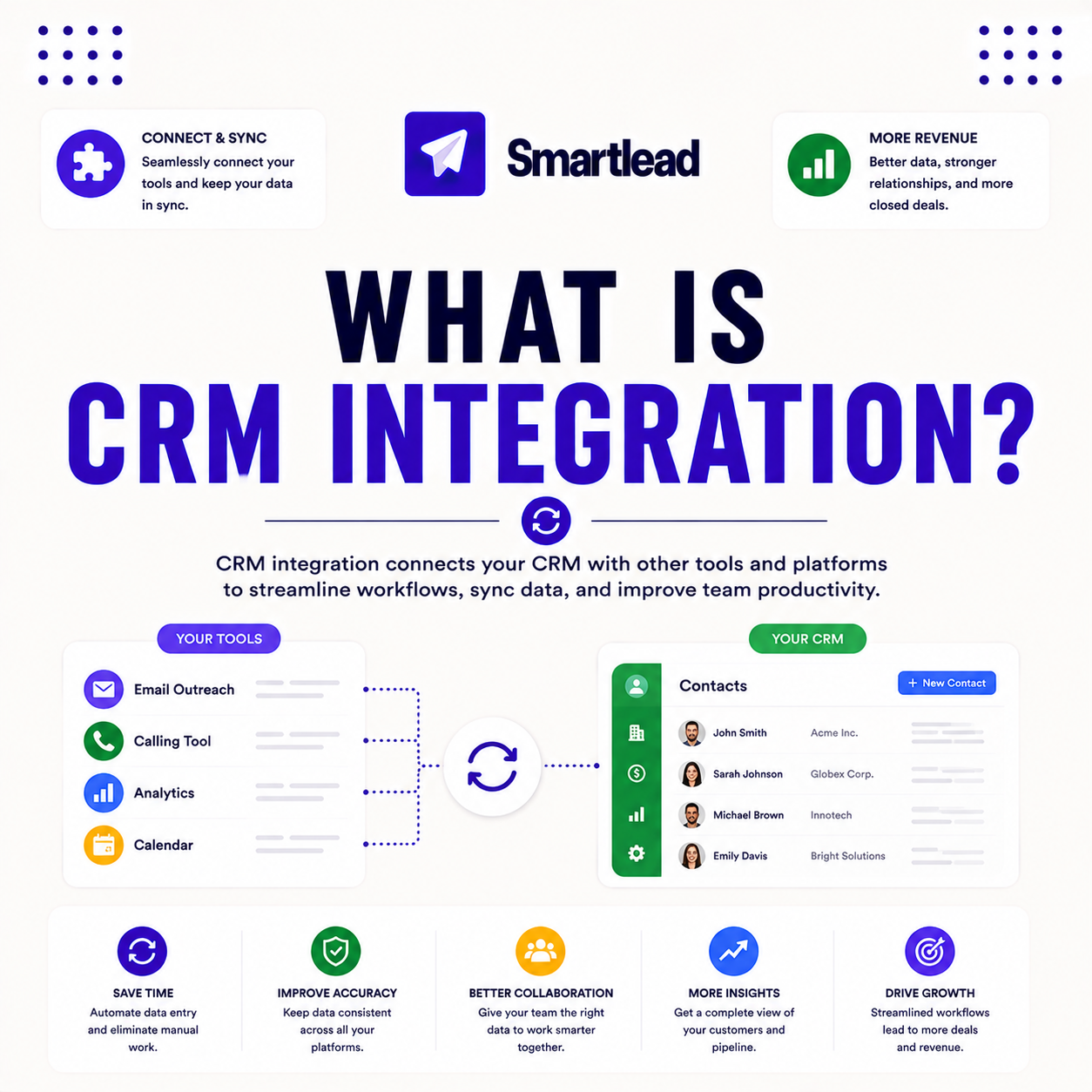
A CRM integration is a connection between a tool and the CRM that syncs data automatically, so leads, replies and deal updates move between the two. It removes manual copying between systems. The deciding factor is that the sync is automatic and continuous. The list below covers the parts.
- Connects tool and CRM: the two systems exchange data directly.
- Auto-syncs: leads, replies and deals move without manual entry.
- Field mapping: data lands in the right CRM properties.
- Keeps pipeline current: outbound activity shows up in the CRM.
- Two-way option: changes can flow in both directions when supported.
“A CRM integration is what turns raw outbound activity into pipeline a team can actually track.”
— Growth Hack Suite, on cold email tools
How Does a CRM Integration Work?
A CRM integration connects through native connectors, no-code tools or an API, mapping fields so data lands in the right CRM properties. When an event happens, the data syncs across. The deciding factor is that field mapping is what makes the sync accurate. The list below covers the flow.
- Connect the systems: a native connector, no-code tool or API links them.
- Map the fields: each data point is matched to a CRM property.
- Trigger on events: a reply or status change starts the sync.
- Push the data: the record lands in the correct CRM fields.
- Keep it current: ongoing events keep both systems in sync.
“A single source of truth for customer data is what keeps a revenue team aligned.”
— HubSpot, on CRM data
Why Does CRM Integration Matter for Outbound?
It matters because outbound generates leads and replies that must reach the CRM to become trackable pipeline. Without integration, reps re-enter data by hand and records drift. The deciding factor is that unsynced outbound is invisible to the pipeline. The list below covers why.
- Trackable pipeline: synced leads and replies become measurable deals.
- No manual entry: reps skip re-typing data between systems.
- Best for scale: the benefit grows with the volume of outbound.
- Caveat: a low-volume sender with a simple process may not need it.
- Records stay accurate: automatic sync prevents data drift.
What Data Does a CRM Integration Sync?
A CRM integration typically syncs leads, contact details, reply outcomes, deal stage changes and activity. Mapping which fields sync keeps the CRM clean. The deciding factor is that only the mapped fields move across. The list below covers what usually syncs.
- Leads and contacts: new prospects are pushed into the CRM.
- Reply outcomes: a response updates the contact’s stage.
- Deal stage changes: pipeline movement reflects in the CRM.
- Activity history: sends and opens log against the record.
- Mapped fields only: the integration moves the fields it is set to.
How Do You Set Up a CRM Integration?
Set it up by connecting the CRM via a native integration, no-code tool or API, mapping fields, enabling sync, then testing one record end to end. Proving one record first catches mapping errors early. The ordered steps below make setup repeatable.
- Connect the CRM: link it via a native integration, no-code tool or API.
- Map fields: match each data point to the correct CRM property.
- Enable sync: turn on the automatic data flow between systems.
- Test one record: run a single record through end to end.
- Verify the mapping: confirm the data landed in the right fields.
Syncing outbound to your CRM? Test Smartlead free for 14 days.
Start Smartlead Free Trial →No credit card · unlimited mailboxes
What CRMs Commonly Integrate With Cold Email Tools?
Common CRMs are HubSpot, Salesforce and Pipedrive, which most outbound tools support through native connectors or no-code platforms. The right CRM depends on the team’s stack. The deciding factor is that the major CRMs are widely supported. The table below outlines the common options.
Source: common CRM fits, mid-2026. CRM names are examples, not endorsements — verify current connectors.
Do You Need a Developer for CRM Integration?
For native and no-code integrations, no developer is needed, while deep custom syncs benefit from the API and a developer. The complexity of the sync decides. The deciding factor is whether the integration is standard or custom. The table below positions the feature against a typical rival.
Source: vendor sites plus internal review, mid-2026. Verify current features on smartlead.ai.
Does Smartlead Integrate With CRMs?
Yes, Smartlead integrates with HubSpot, Salesforce, Pipedrive and others through native connections, no-code tools and a deep API. This keeps outbound and pipeline in sync. The deciding factor is that the major CRMs are covered without custom work. The honest read is that native connectors handle most needs, with the API there for deeper custom syncs.
The practical point is to use a native connector or no-code tool first, reaching for the API only when a custom sync is needed. Verify current connectors on smartlead.ai.
Who Gets the Most Value From CRM Integration?
Agencies and scale teams get the most value, since CRM integration compounds across many leads and reps. A solo sender tracking a few deals by hand may not need it. The deciding factor is how much outbound needs to become trackable pipeline. The honest read is that the more outbound a team runs, the more CRM integration pays back.
The practical point is that a high-volume team gains most, while a solo sender with a handful of deals can track them manually.
How Do You Get Started Today?
Start on the 14-day free trial, connect a mailbox, warm it, verify a small list and connect the CRM with one mapped record. Testing one sync on your own CRM before committing is the lowest-risk way to begin. The trial needs no card, so the only cost is setup time. By launch, outbound leads and replies sync to the pipeline automatically.
Can a CRM Integration Cause Duplicate Records?
If field mapping is wrong, yes, which is why testing one record first matters. Correct mapping of unique identifiers, like email, stops duplicates before they accumulate. The deciding factor is that a unique key prevents duplicate creation. The honest read is that duplicates are a mapping problem, not an inherent flaw, so a careful setup avoids them.
The practical point is to map a unique identifier such as email and test one record, so the integration updates rather than duplicates.
What Is the Benefit of Two-Way CRM Sync?
Two-way sync keeps both systems current: outbound updates the CRM, and CRM changes reflect back in the tool. This avoids conflicting records and manual reconciliation. The deciding factor is that both systems share one source of truth. The honest read is that two-way sync is what keeps the outbound tool and the CRM from drifting apart over time.
“Customer relationship management is a process for managing a company’s interactions with customers.”
— Wikipedia, Customer relationship management
CRM Integration: The Final Verdict
The final verdict is that a CRM integration syncs leads, replies and deal updates between a tool and the CRM automatically, turning outbound activity into trackable pipeline. Native connectors and no-code tools cover most needs without a developer. Map a unique identifier, test one record before going live, and use two-way sync so the two systems never drift apart.
Growth Hack Suite Editorial — Outbound Tools Team
This guide explains CRM integration based on standard revenue-operations practice plus hands-on testing of Smartlead. Behavior and connectors vary; verify current features on smartlead.ai. We review outbound tools for B2B senders.
Last updated: June 2026. CRM names are examples, not endorsements.
Affiliate disclosure: this page contains affiliate links. If you start a plan through them, Growth Hack Suite may earn a commission at no extra cost to you. It does not change our guidance.
Sync outbound to your pipeline. Start Smartlead free for 14 days.
Start Smartlead Free Trial →Unlimited mailboxes · no credit card · cancel anytime
Related Tools in the Outbound Stack
Two other tools in the Growth Hack Suite stack pair with CRM integration.
- Hunter Email Verifier: verifying contacts keeps the records synced to the CRM clean — see verifier accuracy.
- GMass: the Gmail-native option for a solo sender with a lighter stack — read the GMass review.
- Gmail tools comparison: the Gmail-scoped breakdown for senders weighing platform versus extension — compare the Gmail tools.
CRM Integration FAQ
The 12 most-asked questions about CRM integration.
What is a CRM integration?
A CRM integration is a connection between a tool and your CRM that syncs data automatically, so leads, replies and deal updates move between the two without manual entry.
How does a CRM integration work?
It connects through native connectors, no-code tools or an API, mapping fields so data lands in the right CRM properties. When an event happens, the data syncs across automatically.
Why does CRM integration matter for outbound?
Outbound generates leads and replies that must reach the CRM to become trackable pipeline. Without integration, reps re-enter data by hand and records drift out of date.
What data does a CRM integration sync?
Typically leads, contact details, reply outcomes, deal stage changes and activity. Mapping which fields sync keeps the CRM clean and accurate.
How do I set up a CRM integration?
Connect your CRM via a native integration, no-code tool or API, map fields, enable sync, then test one record end to end. Proving one record first catches mapping errors early.
What CRMs integrate with cold email tools?
Commonly HubSpot, Salesforce and Pipedrive, which most outbound tools support through native connectors or no-code platforms. The right CRM depends on the team’s stack.
Do I need a developer for CRM integration?
For native and no-code integrations, no. For deep custom syncs, the API and a developer help. Most teams start with a native connector and add custom work only if needed.
Does Smartlead integrate with CRMs?
Yes, Smartlead integrates with HubSpot, Salesforce, Pipedrive and others through native connections, no-code tools and a deep API, keeping outbound and pipeline in sync.
Does CRM integration sync in real time?
With webhooks and most integrations, syncs happen in real time or near real time on events like a reply. This keeps the CRM current the moment outbound activity occurs.
Can a CRM integration cause duplicate records?
If field mapping is wrong, yes, which is why testing one record first matters. Correct mapping of unique identifiers, like email, stops duplicates before they accumulate.
Is CRM integration secure?
Reputable integrations use authenticated connections and secure tokens, so data transfers safely. Following the provider’s setup and permissions keeps the connection secure.
What is the benefit of two-way CRM sync?
Two-way sync keeps both systems current: outbound updates the CRM, and CRM changes reflect in the tool. This avoids conflicting records and manual reconciliation.