Table of Contents
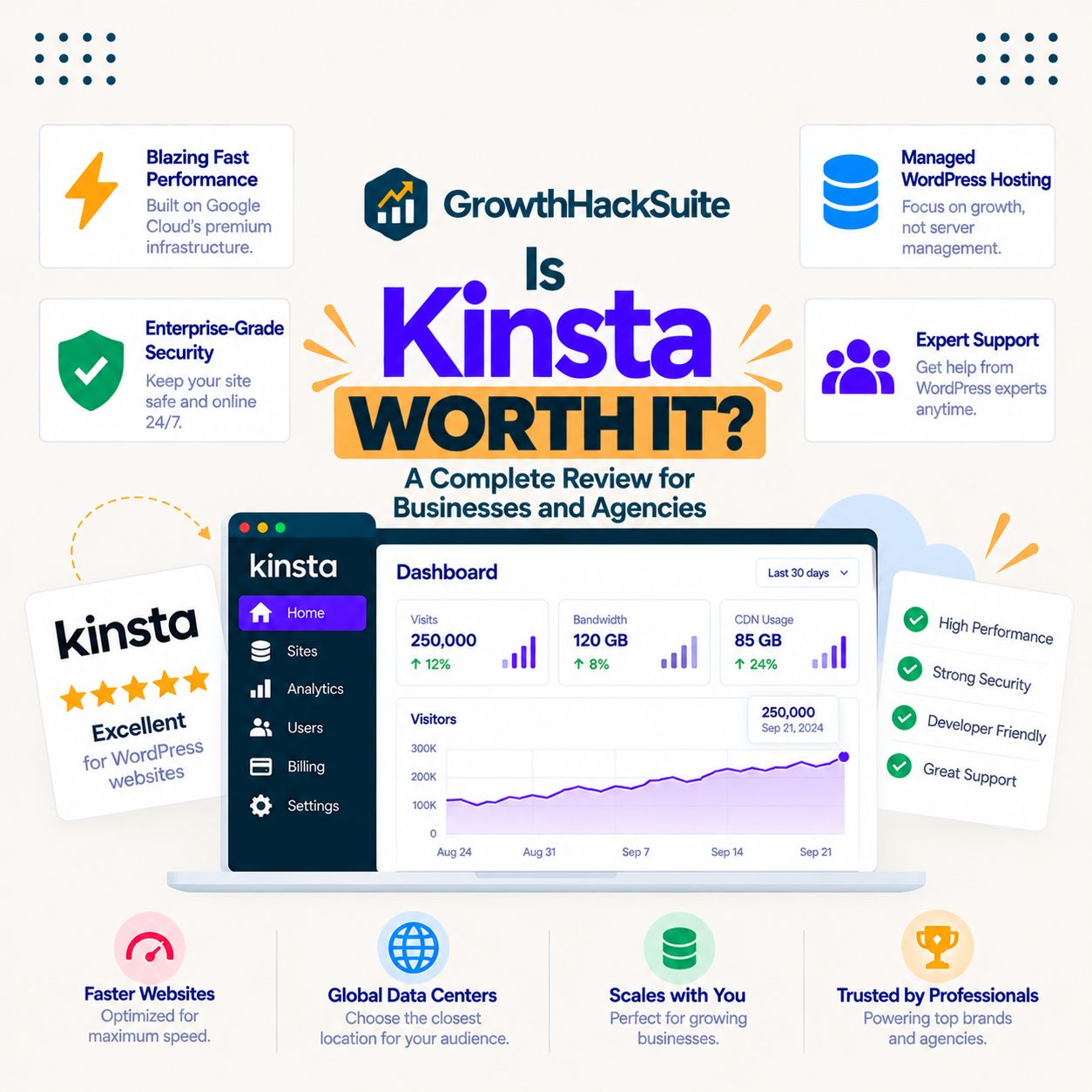
Is Kinsta worth it? For business and agency WordPress sites where downtime, slow pages or a hack cost real money, yes: the premium buys isolated Google Cloud compute, a bundled CDN, engineer-level support and overage rates a quarter of some rivals. For a low-traffic hobby blog it is not worth the price. This guide breaks down what the money buys, who benefits, and where a cheaper host wins.
Verdict: worth it when the website is the business, hard to justify when it is a side project.
Worth it for: WooCommerce stores, agencies with client portfolios, membership and course sites, growing content brands.
Not worth it for: personal blogs, brand-new sites with no traffic, projects where every dollar is counted.
Entry price: 35 dollars a month, with a 30-day money-back guarantee to test the claim.
Last updated: August 2026. Prices, guarantee terms and platform claims on this page were checked against kinsta.com and Kinsta’s billing documentation on that date. Hosting terms change, so verify before buying.
Is Kinsta Worth It? The Short Answer
Kinsta is worth it when a WordPress site produces revenue or leads and a slow load or an outage would cost customers. For those sites the speed, managed security and engineer-level support pay for themselves. For a hobby blog with light traffic, the premium is genuinely hard to justify against a competent budget host.
That single distinction, revenue site versus side project, settles the question for most buyers before any feature comparison begins.
What Does “Worth It” Actually Mean for Hosting?
Worth it means the value returned, faster pages, fewer outages and less time firefighting, exceeds what is paid above a budget host. Kinsta costs more per month but removes hours of server work and reduces the risk of a crash or compromise that costs far more than the difference in lost sales.
“WordPress is a web content management system.”
— Wikipedia, WordPress
As a WordPress site grows past a simple blog into a store, a membership platform or a lead engine, the cost of it being slow or unavailable rises with it, which is exactly when managed hosting starts to earn its price.
Who Is Kinsta Worth It For?
Kinsta is worth it for agencies managing client sites, WooCommerce stores, membership and course platforms, and growing content brands that see traffic spikes. These sites lose money when pages crawl or go offline, so premium performance and hands-off management protect revenue directly. The list below maps each buyer to the specific payoff.
- WooCommerce stores: checkout pages cannot be fully cached, so dedicated compute keeps them responsive when a campaign drives a traffic spike.
- Agencies: unlimited free migrations remove the labour cost of onboarding a client portfolio, and per-site isolation contains any single client incident.
- Membership and course sites: logged-in traffic bypasses page caching entirely, which is precisely the workload that overwhelms cheap shared hosting.
- Growing publishers: a viral article costs 0.50 dollars per extra 1,000 visits in overage rather than an outage during peak attention.
- Lead-generation sites: form submissions stop the moment a site returns an error page, making uptime a direct pipeline question.
The common thread is simple: every one of these sites converts traffic into money, so hosting quality becomes a revenue variable rather than an IT line item.
Who Should Skip Kinsta?
Skip Kinsta for a personal blog, a brand-new site with almost no traffic, or a tight-budget project where every dollar counts. A quality shared or entry-level managed host serves those needs for a fraction of the price until traffic and revenue justify the upgrade. The list below covers the clearest cases.
- Hobby blogs: a few hundred monthly readers never approach the capacity of the entry plan, so most of the spend goes unused.
- Brand-new projects: a site with no traffic and no revenue cannot yet measure the return that justifies premium hosting.
- Email-first setups: Kinsta sells no mailboxes at all, so a plan that must bundle email needs a different provider or a second subscription.
- Static brochure sites: a five-page site with no dynamic content gains little from compute-optimised machines built for heavy PHP.
- Hard budget ceilings: when 35 dollars a month is material to the project, a cheaper managed host delivers most of the practical benefit.
Recommending against a purchase costs nothing here, and a site that grows into these requirements can migrate free of charge later.
Does Kinsta’s Speed Justify the Cost?
Kinsta’s speed case rests on four documented layers rather than one benchmark: compute-optimised Google Cloud C2 and C3D machines, the Google premium tier network, server-level page caching and a CDN across 300+ locations. Crucially, all four apply to the 35-dollar plan, not only to expensive tiers.
“Site speed shapes both search visibility and the share of visitors who stay to convert.”
— HubSpot, on page load time and conversion
Published speed comparisons between managed hosts vary widely with test location, page weight and cache state, so the number that matters is the one measured on the actual site rather than one copied from a review.
How Much Is Kinsta’s Support Worth?
Support is where the premium becomes tangible for non-technical owners. Kinsta staffs WordPress and Linux engineers rather than first-line script readers, and it includes free malware removal if a site is ever compromised, a service many hosts sell as a paid security add-on.
Valued in market terms, an hour of freelance WordPress help typically costs more than a month of the entry plan, so a single resolved plugin conflict or migration problem already covers the difference against a budget host.
For an owner without a developer on call, that support entitlement is often the strongest single argument for paying the premium.
What Does the Kinsta Premium Actually Include?
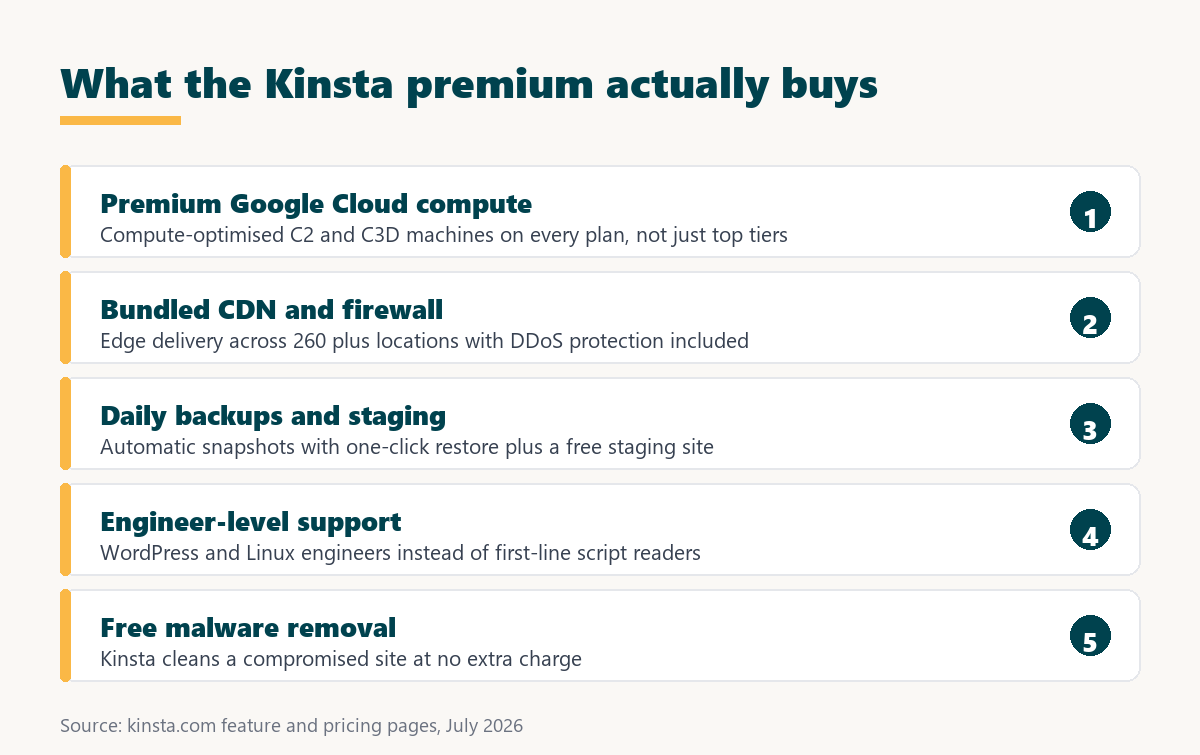
The Kinsta premium bundles items that are usually separate purchases elsewhere: premium cloud compute, a CDN, daily backups, staging, expert support and malware clean-up. Assembling the same stack on a cheap host means several subscriptions plus the time to wire them together. The table below sets out the bundle.
Source: kinsta.com feature and billing pages, checked July 2026. The right-hand column describes how each item is typically purchased elsewhere, not a quoted price.
Read as a bundle rather than a hosting line item, the same components assembled independently would mean several subscriptions and the hours needed to make them work together.
Is Kinsta Expensive Compared to Cheaper Hosts?
Kinsta starts at 35 dollars a month, several times the price of budget shared hosting. The gap is real and worth stating plainly, but the two are not the same product: budget hosts sell space on crowded shared servers, while Kinsta sells isolated premium capacity with the management included. The table below places each option on the ladder.
Source: Kinsta’s price from kinsta.com/pricing, checked July 2026. Budget, entry-managed and enterprise figures are typical market ranges across major vendors rather than a single vendor’s quote.
The ladder makes the real choice visible: this is not a hunt for the smallest number, it is a decision about where a site should sit between bare server space and fully managed premium capacity.
When Does Kinsta Pay for Itself?
Kinsta pays for itself once faster pages and avoided downtime recover more than the price gap against a cheaper host. That gap is usually 25 to 30 dollars a month, which is a low bar for any site with meaningful revenue.
The arithmetic is worth running rather than assuming. A store turning over 20,000 dollars a month makes roughly 27 dollars an hour, so a single avoided outage of one hour covers most of a month on the entry plan. On a lead-generation site, the equivalent question is what one lost enquiry is worth. This is the same return-on-investment calculation used for any business tool.
“A tool is only worth its premium when the hours or revenue it protects exceed the invoice.”
— Growth Hack Suite, on tool ROI
Where that hourly figure exceeds the monthly price difference, the decision stops being a preference and becomes arithmetic.
Run the numbers on your own site instead of guessing at the value.
See Kinsta Pricing →Plans from $35 · free migration · 30-day money-back guarantee
Is Kinsta Worth It for SEO?
Kinsta helps SEO indirectly but meaningfully. Google measures page experience through Core Web Vitals, where the “good” thresholds are a Largest Contentful Paint under 2.5 seconds and a time to first byte under 800 milliseconds, and fast servers plus edge caching make those thresholds easier to hit.
What hosting cannot do is fix a bloated theme, oversized images or thirty active plugins, which are the usual reasons a site fails those checks. Hosting removes the server-side penalty; the front end still has to be built well.
Treat Kinsta as removing one category of technical SEO problem rather than as a ranking strategy in itself.
How Does Kinsta Protect the Site?
Kinsta protects sites through layered controls rather than a single security plugin, and the clean-up guarantee means a breach does not become an unplanned invoice. For an owner who cannot afford a compromised store, this bundle is a real part of what the premium buys. The list below covers each layer.
- Enterprise firewalls: two firewall layers screen malicious requests and known attack patterns before they reach the origin container.
- DDoS protection: Cloudflare mitigation absorbs volumetric attacks that would otherwise take a shared-hosting account offline.
- Container isolation: a compromised site cannot read files or databases belonging to another site, even on the same account.
- Free SSL and two-factor login: certificates are issued at no cost and dashboard access supports a second authentication factor.
- Free malware removal: Kinsta engineers clean an infected install at no extra charge rather than selling an emergency clean-up package.
Security priced into the plan rather than sold as an add-on is a meaningful part of the value calculation for any site holding customer data.
What Are the Real Downsides?
Kinsta’s drawbacks are genuine and worth weighing before buying: the entry price is high for small sites, there is no email hosting at all, and visit-based plan limits mean traffic spikes carry a bill. None are dealbreakers for revenue sites, but each matters for budget or email-heavy setups.
- Entry price: 35 dollars a month is several times budget shared hosting, which is hard to justify for a site with no revenue.
- No email hosting: Kinsta hosts websites only, so mailboxes require Google Workspace, Zoho or another separate provider.
- Visit-based limits: exceeding the plan allowance costs 0.50 dollars per extra 1,000 visits, so viral traffic produces a bill.
- Storage ceilings: entry plans include 10 GB, which media-heavy sites can outgrow and then pay 20 dollars per extra 20 GB block.
- No permanent free tier: evaluation happens through the 30-day money-back window rather than an open-ended free plan.
Stating the drawbacks plainly is the only way the verdict above means anything, and each of them is checkable before a card is entered.
What Do Users Say About the Value?
User sentiment on review platforms follows a consistent pattern: praise for speed, dashboard and support quality, criticism aimed at the price and the visit allowances. That split matches the verdict on this page, which is a good sign that neither side is marketing spin.
Notably, the complaints are about cost rather than capability, which is the healthier pattern for a premium product. Reviews rarely argue that Kinsta fails to deliver what it advertises; they argue about whether a given site needs it.
That distinction returns the decision to the same place: not whether the platform is good, but whether the site is big enough to need it.
How Do You Test Whether Kinsta Is Worth It?
The value question can be settled with a measurement instead of an argument, because the free migration and the 30-day money-back guarantee together allow a real site to run on Kinsta and be refunded if it disappoints. The steps below turn that into a clean test.
- Benchmark the current host: record load time, time to first byte and conversion rate before anything changes.
- Request the free migration: Kinsta engineers copy the site to a temporary URL while the live site keeps serving traffic.
- Compare like for like: run the same speed test against both copies from the same location and on the same page.
- Switch DNS and observe: move the domain and watch conversions, bounce rate and uptime across a full traffic cycle.
- Decide inside the window: keep the plan if the numbers moved, or claim the refund within 30 days if they did not.
Because the migration costs nothing and the refund window covers the trial, the honest answer to the value question is available in about a month of real data. The structure is the same as any SaaS money-back guarantee, with the difference that the test uses production traffic.
Settle the question with data: migrate free and measure for 30 days.
See Kinsta Plans →Free engineer-handled migration · 30-day money-back guarantee · no contract
Growth Hack Suite Editorial — Web Infrastructure Team
How we reached this verdict: plan prices, overage rates, guarantee terms and platform claims were read from kinsta.com and Kinsta’s billing documentation, and Core Web Vitals thresholds from web.dev. Where speed benchmarks between managed hosts conflict, this page explains how to measure rather than quoting a figure that cannot be reproduced on another site.
Last updated: August 2026. Kinsta does not sell email hosting and visit allowances carry overage charges; both are factored into the verdict above.
Affiliate disclosure: this page contains affiliate links. If a plan is purchased through them, Growth Hack Suite may earn a commission at no extra cost to the buyer. The “who should skip Kinsta” section is written to the same standard as the rest of the page.
Is Kinsta Worth It? FAQ
The 12 most-asked questions about whether Kinsta is worth the price.
Is Kinsta worth the higher price?
Kinsta is worth it for sites where speed, uptime and support protect revenue or leads, because faster pages and reliable hosting recover their cost through better conversions and fewer outages. For a site with no revenue, the premium is hard to justify.
Who gets the most value from Kinsta?
WooCommerce stores, agencies with client portfolios, membership and course sites, and growing publishers. These sites all convert traffic into money, so slow pages or downtime cost more than the monthly price difference.
When is Kinsta not worth it?
For a hobby blog, a brand-new site with no traffic, or a small brochure page, the premium exceeds the benefit. A quality shared or entry managed host covers those needs, and migrating to Kinsta later is free.
Does Kinsta’s speed justify the cost?
Kinsta applies compute-optimised Google Cloud machines, the premium tier network, server-level caching and a 300+ location CDN to every plan. Whether that translates into revenue depends on the site, which is why the 30-day window is the right way to test it.
How does Kinsta’s support add value?
Tickets are handled by WordPress and Linux engineers rather than first-line agents, and malware removal is included free. For an owner without a developer on call, one resolved incident can be worth more than a month of hosting.
Is Kinsta worth it compared with cheap hosting?
Against budget shared hosting, Kinsta trades a higher price for container isolation, premium hardware and expert support. It is worth it when slow pages or downtime would cost more than the 25 to 30 dollar monthly difference.
Can I measure Kinsta’s return on investment?
Yes. Record load time, bounce rate, conversion rate and uptime before migrating, then compare the same metrics after the switch. The 30-day guarantee gives enough time for a full traffic cycle before the decision is locked in.
Is Kinsta worth it for WooCommerce?
Often yes, because cart and checkout pages cannot be fully cached and therefore depend on raw compute. Dedicated resources keep them responsive during spikes, and even a small conversion gain on an active store exceeds the hosting cost.
Does the free migration make Kinsta worth trying?
It removes the usual cost and effort of switching, since Kinsta engineers perform the move rather than handing over a plugin. Combined with the 30-day money-back guarantee, testing the platform costs time rather than money.
Is Kinsta worth it for a growing blog?
Once ad or affiliate income depends on the site staying fast during traffic spikes, yes. A viral article costs 0.50 dollars per extra 1,000 visits on Kinsta, which is far cheaper than an outage at the moment attention peaks.
What are the downsides of paying for Kinsta?
The entry price is high for small sites, there is no email hosting so mailboxes need a separate provider, storage starts at 10 GB, and exceeding the visit allowance adds an overage charge to the bill.
How do I decide if Kinsta is worth it for me?
Work out what an hour of downtime or a slow store costs the business, then compare it with the monthly price difference against the current host. If that hourly figure is higher, the decision is arithmetic rather than preference.