Table of Contents
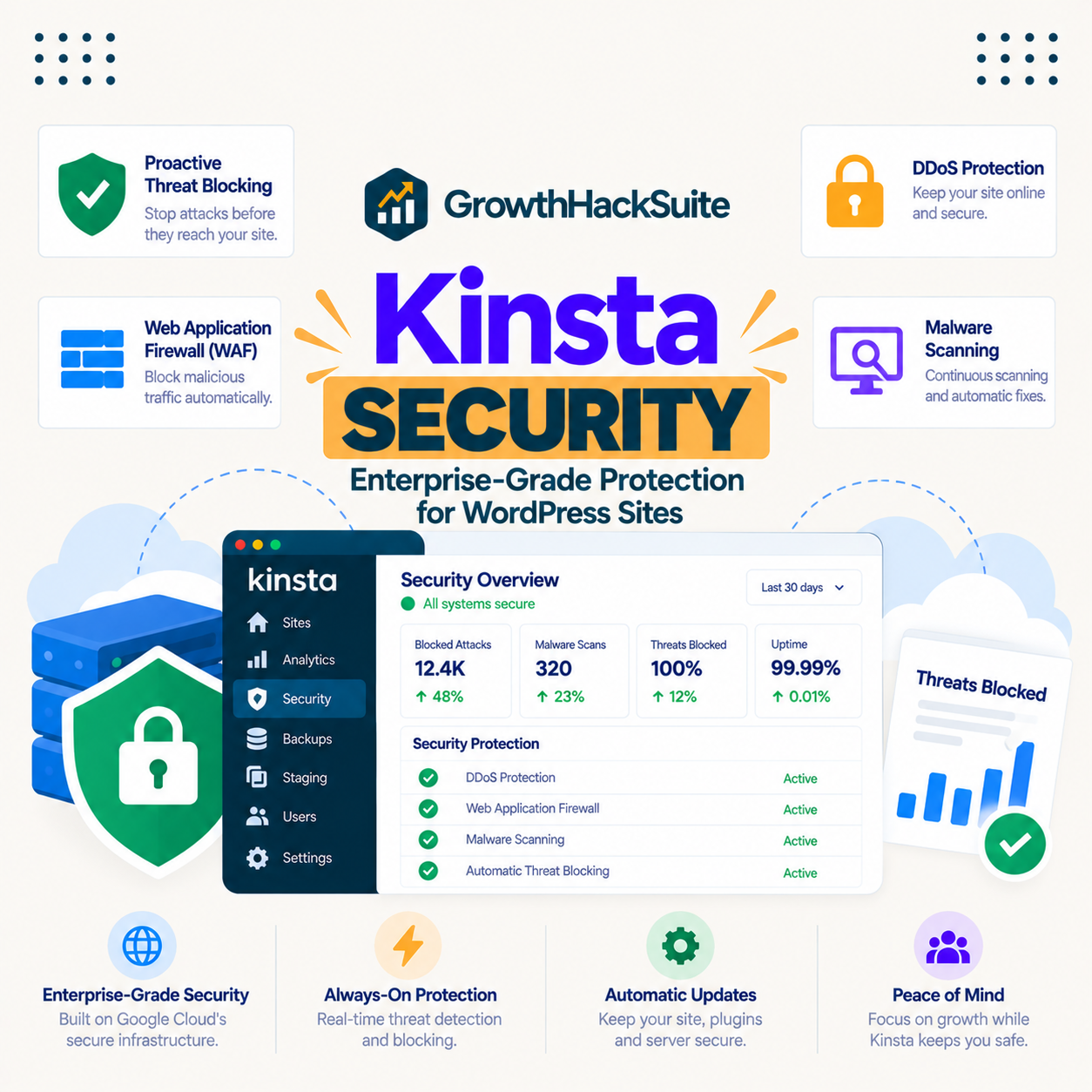
Kinsta Security layers a Cloudflare Enterprise firewall, DDoS protection, free SSL, isolated containers and free malware removal to protect the infrastructure your site runs on. The honest framing every security guide should give is that this protects the perimeter and the platform, while your passwords, plugin updates and user access remain your responsibility, because most WordPress hacks start there.
Last updated: August 2026. Security details were read from kinsta.com. This page carries affiliate links to Kinsta, and it is clear about the split between what the host secures and what the site owner still owns.
What Is Kinsta Security?
It is a layered set of infrastructure protections that guard a WordPress site against network attacks, downtime and malware, including a Cloudflare Enterprise firewall, DDoS protection, free SSL, isolated containers and free malware removal. It secures the platform the site runs on rather than the choices made inside the site.
Verdict: Kinsta secures the infrastructure well, with a Cloudflare Enterprise firewall and DDoS protection, free SSL, isolated containers, free malware removal and published SOC 2 Type II and ISO 27001 certifications. The honest limit is shared responsibility: hosting security does not cover weak passwords, outdated plugins or a vulnerable plugin you install, which are where most WordPress compromises actually begin.
The single most useful thing to understand is the boundary between the host’s job and the site owner’s job, because assuming the host covers everything is how a well-hosted site still gets hacked.
“WordPress is a web content management system.”
: Wikipedia, WordPress
Because that system is extended by plugins and themes anyone can install, the security of a WordPress site depends heavily on what is added to it, which the host cannot control.
How Does Kinsta Security Work?
By filtering traffic through a Cloudflare Enterprise firewall and DDoS protection, encrypting connections with free SSL, isolating each site in its own container, and removing malware for free if a site is compromised. These layers protect the infrastructure and the perimeter around the site.
- Cloudflare Enterprise firewall: A web application firewall filters malicious requests at the edge before they reach the site, and it is included on every plan.
- DDoS protection: Cloudflare absorbs distributed denial-of-service traffic at the network level, so an attack is filtered before it can overwhelm the origin.
- Free SSL: A wildcard SSL certificate encrypts connections, protecting data in transit and satisfying the basic trust and SEO expectation of HTTPS.
- Isolated containers: Each site runs in its own container, so a compromise on one site cannot spread to another as it could on a shared server.
- Free malware removal: If a site is hacked, Kinsta removes the malware at no extra cost, which is a genuine safety net rather than a preventive measure.
These are strong infrastructure protections, and the malware removal is a real backstop, but they operate around the site rather than policing what a site owner installs or how they secure their own logins.
What Does Kinsta Secure, and What Do You?
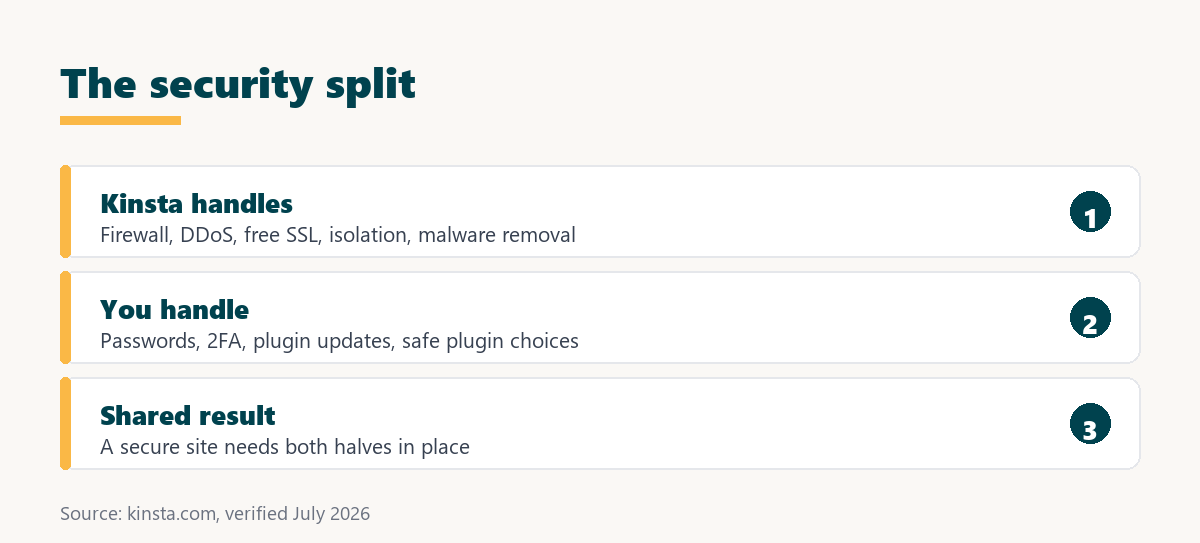
Kinsta secures the infrastructure, and the site owner secures the site’s own choices, which is the shared-responsibility model behind all managed hosting. Knowing which side each protection falls on prevents the false confidence that leads to a compromise.
Source: kinsta.com and kinsta.com/plans, verified August 2026. Most WordPress compromises begin with a weak password or a vulnerable plugin, which are in the owner’s column rather than the host’s.
The pattern is that Kinsta covers the infrastructure comprehensively and the owner covers the application, so a secure site is the combination of both rather than the host alone.
Does Kinsta Really Remove Malware for Free?
Yes, free malware removal is included, so if a site is hacked despite the protections, Kinsta will clean it at no extra cost. It is one of the more valuable parts of the security offering because a professional malware clean-up is otherwise expensive.
The honest caveat is that removal is a cure, not a prevention: Kinsta cleans the infection, but if the cause was a vulnerable plugin or a weak password, that cause remains the owner’s to fix, or the site can be reinfected. The free removal is a genuine backstop, and it works best paired with the owner closing the door the attacker used.
What Security Certifications Does Kinsta Hold?
SOC 2 Type II, ISO 27001, GDPR and CCPA, published by name, which document the security of Kinsta’s own operations. These matter for a business that must show its vendors are audited, and they describe Kinsta’s practices rather than a site’s own security.
“a B2B site that loads in 1 second has a conversion rate 3x higher than a site that loads in 5 seconds”
: HubSpot, page load time and conversion rates
Security connects to that outcome because a hacked or defaced site loses the trust and speed that drive conversions, so the infrastructure protections and the owner’s own practices both protect the revenue a fast, trusted site earns.
Enterprise-grade infrastructure security, included
See Kinsta Plans →A Cloudflare Enterprise firewall, free SSL and free malware removal on every plan.
What Security Is Still Your Job?
The parts inside the site: strong passwords, two-factor authentication, keeping plugins and themes updated, avoiding vulnerable plugins, and managing who has access. These are where most WordPress hacks begin, and no host can do them for you.
- Strong passwords and 2FA: A weak or reused password is the most common way in, and two-factor authentication closes that door far more than any host feature.
- Plugin and theme updates: Outdated plugins are a leading cause of compromise, so keeping them current is the single most important owner-side habit.
- Careful plugin choices: Installing an abandoned or poorly maintained plugin invites vulnerabilities that a firewall cannot fully prevent.
- User access control: Limiting admin accounts and removing unused users reduces the ways an attacker can get in through a person.
- Backups as recovery: A recent backup is the fallback if prevention fails, which is why security and backups work together.
The honest message is that Kinsta’s infrastructure security is strong and necessary, and it is not sufficient alone, because the owner-side practices above are where the real exposure usually lives.
Do You Still Need a Security Plugin?
Often less than on a budget host, because Kinsta provides the firewall and DDoS protection a security plugin would add, and some heavy security plugins can even slow a site. But a plugin for two-factor authentication or activity logging can still add owner-side controls the host does not.
The balanced view is that Kinsta reduces the need for a firewall plugin, so a lighter security setup usually suffices, while the login and access controls a plugin provides remain useful. Confirm what overlaps with Kinsta’s protections before stacking a heavy security plugin that duplicates them.
The firewall and DDoS layer, handled for you
Compare Kinsta Tiers →Cloudflare Enterprise protection included, so a heavy firewall plugin is usually unnecessary.
How Does It Compare to a Typical Host?
A typical budget host offers a basic firewall and may sell malware removal or a security plugin as an add-on, while Kinsta includes a Cloudflare Enterprise firewall, DDoS protection and free malware removal. The difference is enterprise-grade protection included versus a lighter or paid version.
Source: kinsta.com and kinsta.com/plans, verified August 2026. The owner-side responsibilities are identical on any host; the difference is the strength of the included infrastructure protections.
Read across, Kinsta’s advantage is enterprise infrastructure security included, with the reminder that the owner’s responsibilities are the same wherever a site is hosted.
How Does Container Isolation Protect a Site?
Isolation runs each site in its own container, so a compromise or a resource spike on one site cannot reach another. On a traditional shared server, one hacked site can expose its neighbours, and container isolation removes that shared-neighbour risk entirely.
The practical benefit is a smaller blast radius: if an incident occurs, it stays contained to the single site rather than spreading across an account or a server. Isolation is a structural protection the platform provides automatically, and it complements rather than replaces the owner-side habits that prevent the incident in the first place.
How Does SSL and Encryption Fit In?
A free wildcard SSL certificate is included on every plan, encrypting the connection between a visitor and the site so data in transit cannot be read or tampered with. It also provides the HTTPS padlock that browsers and search engines now expect as a baseline.
Encryption protects data moving across the network, and it is distinct from protecting the site’s contents at rest or the accounts that log in. Free SSL removes the cost and setup friction of a certificate, so the encryption layer is handled, while login security and content integrity remain the shared work described above.
Does Kinsta Stop Bots and Brute-Force Attempts?
The Cloudflare Enterprise firewall filters a large volume of malicious and automated traffic at the edge before it reaches the site, which reduces many bot and probing attempts. The honest boundary is that a determined brute-force attack on a login is best stopped by strong passwords and two-factor authentication, which sit on the owner’s side.
The edge firewall and the owner’s login hardening work together: the firewall thins the automated noise, and two-factor authentication closes the door on any attempt that reaches the login form. Relying on the firewall alone while leaving a weak admin password in place is the gap that lets a site be compromised despite good hosting.
What Are the Limits of Kinsta Security?
They follow from the shared model: strong at the infrastructure, silent on the application. Naming them keeps a site owner from relying on the host for protection it does not provide.
- Does not secure the logins: A weak password or missing two-factor authentication is outside the host’s control and a leading cause of compromise.
- Does not update the plugins: Outdated or vulnerable plugins are the owner’s to manage, and the firewall cannot fully compensate for them.
- Removal is not prevention: Free malware removal cleans an infection but does not stop the next one if the cause is not fixed.
- Compliance is Kinsta’s, not yours: SOC 2 and ISO 27001 cover Kinsta’s operations, and a site still needs its own compliance for its own data.
- Firewall rules are managed: The Cloudflare protection is configured by Kinsta, so a team needing deep custom firewall rules has less control than on a self-managed setup.
The pattern is that Kinsta’s security is excellent for what it covers and honestly bounded to the infrastructure, so the owner’s practices are the other half of a secure site.
How Do You Make the Most of Kinsta Security?
By pairing the included infrastructure protections with good owner-side habits, so the two halves cover the whole site. The host’s part is automatic, and the rest is a short checklist worth following.
- Enable two-factor authentication: Add two-factor authentication to WordPress and to the Kinsta account, closing the most common attack path.
- Keep plugins and themes updated: Apply updates promptly, since outdated components are a leading cause of compromise the firewall cannot fully block.
- Use strong, unique passwords: A password manager and unique credentials remove the reused-password risk that a host cannot address.
- Limit admin access: Give admin rights only where needed and remove unused accounts, reducing the human ways in.
- Keep backups current: Pair security with recent backups, so if prevention fails a clean restore is available alongside the free malware removal.
The honest summary is that Kinsta handles the infrastructure security automatically, and following that short list on the owner’s side is what turns strong hosting security into a genuinely secure site.
“Tool spend is only defensible when the outcome it protects is measured, not assumed.”
: Growth Hack Suite, ROI on sales tools
For security the outcome is a site that stays uncompromised, which the infrastructure protections and the owner’s habits achieve together. Where both halves are in place, Kinsta’s security earns its keep, and where the owner-side is neglected, no host feature fully compensates.
Start on infrastructure that is secure by default
Get Started With Kinsta →Firewall, DDoS protection, free SSL and free malware removal, on every plan.
Kinsta Security: Frequently Asked Questions
The 12 most-asked questions about Kinsta security.
What is Kinsta security?
A layered set of infrastructure protections, including a Cloudflare Enterprise firewall, DDoS protection, free SSL, isolated containers and free malware removal, that guard the platform a WordPress site runs on. It is included on every plan.
Does Kinsta make my site un-hackable?
No host can. Kinsta secures the infrastructure well, but most WordPress hacks start with a weak password or a vulnerable plugin, which are the owner’s responsibility. Security is shared between the host and the site owner.
Does Kinsta remove malware for free?
Yes, free malware removal is included, so a hacked site is cleaned at no extra cost. The caveat is that removal is a cure, not prevention: if a vulnerable plugin or weak password caused it, that cause is still the owner’s to fix.
What security is still my responsibility?
Strong passwords, two-factor authentication, keeping plugins and themes updated, avoiding vulnerable plugins, and managing user access. These are inside the site, where most hacks begin, and no host can do them for you.
Does Kinsta include a firewall?
Yes, a Cloudflare Enterprise web application firewall filters malicious requests at the edge, along with DDoS protection, on every plan. It is a software and network firewall rather than a hardware appliance, and it is managed by Kinsta.
Do I still need a security plugin?
Often less than on a budget host, since Kinsta provides the firewall and DDoS layer a plugin would add, and heavy security plugins can slow a site. A plugin for two-factor authentication or activity logging can still add owner-side controls.
What certifications does Kinsta hold?
SOC 2 Type II, ISO 27001, GDPR and CCPA, published by name. These document the security of Kinsta’s own operations and satisfy a vendor security review, and they describe Kinsta’s practices rather than a site’s own security.
Does isolation improve security?
Yes. Each site runs in its own container, so a compromise on one site cannot spread to another as it could on a shared server. Isolation limits the blast radius of an incident to a single site.
Is free SSL included?
Yes, a free wildcard SSL certificate is included on every plan, encrypting connections and providing the HTTPS that browsers and search engines expect. It covers the encryption layer without a separate certificate purchase.
Can Kinsta security stop a DDoS attack?
Cloudflare’s DDoS protection absorbs and filters distributed attack traffic at the network level before it reaches the origin, which is a strong defence. Very large attacks are handled at Cloudflare’s scale rather than by the origin server.
What happens if my site gets hacked anyway?
Kinsta removes the malware for free, and you restore from a recent backup if needed. The important follow-up is fixing the cause, a vulnerable plugin or a weak password, so the site is not reinfected through the same door.
Does compliance mean my site is compliant?
No. Kinsta’s SOC 2 and ISO 27001 cover Kinsta’s operations as a vendor, which helps your own audit, but your site still needs its own compliance for the data it collects. The certifications are Kinsta’s, not automatically yours.
About this guide
Written by the Growth Hack Suite editorial team. Security details were read from kinsta.com. This page carries affiliate links to Kinsta, so the honesty owed to a reader is stated throughout: Kinsta’s infrastructure security is genuinely strong, with a Cloudflare Enterprise firewall, DDoS protection, free wildcard SSL, isolated containers, free malware removal and published SOC 2 Type II and ISO 27001 certifications, and the layout’s reference to a hardware firewall is corrected to the Cloudflare Enterprise web application firewall it actually uses.
The central honest point is shared responsibility: hosting security does not cover weak passwords, missing two-factor authentication, outdated plugins or a vulnerable plugin the owner installs, which are where most WordPress compromises begin, and the free malware removal is a cure rather than a prevention. Kinsta’s certifications describe its own operations rather than a site’s own compliance. No speed benchmark is used.