Table of Contents
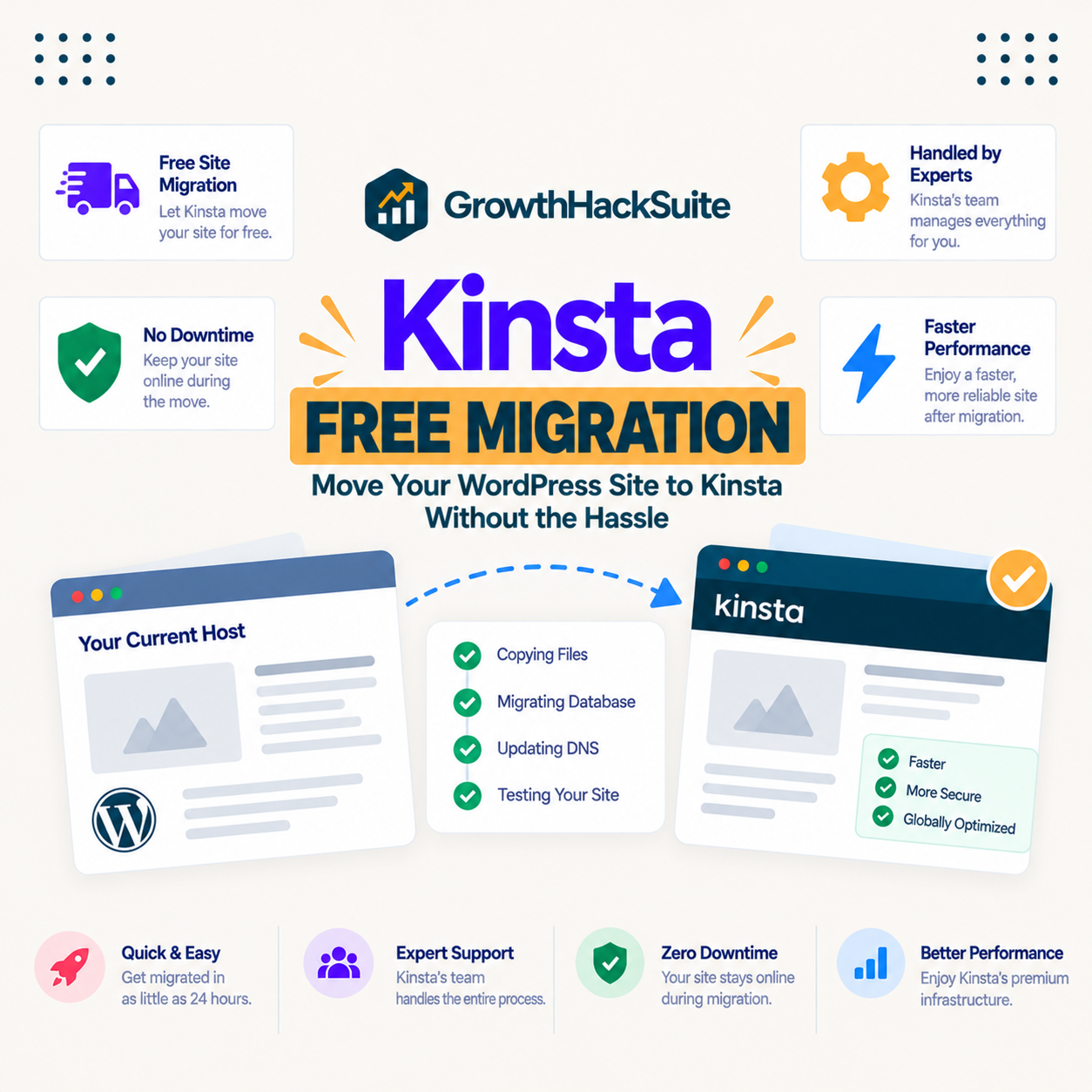
Kinsta Free Migration has Kinsta’s own engineers move your existing WordPress site from your current host with minimal downtime and at no extra cost, so switching hosts is low-risk instead of a project you dread. This guide explains what the free migration includes, how the handoff works step by step, its real benefits, the honest limits, and how it fits into Kinsta’s plans.
Last updated: August 2026. Migration details were read from kinsta.com. This page carries affiliate links to Kinsta, and it corrects the dead plan names and the retired visit figure that still circulate about Kinsta’s pricing.
What Is Kinsta Free Migration?
Kinsta Free Migration is a service where Kinsta’s team copies a WordPress site from its current host to Kinsta at no charge, on every plan. It removes the technical work and the risk of moving hosts, so a site can be upgraded to managed hosting without the owner running the migration.
Verdict: Unlimited free migrations are included on every Kinsta plan, handled by Kinsta engineers who stage the copy, let you review it, and switch DNS only after it is verified, so downtime is minimal. The honest limit is that the migration lands you on Kinsta’s platform rather than a portable export, and the premium quality comes with Kinsta’s premium price, from 35 dollars a month.
The takeaway is that the biggest barrier to switching hosts, the migration itself, is removed and included, which is what makes testing Kinsta against a current host low-risk.
“WordPress is a web content management system.”
: Wikipedia, WordPress
Because that system spans files, a database and configuration, moving it correctly is exactly the technical work Kinsta’s free migration takes off the owner’s plate.
How Does Kinsta’s Free Migration Work?
It works by submitting a migration request in MyKinsta with the current host details, after which Kinsta’s engineers copy the site to a staging environment, let the owner review it, and switch the domain over once it is verified. The old site stays live until the copy is confirmed, so visitors are not interrupted.
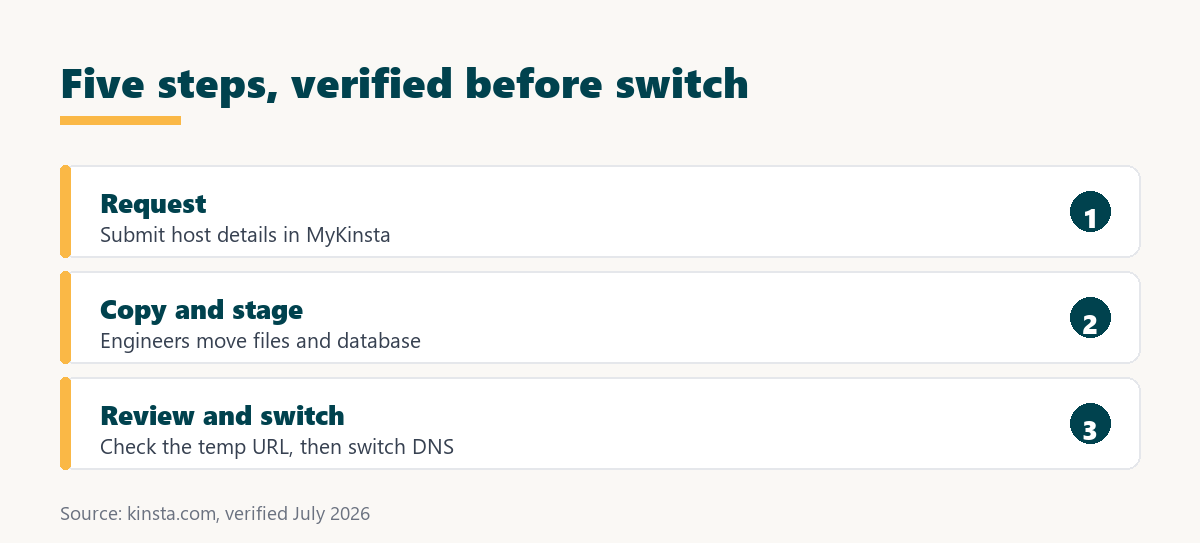
- Submit the request: The owner provides the current host’s access details through a secure form in MyKinsta, which is the only input the process needs to begin.
- Engineers copy the site: Kinsta’s migration team transfers the files and database into a staging environment on Kinsta, rather than the owner exporting and importing manually.
- Review the staged copy: The migrated site is available to check on a temporary URL, so any issue is caught before it reaches live visitors.
- Switch the domain: Once the copy is verified, the domain is pointed at Kinsta, with the old host still serving traffic until the change propagates.
- Confirm and go live: After DNS updates, the site runs on Kinsta, and the old host can be cancelled once everything is confirmed working.
The pattern is a staged, verified handoff rather than a risky cutover, which is the difference between an expert migration and a DIY move that can break a live site.
What Are the Benefits of Kinsta Free Migration?
The benefits are no migration cost, minimal downtime, no technical work for the owner, and low switching risk. Because experts handle the transfer and the site is reviewed before going live, the broken pages and lost data that plague DIY migrations are avoided, which makes trying Kinsta far easier.
- No migration cost: The standard migration is included, removing the fee a developer or a paid migration service would otherwise charge.
- Minimal downtime: The staged copy is verified before the domain switches, so visitors keep reaching the current site until the new one is confirmed.
- No technical work: Kinsta’s engineers handle the files, database and configuration, so the owner does not touch the transfer.
- Low switching risk: Reviewing the copy before going live turns a nerve-wracking move into a checked, reversible step.
- Unlimited migrations: Standard migrations are unlimited, so an owner or agency can move several sites without a per-site charge.
Taken together, these remove the cost, effort and fear that usually keep a site on a slower host, which is the point of including migration for free.
Who Benefits Most From Free Migration?
The sites that benefit most are business, ecommerce and higher-traffic WordPress sites, where speed and reliability affect revenue or reputation directly. Smaller hobby sites still gain from the easy switch, but the impact is largest where a low-risk move to faster hosting protects income.
For those sites the free migration also removes a common excuse to stay put: the fear that moving will break something during a busy period. With a staged, verified handoff, even a revenue-critical site can switch without gambling on the cutover.
How Does It Compare to a Typical Host?
Compared to a typical host, Kinsta’s free migration is expert-led and included by default, whereas budget hosts often charge for it, offer a self-service plugin, or leave the owner to configure the move. The difference is a verified transfer done for you versus a weaker or paid version.
Source: kinsta.com and kinsta.com/plans, verified August 2026. In plain terms, Kinsta’s migration is stronger and included, while a typical host offers a weaker version or charges extra.
Read across, the advantage is a verified, expert-led move at no cost, which is why switching to Kinsta does not require assembling the pieces yourself.
How Much Does It Save Versus a DIY or Paid Move?
It removes the biggest cost barrier to switching: instead of paying a developer for a manual migration or risking a botched DIY move, Kinsta’s team does the standard transfer for free with near-zero downtime. A professional migration commonly runs into the hundreds of dollars, so an included one is a real saving on top of the reduced risk.
Switch without paying for the move
See Kinsta Plans →Unlimited free migrations on every plan, handled by Kinsta engineers.
Are There Any Limits to Kinsta Free Migration?
Yes, and naming them keeps expectations honest. The free migration is excellent for a standard WordPress move, and it is not a magic wand for every edge case or a way to avoid Kinsta’s premium price.
- Lands on Kinsta’s platform: The migration moves a site onto Kinsta, so it is a switch to Kinsta rather than a portable export the owner keeps independently.
- Complex sites take longer: A large store or a custom configuration is scheduled with the migration team and can take longer than a simple site.
- Email is not included: The migration covers the website; email typically stays with the current provider, and DNS is coordinated so mail keeps working.
- Premium price follows: The move is free, but the hosting it moves to starts at 35 dollars a month, which is a premium over budget hosts.
- Timing still matters: The switch is low-risk, yet it is sensible to request it during onboarding and confirm the copy before the final DNS change.
The pattern is that the free migration is a strong, included service with sensible boundaries, so it fits a genuine switch to Kinsta rather than promising the impossible.
Does Free Migration Help SEO and Performance?
Indirectly, yes, because moving to faster, more reliable hosting improves the page speed and Core Web Vitals that Google uses as ranking signals. The migration itself does not change content, but landing on quicker infrastructure lowers bounce rates and supports both rankings and conversions.
“a B2B site that loads in 1 second has a conversion rate 3x higher than a site that loads in 5 seconds”
: HubSpot, page load time and conversion rates
A free, low-risk migration is what lets a site capture that speed advantage without a costly project, so the feature supports search visibility and revenue at the same time.
Is Free Migration Included in Kinsta Plans?
Yes, free migration is included on every Kinsta plan, starting at 35 dollars a month, with no separate add-on fee for the standard transfer. Higher tiers add more sites and resources, so the plan is chosen by traffic and site count, not by whether migration is available.
Source: kinsta.com and kinsta.com/plans, verified August 2026. Agency and Enterprise tiers are purchased through Kinsta’s sales team; every tier includes the free migration.
Put simply, free migration comes with every plan, so the only decision is which tier matches the site’s traffic and count.
Free migration on every tier, from $35 a month
Compare Kinsta Plans →Match the plan to your traffic; the migration is included at every level.
Can Kinsta Migrate a WooCommerce Store?
Yes, Kinsta migrates WooCommerce stores, including products, orders and customer data, with the migration team handling the larger database and the store’s configuration. A busy or complex store is scheduled with the team so the transfer is planned rather than rushed.
The honest note for a store is timing: because orders are created continuously, the switch is best coordinated so recent orders are captured, which the staged, verified handoff is designed to support. For a revenue-critical store, that planning is the difference between a smooth move and a lost order.
Will My Site Go Down During Migration?
Downtime is minimal, because Kinsta migrates the site into a staging copy first and only switches DNS once it is verified. Visitors keep seeing the current host until the new version is confirmed working, so the switch is a checked step rather than a risky cutover.
The small caveat is DNS propagation, the short window while the domain change spreads across the internet, during which both old and new can serve traffic. Because the copy is already verified before that window, the practical impact for visitors is close to none.
Is Kinsta Worth It for the Free Migration?
Kinsta is worth it for the free migration when a site earns revenue or leads, because the included, expert-led move protects the speed and reliability that affect income while removing the cost and risk of switching. For a low-traffic hobby site the premium price is harder to justify, but for a serious site it pays off.
“Tool spend is only defensible when the outcome it protects is measured, not assumed.”
: Growth Hack Suite, ROI on sales tools
For migration the outcome is a faster, more reliable site captured without a costly project, so the free move is part of what makes Kinsta’s premium price defensible for a revenue site.
How Do You Use Free Migration on Kinsta?
By signing up for a plan and submitting a migration request in MyKinsta during onboarding, after which the team handles the transfer with sensible defaults already applied. The free migration and the 30-day money-back guarantee together let a real site be moved and tested with little risk.
- Choose a plan: Pick the tier that matches the site’s traffic and count, since every tier includes the free migration.
- Submit the request: Provide the current host details through the secure migration form in MyKinsta to start the transfer.
- Review the copy: Check the staged site on its temporary URL and flag anything before the domain switches.
- Coordinate the switch: Agree a low-traffic time for the DNS change, and confirm email and other records are handled.
- Verify after go-live: Confirm the live site works, then cancel the old host once everything checks out.
The honest summary is that the process is short and expert-led, and the 30-day money-back guarantee means a real migration can be tried before committing.
Move your site with the experts, not alone
Get Started With Kinsta →30-day money-back guarantee, with free migration included.
Kinsta Free Migration: Frequently Asked Questions
The 12 most-asked questions about Kinsta free migration.
Does Kinsta migrate my site for free?
Yes, Kinsta includes expert-led migrations where its team moves an existing WordPress site from the current host, so the owner avoids the risk and downtime of doing it manually. Standard migrations are unlimited on every plan.
Who performs the migration, me or Kinsta?
Kinsta’s migration engineers handle the transfer, copying the files and database, testing the result on Kinsta, and coordinating the switch so nothing is lost. The owner only submits the request and reviews the copy.
How many free migrations does Kinsta include?
Standard migrations are unlimited on every plan, so an owner or agency can move multiple sites without a per-site charge. More complex setups, such as large stores or custom configurations, are scheduled with the migration team.
Will my site go down during the migration?
Kinsta migrates the site into a staging copy first and only switches DNS once it is verified, so visitors keep seeing the current host until the new version is confirmed. Downtime is minimal, limited to normal DNS propagation.
Can Kinsta migrate a WooCommerce store?
Yes, Kinsta migrates WooCommerce stores including products, orders and customer data, with the team handling the larger database and store configuration. A busy store is scheduled so recent orders are captured during the switch.
How long does a Kinsta migration take?
A straightforward site is often migrated within a day or two of the request, while larger or more complex sites take longer and are scheduled with the migration team. The timeline is confirmed once the request is reviewed.
What do I need to provide for the migration?
The current host’s login details or the site files, submitted through a secure migration request form. Kinsta’s team uses those to copy and rebuild the site on its platform, so no manual export or import is needed from the owner.
Does migration work from any host?
Kinsta migrates from virtually any WordPress host, with the team adapting to different control panels and server setups and handling the technical differences. The owner does not need to know the specifics of the old host’s configuration.
Will my email or DNS break during migration?
Kinsta migrates only the website; email typically stays with the current provider, and the team guides the DNS change so mail and other records keep working. Email hosting is separate from the site migration.
Can I request migration for multiple sites?
Yes, agencies and multi-site owners can request a migration for each site, and unlimited standard migrations make moving an entire portfolio practical. Each site is handled as its own verified transfer.
Is there a deadline to use the free migration?
The free migration is part of onboarding a new site, so it is best requested when signing up or adding a site to the account. Requesting it during onboarding keeps the switch smooth and the timeline clear.
What if the migration hits a problem?
Kinsta’s engineers troubleshoot issues during the transfer and test the staged copy before going live, so problems are caught and fixed before visitors see them. The review step exists precisely to catch anything before the switch.
About this guide
Written by the Growth Hack Suite editorial team. Migration details were read from kinsta.com. This page carries affiliate links to Kinsta, so the honesty owed to a reader is stated plainly: unlimited standard migrations are genuinely included on every plan and handled by Kinsta’s engineers through a staged, verified handoff, and the dead plan names and the retired 25,000-visit figure that still circulate about Kinsta’s pricing are corrected here to the real Single, WP, Agency and Enterprise structure, with the entry plan at 35 dollars a month for up to 35,000 visits. The honest limits are that the migration lands a site on Kinsta rather than producing a portable export, complex stores take longer, email is separate, and the premium hosting the move leads to costs more than a budget host. Offers are described as a 30-day money-back guarantee, not a free trial.