
Table of Contents
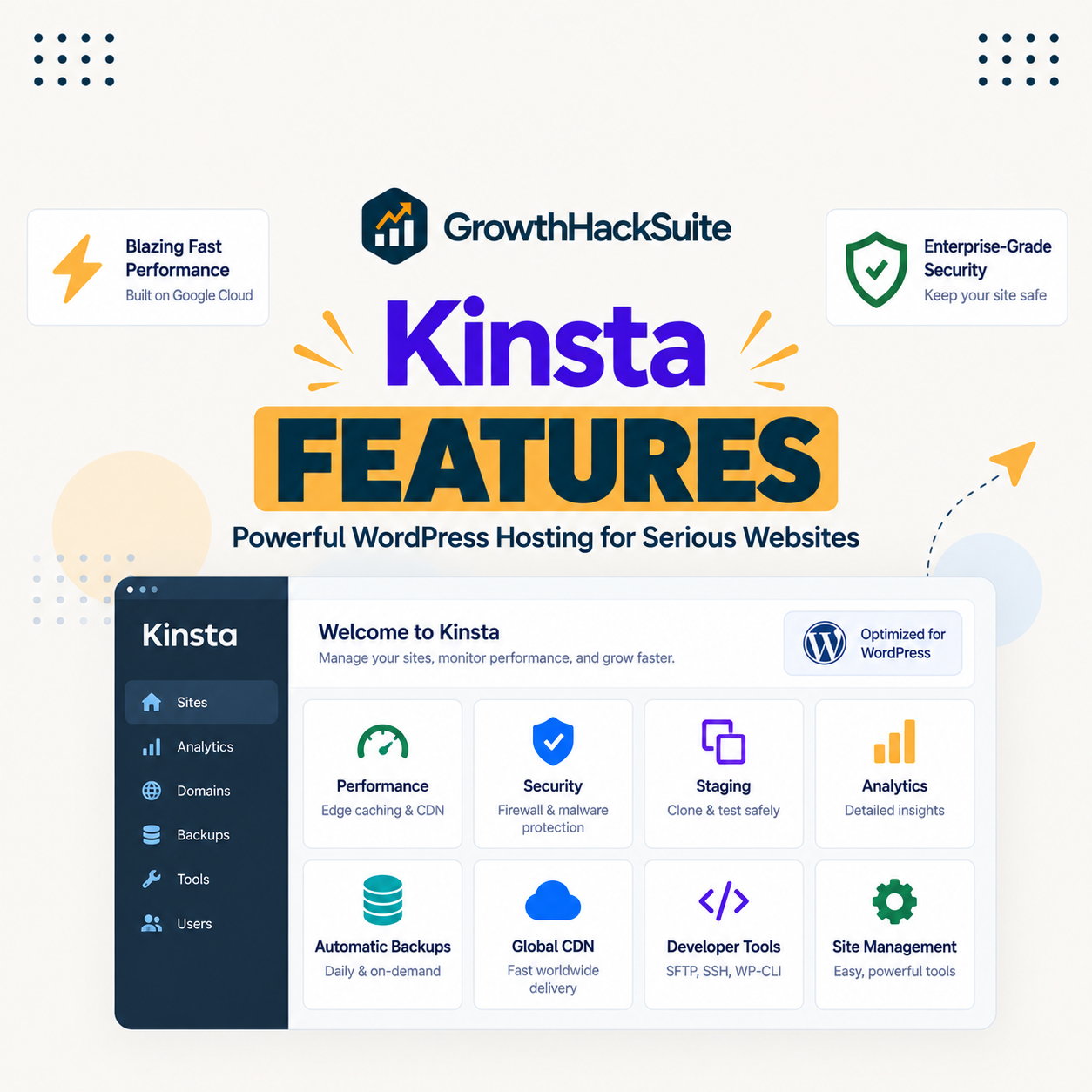
Kinsta features are the full set of tools bundled into every plan: compute-optimised Google Cloud servers, edge and server-level caching, a Cloudflare CDN, one-click staging, daily backups, a firewall, free SSL and migrations, the APM tool and the free DevKinsta suite. This guide gives an honest overview of what Kinsta includes, how the features work together, what is not included, and what they cost.
Last updated: August 2026. Feature details were read from kinsta.com. This page carries affiliate links to Kinsta, and it states plainly which features are included and which, such as email hosting and Redis, are not.
What Are Kinsta’s Features?
Kinsta features are the tools and infrastructure included with Kinsta hosting: Google Cloud premium servers across 30 global data centers, edge caching, a Cloudflare CDN, one-click staging, daily backups, layered security, free migrations, the APM tool, DevKinsta and MyKinsta management. Together they make a fast, secure, hands-off platform.
Verdict: Kinsta bundles a complete managed stack into every plan, from Google Cloud servers and a Cloudflare CDN to staging, daily backups, a firewall, APM and DevKinsta, tuned so a site is fast and protected without assembly. Two honest points: it does not include email hosting, and Redis is a paid add-on rather than a default feature.
The clearest way to read the feature set is to see how the pieces work together as one stack, which the next section describes.
“WordPress is a web content management system.”
— Wikipedia, WordPress
Kinsta’s role is to run that content management system on premium infrastructure and wrap it in the performance, security and workflow tools a site would otherwise assemble by hand.
How Do Kinsta’s Features Work Together?
Kinsta’s features work together as an integrated stack: premium servers and caching deliver speed, the CDN and 30 global data centers extend it globally, staging and backups protect the workflow, the firewall defends the site, and MyKinsta plus APM give control and insight. Kinsta manages and tunes all of it.
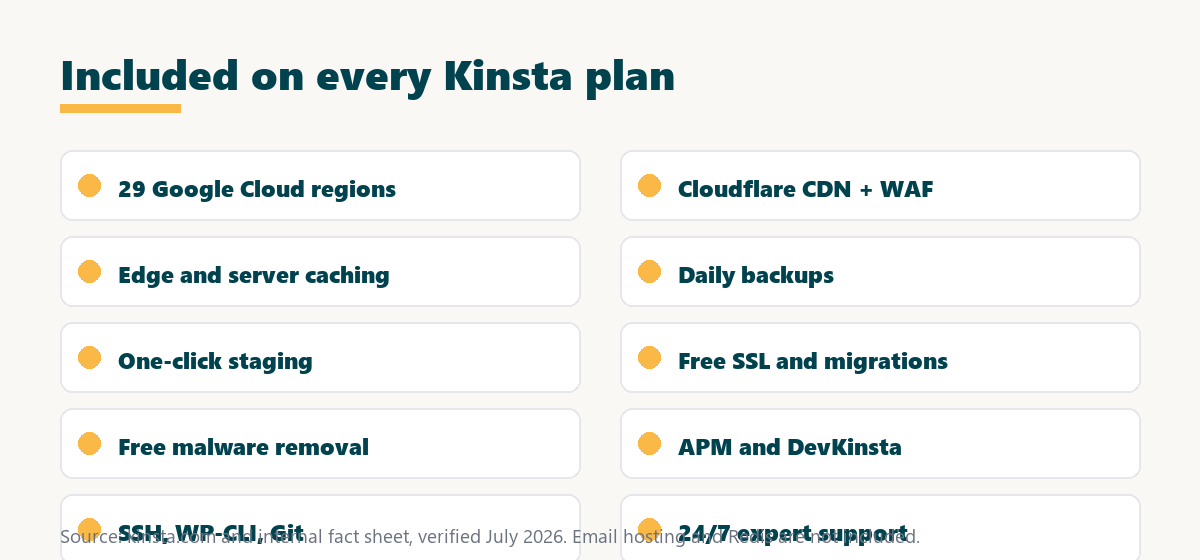
Because the features are integrated rather than bolted on, they reinforce each other: caching and the CDN speed delivery, while staging and backups make changes safe, so the platform is both fast and low-risk.
What Performance Features Does Kinsta Include?
Kinsta’s performance features combine compute-optimised Google Cloud servers, server-level and edge caching, a Cloudflare CDN and per-site PHP version control. Together they hold fast loads without a stack of speed plugins to configure.
- Compute-optimised servers: Kinsta runs sites on compute-optimised Google Cloud machines, so PHP executes faster than on a generic shared server.
- Server-level caching: Cached HTML is served without loading PHP at all, which cuts response time for repeat requests to a page.
- Edge caching and CDN: A Cloudflare CDN across hundreds of edge locations serves cached pages and static assets close to visitors worldwide.
- 30 global data centers: A site’s origin can sit in any of 30 global data centers, so it runs near its main audience for lower latency.
- PHP version control: Each site can switch PHP versions, so it runs on a current, fast release rather than an outdated one.
The honest qualifier is that these features handle infrastructure speed, while a heavy theme or unoptimised images still affect a page, so performance work does not end at the host.
What Security Features Does Kinsta Include?
Kinsta’s security features include an enterprise Cloudflare firewall, always-on DDoS protection, isolated Linux containers, free SSL and free malware removal. They defend a site at the platform level rather than leaving protection to plugins alone.
- Cloudflare firewall: An enterprise web application firewall filters malicious traffic at the edge before it reaches the origin server.
- DDoS protection: Always-on DDoS mitigation absorbs attack traffic on the Cloudflare network rather than on a site’s own server.
- Isolated containers: Each site runs in its own Linux container, so a compromise or spike on another site cannot reach it.
- Free SSL: A wildcard SSL certificate is included, so every site and subdomain is served over HTTPS at no extra cost.
- Free malware removal: Kinsta includes a hack-fix commitment, so if a hosted site is compromised, its team helps clean it.
The honest qualifier is that platform security reduces risk but does not replace good practice, so strong passwords, updates and careful plugin choices still matter on the site itself.
What Developer Features Does Kinsta Include?
Kinsta’s developer features include SSH, WP-CLI, Git integration, one-click staging, the built-in APM tool and the free DevKinsta local suite. They give a developer a full local-to-live workflow with real diagnostic tooling.
- SSH and WP-CLI: Command-line access and WP-CLI let a developer manage a site, run scripts and automate tasks directly on the server.
- Git integration: Git support fits a version-controlled workflow, so code changes are tracked and deployed rather than edited live.
- One-click staging: A staging copy lets a team test theme, plugin or core changes before pushing them to the live site.
- Built-in APM: The APM tool traces PHP, database queries and external calls, so a developer can pinpoint what slows a site.
- Free DevKinsta: The DevKinsta suite provides a Docker-based local environment that pushes to Kinsta in one click.
The honest qualifier is that these tools suit developers and agencies most, while a non-technical owner uses a smaller slice of them through the MyKinsta dashboard.
What Are the Benefits of Kinsta’s Feature Set?
The benefit of Kinsta’s feature set is a complete, tuned platform without assembling tools: speed, security, backups, staging and support are all included and work together. The bundle saves the time and cost of buying and configuring each piece separately on a cheaper host.
For a busy site owner the practical value is that the essentials are handled by default, so effort goes into the site and business rather than into stitching together caching, a CDN, a firewall and a backup service.
How Do Kinsta’s Features Compare to a Typical Host?
Compared to a typical host, Kinsta includes premium infrastructure and managed tools by default, whereas budget hosts often run generic shared servers and paywall or omit the CDN, staging and firewall. The difference is a complete managed stack against a basic plan with paid extras.
Source: kinsta.com and kinsta.com/plans, verified August 2026. Typical-host figures describe the common budget-hosting pattern, not a single named competitor.
Read across, the advantage is that Kinsta bundles what a typical host sells separately or omits, so the plan price reflects a complete managed stack.
What Is Not Included in Kinsta?
Not everything is bundled, and being clear about that matters. Kinsta does not include email hosting on any plan, and Redis is a paid add-on rather than a default feature, so a couple of common expectations are worth checking before signing up.
- No email hosting: Kinsta does not provide mailboxes on any plan, so a site needs a separate email provider such as a dedicated mail service.
- Redis is an add-on: Object caching with Redis is available as a paid add-on rather than being included by default in the plan price.
- Dedicated server is extra: A dedicated server is a separate add-on, not part of the standard managed plans.
- WordPress-focused: Kinsta hosts WordPress, so non-WordPress application and database hosting sit under a separate Kinsta-related brand rather than these plans.
The honest takeaway is that Kinsta bundles the WordPress performance and security stack thoroughly, while email and Redis are the two gaps most buyers should plan around.
Do Kinsta’s Features Help Your SEO?
Kinsta’s features help SEO indirectly, because the caching, CDN and premium servers improve page speed and the backups and firewall keep a site reliably online, and Google uses speed and stability signals in ranking. The feature set supports the performance and uptime that search rewards.
“The first five seconds of page-load time have the highest impact on conversion rates.”
— HubSpot, page load time and conversion rates
The bundled speed features work directly on those first seconds, so a faster site protects both the ranking signals and the conversions that page speed affects.
A complete managed stack on every plan
See Kinsta Plans →Speed, security and workflow tools included, with a 30-day money-back guarantee.
Are There Limits to Kinsta’s Feature Set?
Yes, and knowing them keeps expectations accurate. The bundle is genuinely complete for WordPress, and it comes with the trade-offs of a premium managed platform.
- Gaps to plan around: Email hosting is absent and Redis is a paid add-on, so those two needs sit outside the standard plan.
- Platform-tied: The features are part of Kinsta’s managed platform, so they are not portable tools that move to another host.
- Managed abstractions: Controls are simplified in MyKinsta, so a team wanting deep low-level server control has less of it than on raw infrastructure.
- WordPress only: The stack is built for WordPress, so a non-WordPress project needs a different platform.
- Premium price: The complete bundle comes at Kinsta’s premium pricing, which suits revenue sites more than low-value ones.
“A tool is only worth its premium when the hours or revenue it protects exceed the invoice.”
— Growth Hack Suite, on tool ROI
For a revenue site the bundled features return their cost in saved tools and time, while a low-value site pays for capability it may not use. Teams weighing platform dependence can read our note on SaaS vendor lock-in before committing.
Are Kinsta’s Features Included on Every Plan?
Yes, the core features are on every Kinsta plan starting at 35 dollars a month, so higher tiers add capacity rather than unlocking basic features. The CDN, caching, staging, backups, firewall, SSL, APM and support come with the entry plan just as they do with the top ones.
Source: kinsta.com pricing and kinsta.com/plans, verified August 2026. Prices exclude tax; core features are identical across tiers, which add resources and installs rather than features. Email hosting and Redis are not part of the core bundle.
Put simply, the feature set comes with every plan, so you choose a tier based on traffic and the number of sites, not on which features you get.
Every core feature from the entry tier up
View Kinsta Pricing →Higher tiers add capacity and installs, not extra core features.
Who Benefits Most From Kinsta’s Features?
The sites that benefit most from Kinsta’s features are business, ecommerce and high-traffic WordPress sites where speed, reliability and protection affect revenue, and agencies managing many sites. Where a complete, tuned platform saves real time and risk, the bundle earns its premium.
A small hobby site still gains from the included tools, but uses fewer of them, so the practical value is largest where the full stack of speed, security and workflow features is actually put to work.
Are Kinsta’s Features Worth the Premium?
Kinsta’s features are worth the premium for a site that earns revenue or leads, because the bundled performance, security and support would cost more assembled separately elsewhere. For a low-traffic hobby site the premium is harder to justify against the fraction of features it uses.
Across a serious site the value is the complete, tuned stack that keeps it fast and protected with little effort, which is where paying Kinsta’s premium returns its cost, provided the email and Redis gaps are planned around.
Get the whole managed stack in one plan
Try Kinsta Risk-Free →Free migration and a 30-day money-back guarantee.
Kinsta Features: Frequently Asked Questions
The 12 most-asked questions about Kinsta’s features.
What features does Kinsta include?
Kinsta includes Google Cloud premium hosting, a Cloudflare CDN and firewall, edge caching, daily backups, one-click staging, free SSL, free migrations, DDoS protection and 24/7 expert support on every plan.
Which Kinsta features are included on all plans?
The core features, Google Cloud infrastructure, CDN, firewall, caching, daily backups, staging, SSL and support, are on every plan, so higher tiers add capacity rather than unlocking basic features.
Does Kinsta charge extra for its main features?
No, essentials like the CDN, backups, SSL, staging and firewall are bundled into the plan price, while only optional extras such as hourly backups, Redis or a dedicated server cost more.
What performance features does Kinsta offer?
For speed, Kinsta combines compute-optimised Google Cloud machines, server-level caching, edge caching at Cloudflare locations, a CDN and one-click PHP version switching across its 30 global data centers.
What security features come with Kinsta?
Kinsta’s security features include an enterprise Cloudflare firewall, always-on DDoS protection, isolated Linux containers, two-factor authentication, free SSL and a free malware-removal commitment.
What developer features does Kinsta provide?
For developers, Kinsta offers SSH, WP-CLI, Git integration, staging environments, the built-in APM performance tool and the free DevKinsta local development suite for a full workflow.
Does Kinsta include email hosting?
No, Kinsta does not include email hosting on any plan, so a site needs a separate email provider for mailboxes, which is one of the two main gaps in the otherwise complete bundle.
Is Redis included in Kinsta’s features?
No, Redis object caching is available as a paid add-on rather than being included by default, so a site that needs Redis budgets for it separately from the plan price.
Does Kinsta include backups and staging?
Yes, daily automatic backups and one-click staging with push-to-live are standard features, with optional hourly and external backups available for sites that need more frequent recovery points.
Does Kinsta include a CDN and caching?
Yes, a Cloudflare-powered CDN across hundreds of edge locations and both server-level and edge caching are built-in features that serve pages and assets quickly to visitors worldwide.
Can non-technical users use Kinsta’s features?
Yes, most features work through one-click controls in the MyKinsta dashboard, so clearing cache, running backups and launching staging need no server expertise from the site owner.
Are Kinsta’s features worth the premium price?
For a site that earns revenue or leads, the bundled features are worth the premium, because the performance, security and support they provide would cost more assembled separately elsewhere.
About this guide
Written by the Growth Hack Suite editorial team. Feature details were read from kinsta.com. This page carries affiliate links to Kinsta, so the honesty owed to a reader is stated plainly: Kinsta bundles a complete WordPress stack, Google Cloud servers across 30 global data centers, a Cloudflare CDN, edge and server caching, daily backups, one-click staging, a firewall with DDoS protection, free SSL and migrations, free malware removal, the APM tool and the free DevKinsta suite, into every plan from 35 dollars a month.
Two gaps are stated clearly: Kinsta does not include email hosting, and Redis is a paid add-on rather than a default feature. Data-centre and CDN figures are given as 30 global data centers and hundreds of edge locations to match the current site.


