Table of Contents
HTTP-3, also written HTTP/3, is the newest version of the protocol browsers use to communicate with web servers, built on the QUIC transport protocol over UDP. It reduces connection setup time and handles packet loss more gracefully than earlier versions, so it improves loading speed and reliability, especially on mobile and unstable networks. This guide explains how it works and why it is faster.
Last updated: August 2026. Written by the Growth Hack Suite editorial team, with details cross-checked against provider documentation. This page carries affiliate links to Kinsta.
What Is HTTP-3 (HTTP/3)?
HTTP/3 is the newest version of the Hypertext Transfer Protocol that browsers and servers use to communicate, built on the QUIC transport protocol. It changes how data is sent to make web connections faster and more reliable than earlier HTTP versions, particularly over imperfect networks.
“HTTP/3 is the third major version of the Hypertext Transfer Protocol.”
— Wikipedia, HTTP/3
What sets this version apart is its transport: it moves off TCP and onto QUIC, which is where its speed and resilience come from.
How Does HTTP/3 Work?
HTTP/3 works by running over QUIC, which uses UDP instead of TCP. It establishes connections faster, combines encryption into the handshake and handles multiple data streams independently to avoid the delays older protocols suffered, so the connection is both quicker to start and steadier under load.
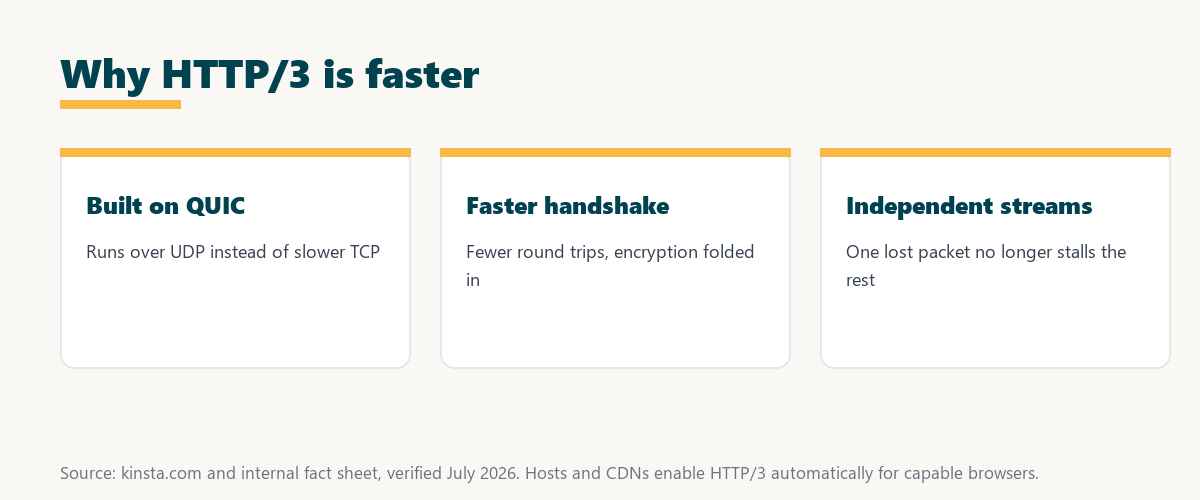
The key change is the transport layer: by using QUIC over UDP, it removes bottlenecks that TCP-based versions could not.
What Is QUIC?
QUIC is the transport protocol underneath this version, designed by combining the reliability of TCP with the speed of UDP and built-in encryption. It reduces connection setup time and improves performance on unreliable networks, which is why the newer protocol depends on it for its gains
The practical point is that QUIC does the heavy lifting, so understanding this version means understanding the transport it runs on.
The Newest Version vs HTTP/2
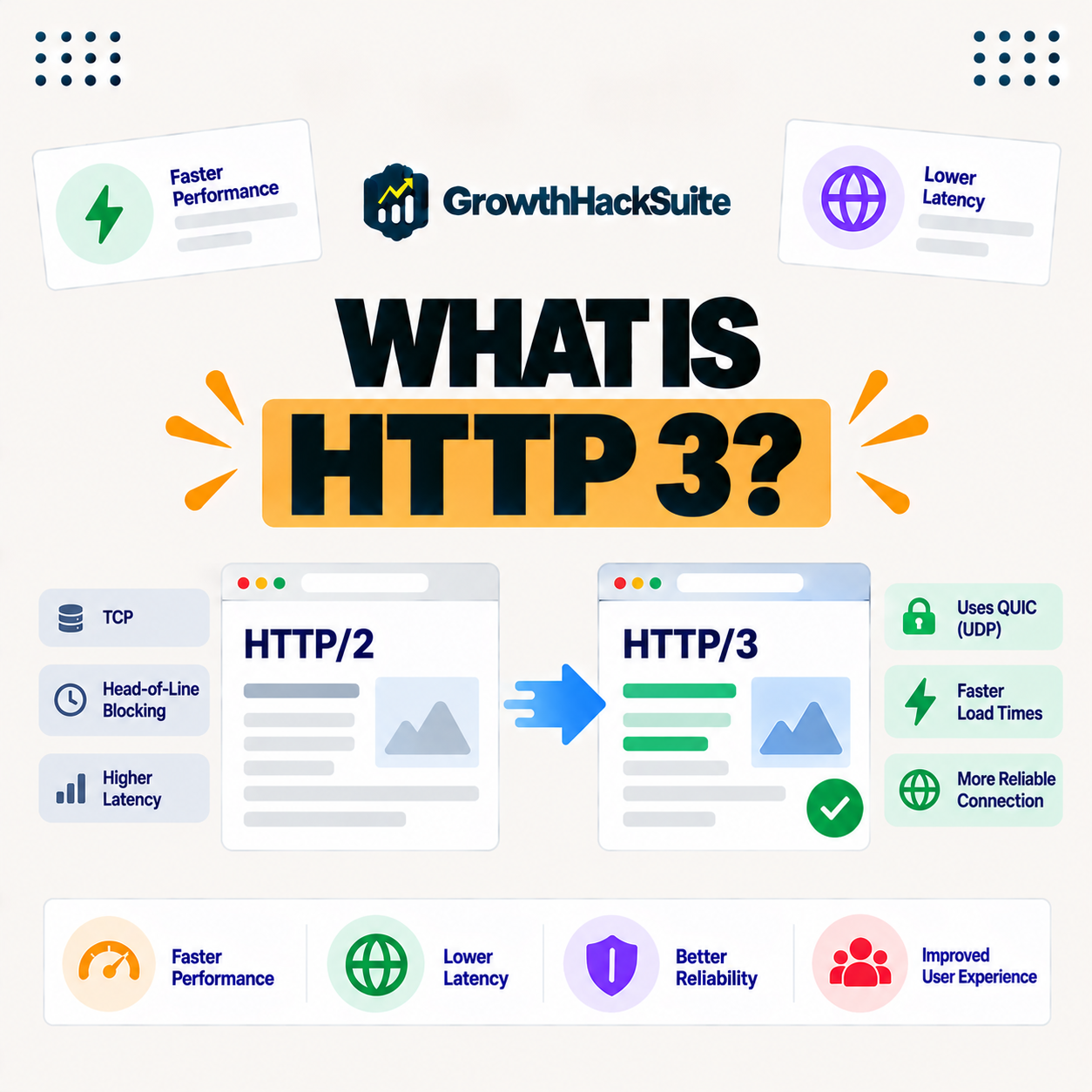
The newest version differs from HTTP/2 by running on QUIC over UDP rather than TCP, so it avoids head-of-line blocking where one lost packet stalls all streams. This makes it faster and more resilient, especially on lossy or mobile connections where HTTP/2 would stumble.
Source: provider documentation, verified August 2026. The transport change is the core difference.
Comparing transport, packet-loss handling and connection setup shows the newest version starts faster and resists packet loss better than HTTP/2, thanks to running on QUIC over UDP.
See how Kinsta supports the latest protocol
Try Kinsta →Latest protocol via Cloudflare, with a 30-day money-back guarantee.
Why the Newest Version Handles Packet Loss Better
This protocol handles packet loss better because each data stream is independent under QUIC, so a lost packet only affects its own stream rather than stalling everything. This keeps pages loading smoothly on unstable networks, where TCP-based protocols would pause all streams while recovering.
The core reason is stream independence: one dropped packet no longer holds up the rest of the page.
Why the Newest Version Makes Sites Faster
The newest version makes sites faster by reducing the round trips needed to start a connection and by preventing one lost packet from delaying all content. Pages begin loading sooner and stay responsive, particularly for mobile users on changing or lossy networks where the gains are largest.
“The first five seconds of page-load time have the highest impact on conversion rates.”
— HubSpot, page load time and conversion rates
Because the newer protocol shortens connection setup and resists stalls, it protects those early seconds most on the mobile networks where visitors are least patient.
Do You Need to Configure the Latest Protocol?
You usually do not configure it yourself, since your host or CDN enables it when both server and browser support it. Your site benefits automatically wherever it is available, so the protocol upgrade happens behind the scenes without changes on your part.
The reassuring point is that the protocol is opt-in at the platform level, so a supporting host turns it on for capable visitors automatically.
How to Get the Latest Protocol for Your Site
You get the latest protocol by hosting on a platform or CDN that supports it, so modern browsers connect over it automatically. This gives your visitors the speed and reliability benefits without manual setup, which is why a supporting host is the simplest route to the latest protocol.
Source: provider documentation, verified August 2026. These features come from QUIC.
Listing a faster handshake, independent streams and built-in encryption shows where its speed comes from. Because a host is a long-term commitment, it is worth reading our note on SaaS vendor lock-in before choosing.
How Kinsta Supports the Latest Protocol
Kinsta supports the newest version through its Cloudflare integration, so visitors on compatible browsers connect over the latest protocol automatically. They benefit from faster connections and better performance on mobile and unstable networks, without you enabling anything yourself, since the platform handles it.
Serve visitors over the latest protocol automatically
Start With Kinsta →Free migration and a 30-day money-back guarantee.
Getting the Latest Protocol Performance
You get the latest protocol performance by hosting on a platform that enables the newest version and pairs it with a CDN and caching. Your site then uses modern, efficient connections for every capable visitor, so the network layer keeps up with the speed you build elsewhere on the site.
“A tool is only worth its premium when the hours or revenue it protects exceed the invoice.”
— Growth Hack Suite, on tool ROI
Applied to protocols, the newest version costs nothing extra when a host enables it, so the faster mobile loads it delivers are pure upside.
The Latest Protocol, CDNs, and Modern Delivery
The newest version works alongside a CDN and caching as part of modern content delivery. While the CDN shortens distance and caching avoids rebuilding pages, it makes the connection itself faster, and together they optimize delivery from the network layer up to the page.
The practical point is that this protocol is the connection layer of a modern stack, complementing the CDN and caching rather than replacing them.
Choosing a Host That Supports the Latest Protocol
You choose a host that supports the latest protocol by favoring managed hosting that enables it automatically alongside a CDN and caching. That combination delivers modern, fast connections for capable visitors without you configuring anything, so the site keeps up with current standards as browsers adopt them.
The honest summary is that the protocol reaches you through a host that enables it, so a platform that supports it is the simplest way to benefit.
Try Kinsta risk-free with the latest protocol enabled
Try Kinsta Risk-Free →HTTP/3, a CDN and free migration, with a 30-day money-back guarantee.
HTTP/3: Frequently Asked Questions
The 12 most-asked questions about HTTP/3.
What is HTTP/3 in simple terms?
HTTP/3 is the newest version of the protocol browsers use to talk to web servers, built on QUIC, so it makes connections faster and more reliable than earlier HTTP versions.
How does HTTP/3 work?
HTTP/3 works by running over QUIC, which uses UDP, so it sets up connections faster, folds in encryption, and handles data streams independently to avoid the delays of older protocols.
What is the difference between HTTP/3 and HTTP/2?
HTTP/3 runs on QUIC over UDP rather than TCP, so it avoids head-of-line blocking where one lost packet stalls all streams, making it faster and more resilient than HTTP/2.
What is QUIC?
QUIC is the transport protocol under HTTP/3 that combines TCP’s reliability with UDP’s speed and built-in encryption, reducing connection setup time and improving performance on poor networks.
Why is HTTP/3 faster?
HTTP/3 is faster because it reduces the round trips to start a connection and stops one lost packet from delaying all content, so pages begin loading sooner and stay responsive.
Does HTTP/3 help mobile users?
Yes, HTTP/3 especially helps mobile users, because its independent streams and faster handshake handle the packet loss and changing connections common on mobile networks better.
Do I need to enable HTTP/3 myself?
Usually not, since your host or CDN enables HTTP/3 when both server and browser support it, so your site benefits automatically wherever it is available.
Is HTTP/3 widely supported?
HTTP/3 is supported by modern browsers and major CDNs, and support continues to grow, so a large share of visitors can already connect over it where hosts enable it.
Does HTTP/3 improve SEO?
HTTP/3 helps SEO indirectly by improving speed and Core Web Vitals, so faster, more reliable connections support the page experience signals used in ranking.
How do I get HTTP/3 on my site?
You get HTTP/3 by hosting on a platform or CDN that supports it, so modern browsers connect over it automatically, giving visitors the speed benefits without manual setup.
Does HTTP/3 require a CDN?
HTTP/3 does not require a CDN, but CDNs commonly support it, so using a host or CDN that enables HTTP/3 is the easiest way to deliver it to your visitors.
Does Kinsta support HTTP/3?
Yes, Kinsta supports HTTP/3 through its Cloudflare integration, so visitors on compatible browsers connect over the latest protocol automatically for faster performance.
About this guide
Written by the Growth Hack Suite editorial team, drawing on hands-on experience running WordPress sites. Details were cross-checked against provider documentation. This page carries affiliate links to Kinsta, so the position is stated plainly: the newest version runs over QUIC on UDP, it starts connections faster and resists packet loss, and hosts enable it automatically. Kinsta supports the newest version through its Cloudflare integration, so compatible browsers connect over the latest protocol without any setup.