Table of Contents
A CDN, or content delivery network, is a network of servers spread around the world that caches and delivers your site’s static content from the location nearest each visitor. By reducing the distance data travels, it cuts load times, lowers origin server load and helps sites handle traffic, making it essential for fast global delivery. This guide explains how it works and why it speeds up WordPress.
Last updated: August 2026. Written by the Growth Hack Suite editorial team, with details cross-checked against provider documentation. This page carries affiliate links to Kinsta.
What Is a CDN?
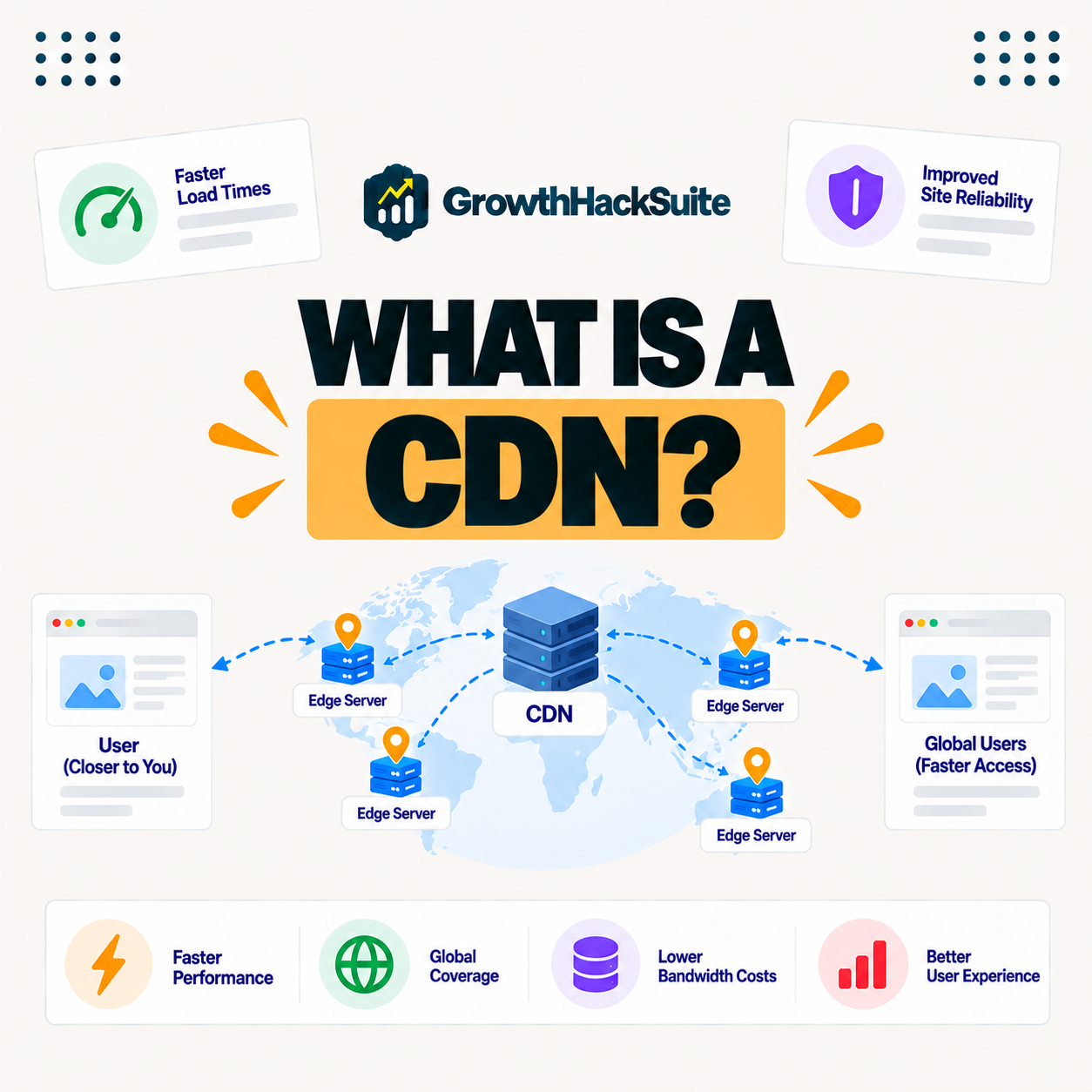
A CDN, or content delivery network, is a network of servers distributed around the world that caches and delivers your website’s static content from the location closest to each visitor. It reduces the distance data must travel to reach them, which is what makes it so effective for global speed.
“A content delivery network is a geographically distributed network of proxy servers.”
— Wikipedia, Content delivery network
In practice, it keeps copies of your files close to visitors everywhere, so their browsers fetch content from nearby instead of from a single distant server.
How Does a CDN Work?
A CDN works by storing copies of your static files, such as images, CSS and JavaScript, on edge servers worldwide. When a visitor loads your site, those files come from the nearest edge location rather than your origin server, so the data travels a much shorter distance.
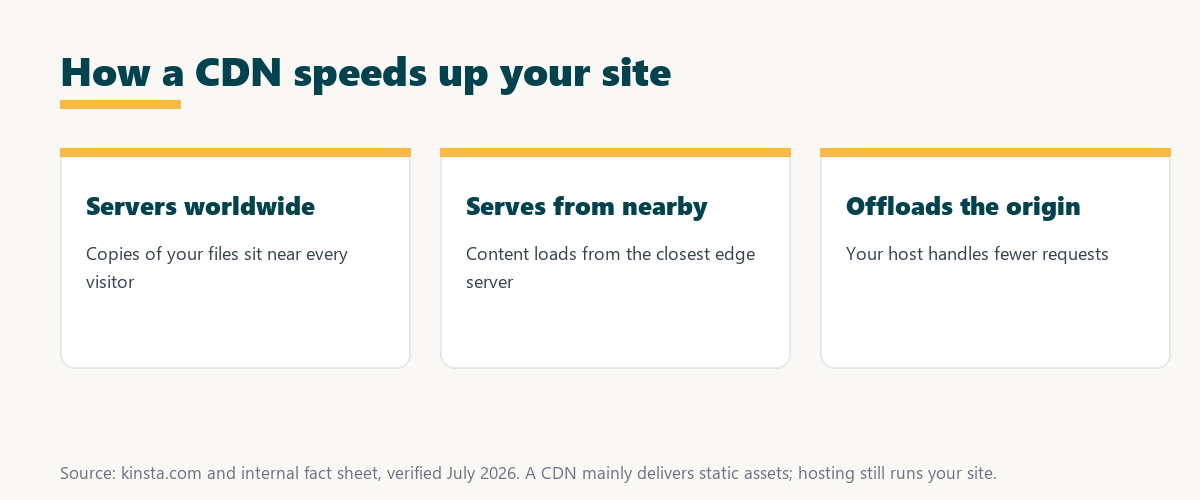
The key mechanism is proximity: the closest edge server answers, so files arrive faster than they would from a single origin far away.
What Content Does an Edge Network Deliver?
An edge network primarily delivers static assets like images, stylesheets, scripts and fonts, and with edge caching it can also serve whole pages. The bulk of what builds your page reaches visitors from a nearby location, which is why it has such a large effect on load time
The practical point is that most of a page’s weight is static assets, so serving those from the edge speeds up nearly every visit.
Edge Network vs Web Hosting
An edge network is not a replacement for web hosting; your hosting stores and runs your site while it speeds delivery of its content. The two work together, with the network offloading assets from your origin host, so you need both rather than one instead of the other.
Source: provider documentation, verified August 2026. The three work together, not in place of each other.
Comparing what each does shows hosting runs your site, the network delivers its content globally, and caching is the technique both rely on, so they complement one another.
See how Kinsta includes free global delivery
Try Kinsta →Cloudflare-powered delivery, with a 30-day money-back guarantee.
Edge Network vs Caching
An edge network and caching overlap, since it caches content at edge locations, but caching is the broader concept of storing content to reuse. This network is one way to cache and deliver content geographically close to visitors, so every edge network uses caching, but not all caching is an edge network.
The distinction to keep is that caching is the technique, and edge delivery is caching applied across a global network of edge servers
Why Edge Delivery Speeds Up Your Site
Edge delivery speeds up your site by cutting the distance content travels, so files load from a nearby edge server instead of a distant origin. This reduces latency and load time, especially for visitors far from your main server, where the distance would otherwise add noticeable delay.
“The first five seconds of page-load time have the highest impact on conversion rates.”
— HubSpot, page load time and conversion rates
Because edge delivery shortens the distance for every distant visitor, it directly protects those early seconds that shape whether people stay.
How Edge Delivery Reduces Server Load and Handles Traffic
An edge network reduces origin server load by serving cached assets itself, so your host handles fewer requests. This frees resources and helps your site absorb traffic spikes without slowing down or going offline, since the edge network carries the bulk of the demand.
The practical benefit is headroom: with the edge serving most assets, your origin has capacity to spare during a surge.
How to Add an Edge Network to WordPress
You add an edge network to WordPress through a plugin, a provider’s setup, or, most simply, a host that includes one. Your asset URLs are then served from the edge without complex configuration, so the simplest route is a host that builds it into the platform.
Source: provider documentation, verified August 2026. Static assets are the edge network’s main job.
Listing images, CSS, JavaScript, fonts and cached pages shows what gets served from the edge. Because a host is a long-term commitment, it is worth reading our note on SaaS vendor lock-in before choosing.
How Kinsta Includes a Free Edge Network
Kinsta includes a Cloudflare-powered edge network free on every plan, spanning more than 300 locations, so your static assets are delivered from near each visitor automatically. It also applies image optimization to shrink files further, so the network speeds delivery and reduces asset size at the same time.
Serve assets from 300+ edge locations
Start With Kinsta →Free migration and a 30-day money-back guarantee.
Getting Fast Global Delivery for Your Site
You get fast global delivery by using an edge network that serves content from near your visitors. Combined with a nearby origin and caching, your WordPress site loads quickly for audiences anywhere in the world, so location stops being a bottleneck for your reach.
“A tool is only worth its premium when the hours or revenue it protects exceed the invoice.”
— Growth Hack Suite, on tool ROI
Applied to an edge network, the value is clear when it is included free, since the faster global loads and higher conversions come at no extra cost.
Does Edge Delivery Help SEO?
Edge delivery helps SEO indirectly by improving load times and Core Web Vitals. Since page speed is a ranking and user-experience factor, faster asset delivery through the network supports better search performance, though it works alongside good content rather than replacing it.
The honest qualifier is that edge delivery helps SEO through speed, not directly, so it is one of several factors that lift rankings.
Choosing a Host With a Built-In Edge Network
You choose a host with a built-in edge network by favoring managed hosting that includes one free, spanning many global locations, with automatic setup. That combination delivers fast global loading without you configuring a separate network, so the site stays quick for every audience as it grows.
The honest summary is that the value of edge delivery reaches you most easily when the host includes and manages it, so a built-in edge network is the simplest strong choice.
Try Kinsta risk-free with global delivery included
Try Kinsta Risk-Free →Free edge network and migration, with a 30-day money-back guarantee.
CDN: Frequently Asked Questions
The 12 most-asked questions about a CDN.
What is a CDN in simple terms?
A CDN is a network of servers around the world that caches and delivers your site’s content from the location nearest each visitor, reducing the distance data travels to speed up loading.
How does a CDN work?
A CDN works by storing copies of your static files on edge servers worldwide, so when a visitor loads your site, those files come from the nearest location rather than your origin server.
What content does a CDN deliver?
A CDN mainly delivers static assets like images, CSS, JavaScript and fonts, and with edge caching it can serve whole pages, so most of what builds your page comes from a nearby server.
Is a CDN the same as web hosting?
No, hosting stores and runs your site while a CDN speeds delivery of its content, so they work together, with the CDN offloading assets from your origin host.
Why does a CDN speed up my site?
A CDN speeds up your site by cutting the distance content travels, so files load from a nearby edge server rather than a distant origin, reducing latency for far-away visitors.
Does a CDN reduce server load?
Yes, a CDN reduces origin load by serving cached assets itself, so your host handles fewer requests, freeing resources and helping the site absorb traffic spikes.
Do I need a CDN for a small website?
Even a small site benefits from a CDN if it has any distant visitors, and since hosts like Kinsta include one free, there is little reason not to use it.
How do I add a CDN to WordPress?
You add a CDN through a plugin, a provider’s setup, or, most simply, a host that includes one, so your asset URLs serve from the edge without complex configuration.
Does a CDN help SEO?
A CDN helps SEO indirectly by improving load times and Core Web Vitals, so since speed is a ranking and user-experience factor, faster delivery supports better search performance.
Is a CDN the same as caching?
A CDN uses caching at edge locations, but caching is the broader idea of storing content to reuse, so a CDN is one way to cache and deliver content geographically close to visitors.
Does a CDN cost extra?
Some CDNs charge separately, but many managed hosts include a CDN in the plan, so you may already have one without an additional fee depending on your host.
Does Kinsta include a CDN?
Yes, Kinsta includes a Cloudflare-powered CDN free on every plan across more than 300 locations, delivering static assets from near each visitor with image optimization.
About this guide
Written by the Growth Hack Suite editorial team, drawing on hands-on experience running WordPress sites. Details were cross-checked against provider documentation. This page carries affiliate links to Kinsta, so the position is stated plainly: an edge network delivers your static content from servers near visitors, it works alongside hosting rather than replacing it, and it helps SEO indirectly through speed. Kinsta includes a Cloudflare-powered edge network free on every plan across more than 300 locations, with image optimization.