Table of Contents
DNS, the Domain Name System, is the internet’s directory that translates human-friendly domain names like example dot com into the IP addresses computers use to locate servers. When you enter a domain, the system resolves it to the right server so your browser can load the site, making it a foundational part of how the web works. This guide explains how it works and why it matters.
Last updated: August 2026. Written by the Growth Hack Suite editorial team, with details cross-checked against provider documentation. This page carries affiliate links to Kinsta.
What Is DNS?
DNS, the Domain Name System, is the internet’s directory that translates human-friendly domain names like example dot com into the numeric IP addresses computers use to find servers. It lets people reach websites by name instead of memorizing numbers, which is why it underpins nearly every online action.
“The Domain Name System is a hierarchical and distributed naming system for computers.”
— Wikipedia, Domain Name System
In everyday terms, this system is the phone book of the internet, turning the names people type into the addresses machines need.
How Does DNS Work?
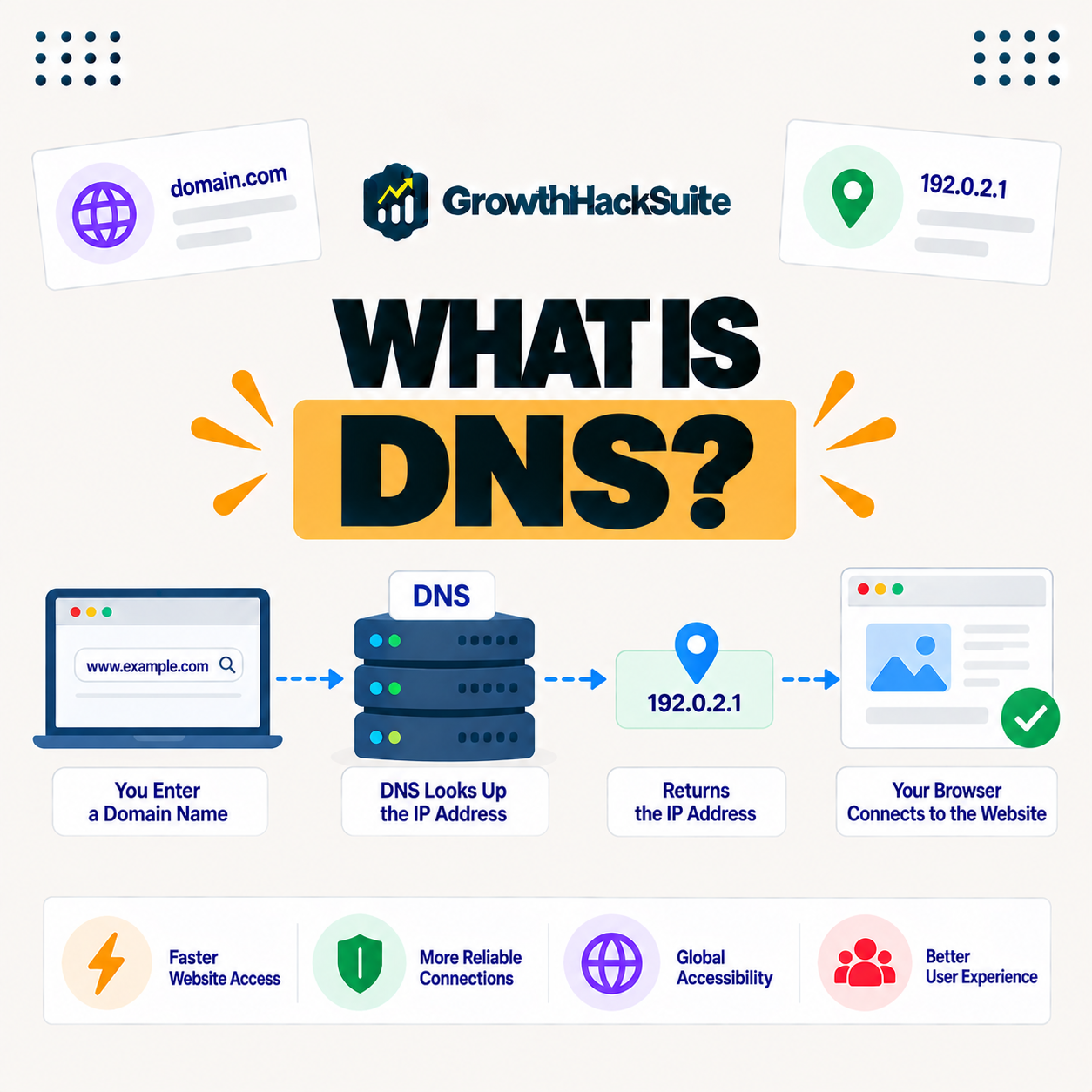
DNS works by resolving a domain name through a chain of servers. When you enter a domain, a resolver queries the servers to find the IP address associated with it, then your browser connects to that address to load the site, all in a fraction of a second before the page appears.
The key steps are lookup then connect: the system finds the address, and only then does your browser reach the server that serves the page.
What Are Domain Records?
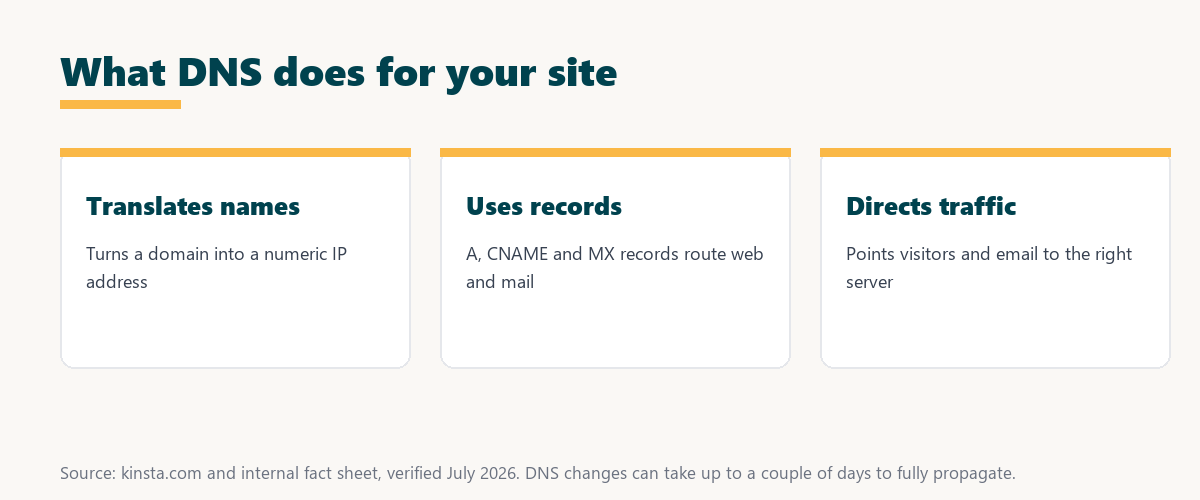
Domain records are entries that tell the system how to handle a domain, including A records that point to an IP address, CNAME records that alias one name to another and MX records that route email. Records control where web and mail traffic go, so editing them changes how your domain behaves.
The practical point is that records are the settings behind a domain, so managing a domain mostly means managing these records correctly.
What Is a Nameserver?
A nameserver is a server that stores a domain’s records and answers queries about them. Pointing your domain to a provider’s nameservers determines which service manages your records and where your traffic is directed, so the nameserver choice sets the authority for your domain.
Source: provider documentation, verified August 2026. Each record type serves a different purpose.
Listing A, CNAME, MX and TXT records with what each does shows how the system directs web traffic, aliases, email and verification through distinct record types.
See how Kinsta handles premium name services
Try Kinsta →Name services in MyKinsta, with a 30-day money-back guarantee.
What Is Record Propagation?
Propagation is the time it takes for record changes to spread across the internet’s caches. After you update records, some visitors may still reach the old destination until the change fully propagates, which can take up to a couple of days depending on cache settings.
The practical takeaway is to expect a delay after changes, so plan record updates rather than assuming they take effect instantly.
Why Name Resolution Matters for Your Website
Name resolution matters because if it fails or is misconfigured, visitors cannot reach your site even if the server is fine. Reliable, fast resolution is essential for both availability and how quickly the initial connection to your site begins, so it is a foundation you cannot ignore.
“The first five seconds of page-load time have the highest impact on conversion rates.”
— HubSpot, page load time and conversion rates
Because resolution happens before the page even starts loading, fast lookups protect those early seconds at the very first step of every visit.
How Name Resolution Affects Site Speed
Name resolution affects speed because resolving a domain adds a small delay before the connection starts. Fast, well-distributed resolution reduces that lookup time, and premium providers resolve queries quickly worldwide, so a good provider shaves milliseconds off the start of every visit.
The honest point is that resolution is a small part of total load time, but it comes first, so a slow lookup delays everything after it.
How to Manage Your Domain Settings
You manage your domain settings through your domain registrar or a dedicated provider by editing records. Choosing reliable resolution and setting correct A, CNAME and MX records keeps your website and email reachable, so this work is mostly about keeping those records accurate and up to date.
Source: provider documentation, verified August 2026. These terms cover the basics you will meet most.
Defining nameserver, resolver and propagation shows the core terms behind managing a domain. Because a host is a long-term commitment, it is worth reading our note on SaaS vendor lock-in before choosing.
How Kinsta Handles Name Services
Kinsta offers premium name services built into MyKinsta on Amazon Route 53 infrastructure, so you can manage your records from the dashboard with fast, reliable resolution alongside your hosting. This keeps domain management in one place next to your site rather than spread across separate services.
Manage premium name services alongside your hosting
Start With Kinsta →Free migration and a 30-day money-back guarantee.
Keeping Your Site Reachable With Reliable Resolution
You keep your site reachable with reliable resolution by using a fast provider, setting correct records and allowing for propagation after changes. Visitors and email then consistently reach the right destination, so a dependable setup quietly keeps everything connected in the background.
“A tool is only worth its premium when the hours or revenue it protects exceed the invoice.”
— Growth Hack Suite, on tool ROI
Applied to name resolution, premium service earns its keep when the uptime and faster lookups it protects exceed its modest cost, since downtime takes the whole site offline.
Common Domain Setup Mistakes to Avoid
Common domain setup mistakes include incorrect record values, forgetting to update MX records when moving hosts and expecting instant changes despite propagation. Double-checking records and planning for propagation prevents outages, so a little care avoids the errors that most often break a site or its email.
The honest point is that most domain problems are configuration or timing mistakes, both of which careful record management prevents.
Choosing Reliable Name Resolution for Your Site
You choose reliable name resolution for your site by favoring a fast, well-distributed provider, ideally one built into your hosting so records live next to your site. That keeps resolution quick and management simple, so visitors and email reach the right place without you juggling separate services.
The honest summary is that reliable resolution is a small cost with a large downside if it fails, so a fast, well-managed provider is worth choosing deliberately.
Try Kinsta risk-free with premium name services included
Try Kinsta Risk-Free →Premium name services and free migration, with a 30-day money-back guarantee.
DNS: Frequently Asked Questions
The 12 most-asked questions about DNS.
What is DNS in simple terms?
DNS, the Domain Name System, is the internet’s directory that translates domain names like example dot com into the IP addresses computers use, so people reach sites by name.
How does DNS work?
DNS works by resolving a domain through a chain of servers: a resolver queries DNS servers to find the IP address for the domain, then your browser connects to that address to load the site.
What are DNS records?
DNS records are entries that tell DNS how to handle a domain, including A records for IP addresses, CNAME records for aliases, and MX records for email routing.
What is a nameserver?
A nameserver stores a domain’s DNS records and answers queries about them, so pointing your domain to a provider’s nameservers determines which service manages your DNS.
What is DNS propagation?
DNS propagation is the time for DNS changes to spread across internet caches, so after updating records some visitors may reach the old destination until it fully propagates.
Why does DNS matter for my website?
DNS matters because if it fails or is misconfigured, visitors cannot reach your site even if the server works, so reliable DNS is essential for availability.
Does DNS affect site speed?
Yes, DNS affects speed because resolving a domain adds a small delay before connecting, so fast, well-distributed DNS reduces that lookup time worldwide.
What is an A record?
An A record maps a domain or subdomain to an IPv4 address, so it tells DNS which server’s IP should handle requests for that name.
What is an MX record?
An MX record specifies the mail servers that handle email for your domain, so it routes incoming messages to your email provider rather than your web host.
How long do DNS changes take?
DNS changes can take from minutes to a couple of days to fully propagate, depending on cache settings, so you should allow time before assuming a change failed.
How do I manage my DNS?
You manage DNS through your registrar or a dedicated DNS provider by editing records, so setting correct A, CNAME and MX records keeps your site and email reachable.
How does Kinsta handle DNS?
Kinsta offers premium DNS in MyKinsta on Amazon Route 53 infrastructure, so you manage records from the dashboard with fast, reliable resolution alongside your hosting.
About this guide
Written by the Growth Hack Suite editorial team, drawing on hands-on experience running WordPress sites. Details were cross-checked against provider documentation. This page carries affiliate links to Kinsta, so the position is stated plainly: the system translates domain names into IP addresses, records like A, CNAME and MX direct your traffic, and reliable resolution is essential because failure takes the whole site offline. Kinsta offers premium name services in MyKinsta on Amazon Route 53 infrastructure, managed alongside your hosting.
/