Table of Contents
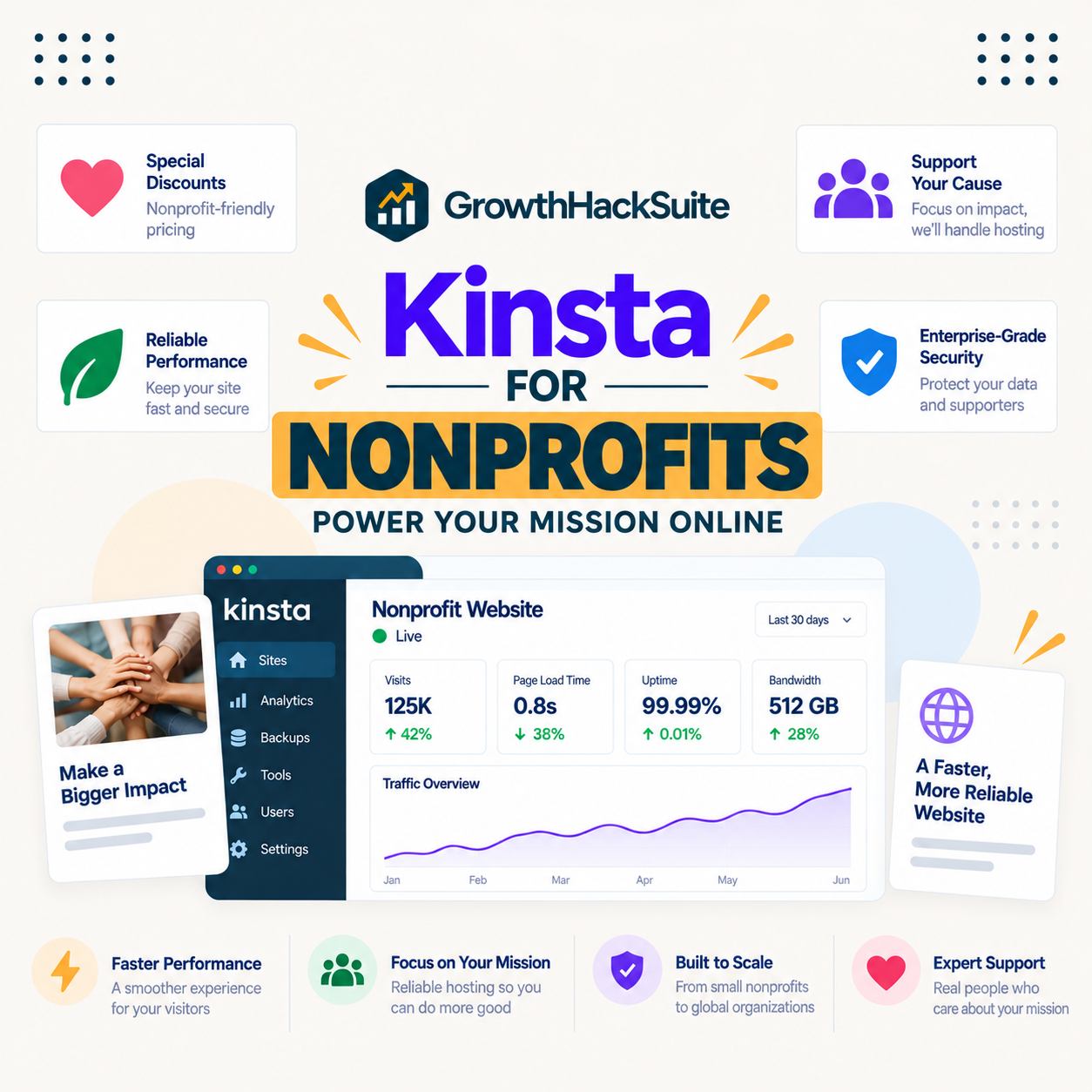
Kinsta for nonprofits is a strong fit for a lean team with no IT staff and a poor one for a tight budget with no real reliability need. Its managed model suits an organisation that cannot spare people to run a server, but the only standing saving in its pricing is annual billing, so any nonprofit or open-source rate is something to ask Kinsta about rather than assume.
Last updated: August 2026. Features, plans and pricing were read from kinsta.com. This page carries affiliate links to Kinsta, and it is careful not to promise a nonprofit discount that is not published.
Is Kinsta Good for Nonprofits and Open Source?
Yes for a nonprofit whose site matters and whose team is small, because managed hosting removes the server work a lean team cannot carry, and reliable uptime keeps donation and information pages available. The honest caveat is the premium price, which a small-budget nonprofit should weigh against a cheaper managed host.
Verdict: Kinsta suits a nonprofit that needs reliability and has no one to run a server, protecting donation pages and supporter trust with managed hosting. The trade is the premium price, and the only standing discount is annual billing, roughly two months free. Any nonprofit or open-source rate is not published, so ask Kinsta directly rather than count on one.
That framing keeps the recommendation honest: the value is managed reliability for a team without IT capacity, and the price is the thing a budget-conscious nonprofit weighs most.
“WordPress is a web content management system.”
: Wikipedia, WordPress
A nonprofit or open-source project runs that system to inform, organise and collect donations, so the hosting job is to keep those pages up and secure without demanding technical staff the organisation does not have.
Does Kinsta Offer a Nonprofit or Open-Source Discount?
Not as a published standing programme in its current pricing, so the honest answer is to ask. The only discount built into Kinsta’s pricing is annual billing, which gives roughly two months free and is available to any customer, nonprofit or not.
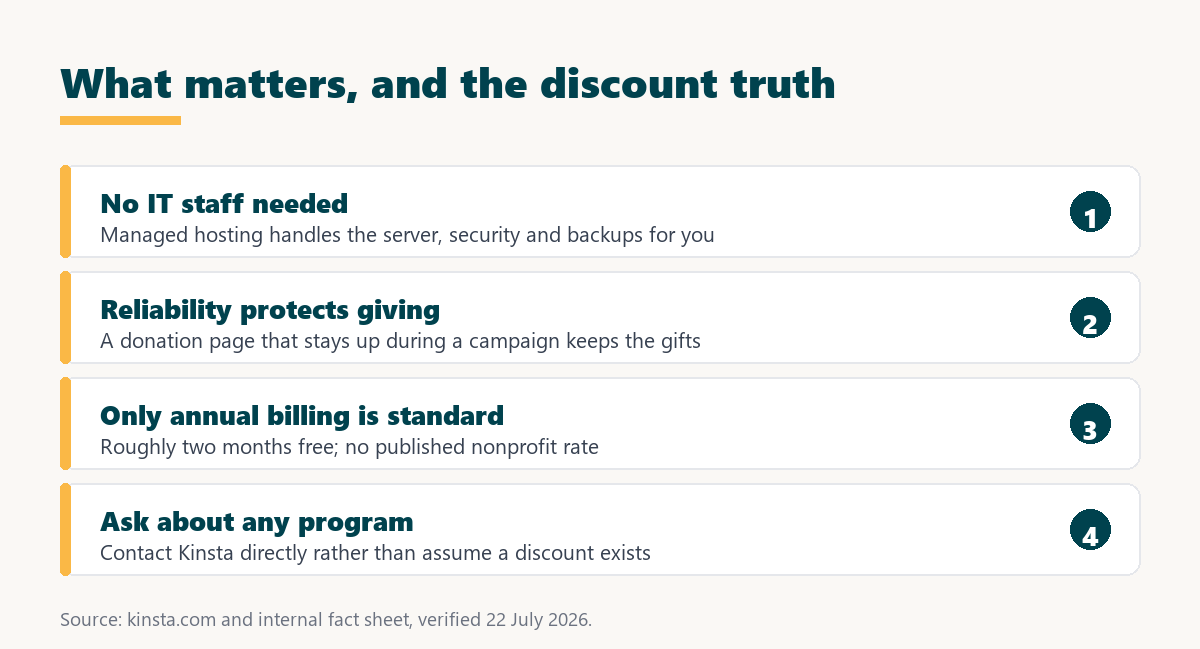
- Annual billing is the standard saving: Paying yearly gives roughly two months free, which is the one discount published in Kinsta’s pricing and open to everyone.
- No published nonprofit rate: The current pricing does not list a standing nonprofit or charity discount, so an organisation should not budget around one existing.
- Open-source sponsorship varies: Kinsta has supported open-source projects at times, but such arrangements change, so a project should enquire rather than rely on a past programme.
- Ask before assuming: The sensible step is to contact Kinsta, explain the nonprofit or project status, and ask what, if anything, is available at that moment.
- Compare on the real price: Budget against the actual plan cost with annual billing, and treat any additional discount as a bonus rather than a given.
The honest position is that a nonprofit should plan for the standard price with annual billing and ask Kinsta about any programme, rather than choosing Kinsta on the expectation of a discount that is not published.
How Does Kinsta Support a Small Nonprofit Team?
By handling the server, security, updates and backups, so a team with no technical staff does not have to. For a nonprofit where the person managing the website also runs programmes or fundraising, that removed workload is the main value.
- Managed maintenance: Server upkeep, caching and updates are handled by Kinsta, so a volunteer or part-time staffer is not maintaining infrastructure.
- 24/7 expert support: Round-the-clock support in eight languages means a problem is Kinsta’s to solve rather than a small team’s late-night emergency.
- Automatic backups: Scheduled backups protect against a mistake or a bad update, which matters when the team lacks a dedicated administrator.
- Bundled security: A managed firewall, free SSL and malware removal come included, covering protections a small nonprofit might otherwise overlook.
- Simple dashboard: MyKinsta handles everyday tasks without server knowledge, so a non-technical person can manage the site day to day.
The pattern is that Kinsta trades money for removed workload, which is a good trade for a nonprofit rich in mission and poor in technical time, and a poor one for a nonprofit where the budget is the binding constraint.
Why Does Reliability Matter for a Nonprofit?
Because a donation page that is down during a campaign loses gifts that may not come back, and a nonprofit’s site often carries time-sensitive appeals. Kinsta’s isolated resources and a published uptime commitment of up to 99.99 percent are aimed at keeping those pages available when it counts.
“a B2B site that loads in 1 second has a conversion rate 3x higher than a site that loads in 5 seconds”
: HubSpot, page load time and conversion rates
The same relationship applies to a donation form: a page that loads quickly and stays up converts more visitors into donors, so for a nonprofit that depends on online giving, reliability is directly tied to the mission’s funding.
Reliability that keeps donation pages up
See Kinsta Plans →Managed hosting with 24/7 support, and annual billing for roughly two months free.
How Does Kinsta Protect Supporter Data?
With a managed firewall, free SSL, malware removal and isolated containers, plus published GDPR and CCPA alignment, all included on every plan. For a nonprofit holding donor and supporter details, that baseline covers protections a small team would struggle to configure alone.
The data-protection alignment matters because a nonprofit collecting donations or newsletter sign-ups handles personal data under the same rules as any organisation. Kinsta’s isolation also limits the impact of a security event to one site, which for a nonprofit means a problem stays contained rather than spreading. The nonprofit still owns its own compliance, but the hosting layer supports it.
Security that covers a team without a specialist
View Kinsta Pricing →Free SSL, a managed firewall and GDPR alignment on every plan, with 24/7 support.
Can a Nonprofit Run Events or Membership on Kinsta?
Yes, with a caveat: a dynamic membership, events or donation-portal site benefits from object caching, which is a Redis add-on at 100 dollars per site rather than a bundled feature. A standard informational nonprofit site does not need it, but a members’ area or a live events calendar does.
The honest read is that a content-only nonprofit site runs well on the plan alone, while a nonprofit building interactive features should budget the Redis add-on into the cost. Knowing which kind of site the organisation runs decides whether that extra applies.
What Should a Nonprofit Ask Before Signing Up?
Five questions that settle the fit before committing budget, because a nonprofit spends carefully and a hosting decision should be deliberate. Each has a clear answer from Kinsta or from the organisation’s own needs.
- Is any nonprofit rate available: Ask Kinsta directly, since none is published, and budget for the standard annual price if the answer is no.
- Does the site need object caching: A membership or events site needs the Redis add-on, while an informational site does not, which changes the total.
- Where will email live: Kinsta does not host email, so confirm a separate provider for branded mailboxes before assuming it is included.
- What traffic does a campaign bring: Estimate a peak-appeal spike against the plan’s visit allowance to anticipate any overage.
- Who maintains the site: If a volunteer manages it occasionally, the managed model’s value is high, which supports the premium.
Working through those five turns the decision from a guess into a calculation, which is the right way for a nonprofit to spend on hosting.
Which Kinsta Features Matter Most for Nonprofits?
Reliability, security, backups and support, because those protect the mission-critical parts of a nonprofit site while asking the least of a small team. The table maps each to why it matters for an organisation without IT staff.
Source: kinsta.com and kinsta.com/plans, verified August 2026. Every feature listed is included on all plans; object caching for a dynamic membership or event site is the exception, a Redis add-on.
In plain terms, the features a nonprofit relies on are bundled, and the platform’s role is to keep the site safe and available so the team can focus on the cause.
What Are Kinsta’s Limits for Nonprofits?
The premium price above all, which a small nonprofit should weigh honestly, plus a few practical gaps. None rules Kinsta out for a well-funded organisation, and together they can for a shoestring one.
- Premium price: At 35 dollars and up, Kinsta costs several times a budget host, which a shoestring nonprofit should weigh against a cheaper managed option.
- No published nonprofit discount: Beyond annual billing, there is no standing charity rate in the current pricing, so the cost is the standard one unless a programme applies.
- No email hosting: Kinsta does not host email, so a nonprofit wanting branded mailboxes needs a separate provider, which some budget hosts bundle.
- Metered visits: Plans meter visits with overage, so a viral appeal that spikes traffic can add a small overage line.
- WordPress only: Kinsta hosts WordPress, so a nonprofit running a separate application uses another platform for it, with Sevalla handling non-WordPress workloads.
The pattern is that Kinsta suits a nonprofit that values reliability and can absorb the premium, and a shoestring organisation is often better served by a cheaper managed host until the budget or the risk changes.
What Does Kinsta Cost for a Nonprofit?
From 35 dollars a month for a single site, less roughly two months on annual billing, which is the figure to compare against the nonprofit’s budget and risk. The table uses Kinsta’s real plan structure.
Source: kinsta.com/plans, verified in August 2026. Annual billing is roughly two months free and is the only discount published in the pricing; an earlier layout draft implying a standing nonprofit programme and using inaccurate tier names is corrected here.
Put simply, a nonprofit budgets the standard plan with annual billing and asks Kinsta about any additional programme, rather than assuming a discount lowers the figure.
When Should a Nonprofit Choose a Cheaper Host?
When the budget is tight and the site is simple, because the premium buys reliability a low-risk site may not need. A cheaper managed host runs an informational nonprofit site well, and the savings go to the mission.
- A shoestring budget: When every dollar is accounted for, a budget managed host covers a simple site and frees money for programmes.
- An informational site with low traffic: A brochure-style nonprofit site with modest visits rarely needs the isolation Kinsta charges for.
- No online donations yet: Without a live donation flow, the reliability that protects giving is not yet protecting revenue, so the premium is premature.
- Bundled email wanted: A nonprofit that wants hosting and branded email in one plan is better served by a host that includes email.
- A volunteer-run simple site: When a volunteer maintains a straightforward site occasionally, a cheaper host keeps costs down without much added risk.
Naming these keeps the advice honest: Kinsta is a strong choice for a nonprofit with real reliability needs and some budget, and a premature one for a shoestring, low-risk site.
Managed hosting for a team without IT staff
Compare Kinsta Tiers →A 30-day money-back guarantee lets you test the fit on a real site.
Is Kinsta a Good Fit for Open-Source Projects?
For an open-source project’s WordPress site, the same logic applies: managed reliability suits a volunteer-run project, and any sponsorship is worth asking about rather than assuming. The project’s documentation, download and community pages benefit from the reliability, while the code and any application live elsewhere.
Kinsta has at times supported open-source projects, but because such arrangements change, an open-source maintainer should contact Kinsta about current sponsorship rather than rely on a past programme. Budget for the standard price with annual billing, and treat any sponsorship as a welcome addition.
How Do You Get Started With Kinsta as a Nonprofit?
Size a plan to the site’s visits, choose annual billing for the standard saving, and ask Kinsta about any nonprofit or open-source programme before committing. Free migration then moves an existing site into a tested staging copy before switching.
A 30-day money-back guarantee lets a nonprofit test real reliability before committing budget. The sensible sequence is to confirm the price, ask about any discount, and pilot on a real site within the guarantee window.
“Tool spend is only defensible when the outcome it protects is measured, not assumed.”
: Growth Hack Suite, ROI on sales tools
For a nonprofit the outcome is a site that stays up for donors and supporters without consuming staff time. Where that outcome protects real giving and a lean team, Kinsta earns the premium, and where the site is simple and the budget tight, a cheaper host is the honest answer.
Kinsta for Nonprofits: Frequently Asked Questions
The 12 most-asked questions about using Kinsta for a nonprofit or open-source project.
Is Kinsta good for nonprofits?
Yes for a nonprofit whose site matters and whose team is small, since managed hosting removes server work and reliable uptime protects donation pages. The caveat is the premium price, which a small-budget nonprofit should weigh against a cheaper host.
Does Kinsta have a nonprofit discount?
Not as a published standing programme in the current pricing. The only built-in discount is annual billing, roughly two months free, available to everyone. Ask Kinsta directly about any nonprofit rate rather than assuming one exists.
How much can a nonprofit save with annual billing?
Roughly two months free compared with paying monthly, which is the standard saving on any Kinsta plan. On a 35-dollar plan that is a meaningful reduction over a year, and it applies whether or not any other programme does.
Does Kinsta suit a team with no IT staff?
Yes, which is its main appeal for a nonprofit. Kinsta handles the server, security, updates and backups with 24/7 support, so a volunteer or part-time staffer manages content rather than infrastructure. That removed workload is the core value.
Will my donation page stay up during a campaign?
Isolated resources and a published uptime commitment of up to 99.99 percent are aimed at keeping it available under a campaign surge. Visits are metered, so a very large spike can add a small overage, which is worth anticipating for a big appeal.
Is Kinsta too expensive for a small nonprofit?
It can be. For a shoestring budget and a simple informational site, a cheaper managed host does the job and frees money for the mission. Kinsta pays back when reliability protects real online giving and a team has no IT capacity.
Does Kinsta include email for a nonprofit?
No. Kinsta does not host email, so a nonprofit wanting branded mailboxes needs a separate provider. Some budget hosts bundle email, which is a point in their favour for an organisation that wants everything in one place.
Does Kinsta support open-source projects?
It has at times, but such arrangements change, so a maintainer should ask Kinsta about current sponsorship rather than rely on a past programme. The project’s WordPress site benefits from the same reliability, budgeted at the standard price.
Can Kinsta migrate our existing site for free?
Yes, with free migrations that copy the site into a tested staging copy before switching, so nothing is rebuilt. A nonprofit can move an existing site with little effort and verify it on staging before going live.
Is there a free plan for nonprofits?
No free plan, but a 30-day money-back guarantee, which lets a nonprofit test a real plan and refund if it does not fit. A shoestring organisation may prefer a host with a free tier for a simple site.
Can a non-technical person manage the site?
Yes. Everyday tasks run through the MyKinsta dashboard and WordPress without server knowledge, so a non-technical staffer or volunteer manages content normally. The developer tools exist for those who want them but are not required.
Should we ask about a discount before signing up?
Yes. Because no nonprofit rate is published, the right step is to contact Kinsta, explain the organisation’s status, and ask what is available. Budget for the standard price with annual billing and treat any discount as a bonus.
About this guide
Written by the Growth Hack Suite editorial team. Kinsta’s features and pricing were read from kinsta.com. This page carries affiliate links to Kinsta, so the honesty owed to a nonprofit is stated throughout: Kinsta suits a lean team that needs managed reliability and can absorb the premium, and is often overkill for a shoestring, low-risk site where a cheaper host is the sensible choice.
Crucially, no standing nonprofit or open-source discount is published in the current pricing, so this page does not promise one; the only built-in saving is annual billing, roughly two months free, available to any customer, and a nonprofit should ask Kinsta directly about any programme rather than assume one. Kinsta also does not host email, meters visits, and hosts only WordPress. No speed benchmark is used, because the honest test for a nonprofit is reliability and cost against the mission, and the plan-tier table corrects an earlier draft that implied a standing nonprofit programme and used inaccurate tier names.