Table of Contents
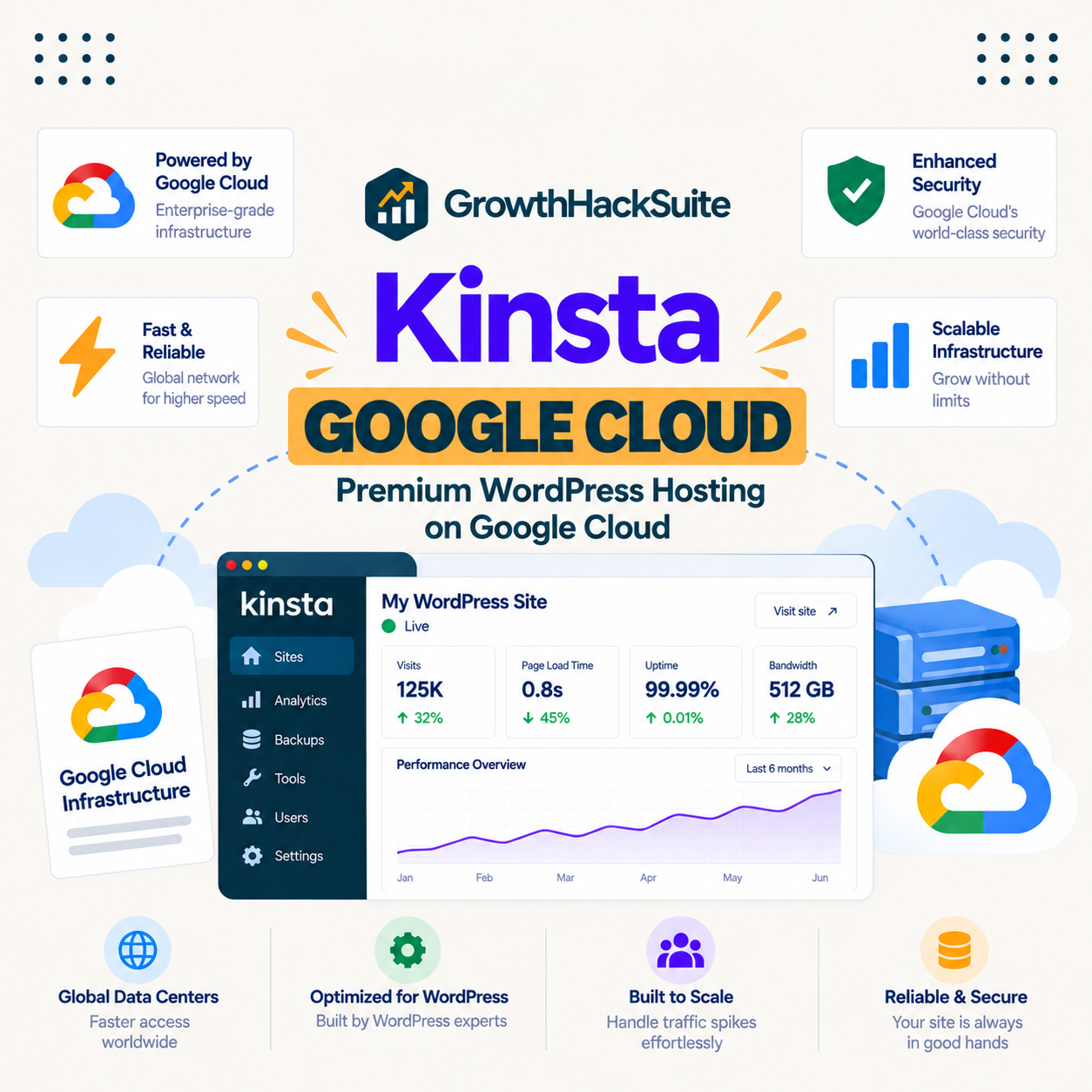
Kinsta Google Cloud hosting means every WordPress site runs on Google Cloud Platform, in an isolated container with its own dedicated resources, rather than on a shared server crowded with other customers. That is the verified core of it, and this guide separates what Kinsta genuinely provides on Google Cloud from the marketing around it, so a reader knows what the infrastructure actually buys before paying the premium.
Last updated: August 2026. Infrastructure details were read from kinsta.com, with claims not in that fact sheet attributed to Kinsta’s own documentation rather than stated as independent fact. This page carries affiliate links to Kinsta.
What Is Kinsta Google Cloud Hosting?
It is WordPress hosting that runs on Google Cloud Platform, Google’s own cloud infrastructure, with each site placed in its own isolated container. Kinsta does not run its own data centres; it builds a managed WordPress layer on top of Google Cloud’s global network.
Verdict: The verified facts are that Kinsta runs on Google Cloud Platform, isolates each site in its own container, and layers a content delivery network across more than 300 edge locations on top. Kinsta also states it uses Google Cloud’s compute-optimised machines, which its documentation names, and that specific machine detail is worth confirming on Kinsta’s own tech page rather than taken as an independent benchmark.
The honest framing is that the platform underneath is Google Cloud, and Kinsta’s value is the managed WordPress experience built on it, plus the isolation and network that a shared host does not provide.
“WordPress is a web content management system.”
: Wikipedia, WordPress
That content management system runs the same way on any host, so the point of running it on Google Cloud is not new capability but better resources and reliability underneath the familiar software.
How Does Kinsta’s Google Cloud Hosting Work?
By provisioning each site inside its own isolated container on Google Cloud, so the site has dedicated CPU and memory rather than sharing a pool with strangers. Google Cloud provides the underlying machines and global network, and Kinsta manages the WordPress stack, caching and security on top.
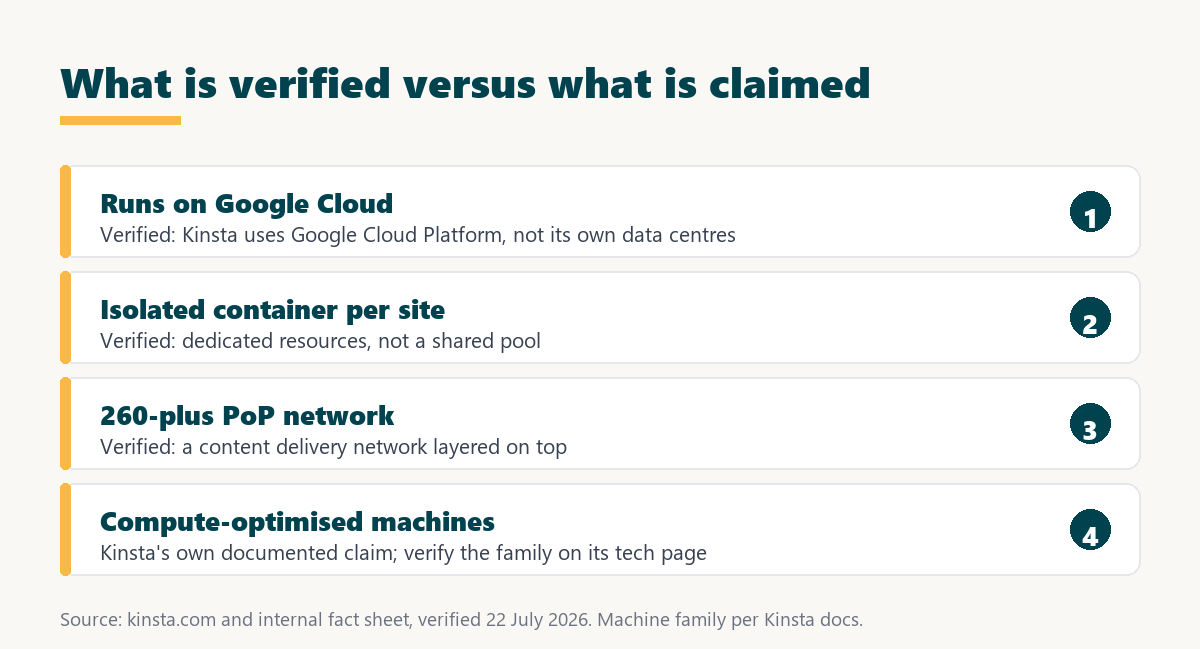
- Isolated containers: Each site runs in its own container with dedicated resources, so a neighbouring site cannot consume the CPU or memory a busy moment needs.
- Google Cloud machines: The underlying servers are Google Cloud’s, and Kinsta documents using its compute-optimised machine family, which a reader can verify on Kinsta’s tech page.
- A global network: Google Cloud’s network spans regions worldwide, so a site can be hosted near its audience rather than in a single location.
- A layered content delivery network: Kinsta adds a content delivery network across more than 300 edge locations, serving assets from the edge nearest each visitor.
- A managed WordPress stack: Kinsta configures the web server, caching and security on top of Google Cloud, so the customer does not manage the machine.
The practical result is that a site gets cloud-grade infrastructure and isolation without the customer touching Google Cloud directly, which is the difference between managed hosting on Google Cloud and running a raw Google Cloud server yourself.
What Are the Benefits of Running on Google Cloud?
Consistent performance from isolation, geographic reach from a global network, and reliability from cloud-grade infrastructure. These are real advantages over a crowded shared server, and they matter most for a site with traffic and revenue rather than a quiet one.
- Consistent speed: Isolated resources mean performance does not swing with a neighbour’s traffic, so a site behaves predictably under load.
- Geographic reach: Hosting in a Google Cloud region near the audience reduces distance, and the content delivery network shortens it further for assets.
- Reliability: Cloud-grade infrastructure is built for redundancy, which supports Kinsta’s published uptime commitment of up to 99.99 percent.
- Scalability: A cloud platform can allocate more resources as a site grows, so scaling does not require moving to different hardware.
- Security foundation: Google Cloud’s own physical and network security sits beneath Kinsta’s managed firewall and protections, layering defences.
The honest qualifier is that these benefits show most under real traffic; a small, quiet site sees a smaller practical difference than a busy one, because isolation and reach matter when demand is high.
Who Benefits Most From Google Cloud Hosting?
Business, ecommerce and high-traffic WordPress sites, where speed, reliability and consistent performance under load directly affect revenue. For those sites the isolation and network are worth paying for; for a low-traffic hobby site, the advantage is real but smaller.
“a B2B site that loads in 1 second has a conversion rate 3x higher than a site that loads in 5 seconds”
: HubSpot, page load time and conversion rates
That relationship is why the infrastructure matters most for a site that converts visitors into revenue: the consistent speed Google Cloud isolation supports protects the conversions the site depends on, which a shared server can undermine at the worst moment.
Isolated Google Cloud resources on every plan
See Kinsta Plans →Each site in its own container, with a content delivery network across more than 300 edge locations.
How Does It Compare to a Typical Host?
A typical budget host places many sites on a shared server with pooled resources, while Kinsta gives each site an isolated container on Google Cloud. The difference is isolation and included infrastructure rather than a feature a budget host completely lacks.
Source: kinsta.com and kinsta.com/plans, verified August 2026. Machine-family and benchmark claims are omitted here because they are not in the verified fact sheet; the platform, isolation, network and uptime figures are.
Read across, the trade is clear: Kinsta offers isolated cloud infrastructure at a premium, and a shared host offers pooled resources cheaply, which suits different sites at different stages.
What About the Compute-Optimised Machine Claim?
Kinsta states in its documentation that it uses Google Cloud’s compute-optimised machines, and names the machine family there. This page reports that as Kinsta’s own claim rather than an independently benchmarked fact, which is the honest way to handle a specification a reader cannot easily verify.
The practical takeaway is that the machine type is a real part of Kinsta’s marketing and likely accurate, but a buyer choosing on that basis should read Kinsta’s current tech documentation for the exact machine family, since such details change and a marketing designation is not the same as a measured result. The verified point is simply that the platform is Google Cloud with isolated resources.
How Do Google Cloud Regions Affect Speed?
They set the physical distance between the server and the audience, which is the largest single factor in how fast a page reaches a visitor. Hosting in a Google Cloud region near the main audience shortens that distance before caching or a content delivery network does anything.
- Distance is latency: The farther a server is from a visitor, the longer each request takes, so a region near the audience is the first speed decision.
- Choose at setup: Kinsta lets a customer pick a Google Cloud region when creating a site, so matching it to the audience is a deliberate choice.
- The network shortens assets: The content delivery network serves images and files from the edge nearest each visitor, covering distance the origin region cannot.
- Dynamic pages use the origin: Cart or account pages come from the origin region rather than the edge, so the region choice matters most for uncacheable content.
- Global audiences need both: A worldwide audience benefits from a well-chosen origin region plus the content delivery network working together.
The practical rule is to choose the region closest to the largest share of the audience, and let the content delivery network handle the rest, which is a choice a customer makes rather than infrastructure they configure.
What Role Does the CDN Play Alongside Google Cloud?
The content delivery network serves cached assets from the edge, while the Google Cloud origin handles the dynamic work, so the two divide the job. Kinsta bundles a content delivery network across more than 300 edge locations, which extends the reach of a single origin region.
The honest distinction is that the network speeds up static assets like images and stylesheets everywhere, but a dynamic page still comes from the origin region, so both matter. For a content site the network does much of the work; for a store, the origin region and object caching carry the uncacheable pages.
A global network on top of Google Cloud
View Kinsta Plans →A content delivery network across more than 300 edge locations, included on every plan.
Is Google Cloud Hosting Overkill for Some Sites?
Yes, for a small, low-traffic site, because the isolation and network deliver their value under demand a quiet site does not create. A brochure site with few visitors runs perfectly well on a cheaper shared host, and the premium buys headroom it will not use.
The honest way to read it is that Google Cloud infrastructure is not wasted on a small site, but its advantages are latent until traffic arrives. A site with real visitors, revenue or growth uses the infrastructure; a quiet one pays for capacity that sits idle, which is why the value scales with the site rather than being universal.
Are There Limits to Running on Google Cloud?
Yes, and they follow from it being managed and single-provider. The infrastructure is strong, but a customer trades some control and portability for the managed experience.
- Single provider: Kinsta runs only on Google Cloud, so a customer with a multi-cloud requirement or a different-provider mandate cannot satisfy it here.
- Not portable as a server: The setup is Kinsta’s managed platform, not a raw Google Cloud project the customer controls, so it does not move like a self-run server.
- No root access: The managed model abstracts the machine, so a customer cannot reconfigure the underlying Google Cloud server directly.
- Premium price: Cloud-grade infrastructure and isolation cost more than a shared host, which is the trade for the resources.
- Benefit scales with traffic: A quiet site sees less practical gain from the infrastructure than a busy one, so the value depends on the site’s demand.
None of these makes the platform weak; they define what a managed Google Cloud host is, as opposed to a raw cloud server a customer runs themselves.
What Google Cloud Features Are Included?
The infrastructure comes with the plan rather than as separate cloud charges, which is the point of managed hosting. A customer pays Kinsta a flat plan price rather than metered Google Cloud bills for compute and network.
Source: kinsta.com/plans, verified in August 2026. The Google Cloud infrastructure is bundled into the plan; object caching is a paid add-on and visits are metered with overage.
In plain terms, the cloud infrastructure is included in the flat plan, while object caching and traffic above the allowance are the parts that can add to the bill.
Should You Use Kinsta or Google Cloud Directly?
Kinsta if you want managed WordPress without running a server, and Google Cloud directly if you have the skills and want full control at a lower infrastructure cost. They are different products: Kinsta sells a managed experience, and Google Cloud sells raw infrastructure.
Running WordPress on a raw Google Cloud server is cheaper on infrastructure but requires configuring and maintaining everything, which is a job in itself. Kinsta charges a premium precisely to remove that job, so the choice is between paying for management and doing the management, on the same underlying cloud.
Google Cloud infrastructure, managed for you
Compare Kinsta Tiers →A flat plan price rather than metered cloud bills, with a 30-day money-back guarantee.
How Do You Get Started on Kinsta’s Google Cloud?
Choose a plan, pick a Google Cloud region near your audience during setup, and use free migration to move an existing site. Kinsta handles the Google Cloud provisioning, so a customer selects a region rather than configuring infrastructure.
Selecting the right region matters, because hosting near the audience reduces distance before the content delivery network even helps. A 30-day money-back guarantee lets a site test real performance on the chosen region before committing.
“Tool spend is only defensible when the outcome it protects is measured, not assumed.”
: Growth Hack Suite, ROI on sales tools
For a site the measurable outcome is consistent speed and uptime under real traffic, which isolated Google Cloud resources support. Where a site has the traffic to benefit, the infrastructure earns its premium, and where it is quiet, the practical gain is smaller and the cost harder to justify.
Kinsta Google Cloud: Frequently Asked Questions
The 12 most-asked questions about Kinsta running on Google Cloud.
What is Kinsta Google Cloud hosting?
WordPress hosting that runs on Google Cloud Platform, with each site in its own isolated container. Kinsta does not run its own data centres; it builds a managed WordPress layer on Google Cloud’s infrastructure and network.
Does Kinsta really use Google Cloud?
Yes, running on Google Cloud Platform is a verified part of Kinsta’s infrastructure. It is the underlying cloud, and Kinsta adds the managed WordPress stack, caching and a content delivery network on top of it.
Which Google Cloud machines does Kinsta use?
Kinsta states in its documentation that it uses Google Cloud’s compute-optimised machines and names the family there. This page reports that as Kinsta’s own claim, so a buyer choosing on that basis should confirm the current machine family on Kinsta’s tech page.
Why does running on Google Cloud matter?
Because it provides isolated resources, a global network and cloud-grade reliability that a crowded shared server does not. Those advantages matter most for a site with traffic and revenue, and less for a quiet hobby site.
Is Kinsta faster because of Google Cloud?
The isolation and network help under load, so a busy site tends to perform more consistently than on a shared host. On a quiet site the difference is smaller, and a heavy theme or large images can still slow a page regardless of the platform.
Does Kinsta run its own data centres?
No. Kinsta uses Google Cloud’s data centres and network rather than operating its own. Its role is the managed WordPress platform on top, which is why the infrastructure is Google Cloud’s and the experience is Kinsta’s.
Can I choose which region hosts my site?
Yes, you pick a Google Cloud region during setup, ideally near your audience to reduce distance. Kinsta handles the provisioning in that region, so you select a location rather than configuring any infrastructure.
Is the Google Cloud cost included in the plan?
Yes. The infrastructure is bundled into Kinsta’s flat plan price rather than billed as separate metered Google Cloud charges. Object caching is a paid add-on and visits are metered with overage, but the compute and network are included.
Should I run WordPress on Google Cloud myself instead?
Only if you have the skills and want full control at a lower infrastructure cost, because you then configure and maintain everything. Kinsta charges a premium to remove that work, so the choice is paying for management or doing it yourself.
Does Google Cloud give Kinsta better security?
Google Cloud’s physical and network security sits beneath Kinsta’s own managed firewall and protections, so the two layer. The customer still handles their own WordPress security practices, but the infrastructure foundation is strong.
Is my site portable off Kinsta’s Google Cloud?
The WordPress site itself is portable and can be migrated elsewhere, but the setup is Kinsta’s managed platform rather than a raw Google Cloud project you control. Moving means a standard WordPress migration to another host, not lifting a cloud server.
Does a small site need Google Cloud hosting?
Not necessarily. The isolation and network benefit a busy site most, so a small, low-traffic site sees a smaller practical gain and may be well served by a cheaper host until it grows. The value scales with the site’s demand.
About this guide
Written by the Growth Hack Suite editorial team. Infrastructure details were read from kinsta.com. This page carries affiliate links to Kinsta, so the honesty owed to a reader is stated throughout: the verified facts are that Kinsta runs on Google Cloud Platform, isolates each site in its own container, layers a content delivery network across more than 300 edge locations, and commits to up to 99.99 percent uptime.
Kinsta also states it uses Google Cloud’s compute-optimised machines, which this page reports as Kinsta’s own documented claim rather than an independently measured fact, and it deliberately omits the specific machine designation and any benchmark figure because those are not in the verified fact sheet. No speed benchmark is used for the same reason. The infrastructure is bundled into the flat plan, while object caching is a paid add-on and visits are metered with overage.