Table of Contents
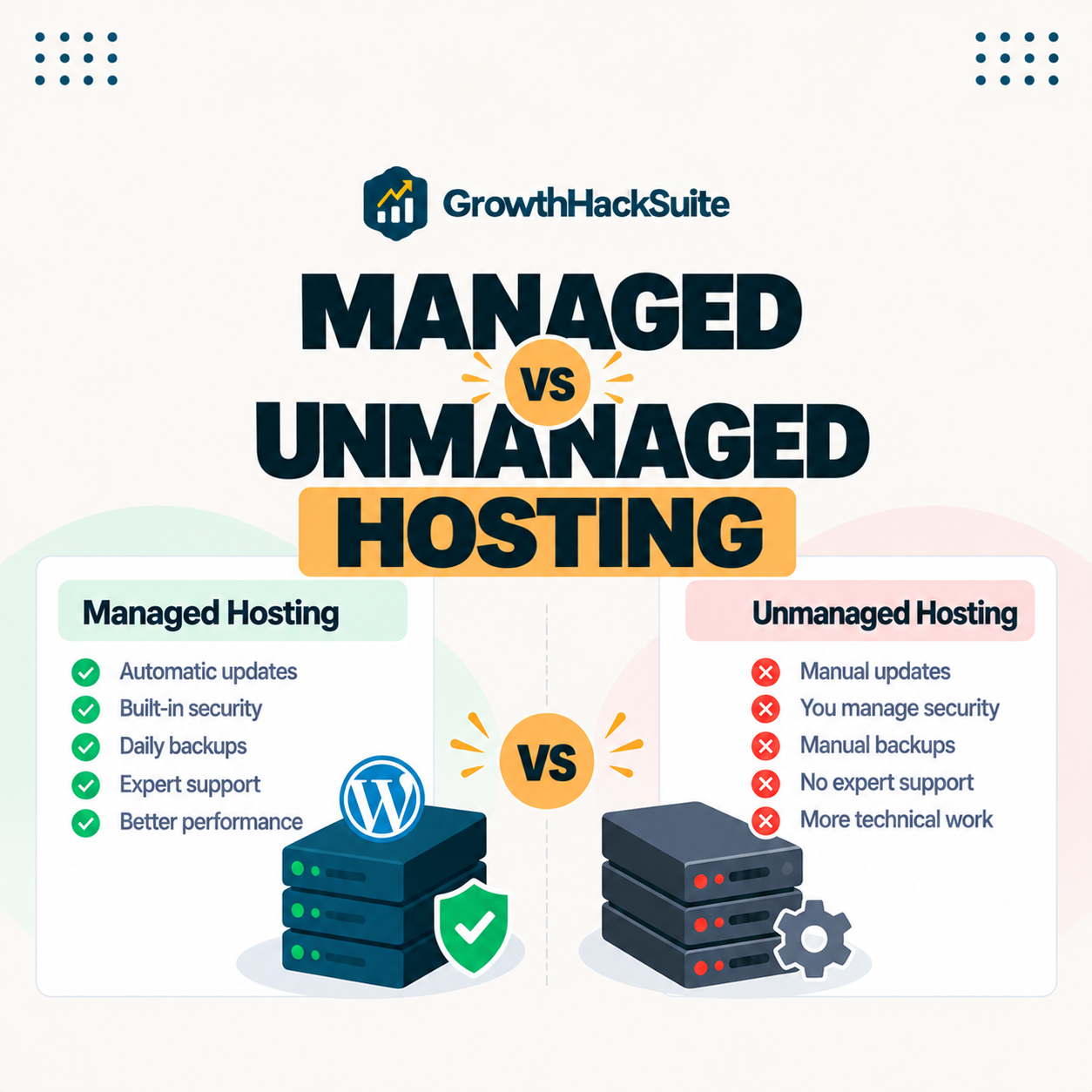
Managed vs unmanaged hosting comes down to who runs the server: with a managed plan the provider handles setup, security, updates and monitoring, while an unmanaged server is a bare machine you configure yourself. Managed costs more but saves time and expertise; unmanaged is cheaper but demands technical skill. The right choice depends on your resources, and this guide explains the differences so you can pick well.
Last updated: August 2026. Written by the Growth Hack Suite editorial team, with details cross-checked against provider documentation. This page carries affiliate links to Kinsta.
What Is Managed vs Unmanaged Hosting?
Managed versus unmanaged hosting describes who maintains the server. With a managed plan the provider handles setup, security, updates and monitoring, while with an unmanaged server you receive a bare machine and are responsible for configuring and maintaining everything yourself.
“A system administrator maintains and operates a computer system or network.”
— Wikipedia, System administrator
A managed plan is essentially the provider supplying that system administration for you, whereas an unmanaged server expects you to do the administrator’s job yourself.
How Managed Hosting Works
Managed hosting works by having the provider handle server provisioning, security patching, performance tuning, backups and monitoring. You interact only with your website and applications while the host keeps the underlying infrastructure running correctly and securely.
Verdict: The difference is who runs the server. A managed plan bundles setup, security, updates, backups and support at a higher price, so non-technical owners get a reliable site with no administration. An unmanaged server is cheaper but hands you a bare machine to run yourself. The honest test is not price but whether you have the skills and time; once you value your hours, managed often costs less overall.
In short, a managed plan sells the outcome of a well-run server, while an unmanaged one sells the raw server and leaves the running to you.
How Unmanaged Hosting Works
Unmanaged hosting works by giving you root access to a bare server, leaving you to install the operating system stack, configure security, apply updates and troubleshoot issues. It offers full control in exchange for significant technical responsibility that falls entirely on you.
The honest point is that it is powerful for those who can run it, but every task the provider would otherwise handle becomes the owner’s job.
Key Differences Between the Two Models
The key differences are responsibility and cost. A managed plan bundles expert maintenance and support at a higher price, while an unmanaged server is cheaper but requires you to supply the server administration skills and time yourself, changing who does the work rather than what the server can do.
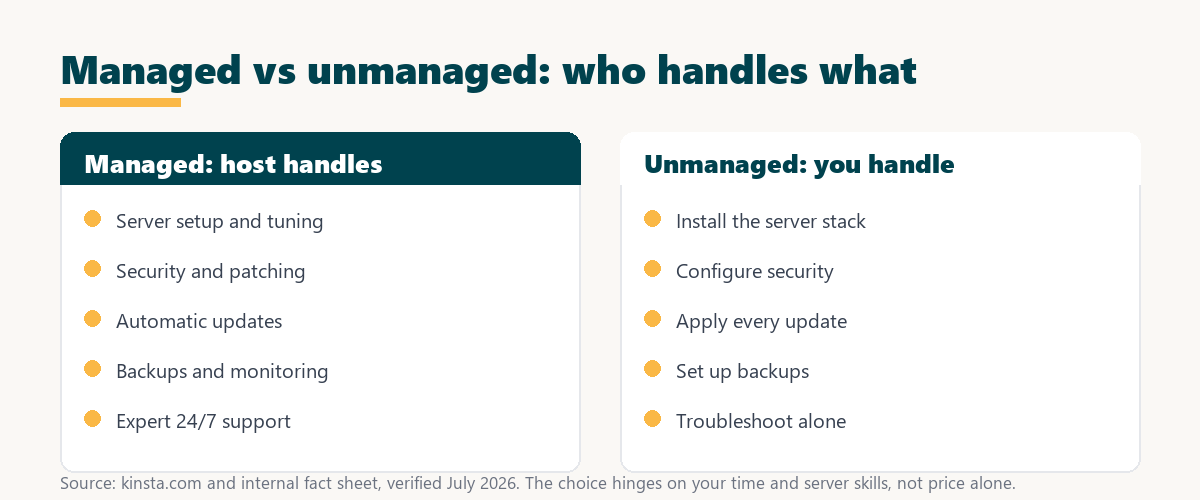
Source: provider documentation and kinsta.com/plans, verified August 2026. The model changes who works, not what the server can do.
Comparing who handles setup, security, updates, support, cost and required skill shows the choice is really about matching the model to your own resources.
See how Kinsta runs the managed model on Google Cloud
Try Kinsta →Fully managed on Google Cloud, with a 30-day money-back guarantee.
Cost Differences Between Managed and Unmanaged
An unmanaged server has a lower sticker price because you provide the labor, while a managed plan costs more because the fee includes expert administration, support and tooling. That difference often disappears once you account for the value of your own time spent running a server.
The honest takeaway is that the cheaper option is only cheaper if your hours are free, which for most businesses they are not.
Pros and Cons of Managed Hosting
Managed hosting offers convenience, security and support with less low-level control and a higher price. It is ideal for owners who want a reliable site without becoming server administrators, trading some control for time saved and risk reduced.
- Pro, hands-off maintenance: The provider handles updates, security and monitoring, removing routine server work from the owner.
- Pro, expert support: A support team resolves server-level issues quickly, replacing the need for in-house expertise.
- Pro, stronger reliability: Optimized infrastructure and backups reduce downtime that would cost a business sales.
- Con, higher price: Managed plans cost more than a bare server, which a zero-revenue site may not justify.
- Con, less control: Some low-level server access and plugin choices are restricted to keep the platform stable.
“The first five seconds of page-load time have the highest impact on conversion rates.”
— HubSpot, page load time and conversion rates
Because a small team rarely has hours to spare on server tuning, a managed plan keeps those first seconds fast without pulling staff away from the business.
Pros and Cons of Unmanaged Hosting
Unmanaged hosting offers maximum control and lower cost but demands technical expertise and time. It suits developers and teams comfortable operating and securing servers themselves, where full control is an advantage rather than a burden.
- Pro, full control: Root access allows any stack, configuration or optimization the operator wants to run.
- Pro, lower price: The sticker cost is lower because no administration or support is bundled in.
- Con, skill required: The owner must install, secure and maintain the entire server stack without help.
- Con, time cost: Patching, monitoring and troubleshooting consume hours that a managed host would absorb.
- Con, self-support: When something breaks, the operator diagnoses and fixes it alone, risking longer downtime.
The honest qualifier is that this route rewards expertise and punishes its absence, so it is a poor fit for non-technical owners.
Which Should You Choose?
You should choose a managed plan if you lack the time or skills for server administration, and an unmanaged server if you have the expertise and want full control. The decision hinges on your technical resources rather than price alone, since the cheaper option costs more in hours.
Source: provider documentation, verified August 2026. A managed plan removes each of these tasks from the owner’s plate.
Listing the tasks an unmanaged server requires against what a managed plan removes clarifies the time and expertise tradeoff behind the price difference. Owners weighing platform commitment can also read our note on SaaS vendor lock-in.
Where Kinsta Fits in the Managed Model
Kinsta sits firmly in the managed model, running WordPress on Google Cloud Platform with the host handling security, caching, updates and monitoring. Owners get managed convenience on premium infrastructure without ever touching a server themselves.
Get the server run for you on Kinsta
Start With Kinsta →Free migration and a 30-day money-back guarantee.
Which Model Suits WordPress?
For WordPress specifically, a managed plan adds WordPress-aware caching, updates and security on top of general server management. Most WordPress owners benefit more from a managed plan than from configuring an unmanaged server to run WordPress well themselves.
“A tool is only worth its premium when the hours or revenue it protects exceed the invoice.”
— Growth Hack Suite, on tool ROI
Applied here, managed hosting earns its premium whenever the hours it saves and the downtime it prevents are worth more than the price gap over an unmanaged server.
Can You Switch From Unmanaged to Managed?
Yes, you can switch from unmanaged to managed hosting, and many managed hosts offer free migration, so a self-managed site moves onto a fully managed platform without downtime. The switch trades hands-on control for the host taking over maintenance and support.
The honest summary is that switching is low-risk when migration is free and tested on staging, so an owner outgrowing self-management can move up without a rebuild.
Getting the Benefits of a Managed Plan
You get the benefits of managed hosting by choosing a provider like Kinsta that bundles expert support, backups and performance tuning. That turns server administration into a hands-off service, so you focus on the business while the host keeps the site fast and secure.
The honest summary is that managed hosting is worth it in proportion to the time and reliability it buys back, which for most business sites easily justifies the price.
Try fully managed hosting risk-free
Try Kinsta Risk-Free →Free migration and a 30-day money-back guarantee.
Managed vs Unmanaged Hosting: Frequently Asked Questions
The 12 most-asked questions about managed vs unmanaged hosting.
What is the difference between managed and unmanaged hosting?
The difference is who maintains the server: managed hosting has the provider handle setup, security and updates, while unmanaged hosting leaves all of that to you in exchange for a lower price.
Is managed or unmanaged hosting cheaper?
Unmanaged hosting is cheaper on paper because you supply the labor, while managed hosting costs more since the fee includes expert administration, support and tooling you would otherwise handle yourself.
Do I need technical skills for unmanaged hosting?
Yes, unmanaged hosting requires solid technical skills, since you must install the server stack, configure security, apply updates and troubleshoot problems without the provider’s help.
Who should use managed hosting?
Managed hosting suits owners who lack the time or expertise for server administration, including small businesses, bloggers and anyone who wants a reliable site without managing infrastructure.
Who should use unmanaged hosting?
Unmanaged hosting suits developers, sysadmins and technical teams who want full control over the server and are comfortable configuring, securing and maintaining it themselves.
Is WordPress hosting managed or unmanaged?
WordPress hosting can be either, but managed WordPress hosting is the common premium option, where the provider optimizes and maintains everything specifically for WordPress on your behalf.
Can I switch from unmanaged to managed hosting?
Yes, you can switch from unmanaged to managed hosting, and many managed hosts offer free migration, so you can move a self-managed site onto a fully managed platform without downtime.
Does managed hosting include security?
Yes, managed hosting includes security as a core feature, with the provider handling firewalls, patching and monitoring, whereas unmanaged hosting makes securing the server entirely your responsibility.
Is unmanaged hosting worth the savings?
Unmanaged hosting is worth the savings only if you have the skills and time to run the server, because otherwise the hours spent on administration can outweigh the lower price.
Does managed hosting mean I lose control?
Managed hosting trades some low-level server control for convenience and support, but you keep full control of your website, content and applications, which is what most owners actually need.
What happens if something breaks on unmanaged hosting?
On unmanaged hosting, you are responsible for diagnosing and fixing problems yourself, whereas managed hosting includes support engineers who resolve server-level issues for you.
Which is better for a business website?
Managed hosting is usually better for a business website, because downtime costs money and the included maintenance, security and support keep the site reliable without needing in-house server expertise.
About this guide
Written by the Growth Hack Suite editorial team, drawing on hands-on experience running both self-managed servers and managed WordPress hosting. Details were cross-checked against provider documentation. This page carries affiliate links to Kinsta, so the position is stated plainly: managed hosting bundles setup, security, updates, backups and expert support at a higher price, unmanaged hosting is cheaper but hands you a bare server to run yourself, and the right choice depends on your skills and time rather than price alone. Kinsta is a fully managed option on Google Cloud Platform.