
Table of Contents
A web server is software and hardware that stores a website’s files and delivers its pages to visitors’ browsers when they request them. It receives requests over HTTP, finds or generates the requested content, and sends it back, making it the engine that makes any site reachable online. This guide explains how it works and how it relates to hosting.
Last updated: August 2026. Written by the Growth Hack Suite editorial team, with details cross-checked against provider documentation. This page carries affiliate links to Kinsta.
What Is a Web Server?
A web server is the software, and the hardware it runs on, that stores a website’s files and delivers its pages to visitors’ browsers when they request them. It is the engine that makes a website reachable over the internet, turning a request for your domain into a page on screen.
“A web server is computer software and underlying hardware that accepts requests via HTTP.”
— Wikipedia, Web server
In plain terms, the server is what answers when a browser asks for your site, sending back the pages people see.
How Does a Web Server Work?
A web server works by listening for requests from browsers over HTTP, locating the requested file or generating the page dynamically, and sending the response back. When someone enters your domain, the server returns the pages that appear in their browser, request by request.
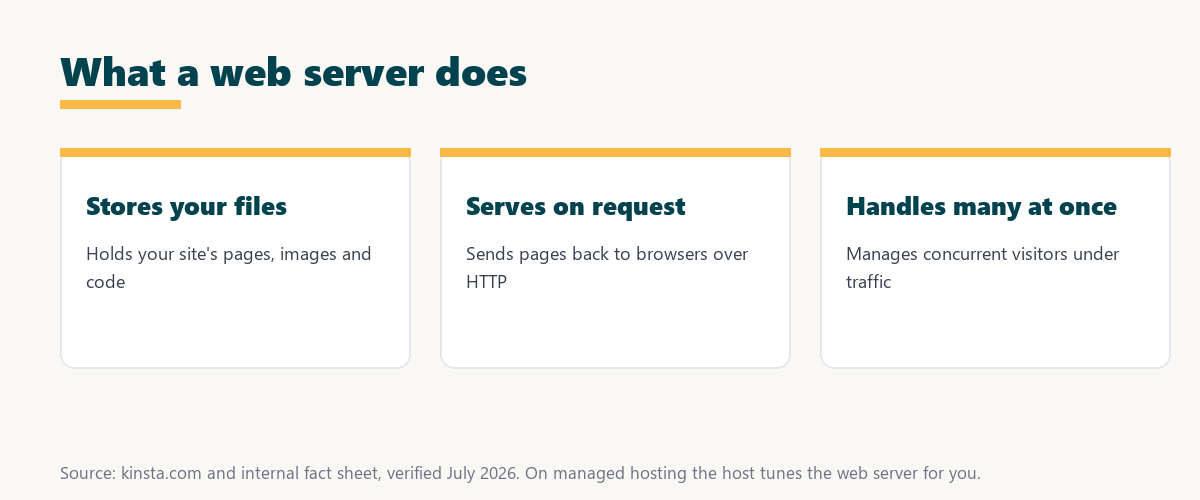
The key cycle is request and response: a browser asks, the server answers, and that loop repeats for every visitor and page.
What Is Web Server Software?
Web server software is the program that handles requests and serves content, with common examples including Nginx, Apache and LiteSpeed. The choice of software affects how efficiently a site is served and how it handles traffic, so hosts pick software suited to performance and scale.
The practical point is that the software is the brains of the server, and its efficiency shapes how fast and stable your site is under load.
Web Server vs Web Hosting
A web server is the system that serves your site, while web hosting is the service of renting space and resources on a server. Hosting is how you get a server to run your site without owning the hardware, so the two terms are related but not the same.
Source: provider documentation, verified August 2026. Hosting is how you access a server.
Comparing what each is shows the server is the system that serves pages, while hosting is the service that gives you access to one without owning hardware.
See how Kinsta runs its servers on Google Cloud
Try Kinsta →Tuned Nginx servers, with a 30-day money-back guarantee.
Static vs Dynamic Content Serving
Servers serve static content like images and files directly, while dynamic content like WordPress pages is generated by an application before being served. The server coordinates with software like PHP to build pages on request, then delivers the result to the browser.
The distinction matters because static files are fast to serve, while dynamic pages take extra work, which is why caching helps so much.
Why the Server Matters for Speed
The server matters for speed because efficient server software and configuration serve pages faster and handle more concurrent visitors. A well-tuned server, combined with caching, is central to how quickly your site loads under traffic, since it is the layer that actually delivers pages.
“The first five seconds of page-load time have the highest impact on conversion rates.”
— HubSpot, page load time and conversion rates
Because the server delivers every page, tuning it well directly protects those early seconds that shape whether visitors stay.
How Servers Handle Many Visitors
Servers handle many visitors by managing concurrent connections, and efficient software like Nginx handles high concurrency with low resource use. The server’s design affects how well a site copes when many people visit at once, which is why software choice matters for busy sites.
The practical point is that concurrency is where servers differ most, so efficient software keeps a busy site responsive.
Do You Manage the Server Yourself?
You do not manage the server yourself on managed hosting, since the host configures and tunes the server software for you. You get efficient, secure serving without editing server configuration or maintaining the software, which is one reason managed hosting suits most site owners.
Source: provider documentation, verified August 2026. Each favors a different balance of speed and flexibility.
Listing Nginx, Apache and LiteSpeed with what each is known for shows the common choices a host might run. Because a host is a long-term commitment, it is worth reading our note on SaaS vendor lock-in before choosing.
How Kinsta Runs Its Servers
Kinsta runs Nginx on compute-optimized Google Cloud machines with server-level caching. Pages are served quickly and the server handles traffic efficiently without you touching any configuration, since Kinsta tunes and maintains the server as part of the managed platform.
Run your site on tuned servers
Start With Kinsta →Free migration and a 30-day money-back guarantee.
Getting Fast, Reliable Page Serving
You get fast, reliable page serving by hosting on a platform that runs tuned server software on premium infrastructure with caching. Your pages reach visitors quickly and the server stays stable under load, so the serving layer supports rather than limits your site’s speed.
“A tool is only worth its premium when the hours or revenue it protects exceed the invoice.”
— Growth Hack Suite, on tool ROI
Applied to hosting, a tuned server on premium infrastructure earns its cost when the speed and stability it delivers exceed the price of the plan.
Servers, Hosting, and the Full Stack
The server is one part of the full hosting stack alongside the application, database, caching and network. Fast page delivery comes from these working together, so a well-built managed platform tunes the whole stack rather than any single layer in isolation.
The honest point is that the server matters, but it is the stack as a whole that determines real-world speed.
Choosing a Host That Runs the Server
You choose a host that runs the server by favoring managed hosting that tunes efficient server software on premium infrastructure with caching. That combination delivers fast, reliable page serving without you configuring anything, so the site stays quick and stable as traffic grows.
The honest summary is that the value of a good server reaches you through a well-run managed host, so the host that runs it matters as much as the software.
Try Kinsta risk-free for fast page serving
Try Kinsta Risk-Free →Tuned Nginx servers and free migration, with a 30-day money-back guarantee.
Web Server: Frequently Asked Questions
The 12 most-asked questions about a web server.
What is a web server in simple terms?
A web server is the software and hardware that stores your website’s files and delivers its pages to visitors’ browsers when they request them, making your site reachable online.
How does a web server work?
A web server works by listening for browser requests over HTTP, finding or generating the requested page, and sending it back, so entering your domain returns the pages in the visitor’s browser.
What is web server software?
Web server software is the program that handles requests and serves content, with common examples including Nginx, Apache and LiteSpeed, each affecting how efficiently a site is served.
What is the difference between a web server and web hosting?
A web server is the system that serves your site, while web hosting is the service of renting space on a web server, so hosting is how you get a server to run your site.
What are examples of web server software?
Common web server software includes Nginx, known for high concurrency, Apache, known for flexibility, and LiteSpeed, so the choice affects serving efficiency and traffic handling.
Does the web server affect site speed?
Yes, the web server affects speed because efficient software and configuration serve pages faster and handle more visitors, so a well-tuned server plus caching is central to fast loading.
How does a web server serve dynamic pages?
For dynamic pages like WordPress, the web server coordinates with an application such as PHP to generate the page, then serves the result, while static files are served directly.
Do I need to manage the web server myself?
On managed hosting you do not, since the host configures and tunes the server software for you, so you get efficient, secure serving without maintaining it.
How do web servers handle many visitors?
Web servers handle many visitors by managing concurrent connections, and efficient software like Nginx handles high concurrency with low resource use, keeping sites stable under load.
Is a web server the same as a physical server?
A web server refers to both the software that serves pages and the hardware it runs on, so the term can mean the program, the machine, or the two working together.
What web server does WordPress use?
WordPress can run on various web servers, and many performance-focused hosts use Nginx to serve WordPress efficiently, often paired with server-level caching.
What web server does Kinsta use?
Kinsta runs Nginx web servers on compute-optimized Google Cloud machines with server-level caching, so pages are served quickly and traffic is handled efficiently without configuration.
About this guide
Written by the Growth Hack Suite editorial team, drawing on hands-on experience running WordPress sites. Details were cross-checked against provider documentation. This page carries affiliate links to Kinsta, so the position is stated plainly: a web server stores your site and serves its pages over HTTP, hosting is the service that gives you one, and efficient software plus caching drives speed. Kinsta runs Nginx on compute-optimized Google Cloud machines with server-level caching.