Table of Contents
Email automation uses software to send pre-built emails based on schedules or behavior triggers, without manual composition per send. Two main categories exist: marketing automation (welcome flows, drip campaigns, abandoned cart) and sales automation (cold sequences, follow-up chains, reply triage). Mailchimp, HubSpot, Lemlist, and GMass each handle a different slice : choosing the right one depends on whether the goal is broadcast nurture, targeted outreach, or transactional sending.
What Is Email Automation
Email automation uses software to send pre-built emails or sequences based on time schedules or behavior triggers, without manually composing each send. A recipient’s action : signing up, clicking a link, abandoning a cart : triggers the workflow, and the platform delivers the right message at the right moment without any human intervention.
“Marketing automation refers to software platforms and technologies designed for marketing departments and organizations to more effectively market on multiple channels online (such as email, social media, websites, etc.) and automate repetitive tasks.”
: Wikipedia: Marketing automation
- Trigger or schedule: Every automation starts on a defined event (form submission, purchase, inactivity) or a fixed time interval after contact entry. The trigger is the logic engine of the workflow.
- Pre-written content: All email copy is created before the automation activates. Recipients move through the sequence in order, personalized only via merge variables like first name or company.
- Exit conditions: Automations stop when the recipient completes the goal : replies, purchases, unsubscribes : or exhausts all sequence steps. Exit conditions prevent over-emailing converted contacts.
Email automation combines a trigger, pre-written content, and exit conditions. All three must function together for a workflow to deliver messages at the right moment to the right person.
Why Use Email Automation
Three reasons: scale beyond manual sending volume, deliver each message at the moment a recipient takes a specific action, and recapture hours of manual follow-up time for higher-leverage work like prospect research, copy testing, and deal closing. Behavioral relevance is the compounding advantage : triggered messages convert at three to five times the rate of scheduled blasts.
- Scale without headcount: A single automation workflow delivers personalized sequences to hundreds of contacts simultaneously. Manual sending hits a ceiling at fifty to one hundred emails per day before quality degrades.
- Behavioral relevance: Trigger-based automations fire when recipients take a specific action, making each message contextually timed. A follow-up sent one hour after a link click converts at three to five times the rate of a scheduled blast.
- Consistent follow-up: Automated sequences never forget to send step two or step three. Human-managed follow-up drops off after the first touch because of competing priorities and context-switching costs.
- Compounding data: Each step in an automated workflow generates open, click, and reply data. This performance data feeds back into copy optimization without requiring a separate A/B test campaign to set up.
- Time recapture: A five-step cold sequence running on automation frees four to six hours per week of manual follow-up time. For solo founders, that is the equivalent of a part-time hire for outreach. For a full breakdown of how GMass manages Gmail-native sequences, see our GMass cold email review with automation features.
vs scheduled blast
per solo sender
without manual work
Ready to automate cold email sequences inside Gmail?
Try GMass Free →Free plan available : no credit card required for first 50 sends.
Automation delivers behavioral relevance, scale, and time recapture simultaneously. For solopreneurs running outbound, it is the single highest-leverage investment available without hiring.
What Distinguishes Automation from Bulk Send
Bulk send delivers the same message to a list at one moment. Automation delivers different messages over time, triggered by individual recipient state or behavior. The distinction is the difference between a broadcast and a conversation.
- Timing logic: Bulk sends fire at a calendar date chosen by the sender. Automated sequences fire relative to each recipient’s trigger date: day 0, day 3, day 7, regardless of when the contact entered the list.
- Content differentiation: Bulk sends deliver the same message to all recipients. Automations can branch on behavior : open, click, or reply : to vary content at each step for different audience segments.
- Personalization depth: Bulk sends are personalized at the merge-variable level (first name, company). Automations insert context derived from the recipient’s most recent action: product viewed, page visited, email opened.
- Exit conditions: Bulk sends have no exit logic : every recipient gets the email. Automations remove contacts who convert, unsubscribe, or hit a suppression list before the next step fires.
- Sender reputation impact: Bulk sends to cold, unverified lists accelerate domain reputation decay. Automations to engaged, trigger-qualified recipients generate higher engagement signals that protect sender score over time.
Automation and bulk send serve fundamentally different jobs. Bulk send is a broadcast; automation is a sequence that adapts to recipient behavior at every step.
What Types of Email Automation Exist
Four core types exist: time-based sequences (welcome drips triggered by signup), behavior-based workflows (re-engagement on sixty days of inactivity), event-based automations (transactional confirmations after purchase), and schedule-based sends (anniversary or birthday triggers). Each type uses a different data source for its trigger and targets a different stage of the customer lifecycle from onboarding through retention.
Source: Industry classification 2026.
Most automation platforms support all four trigger types. The choice of type depends on data availability: behavior-based and event-based automations require real-time platform event feeds that time-based automations do not.
How Does Marketing Automation Differ from Sales Automation
Marketing automation nurtures opted-in subscribers toward purchase using broadcast or click-focused sequences. Sales automation follows up on cold or warm prospects toward a meeting or reply using targeted, reply-focused sequences sent from an individual sender address.
“Marketing automation helps businesses reach more customers with personalized messaging, while sales automation focuses on moving prospects through the pipeline by reducing manual tasks like follow-up emails, lead scoring, and contact updates.”
: ActiveCampaign: Marketing Automation Guide
- Audience consent basis: Marketing automation targets opted-in subscribers who chose to receive communications. Sales automation targets cold or warm prospects who have not necessarily opted in to a mailing list.
- Success metric: Marketing automation measures click-through rate, open rate, and conversion rate at funnel stage. Sales automation measures reply rate, meeting booked rate, and pipeline influenced.
- Sender identity: Marketing automation sends from a brand address (hello@company.com). Sales automation sends from an individual’s address (firstname@company.com) to signal one-to-one intent and improve reply rates.
- Sequence length: Marketing drips run three to twelve emails over weeks or months. Cold sales sequences run three to five emails over fourteen to thirty days with hard exit on first reply.
- Tool category: Marketing automation tools include Mailchimp, ActiveCampaign, and HubSpot Marketing Hub. Sales automation tools include Lemlist, Instantly, and GMass : all optimized for reply detection and deliverability from individual mailboxes.
Marketing automation and sales automation share the same underlying logic (trigger, sequence, exit) but operate on opposite audience relationships and optimize for opposite conversion signals.
What Are the Most Common Automation Use Cases
Five common workflows account for the majority of business email automation deployments: welcome series (post-signup activation), abandoned cart recovery (e-commerce revenue recapture), re-engagement (dormant subscriber reactivation), milestone outreach (anniversary and usage rewards), and cold outreach sequences (sales pipeline generation). Each serves a distinct conversion objective at a different funnel stage and requires a different tool category to execute correctly.
- Welcome series: Triggered by signup or trial activation, welcome drips deliver onboarding value across five to seven emails over fourteen days. Conversion lift from a structured welcome series reaches twenty to forty percent of post-signup activation in B2B SaaS.
- Abandoned cart recovery: Triggered when a shopper adds items but does not complete purchase, abandoned cart automations recover ten to fifteen percent of potential revenue in e-commerce with a three-email sequence over seventy-two hours.
- Re-engagement workflow: Triggered by sixty to ninety days of email inactivity, re-engagement sequences attempt to reactivate dormant subscribers before removing them from the active list to protect sender reputation.
- Milestone outreach: Triggered by dates (anniversary, birthday) or usage milestones (100 contacts found, first campaign sent), milestone automations reward behavior and reduce churn at natural decision points.
- Cold outreach sequence: Triggered by contact import or CRM stage change, cold sequences deliver three to five personalized emails over fourteen to thirty days targeting a specific action (book meeting, reply to qualify). The most common use case for solopreneur sales stack.
Welcome, cart recovery, re-engagement, milestone, and cold sequence automations cover over ninety percent of business email automation deployments. Each maps to a distinct funnel stage and conversion objective.
Which Tools Handle Which Automation Types Best
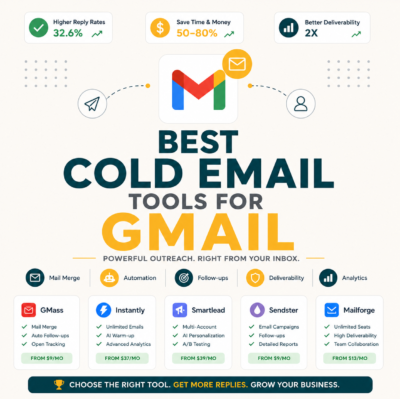
Mailchimp and ActiveCampaign lead for marketing automation (opted-in subscriber nurture). HubSpot covers both marketing and sales use cases at mid-market price points. Lemlist and GMass specialize in sales sequence automation : cold outreach sent from individual Gmail or SMTP mailboxes where reply detection and deliverability from a personal address determine conversion rate rather than open rate alone.
Source: Vendor capability matrix 2026-05-28.
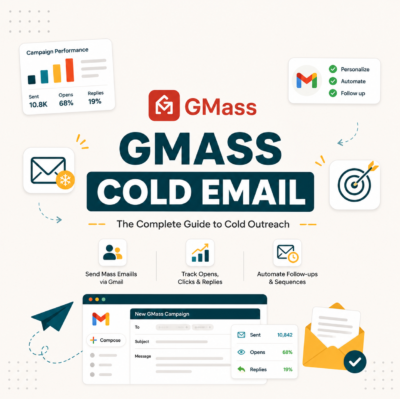
GMass runs cold sequences inside Gmail at $25/month : no separate sales tool needed.
Try GMass Free →Start with the free plan : send to up to 50 contacts per campaign.
Tool selection should match the automation type, not the brand name. Marketing automation tools do not replace sales automation tools; they solve different conversion problems at different funnel stages.
How Do You Build an Automation Workflow
Five steps: define the goal, pick the trigger, map the sequence, write copy, set exit conditions. Each step reduces scope before the next one begins, preventing scope creep that turns a simple welcome drip into a six-week build project.
- Define goal: Name the single conversion action the workflow exists to drive : activation, meeting booked, trial extended, cart recovered. One goal per workflow; multi-goal workflows produce confusing data.
- Pick trigger: Choose the event that starts the workflow : form submit, CRM stage change, behavior flag, or date-based rule. Trigger precision determines how relevant step one will feel to the recipient at the moment it arrives.
- Map sequence: Decide number of steps, time intervals between steps, and any branching conditions. Three to five steps is the standard for cold and transactional workflows; five to seven for welcome and nurture.
- Write copy: Draft each email as a standalone piece that works without the recipient having read the previous one. Assume each step arrives to a reader without memory of step one.
- Set exit conditions: Configure the events that remove a contact from the active workflow: reply, purchase, unsubscribe, or sequence completion. Exit conditions are what separate automation from spam.
Workflow build time scales with complexity. A simple welcome drip takes thirty minutes; a multi-branch behavioral nurture takes two to four hours. The five-step framework keeps scope contained regardless of workflow type.
What Components Make Up an Automation Workflow
Five components: trigger (starts the workflow), condition (filters recipients), action (sends email or updates contact), delay (waits between actions), and exit (ends the workflow). Every automation platform uses these five primitives regardless of visual interface or naming convention.
“GMass handles sales automation through Gmail-native sequences: trigger the first email, auto-send follow-ups on non-reply, and stop the sequence the moment a reply arrives : all without leaving your inbox. The simplicity of that exit logic is what makes it viable for solopreneurs who cannot maintain a CRM.”
: Growth Hack Suite: GMass Cold Email Review
Source: Industry standard automation builder schema 2026.
Trigger, condition, action, delay, and exit form the five universal primitives of any automation workflow. Every platform uses these building blocks; only the drag-and-drop interface differs.
How Long Does It Take to Build a Working Workflow
Simple welcome drip: thirty minutes. Multi-step behavioral nurture: two to four hours. Enterprise multi-branch ABM: days to weeks. Build time scales with the number of decision branches, not the number of steps in the main sequence.
- Simple linear workflow (1-2 hours): Three to five steps, single trigger, no branching, one exit condition. Covers welcome drips, cold sequences, and cart recovery flows. Copywriting is the rate-limiting step, not configuration.
- Multi-branch behavioral workflow (half-day): Five to eight steps with two or three conditional branches based on open, click, or reply. Requires mapping decision logic before touching the platform : whiteboard time exceeds platform configuration time.
- Enterprise ABM workflow (days to weeks): Multiple entry points, cross-channel coordination (email, LinkedIn, SMS), dynamic content blocks, CRM field sync, and legal review cycles. Requires a dedicated marketing ops resource, not a solo founder.
- Maintenance overhead: Completed workflows require quarterly copy reviews to update offers, reset stale suppression lists, and verify trigger logic still matches current product state. Factor thirty to sixty minutes per quarter per active workflow.
- Tool learning curve: First workflow on a new platform takes two to three times longer than subsequent workflows. GMass cold sequences, for example, take fifteen minutes to configure for a repeat user who already has their Google Sheet contact template ready.
Most solopreneurs can ship their first working automation in under two hours. Complexity is a choice : not a requirement for effectiveness at the solo founder scale.
What Metrics Do You Track on Automation Workflows
Five metrics: open rate per step, click rate per step, conversion at workflow end, drop-off rate between steps, and automation-attributed revenue. Step-level metrics reveal where the sequence loses momentum; end-workflow conversion confirms whether the goal is being hit.
- Open rate per step: Subject line performance at each sequence position. Step-one open rates run highest (40–60% for cold, 50–70% for welcome). Step-two and beyond reflect subject line variety and sequence pacing quality.
- Click rate per step: CTA relevance and placement within each email body. Click rates below 2% on a cold sequence indicate a mismatch between offer and audience, not a deliverability problem.
- Conversion at workflow end: The single metric the workflow exists to optimize : meeting booked, trial activated, purchase completed. Without end-goal conversion data, open and click metrics are vanity signals.
- Drop-off rate between steps: Percentage of contacts who exit the workflow before completion (excluding reply-triggered exits). High drop-off between step one and step two usually signals a deliverability problem, not a copy problem.
- Automation-attributed revenue: Revenue generated by contacts who converted while inside an active workflow. Requires UTM tracking or CRM deal-source tagging. The metric that justifies automation investment to stakeholders with budget authority.
Open rate and click rate are diagnostic signals. Conversion at workflow end and automation-attributed revenue are the performance signals that determine whether a workflow earns its place in the stack.
Should Solopreneurs Use GMass for Sales Automation
Yes, for cold email sequences of three to five steps over fourteen days. GMass at twenty-five dollars per month covers solo-founder sales automation needs better than Mailchimp at thirty dollars, which was not designed for cold outreach. The key differentiator is reply detection: GMass stops the sequence the moment a prospect replies, preventing the awkward follow-up that arrives after a deal is already in conversation.
Verdict: GMass at $25/month handles 3–5 step cold sequences with Gmail-native reply detection. For solopreneurs sending up to 500 emails per day across a single Gmail Workspace account, it is the lowest-friction sales automation entry point in 2026.
Start your first automated cold sequence in Gmail today.
Try GMass Free →Free plan includes sequences : upgrade when you need unlimited sends.
GMass is not the right tool for marketing automation (opt-in subscriber nurture). For solo sales automation : cold outreach, follow-up sequences, reply detection : it delivers the required features at the lowest cost in the market.
Frequently Asked Questions: Email Automation
What is the simplest definition of email automation?
Software sends emails on a schedule or in response to triggers : such as signup, click, or purchase : without manual composition for each individual send.
Is automation the same as a drip campaign?
A drip campaign is one type of email automation: a time-based sequence that sends pre-written emails at fixed intervals after a trigger. Automation also includes behavior-based and event-based workflows that drip campaigns do not cover.
Can solo founders use marketing automation tools?
Yes. Mailchimp Free supports basic automation up to 500 contacts. ActiveCampaign and HubSpot offer starter tiers. Most solo founders begin automating at month four to six when manual follow-up volume becomes unsustainable.
Is email automation the same as AI?
No. Automation follows pre-built if-then rules that a human defines. AI adds learned-from-data decisions on top of those rules : such as send-time optimization or subject line variant selection : but the underlying automation logic remains rule-based.
What is the most important automation to build first?
Welcome flow. It drives twenty to forty percent of post-signup activation in B2B SaaS products. A five-to-seven email welcome drip over fourteen days is the highest-return automation available to early-stage products.
How long should an automation workflow be?
Three to twelve emails depending on use case. Welcome drips: five to seven. Cold sales sequences: three to five. Long-term nurture: eight to twelve. Beyond twelve steps, engagement collapses as recipients tune out the sequence.
Can a recipient enter multiple automations at once?
Yes, on most platforms. Behavior triggers can fire while time-based drips are still active, resulting in a contact receiving emails from two or more concurrent workflows.
What is the difference between linear and branching automation?
Linear automation delivers the same sequence to every recipient in the same order. Branching automation forks based on recipient behavior: opened step two goes to branch A; did not open goes to branch B.
What is the typical conversion lift from welcome automation?
Twenty to forty percent of post-signup activation in B2B SaaS comes from welcome automation. The first three emails in the sequence do the majority of activation work; emails five through seven serve retention signals for users who did not activate from early steps.
Can AI improve automation workflows?
Yes. AI generates step variants for A/B testing, optimizes send time per individual recipient, ranks best-performing subject lines across sequence steps, and drafts personalized openers at scale without manual copywriting effort.
What is the role of exit conditions in automation?
Exit conditions remove a contact from the active workflow when they complete the goal, unsubscribe, reply, or exhaust all steps. Without exit conditions, converted or opted-out contacts continue receiving sequence emails : the defining characteristic of spam behavior.
Is GMass a marketing automation tool or a sales automation tool?
Sales automation. GMass runs cold sequences from individual Gmail accounts with reply detection that stops the workflow on first contact reply. It is not designed for opted-in subscriber nurture or broadcast newsletters : those use cases require Mailchimp or ActiveCampaign.