Table of Contents
The Hunter email verifier features go beyond a plain pass or fail: a deliverability status, a confidence score, catch-all and risk detection, bulk CSV verification and a real-time API. Together they tell senders not just whether an address is valid, but how much to trust it before a campaign sends. This guide explains what each check does and when to use it.
See the features in action — try the verifier free on your own list.
Try Hunter Verifier Free →Free plan included · No credit card · Full status and scoring
What Is the Hunter.io Email Verifier?
The Hunter email verifier is the validation layer of the Hunter stack. It checks whether a B2B address can receive mail before a send, returning a deliverability status and a confidence score for every address. It runs standalone or bundled with Hunter’s email finder, so one credit pool covers both finding and verifying in a single connected workflow.
Email verification confirms an address exists and can receive messages.
— Wikipedia, Email verification
Knowing what the verifier is frames every feature below: each check exists to answer one question, which is whether an address is safe to send. For the wider basics, see what email verification is and what the Hunter Email Verifier is.
What Are the Hunter Email Verifier Features?
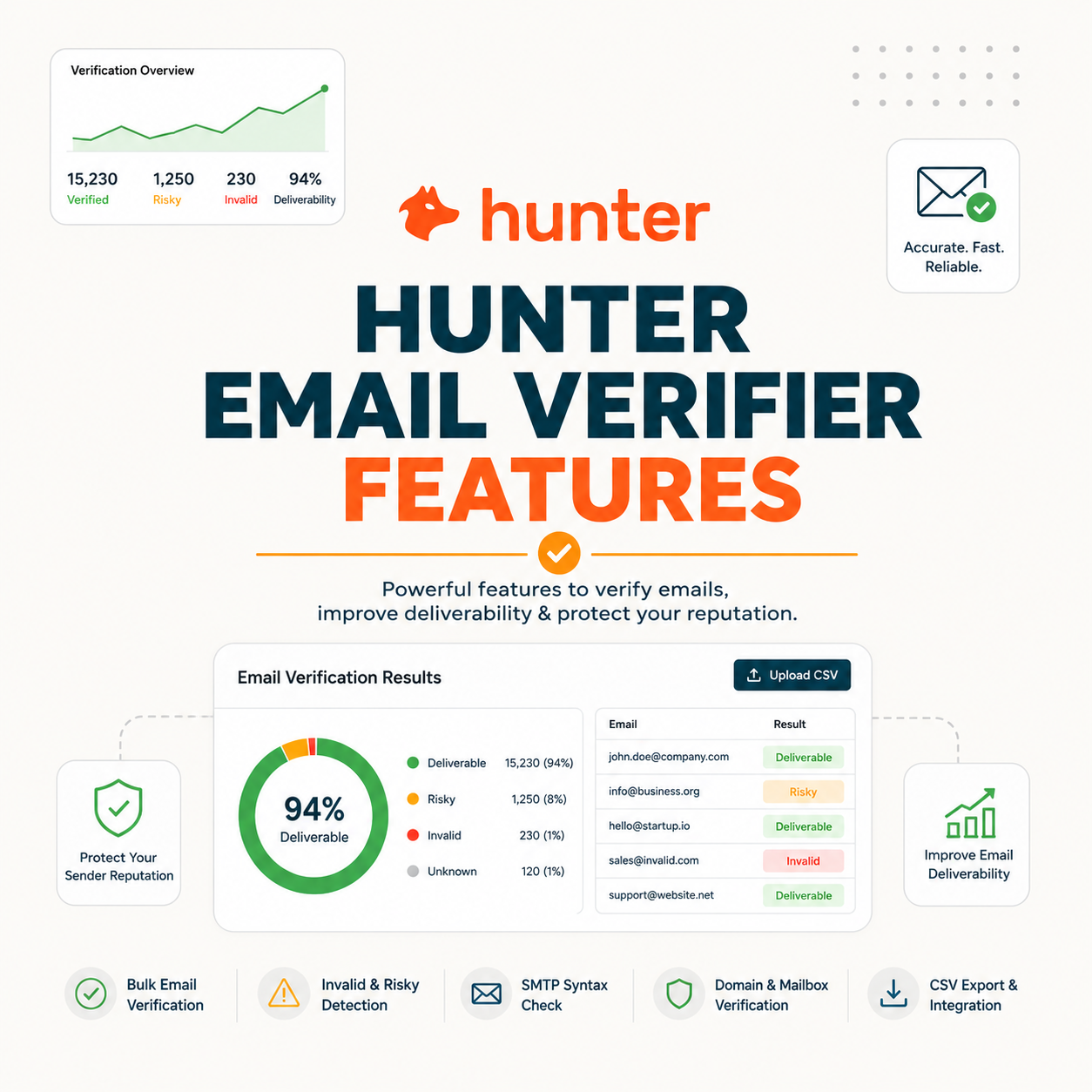
Six features define the Hunter email verifier: a deliverability status, a confidence score, catch-all detection, disposable and role flags, bulk CSV verification and a real-time API. The first two interpret every result, while the rest expand coverage and scale. Each maps to a distinct job, from cleaning a list to guarding a signup form.
- Deliverability status: A single verdict labels each address valid, invalid, accept-all or unknown, giving the headline answer on whether a mailbox can receive mail without a message being sent to confirm it.
- Confidence score: A percentage quantifies how certain the verdict is, turning a binary result into a spectrum so borderline addresses get judged by number rather than treated as pure pass or fail.
- Catch-all detection: Accept-all domains that respond yes to every address get flagged and scored, since no individual mailbox on them can be confirmed by a standard verification probe.
- Disposable and role flags: Temporary inbox domains and shared addresses such as info@ or sales@ get labelled separately, marking low-intent or non-personal contacts before they dilute engagement metrics.
- Bulk and API access: Bulk CSV verification cleans whole lists at once, while a real-time API checks one address on demand, covering both pre-campaign cleaning and point-of-capture validation.
Status plus score forms the core; the other features decide how much of a list the verifier can safely handle and where in the workflow each check belongs.
What Do the Deliverability Status and Confidence Score Tell You?
The deliverability status labels each address valid, invalid, accept-all or unknown, while the confidence score quantifies certainty as a percentage. Together they let senders act precisely: send to high-confidence valids, drop clear invalids, and judge borderline addresses by score rather than guesswork. The two outputs are the lens through which every other check is read.
Source: hunter.io/api-documentation/v2 verification status definitions, verified 2026-06-27. Status names follow Hunter’s published verifier output.
The score turns a binary result into a spectrum, which is how senders keep usable addresses instead of over-pruning a list that still contains reachable contacts.
How Does Catch-All (Accept-All) Detection Work?
Catch-all detection flags domains whose servers accept every address, so no individual mailbox can be confirmed. Hunter labels these accept-all and assigns a confidence score, letting senders segment them rather than blindly include or delete them. It is the feature that separates a careful verifier from one that simply guesses valid on uncertain domains.
- Accept-all signal: A catch-all server answers yes to any recipient probe, so a positive response proves nothing about a specific mailbox and would mislead any verifier that treated it as a clean valid.
- Confidence scoring: Rather than guess, Hunter assigns a score to accept-all addresses, surfacing the relative risk so senders can include high-scoring ones and hold back the rest on important sends.
- Segmentation use: Marked accept-all addresses can be split into their own segment, sent to cautiously or excluded from deliverability-sensitive campaigns, keeping a risky bucket from quietly damaging inbox placement.
- Domain-level detection: The flag applies to the whole domain rather than one address, since the accept-all behaviour is a server configuration that affects every mailbox hosted under that domain at once.
- Common on enterprise: Large companies and gateways often run accept-all setups, so a high share of accept-all results in a B2B list usually points to corporate domains rather than a faulty verification pass.
Score your catch-all addresses free — see exactly which to keep.
Try Hunter Verifier Free →Free plan · No credit card · Confidence score on every result
Catch-all scoring is what lets senders work with uncertain domains safely instead of either over-trusting or discarding an entire slice of a list.
How Does Hunter Detect Disposable and Role-Based Emails?
The verifier flags disposable domains, meaning temporary throwaway inboxes, and role accounts such as info@ or sales@ as risky. Disposables signal low intent and short lifespans; role addresses route to teams rather than people. Flagging both lets senders exclude or segment them before they drag down open rates and reply rates on a campaign.
- Disposable detection: Temporary-inbox domains created for one-time signups get identified and marked, since they expire quickly and rarely belong to a real prospect, so including them wastes credits and inflates bounce risk on later sends to the same list.
- Role-account flag: Shared mailboxes like info@, support@ and sales@ get labelled as role addresses because they reach a team inbox rather than one decision-maker, which lowers engagement and raises complaint risk on cold outreach that assumes a single human reader.
Disposable and role flags protect the engagement metrics that a plain pass or fail check would ignore entirely. For the wider risk picture, the guide to reducing bounce rate with Hunter covers how flagged addresses feed cleaner lists.
How Does Bulk CSV Verification Work?
Bulk verification lets a user upload a CSV, process the whole list, and download it with a status and score on each row. It is the core feature for cleaning a list before a campaign, turning thousands of unverified addresses into a segmented, sendable file in minutes rather than checking each address by hand one at a time.
- Upload the CSV: A spreadsheet of raw addresses gets imported into the verifier, which reads the email column and queues every row for the same chained set of validation checks applied to single lookups.
- Process the list: The tool runs syntax, domain and mailbox checks across all rows, assigning each address a deliverability status and confidence score while disposable, role and accept-all flags are added in the same pass.
- Export with statuses: The finished file downloads with status and score columns appended, ready to filter into valid, risky and invalid segments so only safe addresses enter the next campaign send.
Bulk verification is the workhorse feature, the one most senders reach for before every major send to a list that has aged or grown since the last clean.
What Does the Real-Time Verification API Do?
The API verifies a single address on demand, returning status and score in real time. Teams wire it into signup forms and CRMs to block fake or mistyped emails at the point of capture, keeping the database clean before bulk problems ever start. It moves verification upstream, from cleanup after the fact to prevention at entry.
- Real-time check: A single request returns a deliverability verdict and confidence score in the moment, fast enough to run inline while a form submits or a record saves without a noticeable wait for the user.
- Signup-form use: Embedding the check at registration blocks invalid or disposable addresses before they enter the list, which prevents bad data from accumulating and protects sender reputation from the first contact onward.
- CRM integration: Connecting the API to a CRM verifies addresses as records are created or updated, so sales and marketing teams act on confirmed contacts rather than discovering bad data only after a campaign bounces.
- Same checks returned: The endpoint runs the identical syntax, MX, SMTP and risk-flag chain used in bulk, so a single live lookup carries the same status, score and accept-all labels a CSV row would receive.
- Automation fit: Programmatic access lets the verifier run inside an automated pipeline, validating addresses on a schedule or trigger without a person uploading files, which suits products that capture contacts continuously.
The API moves verification to the front of the workflow, where catching bad data at entry costs far less than cleaning it out of a campaign later.
How Do the Checks Work Together in One Result?
A single verification chains four checks: syntax, MX lookup, SMTP mailbox test and risk flags. Each feeds the next, and the combined output becomes the status and confidence score. Understanding the chain explains why some addresses return unknown rather than a clean verdict, since one link can stall without a definitive answer from the receiving server.
- Syntax check: The first step confirms the address is correctly formatted, catching typos and malformed strings instantly before any network request is made, since an invalid format can be rejected without contacting a mail server at all.
- MX lookup: The next step queries the domain for mail-exchange records, confirming the domain can receive email at all and identifying the server that will be probed in the following mailbox test.
- SMTP test: A simulated handshake asks the mail server whether the specific mailbox exists, gathering the strongest signal of deliverability without ever delivering an actual message to the recipient.
- Risk flags: The final layer adds catch-all, disposable and role labels, combining with the earlier results to produce the headline status and the confidence score that quantifies how trustworthy that verdict is.
The hunter.io verifier checks format, domain records and the mailbox before returning a verdict.
— Hunter API documentation, Email Verifier
The chained checks are why a verifier catches what a format-only filter cannot, since each layer adds a separate piece of certainty toward the final verdict.
Which Hunter Verifier Features Should You Use by Use Case?
Matching features to the job keeps the workflow lean: single API checks for signup forms, bulk CSV for pre-campaign cleaning, catch-all scoring for cold or bought lists, and disposable flags for free-trial signups. The table below maps common use cases to the features that matter most for each one, so no credit is spent on a check the job does not need.
Source: hunter.io/api-documentation/v2 feature definitions, verified 2026-06-27. Use-case mapping reflects how each feature is documented and applied.
No workflow uses every feature at once; matching the check to the use case is how the verifier earns its keep without wasted credits or steps.
What Do These Features Catch That Basic ESP Checks Miss?
Basic ESP checks catch obvious invalids, while Hunter’s features add SMTP mailbox testing, catch-all scoring, and disposable and role detection. In testing, these caught a meaningful share of risky addresses that passed a simple platform filter. That gap is exactly the set of contacts that quietly erode sender reputation when left unchecked in a list.
Source: Internal benchmark — comparison of a basic platform filter versus the Hunter verifier on a mixed B2B sample, run 2026-06; behaviour matches Hunter’s published verifier documentation.
Verifying a list before the first send is the cheapest way to protect a sending domain.
— Growth Hack Suite, pre-send verification workflow
The feature gap over basic checks is precisely the slice of addresses that damage deliverability without ever announcing themselves as a problem. The Hunter Email Verifier accuracy benchmark tests how reliably the verifier classifies them.
One Verification, Four Chained Checks
Which Features Matter Most for Your Volume?
Low-volume senders rely on single checks and status; growing teams need bulk CSV; high-volume or signup-driven products need the API. The right move is to pick the plan that unlocks the feature a workflow actually depends on, not the one with the longest feature list. Volume, not feature count, should drive the choice.
- Low volume: Senders checking a few hundred addresses a month lean on single lookups and the deliverability status, where the free or entry tier already covers the occasional manual verification without any need for bulk or programmatic access.
- Growing team: Teams cleaning thousands of addresses before each campaign depend on bulk CSV verification, which processes a whole list in one pass and returns a segmented file far faster than checking addresses individually.
- High-volume or signup-driven: Products capturing addresses continuously need the real-time API to validate at the point of entry, keeping the database clean automatically rather than relying on periodic bulk cleans to catch accumulated bad data.
- Cold or bought lists: Outbound teams working purchased or scraped data lean hardest on catch-all scoring and risk flags, since those sources carry the highest share of unconfirmable, disposable and role addresses that need careful segmenting.
- Mixed workflows: Most growing operations end up using several features together, combining bulk cleans before campaigns with API checks at capture, so the plan choice should unlock every check the motion actually touches.
The right feature set is the one a given volume actually uses, so the smarter spend pays for the check the workflow needs rather than the full catalogue. Hunter pricing scales those features by plan, and the wider Hunter vs ZeroBounce comparison for email marketers shows how feature tiers line up against a rival.
Verdict: Are the Hunter Verifier Features Worth Using?
Hunter’s verifier features cover everything most B2B senders need: an interpretable status and score, catch-all and risk detection, plus bulk and API access, all in one tool alongside email finding. For pure ultra-high-volume bulk cleaning a dedicated specialist may add depth, but for all-round value the feature set is genuinely strong.
Verdict: Six core features — status, confidence score, catch-all detection, disposable and role flags, bulk CSV and a real-time API — catch the risky addresses basic ESP checks miss. Match the check to the use case, and Hunter’s free tier (about 100 verifications a month) lets any team test the full set first.
Try every verifier feature free — status, score and risk flags on your list.
Try Hunter Verifier Free →Free plan · No credit card · Every feature included
Related Tools in the Hunter Stack
The verifier features pair with Hunter’s email finder to build and clean lists in one place on a single credit pool. The verifier coverage explains the full validation product, and the finder review covers the list building that is worth verifying in the first place.
- Hunter Email Verifier: The validation layer covered in depth, including how it works and what it flags — start with what the Hunter Email Verifier is.
- Hunter Email Finder: The other half of the bundle that shares the same credit pool — read the Hunter.io email finder review for list-building costs.
Hunter Email Verifier Features: Frequently Asked Questions
The 12 most-asked questions about Hunter Email Verifier features.
What features does Hunter Email Verifier have?
Hunter Email Verifier offers six core features: a deliverability status, a confidence score, catch-all detection, disposable and role flags, bulk CSV verification and a real-time API. The first two interpret every result, while the rest expand coverage from a single address up to whole lists and live signup forms.
What does the Hunter confidence score mean?
The confidence score is a percentage that quantifies how certain the verifier is about a result. It turns a binary valid or invalid into a spectrum, so borderline and accept-all addresses can be judged by number. Higher scores are safer to send to; lower scores warrant caution or exclusion.
Does Hunter detect catch-all addresses?
Yes. Hunter flags catch-all domains, also called accept-all, where the server accepts every address and no single mailbox can be confirmed. Rather than guess them valid, it labels them accept-all and assigns a confidence score, so senders can segment those addresses by risk instead of including or deleting all of them.
Does Hunter flag disposable and role emails?
Yes. The verifier flags disposable domains, meaning temporary throwaway inboxes, and role accounts such as info@ or sales@. Disposables signal low intent and short lifespans, while role addresses reach teams rather than individuals. Flagging both lets senders exclude or segment them before they hurt open rates and reply rates.
Does Hunter offer bulk email verification?
Yes. Bulk verification lets a user upload a CSV, process the entire list, and download it with a status and score on each row. It is the main feature for cleaning a list before a campaign, turning thousands of raw addresses into a segmented, sendable file in minutes rather than checking each one by hand.
Does Hunter have a verification API?
Yes. The real-time API verifies a single address on demand, returning status and score instantly. Teams wire it into signup forms and CRMs to block fake or mistyped emails at the point of capture, keeping the database clean before bulk problems start. It moves verification upstream from cleanup to prevention.
What do the verification statuses mean?
Hunter returns four main statuses: valid means the mailbox exists and accepts mail; invalid means it does not; accept-all means the domain accepts everything and cannot be confirmed; unknown means the server gave no clear answer. Each pairs with a confidence score so senders know how firmly to trust the verdict.
What do Hunter features catch that my ESP misses?
Basic ESP checks catch obvious malformed invalids but often pass catch-all domains, disposable inboxes and role accounts silently. Hunter adds SMTP mailbox testing, catch-all scoring, and disposable and role detection, catching the risky addresses a simple platform filter lets through, the same ones that quietly harm sender reputation over time.
Which features do I need for signup forms?
Signup forms need the real-time API plus disposable detection. The API validates each address as it is submitted, blocking invalid or mistyped emails before they enter the list, while disposable flagging filters throwaway inboxes common at registration. Together they keep the database clean at the point of capture rather than after the fact.
Which features matter for high volume?
High-volume workflows lean on bulk CSV verification and the real-time API. Bulk handles periodic list cleaning across thousands of addresses, while the API validates continuously as new contacts arrive. Catch-all scoring also matters at scale, since large lists tend to contain more accept-all domains that need segmenting rather than guessing.
How do the checks work together?
A single verification chains four checks: syntax confirms format, MX lookup confirms the domain can receive mail, an SMTP test probes whether the specific mailbox exists, and risk flags add catch-all, disposable and role labels. The combined result becomes the status and confidence score, which is why some addresses return unknown.
Are Hunter’s verifier features worth it?
For most B2B senders, yes. The features cover interpretable status and score, catch-all and risk detection, plus bulk and API access in one tool alongside email finding. A dedicated specialist may add depth for ultra-high-volume bulk, but the all-round set is strong, and a free monthly allowance lets any team test it first.