Table of Contents
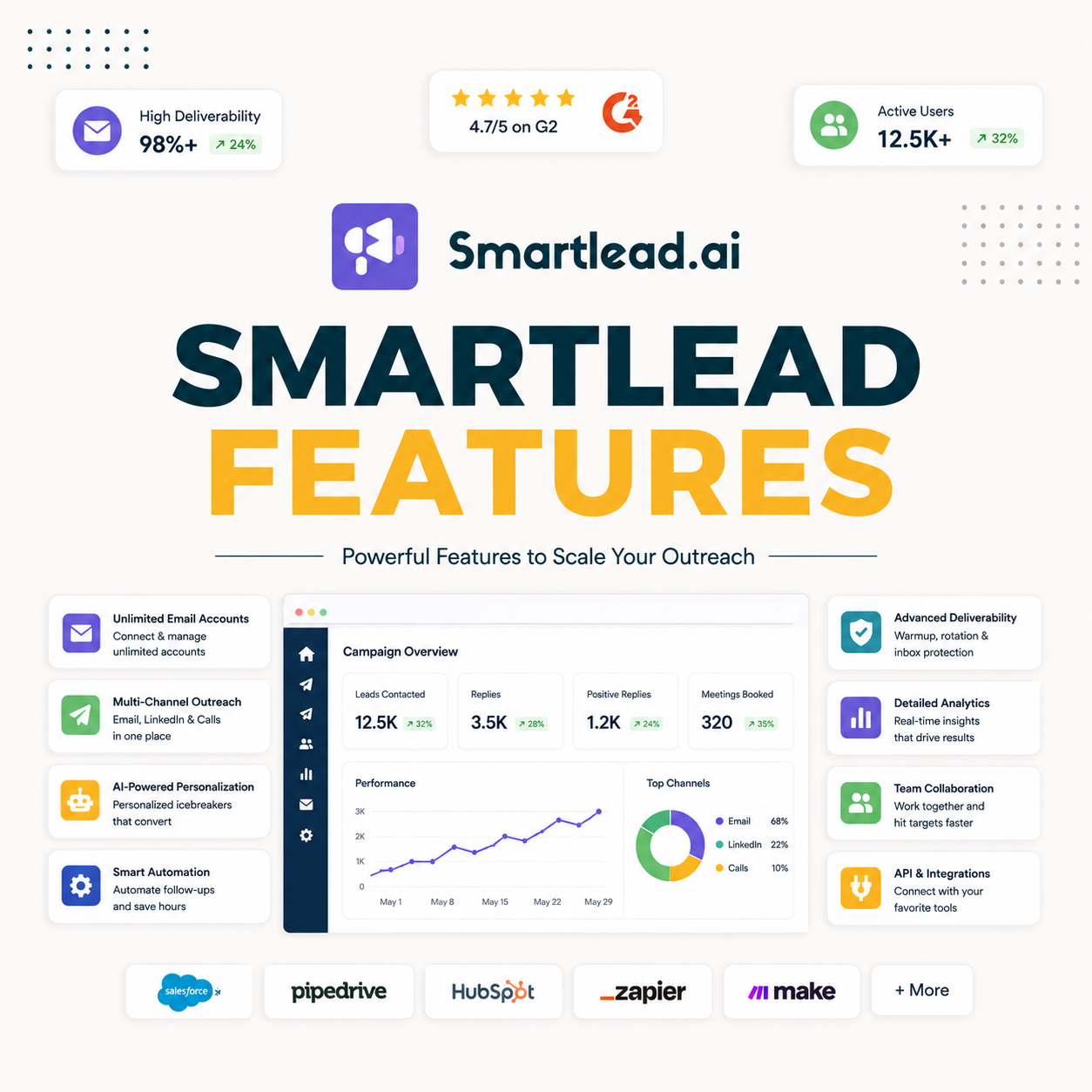
Smartlead features go far beyond sending: the platform bundles unlimited mailboxes, warmup, SmartInfra for dedicated IPs, SmartProspect for verified leads, a unified master inbox, SmartDialer, SmartAgents and a deep API. This guide breaks down what each tool in the outbound stack does, which features actually matter for deliverability, what agencies use most, and whether the feature set justifies the price.
Smartlead bundles unlimited mailboxes, warmup, dedicated IPs, a lead finder, a master inbox and AI agents into one outbound stack.
Best for: teams that use the full sending stack, not just email.
Caveat: most teams use a subset, and that is fine.
Bottom line: the deliverability features carry the value.
Explore every feature. Try Smartlead free for 14 days.
Start Smartlead Free Trial →Unlimited mailboxes · no credit card · 14-day trial
What Does Smartlead Do?
Smartlead is a cold email platform that sends outbound at scale across unlimited mailboxes, warms them, rotates senders, and manages replies in one inbox. Around that sit lead-finding, calling and AI tools. The deciding factor is that it is a full sending stack, not just a mail merge. The list below covers the layers.
- Sending core: unlimited mailboxes, warmup and sender rotation.
- Reply layer: a unified master inbox consolidates every response.
- Data layer: SmartProspect finds and verifies B2B leads.
- AI and calling: SmartAgents and SmartDialer extend beyond email.
- Automation layer: a deep API and webhooks connect the stack.
“The deliverability features, not the extras, are what make a cold email platform worth paying for.”
— Growth Hack Suite, on cold email tools
What Are Smartlead’s Core Features?
The core features are the ones that protect deliverability: unlimited mailboxes, automatic warmup, sender rotation and authentication support. These are the foundation everything else builds on. The deciding factor is that placement, not extras, decides results. The table below maps the main modules.
Source: Smartlead feature modules, mid-2026. Verify current features on smartlead.ai.
- Unlimited mailboxes: add sending capacity without per-mailbox fees.
- Ultra Premium Warmup: included free on the Unlimited tiers, a paid add-on on Base and Pro.
- Sender rotation: spreads volume so no single domain is overloaded.
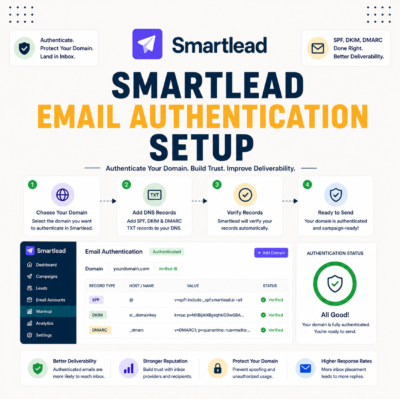
- Authentication support: guidance for SPF, DKIM and DMARC setup.
- Deliverability first: the core exists to keep cold email in the inbox.
What Is SmartProspect?
SmartProspect is Smartlead’s built-in B2B lead finder that supplies verified prospects so a team can build lists without a separate data tool. Each prospect is verified before delivery. The deciding factor is that finding and sending live in one platform. The honest read is that a built-in finder trades some filter depth for a smoother workflow.
The practical point is to build and verify lists in SmartProspect, then send in the same tool, rather than exporting between apps. Verify current features on smartlead.ai.
What Is SmartInfra?
SmartInfra provides dedicated sending infrastructure and IPs so a sender’s reputation is isolated from others. For agencies running many client domains, this isolation prevents one client’s sending from dragging down another. The deciding factor is that isolation matters most at high, consistent volume. The honest read is that dedicated infrastructure helps scale senders, not small ones.
The practical point is that SmartInfra pays off for agencies and high-volume teams, while a low-volume sender is usually fine on shared infrastructure. Verify current features on smartlead.ai.
What Does the Master Inbox Do?
The unified master inbox consolidates replies from every campaign and client into one place, with AI categorization and bulk actions. It removes the need to log into separate mailboxes. The deciding factor is that one queue lets a small team cover many accounts. The list below covers what it does.
- Centralized replies: every campaign and client lands in one inbox.
- AI categorization: replies are sorted by intent so hot leads surface.
- Bulk actions: assign, archive or forward responses in batches.
- No account hopping: one queue replaces logging into each mailbox.
- Best at scale: the value grows with the number of mailboxes.
“Consolidating replies into one view is what lets a single operator run high-volume outreach.”
— Growth Hack Suite, on cold outreach tools
What Are SmartAgents and SmartDialer?
SmartAgents are AI agents that research leads, draft copy and classify replies, while SmartDialer adds multichannel calling. Both extend the platform beyond email, though they assist a human rather than replace one. The deciding factor is that AI handles volume while a person keeps judgment. The honest read is that these are useful upside features, not the deliverability foundation.
The practical point is to add SmartAgents and SmartDialer once the sending core is working, not before. Verify current features on smartlead.ai.
What Does the Smartlead API Do?
The Smartlead API and webhooks let teams automate the whole outbound stack, syncing data, triggering actions and integrating with a CRM. Its depth is why infrastructure builders and agencies pick the platform. The deciding factor is that a deep API turns Smartlead into a building block for a larger system. The honest read is that the API matters most to technical teams and GTM engineers, less to a solo sender.
The practical point is to use native connectors and no-code tools first, reaching for the API only when a custom automation is needed. Verify current features on smartlead.ai.
How Do Smartlead Features Compare to Rivals?
Against rivals, Smartlead bundles more of the sending stack, especially unlimited mailboxes without per-mailbox fees. Some rivals lead on lead data or polish. The deciding factor is how much of the stack a team wants in one tool. The table below positions the feature set against a typical rival.
Source: vendor sites plus internal review, mid-2026. Verify current features and pricing on smartlead.ai.
“Deliverability, not feature count, is what decides whether cold email reaches the inbox.”
— HubSpot, on email deliverability
Which Smartlead Features Matter Most?
The features that matter most for cold email are unlimited mailboxes, warmup and rotation, because they decide deliverability. Lead finding, AI and calling are useful upside, not the foundation. The deciding factor is that placement comes before everything else. The list below ranks them.
- Must-have: unlimited mailboxes, warmup and sender rotation.
- Foundation: authentication support underpins all of it.
- Useful upside: lead finder, AI agents and calling.
- Reply management: the master inbox for teams at volume.
- Placement first: the extras only help once mail lands in the inbox.
What Features Do Agencies Use Most?
Agencies lean on unlimited mailboxes, white-label, the master inbox and SmartInfra, because these handle multi-client volume and isolate reputations. The feature set maps to running many clients from one platform. The deciding factor is multi-client scale. The honest read is that the agency-critical features are exactly the ones a solo sender can ignore.
The practical point is that an agency should weigh white-label, SmartInfra and the master inbox heavily, since those carry the multi-client workflow. Verify current features on smartlead.ai.
Are There Features You Will Not Use?
Likely yes. Most teams use a subset: a solopreneur may never touch white-label or SmartDialer. That is fine, since the platform is priced on volume rather than features, so unused tools do not add cost. The deciding factor is that the pricing model does not penalize a narrow use case. The list below covers who skips what.
- Solopreneurs: skip white-label and the dialer.
- Email-only teams: skip calling and multichannel.
- Small senders: may not need dedicated infrastructure.
- No penalty: priced on volume, so unused features cost nothing extra.
- Use what fits: the core sending stack is what everyone needs.
Want the full stack? Test Smartlead free for 14 days.
Start Smartlead Free Trial →No credit card · unlimited mailboxes
How Do You Start Using Smartlead Features?
Start with the core: connect mailboxes, warm them, verify a list and launch a campaign. Add lead finding, AI and calling once the sending stack is working. Building up in order keeps the foundation solid. The ordered steps below make it repeatable.
- Connect and warm mailboxes: link accounts and run warmup first.
- Verify and launch: clean a list and start a first campaign.
- Add lead finding: build lists with SmartProspect once sending works.
- Layer AI and calling: add SmartAgents and SmartDialer as needed.
- Automate with the API: connect the CRM and wider stack last.
Do Smartlead’s Features Justify the Price?
For scale senders and agencies, yes, because the deliverability features alone offset the price through better placement and lower cost per mailbox. For a low-volume solo sender, a lighter tool may be enough. The deciding factor is whether the sending stack is fully used. The honest read is that the value tracks how much of the platform a team actually puts to work.
“Email marketing is sending a commercial message to a group using email.”
— Wikipedia, Email marketing
Growth Hack Suite Editorial — Outbound Tools Team
This guide explains Smartlead features based on standard cold email practice plus hands-on testing. Behavior and plan tiers vary; verify current features and pricing on smartlead.ai. We review outbound tools for B2B senders.
Last updated: June 2026. Warmup is free on Unlimited tiers and a paid add-on on Base/Pro — confirm current terms on smartlead.ai.
Affiliate disclosure: this page contains affiliate links. If you start a plan through them, Growth Hack Suite may earn a commission at no extra cost to you. It does not change our guidance.
Put the full stack to work. Start Smartlead free for 14 days.
Start Smartlead Free Trial →Unlimited mailboxes · no credit card · cancel anytime
Related Tools in the Outbound Stack
Two other tools in the Growth Hack Suite stack pair with Smartlead.
- Hunter Email Verifier: verify lists before sending to protect deliverability — see verifier accuracy.
- GMass: the Gmail-native option for a low-volume solo sender — read the GMass review.
- Gmail tools comparison: the Gmail-scoped breakdown for senders weighing platform versus extension — compare the Gmail tools.
Smartlead Features FAQ
The 12 most-asked questions about Smartlead features.
What does Smartlead do?
Smartlead is a cold email platform that sends outbound at scale across unlimited mailboxes, warms them, rotates senders and manages replies in one inbox. Around it sit lead-finding, calling and AI tools.
What are Smartlead’s main features?
Unlimited mailboxes, warmup, sender rotation, a unified master inbox, SmartProspect lead finder, SmartInfra dedicated IPs, SmartDialer, SmartAgents and a deep API. The sending core protects deliverability; the rest extends the platform.
Does Smartlead have a lead finder?
Yes, SmartProspect is Smartlead’s built-in B2B lead finder, supplying verified prospects so you can build lists without a separate data tool. Each prospect is verified before delivery.
What is Smartlead’s master inbox?
The master inbox is a unified view that consolidates replies from every campaign and client into one place, with AI categorization and bulk actions. It removes the need to log into separate mailboxes.
Does Smartlead have AI features?
Yes, SmartAgents are AI agents that research leads, draft copy and classify replies, and there is an AI copy assistant. They reduce manual work but still need human review on offer and edge cases.
What is SmartInfra in Smartlead?
SmartInfra provides dedicated sending infrastructure and IPs so your reputation is isolated from other senders. For agencies running many client domains, this isolation prevents one client from dragging down another.
Does Smartlead have an API?
Yes, Smartlead offers a deep, well-documented API and webhooks that let teams automate the whole outbound stack, sync data and integrate with a CRM. Its depth is why infrastructure builders pick it.
Which Smartlead features matter most for cold email?
Unlimited mailboxes, warmup and sender rotation, because they decide deliverability. Lead finding, AI and calling are useful upside, but placement comes first, so the sending core matters most.
Does Smartlead include warmup?
Yes, Ultra Premium Warmup is included free on the Unlimited tiers and available as a paid add-on on Base and Pro. It runs across mailboxes to build sender reputation, the single biggest deliverability factor. Confirm current terms on smartlead.ai.
Are there Smartlead features I will not use?
Likely yes. Most teams use a subset, and a solopreneur may never touch white-label or SmartDialer. That is fine, since the platform is priced on volume rather than features, so unused tools add no cost.
What features do agencies use most in Smartlead?
Agencies lean on unlimited mailboxes, white-label, the master inbox and SmartInfra, because these handle multi-client volume and isolate reputations. The agency-critical features are the ones a solo sender can ignore.
Do Smartlead’s features justify the price?
For scale senders and agencies, yes, because the deliverability features alone offset the price through better placement and lower cost per mailbox. For a low-volume solo sender, a lighter tool may be enough.