Table of Contents
Smartlead email authentication is the first requirement for deliverability, because SPF, DKIM and DMARC tell mailbox providers that the mail from a sending domain is legitimate. This guide explains what each record does, how to set up all three for Smartlead, how to verify they pass, why authentication comes before warmup, and what commonly goes wrong.
Set up SPF, DKIM and DMARC on every sending domain before warmup.
Best for: any cold email sender on a new or dedicated domain.
Caveat: DNS changes take time to propagate before they pass.
Bottom line: without authentication, even warmed domains struggle to land.
Authenticate and send clean. Try Smartlead free for 14 days.
Start Smartlead Free Trial →Unlimited mailboxes · no credit card · 14-day trial
What Is Email Authentication and Why Does It Matter?
Smartlead email authentication is a set of DNS records, SPF, DKIM and DMARC, that prove mail from a domain is genuine. Together they tell mailbox providers the sender is who it claims to be, which is the foundation of inbox placement. The deciding factor is that providers distrust unauthenticated mail by default. The list below introduces the three records.
- SPF: a DNS record that authorizes which servers may send mail for the domain.
- DKIM: a cryptographic signature on each message that proves it was not altered in transit.
- DMARC: a policy that ties SPF and DKIM together and tells providers how to handle failures.
- Combined trust: the three records together establish that a sending domain is legitimate.
- Placement foundation: without these records, even a warmed domain struggles to reach the inbox.
What Does SPF Do?
As part of Smartlead email authentication, SPF, Sender Policy Framework, lists which servers are allowed to send mail for a domain. When a provider receives a message, it checks the SPF record to confirm the sending server is authorized. The deciding factor is that SPF stops others from sending as the domain. The honest read is that a missing or wrong SPF record is one of the most common authentication failures.
The practical point is to publish a single, correct SPF record that authorizes the sending platform, since duplicate or overly broad records cause failures.
What Does DKIM Do?
In Smartlead email authentication, DKIM, DomainKeys Identified Mail, adds a cryptographic signature to each message so providers can verify it was not altered and came from the domain. The signature is checked against a public key in DNS. The deciding factor is that DKIM proves message integrity. The honest read is that missing DKIM is the single most common gap in cold email authentication setups.
Source: standard email authentication records from cold email deliverability practice, mid-2026.
What Does DMARC Do?
The final piece of Smartlead email authentication, DMARC, ties SPF and DKIM together with a policy that tells providers what to do with mail that fails, and where to send reports. It turns the two checks into an enforceable rule. The deciding factor is that DMARC closes the loop on authentication. The honest read is that providers increasingly expect DMARC, so leaving it out weakens deliverability over time.
“Set all three records before warmup, because reputation built on an unauthenticated domain does not stick.”
— Growth Hack Suite, on authentication order
How Do You Set Up SPF, DKIM and DMARC for Smartlead?
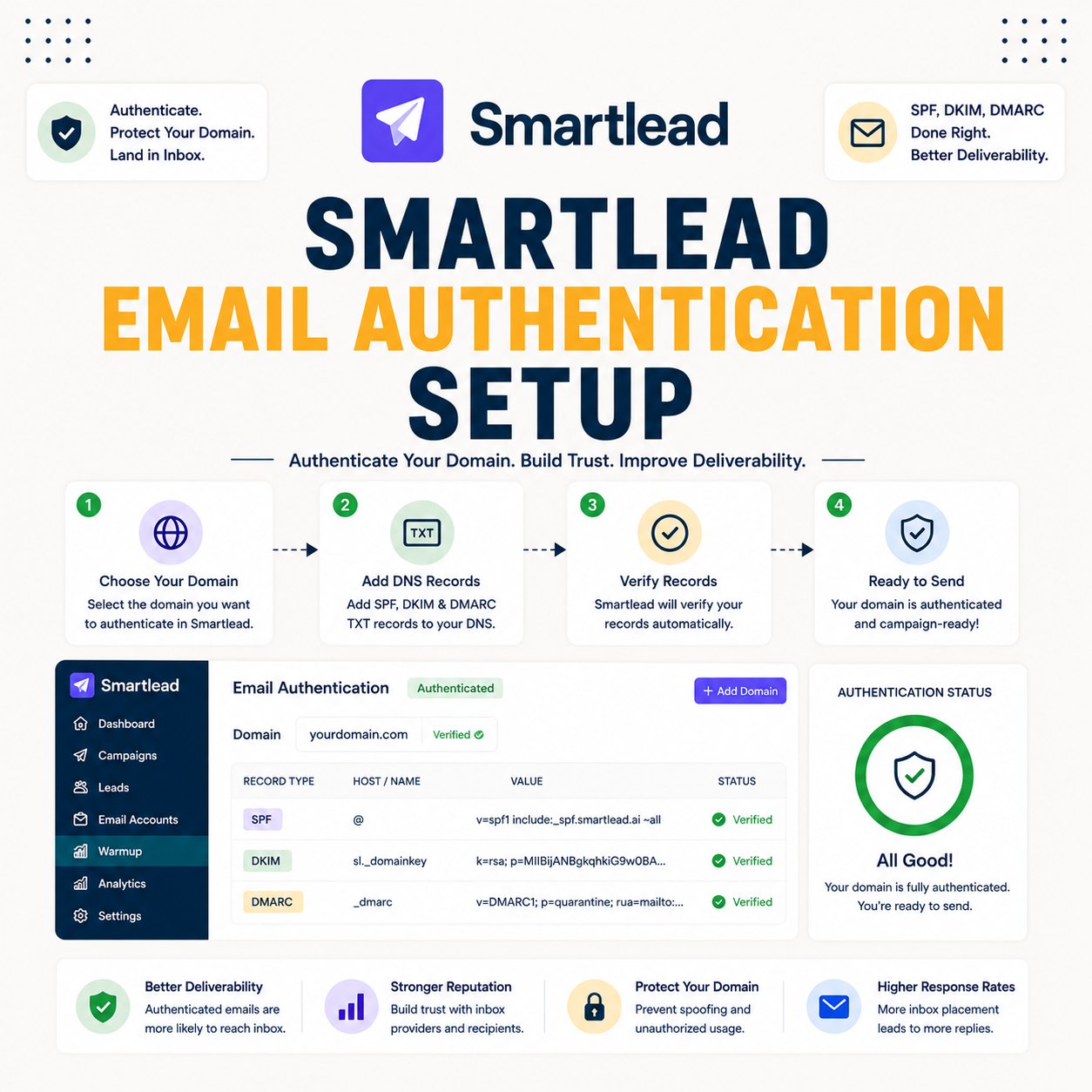
Set them up by adding the SPF, DKIM and DMARC records to the domain’s DNS, then confirming each passes. Smartlead guides the values, but the records live in the domain’s DNS settings. The ordered steps below make authentication setup repeatable.
- Add the SPF record: publish a single SPF record authorizing the sending platform in DNS.
- Add the DKIM record: publish the DKIM public key the platform provides so messages can be signed.
- Add the DMARC record: publish a DMARC policy that tells providers how to handle failures.
- Wait for propagation: allow DNS changes time to spread before testing the records.
- Verify each passes: use a checker to confirm SPF, DKIM and DMARC all validate before sending.
How Do You Verify Authentication Passes?
Verify with a checker tool or the provider’s diagnostics that SPF, DKIM and DMARC all pass for the sending domain. A passing check confirms the records are published correctly and recognized. The deciding factor is that authentication should be confirmed before any send, not assumed. The honest read is that an unverified record can silently fail and tank deliverability.
The practical step is to run the domain through an authentication checker after propagation, and fix any record that does not validate before warmup begins.
Setting up a sending domain? Test Smartlead free for 14 days.
Start Smartlead Free Trial →No credit card · unlimited mailboxes
Why Does Authentication Come Before Warmup?
Smartlead email authentication comes first because warmup builds reputation on a domain providers already accept, while a domain that fails authentication cannot build trust. Warming an unauthenticated domain wastes the window. The deciding factor is that the order is fixed: authenticate, then warm, then send. The list below covers the sequence.
- Authentication first: the records earn the basic trust that lets a domain build reputation at all.
- Then warmup: warmup builds reputation only once providers already accept the domain’s mail.
- Then real sends: campaigns launch only after both authentication and warmup are in place.
- Order is fixed: skipping ahead wastes the warmup window on a domain that cannot yet be trusted.
- No shortcuts: an unauthenticated domain cannot warm its way into the inbox, so the records come first.
“Without SPF, DKIM and DMARC, even well-warmed domains struggle to reach the inbox.”
— HubSpot, on authentication
What Goes Wrong With Authentication?
Common problems are missing DKIM, a too-permissive or duplicate SPF record, and a DMARC policy that is absent or misconfigured. Each lets mail fail authentication silently. The table below maps the frequent issues to their cause and fix.
Source: common authentication failures from standard cold email setup, mid-2026. Exact fixes vary by DNS host.
Do You Need to Authenticate Every Sending Domain?
Yes, every domain you send from needs its own SPF, DKIM and DMARC. Authentication is per domain, so a new sending domain added to the rotation must be authenticated before it sends. The deciding factor is that one unauthenticated domain can fail silently and drag down a campaign. The honest read is that there are no exceptions to per-domain authentication.
The practical guidance is to treat authentication as a mandatory step for every sending domain, the same way warmup applies to every mailbox.
Who Gets the Most Value From Authentication?
Agencies and scale senders get the most value from Smartlead email authentication, since it compounds across many sending domains. Every sender needs it, but a large pool of domains makes correct, repeatable authentication essential rather than optional. The deciding factor is how many domains the setup covers. The honest read is that the more domains a sender runs, the more disciplined authentication pays back.
The practical point is that authentication is mandatory at any size, but the operational discipline matters most for agencies managing many client domains.
How Do You Get Started Today?
Start on the 14-day free trial, connect a mailbox, add the SPF, DKIM and DMARC records, and verify they pass before warmup. Getting authentication right on day one means warmup and sending build on solid ground. The trial needs no card, so the only cost is setup time. By the time warmup finishes, the domain is authenticated and ready.
How Long Does Authentication Take to Work?
After adding the records, DNS propagation usually completes within a few hours, though it can take up to a day. The records only pass once propagation finishes and the provider can read them. The deciding factor is to wait for propagation before testing. The honest read is that a failed check right after adding records is often just propagation, not a misconfiguration, so re-checking later is wise.
“DMARC is an email authentication protocol that protects a domain from spoofing.”
— Wikipedia, DMARC
Smartlead Email Authentication: The Final Verdict
The final verdict is that Smartlead email authentication is non-negotiable: publish SPF, DKIM and DMARC on every sending domain, verify they pass, and only then warm and send. The setup is a one-time job per domain, but skipping it undermines everything that follows. Authenticate first, and warmup and campaigns build on a foundation providers trust.
Growth Hack Suite Editorial — Outbound Tools Team
This guide to Smartlead email authentication is based on official documentation plus standard practice for SPF, DKIM and DMARC. Exact record values and DNS steps vary by host and platform; verify current setup instructions on smartlead.ai and your DNS provider. We review outbound tools for B2B senders.
Last updated: June 2026. Confirm current authentication steps on smartlead.ai.
Affiliate disclosure: this page contains affiliate links. If you start a plan through them, Growth Hack Suite may earn a commission at no extra cost to you. It does not change our guidance.
Authenticate every domain and send clean. Start Smartlead free for 14 days.
Start Smartlead Free Trial →Unlimited mailboxes · no credit card · cancel anytime
Related Tools in the Outbound Stack
Two other tools in the Growth Hack Suite stack pair with Smartlead once a domain is authenticated.
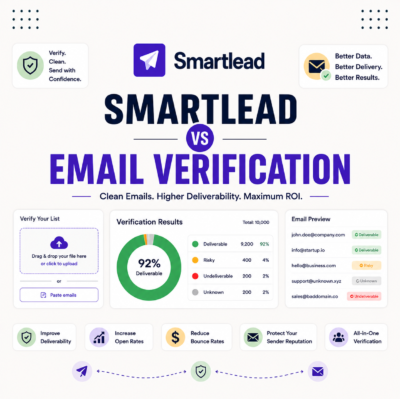
- Hunter Email Verifier: verifying lists keeps bounce low so authentication and warmup are not wasted — see verifier accuracy.
- GMass: the Gmail-native option for a sender on a single authenticated Gmail domain — read the GMass review.
- Gmail tools comparison: the Gmail-scoped breakdown for senders weighing platform versus extension — compare the Gmail tools.
Smartlead Email Authentication FAQ
The 12 most-asked questions about Smartlead email authentication.
How do I set up SPF, DKIM and DMARC for Smartlead?
Add the SPF, DKIM and DMARC records to your domain’s DNS using the values Smartlead provides, then verify each passes. The records live in DNS, so authentication is set there rather than inside the platform.
Do I need SPF, DKIM and DMARC for cold email?
Yes, all three are required for reliable deliverability. Without them, providers distrust the mail and filter it, so even a warmed domain struggles to reach the inbox.
What does SPF do?
SPF lists which servers are allowed to send mail for your domain. When a provider receives your email, it checks the SPF record to confirm the sending server is authorized, which stops others sending as your domain.
What does DKIM do?
DKIM adds a cryptographic signature to each message so providers can verify it was not altered and came from your domain. The signature is checked against a public key published in your DNS.
What does DMARC do?
DMARC ties SPF and DKIM together with a policy telling providers what to do with mail that fails, and where to send reports. It turns the two checks into an enforceable rule providers increasingly expect.
Why does authentication come before warmup?
Warmup builds reputation on a domain providers already accept, while a domain that fails authentication cannot build trust. Warming an unauthenticated domain wastes the window, so the records come first.
How do I verify my authentication passes?
Use a checker tool or your provider’s diagnostics to confirm SPF, DKIM and DMARC all pass for the sending domain. Run the check after DNS propagation, and fix any record that does not validate before sending.
Do I need to authenticate every sending domain?
Yes, every domain you send from needs its own SPF, DKIM and DMARC. Authentication is per domain, so each new sending domain must be authenticated before it sends, with no exceptions.
What goes wrong with email authentication?
Common problems are missing DKIM, a too-permissive or duplicate SPF record, and a DMARC policy that is absent or misconfigured. Each lets mail fail authentication silently, so verify all three.
How long does authentication take to work?
After adding the records, DNS propagation usually completes within a few hours, though it can take up to a day. The records only pass once propagation finishes, so a failed check right after adding is often just propagation.
Does Smartlead set up authentication for me?
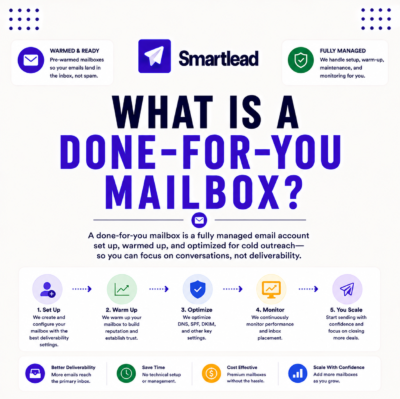
Smartlead guides the process and provides the record values, and its managed mailbox options can arrive pre-authenticated. On a self-managed domain, the records still need adding to your own DNS.
Can I send without DMARC?
You can technically send with only SPF and DKIM, but providers increasingly expect DMARC, so leaving it out weakens deliverability over time. For cold email, all three records are the safe standard.