Table of Contents
Is Kinsta expensive? Against budget shared hosting, yes: 35 dollars a month is several times a promotional shared plan. Against what that price includes, and against what those cheap plans cost at renewal, the gap is far smaller than it first appears. This breakdown covers the real cost, the overage rates, the renewal maths on cheaper hosts, and the point where Kinsta genuinely is too expensive.
Last updated: August 2026. Every price and rate below was read from the relevant vendor’s own pricing or billing page on that date. Promotional hosting rates change often, so confirm current figures before buying.
Check what the plan costs against what your current host charges at renewal.
See Kinsta Pricing →Flat pricing · no renewal jump · 30-day money-back guarantee
Is Kinsta Expensive?
Kinsta is expensive compared with shared hosting and mid-priced compared with premium managed hosting. At 35 dollars a month the entry plan sits alongside WP Engine at 30 and above Pressable at 20.83, while budget hosts advertise a few dollars. The honest answer depends entirely on which comparison group applies.
Whether that price counts as expensive depends on what the site earns rather than on the number itself, which is the thread running through the rest of this page.
How Much Does Kinsta Actually Cost?
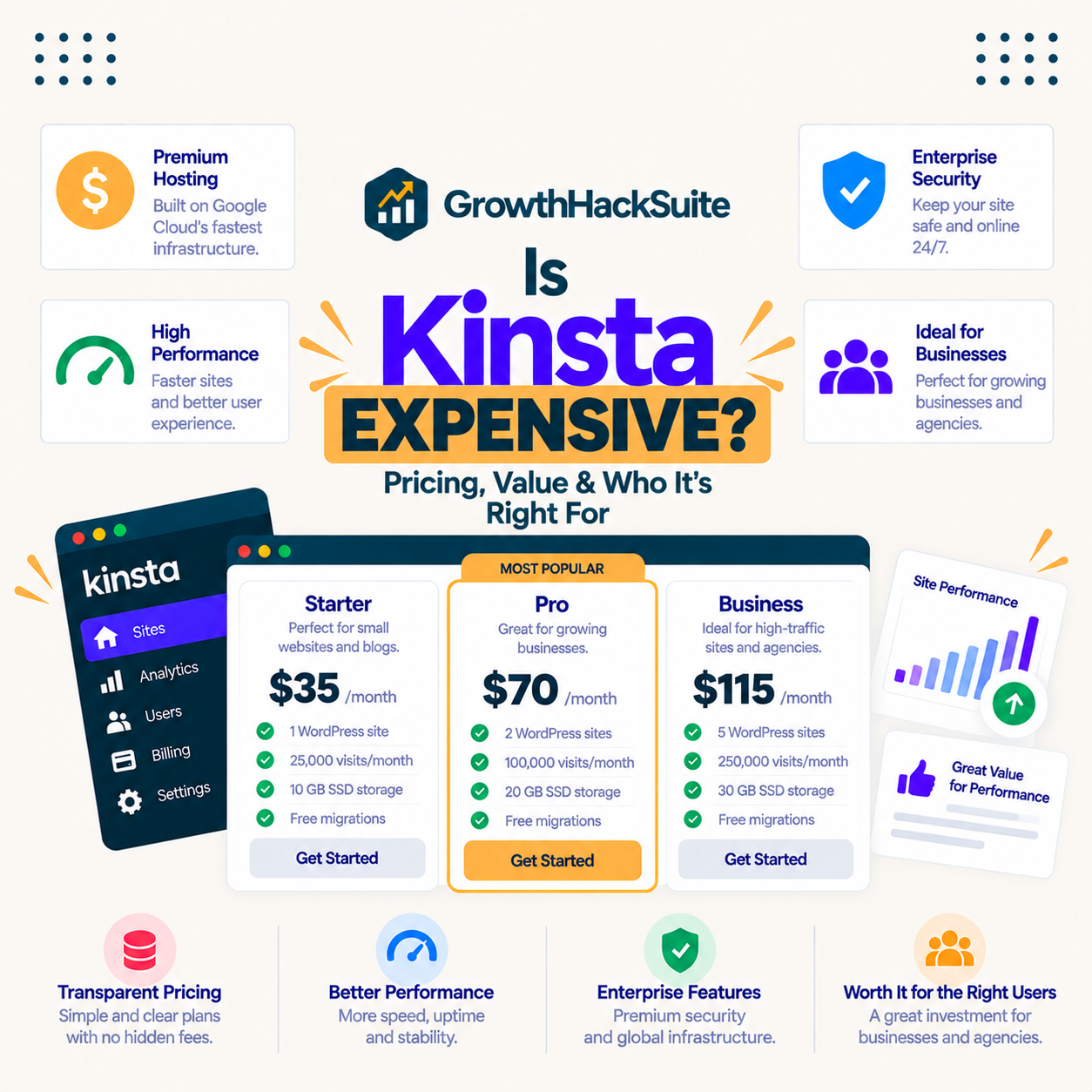
Kinsta costs from 35 dollars a month for one install with 35,000 monthly visits, rising to 450 dollars for WP 40 and 675 dollars for Agency 60. There is no setup fee and no promotional first term, so the signup rate is the renewal rate. The table below lists the tiers most buyers weigh.
Source: kinsta.com/pricing, checked July 2026. Annual billing charges ten months for twelve.
The 35-dollar entry plan is the figure most buyers weigh against a cheaper host, and it is also the figure that stays constant, since Kinsta runs no promotional first term.
Why Does Kinsta Cost More Than Shared Hosting?
Kinsta costs more because each site runs in its own isolated container holding a private copy of Linux, NGINX, PHP and MySQL, on compute-optimised Google Cloud machines. Shared hosting places many accounts on one server and lets them compete for the same CPU and memory.
That difference is invisible while traffic is low and decisive when it is not. A busy neighbour on a shared server slows every site around it, whereas an isolated container gives the same resources at 3 a.m. and during a campaign.
The price gap is, quite literally, the cost of not sharing a server with strangers.
Are There Overage Fees or Hidden Costs?
Kinsta charges no setup fee, and its extra costs are published rather than discretionary. Overage applies when a site exceeds its visit, bandwidth or disk allowance, and optional add-ons only appear on the bill when switched on. The list below sets out every published rate.
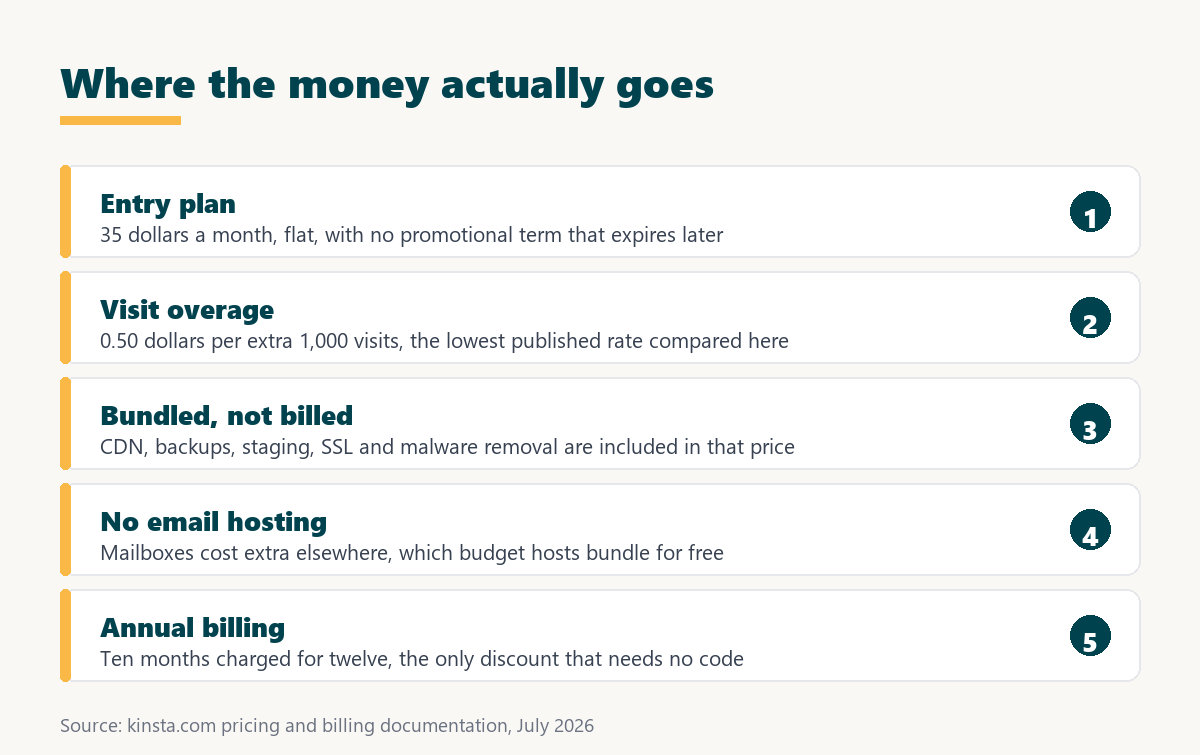
- Visit overage: 0.50 dollars for each additional 1,000 visits past the plan allowance, billed at the end of the cycle.
- Server bandwidth: 0.50 dollars per extra gigabyte served from the origin container rather than through the edge network.
- CDN bandwidth: 0.05 dollars per extra gigabyte delivered from the edge, ten times cheaper than origin bandwidth.
- Disk space add-on: 20 dollars a month for each additional 20 GB block, cheaper than repeatedly exceeding the storage allowance.
- Optional extras: premium staging at 20 dollars per site, six-hour backups at 20 dollars and hourly backups at 100 dollars per site.
Source: Kinsta overage documentation and Kinsta add-on documentation, checked July 2026.
The one genuine hidden cost is not on that list: Kinsta sells no email hosting, so mailboxes need a separate subscription that budget hosts often bundle. Overage itself is avoidable by sizing the plan to real traffic rather than to the cheapest tier, which is how overage billing works across SaaS contracts generally.
Kinsta vs Cheaper Hosts: What Does the Price Gap Buy?
Against SiteGround, Bluehost and Hostinger, Kinsta costs several times more at the advertised rate. What that buys is per-site isolation, compute-optimised machines on every plan and engineer-handled migrations. What it loses is bundled email and a free first-year domain. The table below compares the four honestly.
Sources: kinsta.com, siteground.com, hostinger.com and bluehost.com, checked July 2026. Promotional rates require multi-year prepayment at several providers.
Read at renewal rather than at the promotional rate, the gap narrows from roughly twelve-fold to two or three-fold, and the remaining difference buys a resource model the budget hosts do not offer at any tier.
What Does the Renewal Price Really Look Like?
Renewal is where cheap hosting stops being cheap, and it is the most commonly omitted number in hosting comparisons. Kinsta has no promotional term at all, so nothing changes at renewal. The list below sets out what the budget alternatives cost in year two.
- SiteGround StartUp: the 2.99 dollar promotional rate becomes 17.99 dollars a month once the first prepaid term expires.
- SiteGround GoGeek: renews at 44.99 dollars a month, which is above Kinsta’s entry plan while still using shared resources.
- Hostinger Premium: the 2.99 dollar promotional rate becomes 10.99 dollars, and Business moves from 3.79 to 16.99 dollars.
- Bluehost Starter: advertised at 3.99 dollars promotionally, with the renewal rate disclosed during checkout rather than on the plan page.
- Kinsta consistency: the quoted 35 dollars is the ongoing rate, and annual billing charges ten months for twelve without a promotional cliff.
The comparison that matters is year two against year two, where SiteGround’s top tier costs more than Kinsta’s entry plan. Understanding annual versus monthly billing is the other half of that calculation.
Is Kinsta Expensive for What You Get?
Measured against the bundle, Kinsta is not expensive. The monthly price includes compute-optimised Google Cloud machines, a CDN across 300+ locations, daily backups with one-click restore, free staging, unlimited engineer-handled migrations, free SSL and free malware removal.
“Site speed shapes both search visibility and the share of visitors who stay to convert.”
— HubSpot, on page load time and conversion
Assembling the same components on a cheap host means a caching plugin, a CDN subscription, a backup service and paid clean-up if something breaks, plus the hours to wire them together and keep them working.
When Is Kinsta Too Expensive?
Kinsta genuinely is too expensive in several situations, and saying so is the only way the rest of this page carries weight. The list below covers the cases where a cheaper host is the better decision.
- Low-traffic hobby blogs: a few hundred monthly readers never use the capacity, so most of the plan is paid for and idle.
- Brand-new sites: a project with no revenue cannot measure the return that would justify premium infrastructure.
- Email-first setups: Kinsta hosts no mailboxes, so a plan that must bundle email costs more once a mail subscription is added.
- Many tiny brochure sites: unlimited-website budget plans give a far lower cost per site for portfolios that see little traffic.
- Hard budget ceilings: where 35 dollars a month is material to the project, a cheaper managed host delivers most of the practical benefit.
None of these cases improve by paying more, and a site that grows into premium requirements can migrate later at no cost.
How Do You Make Kinsta Cheaper?
Four levers lower a Kinsta bill without any negotiation, and the first is worth roughly seventeen percent on its own. The ordered list below runs from largest saving to smallest.
- Pay annually: annual billing charges ten months for twelve, so the 35 dollar plan costs 350 rather than 420 a year.
- Right-size the plan: check real visits in the dashboard and downgrade when a tier sits half empty for several months.
- Apply nonprofit pricing: registered nonprofits with 501(c)(3) status or a national equivalent receive 15 percent off future payments.
- Block abusive bots: filtering junk crawlers at the firewall lowers counted visits and postpones the next tier upgrade.
- Buy disk instead of overage: a 20 GB block at 20 dollars costs less than repeatedly exceeding the storage allowance.
Most overpaying accounts are simply on a tier bigger than their traffic, so the dashboard visit count is the first place to look before renewal.
Size the plan to your real traffic before paying for capacity you will not use.
Compare Kinsta Plans →Annual billing saves two months · nonprofits get 15 percent off
Kinsta vs Shared Hosting: Cost Against Value
Shared hosting is cheaper every month and shares resources every month. Kinsta costs more and isolates every site. For a page that nobody visits, the difference is theoretical. For a checkout page during a sale, it decides whether the order completes. The table below sets the two against each other.
Sources: vendor pricing and billing pages linked above, checked July 2026. Shared-hosting renewal range reflects the SiteGround, Hostinger and Bluehost tiers compared on this page.
The table shows the real trade: cheap hosting saves money every month and costs money in the specific moments when traffic arrives.
What Does Kinsta Cost Over Two Years?
Two years is the honest window for a hosting comparison, because it includes one renewal. Over that period the picture changes noticeably, and the promotional advantage of budget hosting shrinks. The list below works through the arithmetic.
- Kinsta annual: 350 dollars a year, so 700 dollars across two years with no change at renewal.
- SiteGround StartUp: roughly 36 dollars in year one at the promotional rate, then about 216 dollars in year two.
- SiteGround GoGeek: about 96 dollars promotionally, then roughly 540 dollars in year two, above Kinsta’s annual rate.
- Hostinger Business: about 45 dollars promotionally, then roughly 204 dollars once the standard rate applies.
- Add-on costs: budget totals rise further wherever a CDN, backup service or security clean-up has to be bought separately.
Figures are calculated from the published monthly rates on this page, and they show that the cheapest option stays cheapest, while the highest budget tier does not.
What Do Users Say About the Price?
Review sentiment splits along a predictable line. Owners running business sites describe the price as fair for the speed and support, while hobby users describe it as costly for what their site needs. Both groups are right about their own situation.
What is notable is that the complaints target cost rather than capability. Reviews rarely argue that Kinsta fails to deliver what it advertises, which is a healthier pattern for a premium product than the reverse.
That split matches the verdict here: the price fits sites that earn money, and overshoots for side projects.
Is Kinsta Worth the Higher Price?
Kinsta is worth its higher price for any site where speed and uptime move money, because the revenue protected exceeds the premium paid. For a low-traffic project, cheaper hosting is the smarter spend and the money is better used elsewhere.
“A tool is only worth its premium when the hours or revenue it protects exceed the invoice.”
— Growth Hack Suite, on tool ROI
“Managed hosting is a model where a provider leases dedicated resources and administers them.”
— Wikipedia, Dedicated hosting service
Because the 30-day money-back guarantee covers a full traffic cycle, the value question can be answered with a measurement instead of an opinion.
Test the price against your own numbers, not against a promotional rate.
See Kinsta Plans →Free migration · 30-day money-back guarantee · no contract
Growth Hack Suite Editorial — Web Infrastructure Team
How this breakdown was built: Kinsta plan prices, overage rates and add-on charges come from kinsta.com and its billing documentation, and competitor promotional and renewal rates from each vendor’s own pricing page, all linked beneath the tables. Two-year figures are calculated from those published monthly rates rather than estimated.
Last updated: August 2026. Kinsta sells no email hosting, which is a genuine extra cost when moving from a budget host that bundles mailboxes.
Affiliate disclosure: this page contains affiliate links to Kinsta. If a plan is purchased through them, Growth Hack Suite may earn a commission at no extra cost to the buyer. The section on when Kinsta is too expensive is written to the same standard as the rest of the page.
Is Kinsta Expensive? FAQ
The 12 most-asked questions about what Kinsta really costs.
Is Kinsta expensive compared with other hosts?
Kinsta is expensive against budget shared hosting and mid-priced against premium managed hosts. At 35 dollars it sits above WP Engine’s 30 dollar first-year rate and above Pressable’s 20.83, while budget hosts advertise a few dollars that rise sharply at renewal.
Why is Kinsta more expensive than shared hosting?
Because each site runs in its own isolated container on compute-optimised Google Cloud machines rather than sharing a server with many other accounts. The price difference buys guaranteed resources instead of disk space on a busy machine.
Is Kinsta expensive for what you get?
The price includes the CDN, firewall, daily backups, staging, SSL, unlimited migrations and free malware removal. Assembling that stack on a cheap host means several subscriptions plus the hours to keep them working together.
Does Kinsta have hidden fees?
No setup fees, and overage rates are published: 0.50 dollars per extra 1,000 visits, 0.50 per extra GB of server bandwidth and 0.05 per extra GB of CDN bandwidth. The real extra cost is email, which Kinsta does not sell at all.
What happens if I go over my plan?
The site stays online and the excess is billed at 0.50 dollars per additional 1,000 visits. A month with 50,000 extra visits therefore adds 25 dollars rather than causing an outage or a forced upgrade.
Is cheap hosting really cheaper than Kinsta?
In year one, yes. At renewal the gap narrows sharply: SiteGround StartUp moves to 17.99 dollars and GoGeek to 44.99, which is above Kinsta’s 35 dollar entry plan while still sharing server resources.
How can I lower the cost of Kinsta?
Pay annually to get ten months charged for twelve, size the plan to real visits rather than to ambition, apply for the 15 percent nonprofit discount if eligible, and buy a disk block instead of running repeated storage overage.
Does Kinsta have a coupon code?
Kinsta does not publish a general coupon. The documented savings are annual billing, which removes two months of cost, and a 15 percent discount for registered nonprofits providing proof of status.
When is Kinsta too expensive?
For a low-traffic hobby blog, a brand-new site with no revenue, a portfolio of tiny brochure sites, or any setup that needs bundled mailboxes. In those cases a budget managed host delivers most of the practical value.
Does Kinsta charge extra for a CDN or SSL?
No. The CDN across 300+ locations and free SSL certificates are included on every plan, along with daily backups, staging and the enterprise firewall, so those do not appear as separate line items.
What does Kinsta cost over two years?
About 700 dollars on annual billing at the entry tier, with no renewal increase. A budget plan can be far cheaper in year one but rises substantially in year two, and the highest budget tiers overtake Kinsta entirely.
Is the price worth it for a business site?
For a site producing revenue or leads, usually yes, because the speed, uptime and support protect income a slow or offline site would lose. The 30-day money-back guarantee makes that testable rather than theoretical.