Table of Contents
Kinsta vs WP Engine vs SiteGround is usually presented as premium against agency against budget. The published plan pages tell a more useful story: each of the three advertises a headline price that is not what a working site ends up paying, and each one hides something different. Identify what each hides and the choice becomes straightforward.
Last updated: August 2026. Prices, renewal rates, plan inclusions and add-on costs were read directly from kinsta.com, wpengine.com/plans and siteground.com in the same week. This page carries affiliate links to Kinsta, and the rows the other two win are stated plainly.
Kinsta vs WP Engine vs SiteGround: The Short Verdict
SiteGround is cheapest to run and bundles email, a domain and caching. WP Engine is strongest on workflow tooling at any tier. Kinsta is the only one of the three that isolates resources on its entry plan and publishes a price with no promotional expiry.
Verdict: The real entry points cluster within six dollars of each other. SiteGround GrowBig renews at 29.99, WP Engine Startup lists at 30 for a first year, and Kinsta starts at 35 flat. At that band the decision is not price at all. It is whether isolation, bundled email or workflow tooling matters most.
Three products landing within six dollars is the finding that reframes the entire comparison, because it removes the argument almost every review leads with.
“WordPress is a web content management system.”
: Wikipedia, WordPress
All three host that one system as their primary business, which makes this a rare comparison where the products are genuinely substitutable and the differences sit entirely in packaging.
What Are Kinsta, WP Engine and SiteGround?
Kinsta is a managed WordPress host running on Google Cloud that gives every install its own container. WP Engine is a managed host built around agency and developer workflow. SiteGround is a shared host that bundles a domain, email and caching into every plan.

- Kinsta sells isolation as standard: Every install runs in a dedicated container on Google Cloud, with staging, SSH and WP-CLI included from the cheapest plan upward.
- WP Engine sells workflow: An activity log, advanced user permissions, a transferable site for client handoff and GitHub Actions deployment appear on every published plan.
- SiteGround sells inclusion: A free domain, free email, free content delivery network, free migrations and multilevel caching arrive together on all three tiers.
- Two of the three run shared infrastructure: SiteGround plans are shared throughout, and WP Engine lists isolated resources only from its Core tier upward.
- All three refund within thirty days: Each publishes a money-back window, so a genuine trial on real traffic is available on any of them without commitment.
Those five lines already predict most of what follows, because each vendor’s pricing structure is downstream of what it decided to sell.
What Does Each Host Actually Charge?
Two of the three advertise a rate that expires, and the third advertises a rate that excludes something most sites eventually want. Setting the advertised figure beside the working figure is the single most useful table on this page.
Source: siteground.com, wpengine.com/plans and kinsta.com, August 2026. SiteGround’s promotional rate requires twelve months prepaid; WP Engine’s footnote states first-year pricing applies to new Essential customers only and excludes renewals; Kinsta’s Redis caching add-on is published at 100 dollars per site each month.
The honest reading is that none of the three is expensive or cheap in the abstract. Each becomes expensive at the point where a site needs the specific thing that vendor left out.
How Do the Entry Plans Compare?
At their genuine starting tiers the three offer noticeably different packages for similar money. SiteGround gives the most bundled services, WP Engine gives the most workflow tooling, and Kinsta gives the only isolated container.
Source: siteground.com, wpengine.com/plans and kinsta.com plan pages, August 2026. Rows are reported as published by each vendor; a cell describing where a feature begins reflects the plan page rather than an inference about the product.
Read across any single row and a different host wins. That is why three-way roundups so often end in vague conclusions, and why the useful question is which row matters for one specific site.
The only entry plan of the three with an isolated container
See Kinsta Plans →Flat pricing with no promotional term, free migrations and a 30-day money-back window.
Which of the Three Isolates Resources?
Only Kinsta, at the entry tier. Its pages state that every site runs inside its own container with dedicated resources on every plan. WP Engine lists isolated resources as a Core feature starting at 400 dollars a month, and SiteGround plans are shared throughout the range.
Isolation determines whether a neighbouring site can consume the capacity a site needs during a traffic peak. It is invisible on a quiet Tuesday and decisive during a launch, which is why it belongs near the top of any shortlist rather than in a footnote about infrastructure.
How Does Each One Meter Traffic?
Three different models. SiteGround advertises unlimited traffic while applying resource limits. WP Engine counts visits, allowing 25,000 on Startup and charging 2 dollars per additional thousand. Kinsta also counts visits, allowing 35,000 and charging 50 cents per thousand.
- The overage rates differ fourfold: An unexpected fifty thousand extra visits costs 100 dollars on WP Engine and 25 on Kinsta at the published rates.
- Unlimited is a resource claim, not a traffic one: SiteGround’s unlimited traffic sits alongside resource limits, so the practical ceiling is processing capacity rather than transfer volume.
- Kinsta’s allowance is forty percent larger: Thirty-five thousand visits against twenty-five thousand at a comparable price gives more headroom before any overage applies.
- Bandwidth-metered plans exist too: Kinsta offers a bandwidth-based billing option alongside the visit-based one, which suits media-heavy sites with modest visitor counts.
- Spikes are where models separate: A single viral article changes the invoice differently on each platform, which is worth modelling before a campaign rather than after one.
For a site with predictable traffic all three behave identically. For anything seasonal or campaign-driven the overage rate deserves as much attention as the plan price.
Four times cheaper when a campaign overshoots its allowance
Check Kinsta Overage Rates →Fifty cents per extra thousand visits, against two dollars on the closest competitor.
Which Includes Object Caching?
SiteGround includes multilevel caching on all three plans and WP Engine includes EverCache on every tier. Kinsta prices Redis caching as an optional add-on at 100 dollars per site each month, which is the largest single cost difference across the three.
This row runs against the host this page links to, and it is stated because the figure is published. For a brochure site with mostly anonymous traffic, edge and page caching handle almost everything and the add-on is unnecessary. For a membership site, a store or anything with many logged-in users, it becomes the deciding number.
“a B2B site that loads in 1 second has a conversion rate 3x higher than a site that loads in 5 seconds”
: HubSpot, page load time and conversion rates
No speed comparison between the three appears on this page, because none of the vendors publishes a benchmark that can be independently reproduced and third-party tests disagree with each other depending on plan tier, data centre and test method.
Which Bundles Email, a Domain and a CDN?
SiteGround alone. Free email, a free domain, a free content delivery network across 170-plus edge points and free migrations appear on all three of its tiers. Neither Kinsta nor WP Engine sells email or domains at any published tier, though both include a content delivery network.
- Email is the meaningful omission: A business site needs a mailbox at its own domain, which means a second supplier on two of the three platforms.
- Domain registration follows the same pattern: SiteGround bundles the registrar, removing a separate annual renewal from the running cost of a small site.
- All three ship a content delivery network: SiteGround publishes 170-plus edge points, Kinsta publishes 300-plus edge locations, and WP Engine lists edge delivery on every plan.
- Migration is free everywhere: SiteGround and Kinsta both list free migrations, with Kinsta stating its own engineers perform unlimited moves.
- Bundling matters most at the bottom: Two extra suppliers are a rounding error on a large budget and a genuine annoyance on a first website.
For a first business website this row alone can settle the decision, since it removes two accounts and two invoices from the setup entirely.
Which Has the Best Workflow Tooling?
WP Engine, and clearly. Its all-plans list names an activity log with advanced user permissions, a transferable site for client handoff, one-click staging and automated deployments with GitHub Actions, all available on the 30-dollar tier rather than reserved for higher plans.
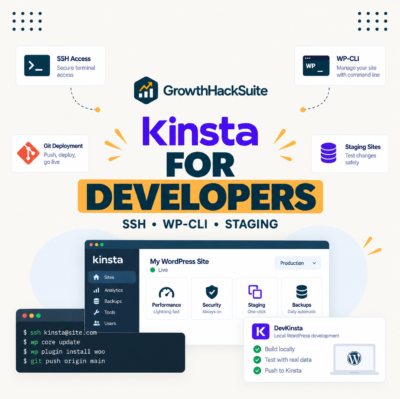
Kinsta answers with SSH, WP-CLI and staging across its range plus a free performance monitor and a free local development tool, but does not name a push-to-deploy integration on its plan pages. SiteGround adds Git only at GoGeek, its top tier.
Which Scales Best as a Site Grows?
The three diverge sharply above their entry tiers. SiteGround stops at 44.99 dollars, WP Engine steps from 276 to 400 for its isolated tier, and Kinsta climbs in even increments through single-site and multi-install plans into an agency range.
Source: siteground.com, wpengine.com/plans and kinsta.com agency hosting page, August 2026. Kinsta agency figures are annual billing, which the vendor presents as two months off the monthly rate.
The practical consequence is that a site outgrowing SiteGround must change host, whereas a site outgrowing a Kinsta plan moves up a tier, and a site outgrowing WP Engine Scale faces a step change to 400 dollars.
Which of the Three Fits Which Buyer?
Each host wins outright for a describable buyer, and none of the three wins for everyone. Matching the buyer to the vendor is more reliable than ranking the vendors against each other.
- SiteGround suits a first business website: Bundled email, a free domain and included caching at a 29.99 renewal remove two suppliers and cover the technical needs of a brochure site.
- SiteGround also suits several small sites: GrowBig and GoGeek allow unlimited websites, where both competitors count installs and charge per additional one.
- WP Engine suits agencies and developers: An activity log, transferable sites and GitHub Actions deployment appear on every tier rather than only on expensive ones.
- Kinsta suits revenue-carrying single sites: An isolated container on the entry plan and a flat price with no expiring promotion favour a site where downtime costs money.
- Kinsta also suits larger portfolios: Its agency tiers reach 60 installs with unlimited engineer-handled migrations and 30-day backup retention.
Two of those five point away from the host this page earns commission from, which is what the published pages support at those buyer profiles.
“Tool spend is only defensible when the outcome it protects is measured, not assumed.”
: Growth Hack Suite, ROI on sales tools
Across a six-dollar spread at entry level, the outcome being protected is what justifies the choice. For a brochure site nothing is being protected, which is exactly why the cheapest bundled option usually wins there.
Which Should You Choose?
Choose SiteGround for a first site or several small ones. Choose WP Engine for client work where handoff and audit trails matter. Choose Kinsta for a single site whose downtime has a cost, or for a portfolio large enough to need white-label agency tooling.
- Compare renewal figures, never headline ones: SiteGround’s 2.99 becomes 17.99 and WP Engine’s 30 applies to a first year on Essential plans only.
- Decide whether object caching is needed: Membership sites and stores need it, which makes it free on two platforms and 100 dollars monthly on the third.
- Check whether isolation is required: Only Kinsta provides a container per install at entry level, with WP Engine placing it at Core from 400 dollars.
- Count the sites being hosted: SiteGround allows unlimited websites from GrowBig, while the other two charge 20 and 30 dollars respectively per additional install.
- Model one traffic spike: Fifty thousand unexpected visits cost 100 dollars on WP Engine and 25 on Kinsta at published overage rates.
All five are published figures rather than judgement calls, which means this three-way decision can be settled on paper before any trial begins.
How Hard Is Moving Between Them?
Easier than most site owners expect, because all three want the migration to succeed. SiteGround lists free site migrations on every plan, Kinsta lists unlimited migrations performed by its own engineers, and WP Engine supplies a free automated migration plugin with managed bulk migrations at Core.
- Start the trial before cancelling anything: All three publish a thirty-day money-back window, so the old and new environments can run in parallel.
- Request the migration from the destination: The receiving host has the incentive and the tooling, which makes the move their work rather than a weekend project.
- Recreate staging on arrival: A staging copy does not travel with a migration and needs creating again once the live site is confirmed working.
- Re-point email deliberately: Moving away from SiteGround means mailboxes need a new provider, which is a separate migration from the website itself.
- Change DNS last: Verifying on a temporary address keeps the nameserver switch as a single reversible final step rather than the beginning of the process.
Only the fourth step catches people out, and it catches them out reliably, because email is the one part of a SiteGround plan that has no equivalent on the other two.
Test all three on real traffic before committing
Try Kinsta →Unlimited engineer-handled migrations and a 30-day money-back window.
Kinsta vs WP Engine vs SiteGround: Frequently Asked Questions
The 12 most-asked questions about choosing between Kinsta, WP Engine and SiteGround.
Which of the three is best overall?
None of them, and that is the useful answer. SiteGround wins for a first site, WP Engine for client work, Kinsta for a single site where downtime costs money. Their real entry prices sit within six dollars of each other.
Which is genuinely cheapest?
SiteGround, once renewal rates are compared rather than promotional ones. GrowBig renews at 29.99 dollars with unlimited websites, against 30 for one WP Engine site and 35 for one Kinsta install.
Does SiteGround really cost 2.99 dollars?
For a first term prepaid twelve months. StartUp then renews at 17.99, GrowBig at 29.99 and GoGeek at 44.99, all stated on the plan cards themselves rather than buried in terms.
Why does WP Engine cost 400 dollars for isolation?
Because isolated resources and the 99.99 percent uptime SLA are listed as Core features, and Core starts at 400 dollars a month. Plans below that, including Scale at 276, do not list isolation.
Which includes object caching?
SiteGround and WP Engine, on every plan, through multilevel caching and EverCache respectively. Kinsta sells Redis caching as an add-on at 100 dollars per site each month, the largest single cost difference here.
Which handles traffic spikes most cheaply?
Kinsta, at 50 cents per additional thousand visits against 2 dollars on WP Engine. Fifty thousand unexpected visits therefore cost 25 dollars against 100. SiteGround applies resource limits instead of visit billing.
Which includes email hosting?
SiteGround alone, on all three plans, alongside a free domain. Neither Kinsta nor WP Engine sells email or domains at any published tier, so both require a separate mailbox provider.
Which is best for an agency?
WP Engine below roughly twenty client sites, for transferable sites and an activity log on every tier. Kinsta above that, where its agency tiers add white-label branding removal and unlimited engineer-handled migrations.
Which has the strongest uptime figure?
WP Engine publishes 99.99 percent but attaches that SLA to Core and above. Kinsta publishes up to 99.9 percent on its standard plans and reserves 99.99 percent for custom enterprise plans, and SiteGround publishes 99.9 percent, so on the entry plans compared here Kinsta and SiteGround are level.
Which is fastest?
No honest answer exists from published sources. None of the three publishes a reproducible benchmark, and third-party tests disagree depending on plan tier, data centre and method. Architecture is comparable and speed is site-specific.
Which handles more than one site best?
SiteGround, since GrowBig and GoGeek allow unlimited websites within their storage limits. WP Engine charges 20 dollars per extra site and Kinsta charges 30, so both grow linearly with the site count.
Is switching between them difficult?
No. All three offer free migrations in some form and a thirty-day money-back window, so environments can run in parallel. The one genuine complication is email, which needs a separate move when leaving SiteGround.
About this comparison
Written by the Growth Hack Suite editorial team. Plan prices, renewal rates, inclusions and add-on costs were read directly from kinsta.com, wpengine.com/plans and siteground.com in August 2026, and are reported as published. SiteGround is cheaper to run and bundles email, a domain and caching; WP Engine includes more workflow tooling on every tier; both include object caching that Kinsta charges 100 dollars per site monthly for. This page says all of that despite carrying affiliate links to Kinsta.
No speed ranking is given, because none of the three publishes a reproducible benchmark and third-party results disagree by plan tier, data centre and method. Where a cell describes where a feature begins, that reflects the vendor’s own plan page rather than an inference. This page contains affiliate links to Kinsta, which pay a commission at no extra cost to the reader.