Table of Contents
Kinsta for developers gives a genuine command-line workflow on a managed platform, which is exactly what most WordPress developers want and exactly what a developer wanting raw server control does not. The distinction matters, because Kinsta provides developer tools without developer-level access to the underlying server, and knowing which one you need decides whether it fits.
Last updated: August 2026. Features, plans and limits were read from kinsta.com. This page carries affiliate links to Kinsta, and it is direct about what a managed platform does not give a developer who wants root or a non-WordPress stack.
Is Kinsta Good for Developers?
Yes for a WordPress developer who wants a modern workflow without managing servers, because SSH, WP-CLI, Git, staging and DevKinsta are all included. No for a developer who needs root access, a custom stack or a choice of cloud provider, because Kinsta is managed WordPress hosting rather than raw infrastructure.
Verdict: Kinsta gives developers the tools, not the keys. SSH, WP-CLI, Git, staging, DevKinsta and an API cover a full WordPress workflow, but there is no root access, the platform runs only on Google Cloud, and non-WordPress apps and databases moved to the separate Sevalla brand. For managed WordPress work it is excellent; for raw server control it is the wrong category.
The clean way to decide is by what you want to control: if it is the WordPress site and its deployment, Kinsta fits; if it is the server, the stack or the provider, it does not.
“WordPress is a web content management system.”
: Wikipedia, WordPress
Kinsta is built specifically around that system, so its developer tooling is deep for WordPress work and deliberately narrow outside it, which is the trade a managed platform makes.
What Does Kinsta Offer Developers?
A complete WordPress development toolset, included on every plan rather than reserved for higher tiers. Together these cover writing, deploying and monitoring a site from local machine to production.
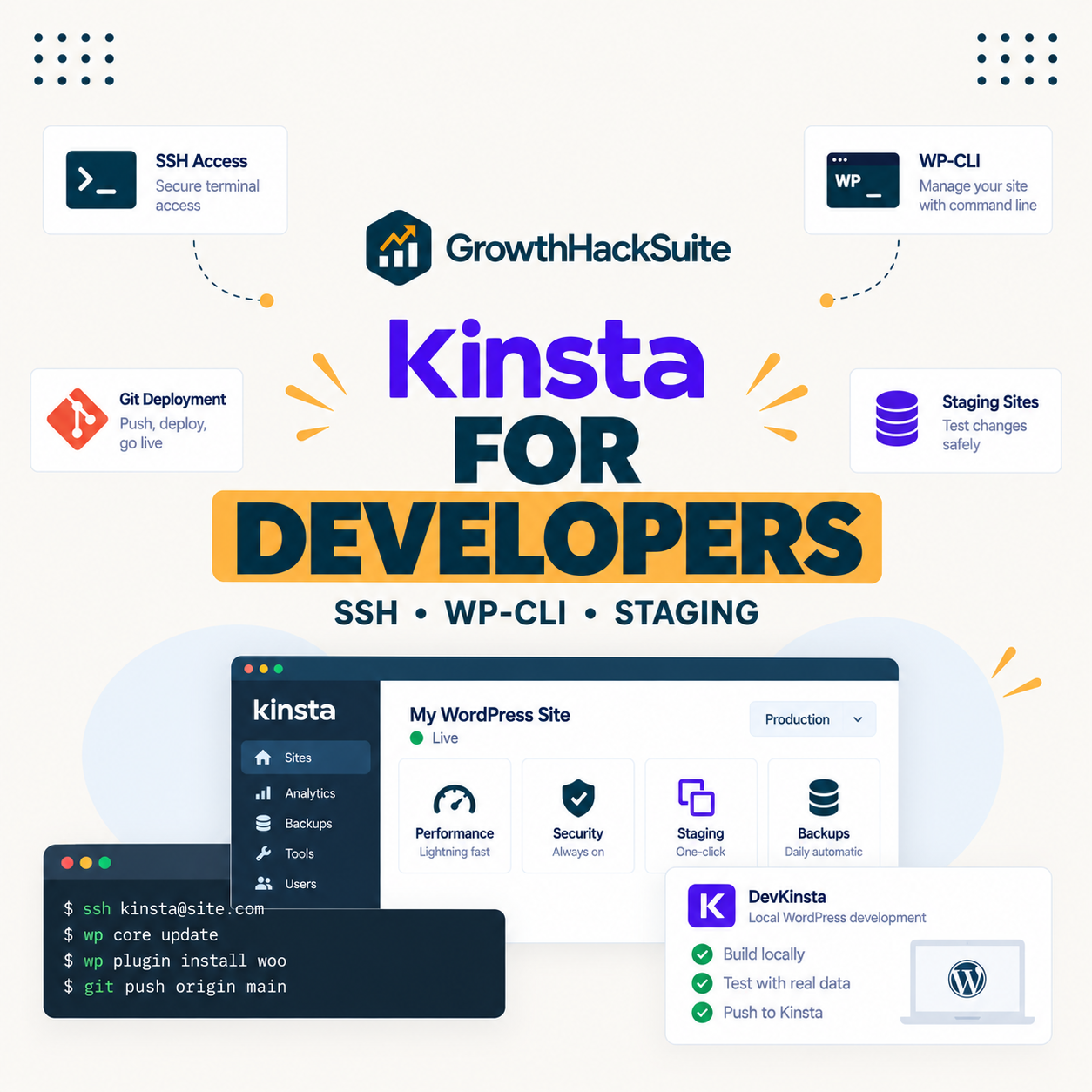
- SSH and WP-CLI: Full command-line access on every plan lets a developer script tasks, manage the site and automate deployments rather than clicking through a panel.
- Git integration: Deploying from a Git repository fits a version-controlled workflow, so code moves through review rather than by manual upload.
- One-click staging: A staging copy of each site supports building and testing before a change reaches production, on every plan.
- DevKinsta for local work: A free local development tool mirrors the production environment, so a developer builds locally without configuration drift.
- Built-in APM: An application performance monitoring tool surfaces slow queries and plugin bottlenecks without wiring up a third-party service.
The through-line is that Kinsta gives a developer everything needed to build and ship WordPress professionally, with the deliberate exception of control over the server itself.
Which Kinsta Features Matter Most for Developers?
Command-line access, staging and local development, because they map to the three stages of a professional workflow: automate, test, and build. The rest of the toolset supports those three.
Source: kinsta.com developer pages and kinsta.com/plans, verified August 2026. The last row is the deliberate boundary: Kinsta provides developer tools on a managed platform rather than root-level server access.
In plain terms, the tools cover the full WordPress workflow, and the one thing they do not include is the server itself, which is the defining trait of managed hosting.
How Does Kinsta Support a Modern Dev Workflow?
By connecting local development, version control and staging into one path from laptop to production. DevKinsta builds locally, Git carries the change, staging verifies it, and WP-CLI automates the repetitive steps along the way.
The result is a workflow that a developer used to modern tooling recognises immediately, without the setup a self-managed server would require. What it does not offer is the freedom to reshape that pipeline at the server level, which is the trade for not having to maintain the server at all.
Why Do Developers Choose Kinsta?
Because it pairs a real toolset with premium performance, so a developer gets control over the code and the deployment without carrying the maintenance of a server. For an agency or freelancer, that removes an operational burden while keeping the workflow professional.
“a B2B site that loads in 1 second has a conversion rate 3x higher than a site that loads in 5 seconds”
: HubSpot, page load time and conversion rates
For a developer building client sites, that performance is part of the deliverable, so a platform that provides it without server administration lets the developer spend time on the build rather than on infrastructure.
A full WordPress workflow without server maintenance
See Kinsta Plans →SSH, WP-CLI, Git and DevKinsta on every plan, with free migrations for existing sites.
Does Kinsta Give Root Access or a Custom Stack?
No, and this is the boundary a developer should understand before choosing it. Kinsta is a managed platform, so it abstracts the server: there is no root login, the web stack is set by Kinsta, and it runs only on Google Cloud rather than a provider of the developer’s choice.
- No root login: Server-level configuration is managed by Kinsta, so a developer cannot install arbitrary system packages or reconfigure the web server directly.
- WordPress only: The platform runs WordPress, so a non-WordPress application, a custom runtime or a standalone database is out of scope for these plans.
- Sevalla for applications: Kinsta moved application, database and static-site hosting to the separate Sevalla brand, which is where a developer runs a Node or other non-WordPress workload.
- Google Cloud only: There is no choice of underlying provider, which matters to a developer who standardises on a specific cloud for other reasons.
- Managed stack: The Nginx, PHP and caching configuration is Kinsta’s, tuned for WordPress, rather than something a developer hand-configures.
For a developer who wants that level of control, a raw cloud provider or a server-based host like Cloudways is the right category, and Kinsta’s own answer for non-WordPress workloads is Sevalla rather than these plans.
Can a Developer Automate Kinsta With the API?
Yes, the Kinsta API lets a developer automate the repetitive account operations that a portfolio of sites creates, rather than clicking through MyKinsta for each one. That turns routine maintenance into scripts a developer can run on a schedule.
- Site operations: The API exposes site creation and management, so a developer can provision or configure sites programmatically across a portfolio.
- Backups on demand: Triggering and listing backups through the API supports a developer’s own backup routine alongside the platform’s automatic ones.
- Environment actions: Staging and environment tasks can be scripted, so pushing or refreshing a staging copy becomes part of an automated workflow.
- Reporting and status: Reading site status and metrics through the API lets a developer build a dashboard or alert without logging in manually.
- Combined with WP-CLI: The API handles account-level actions while WP-CLI handles site-level ones, and together they cover most automation a developer needs.
For a developer maintaining many client sites, that automation is where the managed platform earns its keep, replacing manual dashboard work with repeatable scripts.
Automate account tasks with the Kinsta API
Compare Kinsta Plans →API plus WP-CLI cover account and site automation, on every plan.
Does Kinsta Suit a Freelance WordPress Developer?
Yes when the freelancer builds and maintains client sites that earn, because the managed platform removes server work that a solo developer has no time for. It suits a freelancer selling outcomes rather than one running many low-value experiments.
The consideration is per-install pricing: a freelancer with a few valuable client sites fits Kinsta well, while one hosting many tiny sites at a thin margin is usually cheaper on a per-server host. The dividing line is the same one that runs through the whole platform: value per site rather than count of sites.
How Fast and Reliable Is Kinsta for Developers?
Reliable enough that infrastructure is rarely the developer’s problem, with isolated Google Cloud resources, edge caching and a published uptime commitment of up to 99.99 percent, plus the built-in APM to diagnose application-level issues. The value is that performance is handled so the developer can focus on code.
Because the stack is tuned and managed, a developer spends less time on server performance and more on the application, with APM surfacing the slow queries or plugins that a developer can actually fix. That division of labour is the point of a managed platform for a developer.
What Are Kinsta’s Limits for Developers?
The ones that follow from being managed and WordPress-focused, which are features for most developers and dealbreakers for a few. Naming them lets a developer self-select accurately.
- No root or custom server config: A developer who needs system-level control will find the managed stack too closed, and should choose raw cloud instead.
- WordPress only on these plans: Non-WordPress applications and databases belong on Sevalla, so a mixed-stack project needs more than these plans.
- Single provider: Running only on Google Cloud removes provider choice, which matters to a team standardised elsewhere.
- Premium and metered: At 35 dollars and up with metered visits, it costs more than a developer running a personal project on a small VPS would pay.
- Object caching is extra: Redis is a 100-dollar per site monthly add-on, relevant to a developer building a dynamic or store site rather than a static one.
The pattern is that Kinsta suits a developer who wants tooling without server administration, and not one whose requirement is server administration itself.
What Does Kinsta Cost for Developers?
From 35 dollars for a single site, scaling by installs and visits, which suits a developer managing a few client sites more than one running many personal projects. The table uses Kinsta’s real plan structure rather than generic tier names.
Source: kinsta.com/plans, verified in August 2026. Annual billing lowers the effective monthly cost, additional installs are 30 dollars each, and an earlier layout draft labelling these Starter, Pro and Business tiers with a 25,000-visit entry was inaccurate and is corrected here.
Put simply, a developer picks a plan by client-install count, and the per-install economics favour a portfolio of client work over a hobby collection of experimental sites.
How Does Kinsta Compare to Raw Cloud for Developers?
Kinsta trades control for convenience, while raw cloud such as a DigitalOcean droplet trades convenience for control. On raw cloud a developer configures everything and pays less; on Kinsta the stack is managed and the developer pays for not maintaining it.
The honest split is by what a developer wants to spend time on: a developer who enjoys or needs server administration gets more from raw cloud, and one who would rather ship WordPress features gets more from Kinsta. Neither is better in general, only better for a given developer.
Tooling without the server maintenance
View Kinsta Tiers →A managed WordPress platform with a full command-line workflow, on isolated Google Cloud resources.
How Do You Get Started With Kinsta as a Developer?
Sign up for a plan, connect over SSH and WP-CLI, set up DevKinsta locally, and use Git and staging to deploy safely. Free migration moves existing sites into a tested staging copy before switching, so nothing is rebuilt.
A developer can validate the workflow quickly: connect, run a WP-CLI command, push a change through staging, and judge whether the managed model fits before committing client work. A 30-day money-back guarantee gives room to test that on a real site.
“Tool spend is only defensible when the outcome it protects is measured, not assumed.”
: Growth Hack Suite, ROI on sales tools
For a developer the outcome is time: hours not spent on server maintenance and hours of client sites staying fast. Where that time is worth more than the premium, Kinsta pays for itself, and where a developer would rather run the server, raw cloud is the honest choice.
Kinsta for Developers: Frequently Asked Questions
The 12 most-asked questions about using Kinsta as a developer.
Is Kinsta good for developers?
Yes for a WordPress developer wanting a modern workflow without managing servers, with SSH, WP-CLI, Git, staging and DevKinsta included. No for a developer needing root access, a custom stack or a choice of provider, since it is managed WordPress hosting.
Does Kinsta offer SSH and WP-CLI?
Yes, full SSH and WP-CLI access on every plan, so a developer can script tasks, manage the site from the command line and automate deployments. This is one of the strongest parts of Kinsta’s developer story.
Does Kinsta give root access?
No. Kinsta is a managed platform, so server-level configuration is handled by Kinsta and there is no root login. A developer needing system-level control should use raw cloud such as a DigitalOcean droplet instead.
Can I run a non-WordPress app on Kinsta?
Not on these plans. Kinsta moved application, database and static-site hosting to the separate Sevalla brand, so a Node app or standalone database runs on Sevalla rather than Kinsta’s WordPress plans. Confirm current options on their sites.
Does Kinsta support Git deployment?
Yes, Git integration lets a developer deploy from a repository as part of a version-controlled workflow. Combined with staging, it supports a review-then-deploy path rather than manual file uploads.
What is DevKinsta?
A free local development tool that mirrors the production environment, so a developer builds and tests on a local machine without configuration drift. It is part of what makes Kinsta’s workflow familiar to a modern developer.
Can I choose the cloud provider?
No. Kinsta runs only on Google Cloud, so there is no choice of underlying provider. For a team standardised on a different cloud, that single-provider model is a limitation worth weighing before committing.
Does Kinsta include performance monitoring?
Yes, a built-in APM tool surfaces slow queries and plugin bottlenecks without wiring up a third-party service. For a developer diagnosing an application issue, having it in the platform saves setup time.
Is Kinsta good for a personal project?
It can be more than needed. At 35 dollars and up with metered visits, a small personal WordPress project may run more cheaply on a small VPS or a budget host. Kinsta’s economics favour client and revenue work.
How does Kinsta compare to Cloudways for developers?
Cloudways gives more server-level control at a lower price on a per-server model, while Kinsta gives a more polished managed WordPress workflow. A developer who wants control leans Cloudways; one who wants convenience leans Kinsta.
Does Kinsta migrate a developer’s sites for free?
Yes, with free unlimited migrations that copy each site into a tested staging copy before switching. That makes moving an existing set of WordPress sites low-risk, and a developer can verify each on staging first.
Can I test Kinsta before committing?
Yes. A 30-day money-back guarantee lets a developer connect over SSH, run the workflow on a real site and judge the managed model before moving client work. That is the sensible way to evaluate the fit.
About this guide
Written by the Growth Hack Suite editorial team. Kinsta’s features, plans and limits were read from kinsta.com. This page carries affiliate links to Kinsta, so the honesty owed to a developer is stated throughout: Kinsta provides SSH, WP-CLI, Git, one-click staging, DevKinsta and a built-in APM on every plan, but it is a managed platform, so there is no root access, the stack is set by Kinsta, it runs only on Google Cloud, and non-WordPress applications and databases moved to the separate Sevalla brand.
It is genuinely strong for a WordPress developer who wants a modern workflow without server maintenance, and the wrong category for one whose requirement is root-level control, a custom stack or a choice of provider, for whom raw cloud is the honest alternative. No speed benchmark is used, because the developer value is a managed, tuned stack rather than a single lab figure, and the plan-tier table corrects an earlier draft that used inaccurate tier names and a 25,000-visit entry.