
Table of Contents
Mobile-first indexing means Google predominantly uses the mobile version of a site for crawling, indexing and ranking. Because most searches happen on phones, sites must ensure their mobile version has the same content, speed and usability as desktop, or risk losing visibility in search results. This guide explains what it means and how to prepare.
Last updated: August 2026. Written by the Growth Hack Suite editorial team, with details cross-checked against provider documentation. This page carries affiliate links to Kinsta.
What Is Mobile-First Indexing?
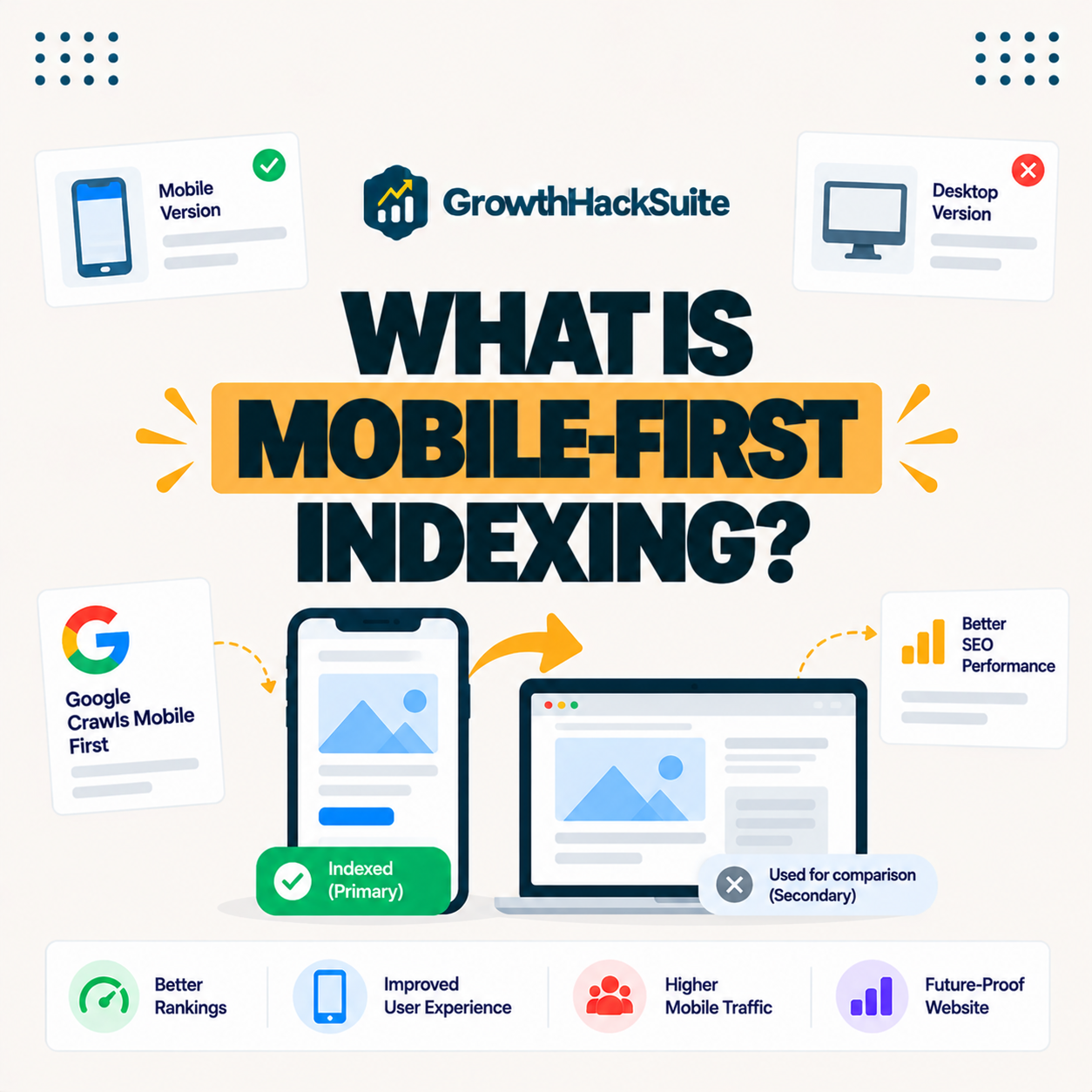
Mobile-first indexing means Google predominantly uses the mobile version of a website for crawling, indexing and ranking. The content and experience on phones, rather than desktop, therefore determine how a site appears in search results, so the mobile version is the one that counts.
“Responsive web design makes web pages render well on a variety of devices.”
— Wikipedia, Responsive web design
Responsive design is the simplest way to satisfy mobile-first indexing, because it serves the same content to every device, so the mobile version Google indexes matches the desktop one automatically.
Why Did Google Move to Mobile-First?
Google moved to mobile-first indexing because the majority of searches now happen on mobile devices. Indexing the version most people actually see makes rankings reflect the real experience of the typical searcher, so the change aligned search with how people browse.
Verdict: Mobile-first indexing means Google crawls, indexes and ranks your mobile version, so it must have the same content, structured data and metadata as desktop, and it must be fast. The honest rule is that a responsive site with complete mobile content and strong mobile Core Web Vitals is prepared by default, while a stripped-down or slow mobile version can lose visibility even if the desktop is excellent.
In short, the mobile version is now the primary one, so preparing means making mobile complete and fast rather than an afterthought.
How Mobile-First Indexing Works
Mobile-first indexing works by having Googlebot crawl your site as a mobile device, using the mobile version’s content, structured data and metadata for indexing. Anything missing from mobile may not be considered for ranking, so the mobile page must be complete, not a trimmed copy.
The honest point is that the crawler sees the mobile page, so what is hidden or removed on mobile is effectively invisible to indexing.
Mobile-First Indexing vs Mobile-Friendly
Mobile-first indexing differs from being mobile-friendly: mobile-friendly means a page is usable on phones, while mobile-first indexing is how Google indexes the mobile version. A site should be both usable and complete on mobile, since usability alone does not guarantee full indexing.
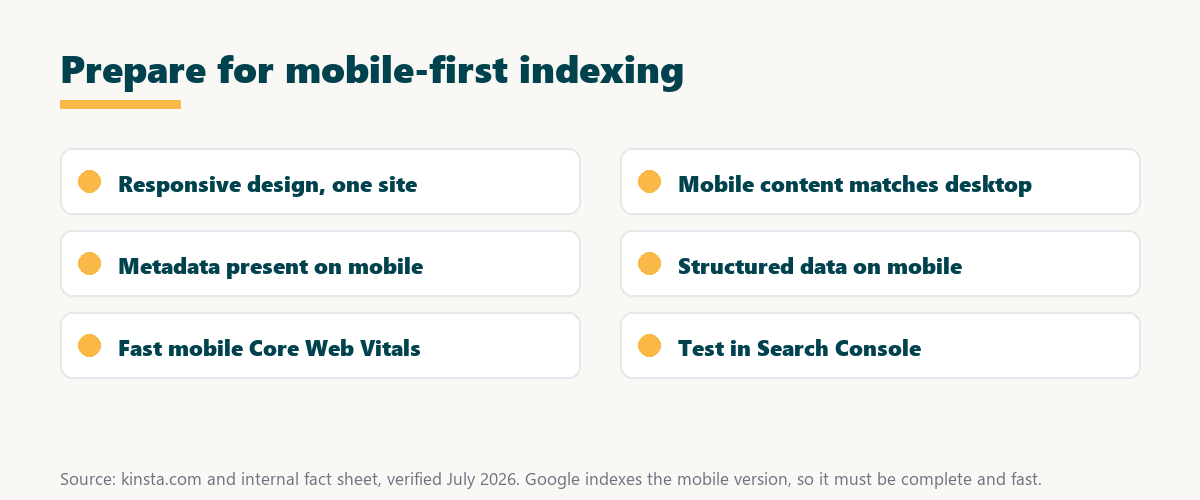
Source: provider documentation, verified August 2026. Verify each item on the mobile version.
Listing responsive design, matching content, mobile metadata, structured data and mobile speed to verify gives a simple readiness checklist for mobile-first indexing.
See how Kinsta speeds up your mobile pages
Try Kinsta →Fast servers and a CDN for mobile speed, with a 30-day money-back guarantee.
What Content Must Match on Mobile?
On mobile, your content, headings, images, structured data and metadata should match the desktop version. Mobile-first indexing uses the mobile version, so hiding or trimming content on mobile can reduce what Google indexes and ranks, which makes parity the safest approach.
- Main text content: The body copy on mobile should match desktop, since trimmed text is not indexed.
- Headings and structure: The same headings on mobile preserve the structure Google uses to understand a page.
- Images and alt text: Images and their alt text should be present on mobile to support image indexing.
- Structured data: Schema markup must appear on the mobile page to enable rich results in search.
- Metadata: Titles and meta descriptions should be identical on mobile, as these drive the search snippet.
The honest takeaway is that a responsive site achieves this parity automatically, so most content-mismatch problems come from separate or stripped-down mobile pages.
Why Mobile-First Indexing Matters for SEO
Mobile-first indexing matters because your mobile version now drives rankings, so a fast, complete, usable mobile experience is essential. A weak mobile site can lose visibility even if the desktop version is excellent, since Google ranks what it sees on mobile.
“The first five seconds of page-load time have the highest impact on conversion rates.”
— HubSpot, page load time and conversion rates
Because mobile visitors are especially sensitive to those early seconds, a fast mobile experience protects both the rankings mobile-first indexing decides and the conversions that follow.
How Mobile Speed Affects Indexing and Rankings
Mobile speed affects rankings because Core Web Vitals are measured on the mobile experience. Slow mobile pages hurt scores and user engagement, making fast hosting and mobile optimization central to performing well under mobile-first indexing rather than optional extras.
The honest point is that mobile speed is where hosting quality shows most, since phones on mobile networks feel a slow server more than fast desktop connections do.
Common Mobile-First Indexing Mistakes
Common mistakes include serving less content on mobile, blocking resources needed to render the mobile page, missing structured data on mobile and slow mobile load times. All of these can reduce indexing and rankings under mobile-first, often without an obvious warning.
Source: provider documentation, verified August 2026. Fix each on the mobile version specifically.
Listing reduced mobile content, blocked resources and slow mobile speed with the fix for each shows where mobile-first problems usually hide. Owners weighing platform commitment can also read our note on SaaS vendor lock-in.
How to Prepare for Mobile-First Indexing
Prepare for mobile-first indexing by using a responsive design so mobile and desktop share content, ensuring metadata and structured data appear on mobile, and improving mobile speed with fast hosting, caching and optimized images. Together these make the mobile version complete and fast.
Get fast mobile performance handled on Kinsta
Start With Kinsta →Free migration and a 30-day money-back guarantee.
How Kinsta Helps Your Mobile Performance
Kinsta helps mobile performance with fast Google Cloud servers, edge caching, a Cloudflare CDN and image optimization. Your responsive WordPress site therefore loads quickly on phones, supporting strong mobile Core Web Vitals under mobile-first indexing, since the mobile version is the one Google ranks.
“A tool is only worth its premium when the hours or revenue it protects exceed the invoice.”
— Growth Hack Suite, on tool ROI
Applied here, a fast platform earns its premium when the mobile Core Web Vitals it enables protect the rankings mobile-first indexing decides.
Should You Use a Separate Mobile Site?
A responsive design is generally preferred over a separate mobile site, because it serves the same content and URLs to all devices. This avoids the content mismatches mobile-first indexing penalizes, so a single responsive site is simpler to maintain and safer for SEO.
The honest qualifier is that separate mobile sites can work if kept perfectly in sync, but that parity is hard to maintain, which is why responsive design is the default recommendation.
Getting Your WordPress Site Mobile-Ready
You get your WordPress site mobile-ready by using a responsive theme, keeping mobile content complete, and speeding up mobile loading with fast managed hosting and image optimization. The mobile version Google indexes then performs well, both in completeness and in speed.
The honest summary is that a responsive theme plus fast hosting covers most of mobile-first readiness, leaving only content parity and testing to confirm.
Make your mobile site fast risk-free on Kinsta
Try Kinsta Risk-Free →Fast hosting, a CDN and free migration, with a 30-day money-back guarantee.
Mobile-First Indexing: Frequently Asked Questions
The 12 most-asked questions about mobile-first indexing.
What is mobile-first indexing in simple terms?
Mobile-first indexing means Google uses the mobile version of your site for crawling, indexing and ranking, so the content and experience on phones determine how your site appears in search.
Why did Google switch to mobile-first indexing?
Google switched because most searches now happen on mobile devices, so indexing the version people actually see makes rankings reflect the experience of the typical searcher.
Is mobile-first indexing the same as mobile-friendly?
No, mobile-friendly means a page is usable on phones, while mobile-first indexing is how Google indexes your mobile version, so a site should be both usable and complete on mobile.
What content must match on mobile?
Your content, headings, images, structured data and metadata should match the desktop version, since mobile-first indexing uses the mobile version and missing content may not be ranked.
Does mobile-first indexing affect my rankings?
Yes, because your mobile version now drives rankings, a weak or incomplete mobile site can lose visibility even if the desktop version is excellent.
How do I prepare for mobile-first indexing?
You prepare by using a responsive design so mobile matches desktop, ensuring metadata and structured data appear on mobile, and improving mobile speed with fast hosting and optimized images.
Does mobile speed matter for indexing?
Yes, mobile speed matters because Core Web Vitals are measured on the mobile experience, so slow mobile pages hurt scores and engagement under mobile-first indexing.
What are common mobile-first indexing mistakes?
Common mistakes include serving less content on mobile, blocking resources needed to render the page, missing structured data, and slow mobile load times.
Should I use a separate mobile site?
A responsive design is generally preferred over a separate mobile site, because it serves the same content and URLs to all devices, avoiding the content mismatches mobile-first indexing penalizes.
How do I test my mobile version?
You test with Google’s mobile-friendly and URL inspection tools in Search Console, which show how Googlebot renders your mobile page and whether content and resources load correctly.
Does hosting affect mobile-first performance?
Yes, hosting affects mobile performance, since fast servers and caching improve mobile Core Web Vitals, which matter because rankings are based on the mobile experience.
How does Kinsta help mobile performance?
Kinsta serves your responsive site from fast Google Cloud servers with edge caching, a CDN and image optimization, so the mobile version Google indexes loads quickly and passes mobile Core Web Vitals.
About this guide
Written by the Growth Hack Suite editorial team, drawing on hands-on experience preparing sites for search. Details were cross-checked against provider documentation. This page carries affiliate links to Kinsta, so the position is stated plainly: mobile-first indexing means Google ranks your mobile version, so it must have the same content, structured data and metadata as desktop and must be fast. A responsive site with complete mobile content and strong mobile Core Web Vitals is ready by default, and Kinsta helps with fast Google Cloud servers, caching, a CDN and image optimization.


