Table of Contents
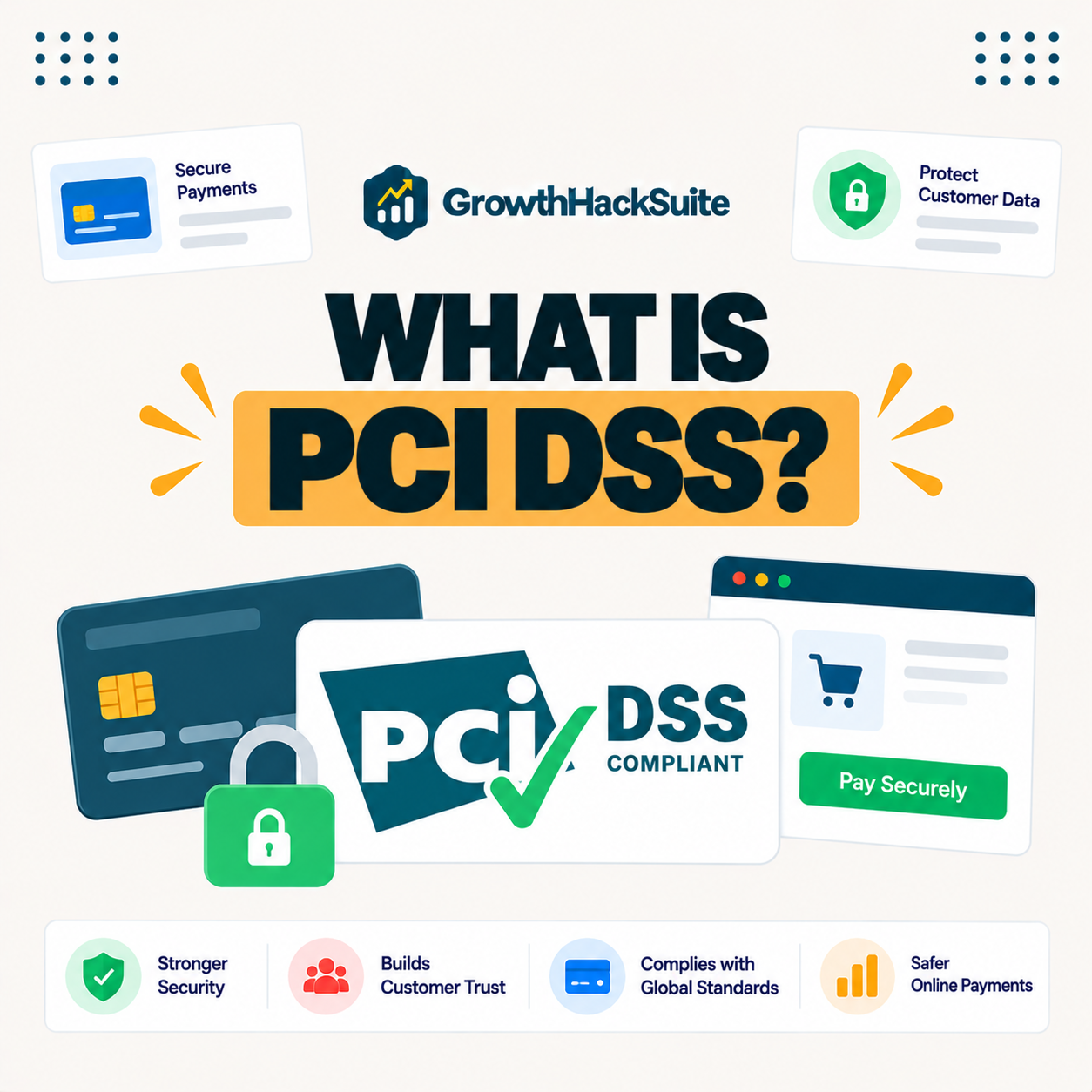
PCI DSS, the Payment Card Industry Data Security Standard, is a set of security requirements for any business that stores, processes or transmits card payments. For online stores it means protecting cardholder data through secure hosting, encryption and safe payment handling, usually simplified by using a compliant payment gateway. This guide explains what compliance means and how to reach it.
Last updated: August 2026. Written by the Growth Hack Suite editorial team, with details cross-checked against the PCI Security Standards Council. This page carries affiliate links to Kinsta.
What Is PCI DSS Compliance?
PCI DSS compliance means meeting the Payment Card Industry Data Security Standard, a set of security requirements that any business storing, processing or transmitting credit card data must follow. It exists to protect cardholder information and reduce the risk of fraud and data breaches.
“PCI DSS is an information security standard used to handle branded credit cards.”
— Wikipedia, PCI DSS
For an online store, PCI DSS compliance is less about paperwork and more about handling card data safely, which is easiest when a compliant payment gateway does the sensitive work.
How Does PCI DSS Work?
PCI DSS works by defining requirements across areas like network security, encryption, access control and monitoring. Businesses demonstrate compliance through self-assessment questionnaires or formal audits, depending on how many card transactions they handle each year and how they process payments.
Verdict: PCI DSS applies to every store that accepts cards, no matter how small, but the effort scales with volume across four merchant levels. The honest shortcut is a compliant payment gateway: it handles card data on its own systems, so the store never stores raw card numbers and its PCI scope shrinks dramatically. Secure hosting with SSL, a firewall and patching then covers the environment side, and a self-assessment validates it.
In short, compliance is a mix of using a compliant gateway, securing the store environment and validating it with the right assessment for your level.
Who Needs to Be PCI Compliant?
Any business that accepts card payments needs to be PCI compliant, including small online stores, since the standard applies regardless of size. The validation effort scales with transaction volume across four defined merchant levels, so a small shop has a lighter path than a large retailer.
The honest point is that there is no exemption for being small, only a simpler validation route, so every store that takes cards is in scope.
The Four PCI DSS Compliance Levels
The four PCI DSS levels are based on annual card transaction volume, with Level 1 for the largest merchants requiring a formal audit and Levels 2 to 4 for smaller merchants using self-assessment questionnaires of decreasing complexity. Most small online stores fall into Level 4.
Source: PCI Security Standards Council merchant levels, verified August 2026. Thresholds are set by the card brands and may vary slightly.
Showing the four merchant levels by transaction volume and the validation each requires makes it clear that most small stores use a self-assessment questionnaire rather than a formal audit.
See how Kinsta secures a WooCommerce store
Try Kinsta →Free SSL, firewall and DDoS protection, with a 30-day money-back guarantee.
PCI DSS vs Using a Payment Gateway
PCI DSS compliance is simpler when you use a hosted payment gateway, because the gateway handles card data on its own compliant systems. Your store reduces its PCI scope by never directly storing or processing raw card numbers, which is why most small stores rely on a gateway.
The honest point is that a gateway shrinks scope but does not remove all responsibility, since you still secure your site, hosting and checkout.
Why PCI Compliance Matters for Your Store
PCI compliance matters because non-compliance risks fines, higher transaction fees and liability for breaches. A data breach damages customer trust and revenue, so meeting the standard protects both your finances and your reputation, which are hard to recover once lost.
“The first five seconds of page-load time have the highest impact on conversion rates.”
— HubSpot, page load time and conversion rates
Because trust and speed both shape whether a shopper completes checkout, a secure, compliant, fast store protects conversions as much as it protects data.
How Hosting Supports PCI Compliance
Hosting supports PCI compliance through SSL encryption, a firewall, secure server configuration, isolation and regular patching. Several PCI requirements concern the environment your store runs on, so secure hosting covers that side, though hosting alone does not make a store fully compliant.
- SSL encryption: Free SSL enforces HTTPS so card data is encrypted in transit, a core PCI requirement.
- Firewall: A web application firewall filters malicious traffic before it reaches the store.
- Isolated resources: Container isolation prevents the shared-server risks that can widen PCI exposure.
- Regular patching: Keeping the server stack current closes the vulnerabilities PCI expects to be managed.
- DDoS protection: Absorbing attacks keeps the store available and reduces one avenue of compromise.
The honest takeaway is that hosting handles the infrastructure requirements, while the payment gateway and store configuration cover the rest.
Common PCI Compliance Mistakes
Common PCI mistakes include storing card numbers unnecessarily, skipping SSL, using outdated software and assuming a payment gateway removes all responsibility. Stores should minimize the card data they touch and keep their whole environment secure, since gaps anywhere can break compliance.
- Storing card numbers: Keeping raw card data on the server hugely widens PCI scope and risk.
- Skipping SSL: Serving checkout without HTTPS fails a core PCI requirement and exposes card data.
- Outdated software: Unpatched plugins and server software leave known vulnerabilities open.
- Over-trusting the gateway: Assuming a gateway removes all duty ignores the store’s own security obligations.
- Weak access control: Broad admin access breaks the least-privilege principle PCI expects.
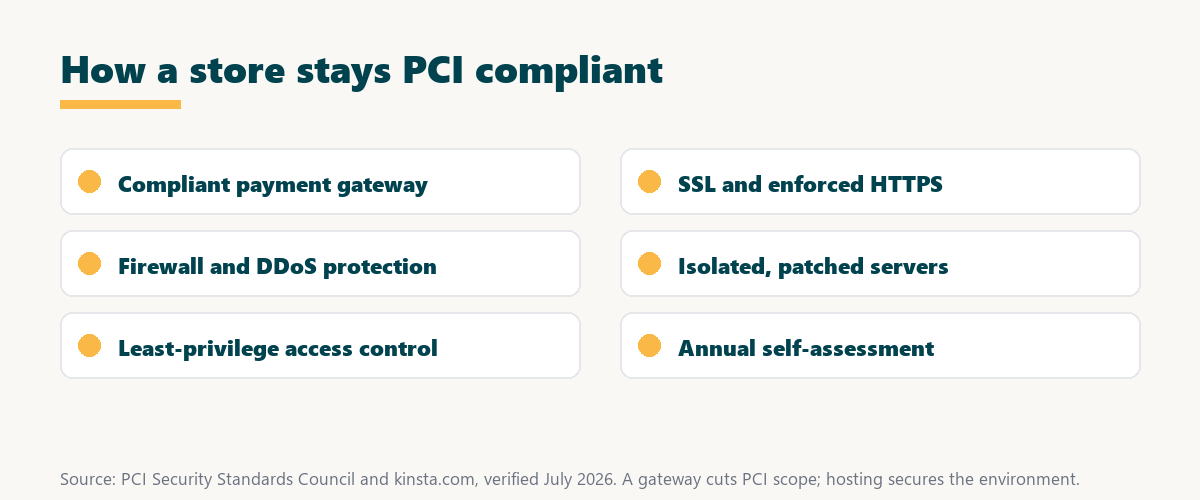
Source: PCI Security Standards Council guidance, verified August 2026. Complete each step for your merchant level.
Listing SSL, a payment gateway, patching, access control and self-assessment as steps to verify gives a practical checklist for reaching compliance. Store owners weighing platform commitment can also read our note on SaaS vendor lock-in.
How to Make Your Store PCI Compliant
Make your store PCI compliant by using a reputable payment gateway, enforcing HTTPS with SSL, keeping software patched, limiting access, and completing the self-assessment questionnaire for your merchant level. Together these steps validate your security controls and keep card data protected.
Get secure, PCI-ready hosting on Kinsta
Start With Kinsta →Free migration and a 30-day money-back guarantee.
How Kinsta Supports Secure, Compliant Stores
Kinsta supports secure stores with free SSL, a Cloudflare firewall, DDoS protection, isolated containers and regular patching on Google Cloud. This hardened hosting environment helps your WooCommerce store meet the infrastructure side of PCI requirements, so the platform does the heavy lifting on security.
“A tool is only worth its premium when the hours or revenue it protects exceed the invoice.”
— Growth Hack Suite, on tool ROI
Applied to a store, secure hosting earns its premium when the breaches and downtime it prevents would cost far more than the plan in fines and lost trust.
Is SSL Required for PCI Compliance?
Yes, encrypting card data in transit with SSL and HTTPS is a core PCI requirement, so a valid certificate and enforced HTTPS are essential for any store handling payments. Serving a checkout page without HTTPS both fails PCI and exposes card data to interception.
The honest qualifier is that free SSL from a managed host makes this requirement trivial to meet, so there is no reason for a modern store to skip it.
Keeping Your Online Store Secure
You keep your online store secure by combining a compliant payment gateway with secure hosting like Kinsta’s, HTTPS, updates and least-privilege access. Cardholder data then stays protected and your store meets PCI expectations, which safeguards both customers and the business.
The honest summary is that compliance is a layered habit, so pairing a gateway with secure hosting and good access hygiene covers most of the work.
Secure your store risk-free on Kinsta
Try Kinsta Risk-Free →Free SSL, firewall and free migration, with a 30-day money-back guarantee.
PCI DSS Compliance: Frequently Asked Questions
The 12 most-asked questions about PCI DSS compliance.
What is PCI DSS compliance in simple terms?
PCI DSS compliance means following the Payment Card Industry Data Security Standard, a set of security rules any business handling card payments must meet to protect cardholder data and reduce fraud.
Do small online stores need to be PCI compliant?
Yes, any store that accepts card payments must be PCI compliant, since the standard applies regardless of size, though smaller merchants validate compliance through simpler self-assessment questionnaires.
What are the four PCI DSS levels?
The four PCI levels are based on annual card transaction volume, with Level 1 requiring a formal audit for the largest merchants and Levels 2 to 4 using self-assessment for smaller ones.
Does a payment gateway make me PCI compliant?
A hosted payment gateway greatly reduces your PCI scope by handling card data on its own compliant systems, but you still hold responsibility for securing your store environment and validating compliance.
What happens if my store is not PCI compliant?
Non-compliance can bring fines, higher transaction fees and liability for breaches, and a card data breach damages customer trust, so meeting the standard protects both finances and reputation.
Does hosting affect PCI compliance?
Yes, hosting affects PCI compliance because several requirements concern your server environment, so SSL, a firewall, isolation and patching support compliance, though hosting alone does not make a store fully compliant.
Is SSL required for PCI compliance?
Yes, encrypting card data in transit with SSL and HTTPS is a core PCI requirement, so a valid certificate and enforced HTTPS are essential for any store handling payments.
How do I become PCI compliant?
You become PCI compliant by using a reputable payment gateway, enforcing HTTPS, patching software, limiting access, and completing the self-assessment questionnaire for your merchant level.
Can I store customer card numbers?
You should avoid storing raw card numbers whenever possible, since storing them greatly increases your PCI scope and risk, which is why most stores let a compliant gateway handle card data.
Does WooCommerce handle PCI compliance for me?
WooCommerce with a compliant payment gateway keeps card data off your server, reducing your PCI burden, but you remain responsible for securing your site, hosting and checkout.
How often must I validate PCI compliance?
PCI compliance is typically validated annually through the appropriate self-assessment or audit, with some requirements like scans performed more frequently depending on your merchant level.
How does Kinsta help with PCI security?
Kinsta helps with free SSL, a Cloudflare firewall, DDoS protection, isolated containers and patching on Google Cloud, providing a hardened environment that supports the infrastructure side of PCI compliance.
About this guide
Written by the Growth Hack Suite editorial team, drawing on hands-on experience securing online stores. Details were cross-checked against the PCI Security Standards Council. This page carries affiliate links to Kinsta and is educational, not legal or compliance advice. The position is stated plainly: PCI DSS applies to every store that takes cards, a compliant payment gateway shrinks the store’s PCI scope, and secure hosting with SSL, a firewall and patching covers the infrastructure requirements. Kinsta provides that hardened environment on Google Cloud.