Table of Contents
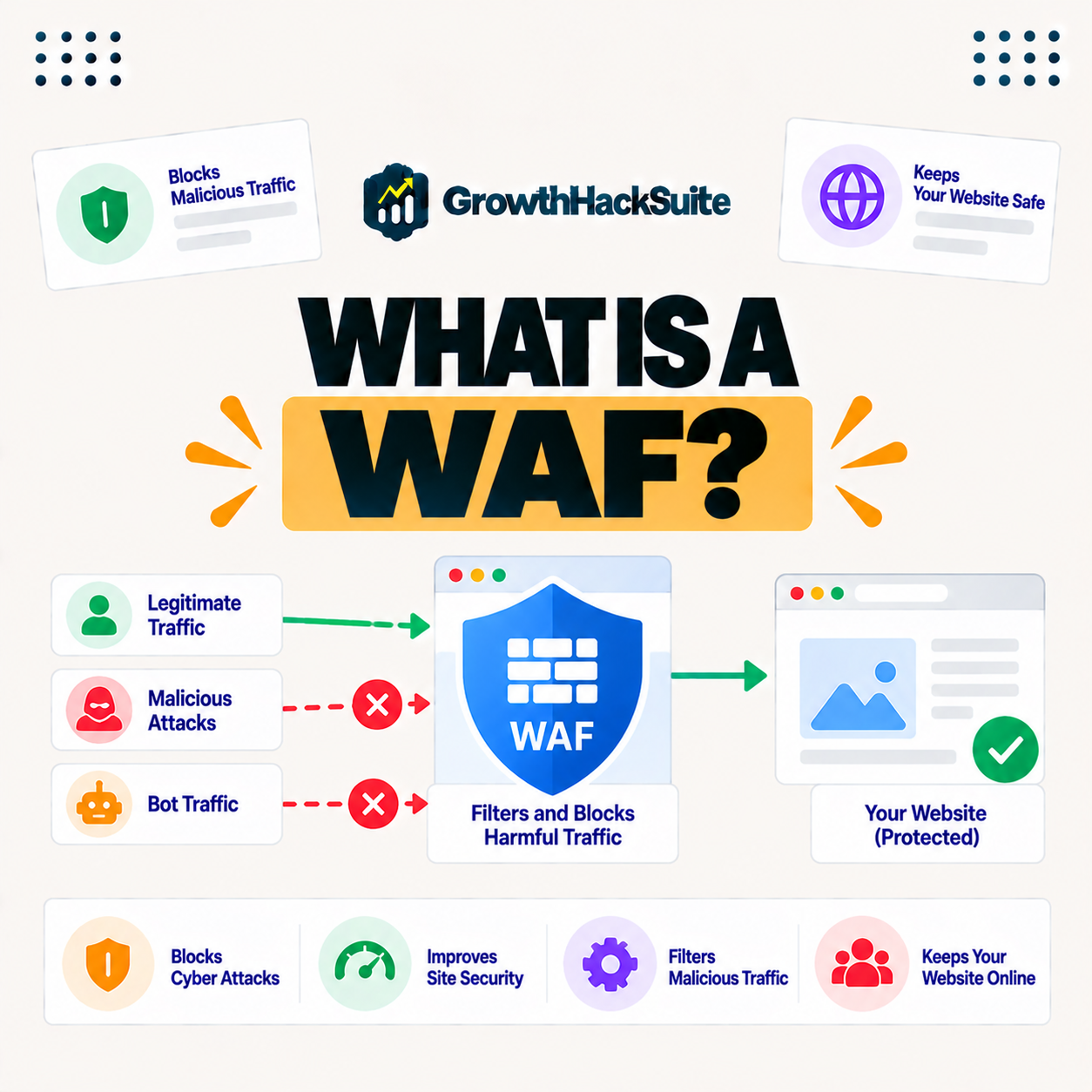
A WAF, or web application firewall, is a security layer that filters and monitors HTTP traffic between the internet and a web application, blocking attacks like SQL injection and cross-site scripting. Unlike a network firewall, it understands web requests, so it protects applications from the specific threats that target them at the application layer. This guide explains how it works and why sites use one.
Last updated: August 2026. Written by the Growth Hack Suite editorial team, with details cross-checked against provider documentation. This is general security education, not formal security advice, and this page carries affiliate links to Kinsta.
What Is a WAF?
A WAF, or web application firewall, is a security layer that filters and monitors HTTP traffic between the internet and a web application. It inspects requests to block attacks that target the application layer, such as SQL injection and cross-site scripting, so it guards the application itself rather than just the network.
“A web application firewall is a form of firewall that filters HTTP traffic.”
— Wikipedia, Web application firewall
In short, this layer is a filter tuned for web attacks, sitting between visitors and your application to catch malicious requests.
How Does a WAF Work?
A WAF works by checking each incoming HTTP request against rules that identify malicious patterns, then allowing, blocking or challenging the request. It filters out attacks before they reach the application while letting legitimate traffic through, so threats are stopped without disrupting real visitors.
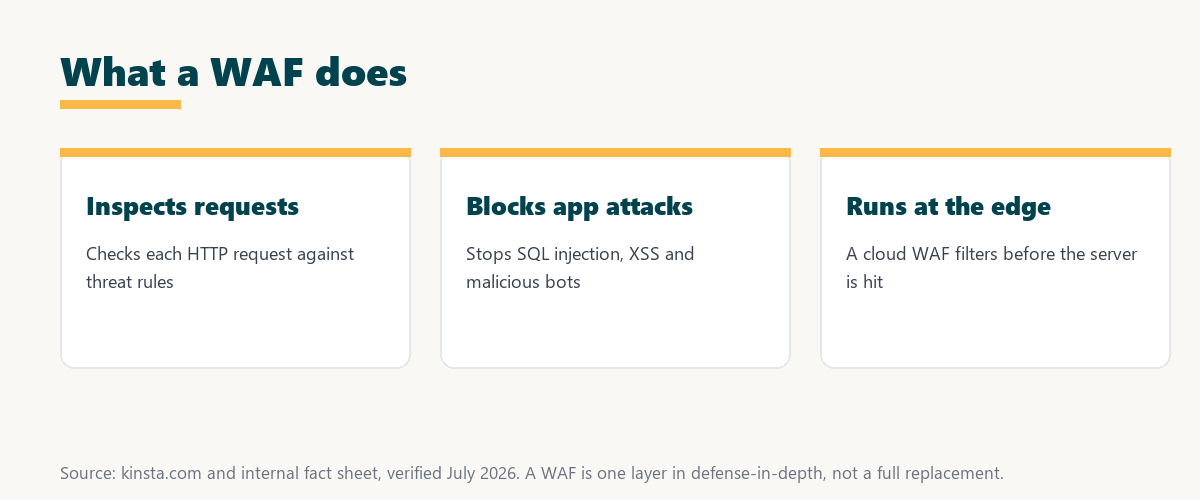
The key mechanism is rule-based inspection: every request is judged against known attack patterns before it can reach your application.
Application Firewall vs Network Firewall
This filter differs from a network firewall by operating at the application layer and understanding web requests, whereas a network firewall filters traffic at the network level. The two protect against different threats and are often used together, so it complements rather than replaces a network firewall.
Source: provider documentation, verified August 2026. The two operate at different layers and are complementary.
Comparing the layer each operates at and the threats each addresses shows the filter understands web requests to stop application attacks, while a network firewall guards the network, so both belong in a full defense.
What Attacks Does This Filter Block?
This filter blocks application-layer attacks including SQL injection, cross-site scripting, cross-site request forgery and malicious bots, and it can help mitigate DDoS. It defends against the common ways attackers exploit web applications, closing the doors that are probed most often.
- SQL injection: The filter rejects requests that try to inject database commands through forms or URLs.
- Cross-site scripting: Malicious scripts aimed at a visitor’s browser are stripped or blocked before delivery.
- Cross-site request forgery: Forged requests that abuse a logged-in session are detected and stopped.
- Malicious bots: Automated scanners probing for vulnerabilities are identified and denied at the edge.
- DDoS assistance: Flood traffic can be filtered and absorbed, easing the load a surge places on the origin.
Listing injection, scripting, forgery, bots and DDoS shows the filter covers the attack types that account for most web application compromises.
See how Kinsta blocks attacks with an enterprise firewall
Try Kinsta →Enterprise Cloudflare firewall, with a 30-day money-back guarantee.
Types of Application Firewall: Cloud, Host, and Plugin
These firewalls come as cloud-based services at the network edge, host-level firewalls and application plugins. Cloud and host versions filter traffic before it reaches your server, while plugin versions run inside the application after it loads, so where the filter sits shapes how early it stops an attack.
Source: provider documentation, verified August 2026. Edge filtering stops attacks earliest.
Comparing cloud, host-level and plugin versions by where each filters shows edge and host versions stop attacks before the server, while a plugin version acts only after the application has loaded.
Why Web Applications Need This Protection
Web applications need this protection because they are exposed to the internet and constantly probed for vulnerabilities. It blocks the automated and targeted attacks that would otherwise exploit flaws in the application or its components, so it shields the parts most exposed to the open web.
“The first five seconds of page-load time have the highest impact on conversion rates.”
— HubSpot, page load time and conversion rates
Because an attack that defaces or takes an application offline destroys those early seconds for real visitors, the filter protects revenue as much as data.
Does This Filter Replace Other Security?
It does not replace other security measures like updates, strong authentication and secure coding. It works best as one layer in a defense-in-depth strategy that also keeps the application patched and hardened, so the filter is necessary but not sufficient on its own.
The honest point is that it blocks many attacks at the edge, but the application still needs to be kept updated and securely built.
How to Choose the Right Firewall
Choose by favoring a cloud or host-level firewall that filters at the edge, covers the common application attacks and stays updated with new rules. Edge filtering stops threats before they consume your server’s resources, so an edge filter is the stronger choice for most sites.
A host that bundles the firewall removes one more thing to manage. Anyone weighing how tied they become to a platform can read our note on SaaS vendor lock-in.
How Kinsta Provides This Protection
Kinsta provides an enterprise Cloudflare application firewall at the network edge, so malicious requests are filtered before reaching your WordPress site. It combines this with DDoS protection and isolated containers for layered defense, so the firewall is part of a broader security stack rather than a single control.
Filter attacks at the edge with an enterprise firewall
Start With Kinsta →Free migration and a 30-day money-back guarantee.
Protecting Your Application at the Edge
You protect your application at the edge by using a cloud firewall that filters traffic before it reaches your server. Attacks are stopped early and your site’s resources stay focused on serving legitimate visitors, so it both secures the application and preserves its performance.
“A tool is only worth its premium when the hours or revenue it protects exceed the invoice.”
— Growth Hack Suite, on tool ROI
Applied to security, a firewall earns its cost the first time it prevents a breach that would have cost far more in downtime and cleanup.
Application Firewalls and WordPress Security
This filter is central to WordPress security because WordPress’s popularity makes it a frequent target. An edge filter blocks the majority of automated attacks against its login, plugins and forms before they reach the site, so it removes a large share of the threat traffic WordPress attracts.
The honest point is that the filter handles the constant automated attacks, while updates and strong passwords still cover the rest of WordPress security.
Choosing Edge Firewall Protection
You choose edge firewall protection by favoring managed hosting that runs an enterprise firewall at the network edge alongside DDoS protection. That combination filters attacks before they reach your application without you configuring rules, so the site stays protected and fast as it grows.
The honest summary is that this filter is most valuable at the edge and managed for you, so a host that runs one is the simplest strong choice.
Try Kinsta risk-free with an enterprise firewall
Try Kinsta Risk-Free →Enterprise firewall and free migration, with a 30-day money-back guarantee.
WAF: Frequently Asked Questions
The 12 most-asked questions about a WAF.
What is a WAF in simple terms?
A WAF, or web application firewall, is a security layer that filters HTTP traffic to a web application, blocking attacks like SQL injection and cross-site scripting at the application layer.
How does a WAF work?
A WAF works by checking each incoming request against rules that spot malicious patterns, then blocking or challenging suspicious requests while letting legitimate traffic reach the application.
What is the difference between a WAF and a network firewall?
A WAF operates at the application layer and understands web requests, while a network firewall filters at the network level, so they address different threats and are often used together.
What attacks does a WAF block?
A WAF blocks application-layer attacks including SQL injection, cross-site scripting, cross-site request forgery and malicious bots, and it can help mitigate DDoS attacks.
What are the types of WAF?
WAFs come as cloud-based services at the edge, host-level firewalls and application plugins, so cloud and host WAFs filter before the server while plugin WAFs run inside the application.
Why do web applications need a WAF?
Web applications need a WAF because they are exposed to the internet and constantly probed, so a WAF blocks automated and targeted attacks that would otherwise exploit application flaws.
Is a cloud WAF better than a plugin WAF?
A cloud or host WAF is generally better because it filters attacks before they reach your server, while a plugin WAF runs inside the application after it has already loaded.
Does a WAF replace other security?
No, a WAF works best as one layer in defense-in-depth alongside updates, strong authentication and secure coding, rather than replacing those measures.
Does a WAF stop DDoS attacks?
A WAF can help mitigate DDoS by filtering malicious traffic, though dedicated edge DDoS protection provides stronger defense, so the two are often combined.
Is a WAF the same as antivirus?
No, a WAF filters incoming web traffic to block attacks, while antivirus scans files for malware, so they protect against different threats at different points.
Do I need a WAF for WordPress?
Yes, WordPress’s popularity makes it a frequent target, so an edge WAF blocks most automated attacks against its login, plugins and forms before they reach the site.
How does Kinsta provide a WAF?
Kinsta runs an enterprise Cloudflare web application firewall at the network edge on its Google Cloud platform, so HTTP requests are inspected and malicious ones filtered before they reach your WordPress application.
About this guide
Written by the Growth Hack Suite editorial team, drawing on hands-on experience running WordPress sites. Details were cross-checked against provider documentation. This is general security education, not formal security advice, and this page carries affiliate links to Kinsta. The position is stated plainly: an application firewall filters HTTP traffic to block application-layer attacks, it works best at the edge as one layer in defense-in-depth, and it does not replace updates and secure coding. Kinsta runs an enterprise Cloudflare firewall at the edge with DDoS protection and isolated containers.