Table of Contents
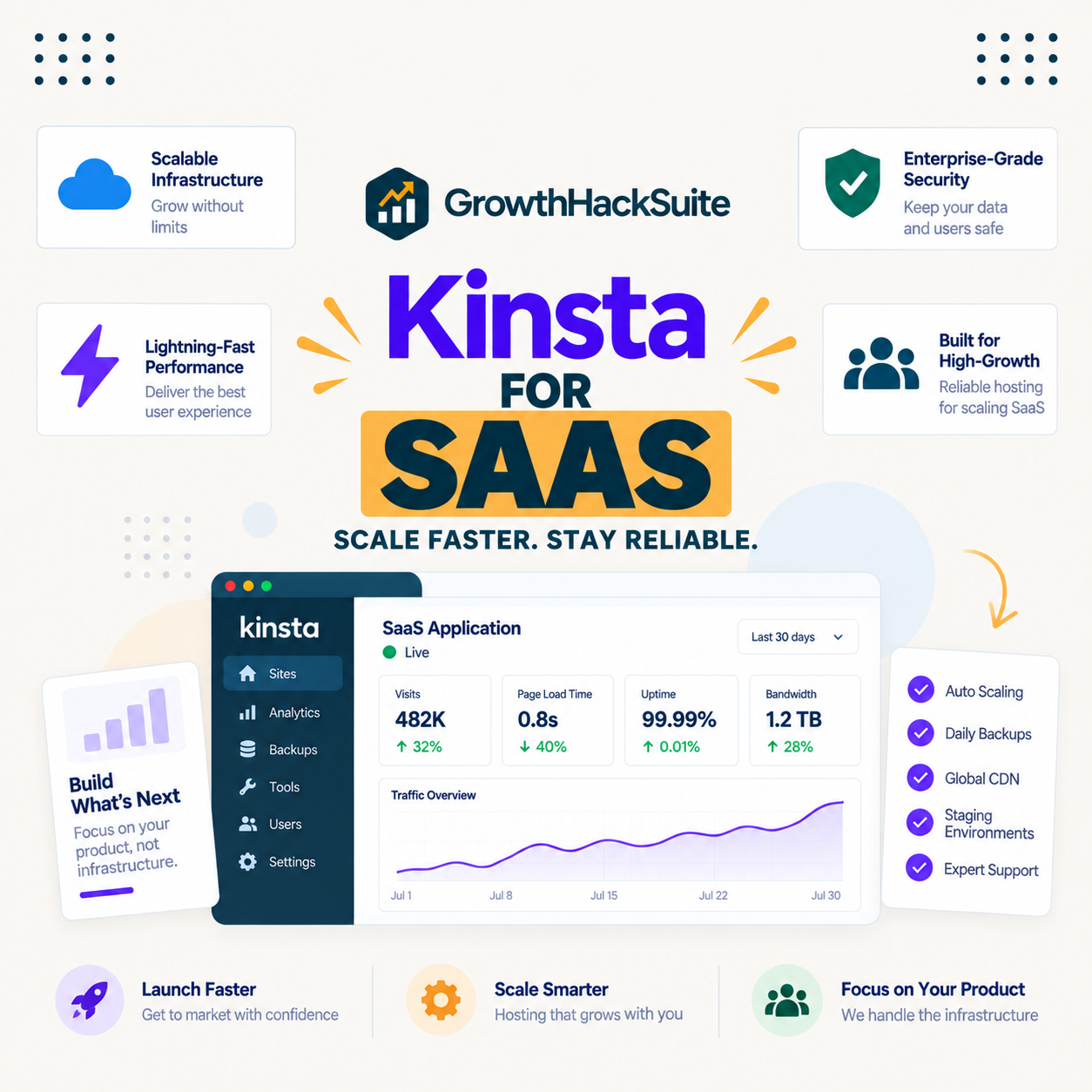
Kinsta for SaaS is worth understanding precisely, because the common assumption is wrong: Kinsta hosts a SaaS company’s WordPress properties, its marketing site, documentation and blog, but not the application or database themselves. Those moved to Kinsta’s separate Sevalla brand, so a SaaS team choosing Kinsta is choosing where its content layer lives, not where its product runs.
Last updated: August 2026. Features, plans and limits were read from kinsta.com. This page carries affiliate links to Kinsta, and it is explicit about which parts of a SaaS stack belong on Kinsta and which do not.
Is Kinsta Good for SaaS Companies?
Yes for the WordPress side of a SaaS business, the marketing site, documentation, blog and changelog, because Kinsta gives those isolated resources, SAML single sign-on and published compliance. It is not where the product runs, because application and database hosting moved to the separate Sevalla brand.
Verdict: Kinsta hosts a SaaS company’s WordPress properties, not its product. The marketing site, docs and blog belong on Kinsta, where SSO, SOC 2 Type II and ISO 27001 pass a security review; the application and database run on Sevalla, Kinsta’s sibling brand. A SaaS team using Kinsta is choosing a content-layer host, and the architecture question is which property goes where.
Getting that boundary right at the start avoids the most common mistake, which is expecting one Kinsta plan to host both a marketing site and a web application.
“WordPress is a web content management system.”
: Wikipedia, WordPress
That definition is the boundary: Kinsta hosts the content-managed properties of a SaaS company, and the application that customers log into is a different kind of workload on a different platform.
What Does Kinsta Host for a SaaS Company?
The WordPress properties a SaaS business accumulates over time, which are more numerous than teams expect. Each is content-managed rather than part of the product, and each belongs on Kinsta.
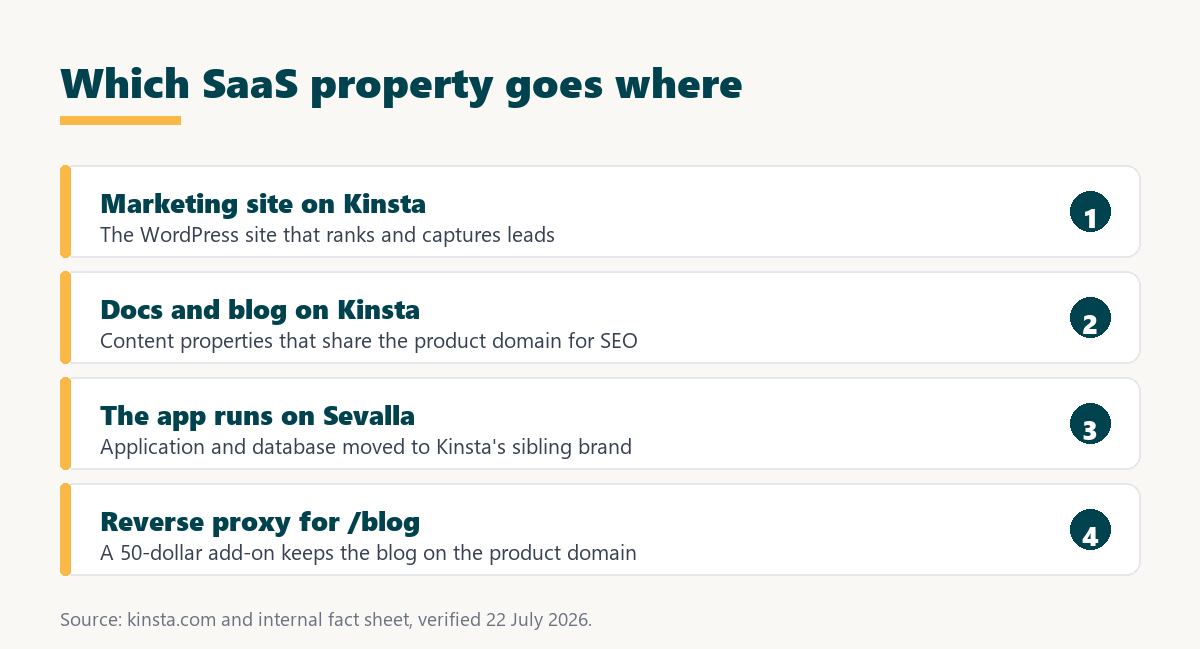
- The marketing site: The primary WordPress site that ranks, captures leads and represents the brand, which is the core property Kinsta hosts for a SaaS company.
- Documentation: A docs site built on WordPress benefits from the same speed and reliability, and often shares the marketing domain for SEO.
- The blog: Content marketing that drives organic traffic, which for a SaaS company is frequently the largest acquisition channel.
- Changelog and status pages: Supporting WordPress properties that accumulate as a SaaS matures, each hosted alongside the others on one account.
- Careers and landing pages: Additional WordPress properties that a growing SaaS adds, managed centrally in MyKinsta with isolated resources each.
The application, its API and its database are not on this list, because those run on Sevalla or another application platform, which is the distinction that defines what Kinsta does for a SaaS company.
Where Does the SaaS Application Run?
On Sevalla, Kinsta’s separate brand for application, database and static-site hosting, or on another application platform of the team’s choice. Kinsta’s WordPress plans do not host a web application, so a SaaS team runs its product elsewhere and its content on Kinsta.
This split is a feature rather than a limitation for many teams, because a marketing site and a production application have very different requirements, and running each on a platform built for it is cleaner than forcing both onto one. The point to internalise is simply that Kinsta covers the content half, and the application half is a separate decision.
How Does Kinsta Solve the Blog Subdirectory Problem?
With a reverse proxy add-on that lets WordPress serve from a subdirectory beneath an application on the root domain, which is a requirement unique to SaaS. A SaaS company usually wants its blog at yourdomain.com/blog to keep SEO authority on the product domain, but the application already owns the root.
- Subdirectory keeps authority: A blog at the root domain’s /blog path builds SEO on the domain the product already ranks on, rather than starting fresh on a subdomain.
- The application owns the root: Because the product sits at the root domain, serving WordPress from a path requires routing rather than a simple DNS record.
- Reverse proxy routes the path: Kinsta publishes a reverse proxy add-on at 50 dollars per site monthly that its support configures to serve WordPress from a subdirectory.
- A subdomain is free but weaker: Hosting the blog at blog.yourdomain.com works on any host at no cost, but it starts the SEO further from the product domain.
- The trade is money for SEO: The add-on buys an SEO outcome, so a team decides whether subdirectory authority is worth 50 dollars a month against a free subdomain.
Kinsta is one of the few managed hosts to publish a price for this, which is genuinely useful for a SaaS team, and the honest framing is that it buys an SEO result rather than a capability a subdomain lacks.
Does Kinsta Meet a SaaS Company’s Compliance Needs?
For the marketing site as a vendor in the stack, yes, because Kinsta holds SOC 2 Type II, ISO 27001, GDPR and CCPA. A SaaS company undergoing its own security audit lists its hosting as a vendor, and named certifications turn that into a document request rather than a project.
“a B2B site that loads in 1 second has a conversion rate 3x higher than a site that loads in 5 seconds”
: HubSpot, page load time and conversion rates
For a SaaS company that conversion relationship applies to the marketing site directly, since it is the top of the acquisition funnel, so the compliance and the speed both serve the same commercial goal of turning visitors into trials.
Published compliance for the marketing site in your audit
See Kinsta Plans →SOC 2 Type II, ISO 27001, SAML single sign-on and a reverse proxy add-on for subdirectory blogs.
How Do the App and Marketing Site Share a Domain?
Through routing at the domain level, where the application owns the root and specific paths route to WordPress. The marketing site and blog can live on the same domain as the product without being on the same host, which is the architecture the reverse proxy enables.
In practice the product sits at yourdomain.com and the app subdomain, while yourdomain.com/blog and yourdomain.com/docs route to WordPress on Kinsta through the reverse proxy. Visitors and search engines see one coherent domain, and the team runs each part on the platform suited to it, which is cleaner than compromising on a single host for both.
Does Kinsta Support Staging for a Marketing Site?
Yes, one-click staging on every plan, which for a SaaS marketing site means a redesign or a campaign landing page can be built and reviewed before it goes live. That matters because the marketing site is the top of the funnel and a broken page costs trials.
A SaaS team can stage a homepage change, share it for stakeholder approval, and push it live once signed off, without risking the live conversion path. Combined with free migration and isolated resources, staging makes the marketing site safe to iterate on at the pace SaaS marketing usually demands.
Stage marketing changes before they hit the funnel
View Kinsta Tiers →One-click staging and isolated resources on every plan, with free migration for existing sites.
Does Kinsta Suit Early-Stage or Scaled SaaS?
Both, but for different reasons, and an early-stage team should weigh the cost more carefully. A scaled SaaS values the compliance and reverse proxy immediately; an early one may not need them until a first security review or an SEO consolidation.
- Early-stage, pre-audit: Before a first security review, a cheaper host covers a marketing site, and the compliance value is latent rather than active.
- Early-stage, SEO-focused: A team investing in content early may want the subdirectory reverse proxy sooner, since domain authority compounds over time.
- Growth-stage: As security questionnaires and multiple properties arrive, Kinsta’s certifications and multi-install plans start paying back.
- Scaled SaaS: A mature company treats the marketing stack as infrastructure, where compliance and single sign-on are requirements rather than nice-to-haves.
- Any stage with a subdirectory need: The moment a team wants its blog on the product domain, the published reverse proxy price makes Kinsta worth evaluating regardless of size.
The honest read is that Kinsta’s SaaS value grows with the company, and an early-stage team should adopt it when a specific need, compliance or subdirectory SEO, actually arrives.
Which Kinsta Features Matter Most for SaaS?
The reverse proxy, single sign-on, compliance and multi-property support, because those map to the SaaS-specific needs a generic marketing-site host does not address. The table pairs each with why a SaaS team cares.
Source: kinsta.com and kinsta.com/plans, verified August 2026. The reverse proxy is a 50-dollar per site monthly add-on; SAML single sign-on and the certifications are included on every plan.
In plain terms, Kinsta covers the SaaS marketing stack well, with the reverse proxy as the one paid feature that addresses a need generic hosts do not.
What Are Kinsta’s Limits for SaaS?
The defining one is scope: Kinsta hosts WordPress, not the product, so a SaaS team plans for a separate application platform. A few practical limits follow from the same managed model.
- No application hosting: The product, its API and its database run on Sevalla or elsewhere, since Kinsta’s WordPress plans do not host a web application.
- Reverse proxy costs extra: Subdirectory blog hosting is a 50-dollar per site monthly add-on, so the SEO win carries an ongoing cost against a free subdomain.
- No email hosting: Kinsta does not host email, so a SaaS company runs its mail on a dedicated platform, which it almost always does already.
- Metered visits: Plans meter visits with overage, so a launch that sends a surge of traffic to the marketing site can add a small overage line.
- Per-install pricing: Each WordPress property is an install, so a SaaS with many separate sites pays per site, which the multi-install plans price at 30 dollars each above the base.
None of these is a problem once the architecture is understood: Kinsta is the content-layer host, and the application is a deliberate, separate choice.
What Does Kinsta Cost for a SaaS Company?
From 35 dollars for a single marketing site, with multi-install plans for the several properties a SaaS runs, plus the reverse proxy add-on if a subdirectory blog is wanted. The table uses Kinsta’s real plan structure.
Source: kinsta.com/plans, verified in August 2026. Application and database hosting are priced separately on Sevalla and are not part of these WordPress plans; an earlier layout draft treating them as Kinsta plans was inaccurate and is corrected here.
Put simply, a SaaS budgets a multi-install WordPress plan for its content properties plus the reverse proxy if it wants a subdirectory blog, and budgets its application platform separately.
How Does This Differ From Choosing a SaaS Host?
This page is about whether Kinsta specifically fits a SaaS company’s WordPress needs, whereas choosing between hosts is a separate comparison. A team weighing Kinsta against other managed hosts for a SaaS marketing site should read the ranked comparison rather than this use-case guide.
The short version is that Kinsta leads on the SaaS-specific features, the reverse proxy price, single sign-on and published compliance, while unmetered hosts lead on a launch spike and cheaper hosts lead on total cost. The right host depends on which of those a SaaS team weighs most.
The one host to publish a subdirectory reverse proxy price
Compare Kinsta Plans →Reverse proxy at 50 dollars per site, with SSO and certifications on every plan.
How Do You Get Started With Kinsta for SaaS?
Map the properties first: put the marketing site, docs and blog on a Kinsta multi-install plan, add the reverse proxy if the blog needs a subdirectory, and host the application on Sevalla or your chosen platform. Free migration moves existing WordPress sites into a tested staging copy before switching.
Because the content and application are separate decisions, a SaaS team can start with the marketing stack on Kinsta and choose the application platform independently. A 30-day money-back guarantee allows a real-site test of the content layer before committing.
“Tool spend is only defensible when the outcome it protects is measured, not assumed.”
: Growth Hack Suite, ROI on sales tools
For a SaaS company the outcome is a fast, compliant marketing site that feeds the funnel and passes an audit. Where those matter, Kinsta’s certifications and reverse proxy earn their place on the content layer, with the application hosted separately by design.
Kinsta for SaaS: Frequently Asked Questions
The 12 most-asked questions about using Kinsta for a SaaS company.
Is Kinsta good for SaaS companies?
Yes for the WordPress side, the marketing site, docs and blog, with isolated resources, SAML single sign-on and published compliance. It does not host the application or database, which run on the separate Sevalla brand.
Can Kinsta host my SaaS application?
No. Application, database and static-site hosting moved to Sevalla, Kinsta’s separate brand, so the product runs there or on another platform. Kinsta’s WordPress plans host the marketing site and other content properties only.
What is Sevalla?
Kinsta’s separate brand for application, database and static-site hosting, which is where the parts of a SaaS stack beyond WordPress live. A SaaS company can run its content on Kinsta and its product on Sevalla, or use another platform.
How does Kinsta keep the blog on the product domain?
With a reverse proxy add-on at 50 dollars per site monthly that its support configures to serve WordPress from a subdirectory. That keeps a blog at yourdomain.com/blog, building SEO on the product domain rather than a subdomain.
Is a subdomain blog good enough?
It works on any host at no cost, but it starts SEO further from the product domain than a subdirectory. Whether the reverse proxy’s 50 dollars a month is worth it depends on how much a SaaS values consolidated domain authority.
Does Kinsta help with our security audit?
Yes, for the marketing site as a vendor. Kinsta holds SOC 2 Type II, ISO 27001, GDPR and CCPA, so listing it in a security questionnaire is a document request rather than a project, even though no customer data touches the marketing site.
Does Kinsta support single sign-on?
Yes, SAML single sign-on with just-in-time provisioning and unlimited users, so a SaaS team connects Kinsta to its existing identity provider like Okta or Google Workspace. Access follows the company’s directory rather than separate logins.
How many properties can a SaaS host on Kinsta?
As many WordPress properties as the plan covers, with multi-install plans from two sites and additional installs at 30 dollars each. Marketing, docs, blog, changelog and careers pages sit together in one MyKinsta account.
Does a launch spike cost extra on the marketing site?
It can, because visits are metered at 50 cents per thousand over the allowance, and a launch drives a surge to the marketing site. A SaaS with frequent launches should size the plan or consider an unmetered host for that property.
Does Kinsta host email for a SaaS company?
No. Kinsta does not host email, so a SaaS company runs its mail on a dedicated platform, which it almost always does already. Transactional email for the product is a separate service in any case.
Can Kinsta migrate our marketing site for free?
Yes, with free migrations that copy each WordPress property into a tested staging copy before switching. A SaaS team can move the marketing site, docs and blog with no rebuild, verifying each on staging first.
Should a SaaS use Kinsta or another host?
Kinsta leads on SaaS-specific features like the reverse proxy price, single sign-on and compliance, while unmetered hosts suit a launch spike and cheaper hosts suit a tight budget. The choice depends on which a team weighs most, and a ranked comparison covers that separately.
About this guide
Written by the Growth Hack Suite editorial team. Kinsta’s features, plans and limits were read from kinsta.com. This page carries affiliate links to Kinsta, so the honesty owed to a SaaS reader is stated up front: Kinsta hosts a SaaS company’s WordPress properties, the marketing site, documentation and blog, and does not host the application or database, which moved to the separate Sevalla brand.
Its genuine SaaS-specific strengths are a published reverse proxy add-on at 50 dollars per site for a subdirectory blog, SAML single sign-on and SOC 2 Type II with ISO 27001 for the company’s own audit; its limits are metered visits, no email hosting, per-install pricing and the scope boundary that the product runs elsewhere. No speed benchmark is used, because a SaaS weighs the content architecture and compliance ahead of a lab figure, and the plan-tier table corrects an earlier draft that treated application and database hosting as Kinsta plans.