Table of Contents
Kinsta uptime is backed by a service level agreement of up to 99.9 percent on Google Cloud premium infrastructure, with automated monitoring and self-healing containers that recover from faults to keep sites online. This guide explains what Kinsta’s uptime commitment means, how it works, its benefits, how it compares to typical hosts, and what it costs, using the SLA figure verified on kinsta.com rather than an assumed measured number.
Last updated: August 2026. Uptime and SLA details were read from kinsta.com/docs/service-information/guaranteed-uptime/ in August 2026. This page carries affiliate links to Kinsta, and it is careful to describe the SLA as a commitment rather than a guaranteed measured result.
What Is Kinsta Uptime?
Kinsta uptime is how consistently your site stays online, backed by a service level agreement of up to 99.9 percent. Kinsta pursues that commitment through Google Cloud premium infrastructure, automated monitoring and self-healing systems that recover from issues without you watching for outages.
Verdict: Kinsta backs uptime with an SLA-backed guarantee of up to 99.9 percent on Google Cloud, using automated monitoring, isolated containers and failover to stay online. An enhanced up-to-99.99-percent guarantee exists, but only on custom enterprise plans arranged with sales. Two honest points: 99.9 percent is the figure that applies to every published plan, and it is a commitment with remedies rather than a measured guarantee, so the strongest protection comes from the isolation and redundancy beneath it rather than the number alone.
The clearest way to read the SLA is to see what its percentage actually allows in downtime, which a later section works out in plain minutes.
“WordPress is a web content management system.”
— Wikipedia, WordPress
Keeping that content management system reachable is the job uptime measures, and Kinsta engineers the infrastructure beneath it to meet the SLA it commits to.
How Does Kinsta’s Uptime Work?
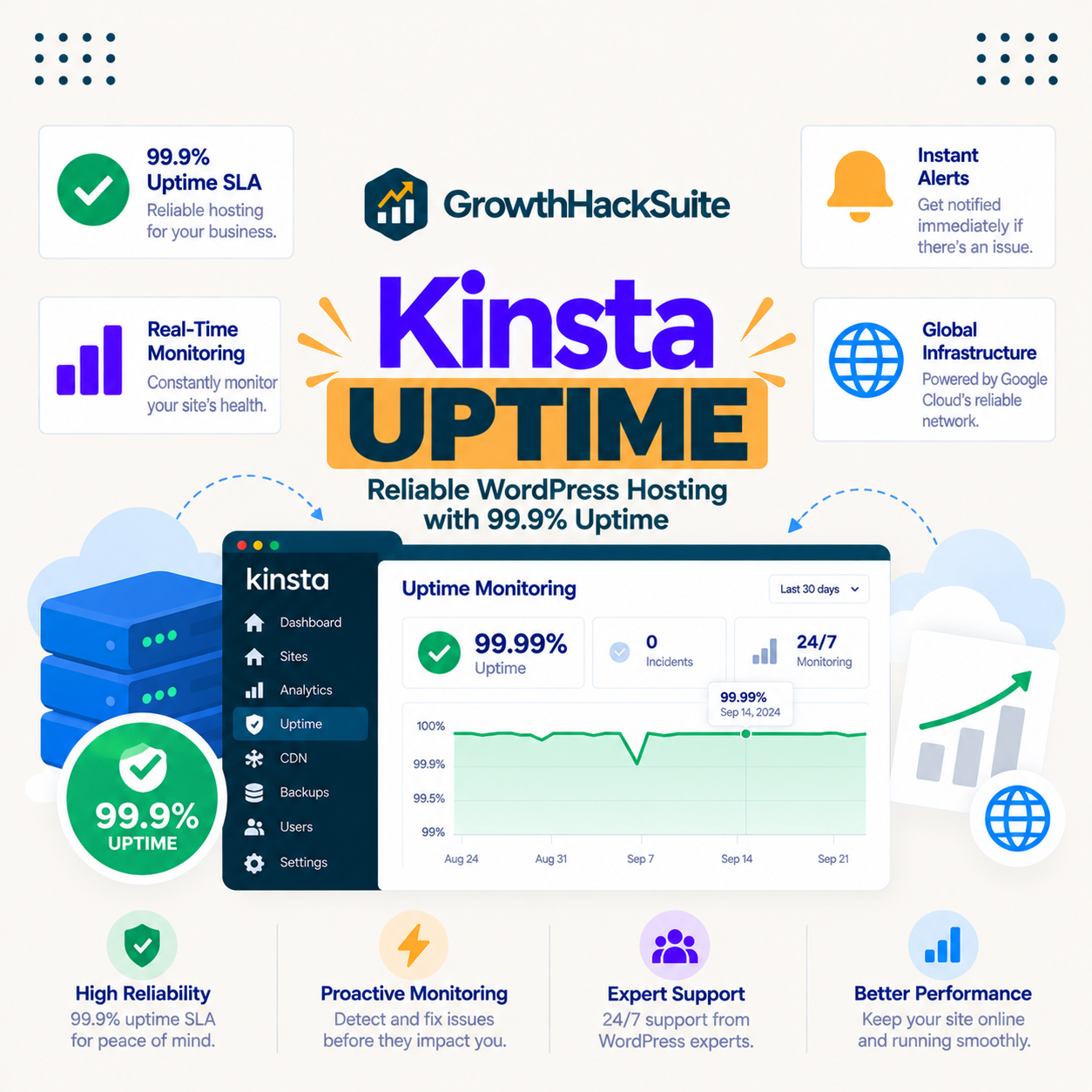
Kinsta’s uptime works by running your site on redundant Google Cloud infrastructure with automated uptime monitoring, so availability problems are detected and the platform can restart or reroute automatically. This proactive monitoring and self-healing keep sites online without the owner watching for outages.
Because the recovery is automatic and the infrastructure is redundant, the platform absorbs many faults before they become visitor-facing downtime, which is what the SLA is engineered to support.
What Does 99.9 Percent Uptime Actually Mean?
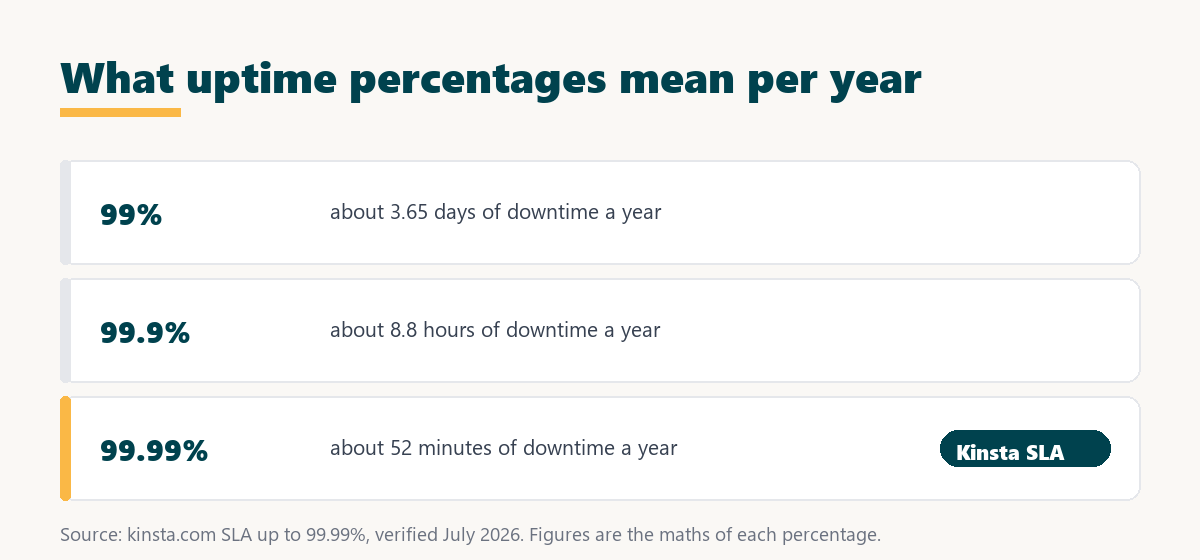
A 99.9 percent uptime level, the figure Kinsta publishes on its standard plans, allows about eight and three quarter hours of downtime a year. That is the plain arithmetic of the percentage rather than a promise your site will be down exactly that long. Comparing the common tiers shows why the gap between 99.9 and 99.99 percent matters, and why the higher figure sits behind a custom enterprise contract.
Source: arithmetic of each percentage; Kinsta’s SLA figures are from kinsta.com/docs/service-information/guaranteed-uptime/, verified August 2026, where the standard commitment is up to 99.9 percent and up to 99.99 percent is available on custom plans only. These are the limits each level permits, not measured results for a given site.
In plain terms, Kinsta’s published plans sit at 99.9 percent, which permits about eight and three quarter hours a year. Moving to 99.99 percent cuts that to under an hour, and that step is only available through a custom enterprise arrangement, which is the honest answer for a site where outages cost money.
What Are the Benefits of Kinsta’s Uptime?
The benefits of Kinsta’s uptime are fewer lost visitors and sales, steadier SEO since downtime hurts crawling and rankings, a protected reputation, and less operational worry. For a site where an outage costs money or trust, an SLA of up to 99.9 percent backed by monitoring is a meaningful commitment.
- Fewer lost sales: Every minute a store is offline is a minute it cannot take orders, so a higher SLA target protects revenue directly.
- Steadier SEO: Search crawlers that repeatedly meet an unreachable site can reduce crawl frequency, so reliable availability supports consistent indexing.
- Protected reputation: Visitors who hit a down site may not return, so staying online preserves the trust a brand has built.
- Automatic recovery: Self-healing containers restart or reroute without manual intervention, so many faults never become visitor-facing downtime.
- Less operational load: Managed monitoring means the platform watches availability, so a small team does not have to run its own uptime checks.
The honest qualifier is that the SLA sets a commitment, not a certainty, so the benefits rest on the redundancy and monitoring beneath it as much as on the headline percentage.
Who Benefits Most From High Uptime?
The sites that benefit most from high uptime are ecommerce, business and high-traffic WordPress sites where an outage directly costs revenue or reputation. Where every hour offline has a clear price, the higher SLA target and the infrastructure behind it earn their premium.
A small hobby site still gains from staying online, but the practical difference is smaller because an outage there costs little. The feature matters most where reliability protects income or a professional reputation.
How Does Kinsta’s Uptime Compare to a Typical Host?
Compared to a typical host, Kinsta commits to a higher SLA on redundant Google Cloud infrastructure with isolated containers, whereas budget shared hosts often oversell servers and offer a lower or vaguer availability promise. The difference is engineered redundancy against a shared, oversold pool.
Source: kinsta.com, verified August 2026. Kinsta states an SLA-backed guarantee of up to 99.9 percent on its published plans; typical-host figures describe the common budget-hosting pattern, not a single named competitor.
Read across, Kinsta’s published SLA figure matches what a good typical host states, so the advantage is not the number. It is the isolation, redundancy and automated recovery underneath it, plus the fact that the commitment is written down rather than left vague.
Does Kinsta’s Uptime Help SEO?
Kinsta’s uptime helps SEO indirectly, because a site that is reliably reachable is crawled consistently and does not lose visitors to outages, while Google uses speed and stability signals in ranking. Availability supports the crawling and user-experience side of SEO rather than being a direct ranking factor.
The honest framing is that uptime is one reliability input among many, so a fast, well-optimised site that also stays online scores best. Staying reachable protects the gains that content and performance work produce.
“The first five seconds of page-load time have the highest impact on conversion rates.”
— HubSpot, page load time and conversion rates
A site that is offline loads in no seconds at all, so uptime is the precondition for the speed those conversion gains depend on, which is why reliability and performance work together.
Keep your site online with an SLA-backed uptime guarantee
See Kinsta Plans →Google Cloud redundancy and monitoring, with a 30-day money-back guarantee.
What Is Kinsta’s Uptime SLA?
Kinsta’s uptime SLA is a commitment of up to 99.9 percent availability, set out in its service agreement. Because it is a commitment rather than a measured result, the exact remedy if availability falls short is defined in Kinsta’s current SLA terms, which is where a buyer should confirm the specifics.
The honest reading is that an SLA states what a provider stands behind and what happens if it misses, so the value is both the high target and the accountability the agreement adds. A buyer with strict availability needs should read the live SLA rather than rely on a headline number.
How Does Container Isolation Protect Uptime?
Container isolation protects uptime by running each site in its own container with its own resources, so a spike or crash on another customer’s site cannot consume your resources or take your site offline. This separation is a core reason managed platforms hold up better than oversold shared hosting.
The practical effect is that your site’s availability depends on your own container and the platform’s redundancy, not on the behaviour of unknown neighbours, which is exactly the noisy-neighbour risk that drags down cheap shared hosting.
Are There Limits to Kinsta’s Uptime?
Yes, and knowing them keeps expectations accurate. The SLA and infrastructure are genuinely strong, and no host can promise perfect, permanent availability.
- An SLA, not a certainty: The 99.9 percent figure on published plans is a commitment with remedies, so it sets a target and accountability rather than a guarantee of zero downtime, and 99.99 percent requires a custom enterprise contract.
- Site code still matters: A plugin conflict or a fatal error in the site itself can cause downtime the host’s infrastructure cannot prevent.
- Platform-tied: The reliability comes from Kinsta’s managed Google Cloud setup, so it is not a portable feature that moves to another host.
- Managed controls: Monitoring and recovery are handled by the platform, so a team wanting deep custom failover control has less of it than on raw infrastructure.
- Premium price: The redundancy and SLA come at Kinsta’s premium pricing, which suits revenue sites more than low-value ones.
“A tool is only worth its premium when the hours or revenue it protects exceed the invoice.”
— Growth Hack Suite, on tool ROI
For uptime that premium buys redundancy and an SLA that protect revenue during the outages that would otherwise cost most. Teams weighing platform dependence can read our note on SaaS vendor lock-in before committing.
Is Uptime Included in Kinsta Plans?
Yes, the uptime SLA and monitoring are included in every Kinsta plan starting at 35 dollars a month, with no separate add-on fee, so even the entry single-site plan carries the same availability commitment. Higher tiers add resources, not a better SLA, so you match the plan to traffic.
Source: kinsta.com/plans, verified August 2026. Prices exclude tax; the 99.9 percent SLA is the same across all published tiers, so plan choice is about traffic and sites rather than a stronger uptime promise, and the enhanced 99.99 percent guarantee is only reachable through a custom enterprise arrangement.
Put simply, the uptime commitment comes with every plan, so you choose a tier based on traffic and the number of sites, not on whether the SLA is available.
The same uptime SLA on every plan
View Kinsta Pricing →From the entry tier upward, with monitoring and self-healing on Google Cloud.
How Do You Get Kinsta’s Uptime Protection?
You get Kinsta’s uptime protection simply by hosting on a Kinsta plan, since the SLA, monitoring and self-healing are applied by default. The steps below cover getting set up and keeping your own site from being the cause of downtime.
- Choose a plan: Any Kinsta plan carries the same up-to-99.9-percent SLA, so pick a tier by traffic rather than by availability.
- Migrate the site: Use the free migration to move an existing site onto the redundant Google Cloud infrastructure.
- Keep plugins healthy: Test updates on staging first, since a bad plugin or theme can cause downtime the host cannot prevent.
- Watch analytics: Check MyKinsta analytics and error data to spot issues early, since availability also depends on the health of the site’s own code.
- Lean on the CDN: Cached pages served from the edge stay available to anonymous visitors during brief origin hiccups.
The honest summary is that the platform side is automatic, so your real job is keeping your own site healthy so it does not become the source of an outage.
Is Kinsta Worth It for Uptime?
Kinsta is worth it for uptime when your site earns revenue or leads, because the SLA, isolation and redundancy protect the availability that keeps income flowing. For a low-traffic hobby site where an outage costs little, the premium is harder to justify.
Across a revenue site the higher SLA target and the infrastructure behind it reduce the risk and cost of downtime, which is where paying Kinsta’s premium returns its value, and where a small personal site would see less practical benefit.
Protect your revenue with reliable hosting
Try Kinsta Risk-Free →Free migration and a 30-day money-back guarantee.
Kinsta Uptime: Frequently Asked Questions
The 12 most-asked questions about Kinsta uptime.
What uptime does Kinsta guarantee?
Kinsta backs its hosting with a service level agreement of up to 99.9 percent uptime on Google Cloud premium infrastructure, which sets its availability commitment and the accountability that comes with an SLA.
Is the Kinsta SLA figure a measured result or a target?
It is an SLA commitment of up to 99.9 percent on the published plans, not a promise that every site measures exactly that. The figure sets a target and remedies, while real availability depends on the infrastructure and your own code.
How does Kinsta monitor uptime?
Kinsta uses automated uptime monitoring that checks sites and detects availability problems, so faults are found quickly and the platform can restart or reroute before most visitors notice an issue.
What does Kinsta’s uptime SLA allow in downtime?
By arithmetic, the 99.9 percent Kinsta publishes on its standard plans allows about 8.8 hours of downtime a year. The 99.99 percent tier, available only on custom enterprise plans, allows about 52 minutes, which is why that extra nine is worth negotiating for a revenue site.
What happens if Kinsta misses its uptime SLA?
The remedy if availability falls below the committed level is set out in Kinsta’s SLA terms, so a buyer with strict needs should read the current agreement for the exact remedy rather than assume one.
Why is Kinsta’s uptime reliable?
Reliability comes from Google Cloud regional redundancy, automatic failover, isolated per-site containers and the Cloudflare edge, which together absorb hardware faults and traffic spikes that take weaker hosts offline.
Does high traffic cause downtime on Kinsta?
Each site runs in an isolated container with its own resources, and edge caching absorbs surges, so Kinsta handles traffic spikes far better than shared hosting where one busy neighbour can drag everyone down.
Can I see my site’s uptime in MyKinsta?
MyKinsta surfaces analytics and error data that help you track availability and diagnose issues, and Kinsta’s support can provide more detail if you suspect an outage on your site.
Does maintenance cause Kinsta downtime?
Kinsta runs platform maintenance in ways designed to avoid visitor-facing downtime, using the redundant Google Cloud architecture so updates rarely interrupt a live site during routine work.
How does container isolation protect uptime?
Because your site runs in its own container, a resource spike or crash on another customer’s site cannot consume your resources or knock your site offline, which removes the noisy-neighbour risk of shared hosting.
Is Kinsta’s uptime good enough for an online store?
Yes, the up-to-99.9-percent SLA, isolation and failover suit revenue sites, and stores can add more frequent backups so both availability and recovery are covered for transactional data.
Does the CDN improve my perceived uptime?
Yes, cached pages and assets served from the Cloudflare edge stay available to anonymous visitors even during brief origin hiccups, smoothing over short interruptions for that cached traffic.
About this guide
Written by the Growth Hack Suite editorial team. Uptime and SLA details were read from kinsta.com in August 2026. This page carries affiliate links to Kinsta, so the honesty owed to a reader is stated plainly: Kinsta commits to an SLA-backed uptime guarantee of up to 99.9 percent on its published plans, with an enhanced up-to-99.99-percent guarantee available only on custom enterprise plans arranged with its sales team. Either figure is a commitment with remedies rather than a measured guarantee that every site hits it.
No customer-reported or measured uptime numbers are quoted, because none are independently verified here, and the downtime figures are the plain arithmetic of each percentage. The SLA and monitoring are included on every plan from 35 dollars a month, and your own plugins and code still affect real availability.