Table of Contents
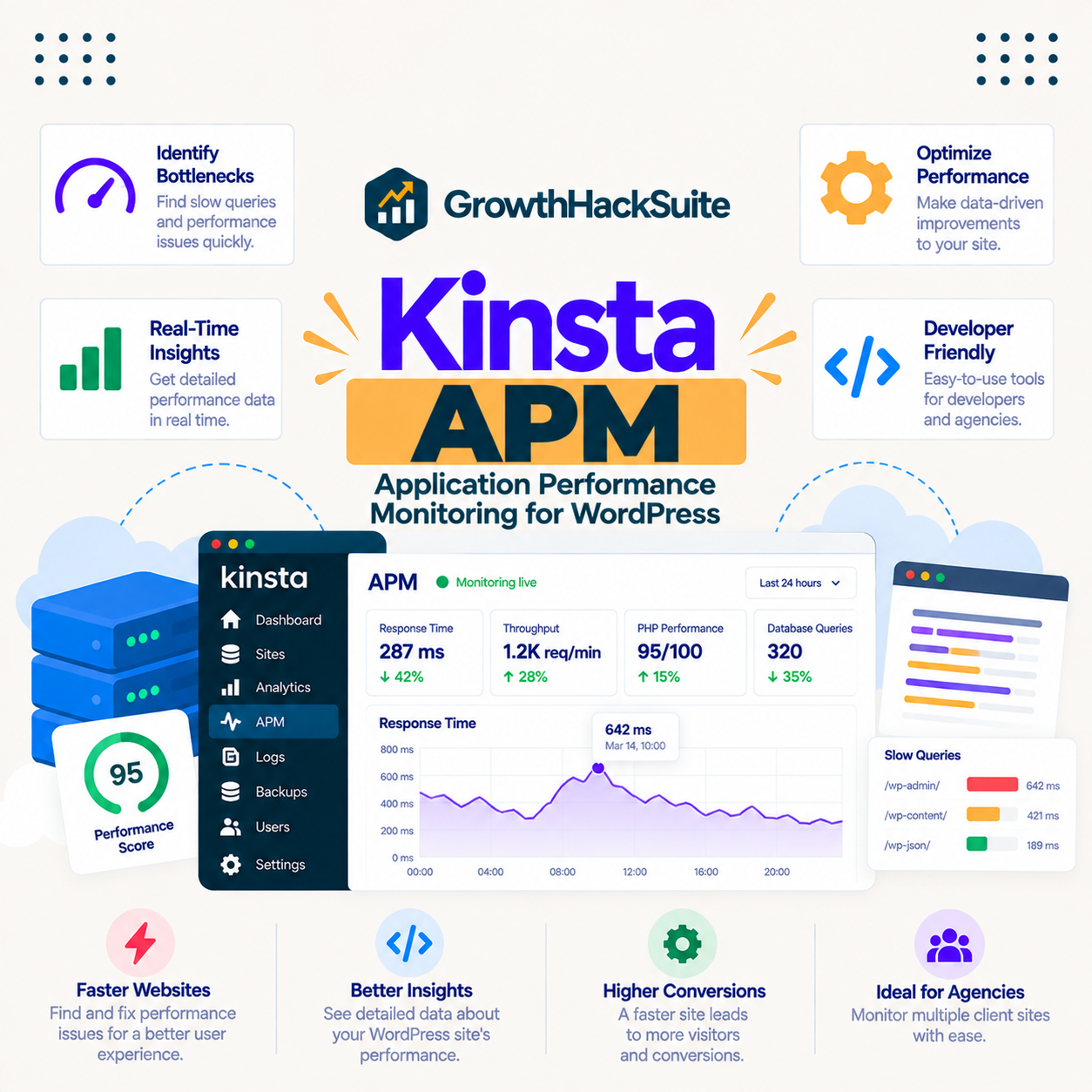
Kinsta APM is a built-in application performance monitoring tool in MyKinsta that traces slow database queries, plugins, external requests and PHP processes, so the exact cause of a slow WordPress page becomes visible rather than a guess. This guide explains what Kinsta APM is, how it works, its benefits, how it compares to typical hosts and to New Relic, and that it is included free on every plan.
Last updated: August 2026. Feature details were read from kinsta.com in August 2026. This page carries affiliate links to Kinsta, and it is precise that Kinsta APM is included at no extra cost and about what it can and cannot show.
What Is Kinsta APM?
Kinsta APM is a performance monitoring tool built into MyKinsta that shows exactly what makes a site slow, tracing PHP processes, database queries, external requests and plugin activity. Instead of guessing, a site owner sees the slowest transactions and can fix the specific code or plugin responsible.
Verdict: Kinsta APM is a built-in, no-extra-cost application performance monitoring tool that traces PHP, MySQL, external requests and plugins to pinpoint what slows a WordPress site. Two honest points: it diagnoses rather than fixes, so the optimisation work still follows, and it is a hosting-level tool tied to Kinsta rather than a portable one.
The clearest way to understand Kinsta APM is to see how it records where a request spends its time, which the next section describes.
“WordPress is a web content management system.”
— Wikipedia, WordPress
A WordPress request runs PHP, queries a database and often calls external services, and Kinsta APM measures each of those parts so the slow one stands out.
How Does Kinsta APM Work?
Kinsta APM works by instrumenting a site to record the time spent in PHP, MySQL queries and external calls, then displaying the slowest transactions in a clear timeline in MyKinsta. A site owner drills into a slow page load to see whether a plugin, query or external service is the bottleneck, then fixes it.
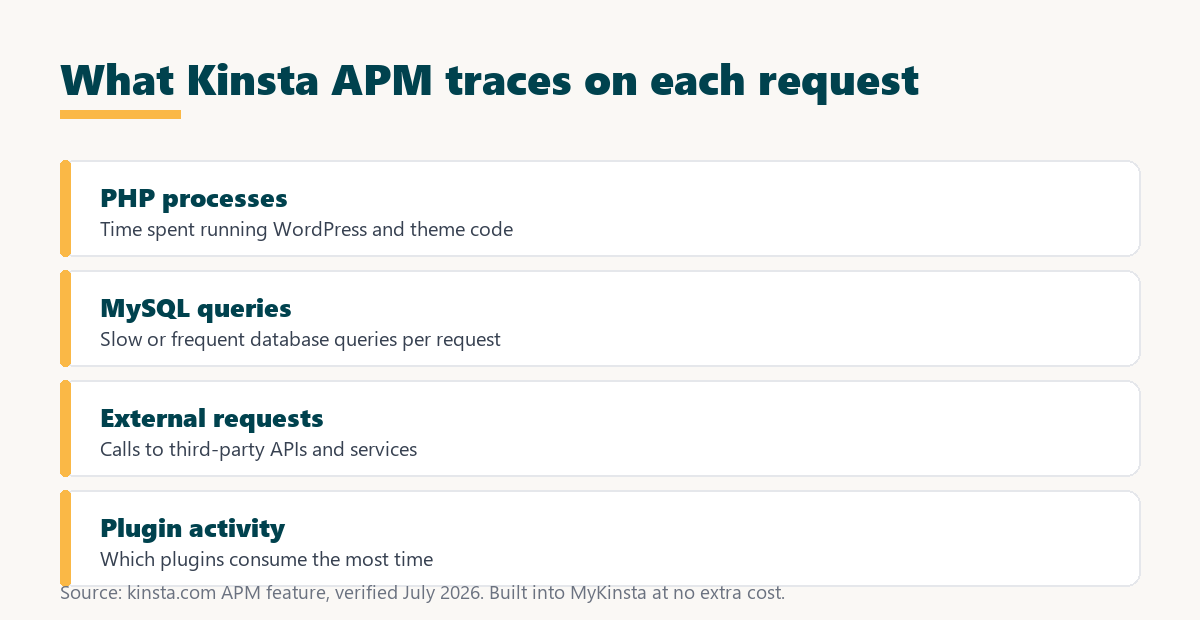
Because the timing is recorded server-side across the whole request, the timeline shows the real bottleneck rather than a symptom, which is what turns slow-site debugging from guesswork into a targeted fix.
What Can Kinsta APM Diagnose?
Kinsta APM diagnoses where time is spent on each request, revealing slow plugins, long database queries and heavy external API calls. It breaks a slow page into its parts so the real cause of a slowdown is visible rather than inferred.
- Slow plugins: Transaction traces highlight which plugins consume the most time, so a poorly coded plugin dragging down pages can be identified and replaced.
- Long database queries: APM surfaces slow and frequent MySQL queries, exposing inefficient queries or missing optimisations that inflate page generation time.
- External API calls: The timeline measures outbound requests to third-party services, so a slow payment gateway or API shows its real impact on page speed.
- PHP processes: Time spent running WordPress and theme code appears in the breakdown, separating application work from database and network delay.
- The slowest transactions: APM ranks the heaviest requests, so attention goes to the pages and processes that cost the most time first.
The honest qualifier is that APM shows where the time goes, and the fix, replacing a plugin or optimising a query, is still work that follows the diagnosis.
What Are the Benefits of Kinsta APM?
The benefits of Kinsta APM are faster diagnosis of slow pages, data-driven optimisation, the ability to spot problem plugins, and better performance without guesswork. Because it is built in and free, it gives professional-grade performance monitoring that would otherwise need a paid third-party tool.
- Faster diagnosis: The slowest transaction appears directly in the timeline, so finding a bottleneck takes minutes instead of disabling plugins one by one.
- Data-driven fixes: Optimisation follows measured timing rather than guesswork, so effort goes to the change that actually moves page speed.
- Problem-plugin spotting: A heavy plugin stands out in the trace, making it clear which extension to replace or reconfigure.
- No extra cost: APM is included in the plan, removing the subscription a separate monitoring tool would add each month.
- Server-side accuracy: Because timing is captured across the full request, the data is more accurate than a plugin measuring from inside WordPress.
The honest qualifier is that the value depends on acting on what APM shows, since the tool reveals the bottleneck but the optimisation still has to be made.
Who Benefits Most From APM?
The sites that benefit most from APM are business, ecommerce and high-traffic WordPress sites where speed directly affects revenue, and complex sites with many plugins. Where a slowdown costs money or is hard to trace by hand, APM pays back the time it saves.
A small, simple site still benefits when something goes wrong, but the practical gain is largest where many plugins and heavy traffic make manual debugging slow. The tool matters most where finding slow code quickly protects income.
How Does Kinsta APM Compare to a Typical Host?
Compared to a typical host, Kinsta includes a purpose-built APM in the plan, whereas budget hosts often provide only basic logs or expect the customer to buy a separate monitoring tool. The difference is included, WordPress-focused transaction tracing against basic logs or a paid add-on.
Source: kinsta.com, verified August 2026. Typical-host figures describe the common budget-hosting pattern, not a single named competitor.
Read across, the advantage is a WordPress-focused APM included and ready in MyKinsta, rather than a paid tool a customer must add and configure.
How Is Kinsta APM Different From New Relic?
Kinsta APM is purpose-built for the Kinsta stack and included at no cost, offering WordPress-focused transaction traces without the agent installation and subscription a general tool like New Relic requires. It targets the common WordPress questions rather than every application scenario.
The honest framing is that a full general-purpose tool such as New Relic can go deeper and broader for complex, non-WordPress systems, while Kinsta APM covers the WordPress performance questions most site owners actually have, free and without setup. For most Kinsta sites the built-in tool is enough.
Does Kinsta APM Help Your SEO?
Kinsta APM helps SEO indirectly, because it finds the slow code behind poor page speed, and Google uses page speed and Core Web Vitals as ranking signals. Fixing the bottlenecks APM reveals improves the loading experience those scores measure.
“The first five seconds of page-load time have the highest impact on conversion rates.”
— HubSpot, page load time and conversion rates
APM is the tool that finds what slows those first seconds, so acting on its data protects both the ranking signals and the conversions that page speed affects.
Find what slows your site, free in MyKinsta
See Kinsta Plans →Built-in APM at no extra cost, with a 30-day money-back guarantee.
Are There Limits to Kinsta APM?
Yes, and knowing them keeps expectations accurate. Kinsta APM is a genuinely useful diagnostic tool, and it does a specific job rather than everything a full observability suite does.
- Diagnoses, not fixes: APM shows where the time goes, so replacing a plugin or optimising a query is still work that follows the trace.
- WordPress-focused: The tool targets the Kinsta WordPress stack, so a complex non-WordPress system may need a broader general-purpose tool.
- Platform-tied: APM is part of Kinsta’s managed platform, so it is not a portable feature that moves to another host.
- Point-in-time investigation: APM is most useful when enabled to capture a slow period, rather than as a permanent, deep historical archive.
- Reading it needs some skill: The breakdown points to the culprit, but interpreting and fixing it still benefits from developer input on a complex site.
“A tool is only worth its premium when the hours or revenue it protects exceed the invoice.”
— Growth Hack Suite, on tool ROI
With APM included free, the return is the debugging time it saves on a slow site rather than a line on the invoice. Teams weighing platform dependence can read our note on SaaS vendor lock-in before committing.
Do You Need to Install Anything for Kinsta APM?
No, Kinsta APM is enabled from within MyKinsta with no agent to install and no code to add, so a site starts capturing performance data straight away. Because it works at the hosting level, there is no plugin to maintain or third-party agent to configure.
The practical benefit is that a hosting-level APM sees the full request lifecycle from the server side, giving more accurate timing than a plugin measuring from inside WordPress, without adding another plugin to the site.
Is APM Included in Kinsta Plans?
Yes, Kinsta APM is included in every plan starting at 35 dollars a month, with no separate add-on fee, so even the entry single-site plan gets the same monitoring tool. Higher tiers add resources, not a better APM, so you match the plan to traffic.
Source: kinsta.com pricing and kinsta.com/plans, verified August 2026. Prices exclude tax; APM is the same on every tier, so plan choice is about traffic and sites, not access to the tool.
Put simply, APM comes with every plan, so you choose a tier based on traffic and the number of sites, not on whether the monitoring tool is available.
Professional performance monitoring, included
View Kinsta Pricing →APM on every plan from the entry tier upward, no separate subscription.
How Do You Use Kinsta APM?
You use Kinsta APM by enabling it in MyKinsta when investigating a slow site, then reading the transaction timeline to find the bottleneck. The steps below outline a practical debugging pass.
- Enable APM in MyKinsta: Turn it on for the site under investigation, since no agent or plugin install is needed.
- Reproduce the slow page: Load the slow page or run the site under realistic traffic so APM captures the transactions that matter.
- Open the slowest transaction: Sort by time and drill into the heaviest request to see where the seconds go.
- Identify the cause: Read whether a plugin, a database query or an external call dominates the timeline for that request.
- Fix and re-measure: Replace the plugin or optimise the query, then capture again to confirm the bottleneck is gone.
The honest summary is that APM makes the diagnosis quick and clear, so the real work is acting on what it shows and confirming the fix with a second capture.
Is Kinsta Worth It for APM?
Kinsta is worth it for APM when a site is complex or earns revenue, because the included tool turns slow-site debugging from guesswork into a targeted fix at no extra cost. For a simple, low-traffic site the tool matters less, though it still helps when something breaks.
Across a busy or plugin-heavy site the debugging time APM saves is real, and because it is bundled rather than billed separately, its value adds to the rest of the platform rather than to the invoice.
Stop guessing why your site is slow
Try Kinsta Risk-Free →Free migration and a 30-day money-back guarantee.
Kinsta APM: Frequently Asked Questions
The 12 most-asked questions about Kinsta APM.
What is Kinsta APM?
Kinsta APM is a built-in application performance monitoring tool that traces slow transactions, PHP processes, database queries and external requests, helping a site owner find exactly what is slowing a WordPress site.
Does Kinsta APM cost extra?
No, Kinsta APM is included free in MyKinsta, so a site gets performance tracing without paying for a separate service such as New Relic that would otherwise add to the monthly cost.
What can Kinsta APM diagnose?
Kinsta APM breaks down where time is spent on each request, revealing slow plugins, long database queries or heavy external API calls, so a site owner can target the real cause of slowdowns.
How is Kinsta APM different from New Relic?
Kinsta APM is purpose-built for the Kinsta stack and included at no cost, offering WordPress-focused transaction traces without the agent installation and subscription a general tool like New Relic requires.
Can Kinsta APM find a slow plugin?
Yes, by tracing transactions APM highlights which plugins consume the most time, so a poorly coded plugin dragging down pages can be identified and then replaced or reconfigured.
Do I need to install anything to use Kinsta APM?
No, APM is enabled from within MyKinsta with no agent to install and no code to add, so a site can start capturing performance data immediately at the hosting level.
Does Kinsta APM track database performance?
Yes, APM surfaces slow and frequent database queries, helping a site owner spot inefficient queries or missing optimisations that are increasing page generation time.
How long does Kinsta APM keep performance data?
Kinsta APM is best used by enabling it to capture a specific slow period and reviewing the traces afterward, rather than as a deep long-term archive, so it suits point-in-time investigation.
Can Kinsta APM help before a traffic event?
Yes, running APM under load before a campaign or sale lets a team find and fix bottlenecks ahead of time, so the site stays fast when the traffic actually arrives.
Does Kinsta APM show external API slowdowns?
Yes, APM measures time spent on outbound requests to third-party APIs, so if a payment gateway or external service is slow, its impact on page speed is visible in the trace.
Is Kinsta APM useful for non-developers?
Even without deep coding skills, APM’s visual breakdown points to the slow plugin or query, giving a site owner or their developer a clear starting point instead of guessing at the cause.
Why include APM in hosting instead of a plugin?
A hosting-level APM sees the full request lifecycle from the server side, giving more accurate timing than a plugin, and including it free removes the cost barrier to diagnosing performance.
About this guide
Written by the Growth Hack Suite editorial team. Feature details were read from kinsta.com in August 2026. This page carries affiliate links to Kinsta, so the honesty owed to a reader is stated plainly: Kinsta APM is a built-in application performance monitoring tool, included free in MyKinsta, that traces PHP, MySQL queries, external requests and plugins to reveal what slows a WordPress site. It diagnoses rather than fixes, so the optimisation work still follows, and it is a WordPress-focused, hosting-level tool tied to Kinsta rather than a portable one. It is included on every plan from 35 dollars a month, so plan choice is about traffic and sites, not access to the tool.