Table of Contents
DevKinsta is Kinsta’s free local WordPress development suite that lets you build and test sites on your own computer using Docker, then push them to a Kinsta environment. It is free forever for macOS, Windows and Linux, with no Kinsta account required. This guide explains how DevKinsta works, what it includes, how it compares to other local tools, and exactly what a Kinsta plan adds.
Last updated: August 2026. DevKinsta details were read from kinsta.com in August 2026. This page carries affiliate links to Kinsta, and it is precise that DevKinsta itself is free while Kinsta hosting is the paid destination you can push to.
What Is DevKinsta?
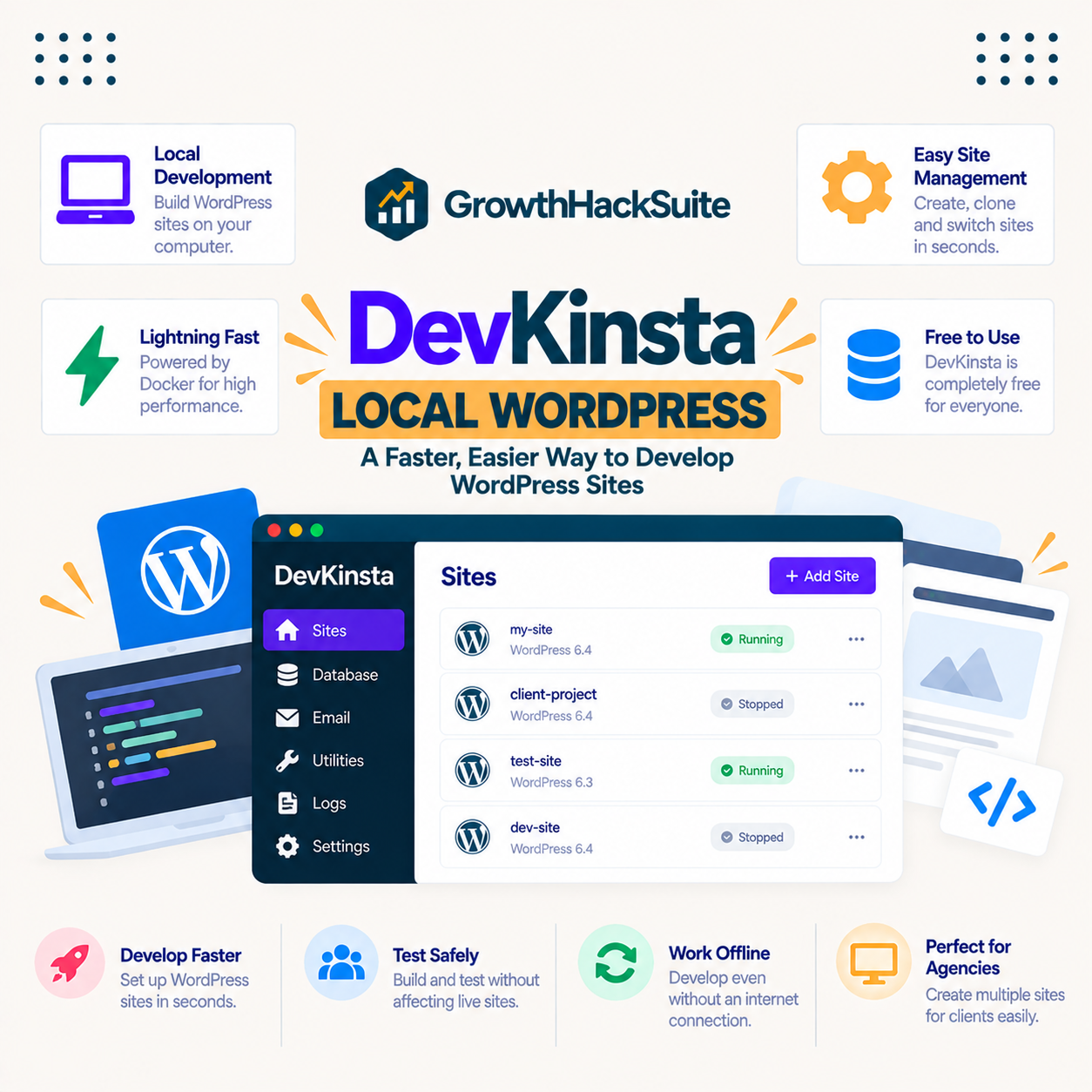
DevKinsta is a free desktop application from Kinsta for developing WordPress sites locally on a Mac, Windows or Linux machine. It creates a local environment that mirrors Kinsta’s stack, so a developer can build, test and design offline, then deploy to Kinsta staging or production when ready.
Verdict: DevKinsta is a free, Docker-based local WordPress development suite for macOS, Windows and Linux that mirrors Kinsta’s stack and pushes to Kinsta with one click. Two honest points: the tool is free forever and needs no Kinsta plan, and the one-click push only matters if the destination is a Kinsta site, which is the paid part.
The clearest way to understand DevKinsta is to see how it builds a local environment and connects to Kinsta, which the next section describes.
“WordPress is a web content management system.”
— Wikipedia, WordPress
DevKinsta gives that content management system a local home to be built and tested in before it ever reaches a live server.
How Does DevKinsta Work?
DevKinsta works by spinning up a local WordPress environment with the right PHP, database and web server on a computer in a few clicks, using Docker under the hood to match Kinsta’s stack. A developer builds locally, and DevKinsta connects to MyKinsta so the local site can be pushed up to a Kinsta environment when it is ready.
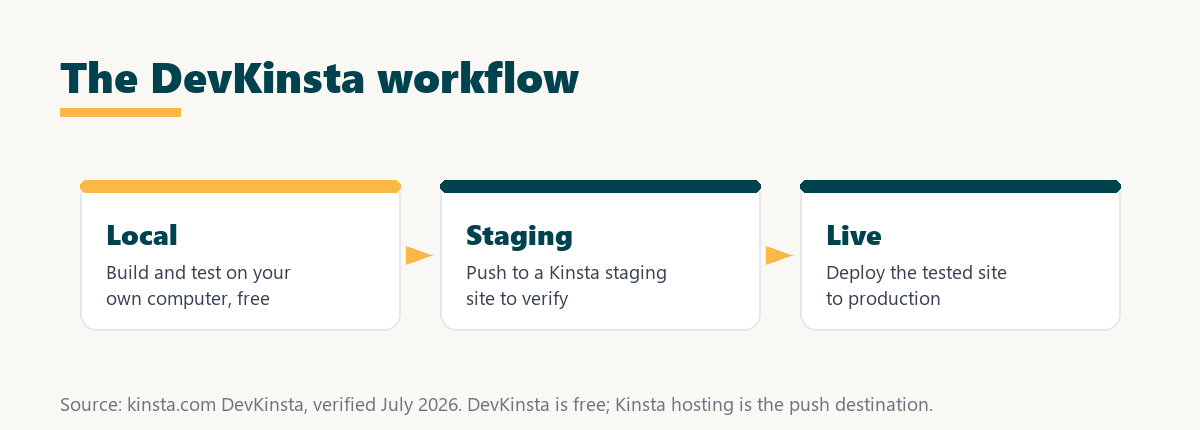
Because Docker isolates each local site with its own database and PHP version, the environment mirrors production closely, which is what makes a deploy from DevKinsta less likely to break than an ad-hoc local setup.
What Does DevKinsta Include?
DevKinsta includes everything needed to run WordPress locally: isolated Docker environments, a bundled database tool, local email testing and per-site PHP version switching. It packages the parts a developer would otherwise assemble by hand into one free application.
- Isolated Docker environments: Each local site runs in its own Docker container with its own database, PHP version and web server, so projects do not interfere with each other.
- Bundled database tool: DevKinsta ships with database access, so a developer can inspect and edit the local WordPress database directly without a separate install.
- Local email testing: Outgoing mail is captured locally, so a developer can test transactional emails without sending real messages during development.
- PHP version switching: Each site can switch PHP versions locally, so a developer can match production or test against a newer PHP release before upgrading.
- MyKinsta integration: DevKinsta connects to MyKinsta, so a finished local site can be pushed to a Kinsta staging or live environment in a click.
The honest qualifier is that the MyKinsta push only helps when the destination is a Kinsta site, so a developer without Kinsta hosting still gets the free local tools but not the one-click deploy.
What Are the Benefits of DevKinsta?
The benefits of DevKinsta are free local development, an environment that matches production, faster offline building, and a smooth path from local to staging to live. Because it mirrors Kinsta’s stack, what works locally tends to work when deployed, reducing the surprises of mismatched setups.
- Free local development: The suite is free forever, so a developer gets a full local WordPress environment without a licence or subscription.
- Production parity: The Docker stack mirrors Kinsta’s setup, so a site tested locally behaves closely to how it will run once deployed.
- Faster, offline work: Building on a local machine is quick and works without a connection, so development does not depend on a live server.
- One-click deploy to Kinsta: A finished local site pushes to a Kinsta environment without manually exporting files and databases, when the destination is a Kinsta site.
- Multiple projects at once: Isolated environments let a developer or agency run several client sites locally in parallel without conflicts.
The honest qualifier is that the biggest workflow benefit, the seamless deploy, depends on using Kinsta hosting, while the local tools themselves are free for anyone.
Who Benefits Most From DevKinsta?
The developers who benefit most from DevKinsta are freelancers, agencies and teams building WordPress sites, especially those already hosting on Kinsta. Where local development that matches production and a clean deploy path save real time, the free tool earns its place in the workflow.
A casual user editing a single live site directly benefits less, since the local-to-live workflow adds steps they may not need. The tool matters most where building safely offline before deploying protects a client site or a busy project.
How Does DevKinsta Compare to Other Local Tools?
Compared to other local tools, DevKinsta is free, Docker-based and tied directly into the Kinsta platform, so its main advantage is the one-click push to Kinsta staging and live. Generic local tools develop offline too, but they lack that built-in deploy path to a specific host.
Source: kinsta.com, verified August 2026. The comparison describes the common local-tool pattern, not a single named competitor; DevKinsta’s edge is the Kinsta deploy path.
Read across, DevKinsta stands out for a Kinsta-hosted workflow, while a host-agnostic developer may prefer a tool without a tie to one platform.
Do You Need a Kinsta Plan to Use DevKinsta?
No, you do not need a Kinsta plan to use DevKinsta, because the suite is free for anyone to download and run locally on macOS, Windows or Linux. A Kinsta plan adds the destination: the staging and live environments a finished local site can be pushed to in one click.
This is the honest distinction to keep clear. DevKinsta is genuinely free and standalone for local development, and paying for Kinsta hosting is a separate decision that unlocks the seamless deploy rather than the tool itself.
Does DevKinsta Help Your Site’s Performance and SEO?
DevKinsta helps performance and SEO indirectly, because building and testing on a local environment that mirrors production means fewer broken pages and slowdowns reach the live site. Google uses page speed and Core Web Vitals as ranking signals, so shipping tested, stable changes protects those scores.
“The first five seconds of page-load time have the highest impact on conversion rates.”
— HubSpot, page load time and conversion rates
Testing performance locally before a deploy means those first seconds are checked off the live site, so a slow change is caught before it can cost conversions or rankings in production.
Push your tested local site to Kinsta
See Kinsta Plans →DevKinsta is free; a Kinsta plan is the one-click deploy destination, with a 30-day money-back guarantee.
Are There Limits to DevKinsta?
Yes, and knowing them keeps expectations accurate. DevKinsta is a strong free local tool, and it is built around the Kinsta workflow rather than as a universal solution.
- Best with Kinsta hosting: The one-click deploy targets Kinsta, so a developer on another host gets the local tools but not the seamless push.
- Requires Docker resources: Running Docker environments uses local disk and memory, so a low-spec machine can feel the load with several sites.
- Local, not a live host: DevKinsta develops sites locally, so it does not replace hosting; a live site still needs a real server.
- Platform-oriented: The tool is built for the Kinsta ecosystem, so its biggest advantages are realised inside that workflow.
- Some learning curve: The interface hides most Docker complexity, but building a proper local-to-live workflow still takes a little practice.
“A tool is only worth its premium when the hours or revenue it protects exceed the invoice.”
— Growth Hack Suite, on tool ROI
DevKinsta itself carries no premium, so the value is purely the development time it saves; the premium sits with the Kinsta hosting it deploys to. Teams weighing platform dependence can read our note on SaaS vendor lock-in before standardising on one workflow.
How Does DevKinsta Push a Site to Kinsta?
DevKinsta pushes a site to Kinsta by integrating with MyKinsta, so a local site can be sent to a Kinsta staging environment and then to live without manually exporting files and databases. The integration moves the whole site, code and database together, as one action.
The practical benefit is a clean pipeline: build locally, push to staging to verify on real infrastructure, then promote to live. That path reduces the manual export-and-import steps where mistakes usually creep in.
Is DevKinsta Really Free, and What Does Kinsta Cost?
Yes, DevKinsta is genuinely free forever for local development. What costs money is Kinsta hosting, the destination you can push to, which starts at 35 dollars a month, so the pricing below is for the hosting rather than the tool.
Source: kinsta.com pricing and kinsta.com/plans, verified August 2026. Prices exclude tax; DevKinsta is free forever, and the plan prices are for the Kinsta hosting you deploy to, not the tool.
Put simply, download DevKinsta for nothing to develop locally, and pay for a Kinsta plan only when you want the one-click deploy to Kinsta hosting.
Free local tool, seamless deploy to Kinsta
View Kinsta Pricing →Build for free in DevKinsta, host from the entry tier upward on Kinsta.
How Do You Use DevKinsta?
You use DevKinsta by downloading the free app, creating a local site in a few clicks, developing offline, then pushing to Kinsta when ready. The steps below outline a clean local-to-live pass.
- Download DevKinsta: Install the free app on macOS, Windows or Linux, since no Kinsta plan is required to run it.
- Create a local site: Spin up a new WordPress environment in a few clicks, choosing the PHP version to match production.
- Build and test offline: Develop the theme, plugins and content locally, using the bundled database and email tools to check the work.
- Push to Kinsta staging: Connect MyKinsta and send the local site to a Kinsta staging environment to verify it on real infrastructure.
- Promote to live: Once staging looks right, push the site to production so the tested version, not an untested edit, goes live.
The honest summary is that DevKinsta makes the local build and the deploy clean and free, so the real work is developing the site and verifying it on staging before it goes live.
Is DevKinsta Worth Using?
DevKinsta is worth using for any developer building WordPress sites, especially on Kinsta, because it is free and gives a production-like local environment with a clean deploy path. Since it costs nothing, the only question is whether the local-to-live workflow fits how a team works.
For a Kinsta-hosted agency or freelancer the free tool and one-click deploy are an easy win, while a developer on another host still gets a capable free local environment without the seamless push.
Host your DevKinsta projects on Kinsta
Try Kinsta Risk-Free →Free migration and a 30-day money-back guarantee.
DevKinsta: Frequently Asked Questions
The 12 most-asked questions about DevKinsta.
What is DevKinsta?
DevKinsta is Kinsta’s free local WordPress development suite that lets a developer build and test sites on their own computer using Docker, then push them to a Kinsta staging or live environment.
Is DevKinsta free to use?
Yes, DevKinsta is free forever, and a Kinsta account is not required to download and use it, though it connects seamlessly to MyKinsta for anyone who does host on Kinsta.
What does DevKinsta run on?
DevKinsta uses Docker to spin up isolated local WordPress environments on Windows, macOS or Linux, giving each site its own database, PHP version and web server.
Can DevKinsta push my local site to Kinsta?
Yes, DevKinsta integrates with MyKinsta so a local site can be pushed to a Kinsta staging environment and then to live, without manually exporting files and databases by hand.
Can I change PHP versions in DevKinsta?
Yes, DevKinsta lets a developer switch PHP versions per site locally, so a site can match its production environment or be tested against a newer PHP release before upgrading.
Does DevKinsta include a database tool?
Yes, DevKinsta bundles database access so a developer can inspect and edit the local WordPress database directly, along with email testing so outgoing mail is captured locally.
Do I need Kinsta hosting to use DevKinsta?
No, anyone can use DevKinsta as a free local development tool, but Kinsta customers gain the extra benefit of one-click sync between local and their Kinsta environments.
Is DevKinsta good for building multiple sites?
Yes, DevKinsta manages multiple isolated local sites at once, so developers and agencies can work on several client projects in parallel without conflicts between them.
Does DevKinsta mirror production settings?
DevKinsta provides local environments that mirror Kinsta’s stack, helping a developer test a site under conditions close to how it will run once deployed, which reduces surprises on deploy.
How is DevKinsta different from other local tools?
DevKinsta is free, Docker-based and tied into the Kinsta platform, so its main advantage over generic local tools is the one-click push to Kinsta staging and live environments.
Can beginners use DevKinsta?
Yes, DevKinsta hides most Docker complexity behind a simple interface, so even a developer new to local environments can create a working WordPress site in a few clicks.
Why develop locally instead of on the server?
Local development with DevKinsta is faster and safer, letting a developer build and break things on their machine, then push a finished, tested site to Kinsta rather than editing a live site directly.
About this guide
Written by the Growth Hack Suite editorial team. DevKinsta details were read from kinsta.com in August 2026. This page carries affiliate links to Kinsta, so the honesty owed to a reader is stated plainly: DevKinsta is a free-forever, Docker-based local WordPress development suite for macOS, Windows and Linux, and it does not require a Kinsta plan. The one-click push to staging and live is what a Kinsta plan adds, and Kinsta hosting starts at 35 dollars a month. DevKinsta develops sites locally rather than hosting them, so a live site still needs a real server, and its biggest advantages are realised inside the Kinsta workflow.