Table of Contents
Edge caching stores copies of your web pages at servers located close to visitors, often across a global CDN, so returning requests are served from the nearest location instead of your origin server. This dramatically cuts load time and time to first byte for geographically spread audiences, while reducing load on your origin. This guide explains how it works and why it cuts load time.
Last updated: August 2026. Written by the Growth Hack Suite editorial team, with details cross-checked against provider documentation. This page carries affiliate links to Kinsta.
What Is Edge Caching?
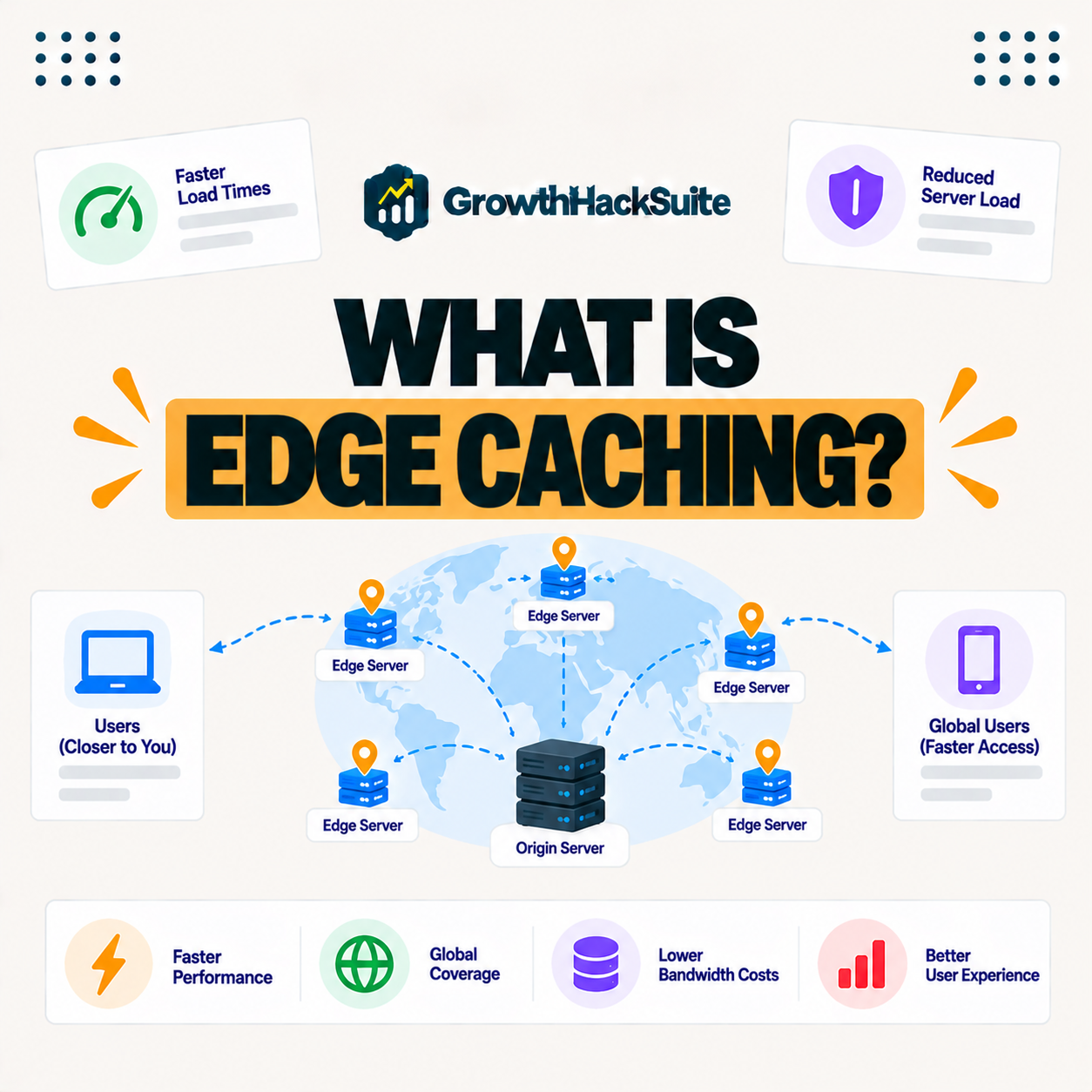
Edge caching stores copies of your web pages at servers located close to visitors, typically across a content delivery network. Requests are served from the nearest edge location rather than traveling all the way to your origin server, so the data has far less distance to cover.
“A content delivery network is a geographically distributed network of proxy servers.”
— Wikipedia, Content delivery network
Caching at the edge is what those distributed servers do with your pages: they hold cached copies close to visitors so requests are answered nearby.
How Does Edge Caching Work?
Edge caching works by saving rendered pages at edge servers around the world. When a visitor requests a page, the nearest edge server delivers the cached copy instantly, and only cache misses or dynamic requests reach the origin, so most traffic never travels far.
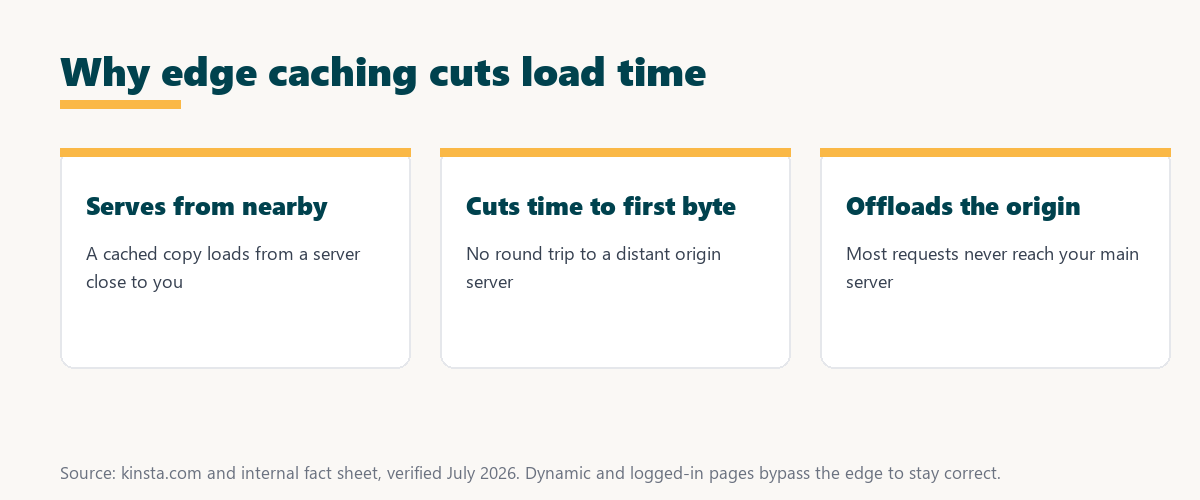
The key idea is proximity: a cached page served from a nearby edge arrives faster than the same page fetched from a distant origin.
Edge Caching vs Origin Caching
Edge caching stores pages at distributed locations near visitors, while origin caching stores them at your main server. It adds a global layer that cuts distance, whereas origin caching only speeds responses from one location, so the two solve different parts of the speed problem.
Source: provider documentation, verified August 2026. The edge adds a global layer origin caching lacks.
Comparing where pages are stored, distance and speed benefit shows the edge serves visitors from nearby, while origin caching only speeds responses from a single location.
See how Kinsta provides free edge caching
Try Kinsta →Cloudflare edge caching, with a 30-day money-back guarantee.
What Content Can Be Cached at the Edge?
Static assets and anonymous, non-personalized pages can be cached at the edge, while dynamic content like carts and logged-in sessions bypasses the cache. The edge serves the many identical requests while keeping personalized responses correct, so it speeds public pages without breaking private ones.
The distinction that matters is identical versus personalized: the edge stores what everyone sees the same, and skips what differs per user.
Edge Caching vs a CDN
Edge caching and a CDN are closely related, since a CDN is the network of edge servers that performs the caching. That caching is what a CDN does with your pages, storing and serving them from locations near visitors, so the CDN is the network and the caching is the behavior.
The simple way to hold it is that a CDN is the infrastructure, and the caching is the job it performs on your content.
Why Caching at the Edge Cuts Load Time
Caching at the edge cuts load time because serving a cached page from a nearby location removes the network distance and origin processing. Time to first byte drops sharply for visitors far from your server, improving perceived and measured speed, especially for global audiences.
“The first five seconds of page-load time have the highest impact on conversion rates.”
— HubSpot, page load time and conversion rates
Because the edge shortens the distance to every distant visitor, it directly protects those early seconds that shape whether people stay.
How Caching at the Edge Reduces Origin Load
Caching at the edge reduces origin load because most requests are answered there, so far fewer reach your origin server. This frees the origin’s resources and helps the site absorb traffic spikes without slowing down, since the edge handles the bulk of the demand.
The practical benefit is headroom: with the edge taking most requests, your origin has capacity to spare when traffic surges.
How to Get Caching at the Edge for Your Site
You get caching at the edge by using a host or CDN that provides it, ideally with automatic setup and cache purging on content changes. Pages are then served from the edge without you managing cache rules manually, so the speed comes without ongoing configuration work.
Source: provider documentation, verified August 2026. Personalized content bypasses the edge on purpose.
Listing static assets and anonymous pages versus dynamic content shows what the edge serves and what it deliberately bypasses. Because a host is a long-term commitment, it is worth reading our note on SaaS vendor lock-in before choosing.
How Kinsta Provides Caching at the Edge
Kinsta provides caching at the edge free on every plan through its Cloudflare integration, storing your pages across 300+ locations and purging them automatically when you update content. Visitors worldwide get fast, fresh pages, so the speed benefit reaches your whole audience without setup on your part.
Serve your pages from 300+ edge locations
Start With Kinsta →Free migration and a 30-day money-back guarantee.
Speeding Up a Global Audience
You speed up a global audience with caching at the edge that serves pages from locations near each visitor. Combined with a nearby origin and a CDN, your site loads quickly whether visitors are next door or on another continent, so distance stops being a drag on performance.
“A tool is only worth its premium when the hours or revenue it protects exceed the invoice.”
— Growth Hack Suite, on tool ROI
Applied to speed, caching at the edge earns its keep when the faster global load times and higher conversions it delivers exceed what it costs, which for an included cache is nothing extra.
Cache Freshness at the Edge
Caching at the edge keeps content fresh through automatic purging, so when you publish or update a page, the edge copies are cleared and refreshed. You gain speed without visitors seeing outdated content, which is what makes it safe to leave on by default.
The reassuring point is that good caching updates itself, so fast pages do not come at the cost of stale ones.
Choosing a Host With Caching at the Edge
You choose a host with caching at the edge by favoring managed hosting that includes it free, sets it up automatically and purges it on content changes. That combination delivers fast, fresh global page loads without you managing cache rules, so the site stays quick for every visitor as it grows.
The honest summary is that the value of caching at the edge reaches you through a host that runs it automatically, so an included, self-purging cache is the ideal setup.
Try Kinsta risk-free with caching at the edge included
Try Kinsta Risk-Free →Free caching at the edge and migration, with a 30-day money-back guarantee.
Edge Caching: Frequently Asked Questions
The 12 most-asked questions about edge caching.
What is edge caching in simple terms?
Edge caching stores copies of your pages at servers close to visitors, often across a CDN, so requests are served from the nearest location instead of traveling to your origin server.
How does edge caching work?
Edge caching works by saving rendered pages at edge servers worldwide, so a visitor’s request is answered by the nearest edge server instantly, and only cache misses reach the origin.
What is the difference between edge and origin caching?
Edge caching stores pages at distributed locations near visitors, while origin caching stores them at your main server, so edge caching adds a global layer that cuts distance.
Why does edge caching cut load time?
Edge caching cuts load time because serving a cached page from a nearby location removes network distance and origin processing, so time to first byte drops for distant visitors.
What content can be edge cached?
Static assets and anonymous, non-personalized pages can be edge cached, while dynamic content like carts and logged-in sessions bypasses the edge to keep personalized responses correct.
Is edge caching the same as a CDN?
Edge caching and a CDN are closely related, since a CDN is the network of edge servers that performs the caching, so edge caching is what a CDN does with your pages.
Does edge caching reduce server load?
Yes, edge caching reduces origin load because most requests are answered at the edge, so fewer reach your server, freeing resources and helping absorb traffic spikes.
Does edge caching serve stale content?
No, well-implemented edge caching purges and refreshes cached pages automatically when you update content, so you gain speed without visitors seeing outdated pages.
Does edge caching help logged-in users?
Edge caching serves anonymous visitors from the edge and bypasses the cache for logged-in sessions and dynamic pages, so personalized content stays correct while public pages stay fast.
How do I get edge caching?
You get edge caching by using a host or CDN that provides it, ideally with automatic setup and purging, so pages serve from the edge without you managing cache rules.
Is edge caching worth it for a small site?
Edge caching benefits even small sites with any distant visitors, and since hosts like Kinsta include it free and automatic, there is little reason not to use it.
How does Kinsta provide edge caching?
Kinsta provides free edge caching on every plan through Cloudflare, storing pages across 300+ locations and purging them automatically on updates, so visitors worldwide get fast, fresh pages.
About this guide
Written by the Growth Hack Suite editorial team, drawing on hands-on experience running WordPress sites. Details were cross-checked against provider documentation. This page carries affiliate links to Kinsta, so the position is stated plainly: the edge serves cached pages from servers near visitors, it cuts load time and origin load, and personalized pages bypass it on purpose. Kinsta provides free edge caching on every plan through Cloudflare, across 300+ locations, purged automatically on content updates.