Table of Contents
Server-level caching stores cached pages at the web server itself rather than through a WordPress plugin, so cached pages are served before WordPress and PHP even load. This makes it faster and more efficient than plugin-based caching, and because the host manages it, it also avoids plugin conflicts and configuration hassle. This guide explains how it works and why it beats plugins.
Last updated: August 2026. Written by the Growth Hack Suite editorial team, with details cross-checked against provider documentation. This page carries affiliate links to Kinsta.
What Is Server-Level Caching?
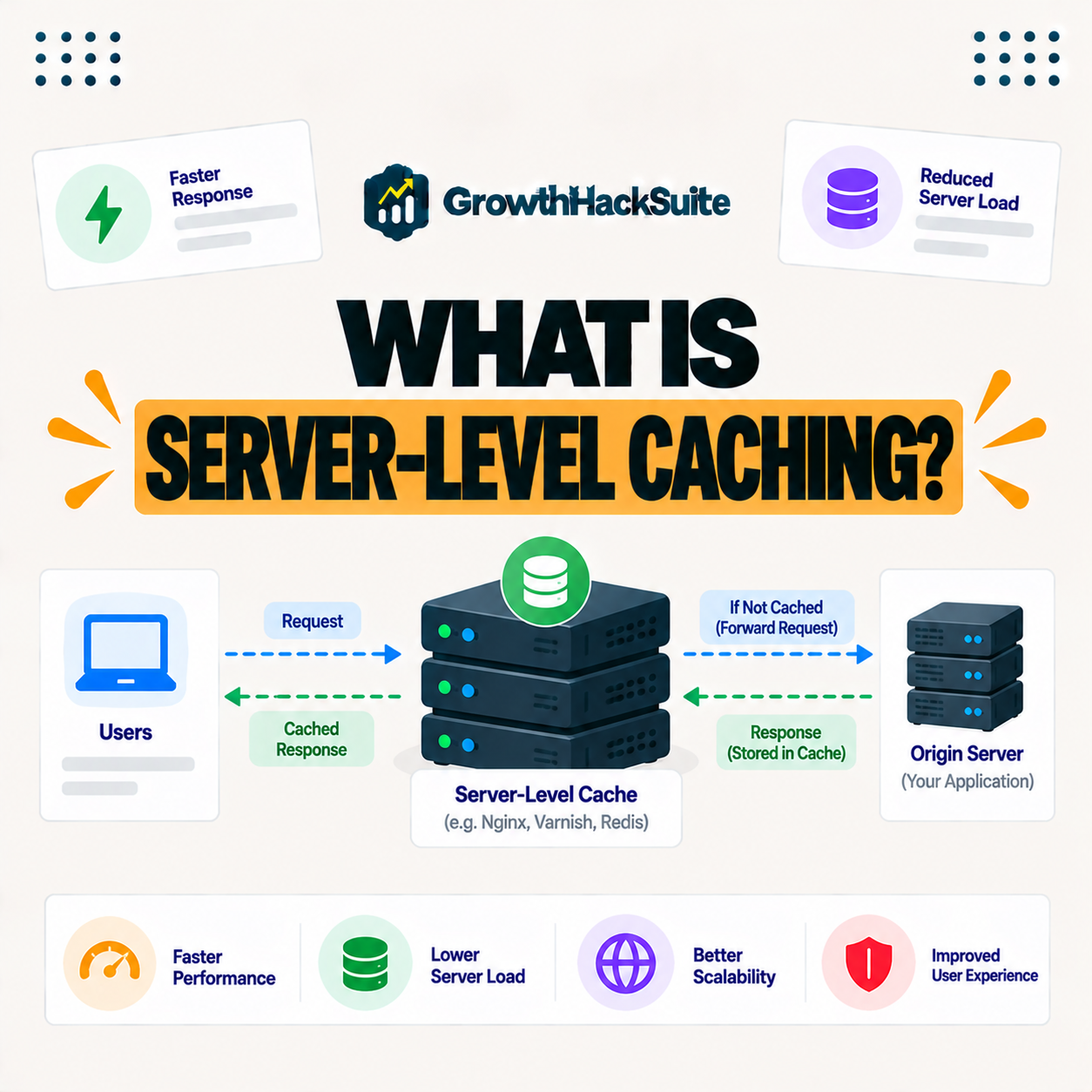
Server-level caching stores cached copies of your pages at the web server itself. When a request arrives, the server returns the cached page directly, before WordPress and PHP load, which makes it faster than caching handled inside WordPress by a plugin.
“A web cache stores web responses to reuse them and reduce server load.”
— Wikipedia, Web cache
This approach applies that idea at the server layer, holding rendered pages so the server can reuse them for the next visitor.
How Does Server-Level Caching Work?
Server-level caching works by having the web server, such as Nginx, store and serve rendered pages. A cached request is answered immediately at the server layer without invoking WordPress, PHP or the database for that visit, so the response comes back with very little work.
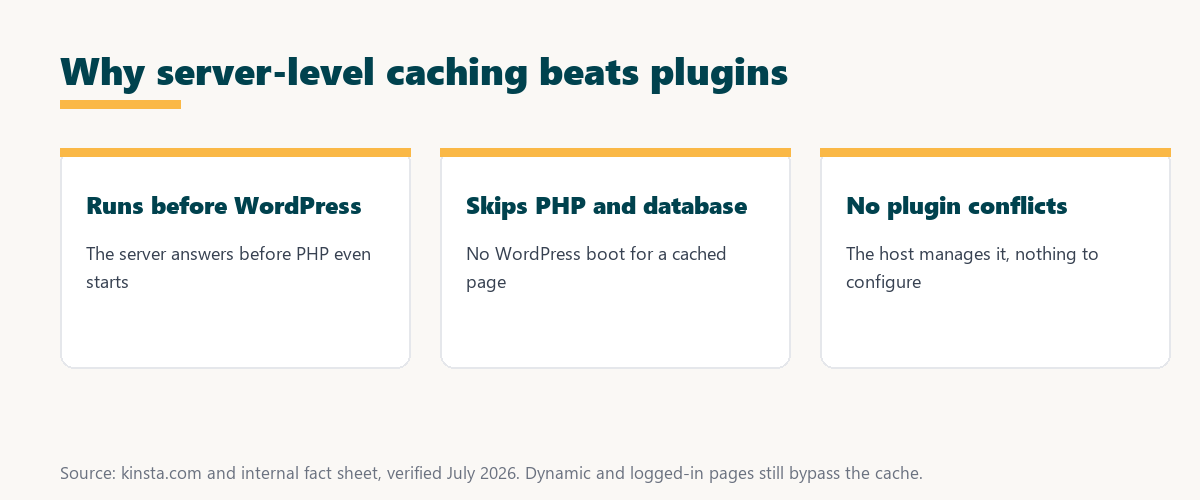
The key mechanism is that the server answers first: for a cached page, WordPress never runs, which is what makes it so fast.
Server-Level Caching vs Plugin Caching
Server-level caching runs at the server before WordPress loads, while plugin caching runs inside WordPress after it starts. It is faster and lighter because it skips the overhead a plugin cannot avoid, since a plugin must still boot part of WordPress to serve a cached page.
The distinction that matters is where the cache lives: outside WordPress at the server, or inside it in a plugin.
Why Caching at the Server Level Is Faster
Server-level caching is faster because serving a page from the server layer avoids loading WordPress, running PHP and querying the database. The response is returned with far less work than plugin caching, which still boots part of WordPress to deliver even a cached page.
Source: provider documentation, verified August 2026. Running before WordPress is the core advantage.
Comparing where caching runs, speed and configuration shows the server cache serves pages before WordPress with less setup, while plugin caching still boots part of WordPress and needs tuning.
See how Kinsta caches at the server level
Try Kinsta →Nginx full-page caching, with a 30-day money-back guarantee.
What Caching at the Server Level Does Not Cache
Server-level caching serves cached anonymous pages but bypasses dynamic requests like logged-in sessions, carts and checkout. Personalized content is generated fresh while public pages benefit from the fast cache, so the cache speeds what is identical and skips what differs per user.
The rule to remember is that public, identical pages cache, while personalized pages bypass, which keeps a dynamic site correct.
Benefits of Caching at the Server Level
Benefits of server-level caching include faster responses, lower server resource use, fewer plugin conflicts and no configuration burden, since the host manages it. You get strong performance without maintaining a caching plugin, so speed comes with less to break and less to tune.
“The first five seconds of page-load time have the highest impact on conversion rates.”
— HubSpot, page load time and conversion rates
Because the server cache serves pages before WordPress even loads, it protects those early seconds more directly than a plugin can.
Does Caching at the Server Level Replace a Caching Plugin?
Server-level caching can replace a caching plugin for page caching, so on hosts that provide it, you often do not need a separate caching plugin. This avoids the conflicts and setup that plugin caching can involve, leaving one fewer plugin to maintain and troubleshoot.
The honest qualifier is that some sites still add object caching or specific optimizations, but page caching itself is handled at the server.
How to Get Caching at the Server Level
You get server-level caching by choosing a managed host that builds it into the platform. Caching is configured and maintained for you at the server layer rather than through a plugin you install and tune, so the performance comes without ongoing setup work on your part.
Source: provider documentation, verified August 2026. Dynamic requests bypass on purpose.
Listing cached anonymous pages versus bypassed dynamic requests shows what the server cache covers. Because a host is a long-term commitment, it is worth reading our note on SaaS vendor lock-in before choosing.
How Kinsta Handles Caching at the Server Level
Kinsta handles server-level caching automatically with Nginx-based full-page caching, so cached pages are served before WordPress loads. Kinsta purges the cache when content changes, giving speed without a caching plugin, so pages stay both fast and fresh without configuration on your part.
Run your site on automatic caching at the server level
Start With Kinsta →Free migration and a 30-day money-back guarantee.
Getting Plugin-Free Caching Performance
You get plugin-free caching performance by hosting on a platform that caches at the server level. You avoid caching plugin conflicts and configuration while still serving pages quickly from cache, so the site is faster with one less plugin to install, update and troubleshoot.
“A tool is only worth its premium when the hours or revenue it protects exceed the invoice.”
— Growth Hack Suite, on tool ROI
Applied to caching, a host with built-in caching at the server level earns its cost when the speed and saved plugin maintenance it delivers exceed the plan price.
The Server Cache and Other Cache Layers
The server cache works alongside edge caching and object caching. Full pages are served from the server or edge while object caching speeds dynamic queries, so together these layers cover both static and dynamic performance, rather than relying on any one cache alone.
The practical point is that caching is layered, and the server cache is the fast base layer for public pages.
Choosing a Host With Caching at the Server Level
You choose a host with caching at the server level by favoring managed hosting that builds full-page caching into the server and purges it automatically on content changes. That combination delivers fast, plugin-free page serving without you tuning cache rules, so the site stays quick as it grows.
The honest summary is that the value of caching at the server level reaches you through a host that runs it automatically, so an included, self-purging server cache is the ideal setup.
Try Kinsta risk-free with caching built in
Try Kinsta Risk-Free →Caching at the server level and free migration, with a 30-day money-back guarantee.
Server-Level Caching: Frequently Asked Questions
The 12 most-asked questions about server-level caching.
What is server-level caching in simple terms?
Server-level caching stores cached pages at the web server itself, so the server returns a cached page directly before WordPress and PHP load, making it faster than plugin caching.
How does server-level caching work?
Server-level caching works by having the web server store and serve rendered pages, so a cached request is answered at the server layer without invoking WordPress, PHP or the database.
Why is server-level caching faster than a plugin?
Server-level caching is faster because it serves pages before WordPress loads, avoiding PHP and database work, while plugin caching still boots part of WordPress to serve a cached page.
Does server-level caching replace a caching plugin?
Server-level caching can replace a caching plugin for page caching, so on hosts that provide it you often do not need a separate plugin, avoiding conflicts and setup.
What does server-level caching not cache?
Server-level caching serves cached anonymous pages but bypasses dynamic requests like logged-in sessions, carts and checkout, so personalized content is generated fresh.
What are the benefits of server-level caching?
Benefits include faster responses, lower resource use, fewer plugin conflicts and no configuration burden, since the host manages caching at the server layer for you.
Do I need a caching plugin with server-level caching?
Usually not for page caching, since the server handles it, though some sites still add object caching or specific optimizations depending on their needs.
Is server-level caching automatic?
On managed hosts that provide it, server-level caching is automatic, with the host configuring it and purging the cache when content changes, so you do not set it up manually.
Does server-level caching conflict with plugins?
Server-level caching avoids the conflicts plugin caching can cause, because it runs outside WordPress, so it is generally more reliable than stacking multiple caching plugins.
How is server-level caching different from edge caching?
Server-level caching serves pages from your web server, while edge caching serves them from locations near visitors, so they are complementary layers that both speed delivery.
Does server-level caching work with dynamic sites?
Yes, server-level caching serves cached public pages while bypassing dynamic requests, so dynamic sites like stores stay correct while their public pages still load fast.
How does Kinsta do server-level caching?
Kinsta uses Nginx-based full-page caching automatically, serving cached pages before WordPress loads and purging the cache on content changes, giving speed without a caching plugin.
About this guide
Written by the Growth Hack Suite editorial team, drawing on hands-on experience running WordPress sites. Details were cross-checked against provider documentation. This page carries affiliate links to Kinsta, so the position is stated plainly: the server cache serves cached pages before WordPress loads, it is faster than plugin caching and avoids plugin conflicts, and dynamic pages bypass it on purpose. Kinsta handles it automatically with Nginx-based full-page caching, purged when content changes.