Table of Contents
Two-factor authentication, or 2FA, adds a second verification step beyond your password when logging in, such as a code from an app or a hardware key. Because an attacker would need both your password and the second factor, this step blocks most account takeovers even if your password is stolen, making it one of the simplest, strongest security upgrades. This guide explains how it works and why it protects you.
Last updated: August 2026. Written by the Growth Hack Suite editorial team, with details cross-checked against provider documentation. This is general security education, not formal security advice, and this page carries affiliate links to Kinsta.
What Is Two-Factor Authentication?
Two-factor authentication, or 2FA, is a security method that requires a second verification step in addition to your password when logging in, such as a code from an app. Proving your identity then needs both something you know and something you have, so a password alone is no longer enough.
“Multi-factor authentication is an authentication method requiring two or more verification factors.”
— Wikipedia, Multi-factor authentication
This method is the two-factor case of that idea: your password plus one more proof, which is what makes a stolen password much less useful to an attacker.
How Does Two-Factor Authentication Work?
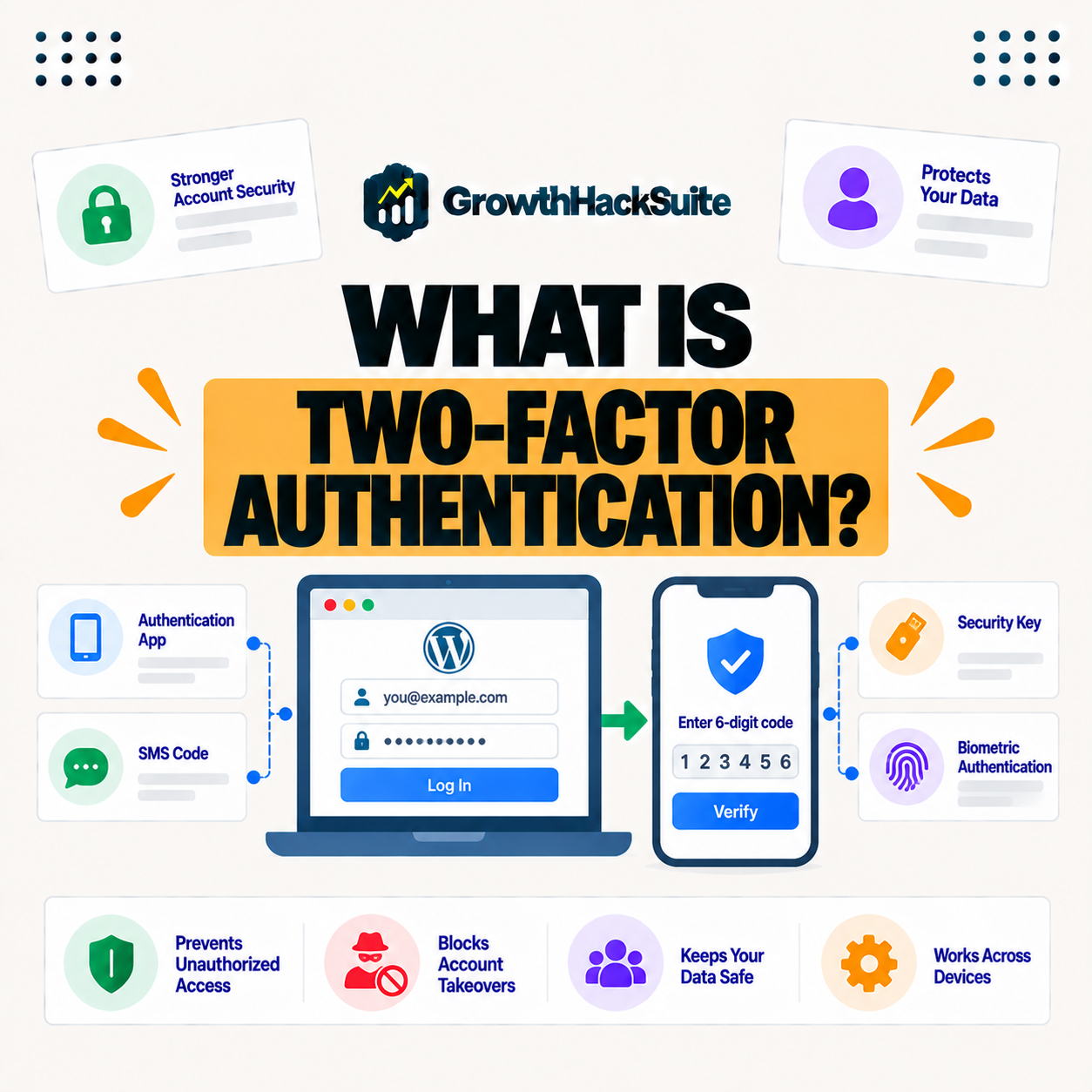
Two-factor authentication works by asking for your password and then a second factor, like a time-based code from an authenticator app or a hardware key. Even if someone steals your password, they cannot log in without the second factor, so the account stays protected behind two separate proofs.
The key idea is two independent proofs: something you know and something you have, so compromising one is not enough to log in.
What Are the Types of Two-Factor Authentication?
Types include authenticator apps that generate codes, SMS codes sent to your phone, hardware security keys and push notifications. They differ in convenience and security, with app-based and hardware methods stronger than SMS, so the method you choose affects how well protected you are.
- Authenticator apps: An app generates time-based codes offline, offering strong security without relying on a phone network.
- Hardware keys: A physical key proves possession and resists phishing, making it the strongest common option.
- Push notifications: The service sends a prompt to approve or deny a login, which is fast and user-friendly.
- SMS codes: A code is texted to the phone, better than a password alone but weaker than app or hardware methods.
- Backup codes: One-time codes saved in advance allow login if the main second factor is lost or unavailable.
The honest takeaway is that all these methods beat a password alone, but authenticator apps and hardware keys give the strongest protection.
Two Factors vs Multi-Factor Authentication
A two-factor setup uses exactly two factors, while multi-factor authentication, or MFA, uses two or more. It is a specific case of MFA, and both add verification steps beyond a password to strengthen security, so every two-factor setup is also MFA, just with two factors.
Source: provider documentation, verified August 2026. App and hardware methods lead on security.
Listing authenticator apps, SMS, hardware keys and push with their security level shows all improve on a password alone, while hardware keys and apps offer the strongest protection.
See how Kinsta supports two-factor authentication
Try Kinsta →2FA on MyKinsta, with a 30-day money-back guarantee.
Why a Password Alone Is Not Enough
A password alone is not enough because passwords are frequently stolen through breaches, phishing and reuse. If an attacker obtains it, they gain full access, which is exactly the risk a second factor removes, so relying on a password by itself leaves a large gap.
The honest point is that passwords leak constantly, so a second factor is what turns a stolen password into a dead end.
Why a Second Factor Protects Your Site
A second factor protects your site because most attacks on accounts rely on stolen or guessed passwords. Requiring a second factor blocks those attempts, meaning even a leaked password does not let an attacker into your dashboard, so the login that controls your site stays defended.
“The first five seconds of page-load time have the highest impact on conversion rates.”
— HubSpot, page load time and conversion rates
Just as a fast, trustworthy site protects those early seconds, keeping attackers out of your admin keeps the site online and credible in the first place, which is what a second factor quietly ensures.
Is a Second Login Step Inconvenient?
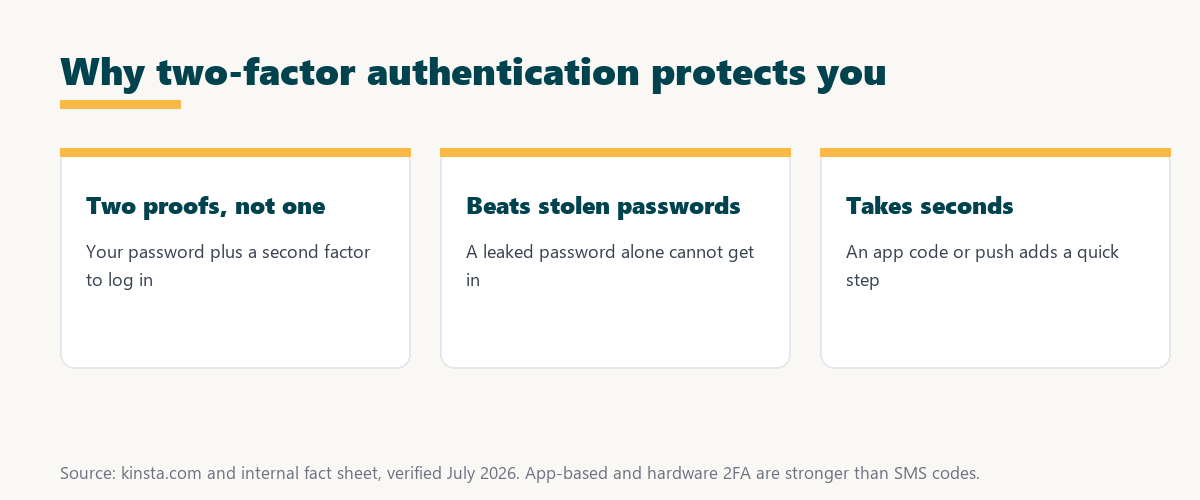
A second factor adds a small step at login, but with an authenticator app or push notification it takes seconds. The minor extra effort is a worthwhile trade for greatly stronger protection against account takeover, so the friction is small compared with the risk it removes.
The honest point is that the few seconds it adds are nothing next to the hours a compromised account would cost to recover.
How to Set Up Two-Factor Authentication
You set up 2FA by enabling it in an account’s security settings and linking an authenticator app or key. Scanning a code and confirming activates the second factor, and you should save backup codes in case you lose the device, so recovery is possible even if the second factor is unavailable.
Source: provider documentation, verified August 2026. A second factor blocks the common stolen-password attacks.
Comparing a leaked, phished or reused password with and without a second factor shows the second factor blocks the attacks a password alone would allow. Anyone weighing a long hosting commitment can read our note on SaaS vendor lock-in.
How Kinsta Supports Second-Factor Login
Kinsta supports second-factor protection on MyKinsta account logins, so you can add a second verification step to protect your hosting dashboard. This reduces the risk of an attacker accessing your account with a stolen password, since the login that controls your sites requires a second factor.
Protect your hosting dashboard with 2FA
Start With Kinsta →Free migration and a 30-day money-back guarantee.
Securing Your Accounts With a Second Factor
You secure your accounts with a second factor by enabling it everywhere it is offered, especially your hosting, email and admin logins. A stolen password alone then cannot compromise the accounts that control your site, so the most sensitive logins gain a second line of defense.
“A tool is only worth its premium when the hours or revenue it protects exceed the invoice.”
— Growth Hack Suite, on tool ROI
Applied here, the cost is a few seconds per login, and the payoff is avoiding the hours and revenue a hijacked account would destroy.
A Second Factor as Part of Layered Security
A second factor is one layer of security alongside strong passwords, a firewall and updates. While it protects logins, the other layers defend the rest of your site, and together they provide well-rounded protection, so it complements rather than replaces the rest of your security.
The honest point is that a second factor guards the front door, but a firewall, updates and backups still protect everything behind it.
Choosing Where to Enable a Second Factor
You choose where to enable it by starting with the accounts that control your site: hosting, domain, email and WordPress admin. Protecting these first blocks the paths an attacker would use to take over your site, so prioritizing high-value logins gives the most protection for the least effort.
The honest summary is that a second factor matters most on the accounts that control your site, so enable it there first and everywhere else it is offered.
Try Kinsta risk-free with 2FA on your dashboard
Try Kinsta Risk-Free →2FA and free migration, with a 30-day money-back guarantee.
Two-Factor Authentication: Frequently Asked Questions
The 12 most-asked questions about two-factor authentication.
What is two-factor authentication in simple terms?
Two-factor authentication, or 2FA, adds a second verification step beyond your password when logging in, such as an app code, so proving your identity needs both a password and a second factor.
How does two-factor authentication work?
2FA works by asking for your password and then a second factor like an app code or hardware key, so even if someone steals your password, they cannot log in without the second factor.
What are the types of two-factor authentication?
Types include authenticator apps, SMS codes, hardware security keys and push notifications, differing in convenience and security, with app-based and hardware methods stronger than SMS.
What is the difference between 2FA and MFA?
Two-factor authentication uses exactly two factors, while multi-factor authentication uses two or more, so 2FA is a specific case of MFA, both adding steps beyond a password.
Why is a password alone not enough?
A password alone is not enough because passwords are often stolen through breaches, phishing and reuse, so an attacker who obtains it gains full access without a second factor.
Why does 2FA protect my site?
2FA protects your site because most account attacks rely on stolen or guessed passwords, so a second factor blocks them, meaning a leaked password does not grant access.
Is two-factor authentication inconvenient?
2FA adds a small login step, but with an authenticator app or push it takes seconds, so the minor effort is a worthwhile trade for much stronger protection against takeover.
Is SMS-based 2FA secure?
SMS 2FA is better than a password alone but weaker than app-based or hardware methods, since SMS can be intercepted or SIM-swapped, so authenticator apps are generally preferred.
How do I set up two-factor authentication?
You set up 2FA in an account’s security settings by linking an authenticator app or key, then confirming, and you should save backup codes in case you lose the device.
What if I lose my 2FA device?
If you lose your 2FA device, you use saved backup codes or an account recovery process to regain access, which is why saving backup codes when you enable 2FA is important.
Should I use 2FA on my hosting account?
Yes, you should use 2FA on your hosting account, since it controls your site, so a second factor prevents an attacker from accessing it even with a stolen password.
Does Kinsta support two-factor authentication?
Yes, Kinsta supports 2FA on MyKinsta logins, so you can add a second verification step to protect your hosting dashboard against access with a stolen password.
About this guide
Written by the Growth Hack Suite editorial team, drawing on hands-on experience running WordPress sites. Details were cross-checked against provider documentation. This is general security education, not formal security advice, and this page carries affiliate links to Kinsta. The position is stated plainly: two-factor authentication adds a second proof beyond your password, it blocks most stolen-password attacks, and app or hardware methods beat SMS. Kinsta supports 2FA on MyKinsta account logins to protect your hosting dashboard.