Table of Contents
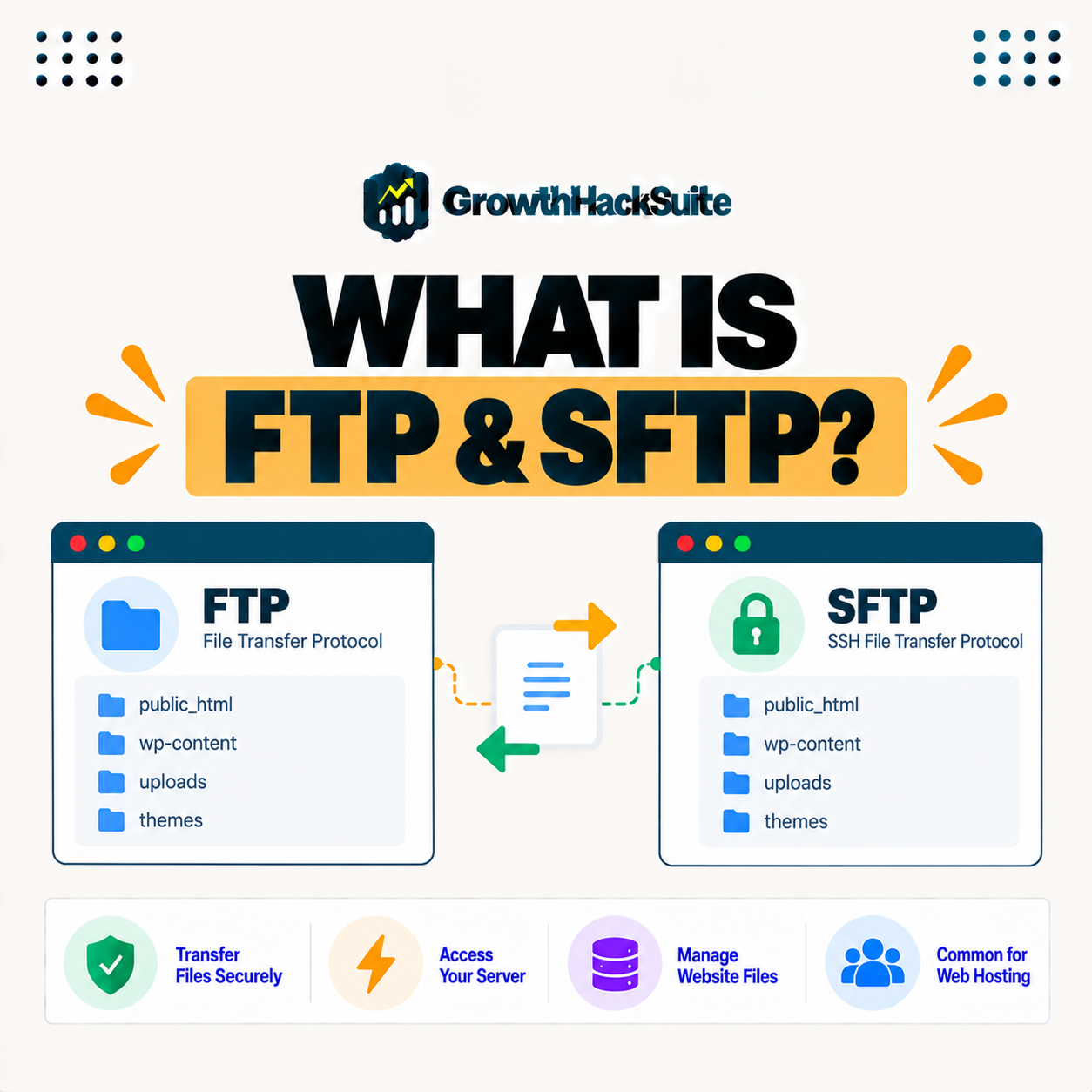
FTP, or File Transfer Protocol, and SFTP, its secure counterpart, are methods for transferring files between your computer and a server. The older one sends data unencrypted while the secure version encrypts the connection over SSH, so it is the safe choice for uploading and managing website files, which is why modern hosts favor it over the older protocol. This guide explains how they work and why encryption makes the difference.
Last updated: August 2026. Written by the Growth Hack Suite editorial team, with details cross-checked against provider documentation. This is general technical education, not formal security advice; consult a qualified professional for your setup. This page carries affiliate links to Kinsta.
See how Kinsta provides secure file access on Google Cloud
Try Kinsta →Encrypted transfer over SSH, and a 30-day money-back guarantee.
What Is FTP and SFTP?
FTP, or File Transfer Protocol, and SFTP, its secure counterpart, are methods for transferring files between your computer and a server, so you use them to upload, download, and manage the files that make up your website. They are how site files move without going through the dashboard.
“The File Transfer Protocol is a standard protocol for transferring computer files.”
— Wikipedia, File Transfer Protocol
The secure version takes that same idea of moving files but wraps it in encryption, which is the difference that makes it the safe choice today.
How Does FTP Work?
FTP works by connecting your computer to a server using a client, then transferring files between them, but because the standard protocol sends data including credentials unencrypted, it is vulnerable to interception on untrusted networks. The transfer works, yet the exposure is the problem.
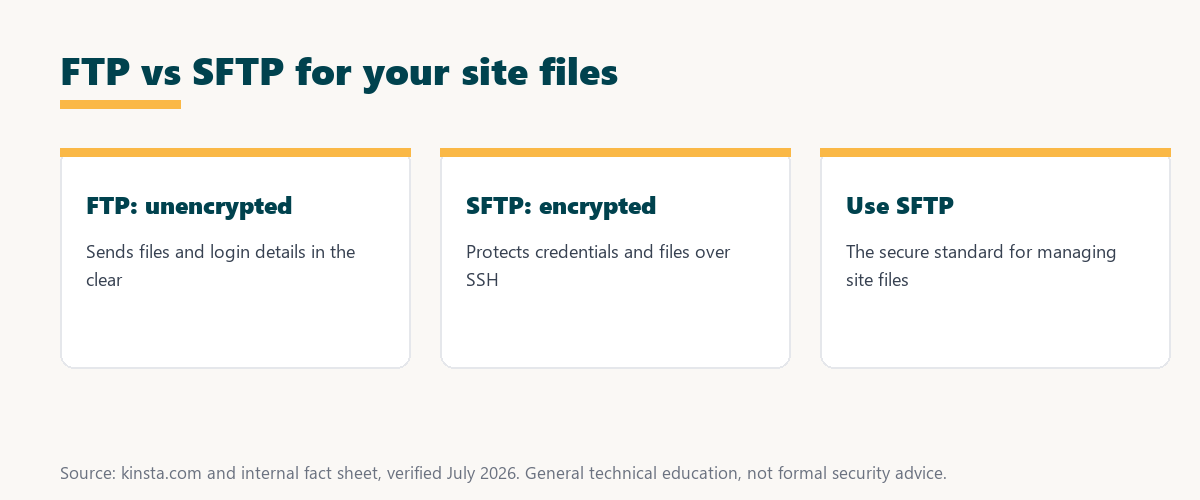
The key point is that the plain protocol moves files fine but sends everything, including your login, in the clear, which is why it is discouraged today.
How Does SFTP Work?
SFTP works by transferring files over an encrypted SSH connection, so credentials and file contents are protected in transit, making it the secure way to move website files and the preferred method on modern hosting. The encryption is what sets it apart from the plain protocol.
The takeaway is that it does everything the older protocol does, but privately: the same uploads and downloads, protected by SSH encryption end to end.
FTP vs SFTP: What Is the Difference?
The key difference is security: FTP transfers data unencrypted while SFTP encrypts everything over SSH, so it protects your login and files from interception, which is why it is recommended over the plain version wherever available. The capability is similar; the safety is not.
Source: general overview cross-checked with public protocol documentation, verified August 2026. General technical education, not formal advice.
Reading down the table, the pattern is clear: the secure option encrypts what the older one leaves exposed, which is why it is the recommended default for transferring site files.
What Do You Use File Transfer For?
You use file transfer to upload themes and plugins, edit or replace files, download backups, and troubleshoot by accessing your site’s files directly, so they are essential for managing a website beyond the dashboard. When the admin screens cannot reach a file, file transfer can.
Five common jobs explain why file transfer access matters for a site:
- Upload themes and plugins: Files can be added straight to the server, so extensions install even when the dashboard upload is unavailable or too limited.
- Edit or replace files: A broken file can be fixed or swapped directly, so a site recovers without waiting on the admin interface.
- Download backups: Copies of files can be pulled to a local machine, so a safe backup exists before any risky change.
- Troubleshoot access: When the dashboard is unreachable, file transfer still reaches the server, so a locked-out site can still be diagnosed.
- Manage media and assets: Large files and folders move in bulk, so media libraries and assets are organized far faster than through the browser.
Together these show why file transfer is essential: it is the direct route to a site’s files when the dashboard falls short.
Why Is Encrypted Transfer the Secure Choice?
SFTP is the secure choice because it encrypts the connection, so your credentials and files cannot be read if intercepted, whereas the plain protocol exposes them, making it the safer standard for transferring website files. Choosing it removes a common and avoidable risk.
“The first five seconds of page-load time have the highest impact on conversion rates.”
— HubSpot, page load time and conversion rates
Security and performance both protect the visitor experience: just as a fast site keeps those early seconds, a secure transfer method keeps the credentials that, if stolen, could take the whole site offline.
Do You Need a Transfer Client?
You need a transfer client, a program that connects to your server and shows your files, so you install one, enter your server’s connection details, and then transfer files between your computer and the site. The client is the tool that makes the connection usable.
The practical point is that a client does the heavy lifting: it turns connection details into a simple, drag-and-drop view of your server’s files.
How to Connect With SFTP
You connect with SFTP by entering your host, username, password or key, and port into a client, so with the connection details your host provides, you can securely access and manage your site’s files. Those details are usually found in your hosting dashboard.
Source: general overview cross-checked with public protocol documentation, verified August 2026. General technical education, not formal advice.
Reading the table together, secure transfer covers the core file jobs, uploading, editing, backing up and troubleshooting, all over one secure, encrypted connection.
How Kinsta Provides Secure File Access
Kinsta provides SFTP access with connection details in MyKinsta, so you securely upload, download, and manage your site’s files over an encrypted connection, and it favors the secure option rather than insecure plain transfer. The credentials are ready in the dashboard for a client to use.
Get secure file access handled on Kinsta’s Google Cloud platform
Start Free Migration →Encrypted transfer over SSH, with free migration.
Managing Your Site Files Securely
You manage your site files securely by using the secure protocol with the details your host provides, so on a platform like Kinsta you transfer files over an encrypted connection, and tools like DevKinsta help with local file work. Secure transfer plus local development covers the whole file workflow.
The takeaway is that secure file management is a habit worth keeping: always choose the encrypted option, and let a managed host handle the encrypted connection for you. For anyone weighing a long hosting commitment, our note on SaaS vendor lock-in is worth a read.
SSH and Developer Access
SFTP is built on SSH, so hosts that offer SSH access also provide it, giving developers both command-line control and secure file transfer through the same encrypted channel for a complete workflow. The two share one secure foundation.
“A tool is only worth its premium when the hours or revenue it protects exceed the invoice.”
— Growth Hack Suite, on tool ROI
Applied to file transfer, the secure option costs nothing extra yet protects the credentials and files whose loss could cost real hours and trust, which makes the secure choice the easy one.
Tips for Secure File Transfers
Tips for secure file transfers include always choosing the encrypted option over the plain one, using key-based authentication where possible, keeping your client updated, and avoiding transfers over untrusted public networks, so these habits keep credentials and files protected. Small choices add up to safer access.
The honest summary is that secure transfer is mostly about defaults: pick the encrypted option, protect your login, and let a managed host handle the encryption. This is general guidance, and a security professional can review a specific setup.
Try Kinsta risk-free with secure file access and SSH
Try Kinsta Risk-Free →Encrypted transfer, SSH and free migration, with a 30-day money-back guarantee.
Frequently Asked Questions About File Transfer
The 12 most-asked questions about file transfer.
What is FTP and SFTP in simple terms?
They are methods for transferring files between your computer and a server, so you use them to upload, download, and manage the files that make up your website.
How does FTP work?
It works by connecting your computer to a server with a client and transferring files, but the standard version sends data unencrypted, making it vulnerable on untrusted networks.
How does SFTP work?
It transfers files over an encrypted SSH connection, so credentials and file contents are protected in transit, making it the secure way to move website files.
What is the difference between FTP and SFTP?
The key difference is security: the plain version transfers data unencrypted while the secure one encrypts everything over SSH, so it protects your login and files from interception.
What do I use FTP or SFTP for?
You use them to upload themes and plugins, edit or replace files, download backups, and troubleshoot by accessing your site’s files directly beyond the dashboard.
Why is SFTP more secure than FTP?
It encrypts the connection so credentials and files cannot be read if intercepted, whereas the plain protocol exposes them, making it the safer standard for file transfer.
Do I need an FTP client?
Yes, you need a transfer client that connects to your server and shows your files, so you install one, enter your connection details, and transfer files.
Is FTP safe to use?
Plain FTP is not safe on untrusted networks because it is unencrypted, so you should use the encrypted option instead whenever your host supports it, which modern hosts do.
How do I connect with SFTP?
You enter your host, username, password or key, and port into a client, so with the connection details your host provides you securely access your site’s files.
What port does SFTP use?
SFTP typically uses port 22, the same as SSH, since it runs over SSH, while the plain version uses different ports, so your host provides the correct connection details.
Can I edit website files with SFTP?
Yes, with secure transfer you can upload, download, and replace files, so you can edit themes, plugins, and other files directly, which is useful for development and troubleshooting.
Does Kinsta support SFTP?
Yes, Kinsta provides SFTP access with connection details in MyKinsta, so you securely manage your site’s files over an encrypted connection rather than insecure plain transfer.
About this guide
Written by the Growth Hack Suite editorial team, drawing on hands-on experience running WordPress sites. Details were cross-checked against public protocol documentation. This is general technical education, not formal security advice; consult a qualified professional for your setup. This page carries affiliate links to Kinsta. The position is stated plainly: FTP transfers files unencrypted while SFTP encrypts them over SSH, so SFTP is the secure choice for managing site files. Kinsta provides encrypted SFTP access with connection details in MyKinsta.