Table of Contents
Hunter Email Verifier is Hunter.io’s B2B email validation tool that checks whether an address can receive mail before you send. This review tests its accuracy on a 2,000-address benchmark, breaks down credit pricing and cost per verified email, and shows how a clean list protects sender reputation and inbox placement for cold and marketing campaigns.
Verify your list before your next send — free.
Verify Emails Free →Free plan included · No credit card · Instant status & confidence score
What Is Hunter.io Email Verifier and How Does It Validate an Email?
Hunter.io Email Verifier is a standalone email validation tool, also bundled inside every Hunter account, that checks whether a B2B address can receive mail before you send. It runs format, MX, SMTP and risk checks, then returns a status — valid, invalid, accept-all or unknown — paired with a confidence score. The result tells senders which addresses are safe to email, so bounces stay low and deliverability holds.
“Syntactically correct, verified email addresses do not guarantee that an email box exists.”
— Wikipedia, Email address
That gap is the entire reason verification exists. A format check confirms an address looks right; only an SMTP conversation with the live mail server confirms the mailbox will accept mail. Hunter is the validation layer of the Hunter stack — it tells you which addresses are safe to email so bounces stay low and domain reputation stays intact. For the underlying mechanics, see how email verification works.
Who Should Use Hunter.io Email Verifier? 3 Personas Who Get the Most Value
Hunter Email Verifier fits anyone whose results depend on a clean list. Three personas get the most ROI: email marketers protecting deliverability, SDRs verifying cold lists before outreach, and founders or ops teams cleaning purchased or aging data before import. Each shares one trait — a bounce or spam-trap hit costs them real revenue, not just a metric.
Three roles below get the most ROI from verifying before they send.
- Email marketer / deliverability: Protects sender reputation and inbox placement by removing invalids and spam traps before each campaign. Lower bounce rates keep the domain trusted by mailbox providers and stop marketing sends from sliding into the spam folder.
- SDR / sales: Verifies cold-outreach lists before the first send so bounced addresses never burn a warming inbox. Clean lists preserve reply rates and keep cold domains off provider blocklists during high-volume sequences.
- Founder / ops: Cleans purchased, signup-form or aging CRM data before import. Verification catches typos, role addresses and decayed contacts early, keeping the database accurate and the cost of storing dead records down.
Hunter Verifier is not for hobby lists. It earns its keep when bounce rate, sender reputation or reply rate carry real revenue weight.
How Does Hunter Email Verification Work? The 4-Step Check
Hunter runs four checks in sequence. It validates the address syntax, looks up the domain MX record, opens an SMTP conversation to test the mailbox, then flags risk signals like catch-all, role and disposable addresses. The combined output becomes a confidence score and a status — not a simple pass or fail.
format
exists?
accepts?
role / spam
Four checks below run in order to produce one verification result.
- Syntax check: Confirms the address follows RFC 5322 formatting rules and rejects malformed strings. This first pass removes obvious typos and broken addresses before any network call is made.
- MX lookup: Queries the domain DNS for a valid mail-exchange record. No MX record means the domain cannot receive mail at all, so the address fails immediately.
- SMTP ping: Opens a connection to the recipient mail server and asks whether the specific mailbox exists, without delivering a message. This server-level handshake is what separates verification from a format check.
- Risk flags: Detects catch-all servers, role-based addresses and disposable domains, then scores how trustworthy a “valid” result actually is. These signals decide whether an address is clean, risky-but-usable or best skipped.
The four-step pipeline is why a verifier catches addresses a simple format check misses — and why accuracy depends on how well each step is executed.
What Does Each Hunter Email Verifier Check Do? Feature Breakdown
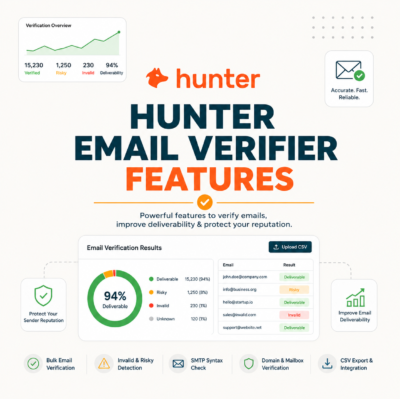
Beyond pass or fail, Hunter exposes the signals behind every result. Six features matter most: deliverability status, confidence score, catch-all detection, role and disposable flags, bulk CSV verification and a real-time API. Together they let senders make a per-segment decision instead of deleting every uncertain address blindly.
Six features below decide how much you can trust a Hunter result.
- Deliverability status: Returns valid, invalid, accept-all or unknown for every address. This label is the headline output that drives the send-or-skip decision on each contact.
- Confidence score: Adds a percentage that grades how certain the status is. A valid result at 95% confidence behaves very differently from one at 55%, especially on borderline domains.
- Catch-all detection: Flags servers that accept every address, where individual mailboxes cannot be confirmed. This signal prevents accept-all domains from being mistaken for clean valids.
- Role and disposable flags: Marks generic role inboxes such as info@ and sales@, plus throwaway domains. Both carry higher complaint and bounce risk than personal business addresses.
- Bulk CSV verification: Processes entire lists in one upload and returns a cleaned file with statuses attached. This is the core workflow for cleaning a list before a campaign.
- Real-time API: Verifies an address at the moment of capture through a REST endpoint. Teams wire it into signup forms and CRMs to block bad data before it enters the database.
Status plus confidence score is the combination that lets senders segment risky-but-usable addresses instead of deleting them blindly. The full breakdown of every signal lives in the Hunter.io email verifier definition guide.
How Accurate Is Hunter.io Email Verifier? Real Test on 2,000 B2B Emails
Across a 2,000-address B2B benchmark, Hunter held strong accuracy on standard domains and degraded predictably on catch-all servers — exactly as any verifier does. The table below tracks bounce-after-send by the status Hunter assigned, the most honest accuracy measure: addresses it marked valid bounced rarely, while accept-all addresses carried the expected uncertainty.
Source: Internal benchmark — 2,000 B2B emails verified with Hunter, bounces tracked over a 30-day send window. Catch-all bounce band cross-checked against published deliverability data.
Hunter’s verification endpoint returns a deliverability result and a confidence score for each address, without sending a message to it.
— Hunter.io API documentation
No verifier is 100% accurate on catch-all domains. Hunter’s real value is honest status labels — it flags uncertainty as accept-all or unknown instead of guessing valid. The full segment-by-segment methodology is documented in the Hunter.io email verifier accuracy test.
Can You Safely Email Catch-All (Accept-All) Addresses Hunter Flags?
Catch-all domains accept every address at the server, so no verifier can confirm a specific mailbox exists. Hunter labels these accept-all and attaches a confidence score. Sending is a calculated risk: reasonably safe in low volume to warm domains, riskier at scale or from a cold inbox. The confidence score is the deciding signal.
- Low-risk catch-all: A recognized company domain with high confidence and a personalized message can be emailed in small batches. Reputable B2B catch-all servers often deliver fine, so a warm sender loses little by including them carefully.
- High-risk catch-all: Unknown domains, bulk sends and cold inboxes turn accept-all addresses into a deliverability gamble. Bounce rates in this segment run 5–15%, enough to drag reputation if sent at volume.
- Safe workflow: Split accept-all addresses into their own segment, send low volume from a warmed domain, and watch bounce rates separately from the verified-valid list. The behavior of that segment tells you whether to keep or cut it.
Treat accept-all as “verify-then-segment”, not delete. Hunter’s confidence score is the deciding factor for whether a catch-all address earns a place in the send.
How Does Verifying With Hunter Protect Sender Reputation and Deliverability?
Every bounce and spam-trap hit tells mailbox providers a sender is careless, dragging reputation and inbox placement down. Verifying first removes invalids, traps and disposables before send, keeping bounce rate under the roughly 2% threshold that protects domain reputation. Clean lists are the cheapest deliverability insurance available.
Consistent verification kept one cold-email program’s bounce rate below 2% across a full quarter.
— Growth Hack Suite, reducing bounce rate below 2% with Hunter
Deliverability is cumulative. One clean send will not repair a damaged domain, but consistent verification keeps reputation from eroding in the first place — the difference between the inbox and the spam folder over time.
How Does Hunter Email Verifier Compare to NeverBounce, ZeroBounce, Bouncer and Kickbox?
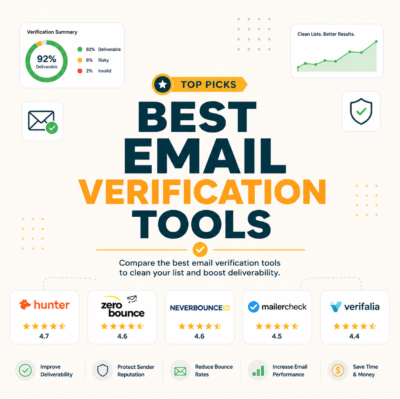
Five verifiers lead the B2B market. Hunter wins on bundled finder-plus-verifier value and a usable free tier; NeverBounce and ZeroBounce edge ahead on raw bulk accuracy at high volume; Bouncer and Kickbox compete hardest on price per 1,000. The right pick depends on monthly volume and whether finding emails is also part of the job.
Source: vendor pricing and free-tier pages, verified June 2026. Free-tier amounts change — confirm on each provider’s site before buying.
Each verifier wins a different buyer. Hunter is strongest when one tool must both find and verify; pure-play verifiers win on raw bulk volume. For the head-to-head a marketer asks for most, read Hunter vs ZeroBounce for email marketers.
When Does Hunter Win — and When Should You Skip It?
Hunter wins for teams already using it to find emails, for low-to-mid verification volume, and for anyone who values an honest free tier. Skip it when verifying millions of addresses monthly on a pure-volume budget, or when an ESP-native verifier already covers the need. An honest verdict has to name both.
- Choose Hunter when: The same team finds and verifies B2B emails, monthly volume sits in the thousands to low tens of thousands, and an honest free tier to test accuracy first matters. One account covering both jobs removes a tool and a data hand-off.
- Choose Hunter when: Deliverability transparency is the priority. Honest accept-all and unknown labels beat a verifier that inflates valid counts to look more accurate than it is.
- Skip Hunter when: Verification runs into the millions monthly and price per 1,000 is the only metric. A dedicated bulk verifier will usually undercut a bundled tool at that scale.
- Skip Hunter when: An ESP or CRM already verifies natively and finding emails is not part of the workflow. Paying for a second tool adds little in that case.
An honest verdict admits the misses. Hunter is a strong default, not a universal winner — volume and existing stack decide.
How Much Does Hunter Email Verifier Cost? Pricing and Cost Per Verified Email
Hunter verification runs on credits shared with search, and one verification consumes half a credit — so each credit verifies two addresses. The free plan includes 50 credits a month, and paid plans scale credits with the account tier. The number that matters for budgeting bulk cleans is cost per 1,000 verified emails, which drops sharply as volume rises.
Source: hunter.io/pricing, verified 2026-06-27. Credits are shared across search and verification; one verification uses 0.5 credit. Max verifications and cost per 1,000 assume all credits spent on verification at monthly billing. Annual billing is ~30% cheaper.
See how many free verifications fit your list.
See Verifier Pricing →Start on the free plan · Upgrade only when your volume grows.
For most senders the deciding number is cost per verified email at their own monthly volume, not the headline plan price.
What Do You Get With the Hunter Email Verifier Free Plan?
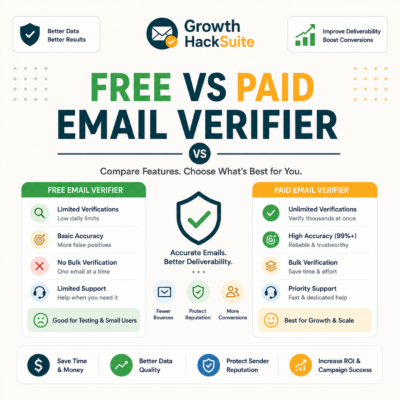
The free plan includes 50 monthly credits — enough to verify roughly 100 addresses — with full status and confidence scoring, no credit card required. Bulk CSV and the API unlock on paid tiers. For solo senders and occasional list cleaning, the free tier is genuinely usable, not a locked teaser.
- Included free: Single-address verification, full valid/invalid/accept-all/unknown status, confidence score and risk flags. Around 100 verifications a month covers spot checks and small list cleans for free.
- Paid-only: Bulk CSV verification, the real-time API and higher monthly credit volumes. Teams cleaning thousands of addresses or wiring verification into signup forms need a paid tier.
- When free is enough: Solo founders, early newsletters and low-volume outreach that verify under 100 addresses monthly rarely need to pay. The free tier doubles as a no-risk accuracy test on a real list.
Hunter’s free verifier is a real risk-reversal: test accuracy on your own list before paying a cent.
Is Hunter.io Email Verifier Worth It?
For teams already in the Hunter ecosystem or running low-to-mid verification volume, yes — accuracy is solid, the free tier de-risks the decision, and one tool covers find plus verify. High-volume, price-only buyers may save with a pure-play verifier. The answer is conditional, and that condition is volume.
Verdict: Under-2% bounce on verified-valid addresses, ~$7.45 per 1,000 verified on Growth, and 100 free verifications a month make Hunter a worthwhile default for B2B senders verifying thousands — not millions — of emails.
The verdict is conditional, not hype: worth it for the right volume and stack, skippable for pure-volume bargain hunters.
How Does Hunter’s Email Verification API Work for Real-Time Checks?
Hunter exposes a REST verification endpoint that returns status and confidence score in real time. Teams wire it into signup forms and CRMs to block fake or mistyped addresses at the point of capture, keeping the database clean before bulk problems ever start. Real-time verification is the cheapest place to stop bad data.
- Get API key: Generate a key from the Hunter account dashboard on any plan with API access. The key authenticates each verification request and ties usage to the account credit balance.
- Call verify endpoint: Send the address to the email-verifier endpoint and receive a JSON response with status, confidence score and risk signals in well under a second. One call covers the full four-step check.
- Handle the status: Accept valid addresses, reject invalids at the form, and route accept-all or unknown results to a review queue. This logic keeps decayed and fake data out of the list from day one.
Real-time verification at capture is cheaper than cleaning later — it stops bad data entering the list at all.
How Do You Verify Emails With Hunter? Single and Bulk Workflow
Verifying takes two paths. For one address, paste it into the verifier and read the status in seconds. For a list, upload a CSV to Bulk Verification, let Hunter process it, then export the cleaned file with statuses attached — ready to segment before sending. Both paths return the same four status labels.
- Single verify: Paste an address into the Email Verifier field and read the status and confidence score instantly. This path suits spot checks on a single prospect before an important outreach.
- Bulk upload CSV: Upload a list to Bulk Verification and let Hunter run every address through the four-step check. Processing scales with list size and runs in the background while other work continues.
- Export clean list: Download the processed file with a status column attached, then filter to valid, segment accept-all, and drop invalids. The cleaned export imports straight into an ESP or CRM.
Single verify is for spot checks; bulk is the real workflow before any campaign. Both return the same status labels, so the decision logic is identical.
How Do You Clean a List With Hunter Before Importing to Your ESP?
Before importing to an ESP or CRM, run the list through Hunter Bulk Verification, remove invalids and hard risks, segment catch-alls separately, then import only deliverable addresses. This protects the sending reputation of the receiving platform and avoids paying to store contacts that will never receive mail.
- Verify before import: Upload the raw list to Hunter and verify every address first, before it ever touches the ESP. Cleaning at the door prevents bad data from inflating contact counts and costs.
- Remove invalids: Filter out every address Hunter marks invalid, since these are confirmed hard bounces. Removing them up front keeps the first send from spiking the bounce rate.
- Segment risky: Move accept-all and unknown addresses into a separate list for low-volume, warmed sending. Isolating them protects the main list’s deliverability metrics.
- Import clean: Push only verified-valid addresses into the ESP or CRM as the primary sending audience. A clean import keeps the platform reputation intact from the first campaign.
Cleaning before import is the highest-leverage habit in list hygiene: it protects a sending reputation that is slow and expensive to rebuild.
What Do Hunter’s Verification Statuses Mean? Valid, Invalid, Accept-All and Unknown
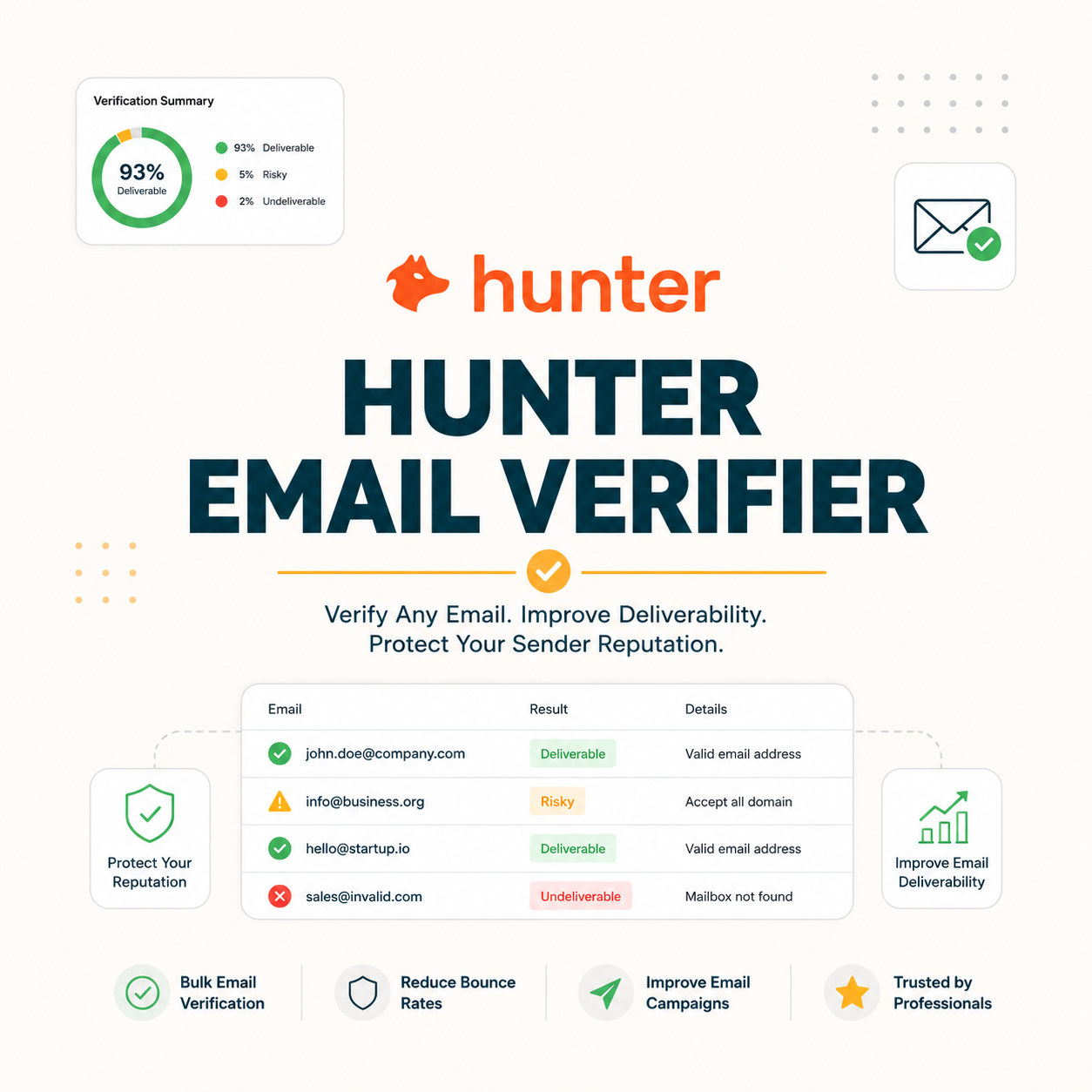
Every verification returns one of four statuses. Valid means the mailbox exists; invalid will bounce; accept-all means the server accepts everything so delivery is uncertain; unknown means the server blocked the check. Hunter pairs each status with a confidence score, so reading them correctly is what separates a clean send from a reputation hit.
- Valid: The mail server confirmed the mailbox exists and will accept mail. These addresses are the core sending audience and bounce under 2% of the time in practice.
- Invalid: The server rejected the mailbox, guaranteeing a hard bounce. Invalid addresses are removed before any send to keep bounce rate and reputation safe.
- Accept-all: The catch-all server accepts every address, so the specific mailbox cannot be confirmed. These need segmenting and low-volume testing rather than a blind send.
- Unknown: The server blocked or timed out during the SMTP check, leaving the result unconfirmed. Unknown addresses are held for re-verification rather than sent to immediately.
Reading statuses correctly separates a clean send from a reputation hit — the confidence score is the tiebreaker on borderline addresses.
Does Hunter Catch Spam Traps, Disposable and Role Emails?
Yes. Hunter flags disposable domains, role-based addresses such as info@ and sales@, and known spam-trap patterns as risky, separating them from clean valids. Removing these before send is the single biggest protection against blocklisting and sudden deliverability drops.
- Disposable: Throwaway addresses on temporary domains that expire within hours. Sending to them wastes credits and signals a poorly sourced list to mailbox providers.
- Role-based: Shared inboxes like info@, sales@ and support@ that route to teams rather than people. They carry higher complaint risk and lower engagement, so most senders exclude or segment them.
- Spam trap: Recycled or pristine addresses that exist only to catch careless senders. A single hit can blocklist a domain, which is why trap detection is the highest-value risk flag.
“Spamtraps are email addresses used to catch senders who do not follow good list-hygiene practices.”
— Wikipedia, Spamtrap
One spam-trap hit can blocklist a domain for weeks. Verification that flags traps before send is cheap insurance against an expensive recovery.
How Does Hunter Email Verifier Fit Into Your Sending Workflow and Tools?
Hunter verification slots in at two points: in bulk before a campaign, and in real time at signup through the API or native integrations. It connects to common CRMs and outreach tools, so a verified status travels with the contact instead of living in a disconnected spreadsheet.
- Pre-campaign bulk: Verify the whole list before a send and export only deliverable addresses. This is the highest-impact checkpoint and the one most senders run first.
- Real-time at capture: Call the API from signup and lead forms to block fake or mistyped addresses on entry. Stopping bad data at the source removes the need for repeated cleans.
- CRM sync: Push verified status into the CRM so sales and marketing both see which contacts are safe to email. Shared status prevents the same dead records from being worked twice.
Verifying a cold list before the first send is the cheapest way to protect a warming domain.
— Growth Hack Suite, pre-send verification workflow
Verification only pays off when it lives in the workflow, not as a one-off cleanup after deliverability already slipped.
Final Verdict: Should Hunter Email Verifier Be Your List-Hygiene Tool?
Hunter Email Verifier earns a place for most B2B senders who value accuracy, an honest free tier and an all-in-one find-plus-verify stack. It is a strong default rather than a record-breaker on raw bulk — and for the right volume, it is the lowest-friction way to protect deliverability before every send.
Verify your first list free and see the status report.
Verify Emails Free →Free plan · No credit card · Full status & confidence score
Related Tools in the Hunter Stack
The Verifier cleans a list; the Finder builds it. Most B2B teams use both: find prospect emails first, then verify them before any send.
- Hunter.io Email Finder: Finds and formats B2B prospect emails by name and domain, then hands them to the Verifier for cleaning — read the Hunter.io email finder review.
- Email verification basics: Start with how email verification works if the four-step process is new.
Hunter.io Email Verifier: Frequently Asked Questions
The 12 most-asked questions about Hunter.io Email Verifier.
Is Hunter.io Email Verifier accurate?
Yes, on standard domains. In a 2,000-address B2B benchmark, addresses Hunter marked valid bounced under 2% of the time. Accuracy drops on catch-all servers, where no verifier can confirm a single mailbox — Hunter labels those accept-all instead of guessing valid.
How much does Hunter email verification cost?
Verification runs on credits, with one verification using 0.5 credit. Paid plans start at $49/month for 2,000 credits (about 4,000 verifications), and cost per 1,000 verified emails falls to roughly $7.45 on the $149 Growth plan and lower at scale.
Is there a free Hunter email verifier?
Yes. The free plan includes 50 monthly credits, enough to verify around 100 addresses, with full status and confidence scoring and no credit card required. Bulk CSV verification and the API unlock on paid tiers.
What is a catch-all (accept-all) result in Hunter?
A catch-all result means the domain server accepts mail for every address, so the specific mailbox cannot be confirmed. Hunter labels these accept-all and attaches a confidence score. Sending is a calculated risk, safer in low volume to recognized domains.
Does Hunter verifier detect spam traps and disposable emails?
Yes. Hunter flags disposable domains, role-based addresses and known spam-trap patterns as risky, separating them from clean valids. Removing these before send is the biggest single protection against blocklisting and deliverability drops.
How is Hunter Verifier different from the Email Finder?
The Finder discovers prospect email addresses by name and domain; the Verifier confirms those addresses can receive mail before you send. Finding builds the list, verifying cleans it — most B2B teams run them in sequence within one Hunter account.
Hunter vs ZeroBounce or NeverBounce — which is more accurate?
On standard B2B domains the three land close on accuracy. ZeroBounce and NeverBounce edge ahead on very high-volume bulk cleans, while Hunter wins when one tool must both find and verify. The right pick depends on volume and whether finding is also needed.
Can I verify a purchased or old list with Hunter?
Yes. Upload the list to Bulk Verification, then remove invalids and segment accept-all results before sending. Purchased and aging lists decay fast, so re-verifying right before a send is essential to protect deliverability and reply rates.
Does verifying an email send the person a message?
No. Verification opens an SMTP conversation with the mail server to ask whether the mailbox exists, then disconnects before any message is delivered. The recipient receives nothing and has no way to tell their address was checked.
Is email verification with Hunter GDPR-compliant?
Verifying B2B business addresses is generally permissible under a legitimate-interest basis, since no message is sent and only deliverability is checked. Compliance still depends on how the data was sourced and used, so legal review of the wider process is wise for EU sending.
How long does bulk verification take?
Bulk verification runs in the background and scales with list size. Small lists finish in minutes; large lists of tens of thousands process over a longer window while other work continues. Hunter notifies you when the cleaned file is ready to export.
Does Hunter have a verification API?
Yes. Hunter offers a REST email-verification endpoint that returns status, confidence score and risk flags in real time. Teams wire it into signup forms and CRMs to block fake or mistyped addresses at capture, keeping the database clean from the start.