Table of Contents
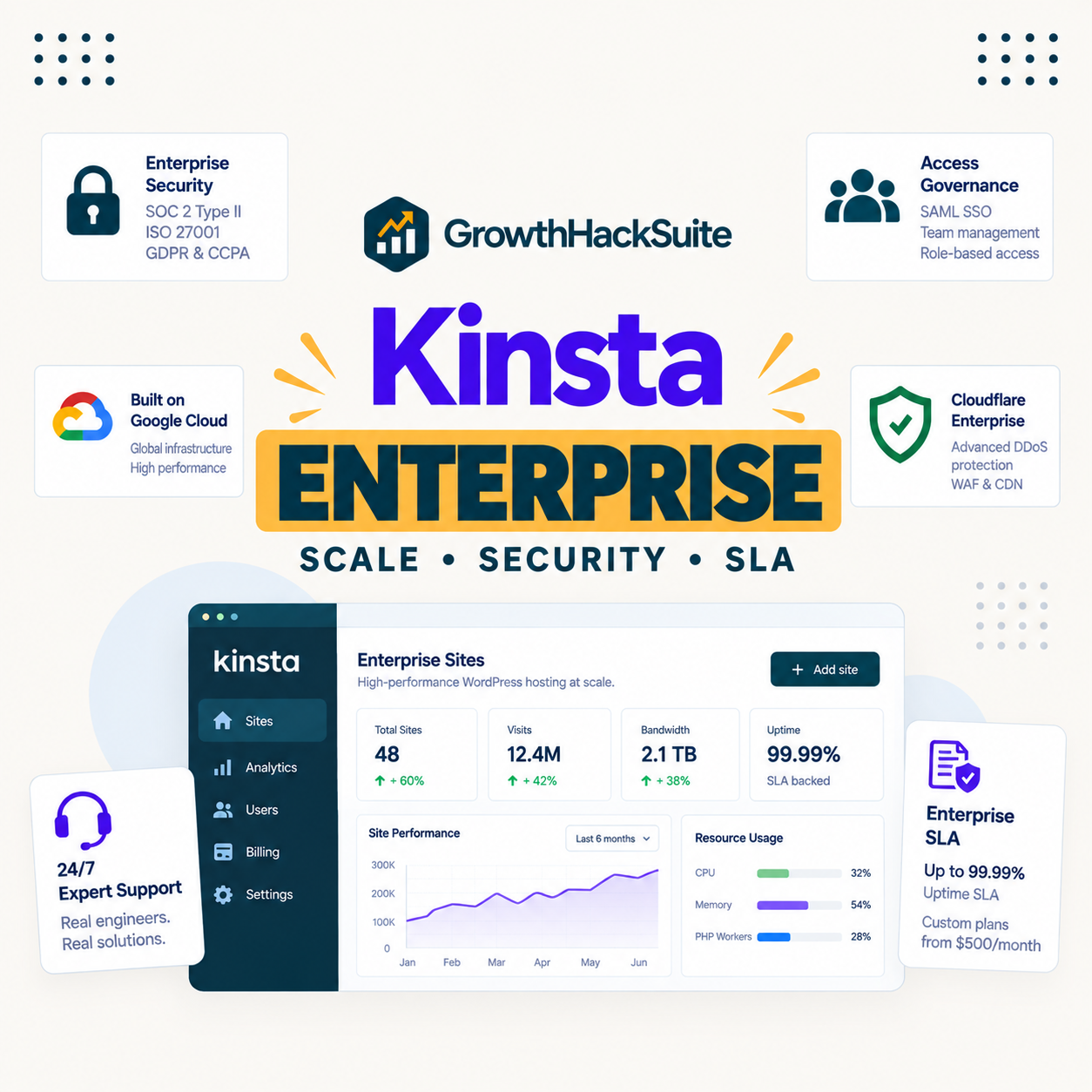
Kinsta for enterprise stands on one genuinely strong foundation, published compliance certifications, and asks one honest question in return: what exactly does its uptime SLA guarantee? For an enterprise buyer, SOC 2 Type II and ISO 27001 answer the security review, while the SLA wording and the quote-only pricing are the details worth reading closely before signing.
Last updated: August 2026. Certifications, plans and limits were read from kinsta.com. This page carries affiliate links to Kinsta, and it is precise about the difference between an SLA target and a guaranteed one.
Is Kinsta Good for Enterprise?
Yes for an enterprise running WordPress that needs published compliance and isolated infrastructure, because Kinsta holds SOC 2 Type II, ISO 27001, GDPR and CCPA and runs each site in its own container. The details to confirm are the exact SLA terms and the custom pricing, both handled through sales.
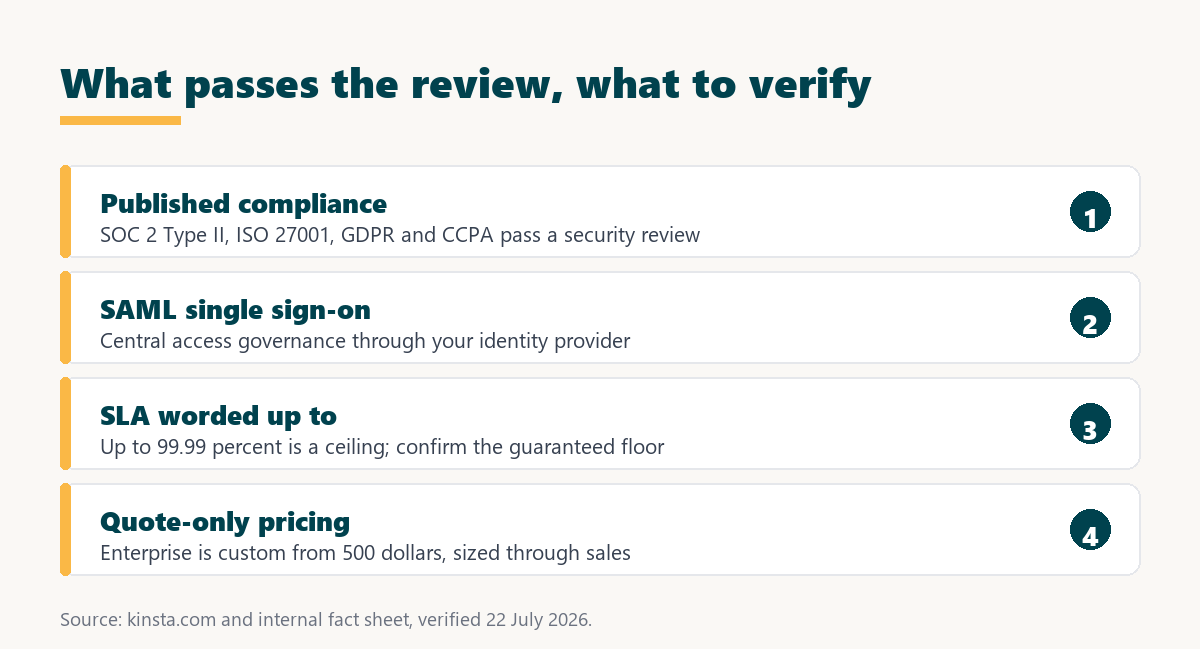
Verdict: Kinsta’s enterprise case is its compliance: SOC 2 Type II and ISO 27001 published by name pass a security review that stops many hosts. Two things need reading closely: the uptime commitment is worded up to 99.99 percent rather than a flat guarantee, and Enterprise pricing is quote-only from 500 dollars. Strong for WordPress compliance, with the SLA and contract terms to verify in the sales conversation.
The honest framing is that Kinsta clears the hardest enterprise gate, the security and compliance review, and leaves the SLA and commercial terms to a negotiation rather than a public page.
“WordPress is a web content management system.”
: Wikipedia, WordPress
An enterprise running that system at scale evaluates a host on compliance, reliability and support depth long before speed, which is why those lead the ranking here.
What Compliance Does Kinsta Hold?
SOC 2 Type II, ISO 27001, GDPR and CCPA, published by name, which is the specific thing an enterprise security review asks for. Many hosts cannot answer that question with named certifications, so this is Kinsta’s strongest enterprise argument.
- SOC 2 Type II: An audited report on security controls over time, which enterprise procurement commonly requires from a vendor before approval.
- ISO 27001: An international information-security management standard, recognised globally and often mandated for regulated industries.
- GDPR and CCPA: Data-protection alignment for European and California requirements, relevant to any enterprise handling personal data across those regions.
- Isolated architecture: Each site in its own container limits the blast radius of a security event to one property rather than a shared environment.
- Cloudflare Enterprise protection: An enterprise-grade web application firewall and DDoS mitigation are included, which matters for a high-profile target.
Passing the security review is the gate that eliminates most hosts from an enterprise shortlist, and named certifications are how Kinsta clears it where a vendor questionnaire would stall others.
What Does Kinsta’s Uptime SLA Actually Guarantee?
An uptime commitment worded as up to 99.99 percent, which an enterprise buyer should read carefully because up to describes a ceiling rather than a floor. The important detail is what the contract guarantees, how uptime is measured, and what credits apply if it is missed.
- Up to is a target, not a floor: The phrase describes the best-case commitment, so the guaranteed minimum and the remedy for a breach are the numbers that matter in a contract.
- Measurement method matters: How uptime is calculated, including maintenance windows and exclusions, changes what a percentage means in practice.
- Credits define the remedy: An enterprise SLA is only as strong as the service credits or penalties attached when it is missed, which are set in the agreement.
- Confirm in the contract: The public figure is a starting point, and the binding terms are negotiated with sales rather than published on a plan page.
- Compare like for like: A flat guaranteed SLA from another vendor is a different instrument from an up-to figure, and the comparison should be on the guaranteed numbers.
None of this makes the reliability poor; Kinsta’s infrastructure is genuinely strong. It means an enterprise should treat the SLA as a contract term to negotiate and verify rather than a settled headline.
Which Kinsta Features Matter Most for Enterprise?
Compliance, isolation, access control and support depth, in that order, because they map to how an enterprise evaluates a vendor: can it pass the review, contain a fault, control access, and respond to an incident.
Source: kinsta.com and kinsta.com/plans, verified August 2026. Certifications and SAML single sign-on are the features that most often decide an enterprise WordPress hosting review.
In plain terms, Kinsta leads on the criteria an enterprise weighs first, with the commercial and SLA terms handled separately through a sales process.
How Does Kinsta Scale for Enterprise Traffic?
Through isolated resources on Google Cloud, a content delivery network across more than 300 edge locations, and Enterprise plans sized to custom traffic. Capacity is arranged with sales rather than picked from a public tier, so scale is negotiated to the workload.
The practical point is that an enterprise does not self-serve its way to the right plan; it works with Kinsta to size installs, visits and storage. That is normal for enterprise hosting, and it means the published entry figures are a floor rather than a description of an enterprise deployment.
“a B2B site that loads in 1 second has a conversion rate 3x higher than a site that loads in 5 seconds”
: HubSpot, page load time and conversion rates
For an enterprise the value of that speed is measured across many sites and campaigns, which is why consistent performance under a negotiated capacity matters more than a single benchmark figure.
Published compliance for the security review
See Kinsta Enterprise →SOC 2 Type II, ISO 27001, GDPR and CCPA, with isolated resources and SAML single sign-on.
Can an Enterprise Control Data Residency?
To a degree, because Kinsta runs on Google Cloud regions worldwide, so an enterprise can host in a chosen region to meet data-residency requirements. The specific available regions for a deployment are confirmed with sales, and the underlying provider is always Google Cloud.
For an organisation with GDPR or similar obligations, hosting in a European region alongside Kinsta’s published GDPR alignment covers a common requirement. The limit is that residency is within Google Cloud’s regions rather than across arbitrary providers, which suits most WordPress data-residency needs but not a multi-cloud mandate.
How Does Kinsta Handle Enterprise Access Governance?
Through SAML single sign-on with just-in-time provisioning and unlimited users, so an enterprise governs access from its own identity provider rather than through shared credentials. That central control is a standard requirement for an organisation with many staff and strict access policies.
- Identity-provider login: SAML single sign-on connects Kinsta to an enterprise identity provider, so access follows the organisation’s existing authentication.
- Just-in-time provisioning: User accounts are created on first sign-in through the identity provider, which keeps access aligned with directory membership.
- Unlimited users: Adding staff carries no per-seat cost, so access can be granted at the right granularity without a licensing penalty.
- Role-based access: Roles scope what each user can do, which supports separation of duties across a large team.
- Central offboarding: Removing a user at the identity provider revokes access, which is how an enterprise expects offboarding to work.
Together these cover the access-governance checklist an enterprise applies to any vendor, handled through the identity provider rather than as a Kinsta-specific process.
How Does Kinsta Compare to Legacy Enterprise Hosts?
Kinsta positions itself as enterprise-grade at a more competitive price than legacy WordPress enterprise hosts, but because both its pricing and theirs are quote-only, the comparison should be on the negotiated agreement rather than a headline. The honest evaluation is on certifications, SLA terms and total quote side by side.
Where Kinsta tends to lead is published, named certifications and a modern platform; where a legacy host may lead is a flat guaranteed SLA or specific enterprise integrations. An enterprise gets the clearest answer by putting both quotes and both SLAs on the table rather than trusting either marketing claim.
Enterprise-grade, sized to your deployment
View Kinsta Plans →Named certifications and SAML single sign-on, with Enterprise capacity arranged through sales.
What Support Does an Enterprise Get?
Round-the-clock support staffed by engineers, available in eight languages, which for an enterprise is the incident-response layer that a mission-critical site depends on. The scope and any named contacts for an enterprise account are part of the arrangement made with sales.
For a site where downtime has a measurable revenue cost, that support is the difference between an incident handled by Kinsta’s engineers and one an internal team fields alone at three in the morning. Confirming response times and escalation paths in the contract is part of an enterprise evaluation.
What Are Kinsta’s Limits for Enterprise?
Real ones an enterprise should surface early, because they shape whether Kinsta fits the wider stack. None removes it from a WordPress-focused shortlist, and together they define the edges of what it covers.
- WordPress only: Kinsta runs WordPress, and application, database and static-site hosting moved to the separate Sevalla brand, so a mixed-stack enterprise needs more than these plans.
- No email hosting: Email is not provided on any plan, so enterprise mail runs on a dedicated platform, which is usually the case already.
- SLA is up to, not flat: The uptime figure is a ceiling rather than a guaranteed floor, so the binding terms and credits need confirming in the contract.
- Single cloud provider: Running only on Google Cloud removes provider choice, which matters to an enterprise with a multi-cloud or specific-provider mandate.
- Quote-only pricing: Enterprise plans start from 500 dollars and are custom, so budgeting requires a sales conversation rather than a public price.
The pattern is that Kinsta is a strong enterprise host for WordPress specifically, and an enterprise with a broader stack should plan for Sevalla or other platforms alongside it.
What Does Kinsta Cost for Enterprise?
Enterprise plans start from 500 dollars a month and are custom, sized by sales to the deployment, so the standard plans below are the floor beneath an enterprise arrangement rather than the enterprise price itself.
Source: kinsta.com/plans, verified in August 2026. Enterprise pricing is custom from 500 dollars; the higher WP and Agency plans are shown for context. An earlier layout draft labelling a 675-dollar plan Enterprise conflated it with the Agency tier and is corrected here.
Put simply, an enterprise talks to sales for a sized quote, and the standard plans indicate the cost gradient rather than the enterprise figure, which depends on installs, traffic and terms.
When Is Kinsta Not Right for an Enterprise?
When the requirement extends beyond WordPress or demands a guaranteed flat SLA and multi-cloud flexibility. In those cases Kinsta is either only part of the answer or the wrong category, and naming that keeps the recommendation honest.
- A mixed technology stack: An enterprise running applications and databases beyond WordPress needs Sevalla or other platforms alongside Kinsta, not Kinsta alone.
- A mandated flat SLA: An organisation requiring a guaranteed uptime floor with defined credits should confirm those terms, since the public figure is worded up to.
- A multi-cloud policy: A mandate to run across or on a specific non-Google cloud conflicts with Kinsta’s single-provider model.
- Bundled enterprise email: An enterprise expecting hosting and email from one vendor needs a separate mail platform, since Kinsta does not host email.
- Non-standard architecture: A highly customised deployment may need bespoke arrangements that go beyond a standard managed platform, negotiated case by case.
For a WordPress-centred enterprise that values published compliance, none of these applies, and Kinsta is a strong fit; for a broader remit, it is one component of a larger architecture.
Best for a WordPress enterprise that values compliance
Compare Kinsta Plans →Isolated resources and named certifications, with Enterprise sizing arranged through sales.
How Do You Get Started With Kinsta for Enterprise?
Contact Kinsta for an enterprise quote sized to traffic and site count, request the compliance documentation for the security review, and confirm the SLA terms in writing. Free migration then moves large sites into a tested staging copy before switching.
Because the evaluation is a procurement process, the sensible order is compliance first, SLA and support terms second, and a migration pilot third. A 30-day money-back guarantee allows a real-site test before a wider rollout, within the standard plans.
“Tool spend is only defensible when the outcome it protects is measured, not assumed.”
: Growth Hack Suite, ROI on sales tools
For an enterprise the outcome is a compliant, reliable platform that survives an audit and a traffic peak. Where those are the priorities, Kinsta’s published certifications earn their place, provided the SLA and commercial terms are verified in the contract rather than assumed from the headline.
Kinsta for Enterprise: Frequently Asked Questions
The 12 most-asked questions about Kinsta for enterprise WordPress.
Is Kinsta good for enterprise WordPress?
Yes for a WordPress enterprise needing published compliance and isolated infrastructure, since Kinsta holds SOC 2 Type II, ISO 27001, GDPR and CCPA. The details to confirm are the exact SLA terms and the custom pricing, both handled through sales.
What certifications does Kinsta hold?
SOC 2 Type II, ISO 27001, GDPR and CCPA, published by name. That is the specific answer an enterprise security review needs, and it is where Kinsta is strongest against hosts that cannot name their certifications.
Does Kinsta offer an uptime SLA?
Yes, worded as up to 99.99 percent. Because up to describes a ceiling, an enterprise should confirm the guaranteed floor, the measurement method and the service credits in the contract rather than relying on the headline figure.
How much does Kinsta Enterprise cost?
From 500 dollars a month, custom and quote-only, sized by sales to installs, traffic and storage. The standard WP and Agency plans indicate the cost gradient, but the enterprise figure depends on the negotiated deployment.
Does Kinsta support single sign-on?
Yes, SAML single sign-on with just-in-time provisioning and unlimited users, which lets an enterprise govern access through its identity provider. That central access control is a standard enterprise requirement Kinsta meets on every plan.
Can Kinsta host our non-WordPress systems?
Not on these plans. Application, database and static-site hosting moved to the separate Sevalla brand, so a mixed-stack enterprise runs non-WordPress systems on Sevalla or elsewhere. Kinsta covers the WordPress layer specifically.
Does Kinsta run on more than one cloud?
No. Kinsta runs only on Google Cloud, so an enterprise with a multi-cloud mandate or a different-provider requirement should factor that in. The single-provider model is a strength for consistency and a limit for flexibility.
What support does an enterprise account get?
Round-the-clock support staffed by engineers in eight languages, with the exact scope and any named contacts arranged through sales. Confirming response times and escalation paths in the contract is part of an enterprise evaluation.
Does Kinsta include email for enterprise?
No. Kinsta does not host email on any plan, so enterprise mail runs on a dedicated platform, which most enterprises already operate. It is a limit to note rather than a practical obstacle for most organisations.
How does Kinsta handle a large migration?
With free migrations that copy each site into a tested staging copy before switching, so an enterprise verifies each property on staging first. For a large estate, planning the migration as a phased pilot is the sensible approach.
Is Kinsta cheaper than legacy enterprise hosts?
It can be, but the comparison should be on the negotiated quote and the SLA terms rather than a headline. Because both are custom, an enterprise judges value on the specific agreement rather than a public price against a competitor’s.
How should an enterprise evaluate Kinsta?
Compliance first, using the named certifications for the security review, then the SLA and support terms in writing, then a migration pilot on a real site within the money-back window. That order surfaces any dealbreaker before a wider rollout.
About this guide
Written by the Growth Hack Suite editorial team. Kinsta’s certifications, plans and limits were read from kinsta.com. This page carries affiliate links to Kinsta, so the honesty owed to an enterprise buyer is stated throughout: Kinsta’s genuine strength is published compliance, SOC 2 Type II, ISO 27001, GDPR and CCPA, which passes a security review, but its uptime commitment is worded up to 99.99 percent rather than a flat guaranteed floor, Enterprise pricing is custom and quote-only from 500 dollars, it hosts only WordPress with non-WordPress workloads on the separate Sevalla brand, it runs only on Google Cloud, and it does not host email.
No speed benchmark is used, because an enterprise weighs compliance, reliability terms and support depth ahead of a lab figure, and the plan table corrects an earlier draft that labelled a 675-dollar Agency plan as Enterprise and used inaccurate tier names.