Table of Contents
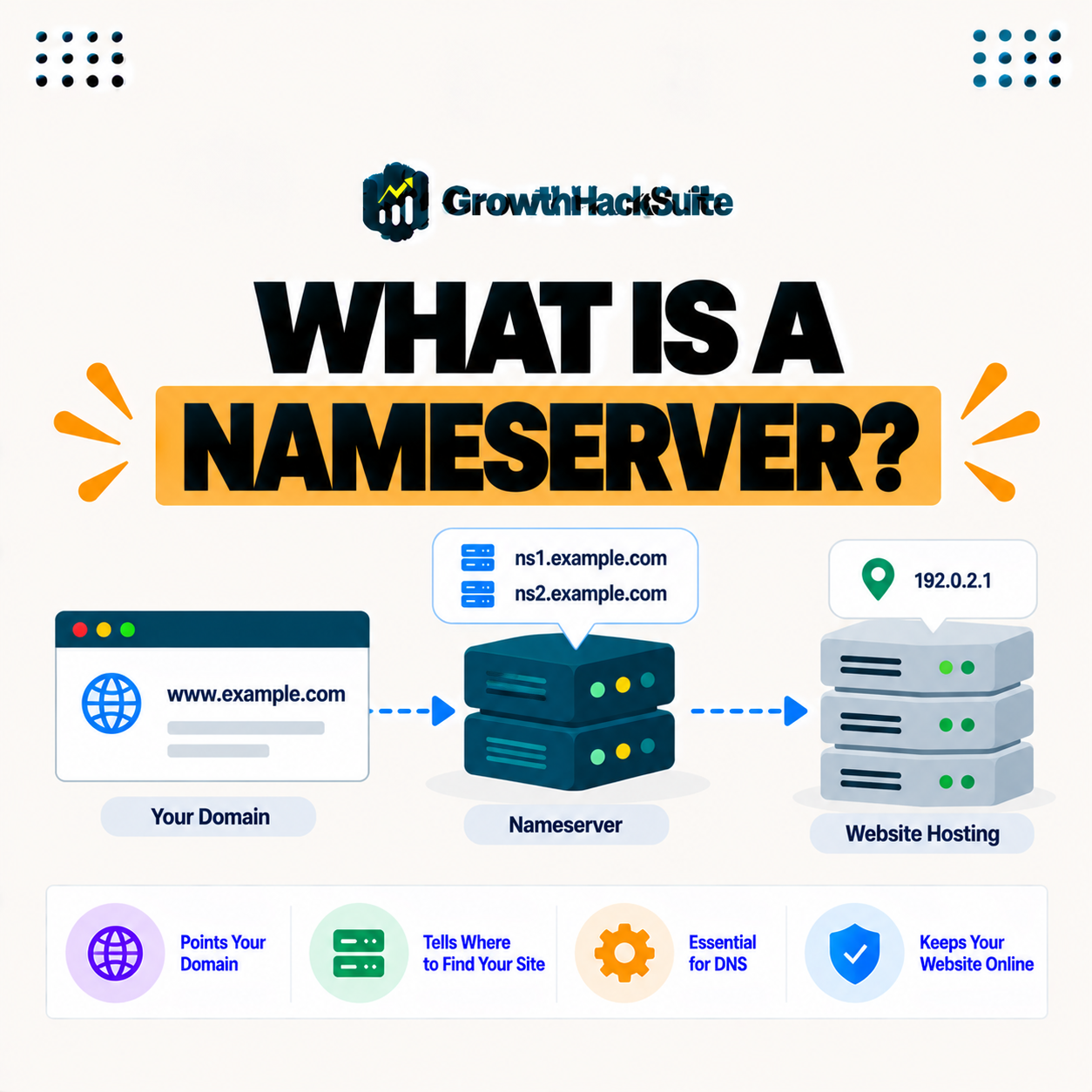
A nameserver is a server that stores your domain’s DNS records and answers queries about where your domain’s traffic should go. When you point your domain to a provider’s nameservers, that provider manages your DNS, so setting them correctly is how you connect a domain to your hosting or DNS service. This guide explains what they are and how to set them.
Last updated: August 2026. Written by the Growth Hack Suite editorial team, with details cross-checked against provider documentation. This page carries affiliate links to Kinsta.
See how Kinsta handles DNS on Google Cloud
Try Kinsta →Premium DNS in MyKinsta, with a 30-day money-back guarantee.
What Is a Nameserver?
A nameserver is a server that stores your domain’s DNS records and answers queries about where your domain’s traffic should go, so it acts as the authority that tells the internet which servers handle your website and email. It is the address book for your domain.
“A name server implements a network service for responding to DNS queries.”
— Wikipedia, Name server
For a site owner, this server is what makes a domain usable: it answers the lookups that send visitors and email to the right place.
How Does a Domain Lookup Reach Your DNS Records?
A lookup reaches your DNS records through the servers that hold them, so when someone looks up your domain, the query is directed to your domain’s authoritative servers, which return the records that route the visitor to the correct server. They are the source of truth for your domain’s routing.
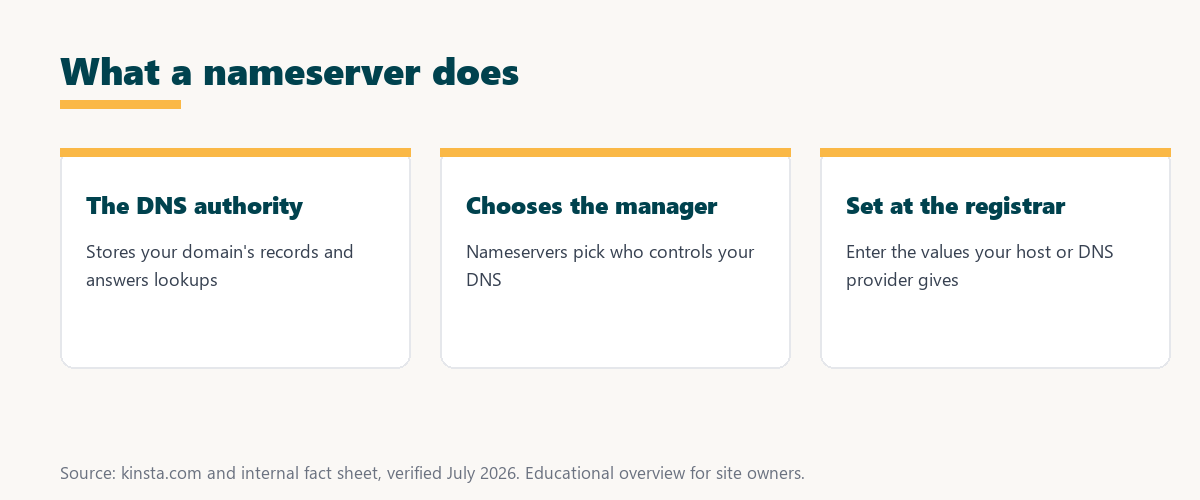
The key point is that a lookup for your domain always ends at your domain’s authoritative servers, which return the records that decide where traffic goes.
What Is the Difference Between a Name Server and DNS?
DNS is the overall system that translates domain names to addresses, while a name server is a specific server that stores and serves a domain’s DNS records, so the name server is part of how DNS actually functions for your domain. One is the system; the other is a piece of it.
The takeaway is that DNS is the whole naming system, and a name server is the specific server that answers for your domain within it.
When Should You Switch Your Domain’s DNS Provider?
You change nameservers when you want a different provider to manage your DNS, such as pointing your domain to a host’s or a DNS service’s servers, so changing them hands DNS control to that provider. It is how you switch who runs your domain’s DNS.
Three situations call for a change:
- A new DNS provider: Moving DNS management to a service like Cloudflare means pointing the domain at that provider’s servers.
- A new host that manages DNS: If a host will run your DNS, using its servers lets you manage records in the host’s dashboard.
- Consolidating management: Bringing DNS under one provider means switching the domain’s servers so all records live in a single place.
Together these show that this kind of change is always about choosing who manages your domain’s DNS.
Name Servers vs DNS Records
Name servers determine which provider manages your DNS, while DNS records like A and MX are the individual entries that provider holds, so you set name servers to choose the manager and records to control specific routing. One picks the manager; the other sets the details.
Source: general overview cross-checked with public DNS documentation, verified August 2026.
Reading down the table, name servers pick the provider at your registrar, while records set the actual routing at that provider.
Why Do Nameservers Matter?
Nameservers matter because they determine who controls your domain’s DNS, so setting the wrong ones means your records are not used, which can make your site or email unreachable until corrected. Getting them right is essential for a working domain.
“The first five seconds of page-load time have the highest impact on conversion rates.”
— HubSpot, page load time and conversion rates
Correct settings are the foundation of that experience: if they point to the wrong place, there are no early seconds at all, because the site simply does not load.
How Long Does a DNS Provider Change Take?
A change takes time to propagate, often several hours and sometimes up to a couple of days, so after updating them you should allow for propagation before expecting the change to take effect everywhere. Patience is part of the process.
The practical point is to plan for a delay: the change is not instant, so allow up to a day or two before assuming something is wrong.
How Do You Set or Change Nameservers?
You set or change nameservers at your domain registrar by entering the values your DNS provider or host gives you, so with those values updated at the registrar, your domain’s DNS is managed by the chosen provider. The registrar is where the change is made.
Source: general overview cross-checked with public DNS documentation, verified August 2026.
Reading the table together, you switch whenever you want a new provider, a new host, or a managed DNS service to run your domain’s DNS.
How Kinsta Handles DNS
Kinsta offers premium DNS through MyKinsta, so you can use Kinsta’s nameservers to manage your records in the dashboard, or keep DNS elsewhere and point records to Kinsta, depending on how you prefer to set things up. You choose how much of your DNS Kinsta manages.
Manage DNS with premium nameservers on Kinsta’s Google Cloud platform
Start Free Migration →Premium DNS in MyKinsta and free migration.
Pointing Your Domain to Your Host
You point your domain to your host by setting the correct servers or DNS records at your registrar, so with the values your host provides, your domain connects to the right servers for your website and services. The registrar is where you make that connection.
The takeaway is that connecting a domain comes down to entering the right values at your registrar, whether that means a provider’s servers or individual records. For anyone weighing a long hosting commitment, our note on SaaS vendor lock-in is worth a read.
How Do DNS, Domains, and Name Servers Fit Together?
DNS, name servers, and your domain work together, so your domain uses its name servers to serve DNS records that route traffic, which is why understanding all three helps you connect and troubleshoot a domain correctly. They form one connected chain.
“A tool is only worth its premium when the hours or revenue it protects exceed the invoice.”
— Growth Hack Suite, on tool ROI
Applied to DNS, reliable, well-managed DNS servers earn their keep: they keep a domain resolving quickly and correctly, which is what every visit and every email depends on.
How Does Changing DNS Providers Affect Your Email?
A DNS provider change also affects your email, because email routing depends on MX records that live at whichever provider your domain points to, so when you switch you should make sure your MX records are recreated correctly to keep mail flowing. The switch can move email DNS too.
The honest summary is that switching providers moves all your DNS, including email: copy your MX records to the new provider so mail is not interrupted.
Try Kinsta risk-free with premium DNS and guided setup
Try Kinsta Risk-Free →Premium DNS, guided setup and free migration, with a 30-day money-back guarantee.
Name Servers: Frequently Asked Questions
The 12 most-asked questions about name servers.
What is a nameserver in simple terms?
A nameserver is a server that stores your domain’s DNS records and answers queries about where your domain’s traffic should go, telling the internet which servers handle your site.
How do nameservers work?
Nameservers hold the DNS records for a domain, so when someone looks up your domain, the query goes to your nameservers, which return the records routing the visitor to the right server.
What is the difference between a nameserver and DNS?
DNS is the overall system that translates domain names to addresses, while a nameserver is a specific server that stores and serves a domain’s DNS records within that system.
When do I change nameservers?
You change nameservers when you want a different provider to manage your DNS, such as pointing your domain to a host’s or DNS service’s nameservers, handing them control.
What is the difference between nameservers and DNS records?
Nameservers determine which provider manages your DNS, while records like A and MX are the individual entries, so you set nameservers to choose the manager and records to control routing.
Why do nameservers matter?
Nameservers matter because they determine who controls your domain’s DNS, so wrong nameservers mean your records are not used, which can make your site or email unreachable.
How long do nameserver changes take?
Nameserver changes take time to propagate, often several hours and sometimes up to a couple of days, so allow for propagation before expecting the change everywhere.
How do I change my nameservers?
You change nameservers at your domain registrar by entering the values your DNS provider or host gives you, so updating them there hands DNS management to that provider.
Where do I find my nameservers?
Your host or DNS provider gives you the nameserver values to use, and your registrar shows the current ones, so you get the new values from the provider and set them at the registrar.
Can I use my host’s nameservers?
Yes, you can use your host’s nameservers to let it manage your DNS, or keep DNS elsewhere and point records to the host, depending on how you prefer to set things up.
What happens if my nameservers are wrong?
If your nameservers are wrong, your intended DNS records are not used, so your site or email can become unreachable until you set the correct nameservers and propagation completes.
How does Kinsta handle nameservers?
Kinsta offers premium DNS through MyKinsta, so you can use its nameservers to manage records in the dashboard or keep DNS elsewhere and point records to Kinsta.
About this guide
Written by the Growth Hack Suite editorial team, drawing on hands-on experience running WordPress sites. Details were cross-checked against public DNS documentation. This page carries affiliate links to Kinsta. The position is stated plainly: a nameserver stores a domain’s DNS records and decides who manages its DNS, set at the registrar with values from your provider. Kinsta offers premium DNS through MyKinsta, so you can use its nameservers or point records to it.