Table of Contents
Knowing how to verify purchased email list data is the difference between a clean send and a blocklisted domain. Bought lists carry far higher invalid and spam-trap rates than opt-in data, so every address needs checking first: upload the file to a bulk verifier, remove invalids, segment catch-alls, and send only to deliverable contacts. This guide walks each step and names the legal risks bought data carries.
Verify your bought list free before it bounces.
Verify Your List Free →Free plan included · No credit card · 100 free verifications a month
Why Must You Verify a Purchased Email List Before Sending?
Purchased lists are unvetted: they carry far higher invalid, role and spam-trap rates than opt-in data because the seller never confirmed deliverability. Sending unverified bought data spikes the bounce rate well past the danger threshold and can blocklist a domain inside a single campaign. Verifying first strips out the worst risks before any address reaches a mailbox provider.
- High invalid rate: Bought lists are compiled by scraping, outdated directories or recycled databases, so a large share of addresses no longer exist. Each dead address becomes a hard bounce that signals neglect to mailbox providers.
- Spam-trap risk: Sellers cannot remove the recycled and pristine spam traps that providers plant to catch senders using unverified data. A single trap hit can trigger an immediate reputation penalty across an entire sending domain.
- Reputation damage: A spike in bounces and complaints from one bad send teaches inbox filters to distrust the domain, suppressing future deliverability even to legitimate, opted-in subscribers on the same account.
- Role and disposable addresses: Purchased files are dense with role inboxes like info@ and sales@ and with throwaway disposable domains, both of which engage poorly and inflate complaint rates without ever becoming real conversations.
- No engagement history: An unverified purchase brings zero prior opens or clicks, so mailbox providers see a cold domain suddenly mailing strangers, the exact pattern their filters are trained to treat as spam.
Bought data is guilty until verified. Cleaning it first is not optional — it is the only safe way to use a list nobody chose to join.
How to Verify Purchased Email List Data Step by Step
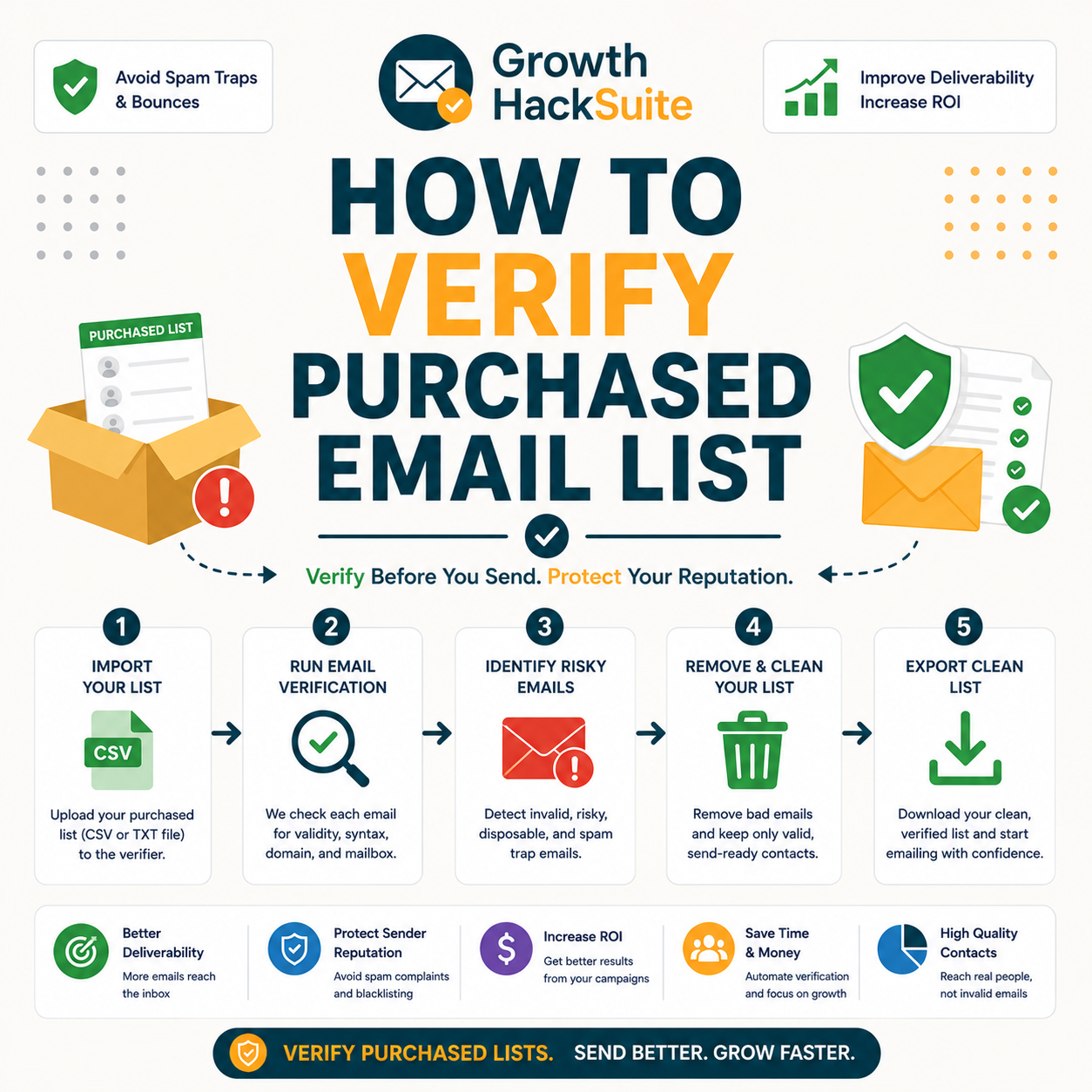
Verify a bought list in four steps: upload the CSV to a bulk verifier, run verification, download the file with per-address statuses, then keep only the valid addresses. The whole process takes minutes and converts an unsafe purchase into a sendable, segmented list. The ordered workflow below is the core of this guide and the safest path from raw file to first send.
- Dedupe and upload the CSV: Remove duplicate rows and obvious junk first, then upload the cleaned file to a bulk verifier. Pre-filtering keeps verification credits focused on addresses worth checking rather than burning them on repeats.
- Run bulk verification: Start the verification job and let the tool check syntax, domain, mailbox existence and catch-all status for every address. Processing runs in the background, so large files clean without manual effort.
- Download with statuses: Export the results file, where each row carries a status and confidence score. The status column becomes the segmentation key that decides which addresses are safe to send.
- Remove invalids and traps, keep valid only: Delete every invalid, role and detected-trap address, then build the send list from valid results alone. The discarded rows are exactly the ones that would have caused bounces.
For a full walkthrough of running a large file, see how verification cuts bounce rate before a send. Four steps convert a risky purchase into a clean, segmented list.
Upload your purchased list and verify it free.
Verify Your List Free →100 free verifications · No credit card · Full status and confidence scores
How Bad Is Purchased Email Data, Really?
Independent deliverability research routinely finds purchased lists producing double-digit bounce rates, against a healthy benchmark of under two percent. The exact share of invalid, role, disposable and trap addresses varies by seller, but bought data consistently fails far more verification checks than opt-in data and far more often crosses the bounce threshold that triggers blocklisting.
Source: industry deliverability benchmarks (healthy bounce rate under 2%, above 5% is a red flag) per ClleverTap and email-deliverability research, 2026. Purchased-list bounce figures are industry estimates and vary widely by seller; verify any specific list against its own results.
Purchased lists are a leading cause of spam-trap hits and sender-reputation damage.
— Validity, on spam traps and list quality
The high failure rate is exactly why verifying is mandatory. Bought data is the riskiest list a sender can touch, and the only honest way to gauge it is to run it through a verifier.
How Do You Read the Results and Segment a Bought List?
After verifying, split the list by status: send to valid, drop invalid, and hold catch-all and unknown for separate, cautious handling. Segmenting by result rather than blasting the whole file is what keeps bounce rate low on a list nobody on the team built. The status column from the export is the map for every send decision that follows.
Source: standard email verification status definitions (valid, invalid, catch-all, unknown), 2026. Status names vary slightly between verifiers; map each tool’s labels to these four actions.
Segmenting by status turns a verified file into a safe send plan. The deeper status reference is covered in how email verification works: valid now, catch-all cautiously, invalid never.
What Should You Do With Catch-All Addresses From a Purchase?
Bought lists are heavy with catch-all domains, and those addresses should never go out in bulk. Isolate the catch-alls, send a small warm-up batch to only the highest-confidence ones, and exclude the rest until engagement proves them safe. This careful handling limits the spam-trap exposure that purchased data carries in its riskiest slice.
- Isolate catch-alls: Move every accept-all result into a separate segment that stays out of the main send. A domain accepting all mail hides whether the specific mailbox exists, so bulk sending to it is a blind risk.
- Send a warm-up batch: Test only the highest-confidence catch-alls in a small, slow batch and watch the response. Strong engagement and zero bounces are the signal that promotes an address from held to sendable.
- Exclude low-confidence addresses: Keep every uncertain catch-all suppressed until real engagement clears it. Excluding doubtful addresses costs a few possible contacts and prevents the trap hits that wreck a domain reputation.
- Cross-check enrichment data: Where a catch-all matches a known company and a real named contact, the confidence rises, so pairing the address with firmographic context separates plausible inboxes from random guesses inside the accept-all pile.
- Monitor catch-all engagement: Track opens, replies and complaints from any catch-all that does get a send, and retire the segment fast if metrics slip, since accept-all domains hide the bounces that would normally warn of trouble.
Catch-alls from a purchase are the highest-risk part of the file. Verify, isolate, and send only to the most confident few rather than the whole accept-all segment.
Does Verifying a Bought List Make It Safe to Send?
Verifying removes the deliverability risk — bounces and traps — but it does not create consent or fix engagement. A verified purchased list still lacks opt-in permission and any warm relationship with the recipient, so clean data is necessary but not sufficient. Deliverability is one problem solved; compliance and interest are separate problems verification cannot touch.
- Verification fixes the technical risk: A verifier removes invalid addresses and detected traps, drops the bounce rate back toward the safe benchmark, and protects sender reputation on the next send. That is the entire job verification does, and it does it reliably.
- Verification does not fix consent or interest: A clean address still belongs to someone who never asked to hear from the sender, so spam complaints, low engagement and legal exposure under consent law all remain. No verifier can manufacture permission that was never given.
Verification handles deliverability, not consent. A clean bought list is technically sendable, but compliance and engagement stay unsolved and must be addressed on their own terms.
What Are the Legal and Deliverability Risks of Purchased Lists?
Purchased lists raise consent risk under GDPR and complaint risk under CAN-SPAM, and even verified data can trigger spam reports when recipients never opted in. Verification protects the technical side; the legal and reputational side depends on lawful basis, honest sender identity and an easy opt-out. In the EU and UK, purchased-list sending is often unlawful because consent does not transfer between owners.
- CAN-SPAM in the United States: The CAN-SPAM Act governs how mail is sent, not where the address came from, so a first cold email can be lawful with accurate sender identity, a physical address and an honored opt-out. Violations reach up to $53,088 per email under the 2025 figure.
- GDPR in the EU and UK: GDPR requires a lawful basis and consent that does not transfer between list owners, which makes most purchased-list sending unlawful for European contacts. Fines reach up to €20M or 4% of global annual revenue, whichever is higher.
- CASL in Canada: CASL demands express or implied consent that a bought list cannot supply, since consent collected by the seller does not pass to a new sender. Penalties run up to $10M per violation for organizations under the regime.
- Spam-complaint exposure everywhere: Recipients who never opted in mark unfamiliar mail as spam regardless of jurisdiction, and a complaint spike damages deliverability across every future send from the same domain and IP reputation.
- Shared liability for senders: Both the company promoted and the company sending can be held responsible for violations, so outsourcing the send to an agency does not transfer the legal risk a purchased list creates.
Penalty figures above reflect CAN-SPAM (2025), GDPR and CASL statutory maximums and are general information, not legal advice; confirm obligations for every jurisdiction a campaign reaches.
Hunter’s own verifier review found accuracy holds strong on standard domains, with valid-status addresses bouncing under 2% across a 2,000-email benchmark, the deliverability standard verification brings to purchased data before consent and legal risk are addressed separately.
Verify for deliverability, but treat consent as a separate, non-negotiable step. Bought data carries real legal exposure that no amount of cleaning removes.
How Do You Spot a Bad Data Provider Before Buying?
Vet a provider before buying: request a free sample, verify that sample independently, and read the invalid rate it returns. Walk away when a seller refuses a sample, claims one-hundred-percent accuracy, or hides how the data was sourced. The verification result on a representative sample is the only honest quality signal a buyer can trust.
Source: B2B data-provider vetting best practices (sample, sourcing transparency, lawful-basis documentation), 2026.
Verify the sample before buying the list. The invalid rate on a representative sample predicts the quality of the whole purchase better than any sales claim.
How Do You Bulk Verify a Large Purchased List Fast?
For large purchases, upload the full CSV to a bulk verifier, let it process in the background, and export the cleaned file with statuses. Split very large files if the tool sets an upload cap, and always keep the original so the same data is never re-paid for verification twice. Bulk processing scales to any list size without manual checking.
- Upload the full CSV: Send the entire deduplicated file to the bulk verifier in one job, or split it into capped chunks if the tool limits upload size. One large job is simpler to track than many small ones.
- Process in the background: Let the verifier run while other work continues, since large lists take time to check mailbox by mailbox. Background processing means a hundred-thousand-row file cleans without anyone watching it.
- Export and keep the original: Download the status-tagged results and archive the untouched source file. Retaining the original means a later re-clean reuses existing data and never costs a second full verification charge.
Bulk verification scales to any purchase size. Keeping the source file means a future re-clean of aging data costs nothing extra, which matters most on the largest lists.
How Do You Warm Up Before Sending to Bought Data?
Even after verifying, ramp slowly: send to the most confident valid addresses first in small batches, watch bounce and complaint rates, then scale up only if the metrics stay clean. Warming up protects the domain reputation a purchased list could otherwise damage overnight, because filters judge a cold domain by its first burst of behavior.
- Start with high-confidence valids: Open the campaign with the cleanest, highest-scoring valid addresses in a small batch. A strong first impression of low bounces and complaints builds the sending reputation later volume depends on.
- Watch bounce and complaint rates: Monitor the bounce rate, spam-complaint rate and engagement after each batch before sending more. Rising bounces or complaints are the signal to pause and re-check the list, not to push harder.
- Scale only if metrics stay clean: Increase batch size gradually as long as the numbers hold below the danger thresholds. Slow, evidence-led scaling keeps a bought list from triggering the reputation collapse a single cold blast can cause.
Verified plus warmed is the safe combination. Ramping protects the reputation that a cold blast to bought data would burn in a single send.
Is Buying and Verifying Worth It Versus Building Your Own List?
Buying plus verifying can jump-start outreach, but a verified bought list still trails a self-built opt-in list on engagement and compliance. It earns its place for speed and reach in B2B prospecting, and far less so for marketing newsletters where consent and genuine interest decide whether the campaign works at all.
- Buy and verify for speed: B2B prospecting that needs reach fast benefits, where addresses are role-based business contacts and the goal is a relevant first touch under CAN-SPAM with a clear opt-out. Coverage is the payoff that justifies the cleaning effort.
- Buy and verify for new markets: Entering a vertical or region with no existing audience can start from a verified bought list, giving a sales team a defensible first set of accounts to research and qualify before any warmer relationship exists.
- Self-built lists for newsletters: Marketing newsletters under strict consent law depend on people choosing to subscribe, so an opt-in list delivers the engagement, deliverability and legal safety that purchased data structurally cannot provide.
- Self-built lists for longevity: An opt-in list compounds in value as subscribers engage and refer, while a bought list decays from the day of purchase as addresses churn, jobs change and contacts forget the unsolicited first contact.
- Self-built lists for brand trust: Permission-based sending protects reputation with both recipients and mailbox providers, whereas a purchased list risks the complaints and blocklisting that erode hard-won trust across an entire sending program.
Verified bought data suits the speed of B2B prospecting, while opt-in list building wins for long-term marketing engagement. The two strategies answer different needs.
Verdict: The Safe Way to Use a Purchased Email List
Never send a purchased list unverified. Verify every address, drop the invalids, isolate the catch-alls, confirm a lawful basis to contact, and warm up the send in small batches. Handled this way, bought B2B data can work for prospecting; skipped, it is the fastest route a sender has to a blocklisted domain.
Verdict: Unverified bought lists routinely bounce above 10% and can blocklist a domain in one send. Verifying drops the bounce rate back toward the under-2% safe zone, segmenting handles catch-alls, and warm-up protects reputation — but consent stays a separate legal step verification cannot fix.
Email verification confirms that an email address exists and can receive messages.
— Wikipedia, Email verification
Verify your purchased list free before the first send.
Verify Your List Free →Free plan · No credit card · Clean the list before it bounces
Related Tools in the Hunter Stack
Verifying bought data is one use case; comparing verifier accuracy and choosing a verifier are the next steps. The accuracy review covers how deep validation goes, and the head-to-head comparison shows where Hunter lands against a dedicated bulk tool.
- Hunter Email Verifier accuracy: How reliable the valid and catch-all results are on real data — read the Hunter Email Verifier accuracy review.
- Hunter vs ZeroBounce: A bulk-verifier comparison for marketers cleaning large lists — see Hunter vs ZeroBounce for email marketers.
- Hunter Email Finder: The find-side tool that builds lawful, sourced lists in the first place — read the Hunter.io email finder review.
How to Verify a Purchased Email List: Frequently Asked Questions
The 12 most-asked questions about verifying a purchased email list.
How do I verify a purchased email list?
Upload the CSV to a bulk email verifier, run the verification job, download the results file with a status for each address, then keep only the valid results. Remove invalids and detected traps, and hold catch-all and unknown addresses for cautious, separate handling.
Is purchased email data accurate?
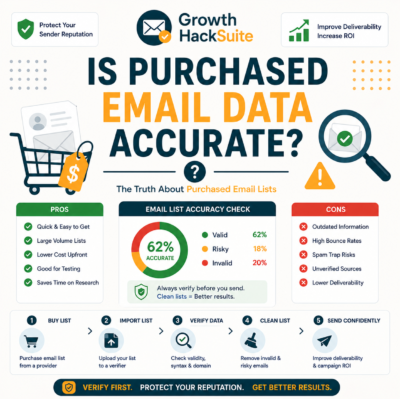
Usually not. Purchased data is compiled by scraping and recycled directories, so a large share of addresses are invalid, role-based or traps. Bought lists routinely bounce above the five-percent red-flag line, against a healthy benchmark under two percent.
Does verifying a bought list make it safe to send?
Verifying makes it deliverable, not consented. It removes invalids and traps and protects bounce rate, but it cannot create the opt-in permission a purchased list lacks. Compliance and engagement remain separate problems that verification does not solve.
How bad is purchased B2B email data?
Bad enough to blocklist a domain in one send. Industry deliverability data shows purchased lists commonly producing double-digit bounce rates and a meaningful share of spam traps, far worse than opt-in data. Exact rates vary by seller and should be tested per list.
Is it legal to email a purchased list?
It depends on jurisdiction. In the US, CAN-SPAM governs how mail is sent, not consent, so a compliant cold email with opt-out can be lawful. Under GDPR in the EU and UK, purchased-list sending is often unlawful because consent does not transfer between owners.
What do I do with catch-all addresses in a bought list?
Isolate them and never send in bulk. Catch-all domains accept all mail, so a verifier cannot confirm the mailbox exists. Test only the highest-confidence catch-alls in a small warm-up batch, and exclude the rest until engagement proves them safe.
How do I spot a bad data provider before buying?
Ask for a free sample and verify it independently before paying. Walk away from any seller that refuses a sample, claims one-hundred-percent accuracy, hides data sourcing, or offers no refund. The invalid rate on a verified sample is the only honest quality signal.
How do I bulk verify a large purchased list?
Upload the full deduplicated CSV to a bulk verifier, let it process in the background, then export the cleaned file with statuses. Split very large files if the tool caps upload size, and keep the original so a later re-clean never costs a second full charge.
Should I warm up before sending to bought data?
Yes, always. Even verified, a cold domain blasting a bought list invites a reputation collapse. Send to high-confidence valids first in small batches, watch bounce and complaint rates, and scale up only while the numbers stay below the danger thresholds.
Is buying and verifying worth it vs building my own list?
For B2B prospecting that needs reach fast, a verified bought list can work under CAN-SPAM with a clear opt-out. For marketing newsletters and consent-driven audiences, a self-built opt-in list wins on engagement, deliverability and legal safety every time.
Will verifying a purchased list stop bounces?
It removes the invalid addresses that cause hard bounces, dropping the bounce rate back toward the safe benchmark. It cannot prevent soft bounces from full mailboxes or temporary server issues, but it eliminates the biggest, most damaging source of bounces on bought data.
What is the safe way to use a purchased email list?
Verify every address, remove invalids and traps, isolate catch-alls, confirm a lawful basis to contact each region, and warm up the send in small batches while monitoring metrics. Skip any step and a bought list becomes the fastest path to a blocklisted domain.