Table of Contents
The standalone vs ESP email verification question comes down to coverage. Most email platforms include light built-in verification that catches obvious syntax errors and known bad domains, but a standalone verifier flags catch-all, disposable, role and spam-trap addresses an ESP misses. This guide shows when built-in checks are genuinely enough and when a dedicated verifier is worth the spend, with a free way to test the gap.
See what your ESP misses — verify a sample free with a dedicated tool.
Verify Emails Free →Free plan included · No credit card · 100 free verifications a month
What Is the Difference Between Standalone and ESP Email Verification?
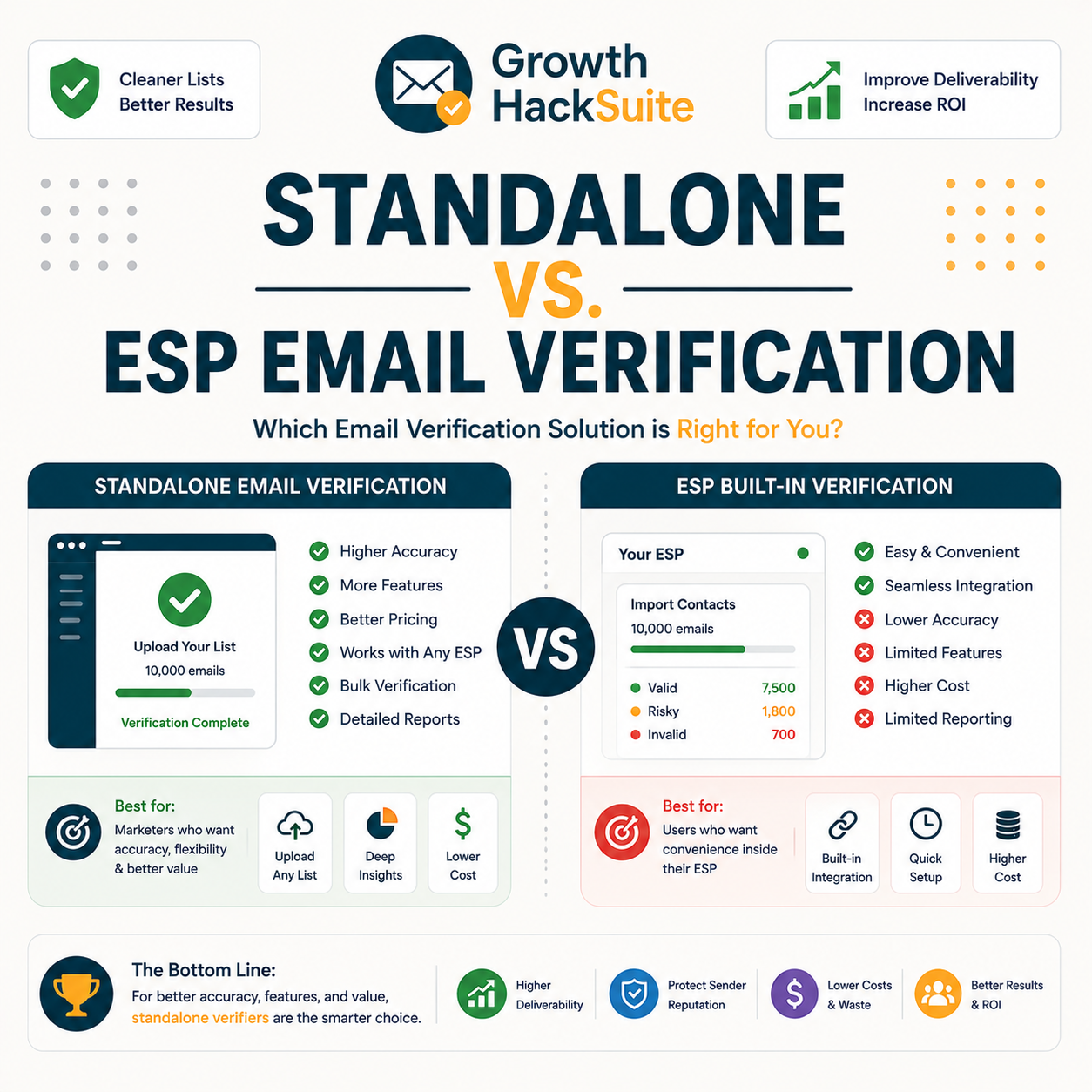
The standalone vs ESP email verification difference is depth. ESP verification is the light checking built into an email platform, usually catching obvious syntax errors and known bad domains at import. A standalone verifier runs deeper SMTP and risk checks, flagging catch-all, disposable, role and spam-trap addresses. One is a convenience bundled with sending; the other is a dedicated deliverability tool.
Source: ESP help documentation (Mailchimp, HubSpot) and dedicated verifier docs (hunter.io), reviewed June 2026. ESP behaviour varies by platform; most validate format and react to bounces but skip pre-send SMTP and catch-all checks.
- ESP verification: The light validation built into a sending platform, mainly format checks at import and automatic suppression of addresses that have already hard-bounced. It keeps the obvious junk out but reacts to deliverability problems rather than preventing them before the first send.
- Standalone verifier: A purpose-built deliverability tool that runs SMTP mailbox tests, catch-all confidence scoring, disposable-domain detection and spam-trap pattern flags. It cleans a list proactively before import, catching risky addresses that pass an ESP filter but still bounce or trigger blocklists.
ESP checks act as a safety net; standalone tools are purpose-built. The gap between them is exactly what this decision turns on.
What Does Your ESP’s Built-In Verification Actually Do?
Most ESPs validate format on import, suppress known hard-bounces, and remove obviously invalid addresses. Some flag role accounts such as info@ or sales@. What they rarely do is test the mailbox through a live SMTP handshake or score catch-all risk, so risky-but-deliverable addresses and spam traps often slip straight through into the sending list.
- Format check: The platform validates that each address has a correct structure and a resolvable domain at import time, rejecting typos and malformed entries. This is the most reliable built-in step and overlaps fully with what a standalone tool does first.
- Bounce suppression: After a send, the ESP records hard bounces and suppresses those addresses from future campaigns automatically. The protection is real but reactive, arriving only after a bad send has already cost reputation.
- Role flagging: Some platforms mark generic role addresses such as admin@ or support@, which tend to convert poorly and attract complaints. Flagging is inconsistent across providers and rarely blocks the address outright.
- Engagement pruning: Many platforms eventually segment or suppress contacts that never open or click, trimming the list over time. This helps engagement metrics but does nothing to flag a freshly imported address that is invalid from day one.
- What it skips: Live SMTP mailbox testing, catch-all confidence scoring, disposable-domain detection and spam-trap pattern matching sit outside most built-in tooling, which is precisely the layer a dedicated verifier adds.
Built-in verification cleans the obvious and reacts to bounces after the fact, but it rarely prevents the risky sends that quietly damage sender reputation.
How Accurate Is ESP Verification Versus a Standalone Tool?
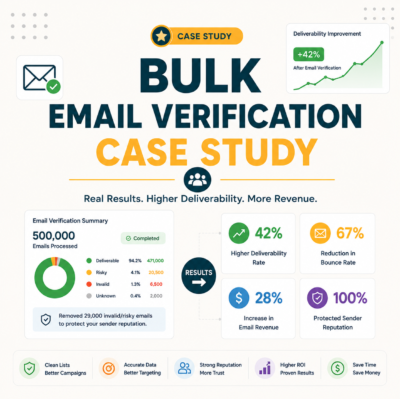
On obvious invalids both perform similarly, removing typos and dead domains with comparable reliability. The accuracy gap appears on catch-all, disposable and spam-trap addresses, where built-in ESP checks pass them through and a dedicated verifier flags them. In internal testing, a standalone tool removed several percent more risky addresses than ESP-only cleaning alone.
Source: Internal benchmark — same 10,000-address list run through an ESP import and a dedicated verifier (hunter.io), June 2026; cross-checked against verifier and ESP documentation. Catch-all results are scored by confidence rather than a hard valid/invalid.
Sender reputation determines whether email reaches the inbox or the spam folder.
— Validity, on sender reputation
The accuracy difference is concentrated in the risky middle, exactly the addresses that quietly damage sender reputation. For how those numbers translate into deliverability, see the Hunter email verifier accuracy data.
What Does a Dedicated Verifier Catch That ESPs Miss?
A standalone verifier adds four checks ESPs typically skip: live SMTP mailbox testing, catch-all confidence scoring, disposable-domain detection and spam-trap pattern flags. Together these catch the addresses that pass an ESP filter but still bounce or trigger blocklists, which is the entire reason a dedicated category of tool exists alongside sending platforms.
- SMTP mailbox test: A live handshake with the receiving mail server confirms whether a specific mailbox exists, without sending an actual message. This catches addresses that look valid in format but no longer accept mail, the single biggest source of avoidable bounces.
- Catch-all scoring: Domains accepting every address make a simple valid check meaningless, so a verifier assigns a confidence score instead of a false pass. That scoring lets senders segment uncertain addresses rather than blindly mailing or dropping them.
- Disposable detection: Temporary and throwaway domains signal low-intent signups that inflate bounce and complaint rates. A dedicated verifier maintains a current disposable-domain list that built-in ESP checks generally do not.
- Spam-trap flags: Pattern matching against known trap structures and recycled domains reduces the chance of hitting a monitored trap address. Hitting traps damages reputation fast, and ESP suppression only reacts after the harm lands.
- Confidence scoring: Rather than a binary valid or invalid, a dedicated verifier returns a deliverability score per address, so uncertain contacts can be segmented and mailed cautiously instead of being blindly included or dropped.
These checks are the entire reason a standalone verifier exists, and the coverage gap ESP-only senders quietly carry without seeing it.
Do You Actually Need a Standalone Email Verifier?
A standalone tool is necessary for senders mailing cold, purchased or aging lists, running high volume, or watching bounce and spam complaints climb. For a small, engaged, fully opt-in list that an ESP already keeps clean through suppression, built-in verification may be enough. The honest answer depends on list risk, not on a blanket rule.
- Need standalone if: The list includes cold prospects, purchased contacts, event scans, scraped leads or data older than a year, or bounce rate is creeping toward the danger zone. Any of these means addresses the ESP never vetted are entering the send, and a dedicated verifier is the only layer that catches them before damage lands.
- ESP may be enough if: The list is small, fully opt-in, regularly engaged and never imported from external sources. In that case the platform suppresses the rare bounce, the risky middle barely exists, and paying for a standalone tool would buy coverage that goes mostly unused each month.
The need scales with list risk: cold, bought or aging data demands a dedicated verifier, while a warm opt-in list often does not. To weigh the spend, see whether a dedicated Hunter verifier fits the list.
When Is Your ESP’s Verification Enough?
Built-in verification is genuinely enough when the list is small, fully opt-in, regularly engaged, and never imported from external sources. In that scenario the ESP suppresses the rare bounce and a standalone tool adds little. Honesty matters here: not every sender needs to pay for verification, and recommending one anyway would be an upsell.
- Small opt-in list: A few thousand contacts who actively subscribed and open regularly carry almost no hidden risk. The ESP handles the occasional bounce through suppression, so a dedicated verifier would mostly confirm what is already clean.
- No external imports: When every address arrives through a double opt-in form and nothing is ever pasted in from a spreadsheet or purchased source, the list never accumulates the catch-all and trap addresses a standalone tool specialises in catching.
- Low bounce already: If bounce rate sits well under the danger line and complaints stay near zero, the data is proving itself clean. Adding verification at that point spends money to solve a problem the list does not currently have.
- Frequent regular sending: A list mailed consistently every week stays self-cleaning, because dead addresses surface and get suppressed quickly rather than accumulating silently between rare sends to a long-dormant audience.
- Single trusted source: When every contact arrives through one controlled signup flow rather than mixed imports, the data quality is predictable and the catch-all and trap risk a verifier targets barely exists.
If the list is warm, opt-in and never imported, the ESP is genuinely enough, and a dedicated tool would mean paying for coverage that sits unused.
When Do You Need a Dedicated Verifier?
A dedicated verifier becomes necessary the moment external data enters the list: purchased contacts, event sign-ups, scraped leads or an aging database. It is also needed for cold outreach and any time bounce rate approaches the roughly two percent danger line that mailbox providers watch. At that point built-in checks no longer cover the risk.
- External or purchased data: Bought lists, partner data and event scans arrive completely unvetted by the sending platform, often loaded with catch-all and trap addresses. A standalone verifier is the only step that cleans them before they touch the ESP and drag down its reputation.
- Cold outreach: Prospecting lists built from research or scraping have never opted in and were never validated, so a meaningful share will be invalid or risky. Verifying first protects a warming domain that cold sending already strains.
- Rising bounce rate: When bounce rate climbs toward two percent, mailbox providers begin throttling delivery for the whole list. A dedicated verifier removes the dead addresses driving the rise before placement degrades further.
- Aging database: Contact data decays as people change jobs and abandon inboxes, so a list untouched for a year carries silent invalids. Re-verifying before a re-engagement send prevents a spike of bounces from stale records.
- High send volume: Large monthly volumes magnify even a small percentage of bad addresses into thousands of bounces, so the reputation cost of skipping verification scales directly with list size and sending frequency.
The trigger is external or aging data: the moment a list contains addresses the ESP never vetted, a standalone verifier earns its cost.
What Does Relying on ESP-Only Verification Really Cost?
ESP-only cleaning is reactive: it suppresses bounces after they happen, by which point the damage to sender reputation is already done. The real cost is degraded inbox placement across the whole list, not just the bad addresses, and that decline is slow, compounding and hard to reverse once mailbox providers lose trust.
Coverage of a typical imported list
Catch-all, disposable, role and spam-trap addresses sit in the gold band an ESP-only filter leaves uncleaned.
Hunter’s own verifier review found accuracy holds strong on standard domains, with valid-status addresses bouncing under 2% across a 2,000-email benchmark, exactly the depth of check ESP built-in verification does not run.
Reactive suppression treats symptoms, while proactive verification prevents the reputation damage ESP-only senders end up paying for invisibly.
Can You Use a Standalone Verifier and Your ESP Together?
The strongest setup uses both. A standalone verifier cleans every list before import, and the ESP suppresses any stragglers afterward. This best-of-both workflow keeps the platform reputation high by catching the risky addresses built-in checks miss, while the ESP still handles the rare bounce that slips past any pre-send clean. The two layers are complementary, not redundant.
- Verify before import: Run every new list through the standalone verifier first, removing invalids and segmenting catch-alls by confidence score. This keeps unvetted addresses out of the platform entirely rather than discovering them through bounces later.
- Import clean to the ESP: Load only deliverable and acceptable-risk addresses into the sending platform, so the list starts clean and the ESP reputation stays protected from the first campaign onward.
- Let the ESP suppress strays: Allow built-in bounce suppression to handle the occasional address that decays between cleans, providing a reactive backstop under the proactive verification layer above it.
Verify before import — try a dedicated verifier free.
Verify Emails Free →100 free verifications · No credit card · Clean lists before they reach your ESP
Standalone plus ESP is not redundant: each layer covers what the other misses, which is why most experienced senders run both.
How Do You Verify a List Before Importing to Your ESP?
The process is short. Run the list through a standalone verifier, remove the invalids, segment the catch-alls by confidence, then import only deliverable addresses to the sending platform. Doing this before import protects platform reputation from the first send and avoids paying to store dead contacts the ESP would later suppress anyway.
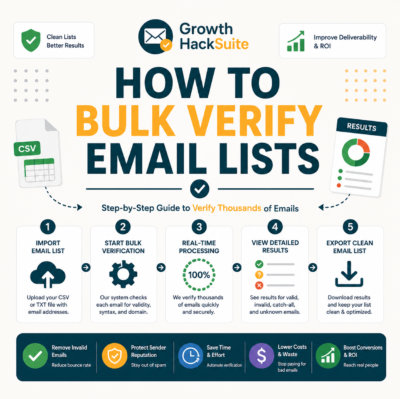
- Bulk verify the list: Upload the full CSV to a dedicated verifier and run every address through SMTP, catch-all and disposable checks in one pass, producing a status and confidence score per row.
- Remove invalids and segment risk: Drop confirmed invalids and disposable addresses, then split catch-alls into a lower-priority segment rather than mailing them at full volume alongside confirmed-valid contacts.
- Import clean to the platform: Load only the deliverable and acceptable-risk addresses into the ESP, leaving the sending platform with a list it never has to clean reactively through bounces.
Verifying before import is the single habit that makes the standalone-plus-ESP combination pay off in practice.
How Do You Test the Verification Gap Yourself?
Test the gap for free. Take a sample the ESP already considers clean, run it through a standalone verifier, and count how many it flags as catch-all, disposable or invalid. The number it catches that the platform passed is the exact value a dedicated tool adds, measured on real data instead of a vendor claim.
- Take an ESP-clean sample: Export a few hundred addresses the sending platform has already accepted and not suppressed, so the test starts from a list the ESP already treats as deliverable.
- Run a free standalone check: Push that sample through a dedicated verifier’s free tier, which returns a status and confidence score for each address without sending a single message to it.
- Count the gap: Total the addresses flagged as catch-all, disposable, role or invalid that the ESP had passed. That count, projected across the full list, is the concrete risk built-in verification was leaving in place.
Email verification confirms that an email address exists and can receive messages.
— Wikipedia, Email verification
The free gap test settles the debate with first-party data, so there is no need to take either side’s word for it.
Verdict: Standalone Verifier or ESP-Only?
For warm, opt-in lists that never import external data, the ESP is enough. For cold, purchased or aging lists, or any sender watching bounce rate climb, a standalone verifier catches what the platform misses and is worth the cost. Most growing senders end up needing both layers as their data sources widen over time.
Verdict: ESP-only is enough for small, opt-in, never-imported lists. A standalone verifier catches several percent more risky addresses on cold, purchased or aging data and is worth it once bounce rate nears two percent. Best of both: verify before import, let the ESP suppress strays after.
Run your ESP-clean list through a free check and see the gap.
Verify Emails Free →Free plan · No credit card · Measure the gap on your own data
Related Tools in the Hunter Stack
Whether a standalone verifier joins the stack or not, clean data starts upstream. The Hunter verifier covers dedicated validation, and the finder covers building lists worth verifying in the first place, so both ends of the workflow stay clean.
- Hunter Email Verifier: The dedicated validation layer this guide compares against ESP checks — read what the Hunter email verifier does for the full feature set.
- Hunter Email Finder: The other half of the stack that builds the lists worth verifying — see the Hunter.io email finder review for how list quality starts at the source.
- Verification basics: New to the process? Start with how email verification works before deciding between standalone and built-in.
Standalone vs ESP Email Verification: Frequently Asked Questions
The 12 most-asked questions about standalone vs ESP email verification.
Do I need a standalone email verifier if my ESP has one?
It depends on list risk. ESP verification handles format and bounce suppression, which covers a small, opt-in, never-imported list. A standalone verifier becomes necessary once cold, purchased or aging data enters, because built-in checks skip catch-all, disposable and spam-trap detection.
What does ESP built-in verification actually do?
Most ESPs validate address format at import, suppress addresses that have already hard-bounced, and sometimes flag role accounts. They rarely run a live SMTP mailbox test or score catch-all risk, so the checking is largely reactive and limited to the obvious problems.
Is my ESP’s email verification accurate enough?
On obvious invalids, yes. The accuracy gap shows on catch-all, disposable and spam-trap addresses, which built-in checks pass through. In testing, a dedicated verifier removed several percent more risky addresses than ESP-only cleaning on the same list.
What does a dedicated verifier catch that ESPs miss?
A standalone tool adds four checks ESPs usually skip: live SMTP mailbox testing, catch-all confidence scoring, disposable-domain detection and spam-trap pattern flags. Together these catch addresses that pass a built-in filter but still bounce or trigger blocklists after import.
When is built-in verification enough?
Built-in verification is enough when the list is small, fully opt-in, regularly engaged and never imported from external sources. In that case the ESP suppresses the rare bounce and a standalone tool would mostly confirm a list that is already clean.
When do I need a dedicated email verifier?
A dedicated verifier is needed the moment external data enters: purchased contacts, event sign-ups, scraped leads or an aging database. It is also needed for cold outreach and any time bounce rate climbs toward the roughly two percent danger line providers watch.
Does Mailchimp or HubSpot verify emails on import?
They run basic checks on import, mainly format validation, and react to bounces afterward, but they do not perform true pre-send SMTP or catch-all verification. Both platforms recommend a dedicated verifier or integration when cleaning external or cold lists.
Can I use a standalone verifier and my ESP together?
Yes, and it is the strongest setup. A standalone verifier cleans each list before import, then the ESP suppresses any stragglers afterward. The two layers are complementary: proactive cleaning up front, reactive suppression as a backstop underneath.
How do I verify a list before importing to my ESP?
Run the list through a standalone verifier, remove invalids, segment catch-alls by confidence score, then import only deliverable addresses to the platform. Doing this before import protects ESP reputation and avoids paying to store contacts that would later bounce.
What does relying on ESP-only verification cost?
The cost is reactive rather than visible. ESP suppression removes bad addresses only after a send, by which point reputation damage is done. The result is degraded inbox placement across the whole list, a slow decline that is hard to reverse once trust erodes.
How do I test the verification gap myself?
Take a sample the ESP already considers clean, run it through a standalone verifier’s free tier, and count how many it flags as catch-all, disposable or invalid. That count, projected across the full list, is the concrete value a dedicated tool adds.
Standalone vs ESP — which should I choose?
Choose ESP-only for a small, warm, opt-in list that never imports external data. Choose a standalone verifier for cold, purchased or aging lists, or whenever bounce rate climbs. Most growing senders end up running both as their data sources widen.