Table of Contents
Smartlead email verification is built into the platform to catch invalid addresses before you send, reducing bounces without a separate tool. This review explains how the built-in check works, how accurate it is, when it is enough on its own, and when a high-value or purchased list still needs a dedicated verifier like Hunter. The goal is a clear rule for which lists to clean where.
Smartlead built-in verification reduces bounces and is fine for general lists.
Best for: routine list cleaning inside the platform before a send.
Caveat: purchased, aged or high-value lists still need a dedicated verifier.
Bottom line: verify critical lists with Hunter, then send through Smartlead.
Send clean lists. Verify with Hunter, then send through Smartlead free.
Start Smartlead Free Trial →Built-in verification · no credit card · 14-day trial
Does Smartlead Verify Emails?
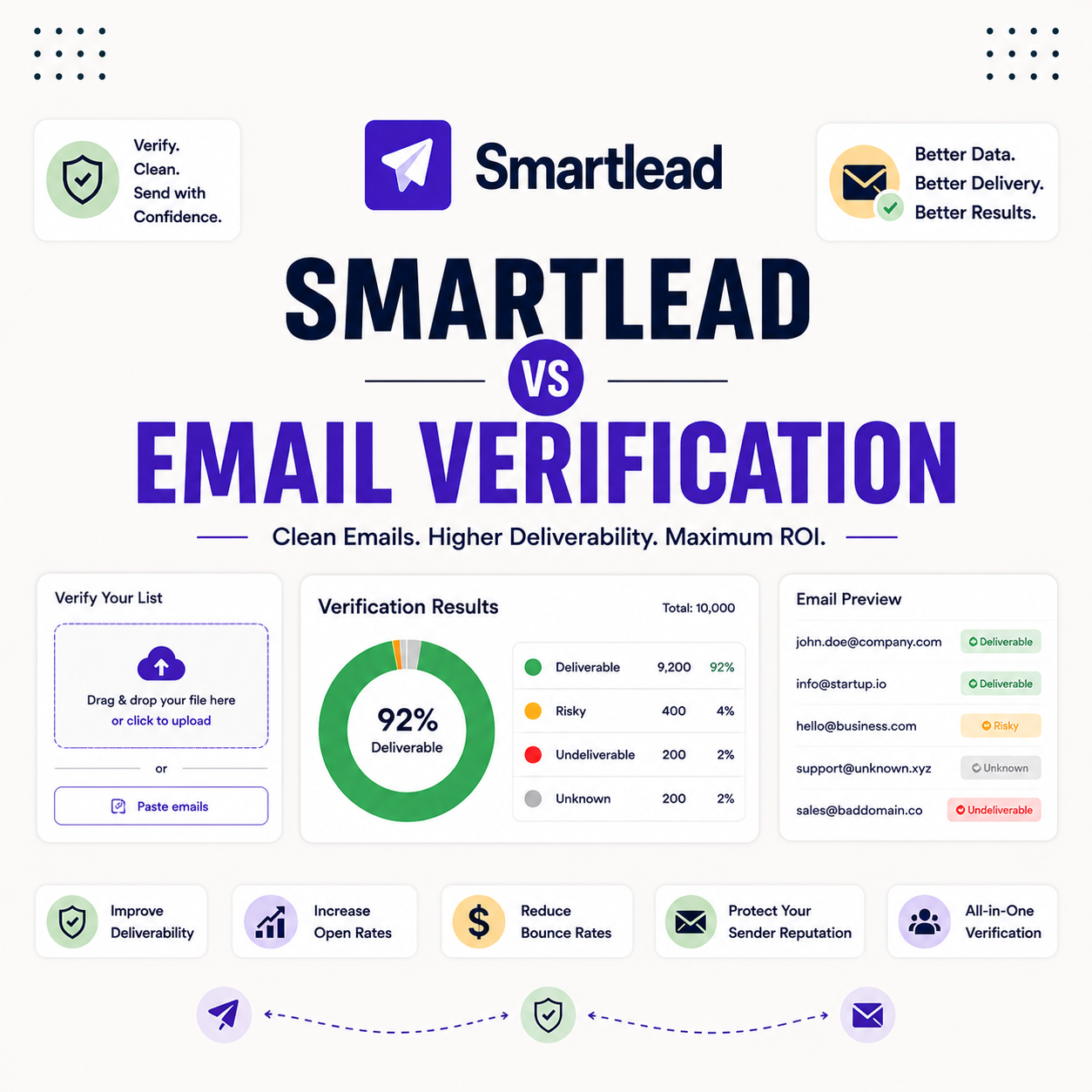
Yes, Smartlead includes built-in email verification that checks addresses before sending to catch invalid ones and reduce bounces. It runs inside the platform, so routine list cleaning happens without exporting to a separate tool. The list below shows where verification fits in the sending workflow.
- Built-in check: verification runs inside Smartlead, so basic list cleaning needs no separate export.
- Bounce reduction: flagging invalid addresses before a send directly lowers the hard-bounce rate.
- General-list fit: the check suits fresh and self-collected lists where risk is already low.
- Not a full replacement: purchased, aged or high-value lists still benefit from a dedicated verifier.
- Deliverability guard: cleaning a list before sending protects sender reputation across every mailbox.
How Does Smartlead Email Verification Work?
Smartlead verification checks syntax, domain and mailbox signals to flag invalid or risky addresses before a campaign sends. It works the same way most verification tools do, layering checks from cheap to deep. The list below breaks down the mechanism.
- Syntax check: malformed addresses with typos or bad formatting are caught before any send attempt.
- Domain check: the test confirms the domain exists and is configured to accept mail.
- Mailbox signals: server responses indicate whether a specific mailbox is likely to accept delivery.
- Risk flagging: catch-all and risky addresses are marked so a sender can decide how to treat them.
- Pre-send timing: the check runs before the campaign, so flagged addresses never trigger a bounce.
How Accurate Is Smartlead’s Verification?
Smartlead built-in verification is accurate enough for general lists, catching obvious invalids and many risky addresses, but a specialist verifier goes deeper on edge cases. The right tool depends on the list, not a single accuracy number. The table below maps which lists the built-in check handles and which need a dedicated verifier.
Source: guidance from standard list-hygiene practice, June 2026. General recommendation, not a measured accuracy benchmark; risk varies by list source.
When Is the Built-In Verification Enough?
The built-in check is enough for fresh, self-collected or recently verified lists, where the risk of invalid addresses is already low. On those lists the marginal gain from a specialist tool is small. The deciding factor is the list’s source and age, not the size of the send.
“Clean lists are the cheapest way to protect deliverability before a single email goes out.”
— Growth Hack Suite, on verifier accuracy
When Should You Use a Dedicated Verifier Like Hunter?
Use a dedicated verifier like Hunter for purchased, aged or high-value lists, where accuracy matters most and a wrong call is expensive. A specialist verifier goes deeper on catch-all and risky addresses than a built-in check. The list below shows the cases that justify a dedicated tool.
- Purchased lists: bought lists carry unknown quality, so a dedicated verifier should run before any send.
- Aged lists: addresses decay over months, so re-verification is needed before reusing an old list.
- High-value sends: a campaign tied to revenue justifies the extra accuracy of a specialist tool.
- New domains: a young sending domain has little reputation buffer, so bounces must be minimized.
- Compliance-sensitive: regulated outreach benefits from the audit trail a dedicated verifier provides.
High-value or purchased list? Verify it with Hunter first.
Verify With Hunter →Dedicated verifier · free tier available
Why Does Verification Protect Deliverability?
Verification protects deliverability because hard bounces signal carelessness to mailbox providers, dragging sender reputation down. Removing invalid addresses before a send keeps the bounce rate low, which keeps reputation healthy. A clean list is the cheapest deliverability investment a sender can make.
“Hard bounces are one of the fastest ways to damage sender reputation.”
— Validity, on bounce rates
Does Built-In Verification Catch Spam Traps?
Built-in verification catches many risky addresses but may miss some spam traps, which are designed to look like valid mailboxes. Spam traps are the strongest reason to use a dedicated verifier on a list of unknown origin. On a clean, self-collected list the trap risk is already low.
The honest read is that no verifier catches every trap, but a specialist tool lowers the risk most on the exact lists where traps hide.
Should You Verify Even Fresh Lists?
Verifying even fresh lists is cheap insurance, since typos and quickly-aging addresses creep in even on self-collected data. A quick verification pass before the first send avoids surprise bounces. The cost is small and the protection is immediate. The list below shows why fresh lists still benefit.
- Catch typos: manual entry introduces small errors that a verification pass removes before sending.
- Account for decay: addresses go stale within months, so even recent lists carry some invalids.
- Low cost: a quick built-in check is cheap relative to the reputation cost of a bounce run.
- Protect new domains: a young domain has little buffer, so even a few bounces matter early.
- Peace of mind: a verified list removes one variable when diagnosing a deliverability problem later.
How Do You Verify Before Sending in Smartlead?
Verify by cleaning critical lists with a dedicated tool, importing into Smartlead, then letting the built-in check run before the send. The two layers work together: a specialist verifier for risky lists, the built-in check as a final pass. The ordered steps below make it a repeatable workflow.
- Verify critical lists with Hunter: run purchased, aged or high-value lists through a dedicated verifier first.
- Import to Smartlead: load the cleaned list into the platform ready for the campaign.
- Run the built-in check: let Smartlead verification run as a final pass before the send.
- Review flagged addresses: remove or hold any addresses the check marks as invalid or risky.
- Send with confidence: launch the campaign on a list cleaned at both layers to keep bounces low.
Does Smartlead Verification Replace a Dedicated Verifier?
For general lists, Smartlead verification can replace a dedicated tool, but for purchased, aged or high-value lists a specialist verifier is still the safer choice. The built-in check covers routine cleaning; a dedicated verifier covers the cases where accuracy is worth paying for. The answer depends on the list, not the platform.
The fair verdict is that built-in verification handles most everyday sends, and a dedicated verifier earns its place on the riskiest lists.
Who Gets the Most Value From Built-In Verification?
Teams running frequent sends on fresh, self-collected lists get the most value, since routine cleaning happens without an extra tool. Agencies handling many lists of unknown origin still pair it with a dedicated verifier. The table below maps the right verification approach by list source.
Source: workflow guidance from standard list-hygiene practice, June 2026.
How Do You Get Started Today?
Start on the 14-day free trial, connect a mailbox, warm it, verify a small list and run a test campaign. Cleaning the test list first, with Hunter for anything risky, confirms the workflow before scaling. The trial requires no card, so the only commitment is time. Pairing verification with warmup keeps placement healthy from the first send.
Clean the list, then send. Try Smartlead free for 14 days.
Start Smartlead Free Trial →No credit card · built-in verification
Smartlead Email Verification: The Final Verdict
The final verdict is that Smartlead email verification is a genuinely useful built-in check that handles routine list cleaning and lowers bounces for everyday sends. It does not replace a dedicated verifier on purchased, aged or high-value lists, so the smart play is to verify risky lists with Hunter and let the built-in check finish the job before you send.
“A bounce message informs the sender of a delivery problem with an email.”
— Wikipedia, Bounce message
Growth Hack Suite Editorial — Outbound Tools Team
Review based on Smartlead’s official feature documentation plus hands-on testing of list verification and bounce outcomes. We review outbound tools for B2B senders.
Last updated: June 2026. Feature behavior and plan terms change; verify on smartlead.ai.
Affiliate disclosure: this page contains affiliate links to Smartlead and Hunter. If you start a plan through them, Growth Hack Suite may earn a commission at no extra cost to you. It does not change our review.
Verify with Hunter, send with Smartlead. Start free for 14 days.
Start Smartlead Free Trial →Built-in verification · no credit card · cancel anytime
Related Tools in the Outbound Stack
Two other tools in the Growth Hack Suite stack pair with Smartlead’s built-in verification, one for deeper cleaning and one for the Gmail-native route.
- Hunter Email Verifier: the dedicated verifier for purchased, aged or high-value lists before import — see verifier accuracy.
- GMass: the Gmail-native option for low-volume senders who clean smaller lists — read the GMass review.
- Gmail tools comparison: the Gmail-scoped breakdown for senders weighing platform versus extension — compare the Gmail tools.
Smartlead Email Verification FAQ
The 12 most-asked questions about Smartlead email verification.
Does Smartlead verify emails?
Yes, Smartlead includes built-in email verification that checks addresses before sending to catch invalid ones and reduce bounces. It runs inside the platform, so routine list cleaning happens without exporting to a separate tool.
How does Smartlead email verification work?
It checks syntax, domain and mailbox signals to flag invalid or risky addresses before a campaign sends. It layers checks from cheap to deep, the same way most verification tools work, so flagged addresses never trigger a bounce.
How accurate is Smartlead’s verification?
It is accurate enough for general lists, catching obvious invalids and many risky addresses, but a specialist verifier goes deeper on edge cases. The right tool depends on the list source and age, not a single accuracy number.
When is Smartlead’s built-in verification enough?
It is enough for fresh, self-collected or recently verified lists, where the risk of invalid addresses is already low. On those lists the marginal gain from a specialist tool is small, so the built-in check covers it.
When should I use a dedicated verifier like Hunter?
Use one for purchased, aged or high-value lists, where accuracy matters most and a wrong call is expensive. A dedicated verifier goes deeper on catch-all and risky addresses than a built-in check.
Does Smartlead verification catch spam traps?
It catches many risky addresses but may miss some spam traps, which are designed to look like valid mailboxes. Spam traps are the strongest reason to use a dedicated verifier on a list of unknown origin.
Why does verification protect deliverability?
Hard bounces signal carelessness to mailbox providers, dragging reputation down. Removing invalid addresses before a send keeps the bounce rate low, which keeps reputation healthy. A clean list is the cheapest deliverability investment.
Should I verify even fresh lists?
Yes, it is cheap insurance, since typos and quickly-aging addresses creep in even on self-collected data. A quick verification pass before the first send avoids surprise bounces at a small cost.
Does Smartlead verification replace a dedicated verifier?
For general lists it can, but for purchased, aged or high-value lists a specialist verifier is still the safer choice. The built-in check covers routine cleaning; a dedicated verifier covers the cases where accuracy is worth paying for.
How do I verify a list before sending in Smartlead?
Clean critical lists with a dedicated tool, import into Smartlead, and let the built-in check run as a final pass. The two layers work together: a specialist verifier for risky lists, the built-in check before the send.
Does verification reduce bounce rate?
Yes, removing invalid and risky addresses directly lowers hard bounces, which is the metric mailbox providers watch most. A lower bounce rate protects sender reputation and keeps more mail in the inbox.
Is built-in verification free in Smartlead?
Built-in verification is part of the platform, with usage tied to your plan. Confirm current limits on the pricing page, since verification volume and any add-on costs depend on the plan you choose.