Table of Contents
PHP workers are processes that execute uncached requests to a WordPress site, each handling one request at a time. The number of PHP workers determines how many simultaneous dynamic requests a site can process, which makes them critical for performance on busy or dynamic sites like WooCommerce stores. This guide explains how they work and how many your site actually needs.
Last updated: August 2026. Written by the Growth Hack Suite editorial team, with details cross-checked against provider documentation. This page carries affiliate links to Kinsta.
What Are PHP Workers?
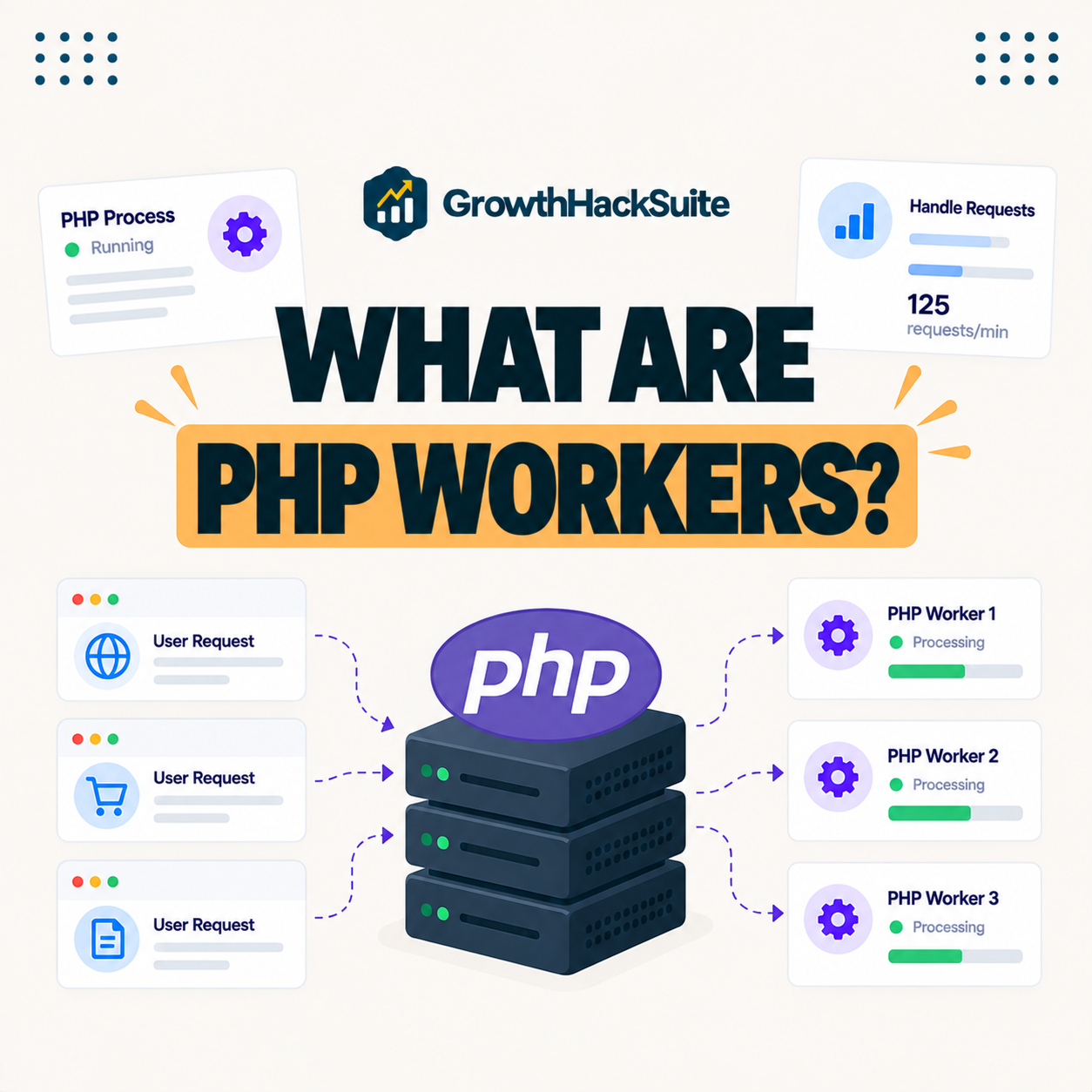
PHP workers are server processes that execute the PHP code behind uncached requests to a WordPress site, with each worker handling one request at a time. The number of workers therefore sets how many simultaneous dynamic requests a site can process before requests start to queue.
“A process is the instance of a computer program that is being executed.”
— Wikipedia, Process (computing)
A PHP worker is exactly that kind of process, dedicated to running the PHP that builds a WordPress page, so the worker count is really a count of how many pages the server can build at once.
How Do PHP Workers Work?
PHP workers work by picking up incoming uncached requests from a queue and running the PHP needed to build each page. When all workers are busy, additional requests wait in the queue, which is what causes slowdowns under heavy dynamic load on a busy site.
Verdict: PHP workers set how many uncached, dynamic requests a site can process at once, each worker handling one request. Cached pages skip workers entirely, so strong caching stretches a small pool a long way. The honest rule is that dynamic sites, stores and membership sites need more workers than a well-cached blog, and worker limits often matter more than raw visit allowances for those sites.
In short, workers are the site’s concurrency limit for dynamic work, and the queue behind them is where slowdowns appear when they run out.
Why PHP Workers Matter for Performance
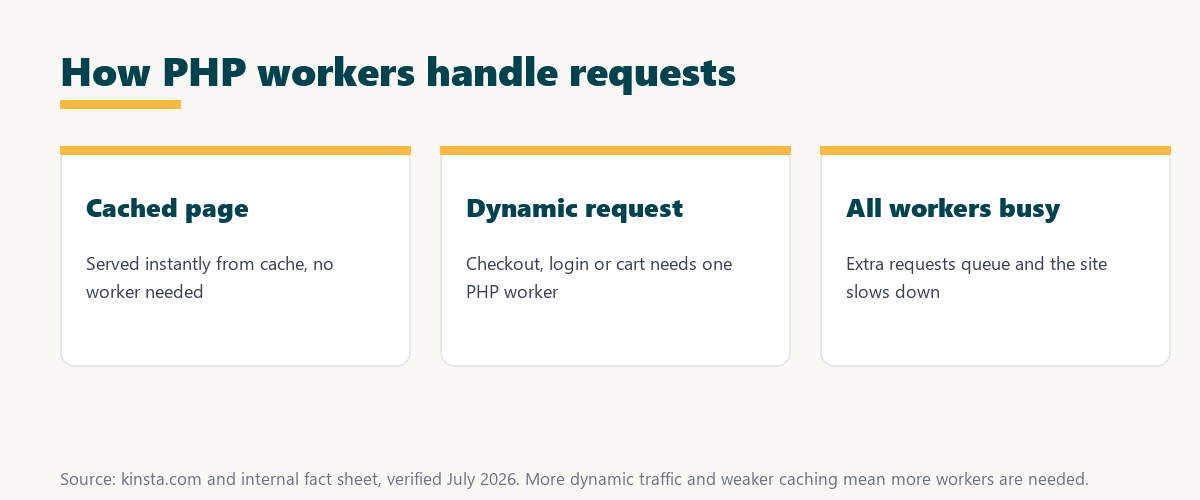
PHP workers matter because cached pages are served instantly, but dynamic requests like checkout, logins and cart updates each require a worker. Too few workers cause queuing and slow responses exactly when a busy site needs speed most, such as during a sale or traffic spike.
The honest point is that worker capacity is invisible until traffic gets concurrent, at which point it becomes the single biggest factor in whether dynamic pages stay fast.
PHP Workers vs Visits and Bandwidth
PHP workers differ from visits and bandwidth by measuring concurrent processing capacity rather than total traffic or data transferred. A site with modest visits but heavy dynamic activity can still need more workers than a high-traffic but heavily cached blog serving mostly static pages.
Source: Growth Hack Suite editorial guidance, August 2026. These are general ranges rather than published figures for any one host or plan; several managed hosts, Kinsta among them, do not publish a per-plan worker count at all.
As a rough guide, a cached blog runs fine on a few workers, a business site needs a small pool, and WooCommerce or membership sites need more because their pages cannot be cached.
Server-level caching that stretches every PHP worker
Try Kinsta →Workers paired with server-level caching, with a 30-day money-back guarantee.
How Many PHP Workers Do You Need?
How many PHP workers you need depends on how dynamic the site is. A cached blog runs fine on a few, while a busy WooCommerce store or membership site needs more workers to handle many simultaneous uncacheable requests without queuing during peak activity.
- Cached blog: Mostly static pages served from cache need only a small worker pool for occasional dynamic requests.
- Business site: Contact forms and a few dynamic pages call for a modest pool beyond the cached content.
- Online store: Uncacheable cart and checkout pages mean more concurrent workers during shopping and sales.
- Membership site: Logged-in users bypass cache, so many simultaneous members demand a larger worker count.
- High-plugin site: Heavy plugins lengthen each request, so slow code effectively needs more workers to keep up.
The honest takeaway is that the answer scales with dynamic concurrency, not raw visits, so the site’s behavior matters more than its traffic number.
Signs You Need More PHP Workers
Signs you need more PHP workers include slow response times during traffic spikes, rising queue times in performance tools and timeouts at checkout. All three indicate that dynamic requests are waiting because every worker is already busy handling another request.
- Spike slowdowns: Pages that are fast normally but slow during traffic peaks point to workers running out.
- Rising queue time: Monitoring tools showing growing request queue time reveal workers are fully occupied.
- Checkout timeouts: Failed or slow checkouts under load signal that uncacheable requests cannot find a free worker.
- Admin lag: A sluggish dashboard during busy periods shows dynamic admin requests competing for workers.
- Concurrent errors: Errors that appear only under simultaneous traffic often trace back to exhausted worker capacity.
“The first five seconds of page-load time have the highest impact on conversion rates.”
— HubSpot, page load time and conversion rates
Because slow dynamic pages cost conversions, worker exhaustion during a sale is not just a technical issue but a direct threat to the revenue those seconds protect.
How Caching Reduces PHP Worker Load
Caching reduces PHP worker load by serving finished pages without running PHP, so strong page and object caching frees workers to handle only the truly dynamic requests. This effectively increases capacity without adding more workers, which is why caching and worker count go together.
The honest takeaway is that better caching is often cheaper than more workers, so tuning cache before upgrading plans is usually the smarter first move.
How to Choose a Plan With Enough Workers
Choose a hosting plan with enough PHP workers by matching worker count to how dynamic the site is, favoring higher tiers for stores and membership sites. Worker limits often matter more than raw visit allowances for these sites, so read the worker count, not just the traffic cap.
Source: provider documentation, verified August 2026. Cached pages skip workers; dynamic and background PHP each need one.
Listing dynamic actions like checkout, login, search and admin tasks that require a worker against cached pages that do not shows exactly where worker demand comes from. Owners weighing platform commitment can also read our note on SaaS vendor lock-in.
How Kinsta Handles PHP Workers
Kinsta does not publish a per-plan PHP worker count, so the honest answer is that the figure cannot be compared against hosts that do publish one. Its technical documentation states only that each plan includes a certain number of PHP threads. What Kinsta does publish is the layer that reduces worker demand: server-level full-page caching and edge caching on every plan, APM for finding long-running requests, and a PHP performance add-on at 10 dollars per additional 500 MB a month. Redis object caching is a separate add-on at 100 dollars per site a month.
Get PHP workers and caching handled on Kinsta
Start With Kinsta →Free migration and a 30-day money-back guarantee.
PHP Workers and Caching Working Together
PHP workers and caching work together to keep a site fast, because caching serves finished pages without a worker while workers handle the truly dynamic requests. A strong caching setup lets a limited pool of workers support far more traffic than the raw worker count suggests.
“A tool is only worth its premium when the hours or revenue it protects exceed the invoice.”
— Growth Hack Suite, on tool ROI
Applied to hosting, paying for more workers or a caching-strong platform earns its keep whenever the checkout and revenue it protects exceed the upgrade cost.
Can You Add More PHP Workers?
Yes, on most managed hosts you add PHP workers by upgrading to a higher plan tier, which raises the worker allocation for the site. You can also reduce demand instead of upgrading by improving caching and removing slow plugins that tie up workers for too long.
The honest summary is that adding workers and reducing demand are two paths to the same goal, and tuning the site first often avoids the need to upgrade at all.
Optimizing PHP Worker Usage on Your Site
You optimize PHP worker usage by enabling strong caching, removing slow plugins that tie up workers, and using tools like Kinsta APM to find long-running requests. Each worker then clears its queue faster, so the site stays responsive without necessarily needing a higher plan.
The honest summary is that efficient code and strong caching multiply the value of every worker, so optimization is the cheapest way to raise real capacity.
Run a fast, worker-efficient site on Kinsta
Try Kinsta Risk-Free →APM, caching and free migration, with a 30-day money-back guarantee.
PHP Workers: Frequently Asked Questions
The 12 most-asked questions about PHP workers.
What are PHP workers in simple terms?
PHP workers are processes on your server that run uncached requests to your WordPress site, each handling one request at a time, so they set how many dynamic requests your site can process at once.
How many PHP workers do I need?
How many PHP workers you need depends on how dynamic your site is: a cached blog runs on a few, while busy stores and membership sites need more to handle many simultaneous uncacheable requests.
What happens when PHP workers run out?
When PHP workers run out, additional dynamic requests wait in a queue until a worker is free, which causes slow page loads, timeouts and a sluggish site during traffic spikes.
Do PHP workers affect site speed?
Yes, PHP workers affect speed for uncached requests, because too few workers force dynamic requests like checkout to queue, slowing the site exactly when concurrent activity is highest.
Does caching reduce the need for PHP workers?
Yes, caching reduces PHP worker demand by serving finished pages without running PHP, freeing workers to handle only truly dynamic requests and effectively increasing your site’s capacity.
Are PHP workers the same as visits?
No, PHP workers measure concurrent dynamic processing capacity, while visits measure total traffic, so a low-traffic but highly dynamic site can need more workers than a high-traffic cached blog.
Why do WooCommerce stores need more PHP workers?
WooCommerce stores need more PHP workers because cart, checkout and account pages cannot be cached, so each shopper’s dynamic requests require a worker, and many simultaneous shoppers demand more concurrency.
How do I know if I need more PHP workers?
You likely need more PHP workers if you see slow responses during spikes, rising queue times in monitoring tools, or checkout timeouts, all signs that requests are waiting for a free worker.
Can I add more PHP workers?
Yes, on most managed hosts you add PHP workers by upgrading to a higher plan tier, and you can also reduce demand by improving caching and removing slow plugins.
Do PHP workers matter for a simple blog?
PHP workers matter less for a simple, well-cached blog, because most pages are served from cache and only occasional dynamic requests need a worker, so a small allocation is usually enough.
How does Kinsta assign PHP workers?
Kinsta does not publish a per-plan worker count; its documentation says only that each plan includes a certain number of PHP threads. It pairs that with server-level caching on every plan and sells extra PHP memory as a 10-dollar per 500 MB add-on.
How can I use PHP workers more efficiently?
You use PHP workers more efficiently by enabling page and object caching, removing slow plugins, and diagnosing long requests with a tool like Kinsta APM, so each worker clears its queue faster.
About this guide
Written by the Growth Hack Suite editorial team, drawing on hands-on experience tuning WordPress performance. Details were cross-checked against provider documentation. This page carries affiliate links to Kinsta, so the position is stated plainly: PHP workers set how many uncached, dynamic requests a site can process at once, caching serves finished pages without a worker, and dynamic sites like WooCommerce stores need more workers than a well-cached blog. The worker ranges here are general guidance, not exact figures for any single host. Kinsta does not publish a per-plan worker count, so this guide does not quote one for it; what Kinsta does publish is server-level caching on every plan, APM for profiling slow requests, and a paid PHP memory add-on.