Table of Contents
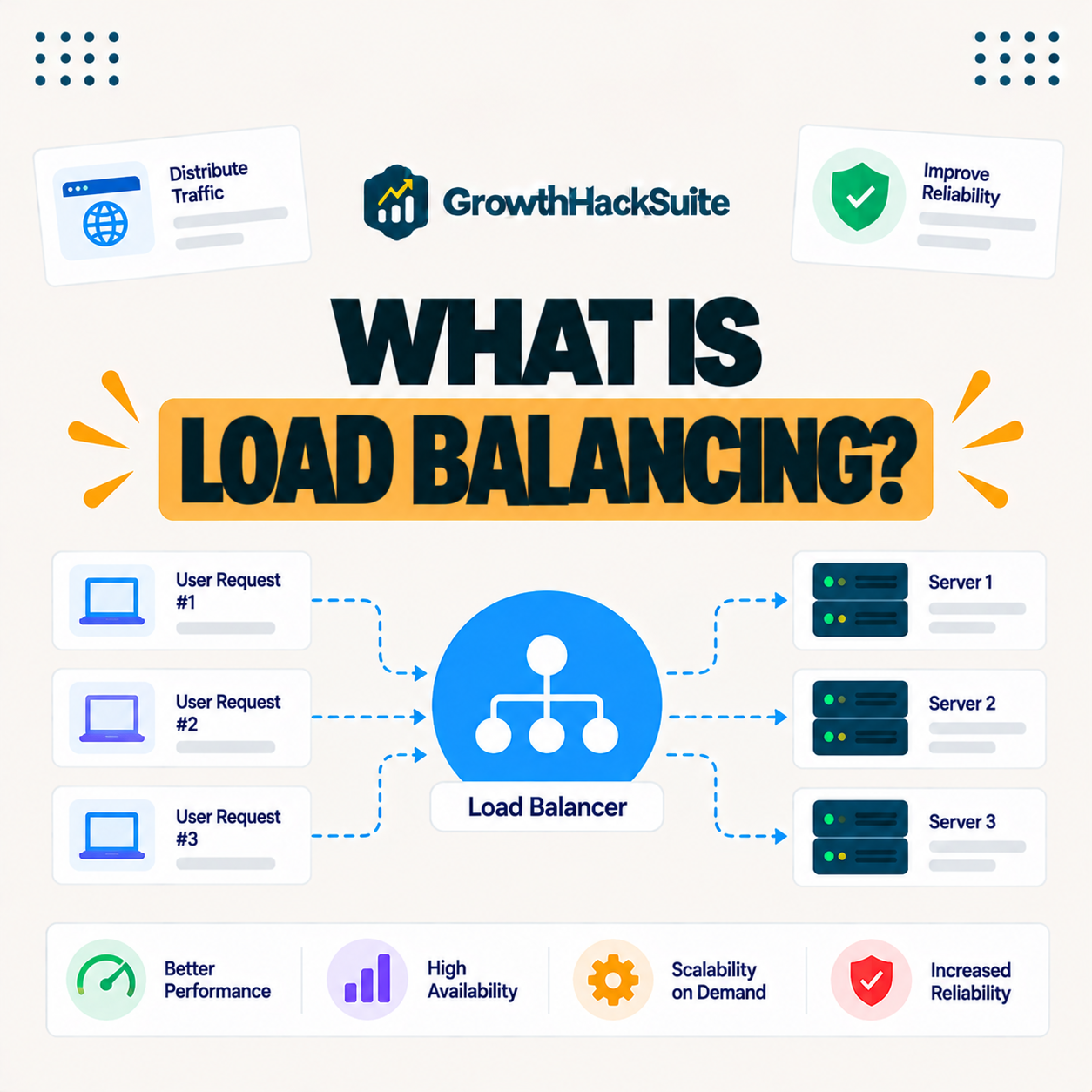
Load balancing is a technique that distributes incoming traffic across multiple servers so no single server becomes overwhelmed. It improves performance, reliability and availability by spreading the workload and rerouting around failed servers, making it essential infrastructure for high-traffic websites and applications that must stay fast and online. This guide explains how it works and who needs it.
Last updated: August 2026. Written by the Growth Hack Suite editorial team, with details cross-checked against provider documentation. This page carries affiliate links to Kinsta.
What Is Load Balancing?
Load balancing is a technique that distributes incoming network traffic across multiple servers so no single server becomes overwhelmed. It improves performance and reliability by spreading the workload, keeping the site responsive even under heavy demand from many simultaneous visitors.
“Load balancing is the process of distributing tasks over a set of resources.”
— Wikipedia, Load balancing
For a website, those tasks are requests and the resources are servers, so spreading them keeps any one server from becoming a bottleneck as traffic grows.
How Does Load Balancing Work?
Load balancing works by placing a load balancer in front of a group of servers, which routes each request to an available server based on rules like least connections or round robin. The workload is therefore shared evenly across the pool rather than falling on one machine.
Verdict: Load balancing spreads requests across many servers so none is overwhelmed, and reroutes traffic around any server that fails, which keeps a high-traffic site fast and online. It pairs with autoscaling, which changes how many servers exist. The honest reality is that most site owners never configure one themselves, because managed hosting and strong caching distribute and absorb load at the platform level automatically.
In short, it is the traffic director for a server pool, and for most sites the host handles it rather than the owner.
Why Spreading Traffic Improves Reliability
Load balancing improves reliability because if one server fails or slows, the balancer reroutes traffic to healthy servers. The site stays available and no single server failure takes it offline, which is critical for high-traffic sites where downtime is costly and highly visible.
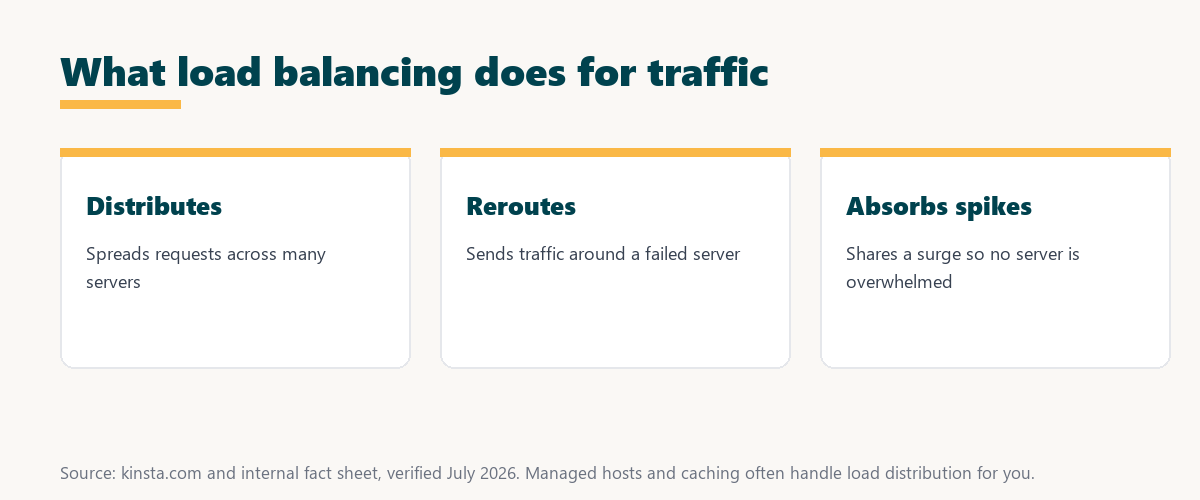
The honest point is that removing the single point of failure is the core reliability gain, which is why high-availability setups depend on it.
Balanced Traffic vs a Single Server
Load balancing differs from a single-server setup by sharing traffic across many servers, so it handles far more load and tolerates failures. A single server becomes a bottleneck and a single point of failure under heavy traffic, which a balanced server pool is designed to prevent
Source: provider documentation, verified August 2026. The method chosen shapes how evenly load is shared.
Listing round robin, least connections and IP hash with how each routes traffic shows that different methods suit different workloads, from even servers to sticky user sessions.
See how Kinsta absorbs high-traffic load
Try Kinsta →Google Cloud infrastructure and caching, with a 30-day money-back guarantee.
Types of Traffic Distribution Methods
Traffic distribution methods include round robin, which cycles through servers, least connections, which favors the least busy server, and IP hash, which routes based on the client. Each suits different traffic and application patterns, so the right method depends on the workload.
- Round robin: Requests cycle through servers in order, which suits a pool of similar, evenly loaded machines.
- Least connections: New requests go to the server with the fewest active connections, balancing uneven request lengths.
- IP hash: A client’s address maps to a specific server, keeping a user’s session on the same machine.
- Weighted routing: More capable servers receive a larger share of traffic based on assigned weights.
- Health checks: The balancer skips servers that fail health checks, routing only to healthy ones.
The honest takeaway is that the method matters less than having distribution and health checks at all, which any good balancer provides.
Main Benefits for High-Traffic Sites
The benefits of load balancing include higher capacity, better performance under load, improved availability through failover and smoother handling of traffic spikes. Together these make it foundational for sites and applications that must scale reliably as demand grows.
- Higher capacity: Spreading requests across servers lets the site serve far more traffic than one machine could.
- Better performance: No single server is overloaded, so response times stay consistent under heavy demand.
- Failover availability: Rerouting around failed servers keeps the site online despite hardware problems.
- Spike handling: A surge is shared across the pool, avoiding the overload a single server would hit.
- Scalable foundation: Adding servers to the pool grows capacity without redesigning the site.
“The first five seconds of page-load time have the highest impact on conversion rates.”
— HubSpot, page load time and conversion rates
Because a high-traffic site is most likely to slow when overloaded, load balancing protects those early seconds precisely when the most visitors are arriving at once.
Do You Need Load Balancing?
You need load balancing when a single server can no longer handle your traffic or when high availability is essential. That said, many sites rely on managed hosting and caching that handle scale without you configuring a load balancer yourself, so the direct need is narrower than it seems.
The honest point is that load balancing is essential infrastructure for large sites, but most owners get its benefits through a managed platform rather than building it.
How to Get Traffic Distribution for Your Site
You get load balancing through cloud platforms, application hosting or managed hosting that builds it into the infrastructure. Rather than configuring balancers yourself, you can choose a host whose platform distributes load automatically, which is how most WordPress sites gain the benefit.
Source: provider documentation, verified August 2026. Load balancing removes the single-server ceiling.
Comparing capacity, failure tolerance and performance under load shows a load-balanced setup outperforms a single server exactly where high traffic strains it most. Owners weighing platform commitment can also read our note on SaaS vendor lock-in.
How Kinsta Handles High-Traffic Load
Kinsta handles high-traffic load on Google Cloud infrastructure with isolated resources, edge caching that serves most requests before they reach the origin, and a global CDN. Sites therefore absorb heavy traffic without you managing load balancers, since the platform distributes and offloads the work.
Get high-traffic hosting handled on Kinsta
Start With Kinsta →Free migration and a 30-day money-back guarantee.
Load Distribution and Autoscaling Together
Load balancing and autoscaling work together for high traffic, since autoscaling adds or removes servers while the load balancer distributes requests across whatever servers exist. The pair keeps a site fast and available as demand rises and falls, each handling a different part of the job.
“A tool is only worth its premium when the hours or revenue it protects exceed the invoice.”
— Growth Hack Suite, on tool ROI
Applied to high traffic, the infrastructure that distributes and scales load earns its cost when the sales it keeps online during a surge exceed the price of the capacity.
What Is a Load Balancer?
A load balancer is the component that sits in front of a group of servers and distributes incoming requests among them. It decides which server handles each request based on configured rules and health checks, so it is the part of the system that actually performs load balancing.
The honest qualifier is that a load balancer can be hardware, software or a cloud service, but on managed hosting it is simply part of the platform you never see.
Keeping a High-Traffic Site Fast and Online
You keep a high-traffic site fast and online with scalable infrastructure, strong caching that offloads the origin and a CDN. The underlying platform then distributes and absorbs load rather than letting a single server become a bottleneck, which is what keeps a busy site responsive.
The honest summary is that high-traffic readiness is mostly caching plus scalable, load-distributing infrastructure, which a managed platform provides without manual configuration.
Keep your busy site fast risk-free on Kinsta
Try Kinsta Risk-Free →Caching, a CDN and free migration, with a 30-day money-back guarantee.
Frequently Asked Questions About Spreading Traffic
The 12 most-asked questions about load balancing.
What is load balancing in simple terms?
Load balancing spreads incoming traffic across multiple servers so no single one is overwhelmed, improving performance and reliability by sharing the workload and keeping the site responsive under heavy demand.
How does load balancing work?
Load balancing works by placing a load balancer in front of several servers, which routes each request to an available server using rules like round robin or least connections, sharing the load evenly.
Why does load balancing improve reliability?
Load balancing improves reliability because if one server fails or slows, the balancer reroutes traffic to healthy servers, so no single failure takes the site offline.
What are the types of load balancing?
Common load balancing methods include round robin, which cycles through servers, least connections, which favors the least busy server, and IP hash, which routes based on the client address.
Do I need load balancing for my website?
You need load balancing when one server can no longer handle your traffic or when high availability is essential, though managed hosting and caching often handle scale without you configuring it.
What is a load balancer?
A load balancer is the component that sits in front of a group of servers and distributes incoming requests among them, deciding which server handles each request based on configured rules.
How is load balancing different from a single server?
Load balancing shares traffic across many servers to handle more load and tolerate failures, while a single server becomes a bottleneck and a single point of failure under heavy traffic.
Does load balancing help with traffic spikes?
Yes, load balancing helps with spikes by distributing the surge across multiple servers, so no one server is overwhelmed, especially when combined with the ability to add servers to the pool.
Is load balancing the same as autoscaling?
No, load balancing distributes traffic across existing servers, while autoscaling changes how many servers exist, and the two often work together to handle variable high-traffic workloads.
Does caching reduce the need for load balancing?
Caching reduces origin load by serving many requests from cache, which lessens pressure on servers, though very high-traffic sites still benefit from distributing the remaining dynamic load.
Do I have to set up load balancing myself?
Not always, since many cloud platforms and managed hosts build load distribution into their infrastructure, so you can rely on the platform rather than configuring balancers yourself.
How does Kinsta handle high traffic?
Kinsta handles high traffic on Google Cloud with isolated resources, edge caching that serves most requests before they reach the origin, and a global CDN, so sites absorb load without you managing balancers.
About this guide
Written by the Growth Hack Suite editorial team, drawing on hands-on experience running high-traffic sites. Details were cross-checked against provider documentation. This page carries affiliate links to Kinsta, so the position is stated plainly: load balancing distributes traffic across servers so none is overwhelmed and reroutes around failures, it pairs with autoscaling for variable load, and most owners get its benefits through managed hosting rather than configuring it. Kinsta absorbs high traffic with isolated Google Cloud resources, edge caching and a global CDN.